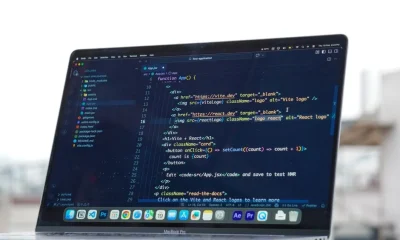

Zustand LocalStorage refers to the practice of integrating the lightweight Zustand state management library with the browser’s localStorage API to persist application state across browser sessions. This combination allows frontend applications to retain user preferences, authentication tokens, or other non-sensitive data, enhancing user experience by maintaining context without server requests on every visit.
The recent advancements in frontend frameworks and state management libraries, including Zustand’s lean design, emphasize the importance of efficient client-side data handling. While server-side rendering and complex caching strategies dominate large-scale cloud architectures, understanding robust client-side persistence remains critical for optimizing user interactions and reducing server load, especially with the continuous evolution of web standards and browser capabilities.
From a cloud architect’s perspective, effective client-side state management, particularly persistence, directly influences server resource utilization, network bandwidth consumption, and overall application responsiveness. This article will explore the technical nuances of integrating Zustand with localStorage, examining architectural implications, performance optimizations, security considerations, and the trade-offs involved in deploying such solutions within a modern web ecosystem.
Core Concepts: Zustand, LocalStorage, and Client-Side Persistence
Zustand LocalStorage integration involves leveraging Zustand, a minimal, fast, and scalable state management solution for React, with the browser’s built-in localStorage API to achieve client-side data persistence. This means that data stored in your application’s state can survive page refreshes and even browser closures, providing a consistent user experience without requiring immediate re-authentication or data fetching from backend services.
Zustand distinguishes itself through its simplicity and lack of boilerplate. It allows developers to create stores using a single function, making it highly attractive for projects prioritizing developer experience and bundle size. From an architectural standpoint, its observable-like pattern means components only re-render when the specific slice of state they subscribe to changes, leading to efficient updates. When we talk about persistence, we are referring to the ability of an application to maintain its state even when the user navigates away or closes the browser. For many web applications, particularly those with dashboard interfaces, user preferences, or cached data, client-side persistence through localStorage is a foundational requirement.
localStorage is a synchronous, key-value storage mechanism available in all modern web browsers. It stores data with no expiration date, meaning the data persists until explicitly cleared by the user or the application. Each origin (domain) gets its own localStorage instance, preventing cross-site scripting vulnerabilities related to data access. The primary architectural consideration with localStorage is its synchronous nature; reading from or writing to it can block the main thread, potentially causing UI jank if large amounts of data are processed. Furthermore, its storage limit, typically around 5-10 MB per origin, necessitates careful data management, especially in applications that handle extensive client-side caching or complex user profiles. For a cloud architect, understanding these limitations is paramount, as they directly influence the design choices for data flow and client-server interactions, potentially impacting server load and network efficiency.
Integrating Zustand with localStorage typically involves a middleware pattern where state changes are intercepted and written to localStorage. Conversely, upon application initialization, the state is rehydrated from localStorage into the Zustand store. This pattern ensures that the single source of truth remains the Zustand store during runtime, with localStorage serving as a durable, albeit less performant, backup. The decision to persist specific state slices versus the entire store is an important architectural choice, balancing the convenience of full state persistence against the performance implications of serializing and deserializing large data structures. Selective persistence often leads to more optimized applications, as only critical, non-sensitive data needs to survive browser sessions, while transient or sensitive data is either re-fetched or managed differently. This approach aligns with principles of least privilege and efficient resource allocation, crucial in scalable cloud environments.
The ecosystem around Zustand has matured, offering official and community-driven middleware solutions that abstract away much of the complexity of localStorage integration. These middleware components often provide options for serialization, deserialization, and handling errors during storage operations. This abstraction allows developers to focus on application logic, while still adhering to robust architectural patterns. However, even with middleware, a cloud architect must remain cognizant of the underlying mechanisms, particularly regarding data format compatibility, potential versioning issues if the stored state schema changes, and the impact of these operations on the client’s computational resources. Maintaining a clear understanding of the data lifecycle, from its origin in the backend to its persistence in the browser and its eventual rehydration, is essential for building resilient and performant web applications that integrate seamlessly with cloud services.
Implementing LocalStorage Persistence with Zustand Middleware
Implementing localStorage persistence in Zustand is most effectively achieved using middleware, which provides a clean, declarative way to extend store functionality. The official Zustand documentation and community patterns generally recommend wrapping the store creation with a persistence middleware. This middleware intercepts state changes, serializes them, and writes them to localStorage. Conversely, upon application bootstrap, it reads the stored data, deserializes it, and initializes the Zustand store.
A common approach involves the persist middleware provided by Zustand itself. This middleware takes your store definition and an options object, allowing fine-grained control over the persistence mechanism. Key options include specifying the storage API (e.g., localStorage, sessionStorage), the name of the key under which the state will be stored, and optional functions for serialization and deserialization. This level of customization is crucial for handling complex data types, ensuring data integrity, and optimizing performance by only persisting necessary parts of the state.
Here’s a basic example of using the persist middleware:
import { create } from 'zustand';
import { persist, createJSONStorage } from 'zustand/middleware';

interface UserState {
  token: string | null;
  username: string | null;
  preferences: { theme: string; notifications: boolean };
  login: (token: string, username: string) => void;
  logout: () => void;
  setPreference: (key: keyof UserState['preferences'], value: any) => void;
}

const useUserStore = create<UserState>(
  persist(
    (set, get) => ({
      token: null,
      username: null,
      preferences: { theme: 'light', notifications: true },
      login: (token, username) => set({ token, username }),
      logout: () => set({ token: null, username: null }),
      setPreference: (key, value) =>
        set(state => ({
          preferences: { ...state.preferences, [key]: value },
        })),
    }),
    {
      name: 'user-storage', // unique name for localStorage key
      storage: createJSONStorage(() => localStorage), // (optional) by default, 'localStorage' is used
      partialize: (state) =>
        Object.fromEntries(
          Object.entries(state).filter(([key]) =>
            ['token', 'username', 'preferences'].includes(key)
          ) // Only persist 'token', 'username', and 'preferences'
        ),
      version: 1, // Optional: for schema migrations
      onRehydrateStorage: (state) => {
        console.log('Rehydrating storage for user store:', state);
        // Optional: Add logic here before rehydration, e.g., data migration
        return (state, error) => {
          if (error) {
            console.error('Failed to rehydrate user store:', error);
            // Handle error, e.g., clear corrupted state
            localStorage.removeItem('user-storage');
          }
        };
      },
    }
  )
);

export default useUserStore;
In this example, the partialize option is critical from an architectural perspective. It allows you to specify exactly which parts of your Zustand state should be persisted to localStorage. This is vital for security (avoiding sensitive data storage) and performance (reducing serialization/deserialization overhead). For instance, an application might persist user authentication tokens and UI preferences but not large datasets or temporary UI states that can be easily regenerated. The version option is also a powerful tool for managing schema changes, which is a common challenge in evolving applications. When your state shape changes, you can increment the version and provide migration functions to transform old state structures into new ones, preventing runtime errors and ensuring data compatibility.
The onRehydrateStorage callback provides hooks into the rehydration process, allowing for custom logic before and after the state is loaded from storage. This can be used for error handling, data validation, or even complex data migrations. For instance, if localStorage contains corrupted data or data from an incompatible older version, this hook can be used to clear the invalid state and gracefully revert to a default initial state, enhancing the application’s robustness. This level of control is essential for cloud-native applications that must operate reliably in diverse client environments and handle unexpected data states. By carefully configuring the persist middleware, developers can build highly resilient client-side state management that complements a robust backend infrastructure.
Architectural Considerations: Security, Performance, and Data Integrity
When architecting solutions that leverage localStorage for state persistence with Zustand, a cloud architect must meticulously evaluate security, performance, and data integrity. These factors significantly influence the overall resilience and reliability of the application, especially when operating at scale.
Security Implications of LocalStorage
localStorage is inherently client-side and accessible via JavaScript. This characteristic makes it vulnerable to Cross-Site Scripting (XSS) attacks. If an attacker successfully injects malicious JavaScript into your page, they can access all data stored in localStorage, including sensitive user information like authentication tokens. Therefore, never store highly sensitive data, such as unencrypted Personally Identifiable Information (PII), payment details, or unencrypted session IDs, directly in localStorage. For authentication, it is generally recommended to use HTTP-only cookies for session tokens, as these are inaccessible to client-side JavaScript, mitigating XSS risks. If tokens must be stored client-side for specific use cases (e.g., SPA authentication flows), they should be short-lived and refreshed frequently. Consideration should be given to encrypting any sensitive data before storing it in localStorage, although this adds complexity and requires a secure key management strategy, which is often challenging to implement purely client-side.
Performance Bottlenecks and Optimization
The synchronous nature of localStorage operations can introduce performance bottlenecks. Every read and write blocks the main thread until the operation completes. If your application attempts to persist a large Zustand state object or performs frequent writes, users might experience UI jank or unresponsiveness. To mitigate this:
- Partial Persistence: As demonstrated with the
partializeoption in Zustand’spersistmiddleware, only store the absolute minimum necessary data. Avoid persisting large data caches that can be easily re-fetched from the server. - Debouncing Writes: Instead of writing to
localStorageon every state change, debounce the writes. This means delaying the write operation until a certain period of inactivity has passed, or bundling multiple changes into a single write. - Asynchronous Hydration: For large initial state loads, consider hydrating the Zustand store from
localStorageasynchronously, perhaps after the initial UI render, to prevent blocking the critical rendering path. This might involve displaying a loading spinner or a skeletal UI until the state is fully rehydrated. - Throttling: Similar to debouncing, throttling limits the rate at which
localStoragewrites occur, ensuring they don’t happen more often than a specified interval.
These techniques are crucial for maintaining a fluid user experience, especially on lower-powered devices or in environments with high CPU usage.
Ensuring Data Integrity and Consistency
Data stored in localStorage can become stale, corrupted, or incompatible with newer application versions. Strategies to maintain data integrity include:
- Versioning: Use the
versionoption in Zustand’spersistmiddleware to manage schema changes. When your application’s state structure evolves, increment the version number and provide migration functions to transform old state data into the new format. This prevents runtime errors and ensures backward compatibility. - Validation on Rehydration: Implement validation logic within the
onRehydrateStoragecallback to check the integrity and validity of the loaded state. If the data is malformed or invalid, gracefully clearlocalStoragefor that key and revert to the application’s default state. - Error Handling: Implement robust error handling for
localStorageoperations. For example, iflocalStorageis full (quota exceeded error) or if a user has disabled it, your application should degrade gracefully, perhaps by falling back to a non-persistent state or notifying the user. - Synchronization Across Tabs: While
localStorageis shared across tabs from the same origin, changes made in one tab do not automatically notify other tabs. For real-time synchronization, consider using theStorageEventAPI or more sophisticated solutions likeBroadcastChannelor shared workers. This becomes a complex architectural decision for applications requiring strict cross-tab consistency.
By addressing these architectural considerations proactively, cloud architects can design robust and secure client-side persistence layers that enhance user experience without compromising the application’s stability or security posture. These client-side optimizations complement efficient backend services, contributing to a holistic high-performance cloud architecture.
Handling Data Serialization, Hydration, and Schema Migrations
The process of persisting Zustand state to localStorage fundamentally involves two critical operations: serialization and hydration. Serialization converts the JavaScript state object into a string format suitable for storage, typically JSON. Hydration is the reverse process, parsing the stored string back into a usable JavaScript object when the application loads. Beyond these core mechanisms, managing schema changes over time, known as schema migrations, is a frequent challenge in evolving applications.
Data Serialization
By default, Zustand’s persist middleware uses JSON.stringify() for serialization. This works well for basic JavaScript types (strings, numbers, booleans, arrays, plain objects) that can be represented in JSON. However, complex data types such as Date objects, Maps, Sets, functions, or class instances do not serialize correctly to JSON by default. For example, a Date object will become a string, and a Map will become an empty object when stringified. Functions and class methods will be lost entirely. From an infrastructure perspective, this means data types must be carefully considered to ensure fidelity between the in-memory state and the persisted state. Custom serialization logic is often required for these complex types. You can provide custom serialize and deserialize functions in the persist middleware options:
import { create } from 'zustand';
import { persist, createJSONStorage } from 'zustand/middleware';

interface ComplexState {
  lastUpdated: Date;
  items: Map<string, number>;
  increment: () => void;
}

const useComplexStore = create<ComplexState>(
  persist(
    (set) => ({
      lastUpdated: new Date(),
      items: new Map([['a', 1], ['b', 2]]),
      increment: () => set(state => ({
        items: new Map(state.items).set('c', (state.items.get('c') || 0) + 1),
        lastUpdated: new Date() // Update date on change
      })),
    }),
    {
      name: 'complex-storage',
      storage: createJSONStorage(() => localStorage, {
        // Custom serializer
        serialize: (state) => {
          return JSON.stringify({
            ...state, // Spread default state
            state: {
              ...state.state, // Spread actual Zustand state
              lastUpdated: state.state.lastUpdated.toISOString(), // Convert Date to ISO string
              items: Array.from(state.state.items.entries()) // Convert Map to array of arrays
            }
          });
        },
        // Custom deserializer
        deserialize: (str) => {
          const parsed = JSON.parse(str);
          return {
            ...parsed,
            state: {
              ...parsed.state,
              lastUpdated: new Date(parsed.state.lastUpdated), // Convert ISO string back to Date
              items: new Map(parsed.state.items) // Convert array of arrays back to Map
            }
          };
        },
      }),
    }
  )
);
This custom serialization ensures that Date objects are stored as ISO strings and Maps as arrays of key-value pairs, which can then be correctly reconstructed during hydration. This attention to data transformation is critical for maintaining the integrity of complex application states.
State Hydration
Hydration occurs when the application starts and attempts to load the previously saved state from localStorage. If the stored data is malformed, missing, or incompatible with the current state schema, it can lead to runtime errors or an inconsistent application state. The onRehydrateStorage callback within the persist middleware is invaluable here. It allows you to inspect the state before it’s applied, providing an opportunity for validation and error recovery. For example, if a required field is missing from the stored state, you could default to an initial value or clear the corrupted storage. This proactive error handling is a key component of building resilient applications that can gracefully recover from unexpected client-side data issues.
Schema Migrations
As applications evolve, their state structures often change. Adding new fields, removing old ones, or changing data types can break compatibility with previously stored localStorage data. The version option in Zustand’s persist middleware, combined with a migrate function, provides a robust solution for schema migrations. When you increment the version number in your store definition, Zustand will call the migrate function if the stored version is older than the current one.
const useMigratedStore = create<MigratedState>(
  persist(
    (set) => ({ /* current state definition */ }),
    {
      name: 'migrated-storage',
      version: 2, // Current schema version
      migrate: (persistedState, version) => {
        if (version === 0) {
          // Example: migrate from version 0 to 1
          // If 'oldField' existed in v0, remove it and add 'newField'
          const stateV0 = persistedState as any; // Cast to 'any' for old schema access
          delete stateV0.oldField;
          stateV0.newField = 'default_value';
          return stateV0;
        }
        if (version === 1) {
          // Example: migrate from version 1 to 2
          // Change 'status' string to 'status' object
          const stateV1 = persistedState as any;
          stateV1.status = { value: stateV1.status, timestamp: Date.now() };
          return stateV1;
        }
        return persistedState; // Return current state if no migration needed
      },
    }
  )
);
The migrate function receives the old persisted state and its version, allowing you to write specific transformation logic for each version step. This mechanism is critical for maintaining data continuity and preventing user data loss during application updates. From a cloud architect’s perspective, robust migration strategies on the client-side reduce the need for complex server-side data synchronization or forced cache invalidations, leading to a more stable and efficient overall system. It also means that client-side deployments can proceed with greater confidence, knowing that existing user data will be handled gracefully during updates.
Optimizing Performance and User Experience with LocalStorage
Optimizing the interaction between Zustand and localStorage is crucial for delivering a high-performance and seamless user experience. While localStorage offers convenience, its synchronous nature and potential for large data volumes can introduce significant performance overheads if not managed carefully. From a cloud architect’s perspective, efficient client-side resource utilization directly translates to lower server load and improved perceived performance, even for applications served globally via CDNs.
Debouncing and Throttling Writes
Frequent writes to localStorage can block the main thread, leading to UI jank. Imagine an application where every keystroke in a form field triggers a state update that is immediately persisted. This could cause noticeable delays. Implementing debouncing or throttling for localStorage writes is a primary optimization strategy. Debouncing delays the execution of a function until after a certain period of inactivity. Throttling limits the rate at which a function can be called. For example, you might only write to localStorage after a user has stopped typing for 500ms (debouncing) or no more than once every second (throttling).
While Zustand’s persist middleware doesn’t offer built-in debouncing/throttling for writes, it can be implemented by wrapping the setItem method of the storage object:
import { create } from 'zustand';
import { persist, StateStorage } from 'zustand/middleware';

// Simple debounce utility
const debounce = <F extends (...args: any[]) => any>(
  func: F,
  waitFor: number
) => {
  let timeout: ReturnType<typeof setTimeout>;
  return (...args: Parameters<F>): Promise<ReturnType<F>> =>
    new Promise(resolve => {
      clearTimeout(timeout);
      timeout = setTimeout(() => resolve(func(...args)), waitFor);
    });
};

// Custom debounced localStorage storage
const debouncedLocalStorage: StateStorage = {
  getItem: (name: string) => localStorage.getItem(name),
  setItem: debounce((name: string, value: string) => {
    localStorage.setItem(name, value);
  }, 300), // Debounce writes by 300ms
  removeItem: (name: string) => localStorage.removeItem(name),
};

interface SettingsState {
  theme: string;
  fontSize: number;
  setTheme: (theme: string) => void;
  setFontSize: (size: number) => void;
}

const useSettingsStore = create<SettingsState>(
  persist(
    (set) => ({
      theme: 'dark',
      fontSize: 16,
      setTheme: (theme) => set({ theme }),
      setFontSize: (fontSize) => set({ fontSize }),
    }),
    {
      name: 'settings-storage',
      storage: debouncedLocalStorage, // Use the custom debounced storage
    }
  )
);
This approach ensures that localStorage writes are batched, significantly reducing the performance impact during rapid state changes. For critical UI interactions, this optimization can prevent perceived lag and improve the overall fluidity of the application.
Asynchronous Hydration
The initial hydration of a Zustand store from localStorage also happens synchronously. If the stored state is large, this can delay the initial render of your application, leading to a blank screen or a noticeable pause. To combat this, you can implement asynchronous hydration. This involves rendering a lightweight UI (e.g., a loading spinner or a skeleton screen) while the state is being loaded in the background.
Zustand’s persist middleware offers an onRehydrateStorage callback that can be used to manage this. You can track the hydration status and render your components conditionally:
import { create } from 'zustand';
import { persist } from 'zustand/middleware';
import { useEffect, useState } from 'react';

interface AppState {
  data: string[];
  isHydrated: boolean;
  fetchData: () => Promise<void>;
}

const useAppStore = create<AppState>(
  persist(
    (set) => ({
      data: [],
      isHydrated: false,
      fetchData: async () => {
        // Simulate API call
        await new Promise(resolve => setTimeout(resolve, 500));
        set({ data: ['item1', 'item2', 'item3'] });
      },
    }),
    {
      name: 'app-data-storage',
      onRehydrateStorage: (state) => {
        console.log('Hydration started');
        return (state, error) => {
          if (error) {
            console.error('Hydration failed', error);
          } else {
            // Mark as hydrated after successful rehydration
            state?.set({ isHydrated: true });
          }
        };
      },
    }
  )
);

// In your React component:
function App() {
  const isHydrated = useAppStore(state => state.isHydrated);
  const data = useAppStore(state => state.data);

  useEffect(() => {
    // If not hydrated, trigger rehydration or initial data fetch
    if (!isHydrated) {
      // Optionally fetch data if not hydrated from storage
      // useAppStore.getState().fetchData();
    }
  }, [isHydrated]);

  if (!isHydrated) {
    return <div>Loading application...</div>; // Show loading state
  }

  return (
    <div>
      <h1>Application Data</h1>
      <ul>
        {data.map((item, index) => <li key={index}>{item}</li>)}
      </ul>
    </div>
  );
}
This pattern allows the initial render to proceed quickly, improving the perceived loading time. The user sees something immediately, rather than waiting for potentially slow localStorage reads. For applications with complex UIs or large initial state, this can significantly enhance the user experience and contribute to better core web vitals, which are critical for SEO and user retention. From an architectural perspective, this reduces the ‘time to interactive’ metric, a key performance indicator for modern web applications, and aligns with the goals of delivering highly responsive and performant cloud-backed services.
Alternative Persistence Strategies and Their Infrastructure Impact
While localStorage offers a straightforward path to client-side state persistence with Zustand, it is essential for a cloud architect to understand its limitations and consider alternative strategies. The choice of persistence mechanism has significant implications for data volume, security, performance, and synchronization requirements, directly impacting the overall infrastructure design and operational costs.
IndexedDB: For Larger, Structured Data
IndexedDB is a low-level API for client-side storage of significant amounts of structured data, including files and blobs. Unlike localStorage‘s simple key-value string storage, IndexedDB is a transactional database system, supporting indexes for efficient querying and capable of storing much larger volumes of data (typically hundreds of MBs or even gigabytes, depending on browser and available disk space). Its asynchronous nature means operations do not block the main thread, making it suitable for applications with extensive client-side caching or offline capabilities.
Infrastructure Impact: Using IndexedDB can drastically reduce the frequency and volume of data fetched from backend APIs, lowering server load and network costs. This is particularly beneficial for applications in healthcare, logistics, or field services where large datasets might need to be available offline or frequently accessed without server interaction. However, integrating IndexedDB is more complex than localStorage, requiring more boilerplate code or specialized libraries (e.g., Dexie.js). The increased complexity shifts some development effort to the client-side, but can yield substantial benefits in terms of offline functionality and performance for data-intensive applications. For a cloud architect, this implies a need for robust client-side data synchronization strategies if the IndexedDB data needs to be eventually consistent with server-side databases.
SessionStorage: Temporary Session Persistence
SessionStorage is another key-value storage mechanism similar to localStorage, but with a crucial difference: data stored in sessionStorage is cleared when the browser tab or window is closed. It also operates synchronously and has similar storage limits to localStorage (around 5-10 MB). Each tab gets its own sessionStorage instance, meaning data is not shared across different tabs of the same origin.
Infrastructure Impact: sessionStorage is ideal for temporary UI state that needs to persist only within a single browsing session, such as form input data during a multi-step process or temporary user preferences. It has minimal infrastructure impact as it doesn’t aim for long-term persistence or large data volumes. It can reduce redundant data fetching within a session, offering a slight performance improvement by avoiding repeated API calls for transient data. Its isolated nature per tab simplifies state management for multi-tab applications by preventing unintended data sharing, which can sometimes be a challenge with localStorage.
Server-Side Persistence and Rehydration (SSR/SSG)
For critical application state, especially initial data required for rendering, relying solely on client-side storage can be problematic. Server-Side Rendering (SSR) and Static Site Generation (SSG) involve fetching data on the server and embedding it directly into the initial HTML response. This data can then be rehydrated into client-side state management libraries like Zustand upon page load.
Infrastructure Impact: SSR/SSG shifts significant computational load from the client to the server (or build process). This improves perceived performance (Time To First Byte, First Contentful Paint) and SEO. However, it increases server costs (for SSR) or build times (for SSG). Managing data rehydration between server and client requires careful architectural design to avoid hydration mismatches and ensure consistent state. For applications that require dynamic, personalized content, SSR might be necessary, potentially requiring robust cloud functions or dedicated rendering servers. For static content with some dynamic elements, SSG combined with client-side data fetching offers an optimal balance between performance and cost. This approach often integrates with CDNs for global content delivery, further reducing latency and improving scalability.
Comparison Table of Client-Side Storage Mechanisms
| Feature | LocalStorage | SessionStorage | IndexedDB |
|---|---|---|---|
| Data Type | Strings only | Strings only | Structured data (objects, files) |
| Storage Limit | 5-10 MB | 5-10 MB | Hundreds of MBs to GBs |
| Persistence | Persistent (until cleared) | Session-based (tab close) | Persistent (until cleared) |
| Access | Synchronous | Synchronous | Asynchronous |
| API Complexity | Low | Low | High |
| Use Cases | User preferences, auth tokens (non-sensitive) | Form data, transient UI state | Offline data, large caches, complex data |
| Security | Vulnerable to XSS | Vulnerable to XSS (within session) | Less vulnerable to XSS for data access, but data can still be read if JS is compromised |
Choosing the right persistence strategy is a trade-off between simplicity, data volume, performance, and security. A cloud architect must weigh these factors against the application’s specific requirements, user base, and operational budget. Often, a hybrid approach combining server-side rendering for initial data, IndexedDB for large offline caches, and localStorage for small, non-sensitive preferences offers the most robust and scalable solution.
Securing Client-Side Persistent State in a Cloud Environment
Securing client-side persistent state, especially when using localStorage with Zustand, is a critical concern for any cloud architect. While localStorage offers convenience, its inherent vulnerabilities can expose sensitive user data if not managed with stringent security practices. In a cloud environment, where applications are exposed to a global threat landscape, these client-side vulnerabilities can have cascading effects, compromising user accounts and potentially leading to data breaches.
Understanding XSS Vulnerabilities
The primary security risk associated with localStorage is its susceptibility to Cross-Site Scripting (XSS) attacks. If an attacker successfully injects malicious script into your web application (e.g., through unvalidated user input, vulnerable third-party libraries, or misconfigured content security policies), that script gains full access to the browser’s localStorage. This means any data stored there, including authentication tokens, user IDs, or preferences, can be exfiltrated to an attacker-controlled server. From an infrastructure perspective, even if your backend services are perfectly secured, a client-side XSS vulnerability can bypass those defenses, making the entire system vulnerable.
Best Practices for Secure Storage
-
Avoid Storing Sensitive PII or Credentials: As a fundamental rule, never store unencrypted sensitive information such as passwords, credit card numbers, or personally identifiable information (PII) like social security numbers directly in
localStorage. This data should always be managed server-side, transmitted securely, and only displayed to the user when absolutely necessary. -
Authentication Tokens: For authentication, HTTP-only cookies are generally preferred for session tokens because they are inaccessible to client-side JavaScript, making them immune to XSS attacks. If using JWTs (JSON Web Tokens) and they must be stored client-side for SPA architectures, store them in
localStorageonly if they are short-lived and frequently refreshed via secure, server-side mechanisms. Implement robust token invalidation strategies on the server to revoke compromised tokens promptly. Consider storing a refresh token in an HTTP-only cookie and the access token in memory orlocalStorage, with careful security considerations. -
Content Security Policy (CSP): Implement a strict Content Security Policy (CSP) to mitigate XSS attacks. A well-configured CSP can prevent the execution of unauthorized scripts, thereby reducing the chances of an attacker accessing
localStorage. This is an infrastructure-level defense that complements client-side security practices. -
Input Validation and Output Encoding: Always validate and sanitize all user inputs on both the client and server sides. Additionally, ensure all data rendered in the UI is properly output-encoded to prevent script injection. This is the first line of defense against XSS.
-
Encrypting Data (with caveats): For moderately sensitive data that absolutely must reside in
localStorage, consider client-side encryption. However, this is challenging. The encryption key itself must be managed securely, which is problematic since the client-side JavaScript environment is inherently untrusted. Storing the key alongside the encrypted data defeats the purpose. Therefore, client-side encryption is typically only effective if the key is derived from a user’s password (which means the user must re-authenticate to decrypt) or managed through a complex, secure key exchange with the server. This adds significant complexity and is often not a complete solution against a determined XSS attacker who can intercept the key at runtime. -
Regular Security Audits and Penetration Testing: Integrate security audits, vulnerability scanning, and penetration testing into your CI/CD pipeline. These practices are crucial for identifying and remediating potential XSS vulnerabilities before they can be exploited in production. This proactive approach is a cornerstone of secure cloud deployments.
Least Privilege Principle
Apply the principle of least privilege to your client-side state. Only persist the absolute minimum amount of data required to enhance the user experience. If data can be re-fetched from the server without significant performance impact, it often should be, rather than risking its exposure in localStorage. This reduces the attack surface and minimizes the potential damage if a client-side vulnerability is exploited.
In summary, while Zustand and localStorage offer powerful capabilities for client-side state management, they must be used with a deep understanding of their security implications. A robust security posture requires a multi-layered approach, combining secure coding practices, careful data selection for persistence, and strong infrastructure-level defenses like CSP. By adhering to these principles, cloud architects can design applications that leverage client-side persistence safely and effectively, protecting both user data and system integrity.
Integrating Zustand LocalStorage with Server-Side State Management
Integrating Zustand’s localStorage persistence with server-side state management is a common architectural challenge that requires careful synchronization and consistency strategies. While localStorage manages transient client-side state, the authoritative source of truth for most critical application data resides on the backend. A cloud architect must design a robust interface between these two layers to ensure data consistency, minimize network overhead, and provide a seamless user experience.
Data Flow and Synchronization Patterns
The primary goal is to prevent conflicts between client-side persisted state and the server’s canonical data. Several patterns can achieve this:
-
Server-Prefetched and Client-Rehydrated: For initial page loads, data can be fetched on the server (e.g., using Next.js
getServerSidePropsor PHP-based rendering for Laravel applications) and then passed to the client. This initial server-rendered state can then be used to hydrate the Zustand store. IflocalStoragealso contains relevant data, a merge strategy is needed. The server’s data typically takes precedence, overriding any stale or conflicting client-sidelocalStoragedata to ensure the most up-to-date information is displayed. This pattern optimizes Time To First Byte (TTFB) and First Contentful Paint (FCP). -
Client-Side Initial Fetch with LocalStorage Fallback: Upon application boot, the client first attempts to fetch critical data from the server. If this fetch fails (e.g., network issues) or is still loading, the application can temporarily use data from
localStorageto provide a faster initial render or offline capability. Once the server data arrives, it replaces thelocalStoragedata. This approach prioritizes fresh server data but uses client-side persistence for resilience and responsiveness. -
Optimistic Updates with Backend Reconciliation: For user actions that modify data (e.g., toggling a dark mode, changing a setting), the Zustand store can be updated immediately, and this change can be persisted to
localStorage. Concurrently, a request is sent to the backend to persist the change. If the backend operation succeeds, the state is confirmed. If it fails, the client-side state (andlocalStorage) must be rolled back to the previous valid state. This provides an immediate UI response, enhancing user experience, but requires careful error handling and rollback mechanisms. This pattern is common in highly interactive applications and requires robust API design for idempotency and error reporting. -
WebSockets or Server-Sent Events (SSE) for Real-Time Updates: For applications requiring real-time synchronization (e.g., collaborative tools, live dashboards), WebSockets or SSE can push updates from the server to the client. These updates then modify the Zustand store, which can optionally be persisted to
localStorage. This ensures that all connected clients (and their persisted states) are eventually consistent with the server’s data. This adds complexity to the backend (requiring a WebSocket server) but delivers immediate consistency.
Impact on Cloud Infrastructure
-
API Design: Backend APIs must be designed to support efficient data fetching (e.g., GraphQL for selective data retrieval, REST endpoints with proper caching headers) and state updates (e.g., idempotent PATCH requests). For applications using Laravel Telescope, monitoring these API interactions can reveal bottlenecks and ensure proper data flow.
-
Caching Strategies: Effective caching at various layers (CDN, edge, server-side, client-side) is crucial.
localStorageacts as a client-side cache for certain data, reducing the need to hit origin servers. However, ensuring cache invalidation and freshness across these layers is a complex distributed systems problem. -
Database Load: By intelligently using
localStorageto store non-critical or frequently accessed data, you can reduce the number of read operations on your primary databases, thus lowering database load and potentially reducing scaling costs. This offloading strategy is a core principle in cloud architecture. -
Network Bandwidth: Minimizing redundant data transfers between client and server directly impacts network bandwidth usage, which can be a significant cost factor in cloud deployments, especially for global applications. Careful selection of what to persist client-side helps reduce this.
-
Offline Capabilities: Combining
localStorage(or IndexedDB for larger data) with Service Workers can provide robust offline capabilities. This means the application can function even without network connectivity, significantly improving user experience and resilience. From an infrastructure standpoint, this requires careful management of data synchronization when connectivity is restored.
The choice of integration pattern depends heavily on the application’s specific requirements for data consistency, real-time updates, and offline functionality. A well-architected solution balances the benefits of client-side responsiveness with the reliability and authority of server-side data, optimizing both user experience and cloud resource utilization.
Scaling Zustand LocalStorage for Enterprise Applications
Scaling the use of Zustand with localStorage for enterprise-grade applications presents unique challenges beyond basic persistence. As an application grows in complexity, user base, and data volume, the simple client-side storage mechanism must be carefully managed to avoid performance bottlenecks, maintain data consistency across distributed clients, and ensure robust error handling. From a cloud architect’s perspective, scaling client-side state is an integral part of a holistic system design that supports high availability and global reach.
Managing Large State Objects and Storage Limits
localStorage has a finite storage limit, typically 5-10 MB per origin. For enterprise applications dealing with extensive user profiles, complex dashboards, or offline data, this limit can be easily reached. Exceeding this quota results in errors (QuotaExceededError), leading to data loss and application instability. Strategies to scale include:
- Selective Persistence: Rigorously define what absolutely needs to be persisted. Avoid storing large data caches, temporary UI states, or data that can be quickly re-fetched from the server. The
partializeoption in Zustand’spersistmiddleware is crucial here. - Data Compression: For larger, non-critical state slices, consider compressing the data before storing it in
localStorage(e.g., using libraries likelz-string). This can extend the effective storage capacity but adds CPU overhead for compression/decompression. - Hybrid Storage Solutions: For truly large datasets, offload to IndexedDB. Zustand’s
persistmiddleware can be configured to use a custom storage backend, allowing you to seamlessly integrate with IndexedDB for specific stores or parts of a store. This decouples large data from the synchronous, limitedlocalStorage.
Multi-Tab and Multi-Device Synchronization
Enterprise users often access applications across multiple browser tabs or devices simultaneously. localStorage is shared across tabs of the same origin, but changes in one tab do not automatically notify others. This can lead to stale data and inconsistent user experiences. For multi-device, the challenge is even greater as localStorage is device-specific.
-
StorageEventAPI: For basic cross-tab synchronization, theStorageEventAPI can notify other tabs whenlocalStoragechanges. This allows other tabs to rehydrate their Zustand stores. However, this is a passive notification and requires explicit handling in each tab.// In your Zustand store definition or a utility file window.addEventListener('storage', (event) => { if (event.key === 'user-storage' && event.newValue) { // Rehydrate the store if the relevant localStorage key changes useUserStore.persist.rehydrate(); } }); -
BroadcastChannelAPI: For more robust and explicit communication between tabs,BroadcastChannelprovides a messaging API. A dedicated channel can be used to broadcast state changes, allowing active synchronization. This is more explicit and reliable thanStorageEventfor complex synchronization needs. -
Server-as-Source-of-Truth: For critical data that must be consistent across all user sessions and devices, the server remains the ultimate source of truth. Client-side state (including
localStorage) should be treated as a cache that can be invalidated or refreshed from the server. This often involves real-time updates via WebSockets or polling for changes.
Error Handling and Resilience
In large-scale deployments, client-side errors related to localStorage (e.g., QuotaExceededError, security policy blocks) become more frequent. Robust error handling is paramount:
- Graceful Degradation: If
localStorageoperations fail, the application should not crash. It should gracefully fall back to a non-persistent state or usesessionStoragetemporarily. Users should be informed if persistence features are unavailable. - Monitoring: Implement client-side error logging and monitoring (e.g., through Sentry or custom error reporting) to track
localStoragerelated errors. This provides valuable insights into user-specific issues and helps identify broader patterns. - Automated Clearing: For corrupted or incompatible state, implement logic (e.g., within the
migrateoronRehydrateStoragecallbacks) to automatically clear the problematiclocalStoragekey and revert to a default state, preventing recurring issues for users.
Scaling Zustand localStorage for enterprise applications is not about simply increasing storage, but about building a resilient, consistent, and performant client-side data layer that complements a sophisticated cloud infrastructure. This involves strategic data management, robust synchronization mechanisms, and comprehensive error handling to ensure a stable experience for a large and diverse user base. For companies like NR Studio that offer cross-platform development services, these considerations are vital to delivering a unified and high-quality experience across various client environments.
Monitoring and Observability for Zustand LocalStorage Interactions
Effective monitoring and observability are crucial for understanding the behavior and performance of Zustand localStorage interactions in a production environment. As a cloud architect, gaining visibility into client-side state management is as important as monitoring backend services, as client-side issues can directly impact user experience, server load, and overall application health. Without proper instrumentation, diagnosing problems related to persistence, rehydration, or performance bottlenecks becomes a complex and time-consuming task.
Key Metrics to Monitor
-
localStorageRead/Write Latency: Track the time taken forlocalStorage.getItem()andlocalStorage.setItem()operations. High latencies, especially during initial load or frequent state changes, can indicate performance bottlenecks. This can be particularly relevant for larger state objects or slower client devices. -
localStorageSize and Quota Usage: Monitor the total size of data stored inlocalStoragefor your application’s origin. Track how close it is to the browser’s quota limit (typically 5-10 MB). FrequentQuotaExceededErrorevents indicate a need for more aggressive selective persistence or a shift to IndexedDB for larger data volumes. -
Rehydration Success Rate: Monitor the success and failure rates of state rehydration from
localStorageinto Zustand. Failures can indicate corrupted data, schema mismatches, or issues with thepersistmiddleware configuration. TheonRehydrateStoragecallback in Zustand’s middleware is an ideal place to log these events. -
Migration Success Rate: If you’re using schema migrations (with the
versionandmigrateoptions), track how often migrations occur and their success rate. Failed migrations can lead to inconsistent state or crashes, necessitating immediate attention. -
Client-Side Errors: Capture and log any JavaScript errors originating from
localStorageinteractions, such asSecurityError(e.g., if a user has disabledlocalStorageor is in private browsing mode) or serialization/deserialization errors for complex data types. These errors often manifest as unexpected application behavior.
Tools and Techniques for Observability
-
Browser Developer Tools: The ‘Application’ tab in browser developer tools provides direct access to
localStoragecontent, allowing manual inspection of stored data, size, and keys. The ‘Network’ and ‘Performance’ tabs can help analyze the impact of synchronouslocalStorageoperations on page load and UI responsiveness. -
Client-Side Error Logging (e.g., Sentry, Bugsnag): Integrate a robust client-side error logging solution. Configure it to capture detailed stack traces and context for errors related to
localStorageoperations, rehydration, or migrations. This allows proactive identification and debugging of issues in production. -
Custom Telemetry and Analytics: Implement custom telemetry to send specific metrics to your analytics platform (e.g., Google Analytics, Amplitude, custom logging to AWS CloudWatch or GCP Logging). For example, log the time taken for a full store rehydration, the size of the persisted state, or the outcome of a migration. This provides aggregated insights into client-side performance and state health.
-
Performance Monitoring (e.g., Web Vitals, Lighthouse): Regularly assess your application’s Core Web Vitals (LCP, FID, CLS) and overall Lighthouse scores. While not directly measuring
localStorage, these metrics are heavily influenced by client-side performance, including synchronous storage operations and initial state hydration. Improvements inlocalStorageefficiency will reflect positively here. -
Debug Middleware for Zustand: During development, use Zustand’s built-in
devtoolsmiddleware or community-developed logger middleware to inspect state changes, actions, and the effects of persistence in real-time. This helps in understanding the flow of data and identifying potential issues before deployment.
Proactive Alerting and Incident Response
For critical enterprise applications, configure proactive alerts based on the monitored metrics. For example, an alert could trigger if:
- The
localStoragequota usage exceeds 80% for a significant number of users. - The rehydration success rate drops below a certain threshold.
- A specific
localStorage-related error (e.g.,QuotaExceededError) occurs above a baseline frequency.
These alerts enable rapid incident response, allowing cloud operations teams to investigate and address client-side persistence issues before they impact a large user base. By integrating client-side observability with existing cloud monitoring platforms, a cloud architect can build a comprehensive view of application health, from the edge to the core backend services, ensuring a highly available and performant user experience.
Architectural Patterns for Decoupling State and Persistence
A sophisticated architectural approach to Zustand and localStorage involves decoupling the core state logic from the persistence mechanism. This separation of concerns enhances modularity, testability, and flexibility, allowing the application to adapt to changing persistence requirements without altering the fundamental business logic. From a cloud architect’s standpoint, decoupling promotes a more resilient and maintainable system, reducing technical debt and simplifying future migrations to different storage solutions or backend integrations.
Why Decouple?
-
Flexibility: Allows switching between
localStorage,sessionStorage, IndexedDB, or even a custom server-backed persistence layer with minimal code changes to the core store logic. -
Testability: Makes it easier to unit test your Zustand stores in isolation, without the side effects or dependencies of a specific storage mechanism.
-
Maintainability: Changes to the persistence strategy (e.g., updating serialization logic, adding migrations) are localized to the persistence layer, reducing the risk of introducing bugs into the core state management.
-
Performance Optimization: Different parts of your application state might have different persistence needs. Decoupling allows for fine-grained control, applying specific optimizations (like debouncing or compression) only where necessary.
Architectural Patterns
1. Abstracting the Storage Interface
Instead of directly using localStorage within your store or even relying solely on Zustand’s createJSONStorage, define an abstract interface for your storage operations. This interface would specify methods like getItem, setItem, and removeItem.
// storage.ts
export interface CustomStorage extends StateStorage {
  // Can add custom methods if needed
}

export const createLocalStorageAdapter = (): CustomStorage => ({
  getItem: (name: string) => localStorage.getItem(name),
  setItem: (name: string, value: string) => localStorage.setItem(name, value),
  removeItem: (name: string) => localStorage.removeItem(name),
});

export const createIndexedDBAdapter = (): CustomStorage => ({
  // Implement IndexedDB logic here, ensuring it matches the interface
  getItem: async (name: string) => { /* ... async IndexedDB read ... */ return null; },
  setItem: async (name: string, value: string) => { /* ... async IndexedDB write ... */ },
  removeItem: async (name: string) => { /* ... async IndexedDB remove ... */ },
});

// In your store:
import { persist } from 'zustand/middleware';
import { createLocalStorageAdapter } from './storage';

const useStore = create(
  persist(
    (set) => ({ /* ... */ }),
    {
      name: 'my-app-store',
      storage: createLocalStorageAdapter(), // Inject the adapter
    }
  )
);
This pattern allows you to inject different storage adapters based on environment (e.g., a mock storage for testing, localStorage for development, IndexedDB for production with large data) or specific use cases. It makes your persistence strategy a configurable dependency rather than a hardcoded implementation detail.
2. Dedicated Persistence Layer (Hooks/Utilities)
For more complex scenarios, create a dedicated persistence layer that wraps Zustand stores or specific state slices. This layer would be responsible for all persistence-related logic, including serialization, deserialization, migrations, and error handling. Zustand’s persist middleware itself acts as a form of this, but you can build further abstractions around it.
// usePersistentStore.ts
import { create } from 'zustand';
import { persist, createJSONStorage } from 'zustand/middleware';

interface MyState {
  count: number;
  inc: () => void;
}

// Core store logic, no persistence concerns here
const createMyStore = (set: any) => ({
  count: 0,
  inc: () => set((state: MyState) => ({ count: state.count + 1 })),
});

// Persistence wrapper
export const useMyPersistentStore = create<MyState>(
  persist(createMyStore, {
    name: 'my-persistent-store',
    storage: createJSONStorage(() => localStorage),
    version: 1,
    // All migration logic, onRehydrateStorage, etc., lives here
    // ...
  })
);

// Non-persistent version if needed
export const useMyNonPersistentStore = create<MyState>(createMyStore);
This pattern makes it explicit which stores are persistent and how they are configured. It allows for clearer separation between ephemeral runtime state and durable persisted state, which is crucial in applications with varying data longevity requirements.
3. Event-Driven Persistence
For very large or frequently changing states, consider an event-driven approach. Instead of persisting the entire state on every change, dispatch specific events when critical state changes occur that *require* persistence. A dedicated listener (e.g., a custom middleware or a side-effect handler) would then pick up these events and perform the localStorage write.
This pattern reduces the overhead of unnecessary localStorage operations and provides finer control over when data is committed to persistent storage. It aligns with reactive programming paradigms and can be particularly useful in Next.js applications where server-side rendering might initially provide data, and client-side persistence only takes over for subsequent user interactions.
By adopting these architectural patterns, cloud architects can build highly scalable and maintainable frontend applications. Decoupling state logic from persistence mechanisms ensures that the application remains adaptable to future requirements, performant under load, and robust against changes in underlying storage technologies or data schemas. This foresight in design is what differentiates an ad-hoc solution from an enterprise-ready system.
Cost Implications of Client-Side Persistence in Cloud Deployments
While client-side persistence with Zustand and localStorage primarily impacts frontend performance and user experience, there are indirect yet significant cost implications for cloud deployments. A cloud architect must consider how client-side design decisions influence backend resource consumption, network egress, and overall operational expenses. These costs are often overlooked but can accumulate substantially in large-scale applications.
Reduced Backend API Calls
The most direct cost saving from effective client-side persistence is the reduction in backend API calls. By storing user preferences, certain cached data, or even partial application state in localStorage, the application avoids re-fetching this data from the server on every page load or session. This directly translates to:
- Lower Compute Costs: Fewer API requests mean less load on your backend compute instances (e.g., AWS EC2, GCP Compute Engine, serverless functions like AWS Lambda). This can allow you to use smaller instance sizes, fewer instances, or reduce the invocation count for serverless functions, directly impacting your monthly bill.
- Lower Database Costs: Reduced API calls often lead to fewer database queries. This lowers the read/write capacity requirements for your databases (e.g., AWS RDS, DynamoDB, GCP Cloud SQL), potentially allowing for smaller provisioned IOPS or cheaper database tiers.
- Lower Egress Data Transfer Costs: Every byte sent from your cloud provider’s network to the client incurs a data transfer (egress) cost. By serving data from
localStorageinstead of repeatedly fetching it from the server, you significantly reduce the volume of egress data, especially for frequently accessed, static-ish data. This can be a substantial saving for applications with a large global user base.
Consider a scenario where user settings (e.g., theme, language, dashboard layout) are stored in localStorage. If 10,000 users visit your application 5 times a day, and each visit would otherwise trigger an API call to retrieve these settings, that’s 50,000 API calls daily saved. Over a month, this can translate to millions of saved API calls and associated data transfer.
Increased Client-Side Processing vs. Server-Side Costs
While localStorage offloads work from the server, it shifts some processing to the client. Serialization, deserialization, and large localStorage operations consume client-side CPU cycles. If these operations are inefficient, they can degrade user experience, potentially leading to higher bounce rates or lower engagement. However, the cost of client-side CPU is borne by the user, not the cloud provider. The trade-off is between cloud resource costs and perceived client-side performance. Optimizing Zustand localStorage interactions (e.g., debouncing, selective persistence) is key to balancing this equation.
Operational Costs and Developer Productivity
The complexity of integrating and managing client-side persistence also has operational cost implications:
- Development Time: Initial development and ongoing maintenance of robust
localStorageintegration, including schema migrations and error handling, require developer time. This is an upfront and recurring cost. - Debugging and Monitoring: As discussed, monitoring client-side persistence is crucial. Implementing and maintaining observability tools adds to operational overhead.
- Security Vulnerability Management: Managing the security risks associated with
localStorage(e.g., XSS mitigation) requires continuous effort, including security audits and developer training. A security incident stemming from client-side vulnerability can incur significant costs in terms of reputation damage, remediation efforts, and potential regulatory fines.
Cost Comparison: Client-Side vs. Server-Side Persistence
| Factor | Client-Side Persistence (Zustand + LocalStorage) | Server-Side Persistence (Database/Cache) |
|---|---|---|
| Compute Resources | Low (client CPU usage) | High (server CPU, database reads/writes) |
| Network Egress | Very Low (after initial fetch) | High (repeated data transfer from server) |
| Database Load | Very Low (after initial fetch) | High (repeated queries) |
| Development Complexity | Moderate (serialization, migrations, security) | Moderate (API design, database schema, caching) |
| Security Risk | XSS vulnerability (if not managed) | Backend vulnerabilities (SQLi, auth bypass) |
| Offline Capability | High | Low (requires explicit caching) |
| Scalability | Good (reduces server load) | Excellent (with proper cloud scaling) |
| Typical Use Case | User preferences, UI state, small caches | Auth, critical data, large datasets, real-time |
From an economic perspective, strategically leveraging Zustand with localStorage can lead to tangible savings on cloud infrastructure costs by offloading work from the backend. However, this must be balanced against the development effort, the inherent security risks, and the need to maintain a high-quality user experience. A well-designed client-side persistence layer is an investment that yields returns in terms of efficiency, performance, and user satisfaction within a cloud-native architecture. Contact NR Studio to build your next project, where we meticulously balance these technical and economic considerations to deliver robust and cost-effective solutions.
Architecting for Testability: Zustand LocalStorage in CI/CD Pipelines
Integrating Zustand’s localStorage persistence into a robust CI/CD pipeline requires careful consideration of testability. As a cloud architect, ensuring that client-side state management, including its persistence mechanisms, is thoroughly tested is paramount for deploying reliable applications. Untested persistence logic can lead to subtle bugs, data corruption, and degraded user experiences, which are difficult to diagnose in production. A well-designed testing strategy for localStorage interactions contributes significantly to the overall stability and quality of the software delivery pipeline.
Challenges in Testing LocalStorage
Testing localStorage in automated environments presents several challenges:
- Browser Environment Dependency:
localStorageis a browser API. Unit tests running in Node.js environments (like Jest) do not have a nativelocalStorageimplementation. - Isolation: Tests need to run in isolation, meaning
localStorageshould be cleared or mocked between test runs to prevent test pollution. - Asynchronous Behavior: While
localStorageoperations are synchronous, the overall state hydration process, especially with customonRehydrateStoragecallbacks or debounced writes, can involve asynchronous logic. - Schema Migrations: Testing schema migrations requires simulating different versions of stored data, which adds complexity.
Strategies for Testability
1. Mocking LocalStorage
The most common approach for unit testing Zustand stores with localStorage persistence in Node.js environments is to mock the localStorage API. Libraries like jest-localstorage-mock or custom mock implementations can simulate localStorage behavior.
// jest.setup.js (or similar setup file)

// Mock localStorage for Jest environment
const localStorageMock = (() => {
  let store: { [key: string]: string } = {};
  return {
    getItem: (key: string) => store[key] || null,
    setItem: (key: string, value: string) => {
      store[key] = value.toString();
    },
    removeItem: (key: string) => {
      delete store[key];
    },
    clear: () => {
      store = {};
    },
    length: 0, // Not strictly necessary for basic usage
    key: (index: number) => null, // Not strictly necessary for basic usage
  };
})();

Object.defineProperty(window, 'localStorage', {
  value: localStorageMock,
});
Object.defineProperty(window, 'sessionStorage', {
  value: localStorageMock, // Often mock sessionStorage similarly
});
With this mock in place, your Zustand stores with persist middleware will interact with the mock localStorage, allowing you to test state persistence and rehydration logic without a real browser environment.
2. Isolating Persistence Logic
As discussed in the decoupling section, abstracting the storage interface or creating dedicated persistence utilities makes testing easier. You can inject a mock storage adapter into your Zustand store during testing, completely bypassing the actual localStorage mock if preferred.
// In a test file
import { createLocalStorageAdapter } from './storage';

// Create a mock adapter for testing
const createMockStorageAdapter = (): CustomStorage => {
  let store: { [key: string]: string } = {};
  return {
    getItem: (name: string) => store[name] || null,
    setItem: (name: string, value: string) => { store[name] = value; },
    removeItem: (name: string) => { delete store[name]; },
  };
};

// Test with the mock adapter
describe('usePersistentStore with mock storage', () => {
  beforeEach(() => {
    // Ensure store is re-initialized with mock storage for each test
    // Or clear the mock storage before each test
    createMockStorageAdapter().clear(); // If clear is implemented
  });

  it('should persist state to mock storage', () => {
    // ... test logic using store configured with createMockStorageAdapter
  });
});
3. Testing Schema Migrations
Testing migrations involves simulating an old stored state and verifying that the migrate function correctly transforms it to the new schema. This can be done by:
- Manually setting a mocked
localStorageentry with the old state and version. - Initializing the Zustand store.
- Asserting that the store’s state reflects the migrated structure.
// Example test for migration
describe('useMigratedStore migrations', () => {
  beforeEach(() => localStorage.clear());

  it('should migrate state from version 0 to 1', () => {
    // Simulate old state (version 0)
    localStorage.setItem('migrated-storage', JSON.stringify({
      state: { oldField: 'some_value', count: 5 },
      version: 0,
    }));

    // Initialize the store, triggering migration
    const store = useMigratedStore.getState();

    // Assert the migrated state
    expect(store.newField).toBe('default_value');
    expect(store.count).toBe(5);
    expect(store.oldField).toBeUndefined();
  });
});
4. End-to-End (E2E) Testing
While unit tests cover the logic, E2E tests (using tools like Cypress or Playwright) are essential for verifying the full integration in a real browser environment. E2E tests can:
- Simulate user interactions that trigger persistence.
- Verify that data persists across page reloads.
- Test scenarios like disabling
localStorageor reaching quota limits.
These tests provide the highest confidence that the client-side persistence works as expected in a production-like setting. Incorporating these testing strategies into your CI/CD pipeline ensures that every code change related to Zustand localStorage is thoroughly validated, maintaining the integrity and performance of your application from development to deployment.
Advanced Patterns: Custom Storage Backends and Data Encryption
For enterprise applications with stringent security, performance, or data volume requirements, basic Zustand localStorage integration may not suffice. A cloud architect must consider advanced patterns, such as custom storage backends and client-side data encryption, to meet these demands. These approaches offer greater control and robustness but introduce additional complexity and architectural considerations.
Custom Storage Backends for Zustand
Zustand’s persist middleware is highly flexible, allowing you to define a custom storage object that adheres to the StateStorage interface (getItem, setItem, removeItem). This capability is the cornerstone for integrating with storage mechanisms beyond standard localStorage, such as IndexedDB, Web Workers, or even a custom API that syncs with a backend.
Integrating with IndexedDB for Large Data
For large, structured data, IndexedDB is superior to localStorage due to its asynchronous nature and higher storage limits. You can create a custom storage adapter that uses an IndexedDB wrapper library (e.g., Dexie.js) to manage data.
import { create } from 'zustand';
import { persist, StateStorage } from 'zustand/middleware';
import Dexie from 'dexie';

// Define your IndexedDB database and store
class MyDatabase extends Dexie {
  appState!: Dexie.Table<{ id: string; value: string }, string>;

  constructor() {
    super('MyApplicationDB');
    this.version(1).stores({
      appState: '&id',
    });
  }
}

const db = new MyDatabase();

// Custom IndexedDB storage adapter
const indexedDBStorage: StateStorage = {
  getItem: async (name: string): Promise<string | null> => {
    try {
      const record = await db.appState.get(name);
      return record ? record.value : null;
    } catch (error) {
      console.error('IndexedDB getItem error:', error);
      return null;
    }
  },
  setItem: async (name: string, value: string): Promise<void> => {
    try {
      await db.appState.put({ id: name, value });
    } catch (error) {
      console.error('IndexedDB setItem error:', error);
      throw error; // Re-throw to inform Zustand of failure
    }
  },
  removeItem: async (name: string): Promise<void> => {
    try {
      await db.appState.delete(name);
    } catch (error) {
      console.error('IndexedDB removeItem error:', error);
    }
  },
};

interface BigDataState {
  largeDataset: any[];
  loadData: (data: any[]) => void;
}

const useBigDataStore = create<BigDataState>(
  persist(
    (set) => ({
      largeDataset: [],
      loadData: (data) => set({ largeDataset: data }),
    }),
    {
      name: 'big-data-storage',
      storage: indexedDBStorage, // Use custom IndexedDB storage
      // Note: IndexedDBStorage is async, so `persist` needs to handle promises
      // Zustand's `persist` middleware handles async storage by default if a Promise is returned.
    }
  )
);
This pattern allows you to leverage IndexedDB’s benefits while retaining Zustand’s state management paradigm. The asynchronous nature of IndexedDB means operations won’t block the main thread, leading to a smoother user experience for data-intensive applications.
Web Worker for Off-Main-Thread Persistence
For very large state objects or frequent persistence operations, even asynchronous IndexedDB can introduce a small overhead on the main thread due to data serialization/deserialization. A more advanced pattern involves offloading the entire persistence logic to a Web Worker. The main thread communicates with the worker to save/load state, and the worker performs the actual storage operations (e.g., to IndexedDB or localStorage) in its own thread.
This completely isolates persistence-related computation from the main thread, ensuring maximum UI responsiveness. However, it significantly increases complexity due to the need for message passing between the main thread and the worker, and managing the worker’s lifecycle.
Client-Side Data Encryption
While storing highly sensitive data in client-side storage is generally discouraged due to XSS risks, there are scenarios where a level of client-side encryption is desired for moderately sensitive information (e.g., user preferences that might contain semi-private data, or cached API responses that shouldn’t be easily readable). Libraries like crypto-js can be used for this.
import { create } from 'zustand';
import { persist, createJSONStorage } from 'zustand/middleware';
import CryptoJS from 'crypto-js';

const ENCRYPTION_KEY = 'your-super-secret-key'; // WARNING: Hardcoding keys is insecure.
                                                // In a real app, derive from user input or secure source.

const encryptedLocalStorage: StateStorage = {
  getItem: (name: string) => {
    const encrypted = localStorage.getItem(name);
    if (!encrypted) return null;
    try {
      const decryptedBytes = CryptoJS.AES.decrypt(encrypted, ENCRYPTION_KEY);
      return decryptedBytes.toString(CryptoJS.enc.Utf8);
    } catch (error) {
      console.error('Decryption failed:', error);
      localStorage.removeItem(name); // Clear corrupted data
      return null;
    }
  },
  setItem: (name: string, value: string) => {
    try {
      const encrypted = CryptoJS.AES.encrypt(value, ENCRYPTION_KEY).toString();
      localStorage.setItem(name, encrypted);
    } catch (error) {
      console.error('Encryption failed:', error);
      throw error;
    }
  },
  removeItem: (name: string) => localStorage.removeItem(name),
};

interface EncryptedState {
  userSettings: { email: string; privacyLevel: string };
  updateSettings: (settings: { email: string; privacyLevel: string }) => void;
}

const useEncryptedStore = create<EncryptedState>(
  persist(
    (set) => ({
      userSettings: { email: '', privacyLevel: 'public' },
      updateSettings: (settings) => set({ userSettings: settings }),
    }),
    {
      name: 'encrypted-user-settings',
      storage: createJSONStorage(() => encryptedLocalStorage), // Use custom encrypted storage
    }
  )
);
Critical Security Warning: Hardcoding encryption keys in client-side JavaScript is highly insecure. An attacker who gains control of the client-side code can easily extract the key and decrypt the data. Real-world client-side encryption often involves deriving keys from user input (e.g., a password, meaning the user must re-enter it to decrypt) or using more complex key management protocols that are beyond the scope of simple localStorage usage. For most sensitive data, server-side encryption and secure backend storage are the only truly robust solutions.
These advanced patterns demonstrate the flexibility of Zustand’s architecture. While they add complexity, they provide the necessary tools for cloud architects to design highly performant, secure, and resilient client-side applications that meet the demanding requirements of enterprise environments. The decision to employ these patterns should always be driven by a thorough analysis of security risks, performance targets, and the long-term maintainability of the solution.
Factors That Affect Development Cost
- Complexity of state data (serialization/deserialization)
- Volume of data persisted client-side
- Frequency of state updates requiring persistence
- Need for schema migrations
- Requirements for cross-tab or multi-device synchronization
- Level of security required for client-side data (e.g., encryption)
- Integration with server-side state management and APIs
- Testing and CI/CD integration for persistence logic
- Choice of storage backend (localStorage vs. IndexedDB)
- Need for custom middleware or advanced patterns
The cost of implementing and maintaining Zustand LocalStorage solutions varies significantly based on project complexity, team expertise, and the specific performance and security requirements of the application.
Integrating Zustand with localStorage offers a powerful, lightweight solution for client-side state persistence, significantly enhancing user experience and reducing backend load. However, as a cloud architect, it is critical to move beyond basic implementation and deeply consider the architectural implications. This includes meticulously managing security vulnerabilities, optimizing for performance through techniques like debouncing and asynchronous hydration, and designing robust strategies for data serialization, hydration, and schema migrations.
The choice of persistence mechanism, whether localStorage, IndexedDB, or a hybrid server-side approach, fundamentally shapes an application’s scalability, resilience, and operational costs. By applying architectural patterns that decouple state logic from persistence, implementing comprehensive monitoring, and understanding the cost-benefit trade-offs, engineers can build highly performant and secure applications that leverage client-side capabilities effectively. These considerations are paramount for delivering enterprise-grade software that is both user-friendly and infrastructure-efficient.
For businesses looking to develop custom web applications that demand both cutting-edge frontend performance and robust cloud architecture, NR Studio provides expert guidance and development services. We specialize in crafting solutions that intelligently balance client-side optimizations with scalable backend infrastructure. Contact NR Studio to build your next project, where we transform complex technical challenges into seamless, high-value software experiences.
Explore our complete Laravel, Basics directory for more guides.
NR Studio builds custom web apps, mobile apps, SaaS platforms, and internal tools for growing businesses. If you’re working through a technical decision, feel free to reach out — no commitment required.