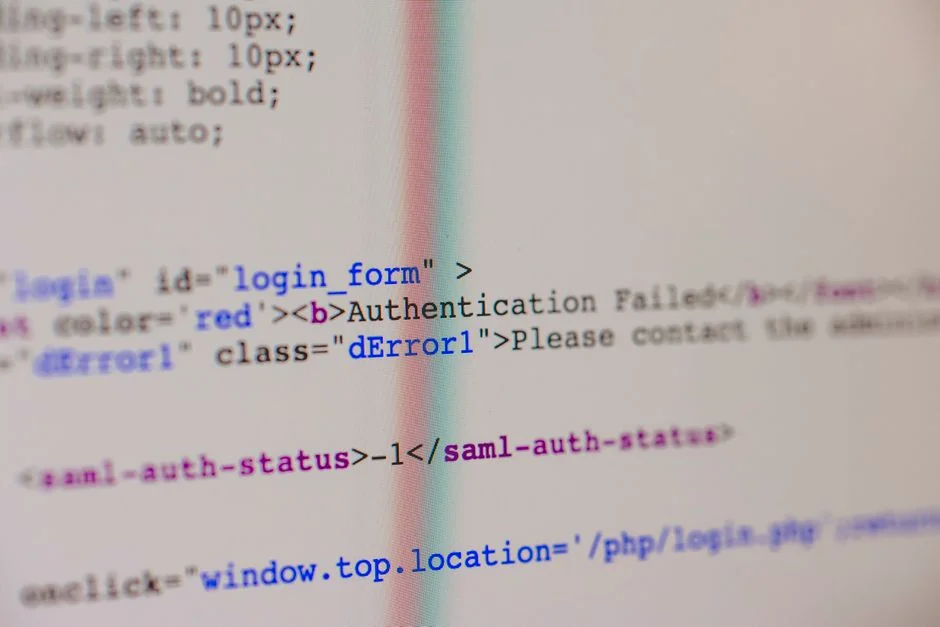

The “Yahoo authentication failed” error is a common problem encountered when attempting to send emails through Yahoo Mail’s SMTP servers, or when integrating with Yahoo services via APIs. This issue typically indicates a problem with the credentials provided, network connectivity, or Yahoo’s security settings. It manifests as an inability to establish an authenticated connection, preventing email delivery or data exchange.
This article provides a comprehensive guide to understanding, diagnosing, and resolving “Yahoo authentication failed” errors, particularly in the context of Laravel applications, while emphasizing secure coding practices and system integrity.
Understanding the “Yahoo Authentication Failed” Error Context
The “Yahoo authentication failed” error fundamentally signals a breakdown in the secure handshaking process required to establish a trusted connection with Yahoo’s services, predominantly its mail servers (SMTP, IMAP, POP3) or its various APIs (e.g., for third-party integrations). When an application, such as a Laravel-based system, attempts to send an email or access user data via Yahoo, it must first prove its identity using credentials. This error indicates that this proof of identity was rejected.
From a security engineering perspective, an authentication failure is a critical event. It could mean:
- Incorrect Credentials: The most straightforward cause. A typo, an outdated password, or an incorrect username.
- Account Security Restrictions: Yahoo’s robust security measures, like two-factor authentication (2FA) or App Passwords, can block direct login attempts from less secure applications.
- Network or Firewall Blocks: Security policies on the client’s network or server (e.g., a firewall, VPN, or proxy) might be preventing outbound connections to Yahoo’s mail servers.
- Rate Limiting/Abuse Detection: Yahoo’s systems might temporarily block an IP address or account if they detect unusual activity, such as a high volume of failed login attempts or suspected spamming.
- Outdated Client/Library Configuration: The application’s email client or library might be using deprecated encryption protocols or configurations that Yahoo no longer supports.
Each of these scenarios presents a different security posture and requires a tailored diagnostic and resolution approach. Ignoring these errors can lead to critical business disruptions, such as failed transactional email delivery, or, worse, indicate a potential compromise attempt against your application or user accounts.
For instance, if a Laravel application is configured to send password reset emails via Yahoo’s SMTP, and it consistently fails due to “authentication failed,” users will be unable to reset their passwords, leading to service disruption. Similarly, if an application integrates with Yahoo Mail for fetching email data, an authentication failure means a loss of critical functionality.
Understanding the precise context of the failure, whether it’s related to SMTP, OAuth, or API access, is the first step in a secure and effective remediation process.
Common Causes of Authentication Failures with Yahoo Services
When encountering a “Yahoo authentication failed” error, a systematic investigation into common failure points is essential. From a security standpoint, it’s crucial to differentiate between a simple misconfiguration and a potential security incident or vulnerability. Here are the most frequent causes:
1. Incorrect Credentials or Outdated Passwords
The most common culprit is simply incorrect login information. This includes:
- Typos: Even a single incorrect character in the username or password will lead to rejection.
- Case Sensitivity: Passwords are almost always case-sensitive.
- Expired Passwords: If Yahoo enforces password rotation policies, an old password will fail.
- Using Email Address vs. Username: Some systems require the full email address (e.g., yourname@yahoo.com) as the username, while others might accept a shorter alias. Ensure consistency with Yahoo’s specific requirements.
2. Yahoo App Passwords Requirement
Yahoo, like many major email providers (Google, Microsoft), implements enhanced security measures, especially when applications attempt to access accounts via third-party clients or less secure apps. If you have two-factor authentication (2FA) enabled on your Yahoo account, you cannot use your regular Yahoo password directly in external applications. Instead, you must generate a unique “App Password” specifically for that application.
Failure to use an App Password when 2FA is active is a primary reason for “authentication failed” errors. This is a critical security feature designed to protect your main password from exposure if a third-party application is compromised.
3. Network Restrictions and Firewall Blocking
Your server’s network environment can significantly impact connectivity to external services. Potential issues include:
- Outbound Port Blocking: SMTP typically uses port 587 (TLS/STARTTLS) or 465 (SSL). If these ports are blocked by your server’s firewall (e.g.,
ufwon Linux, AWS Security Groups, Azure Network Security Groups), the connection will fail before authentication can even occur. - IP Address Restrictions: Yahoo might temporarily block IP addresses that exhibit suspicious activity or excessive connection attempts. Your server’s IP could be inadvertently caught in such a block.
- DNS Resolution Issues: If your server cannot correctly resolve Yahoo’s SMTP hostname (e.g.,
smtp.mail.yahoo.com), it won’t be able to initiate a connection.
4. “Less Secure App Access” (LSAA) Settings
Historically, Yahoo offered a “Less Secure App Access” setting, similar to Google’s. While Yahoo has largely phased this out in favor of App Passwords, older configurations or attempts to use deprecated methods might trigger authentication failures. Modern applications should prioritize OAuth 2.0 or App Passwords for secure access.
5. Exceeded Rate Limits or Account Activity Flags
Yahoo’s servers have rate limits to prevent abuse. Sending an unusually high volume of emails in a short period, or exhibiting behavior consistent with spamming, can lead to temporary blocks or authentication failures. Similarly, if Yahoo detects suspicious login attempts from unfamiliar locations or devices, it might temporarily lock down the account, leading to authentication failures for legitimate applications.
6. Incorrect SMTP Server or Port Configuration
Even if credentials are correct, using the wrong SMTP server hostname or port will prevent successful authentication. For Yahoo Mail, the standard SMTP server is smtp.mail.yahoo.com, with port 587 (STARTTLS) being the recommended secure option. Using port 25 is generally unencrypted and often blocked by ISPs.
7. TLS/SSL Version Mismatch or Outdated Libraries
Email clients and libraries (like Swift Mailer or Symfony Mailer in Laravel) rely on TLS/SSL for encrypted communication. If your server’s OpenSSL library is outdated, or if the client attempts to use deprecated TLS versions (e.g., TLS 1.0 or 1.1) that Yahoo no longer supports, the connection will fail during the handshake, often manifesting as an authentication error.
Understanding these potential causes allows for a targeted diagnostic approach, minimizing downtime and quickly restoring email functionality.
Diagnosing and Troubleshooting Authentication Failures in Laravel
When a Laravel application reports “Yahoo authentication failed” or similar SMTP errors, a structured diagnostic process is crucial to identify the root cause efficiently. This approach balances technical debugging with security best practices.
1. Verify Environment Variables and Mail Configuration
In Laravel, email settings are typically managed via .env variables and the config/mail.php file. Incorrect or outdated credentials here are a primary source of authentication failures.
- Check
.envfile:MAIL_MAILER=smtp MAIL_HOST=smtp.mail.yahoo.com MAIL_PORT=587 MAIL_USERNAME=your_yahoo_email@yahoo.com MAIL_PASSWORD=your_app_password_or_yahoo_password MAIL_ENCRYPTION=tls MAIL_FROM_ADDRESS=your_yahoo_email@yahoo.com MAIL_FROM_NAME="Your Application Name"Ensure
MAIL_USERNAMEis your full Yahoo email address andMAIL_PASSWORDis either your regular Yahoo password (if 2FA is off and LSAA is enabled, which is not recommended) or, preferably, a generated App Password from Yahoo. - Clear Configuration Cache: After modifying
.env, always runphp artisan config:clearandphp artisan cache:clearto ensure Laravel reloads the new values. - Verify
config/mail.php: Ensure thedefaultmailer is set correctly and thesmtpconfiguration matches your.envvariables.
2. Test Connectivity from the Server
Before blaming Laravel, verify that your server can actually reach Yahoo’s SMTP servers on the specified port. Use command-line tools:
# Test connectivity to SMTP host and port
telnet smtp.mail.yahoo.com 587

# If telnet is not available, use netcat (nc)
nc -vz smtp.mail.yahoo.com 587

# Or attempt a manual SMTP connection (for advanced debugging)
openssl s_client -connect smtp.mail.yahoo.com:587 -starttls smtp
If these commands fail (e.g., “Connection refused,” “Operation timed out”), it indicates a network or firewall issue on your server or hosting provider, not directly a Laravel configuration problem. Consult your hosting provider’s documentation or firewall settings (e.g., AWS Security Groups, ufw, iptables).
3. Enable Detailed Logging and Debugging
Laravel’s default logging can be helpful, but for email issues, more granular detail is often needed. Temporarily set APP_DEBUG=true in your .env (only in development environments, never production) to get more verbose error messages. Additionally, check your application logs (storage/logs/laravel.log) for specific Swift Mailer or Symfony Mailer exceptions.
For deeper insight, you might need to tap into the underlying mail library’s debug output, though this requires modifying the library directly or using a custom mail driver that logs every step of the SMTP conversation. This is often impractical for quick fixes.
4. Test with a Local Mail Client
To isolate the problem, try configuring a desktop email client (like Thunderbird or Outlook) with the exact same Yahoo credentials and SMTP settings you’re using in Laravel. If it works in the client but not in Laravel, the issue is likely within your Laravel application’s setup or environment. If it fails in both, the problem is almost certainly with the Yahoo account itself (e.g., incorrect password, 2FA/App Password requirement, or account lockout).
5. Check Yahoo Account Security Settings
Log in directly to your Yahoo account via a web browser and navigate to the security settings. Specifically:
- App Passwords: If 2FA is enabled, generate a new App Password and use that in your
.env. - Recent Activity: Check for any security alerts or blocked login attempts that might indicate Yahoo has flagged your server’s access.
- Two-Factor Authentication (2FA): Confirm if it’s enabled or disabled. If enabled, an App Password is mandatory for external applications.
6. Update Dependencies
Ensure your Laravel application’s Composer dependencies are up-to-date, especially for mail-related packages (e.g., symfony/mailer, guzzlehttp/guzzle). Older versions might have compatibility issues with Yahoo’s current security protocols.
composer update
composer dump-autoload
7. Consider a Dedicated Email Service Provider (ESP) for Production
While Yahoo Mail can be used for development/testing, relying on a personal email account for production transactional emails is generally not recommended due to deliverability, rate limits, and security concerns. For production, consider using a dedicated ESP (SendGrid, Mailgun, Postmark, AWS SES, etc.) which offer more robust APIs, better deliverability, and clearer logging, simplifying troubleshooting and enhancing security.
By following these steps, you can methodically pinpoint the cause of the authentication failure and implement a secure resolution.
Implementing Secure Email Transmission Practices
Beyond simply resolving authentication failures, it’s paramount to implement secure email transmission practices within your Laravel application. This involves not only correctly configuring your mailer but also adhering to broader security principles to protect sensitive data and maintain system integrity.
1. Prioritize OAuth 2.0 for API Integrations
When interacting with Yahoo’s APIs (e.g., for accessing contacts or other services beyond just sending email), always prioritize OAuth 2.0. OAuth allows users to grant your application limited access to their Yahoo account without ever sharing their actual username and password. This token-based authentication mechanism significantly reduces the risk of credential compromise.
- Benefit: Your application stores a non-transferable access token instead of sensitive user credentials.
- Implementation: Use Laravel Socialite or a similar OAuth client library to manage the OAuth flow.
2. Utilize App Passwords for SMTP (When 2FA is Enabled)
If your Yahoo account has two-factor authentication (2FA) enabled (which it absolutely should for enhanced security), you must use an App Password for SMTP access from your Laravel application. An App Password is a unique, randomly generated password that grants access to your Yahoo account for a specific application or device.
- Security Advantage: If your application’s environment variables are compromised, only the App Password is exposed, not your main Yahoo password. You can revoke individual App Passwords without affecting your primary account access.
- Generation: Generate this from your Yahoo account security settings (e.g.,
Account Info > Account Security > Generate app password). - Storage: Store the App Password securely in your
.envfile, treating it with the same criticality as any other sensitive secret.
3. Always Use TLS/SSL Encryption
Ensure that your Laravel mail configuration explicitly uses TLS (Transport Layer Security) for encrypting email communications. This protects the content of your emails, including sensitive data, from eavesdropping during transmission.
MAIL_ENCRYPTION=tls
MAIL_PORT=587 # Recommended for STARTTLS
MAIL_HOST=smtp.mail.yahoo.com
Avoid using unencrypted ports (like port 25) or deprecated SSL versions. Laravel’s default configuration for SMTP usually handles this correctly, but verification is key.
4. Secure Handling of Environment Variables
Email credentials (username, password, App Password) are highly sensitive. Never hardcode them directly into your application’s source code. Always store them in environment variables (.env file) and ensure this file is:
- Excluded from Version Control: Add
.envto your.gitignorefile. - Securely Managed in Production: Use dedicated secret management services (e.g., AWS Secrets Manager, Azure Key Vault, HashiCorp Vault, Kubernetes Secrets) for production deployments. This prevents sensitive credentials from being exposed in plain text on the server or in configuration files.
5. Implement Robust Error Handling and Logging
Implement try-catch blocks around email sending operations to gracefully handle failures. Log detailed error messages (but redact sensitive credentials) to help diagnose issues without exposing secrets.
use Illuminate\Support\Facades\Mail;
use App\Mail\MyCustomMail;

try {
    Mail::to($user->email)->send(new MyCustomMail($data));
} catch (\Exception $e) {
    Log::error("Email sending failed: " . $e->getMessage(), [
        'user_id' => $user->id,
        'mailable' => MyCustomMail::class
    ]);
    // Optionally, notify an administrator or trigger an alert
}
This allows for immediate detection of email delivery problems and provides the necessary context for investigation.
6. Regular Security Audits and Updates
Regularly audit your application’s security configuration, including mail settings. Keep Laravel and its dependencies updated to benefit from the latest security patches. This is part of a continuous security posture.
By adhering to these secure practices, you can significantly mitigate risks associated with email transmission and protect your application and user data from potential compromises.
Advanced Security Considerations for Third-Party Integrations
Integrating with third-party services, especially for critical functions like email, introduces a broader attack surface. As a Security Engineer, my focus extends beyond basic configuration to encompass the entire lifecycle of secure integration, drawing heavily on principles from OWASP Top 10 and general data compliance.
1. Data Minimization and Scope Limitation
When integrating with any external service, including Yahoo, practice the principle of least privilege. Request only the minimum necessary permissions or data scope. For instance, if you only need to send emails via Yahoo’s SMTP, your application shouldn’t request permissions to read contacts or calendar entries via OAuth.
- Implication: Reduces the impact of a potential breach. If your application is compromised, the attacker gains access only to the data and functionalities explicitly granted, limiting the potential for widespread data exfiltration.
2. Secure Credential Management and Rotation
Hardcoding credentials is an absolute anti-pattern. Beyond using .env, production environments demand more sophisticated solutions:
- Dedicated Secret Management: Utilize cloud-native secret management services (e.g., AWS Secrets Manager, Azure Key Vault, Google Secret Manager) or tools like HashiCorp Vault. These services encrypt secrets at rest and in transit, provide fine-grained access control, and support automated rotation.
- Automated Rotation: Implement automated rotation of API keys, App Passwords, and other credentials. This minimizes the window of opportunity for an attacker if a secret is compromised. For example, App Passwords for Yahoo should be rotated periodically, perhaps every 90 days.
- Principle of Least Privilege for Access: Ensure that only the necessary services or roles can access the secrets.
3. Input Validation and Output Encoding
While primarily an application-level concern, input validation is critical when constructing emails or API requests that might contain user-supplied data. Unvalidated input can lead to:
- Email Header Injection: An attacker could inject malicious headers into your emails, potentially leading to spam or phishing campaigns originating from your trusted domain.
- Cross-Site Scripting (XSS): If user-supplied content is displayed in emails without proper encoding, it could lead to XSS vulnerabilities when viewed in certain email clients.
Always sanitize and validate all user inputs and ensure proper output encoding for any data rendered in emails or web interfaces.
4. Transport Layer Security (TLS) Enforcement
Always enforce the latest strong TLS versions (e.g., TLS 1.2 or 1.3) for all outbound connections to Yahoo or any other third-party service. Regularly audit your server’s OpenSSL configuration to ensure deprecated versions (TLS 1.0/1.1) are disabled. This prevents downgrade attacks and ensures encrypted communication.
Use tools like nmap or sslyze to audit the TLS configuration of external endpoints you connect to, including Yahoo’s mail servers.
5. Compliance and Regulatory Adherence
When sending emails, especially transactional or marketing emails, ensure compliance with relevant data protection regulations (e.g., GDPR, CCPA, HIPAA). This includes proper consent management, data retention policies, and secure handling of personally identifiable information (PII) within email content.
- Data Residency: Be aware of where your email service provider processes and stores data, especially for international applications.
- Incident Response: Have a defined incident response plan for email-related security breaches, including notification procedures if PII is exposed.
6. Monitoring and Alerting for Anomalous Activity
Implement robust monitoring for your email sending infrastructure. Look for:
- Unusual Volume: Spikes in email sending volume can indicate a compromised account or application.
- Failed Authentication Attempts: Repeated failures could signal a brute-force attack or misconfiguration.
- Bounce Rates: High bounce rates might indicate a spam listing or issues with recipient servers.
Integrate these metrics into your SIEM (Security Information and Event Management) or observability platforms to trigger alerts for immediate investigation.
7. Dependency Security
Regularly audit the security of your application’s dependencies (Composer packages, NPM packages). Use tools like Snyk or Dependabot to identify known vulnerabilities in third-party libraries, including those related to HTTP clients or mailers that interact with external services.
By integrating these advanced security considerations, you build a more resilient and compliant application, minimizing the risks associated with external service integrations.
Preventing Future Authentication Issues: Proactive Measures
Proactive security measures are always more effective than reactive incident response. To minimize the recurrence of “Yahoo authentication failed” errors and maintain a robust email infrastructure, adopt the following practices:
1. Implement a Dedicated Email Service Provider (ESP)
For any production application, relying on personal email accounts like Yahoo Mail for transactional or marketing emails is not scalable or secure. Invest in a dedicated Email Service Provider (ESP) such as SendGrid, Mailgun, Postmark, Amazon SES, or SparkPost. These services:
- Offer Robust APIs: Designed for programmatic email sending, with clear authentication methods (API keys, OAuth).
- Provide Detailed Analytics: Track deliverability, bounces, opens, and clicks, giving you insights into email performance.
- Handle Rate Limits and IP Reputation: Manage the complexities of high-volume sending, ensuring better deliverability.
- Enhanced Security Features: Often include DMARC, DKIM, and SPF setup assistance, further securing your email domain.
While Yahoo Mail can be useful for initial development or very low-volume personal projects, it lacks the professional features required for reliable application-based email.
2. Centralized Secret Management
As discussed, storing sensitive credentials (like API keys or App Passwords) directly in .env files is acceptable for development but risky for production. Implement a centralized secret management solution:
- Cloud Providers: AWS Secrets Manager, Azure Key Vault, Google Secret Manager.
- Dedicated Tools: HashiCorp Vault.
These tools allow for secure storage, retrieval, and rotation of secrets, ensuring that credentials are never exposed in plain text on your servers or in version control.
3. Automated Credential Rotation
Do not let API keys or App Passwords live indefinitely. Implement a policy for automated credential rotation, typically every 60-90 days. Most secret management services support this. For Yahoo App Passwords, you would need to manually generate a new one and update your secret manager, which would then propagate to your application.
This practice significantly reduces the risk if a secret is compromised, as its lifespan is limited.
4. Robust Monitoring and Alerting
Set up comprehensive monitoring for your email sending service. This includes:
- SMTP Connection Health: Monitor the success rate of connections to your ESP or SMTP server.
- Email Queue Length: A growing queue can indicate a sending problem.
- Failed Authentication Attempts: Implement alerts for repeated authentication failures, as this could signal a misconfiguration or a brute-force attack attempt.
- Deliverability Metrics: Track bounce rates, spam complaints, and open rates provided by your ESP.
Integrate these alerts with your team’s communication channels (Slack, PagerDuty) for immediate notification.
5. Regular Security Audits and Penetration Testing
Periodically conduct security audits of your application, including the email sending mechanisms. Engage in penetration testing to identify vulnerabilities that could lead to credential compromise or unauthorized email sending.
6. Stay Updated with Service Provider Changes
Email service providers frequently update their security protocols, authentication methods, and API versions. For instance, Yahoo has moved away from “Less Secure App Access” and heavily promotes App Passwords for 2FA-enabled accounts. Keep abreast of these changes to ensure your application remains compatible and secure.
7. Implement Secure Coding Practices
Beyond specific configurations, integrate secure coding practices throughout your development lifecycle. This includes:
- Input Validation: Sanitize all user input before using it in email content or headers.
- Error Handling: Implement graceful error handling for all external API calls, including email sending.
- Dependency Management: Regularly update your application dependencies to benefit from the latest security patches.
By embedding these proactive measures into your development and operations, you build a resilient system that is less susceptible to authentication failures and more robust against security threats.
Cost Implications of Authentication Failures and Downtime
Authentication failures, particularly for critical services like email, carry significant cost implications for businesses. These costs extend beyond immediate technical fixes to encompass reputational damage, operational disruption, and potential regulatory fines. Understanding these financial and non-financial impacts underscores the importance of robust security and reliability.
1. Direct Operational Costs
- IT Staff Time: Diagnosing and resolving authentication failures consumes valuable engineering and IT staff time. This includes hours spent on investigation, configuration changes, testing, and deployment, diverting resources from core development tasks.
- Third-Party Support: If the issue requires external expertise (e.g., consulting with hosting providers, email service support), there might be direct costs for premium support or professional services.
- Lost Revenue from Transactional Emails: For e-commerce or SaaS platforms, transactional emails (order confirmations, password resets, signup verifications) are crucial. If these fail due to authentication issues, it directly impacts sales, user onboarding, and customer retention.
- Regulatory Fines: In certain regulated industries (e.g., healthcare, finance), failure to deliver critical notifications or maintain secure communication channels can lead to non-compliance and substantial fines.
2. Reputational Damage
Email authentication failures can severely damage a company’s reputation:
- Customer Trust Erosion: Unreliable email delivery leads to frustrated customers who may perceive the business as unprofessional or untrustworthy. This is particularly true for critical communications like invoices, support responses, or security alerts.
- Brand Image: Consistent email problems can negatively impact brand perception, suggesting a lack of technical competence or attention to detail.
- Spam Listings: Repeated authentication failures or attempts to send emails from an unauthenticated source can lead to your domain being blacklisted by spam filters, further hindering legitimate email delivery.
3. Business Interruption and Productivity Loss
When email systems fail, business processes reliant on them come to a halt:
- Internal Communication: If internal systems use the same email provider, team communication can be disrupted.
- Customer Support: Inability to send or receive support emails severely impacts customer service operations, leading to backlog and decreased satisfaction.
- Automated Workflows: Many business workflows are triggered by or involve email notifications (e.g., CRM updates, project management alerts). Failures disrupt these automations, causing delays and manual workarounds.
4. Security Risks and Costs of Remediation
Authentication failures can sometimes be symptoms of deeper security problems, such as:
- Credential Compromise: If an attacker gains access to your email credentials and attempts to use them, it will result in authentication failures from unauthorized sources. The cost here includes not only fixing the email issue but also investigating the breach, securing affected systems, and potentially notifying affected users.
- DDoS Attacks: In rare cases, a high volume of failed authentication attempts could be part of a distributed denial-of-service (DDoS) attack targeting your email infrastructure.
The cost of investigating and remediating a security incident, including forensic analysis, system hardening, and legal fees, can be astronomical.
5. Compliance Costs
Maintaining compliance with data protection regulations (e.g., GDPR, CCPA) requires reliable and secure communication channels. Authentication failures can indicate weaknesses in your security posture, potentially leading to audits, investigations, and legal expenses.
In summary, while a single “Yahoo authentication failed” error might seem like a minor technical glitch, its cascading effects can result in substantial financial losses, reputational harm, and increased operational overhead. Proactive security investments in robust email infrastructure and secure practices are therefore not just technical requirements, but essential business imperatives.
Alternative Authentication Strategies and Providers
While Yahoo Mail can serve basic personal needs, relying on it for business-critical email sending, particularly from applications, presents inherent limitations in terms of reliability, scalability, and advanced features. For professional applications, adopting more robust authentication strategies and migrating to dedicated email service providers (ESPs) is a strategic imperative.
1. Dedicated Email Service Providers (ESPs)
ESPs are designed from the ground up for high-volume, reliable email delivery. They offer superior deliverability, analytics, and security features compared to generic consumer email services. Popular options include:
- SendGrid: Offers robust APIs, detailed analytics, and excellent deliverability.
- Mailgun: Known for its developer-friendly API and powerful routing features.
- Postmark: Specializes in transactional emails, emphasizing speed and deliverability.
- Amazon SES: A highly scalable and cost-effective solution for high-volume sending.
- SparkPost: Provides advanced analytics and deliverability tools.
- Microsoft 365 / Google Workspace: Business-oriented email solutions with robust SMTP and API access.
These providers typically offer SDKs and comprehensive documentation, making integration with Laravel straightforward. Their authentication mechanisms are usually API keys or OAuth, providing a more secure and manageable approach than SMTP username/password for high-volume application use.
2. OAuth 2.0 for Secure API Access
OAuth 2.0 is the industry-standard protocol for authorization. Instead of sharing credentials, it allows users to grant third-party applications limited access to their resources (e.g., email sending, contact lists) without exposing their passwords. This is the most secure method for integrating with services that support it.
- How it works: Your application redirects the user to the service provider (e.g., Google, Microsoft) for authentication. Upon successful login, the user grants permission, and the service provider issues an access token to your application. This token is then used for API calls.
- Benefits: Enhanced security (no password exposure), granular permissions, and revocable access.
- Laravel Integration: Laravel Socialite package simplifies OAuth integration for many popular services.
3. API Key Authentication
Many ESPs provide API keys for authentication. An API key is a unique token that identifies your application and authorizes it to use the service’s API. These keys are typically passed in HTTP headers or as query parameters.
- Benefits: Simple to implement, easily revocable, and can be managed through secret management services.
- Security Consideration: API keys should be treated as sensitive secrets, stored in environment variables or secret managers, and never exposed client-side.
4. SMTP with App Passwords (if sticking with consumer email for low volume)
If you absolutely must use a consumer email service like Yahoo Mail for low-volume, non-critical application emails, and 2FA is enabled on the account (which it should be), then using an App Password is the only secure way for SMTP authentication. This provides a layer of isolation from your main account password.
However, this approach still inherits the limitations of consumer email services in terms of rate limits, deliverability, and lack of professional support.
5. Transactional Email vs. Marketing Email
It’s often beneficial to separate your email sending by purpose:
- Transactional Emails: Automated emails triggered by user actions (e.g., password resets, order confirmations). These require high deliverability and often use dedicated transactional ESPs (like Postmark).
- Marketing Emails: Bulk emails for newsletters, promotions. These are typically handled by marketing automation platforms (e.g., Mailchimp, HubSpot) that have specific features for campaign management and audience segmentation.
Using different providers or sub-accounts for these purposes helps isolate reputation issues and ensures critical transactional emails are not impacted by marketing campaign deliverability challenges.
Migrating to a professional email infrastructure, employing OAuth for API integrations, and using API keys for dedicated ESPs represents a significant upgrade in security, reliability, and manageability compared to relying on generic consumer email accounts.
Cost of Authentication Failures and Downtime: A Security Perspective
While the previous section touched upon the general costs, from a security engineer’s viewpoint, the financial implications of authentication failures and subsequent downtime are often far more severe and insidious than immediately apparent. These costs can be categorized into direct monetary losses, indirect operational expenses, and long-term erosion of trust and compliance standing.
1. Direct Financial Costs of Security Incidents
- Breach Response and Remediation: If an authentication failure is a symptom of a credential compromise (e.g., an attacker brute-forcing a Yahoo account connected to your app), the costs escalate dramatically. This includes forensic investigation, patching vulnerabilities, re-securing systems, and potential legal fees.
- Data Loss or Corruption: A compromised email account could lead to unauthorized access to sensitive data, leading to data loss or corruption, with recovery efforts incurring significant costs.
- Ransomware/Extortion: In extreme cases, a compromised email gateway could be used as an entry point for ransomware attacks, leading to direct payments or extensive recovery expenses.
- Fines and Penalties: Non-compliance with data protection regulations (GDPR, CCPA, HIPAA) due to a security incident can result in multi-million dollar fines. Even if the initial issue was a simple ‘authentication failed,’ if it exposed a larger security flaw, the business bears the full financial brunt.
2. Operational Disruption and Productivity Loss
Beyond the immediate outage, security-related authentication failures trigger a cascade of operational costs:
- Engineering Overtime: Security incidents often require engineers to work extended hours, incurring overtime costs, and diverting them from planned development.
- Customer Support Overload: Customers experiencing service disruptions (e.g., unable to receive password resets, order confirmations) flood support channels, leading to increased staffing needs or degraded service quality.
- Lost Development Velocity: Resources dedicated to incident response are pulled away from product development, delaying feature releases and impacting market competitiveness.
3. Reputational Damage and Loss of Trust
From a security perspective, a breach, even if originating from an authentication failure, can shatter customer and partner trust. This is often the most enduring and costly consequence:
- Customer Churn: Users are likely to abandon services that demonstrate poor security or unreliability, directly impacting subscription revenue or sales.
- Brand Erosion: A tarnished reputation is difficult and expensive to rebuild, impacting future customer acquisition and investor confidence.
- Legal Ramifications: Beyond regulatory fines, class-action lawsuits from affected users can result in massive legal costs and settlements.
4. Compliance and Audit Costs
A security incident, even if minor, can trigger mandatory audits or increased scrutiny from regulators and compliance bodies. This involves:
- External Audits: Hiring external security auditors to assess your systems and processes, which can be very expensive.
- Internal Compliance Efforts: Increased internal resources dedicated to documenting, reporting, and implementing new security controls.
5. Opportunity Costs
The time and resources spent on recovering from authentication failures and security incidents are resources that could have been invested in innovation, market expansion, or improving customer experience. This represents a significant, albeit often unquantified, opportunity cost.
Example Scenario: A Laravel application uses Yahoo Mail for password resets. Due to a simple misconfiguration, it starts reporting “Yahoo authentication failed.” Initially, this is a minor IT issue. However, if this misconfiguration was due to an attacker tampering with the .env file to redirect emails, or if the Yahoo account itself was compromised, the ‘authentication failed’ error becomes a precursor to a major security incident. The cost transforms from a few hours of IT time to potentially millions in breach remediation, legal fees, and lost customer trust.
Therefore, viewing authentication failures not just as technical glitches but as potential security red flags is paramount. Investing in robust security architecture, continuous monitoring, and proactive prevention mechanisms is a far more cost-effective strategy than reacting to the exponential costs of a full-blown security incident.
Addressing “Yahoo authentication failed” errors in Laravel applications demands a blend of technical troubleshooting and rigorous security practices. While the immediate goal is restoring email functionality, the underlying imperative is to ensure the integrity and confidentiality of your application’s communications and user data.
By systematically diagnosing common causes, implementing secure configuration practices, and adopting proactive measures like dedicated Email Service Providers and robust secret management, developers and security professionals can build resilient systems that not only function reliably but also withstand evolving threat landscapes.
NR Studio builds custom web apps, mobile apps, SaaS platforms, and internal tools for growing businesses. If you’re working through a technical decision, feel free to reach out — no commitment required.