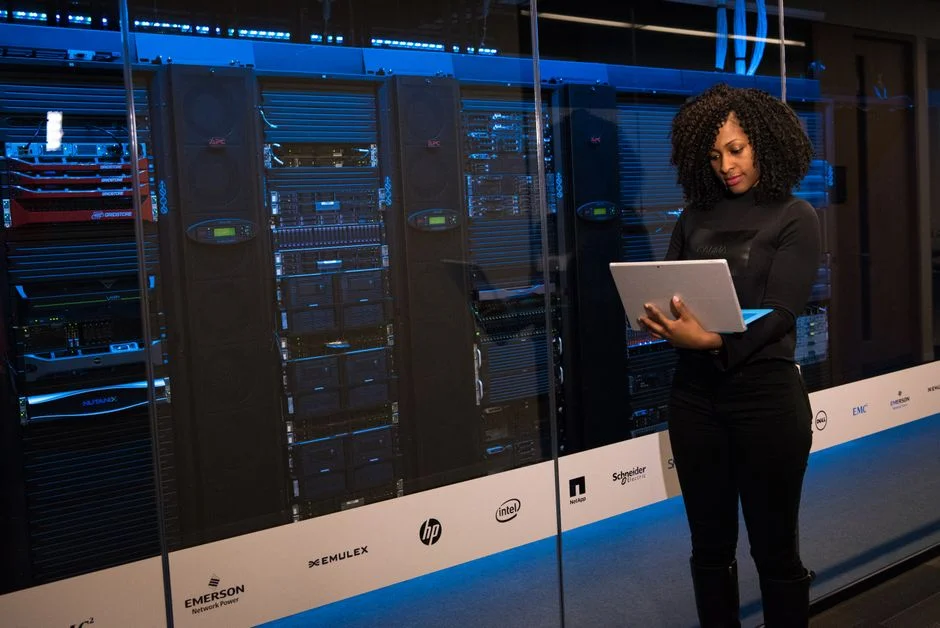

When your warehouse operations begin to outgrow standard off-the-shelf software, the friction becomes palpable. You are likely experiencing delayed order fulfillment, persistent inventory inaccuracies, and a lack of real-time visibility into your supply chain. These are not merely operational inconveniences; they are symptoms of a technical ceiling that prevents your business from scaling effectively. At NR Tech Studio, we observe that many companies reach this point when their manual workflows or entry-level SaaS tools fail to integrate with complex ERP systems or automated material handling equipment.
Developing a custom warehouse management system (WMS) is a significant undertaking that requires more than just code; it requires a deep understanding of your specific inventory logic, throughput constraints, and business rules. Whether you are dealing with cold chain logistics, high-volume retail fulfillment, or complex manufacturing components, a bespoke system allows you to define the data flow exactly as your business demands. In this guide, we examine the technical architecture, integration challenges, and financial realities of commissioning a custom WMS to replace legacy bottlenecks.
Technical Architecture and Data Modeling for WMS
A robust warehouse management system is built upon a foundation of precise data modeling. Unlike generic CRUD applications, a WMS must handle high-concurrency event streams, such as real-time scanning updates, stock movements, and picking status changes. We recommend a decoupled architecture where the inventory engine remains isolated from the user interface and external API gateways. By utilizing a technology stack like Laravel for the backend and React for the dashboard, you gain the ability to manage complex state transitions while maintaining high performance.
The data model must account for the multi-dimensional nature of warehouse space. This includes physical location hierarchies (site, zone, aisle, rack, shelf, bin) and inventory attributes (SKU, batch, serial number, expiration date, weight, and volume). Implementing this in a relational database like MySQL requires careful indexing strategies. For example, a query to find the nearest pickable location for a specific SKU must be highly optimized to prevent latency during peak hours. Below is an example of a simplified schema design for inventory locations:
CREATE TABLE locations (id BIGINT UNSIGNED AUTO_INCREMENT PRIMARY KEY, zone_id INT, aisle_code VARCHAR(10), bin_number VARCHAR(10), capacity_volume DECIMAL(10,2), current_occupied_volume DECIMAL(10,2), status ENUM('active', 'restricted', 'blocked'), created_at TIMESTAMP, updated_at TIMESTAMP);
Beyond the database, the system architecture must support asynchronous processing for background tasks like label generation, report exporting, and integration synchronization. We utilize message queues (such as Redis or RabbitMQ) to handle these tasks, ensuring that the primary user interface remains responsive even under heavy load. This architectural approach is crucial for preventing the system from locking up during intense warehouse activity cycles, which is a common failure point in poorly designed off-the-shelf software.
Integration Strategies for ERP and Hardware
The true power of a custom WMS lies in its ability to act as the central nervous system for your logistics operations. This means it must communicate flawlessly with your existing ERP, accounting software, and hardware peripherals. Most enterprise environments require REST API development to bridge the gap between the WMS and systems like SAP or Oracle. When designing these integrations, you must prioritize idempotent requests to ensure that if a network connection drops during a transaction, the system can safely retry without creating duplicate records or corrupted state.
Hardware integration is equally critical. Modern warehouses rely on scanners, automated sorters, and conveyor systems. You should design your API to handle lightweight payloads that can be consumed by IoT devices or handheld scanners. For instance, when a scanner pushes a barcode update, the API should validate the transaction against current business rules (e.g., ‘Is this SKU supposed to be in this bin?’) before committing to the database. Consider the following structure for an API endpoint handling a scan event:
// Example TypeScript interface for a Scan Event

interface ScanEvent {

  scanner_id: string;

  barcode: string;

  location_id: string;

  timestamp: string;

  user_id: string;

}
async function handleScan(event: ScanEvent): Promise
// Validation and logic processing
// Database commit
// Return success or error
}
Furthermore, you must account for the ‘offline-first’ requirement. Warehouse workers often operate in areas with poor Wi-Fi connectivity. Your frontend application, built with technologies like React, should be capable of queuing actions locally in IndexedDB and synchronizing them with the server once connectivity is restored. This prevents work stoppages and maintains data integrity, which are frequent pain points in web-based systems that lack sophisticated client-side state management.
The Economics of Custom Development: Pricing and Costs
Investing in a custom WMS is a capital-intensive project that requires a clear understanding of the total cost of ownership. Unlike SaaS solutions that charge per-user fees, custom development involves significant upfront investment followed by lower ongoing maintenance costs. When evaluating your budget, you must distinguish between initial development, infrastructure hosting, and long-term technical support. The following table illustrates the typical cost structures you might encounter when working with a specialized agency compared to hiring in-house or using a low-code platform.
| Model | Primary Cost Driver | Long-term Flexibility | Scalability |
|---|---|---|---|
| Agency Development | Project Scope/Hourly | High | High |
| In-house Team | Annual Salaries | High | Moderate |
| Low-Code/SaaS | Licensing Fees | Low | Low |
For a mid-to-large scale enterprise WMS, initial development costs typically range from $80,000 to $250,000, depending on the complexity of integrations and the number of custom modules required. Monthly maintenance and server costs usually run between $2,000 and $5,000 per month for cloud infrastructure, monitoring, and security patches. It is vital to allocate at least 15-20% of your initial development budget annually for continuous improvement and feature updates, as your warehouse needs will inevitably evolve.
We strongly advise against cutting corners on the initial architecture. Trying to save money by using inferior database structures or skipping comprehensive testing will lead to technical debt that costs significantly more to fix later. When you compare the cost of a custom WMS against the productivity losses of a failing off-the-shelf system, the ROI of a tailored solution becomes clear. The goal is to build a system that facilitates growth rather than one that acts as a bottleneck for your logistics throughput.
Security Protocols and Data Governance
Warehouse management systems store highly sensitive data, including inventory values, customer shipping addresses, and operational workflows that represent your core competitive advantage. As you transition to a custom platform, security must be baked into the development lifecycle rather than treated as an afterthought. This involves implementing robust Role-Based Access Control (RBAC) to ensure that warehouse staff, floor managers, and executives only have access to the data and functionality necessary for their specific roles.
Data encryption is non-negotiable. All data in transit must be protected using TLS 1.3, and sensitive data at rest should be encrypted using AES-256. Furthermore, if your warehouse handles regulated goods, such as pharmaceuticals or hazardous materials, you must implement strict audit logging. Every movement of an item, every change in a status, and every user interaction must be recorded in an immutable ledger. This allows you to trace the history of any item, which is essential for compliance reporting and internal accountability.
Finally, consider the security of your integrations. When your WMS communicates with an external ERP, use API keys with scoped permissions rather than broad administrative access. Regularly rotate these keys and monitor for unusual traffic patterns. Implementing a rigorous security hardening strategy, similar to those used for high-traffic WordPress sites, is essential for protecting your proprietary logistics data. Always ensure that your development team follows OWASP best practices to mitigate common vulnerabilities like SQL injection, cross-site scripting, and broken authentication.
Vendor Selection and Build vs Buy Tradeoffs
Deciding between a custom-built solution and an off-the-shelf product is the most critical decision in your WMS journey. A ‘buy’ approach is suitable if your warehouse operations are standard and your primary goal is to minimize time-to-market. However, if your business model relies on unique fulfillment logic, custom hardware, or highly specific reporting requirements, ‘buy’ often leads to massive customization costs that eventually exceed the cost of building from scratch. We advocate for a custom build when the software is central to your competitive advantage.
When selecting a development partner, look for firms that have deep experience in your specific industry. A firm that has built WMS for healthcare logistics will have a vastly different approach than one focused on retail. Ask for concrete examples of how they handled data migration from legacy systems, as this is where most projects fail. You need a partner that understands the difference between a ‘minimum viable product’ and a ‘minimum lovable product’ for your warehouse staff.
Consider the following decision matrix when evaluating your options:
- Operational Complexity: Is your workflow standard or highly bespoke?
- Integration Depth: Do you need to connect to custom machinery or legacy ERPs?
- Scalability Needs: Will your volume grow by 10x or 100x in the next three years?
- Internal Expertise: Do you have the capacity to maintain a custom codebase long-term?
If you find that your business requirements are continuously evolving, a custom platform developed with modern frameworks like Next.js and Laravel provides the agility to adapt. You maintain full ownership of the source code, which eliminates vendor lock-in and allows you to pivot your strategy as your market changes. This is a significant advantage over proprietary platforms that charge high fees for simple feature requests or configuration changes.
Migration Strategies from Legacy Systems
Migrating from an outdated or manual warehouse system to a custom-built WMS is a high-stakes operation. The primary risk is downtime; you cannot afford to have your warehouse operations halted during a software transition. We recommend a phased migration strategy, often referred to as a ‘pilot’ or ‘shadow’ run. In this approach, you run the new system in parallel with the legacy system for a limited set of SKUs or a specific warehouse zone to validate the logic and data accuracy.
Data cleansing is the most time-consuming part of this process. Legacy systems often contain ‘ghost’ inventory, incorrect master data, and redundant records. Before migrating, you must conduct a thorough audit of your inventory data. Use automated scripts to normalize your data into the format required by your new system. Never simply ‘lift and shift’ poor quality data, as this will only propagate your existing operational problems into the new, more expensive platform.
Communication is as important as the code. Your warehouse staff will be accustomed to the quirks of the old system. You must involve them in the design and testing phases early on. Conduct user acceptance testing (UAT) with actual floor workers to identify usability issues before they become bottlenecks. A well-designed system that is difficult for staff to navigate will fail, regardless of how robust the backend architecture is. We focus on building intuitive interfaces that reduce training time and increase scanning efficiency, ensuring that the transition is as smooth as possible for your team.
Performance Optimization for High-Volume Fulfillment
In high-volume fulfillment, milliseconds matter. If your WMS takes three seconds to validate a scan, you are losing valuable time in every single pick cycle. Performance optimization starts at the database level. Ensure that your queries are optimized with proper indexing and that you are using caching mechanisms like Redis to store frequently accessed data, such as product descriptions or location availability. Avoid N+1 query problems in your backend code by using eager loading for related data.
Frontend performance is equally important. Since your staff will likely be using tablets or handheld terminals, the UI must be lightweight and responsive. Minimize the use of heavy JavaScript frameworks where possible and focus on efficient state management. When building dashboards for managers, use server-side rendering or static generation for heavy reports to ensure that the UI remains fast even when dealing with thousands of rows of data. This approach is similar to how we optimize high-performance web applications, ensuring that the system scales with your growth.
Finally, monitor your system’s performance in real-time. Use tools like Prometheus and Grafana to track API latency, database load, and error rates. Set up alerts that trigger when performance dips below predefined thresholds. This proactive approach allows you to identify and resolve bottlenecks before they impact your warehouse operations. By treating your WMS as a high-performance web application, you ensure that it remains a reliable asset that supports, rather than hinders, your business growth.
The Role of AI in Modern Warehouse Management
Artificial Intelligence is no longer a futuristic concept in warehouse management; it is a practical tool for optimizing operations. By integrating AI into your custom WMS, you can move from reactive to predictive fulfillment. For example, machine learning models can analyze historical order data to suggest optimal bin placement for high-velocity items, or predict inventory replenishment needs based on seasonal trends. This allows you to optimize your warehouse space and reduce picking times significantly.
Another application is automated error detection. AI models can monitor scan patterns to identify anomalies, such as a picker consistently picking the wrong item from a specific rack, which might indicate a labeling error or a physical obstruction. By flagging these issues in real-time, you can prevent errors before they reach the shipping dock, reducing your return rates and improving customer satisfaction. Integrating AI into your custom system is easier than ever with modern APIs that allow you to connect to pre-trained models.
However, AI should be implemented to solve specific, measurable problems. Do not integrate AI simply for the sake of marketing. Start by identifying the most painful bottlenecks in your current operation—whether it is slow replenishment, frequent picking errors, or inefficient space utilization—and then apply targeted AI solutions to address those areas. This pragmatic approach ensures that your investment in AI delivers a tangible return on investment and provides a competitive edge in your logistics operations.
Scaling Your WMS for Future Growth
A custom WMS is an investment in your company’s future. As you scale, your system must be able to handle increased transaction volume, more complex fulfillment rules, and potentially multiple warehouse locations. This requires a modular design where you can add new features without affecting existing core functionality. For example, if you decide to add a new shipping carrier integration or a new automated packaging machine, the system should be designed to accommodate these additions through well-defined API hooks.
Cloud infrastructure is essential for scalability. By hosting your WMS on platforms like AWS or Google Cloud, you can leverage auto-scaling groups to handle peak traffic during busy seasons, such as Black Friday or holiday sales. This allows you to pay for only the capacity you need while ensuring that your system remains performant under pressure. We recommend a containerized deployment strategy using Docker and Kubernetes to ensure that your application environment is consistent and easy to scale.
Finally, foster a culture of continuous improvement. Your WMS should not be a static piece of software. Regularly gather feedback from your warehouse team, monitor operational metrics, and iterate on your features. By treating your software as a living asset, you ensure that it continues to support your business as it grows and evolves. This long-term mindset is the key to achieving a sustainable competitive advantage in your industry.
Consultative Discovery and Next Steps
Developing a custom warehouse management system is a transformative process that requires a strategic partner who understands both the technical and operational nuances of your business. At NR Tech Studio, we specialize in building bespoke software that solves real-world logistics challenges. We do not just write code; we work with you to analyze your current bottlenecks, design a scalable architecture, and ensure a seamless transition from your existing systems.
If you are ready to move beyond the limitations of off-the-shelf software and build a WMS that truly supports your operational goals, we invite you to discuss your project with our technical lead. During a 30-minute discovery call, we will analyze your current workflow, identify potential integration points, and provide a high-level assessment of the technical requirements for your project. This is a no-pressure conversation designed to help you determine if a custom WMS is the right path for your business.
Do not let outdated software dictate your growth potential. Take control of your logistics operations with a system built specifically for your business needs. Contact NR Tech Studio today to schedule your discovery call and learn how we can help you build the foundation for your future growth.
Factors That Affect Development Cost
- Project complexity and feature scope
- Number of third-party integrations (ERP, hardware)
- Data migration requirements from legacy systems
- Security and compliance needs
- Infrastructure and cloud deployment requirements
Costs vary significantly based on the depth of integration and the scale of the warehouse operations, but custom enterprise solutions typically require a substantial upfront investment.
The journey to a custom warehouse management system is substantial, but it is often the single most effective way to eliminate operational bottlenecks and enable true enterprise scalability. By focusing on a robust, decoupled architecture, prioritizing secure and efficient integrations, and maintaining a clear vision for long-term growth, you can build a platform that provides a distinct competitive advantage in your industry.
At NR Tech Studio, we are committed to helping businesses navigate the complexities of custom software development. Whether you are ready to start your project or simply need an expert perspective on your current architecture, we are here to provide the guidance you need. Reach out to our team today to schedule a 30-minute discovery call with our technical lead and take the first step toward a more efficient and scalable future.
NR Tech Studio builds custom web apps, mobile apps, SaaS platforms, and internal tools for growing businesses. If you’re working through a technical decision, feel free to reach out — no commitment required.