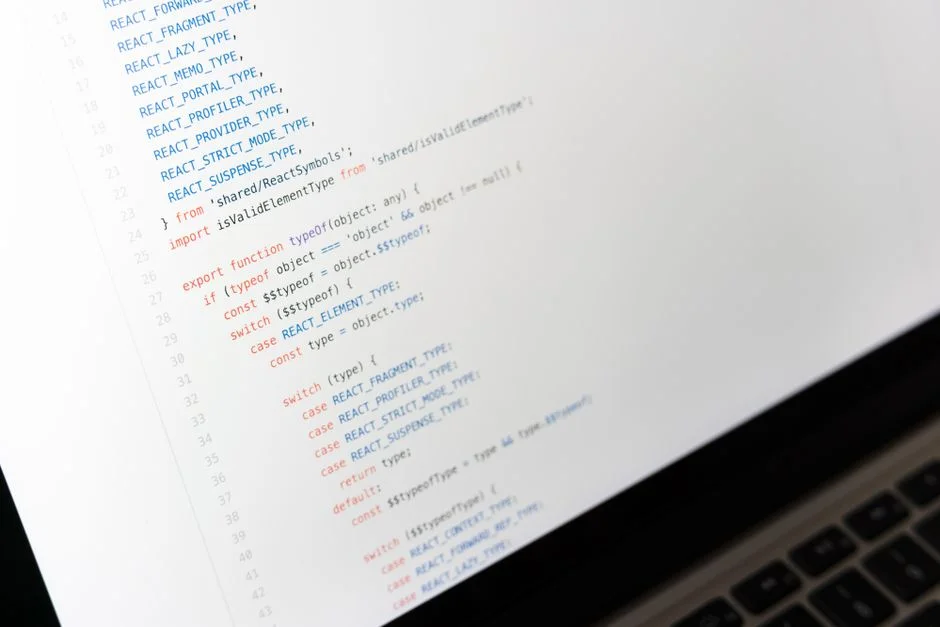

Vitest is a fast, modern test runner designed for JavaScript projects, offering Vite-native speeds and features. When paired with @testing-library/react, it provides a robust environment for testing React components in a way that emphasizes user behavior, ensuring applications function correctly and securely from a user’s perspective, thereby reducing the attack surface by validating expected interactions and preventing unintended data exposure.
A recent industry report, such as the OWASP Top 10 2021, consistently highlights the prevalence of security vulnerabilities stemming from insecure design and improper input validation. Frontend components, often perceived as less critical than backend services, are frequently overlooked in comprehensive security testing strategies. However, client-side vulnerabilities, including Cross-Site Scripting (XSS) and broken access control at the UI layer, can lead to significant data breaches and compromise user trust. Adopting a rigorous testing methodology using tools like Vitest and Testing Library/React is not merely about functional correctness; it is a foundational pillar for building secure, resilient web applications.
This guide delves into how security-conscious developers can leverage Vitest and @testing-library/react to establish a proactive defense against common frontend security threats. We will explore practical strategies for testing user interactions, data handling, and authorization flows within React components, ensuring that security considerations are embedded early in the development lifecycle, rather than being an afterthought. The goal is to equip development teams with the knowledge to write tests that not only confirm functionality but actively mitigate security risks.
Introduction to Vitest and Testing Library/React: A Secure Development Perspective
When constructing modern web applications, the integrity and security of the frontend are as crucial as the robustness of the backend. Vitest, leveraging the speed of Vite, offers an incredibly fast and efficient testing experience, which is paramount for maintaining developer velocity in a secure development lifecycle. Its ability to provide instant feedback on code changes means security regressions can be identified and addressed almost immediately. Coupled with @testing-library/react, which focuses on testing components from a user’s perspective, this combination forms a powerful alliance against common frontend vulnerabilities. The core principle of Testing Library, to test what the user sees and interacts with, inherently guides developers towards verifying the application’s behavior in a way that directly impacts security, such as ensuring proper input validation messages are displayed or that sensitive information is not inadvertently rendered.
From a security engineering standpoint, the decision to use Vitest with Testing Library is not arbitrary. Traditional unit tests might focus on internal component methods, which, while valuable for logic verification, often miss the broader interaction patterns that can expose security flaws. @testing-library/react encourages tests that interact with the DOM as a user would, clicking buttons, typing into fields, and observing the visual output. This approach is critical for uncovering issues like broken authentication flows where an unauthorized user might still access certain UI elements or actions, or information disclosure where sensitive data might be rendered under specific, unexpected user interactions. By simulating realistic user scenarios, we gain higher confidence that the application’s client-side security mechanisms are functioning as intended.
Setting up Vitest involves minimal configuration, often inheriting from a Vite project’s setup, which reduces the complexity that can sometimes introduce misconfigurations leading to security gaps. Secure defaults are generally preferred, and Vitest’s design aligns with this by providing a straightforward setup. For instance, ensuring that test files are properly isolated from production builds is a fundamental security practice. Vitest’s watch mode and in-source testing capabilities, while boosting productivity, demand careful consideration to prevent test-specific code or mock data from inadvertently making its way into deployed assets. Proper configuration of `tsconfig.json` and build tools is necessary to guarantee that test utilities and sensitive test data remain confined to the development environment.
Furthermore, the dependency chain of testing tools itself represents a potential supply chain risk. Regularly updating Vitest and @testing-library/react, along with their transitive dependencies, is a non-negotiable security practice. Automated vulnerability scanning of `node_modules` and adherence to strict package versioning policies can mitigate risks associated with compromised testing tool dependencies. The security of the tools we use to build and test our applications directly impacts the security of the applications themselves. Therefore, a comprehensive security strategy must encompass the entire toolchain, from development to deployment.
In essence, the synergy between Vitest’s performance and Testing Library’s user-centric philosophy offers a robust framework for embedding security into the frontend development process. It moves beyond superficial checks to validate the application’s resilience against common attack vectors by simulating real-world user behavior and ensuring that every interaction path is secure. This proactive stance significantly reduces the likelihood of shipping vulnerable code, thereby protecting both the application and its users from potential exploitation.
Establishing a Secure Testing Environment with Vitest
A secure testing environment is a prerequisite for reliable security testing. With Vitest, developers must carefully configure their setup to prevent data leakage, ensure test isolation, and manage dependencies securely. The default configuration of Vitest is often geared towards performance and convenience, but a security-first mindset requires additional scrutiny. For instance, ensuring that test files and test-specific utilities are never included in production bundles is critical. This involves correct `tsconfig.json` settings, `.gitignore` entries, and build tool configurations to exclude test directories and mock data from the final deployment artifact. Accidental inclusion of test data, even seemingly innocuous mock data, can sometimes reveal internal application logic or data structures that an attacker could exploit.
Test isolation is another cornerstone of secure testing. Each test should run independently, without side effects from previous tests or shared state. Vitest, like other modern test runners, provides mechanisms for this, such as resetting the DOM between tests and managing global state. However, developers must actively utilize these features and avoid patterns that introduce shared mutable state. For instance, global setup files should be carefully reviewed to ensure they do not introduce persistent data or configurations that could unintentionally affect subsequent tests, potentially leading to false positives or, worse, masking security vulnerabilities that only manifest under specific state conditions. Mocking external APIs and services is also vital. In a secure testing environment, real API endpoints should never be hit during component tests, especially those involving sensitive operations or data. Instead, mock servers or libraries like `msw` (Mock Service Worker) should be used to simulate API responses, allowing control over data and error conditions without risking real data exposure or incurring unnecessary network traffic.
Handling sensitive data within tests requires strict protocols. API keys, authentication tokens, and other credentials must never be hardcoded into test files. Instead, environment variables should be used, and even then, these variables should only contain non-sensitive values or placeholders for testing purposes. For example, if a component relies on an API key, the test should mock the API call or provide a dummy key that has no real-world validity. The build system should also enforce that these environment variables are never embedded into client-side bundles when deploying to production. Furthermore, when dealing with simulated user data, ensure that the mock data itself does not contain any sensitive information that could be compromised if the test suite were ever exposed. This means avoiding realistic-looking email addresses, passwords, or personal identifiers in test fixtures.
Supply chain security extends to the testing tools themselves. Regularly auditing and updating Vitest, @testing-library/react, and their associated plugins or utilities is imperative. Tools like `npm audit` or `yarn audit` should be integrated into the CI/CD pipeline to automatically scan for known vulnerabilities in dependencies. Additionally, consider using dependency lock files (package-lock.json or yarn.lock) to ensure consistent dependency versions across all development and build environments, preventing unexpected changes that could introduce security flaws. The principle here is that a vulnerability in a testing utility could potentially be exploited to manipulate test results, leading to a false sense of security regarding the application’s actual resilience. This vigilance ensures that the very tools designed to enhance security do not become a vector for attack.
Finally, Vitest’s `in-source testing` feature, where tests reside alongside the code they test, offers convenience but also poses a security consideration. While beneficial for developer experience, it requires robust build configurations to ensure these test blocks are completely stripped from production builds. Failure to do so could expose internal testing logic, mock data, or even sensitive assertions to an attacker, potentially aiding in reverse engineering or identifying attack vectors. A disciplined approach to code organization and build pipeline configuration is essential to harvest the benefits of such features without introducing security liabilities.
Core Principles of `@testing-library/react` for Security-Minded Developers
The fundamental philosophy behind @testing-library/react, “The more your tests resemble the way your software is used, the more confidence they can give you,” is profoundly relevant to security engineering. By focusing on how users interact with the DOM and the visible output of components, Testing Library naturally guides developers to test against common security vulnerabilities that manifest through user interaction. This user-centric approach is crucial for identifying flaws in areas like input validation, authorization enforcement, and sensitive data display, which might be missed by tests focusing solely on internal component state or method calls.
Consider, for example, a login form. A unit test might verify that a `login` function is called with the correct parameters. However, a Testing Library test would simulate a user typing into the username and password fields, clicking the submit button, and then observing the rendered output, such as an error message for invalid credentials or a redirection to a protected dashboard. This direct simulation of user behavior is invaluable for detecting issues like insufficient input sanitization (e.g., if a script tag typed into a username field is rendered unescaped), or if a valid user is not correctly redirected to a secure area after authentication. The library’s query methods, such as getByRole, getByLabelText, and getByText, inherently encourage testing for accessible elements, which often correlates with robust and secure UI design. An element that is difficult for a test to query might also be difficult for an assistive technology user to interact with, potentially indicating a broader design flaw that could have security implications.
The emphasis on accessibility (ARIA roles, semantic HTML) within Testing Library is also a significant, albeit often overlooked, security measure. Components that are designed with accessibility in mind often have a clearer structure and more predictable behavior. This reduces the likelihood of misconfigurations or ambiguous states that an attacker could exploit. For instance, correctly labeling input fields with `aria-label` or associating them with a `
Furthermore, @testing-library/react discourages testing implementation details. This principle is vital for security because implementation-specific tests can become brittle and provide a false sense of security. If a test relies on the internal state or specific class names of a component, a refactor could break the test even if the external, user-facing behavior (including security-relevant behavior) remains correct. Conversely, if the external behavior changes without the test breaking, it indicates a gap in the test coverage. By focusing on the user’s experience, tests remain resilient to refactors and accurately reflect whether a user can still perform an action or access data in a secure manner. This robustness ensures that security-critical features, such as authorization checks or data redaction, are consistently verified regardless of internal code changes.
The library’s utilities for firing events (fireEvent) and simulating user interactions (userEvent) are indispensable for security testing. These tools allow developers to simulate malicious input, unexpected sequences of actions, or attempts to bypass client-side controls. For example, a test could simulate typing a script into a text area to check for XSS vulnerabilities, or rapidly clicking a button multiple times to test for race conditions in client-side state management that could lead to unauthorized actions. The ability to precisely control and simulate these interactions provides a powerful mechanism for proactive security validation, ensuring that components react securely to both expected and unexpected user inputs.
Implementing Secure Component Tests: Input Validation and Sanitization
Client-side input validation and sanitization are the first line of defense against many common web vulnerabilities, notably Cross-Site Scripting (XSS) and various forms of injection. While server-side validation is paramount, robust client-side checks enhance user experience and can deter opportunistic attackers. Testing these client-side mechanisms with Vitest and @testing-library/react ensures they function correctly and securely. The goal is to verify that components properly handle both valid and malicious input, displaying appropriate error messages without exposing raw input or allowing code execution.
Consider a text input field where users can enter comments. A security-conscious test would not only check for valid character sets but also attempt to inject common XSS payloads. Using userEvent.type, we can simulate a user entering specific strings. The test then asserts that the component either sanitizes the input before rendering it or prevents the malicious script from executing. For example, if a component uses a library like `DOMPurify` for sanitization, the test should verify that the output rendered to the DOM is indeed sanitized. If the component merely displays an error, the test should confirm that the error message is present and that the malicious input itself is not rendered in a way that could trigger an XSS attack.
import { render, screen } from '@testing-library/react';
import userEvent from '@testing-library/user-event';
import { expect, test, vi } from 'vitest';
import CommentInput from './CommentInput'; // Assume CommentInput handles validation and sanitization
test('should sanitize XSS payloads in comment input', async () => {
const user = userEvent.setup();
const handleSubmit = vi.fn();
render(Testing for SQL injection vulnerabilities on the frontend might seem less direct, as SQL injection primarily targets the backend. However, if any client-side logic constructs queries or parameters that are directly sent to a backend without proper server-side validation, or if client-side input influences the structure of a backend request in an unexpected way, frontend tests can catch these logical flaws. More commonly, the focus for frontend security is on preventing XSS and ensuring that input fields do not allow for arbitrary code injection into the DOM. This includes testing various character sets, edge cases, and unexpected input lengths to ensure the component remains stable and secure.
Beyond XSS, testing for other forms of malicious input like command injection (if the frontend interacts with an environment where commands could be executed, which is rare but possible in certain electron apps or specific browser extensions) or path traversal (if client-side logic constructs file paths) is crucial. While these are typically backend concerns, client-side input that influences resource loading or dynamic script execution could inadvertently create a vector. For instance, if a component dynamically loads a script based on a URL fragment without sanitization, it could be vulnerable. The test would simulate such an input and assert that the script is either not loaded or loaded from an allow-listed domain.
Finally, testing error states and secure feedback mechanisms is vital. When validation fails, the component should display clear, user-friendly error messages that do not leak sensitive information (e.g., stack traces, database error codes). The error messages themselves should also be sanitized to prevent XSS. A test should simulate invalid input, trigger the error state, and then assert that the error message is present, correctly formatted, and free from any potential exploits. This granular testing of input handling ensures that the frontend not only prevents malicious data from entering the system but also gracefully and securely handles attempts to bypass its defenses.
Verifying Authorization and Access Control in React Components
Proper authorization and access control are critical security measures, ensuring that users can only access the resources and perform the actions they are permitted to. While the backend ultimately enforces these rules, the frontend plays a vital role in reflecting and respecting these permissions. Testing authorization and access control at the component level with Vitest and @testing-library/react helps prevent UI-based information disclosure, unauthorized actions, and a poor user experience for legitimate users. A robust testing strategy for authorization involves mocking different user roles and permissions, then asserting that components render correctly and restrict functionality as expected for each role.
Consider a dashboard component that displays an “Admin Panel” button only for users with an ‘admin’ role. A security-focused test would mock an authenticated user context first as a regular user, then as an administrator. For the regular user, the test should assert that the “Admin Panel” button is not present in the DOM. For the administrator, the test should confirm its presence. This approach prevents scenarios where, due to a logical error, a regular user might see or even interact with an administrative UI element, even if the backend ultimately denies the action. Such UI exposure can lead to confusion, frustration, and, in some cases, the discovery of potential attack vectors by malicious actors.
import { render, screen } from '@testing-library/react';
import { expect, test, vi } from 'vitest';
import Dashboard from './Dashboard';
import { AuthProvider } from '../contexts/AuthContext'; // Mock this context

// Mock the AuthContext to control user roles
const mockAuthContext = (role) => ({ user: { id: '123', role }, isAuthenticated: true });

test('admin panel button should be visible for admin users', () => {
  render(


  );
  expect(screen.getByRole('button', { name: /admin panel/i })).toBeInTheDocument();
});

test('admin panel button should NOT be visible for regular users', () => {
  render(


      Dashboard Content

  );
  expect(screen.queryByRole('button', { name: /admin panel/i })).not.toBeInTheDocument();
});

test('sensitive data should not be displayed to unauthorized users', () => {
  render(


  );
  // Assuming Dashboard component might try to render 'secret data' conditionally
  expect(screen.queryByText(/secret financial data/i)).not.toBeInTheDocument();
});
Mocking authentication contexts is a powerful technique for these tests. Instead of relying on a live authentication system, which is slow and introduces external dependencies, a mock context can simulate various authentication states: logged in, logged out, different user roles, or even an expired session. This allows for exhaustive testing of all authorization permutations without the overhead. When mocking, it’s crucial to ensure the mock accurately reflects the behavior of the real context, especially concerning the `user` object structure and the `isAuthenticated` flag. Any discrepancies could lead to misleading test results, providing a false sense of security.
Beyond simple visibility, tests should also verify that interactive elements are appropriately enabled or disabled based on permissions. For instance, a “Delete” button for a resource should only be active if the logged-in user has deletion privileges. A test would simulate a user with insufficient permissions attempting to click the button. The assertion would be that the button is disabled, or if clicked, no action is initiated and perhaps an unauthorized access message is displayed. This prevents users from initiating actions that will ultimately fail at the backend, which can be a source of frustration and potentially reveal information about the backend’s authorization logic.
Information disclosure is another critical aspect of authorization testing. Components should never display sensitive data (e.g., full credit card numbers, confidential business metrics) to users who are not explicitly authorized to view it. Tests should render components with mocked data sets that include sensitive information and then assert that this information is either redacted, masked, or entirely absent for unauthorized roles. This is particularly important for components that display lists or tables of data, where a small oversight could expose a column of sensitive information to the wrong user.
Finally, edge cases like users with multiple roles, conflicting permissions, or rapidly changing authorization states should also be considered. While complex, these scenarios can reveal subtle flaws in authorization logic. For instance, if a user’s role changes mid-session, does the UI immediately update to reflect the new permissions, or does it retain old, potentially elevated, access rights until a full page refresh? Testing these dynamic scenarios ensures that the component’s reactivity to authorization changes is secure and consistent. These tests enhance the overall security posture by ensuring the frontend diligently enforces the access control policies dictated by the application’s security architecture.
Secure Handling of Sensitive Data in React Components
The secure handling of sensitive data within React components is paramount to prevent information disclosure, even if the data originates from a secure backend. While backend systems are responsible for storing and transmitting sensitive data securely, the frontend must ensure that this data is processed, displayed, and never inadvertently persisted in an insecure manner. Testing these aspects with Vitest and @testing-library/react is essential. This includes verifying that data is properly masked, encrypted when necessary (client-side encryption for specific fields), and never stored in insecure client-side storage mechanisms like `localStorage` for extended periods.
One common scenario involves displaying personally identifiable information (PII) or financial data. A component might receive a full credit card number or social security number from the backend, but only a masked version (e.g., `**** **** **** 1234`) should ever be displayed to the user. Tests should verify this masking logic. By rendering the component with mock sensitive data, the test can assert that only the masked version is present in the DOM. This is a direct check against accidental information disclosure. Similarly, if a component allows editing of sensitive fields, it must ensure that the original sensitive data is not exposed in the input field itself, or that any client-side validation involving sensitive patterns (like regex for credit card numbers) does not inadvertently log or expose these patterns.
import { render, screen } from '@testing-library/react';
import { expect, test } from 'vitest';
import UserProfile from './UserProfile'; // Assumes UserProfile masks sensitive data
test('should display masked credit card number', () => {
const userData = { id: '1', name: 'John Doe', creditCard: '1234567890123456' };
render(Client-side storage mechanisms like `localStorage` and `sessionStorage` are notoriously insecure for storing sensitive data such as authentication tokens or PII. While `sessionStorage` is slightly better as it clears upon session end, both are vulnerable to XSS attacks, where a malicious script can easily read their contents. Testing should verify that components explicitly avoid storing sensitive information in these locations. This can be done by mocking `localStorage` or `sessionStorage` in tests and asserting that `setItem` is never called with sensitive keys or values. If tokens must be stored client-side, `HttpOnly` cookies are generally preferred, as they are inaccessible to client-side JavaScript, significantly mitigating XSS risks. Tests should confirm that components do not attempt to manually read or write authentication tokens from `localStorage` if they are meant to be `HttpOnly` cookies.
Encryption on the client-side for specific data fields can offer an additional layer of defense, especially for data that is temporarily processed or stored before being sent to the server. For instance, if a component handles a payment form that encrypts card details before submission, tests must verify that the encryption logic is correctly applied and that the unencrypted data is never exposed. This involves mocking the encryption utility and asserting that the component calls it with the correct data and handles the encrypted output. It’s crucial to remember that client-side encryption alone is not a panacea; the encryption keys themselves must be managed securely, typically by deriving them from server-provided secrets or by using established libraries that handle key management robustly, which still requires careful backend implementation.
Furthermore, testing for data persistence across component unmounts or re-renders is important. If a component processes sensitive data, it should ensure that this data is cleared from memory or component state once it’s no longer needed, especially before the component unmounts. This prevents sensitive data from lingering in memory where it could potentially be accessed by other parts of the application or memory inspection tools. Tests can simulate component lifecycle events (mount, unmount, re-render) and assert that sensitive state variables are reset or cleared at appropriate times. This proactive approach to data lifecycle management is a key aspect of secure frontend development, reinforcing the overall security posture of the application by minimizing the window of exposure for sensitive information.
Preventing DOM-Based Cross-Site Scripting (XSS) with Component Tests
DOM-based Cross-Site Scripting (XSS) remains a persistent threat, where malicious scripts are executed in a victim’s browser due to client-side code manipulating the DOM with untrusted data. React applications, despite their inherent protections, are not immune. Developers must meticulously test components to ensure they do not introduce XSS vulnerabilities, especially when rendering user-generated content or dynamically injecting HTML. Vitest and @testing-library/react provide the tools to simulate XSS attacks and verify that components correctly sanitize or escape all untrusted input before rendering it.
The primary vector for DOM-based XSS is typically when user-controlled data is inserted directly into the DOM using methods like `dangerouslySetInnerHTML` or by manipulating properties like `innerHTML` or `outerHTML`. While `dangerouslySetInnerHTML` is often a necessary escape hatch, its usage must be rigorously audited and tested. A security test for a component using this prop should pass a common XSS payload (e.g., `` or ``) to the component and then assert that the script does not execute and that the output in the DOM is properly escaped or sanitized. This means checking for the absence of the `alert` call and confirming that the potentially malicious HTML is rendered as plain text or removed entirely by a sanitizer.
import { render, screen } from '@testing-library/react';
import { expect, test } from 'vitest';
import HtmlRenderer from './HtmlRenderer'; // Component using dangerouslySetInnerHTML
test('should sanitize XSS payload when rendering HTML', () => {
const xssPayload = ' ';
render(
';
render(![]() to safe text, or removes onerror
// expect(screen.getByText(//i)).toBeInTheDocument(); // if img tag is allowed but script removed
});
test('should escape user input in attribute values', () => {
// Scenario: a component renders a link with a user-provided href
// If not properly escaped, 'javascript:alert(1)' could be injected
const maliciousHref = 'javascript:alert(1)';
render(
to safe text, or removes onerror
// expect(screen.getByText(//i)).toBeInTheDocument(); // if img tag is allowed but script removed
});
test('should escape user input in attribute values', () => {
// Scenario: a component renders a link with a user-provided href
// If not properly escaped, 'javascript:alert(1)' could be injected
const maliciousHref = 'javascript:alert(1)';
render(Another common XSS vector involves dynamically setting attribute values, particularly `href` for `` tags or `src` for `