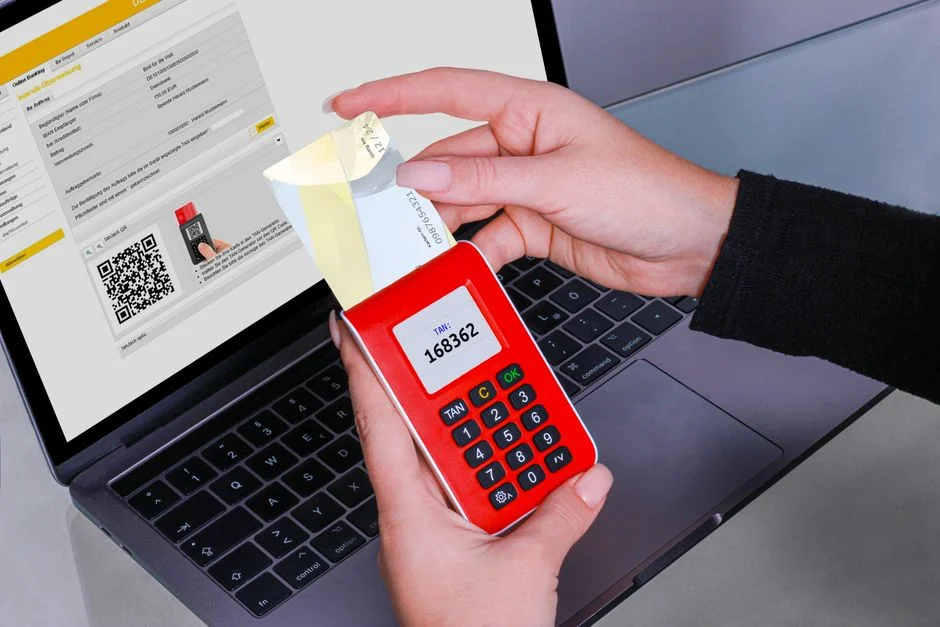

Two-factor authentication (2FA) significantly enhances digital security by requiring users to present two distinct verification factors before granting access. These factors typically fall into categories of something a user knows (like a password), something they have (like a phone or hardware token), or something they are (like a fingerprint). Implementing 2FA is a critical defense against credential theft and unauthorized access, acting as a robust second line of defense.
Consider 2FA as a two-stage security checkpoint, analogous to a bank vault. The first factor, your password, is like the combination to the main door. While essential, a determined attacker might eventually guess or steal this combination. The second factor, such as a one-time code from your phone, functions like a unique, dynamically generated key required to open an inner, reinforced gate. Even if an adversary acquires your combination, they cannot bypass the second gate without this key, which they do not possess. This layered approach dramatically reduces the attack surface and protects sensitive data from common cyber threats.
From a security engineering standpoint, understanding the various types of 2FA and their underlying mechanics is paramount. Each method presents unique strengths, weaknesses, and implementation complexities. This article will dissect prominent 2FA examples, evaluate their security postures, discuss architectural integration, and highlight critical vulnerabilities that must be addressed for truly secure deployments.
The Foundational Pillars of Two-Factor Authentication
Two-factor authentication relies on the principle of combining distinct authentication factors to verify a user’s identity. This concept is fundamental to enhancing security beyond simple username and password combinations, which are increasingly vulnerable to phishing, brute-force attacks, and credential stuffing. The three primary categories of authentication factors are knowledge, possession, and inherence, and a robust 2FA system mandates the use of at least two factors from different categories.
A knowledge factor is something the user knows. This is the most common and often the weakest factor when used in isolation. Examples include passwords, PINs, security questions, or passphrases. While seemingly simple, the strength of a knowledge factor depends entirely on its complexity, uniqueness, and the user’s ability to keep it confidential. Weak passwords are a perennial problem, and security questions are often susceptible to social engineering or publicly available information. From a security perspective, relying solely on knowledge factors is an insufficient defense against sophisticated adversaries.
A possession factor is something the user has. This category significantly elevates security because it requires a physical item that an attacker would need to steal or compromise. Common examples include smartphones receiving SMS one-time passwords (OTPs), authenticator apps generating time-based one-time passwords (TOTPs), hardware security keys (like FIDO2 devices), or smart cards. The inherent security of possession factors stems from the difficulty an attacker faces in acquiring the physical device itself. However, vulnerabilities can still exist, such as SIM swapping for SMS OTPs or phishing attacks designed to trick users into revealing TOTP codes.
An inherence factor is something the user is. This refers to unique biological or behavioral characteristics. Biometric data, such as fingerprints, facial recognition, iris scans, or voice prints, falls into this category. Behavioral biometrics, like typing patterns or gait analysis, are also emerging. Inherence factors are often considered highly secure due as they are difficult to replicate or steal. However, they are not infallible. Biometric systems can be susceptible to spoofing attacks (e.g., using a high-quality photo for facial recognition) or even ethical concerns regarding privacy and the immutability of compromised biometric data. Once a biometric template is compromised, it cannot be changed like a password.
The strength of 2FA lies in the combination of these distinct factors. For instance, requiring a password (knowledge) and a TOTP from an authenticator app (possession) means an attacker needs both your password *and* physical access to your phone or the ability to compromise the authenticator app. This significantly raises the bar for unauthorized access, making most opportunistic attacks unfeasible. When designing authentication flows, security engineers must carefully select and combine factors to achieve the desired security posture, always considering potential attack vectors against each chosen method.
Authentication Factor Types: A Security Engineer’s Perspective on Security and Risk
When evaluating 2FA examples, a security engineer must scrutinize each factor type for its inherent risks and potential for compromise. The goal is to build a defense-in-depth strategy, not merely to add a second step. Understanding the threat model for each factor is crucial.
Knowledge Factors: Passwords and PINs
Passwords and PINs are the most common knowledge factors. Their security is directly proportional to their entropy, uniqueness, and the user’s adherence to secure practices. Weak passwords are the leading cause of breaches. From a system perspective, proper password hashing (e.g., Argon2, bcrypt, scrypt) with a strong salt is non-negotiable. Password policies should enforce length, complexity, and disallow common patterns. However, even strong passwords are vulnerable to phishing, where users are tricked into entering credentials on malicious sites. Security questions, while also knowledge-based, are generally weaker due to their susceptibility to social engineering or being discoverable from public records. We advise against relying on them as a primary second factor.
Possession Factors: The ‘Something You Have’ Category
Possession factors vary significantly in their security strength and resilience against attack. Each has a distinct risk profile:
- SMS One-Time Passwords (OTPs): While widespread due to ease of use, SMS OTPs are considered one of the weaker possession factors. They are vulnerable to SIM swapping attacks, where an attacker convinces a mobile carrier to transfer a victim’s phone number to their control, thereby rerouting OTPs. SMS messages are also transmitted unencrypted over cellular networks, making them susceptible to interception by sophisticated adversaries. OWASP specifically advises against SMS for 2FA in high-security contexts.
- Time-Based One-Time Passwords (TOTPs): Generated by authenticator apps (e.g., Google Authenticator, Authy) or dedicated hardware tokens, TOTPs are generally more secure than SMS OTPs. They rely on a shared secret key and the current time. The key advantage is that the OTP is generated client-side and never transmitted over potentially insecure channels. Vulnerabilities primarily arise from phishing attacks that trick users into entering the TOTP on a fake site, or malware on the device that can read the shared secret or generated codes. Secure key provisioning and backup mechanisms are critical.
- Push Notifications: Services like Duo Mobile or Okta Verify send a ‘push’ notification to a registered device, requiring the user to approve the login attempt. This offers a better user experience than manually typing codes. Security depends on the integrity of the push notification service and the device itself. MFA fatigue attacks, where attackers repeatedly send push notifications hoping a user will accidentally approve, are a growing concern. Implementing rate limiting and contextual information (e.g., showing the IP address of the login attempt) can mitigate this.
- Hardware Security Keys (FIDO2/WebAuthn): Devices like YubiKey or Google Titan Security Key offer the strongest possession factor. They implement cryptographic protocols (like FIDO2/WebAuthn) that are highly resistant to phishing. The key never leaves the device, and the authentication challenge is signed by the hardware. This makes them exceptionally secure against remote attacks. The primary risk is physical theft of the key, though most keys can be PIN-protected.
Inherence Factors: Biometrics
Biometric factors (fingerprints, facial recognition, iris scans) leverage unique biological traits. They offer convenience and can be highly secure when implemented correctly. However, they are not without risk. Spoofing attacks (e.g., using high-quality prints or masks) are a concern, though modern sensors often include liveness detection. A significant philosophical and practical issue is the immutability of biometrics: once compromised, a fingerprint or face cannot be changed like a password. Therefore, biometric templates must be stored securely, ideally on the device itself and never as raw images, but as cryptographic hashes or secure enclaves. Replay attacks are also a consideration if the biometric authentication is not properly challenged and signed by the device.
Choosing the right combination of factors requires a thorough threat assessment, balancing security with usability and cost. For critical systems, hardware security keys combined with strong passwords represent the gold standard.
Practical Implementations: Software-Based 2FA Examples
Software-based two-factor authentication methods are prevalent due to their ease of deployment and user accessibility, leveraging devices most users already possess, primarily smartphones. While convenient, their security profile varies significantly, demanding careful consideration from a security engineering perspective.
SMS-Based One-Time Passwords (OTPs)
SMS OTPs involve sending a unique, time-sensitive code to a user’s registered mobile phone number. The user then enters this code into the application to complete authentication. This method is widely adopted due to its simplicity and broad reach, as almost everyone has a mobile phone. However, its security vulnerabilities are well-documented:
- SIM Swapping Attacks: Attackers can socially engineer mobile carriers to transfer a victim’s phone number to a SIM card they control. Once the number is ported, all SMS OTPs are redirected to the attacker’s device, enabling them to bypass 2FA.
- SMS Interception: While less common for individual users, sophisticated attackers or state-sponsored actors can intercept SMS messages over cellular networks, especially SS7 vulnerabilities.
- Phishing: Users can be tricked into entering their SMS OTPs on fake websites designed to mimic legitimate services.
Practical Implementations: Hardware-Based 2FA Examples
Hardware-based 2FA offers a higher level of security compared to most software-based methods because the authentication secret is stored on a tamper-resistant physical device. This significantly raises the bar for attackers, as they would typically require physical possession of the device to compromise the second factor. From a security engineering standpoint, hardware tokens are often preferred for high-value accounts or environments with elevated threat models.
FIDO2/WebAuthn Security Keys (e.g., YubiKey, Google Titan)
FIDO2 (Fast Identity Online 2) and WebAuthn (Web Authentication API) represent the gold standard for phishing-resistant authentication. These protocols leverage public-key cryptography and are implemented via dedicated hardware security keys. When a user registers a FIDO2 key, the key generates a unique public/private key pair for that service. During authentication, the service sends a cryptographic challenge to the key, which then signs the challenge using its private key. The public key stored on the server verifies this signature. This process offers several critical security advantages:
- Phishing Resistance: Because the authentication relies on cryptographic challenges and responses tied to the origin (website domain), an attacker cannot simply present a fake login page and harvest credentials. The security key will only respond to challenges from the legitimate domain.
- Tamper Resistance: The private key never leaves the hardware device, making it extremely difficult for malware or remote attackers to extract or clone.
- User Presence Verification: Many FIDO2 keys require a physical touch or PIN entry, ensuring that a human is present and intentionally initiating the authentication.
Deployment considerations include managing key enrollment, recovery procedures for lost keys, and ensuring browser/OS compatibility. While highly secure, the initial cost of hardware keys and the need for user education can be deployment hurdles.
Smart Cards
Smart cards are physical cards, often resembling credit cards, embedded with an integrated circuit chip. They can store cryptographic keys, digital certificates, and other authentication data. Smart cards require a reader and typically a PIN for activation, combining a possession factor (the card) with a knowledge factor (the PIN). They are widely used in government, military, and corporate environments for logical and physical access control. Their security benefits include:
- Secure Key Storage: The cryptographic keys are generated and stored securely within the card’s chip, making them resistant to extraction.
- Multi-Factor Capability: The combination of the physical card and a PIN inherently provides two factors of authentication.
- Centralized Management: Smart card systems can be centrally managed, allowing for robust certificate management, revocation, and policy enforcement.
Challenges involve the infrastructure required (card readers, card management systems), distribution, and revocation processes. Their use is often confined to specific enterprise settings due to these complexities.
USB Tokens (PKI Tokens)
Similar to smart cards, USB tokens are small, portable devices that connect via a USB port. They store cryptographic keys and certificates, often used for Public Key Infrastructure (PKI) based authentication, digital signatures, and data encryption. Like smart cards, they usually require a PIN for activation. The security advantages are similar:
- Secure Key Isolation: Keys are generated and reside within the token’s secure element, preventing software-based attacks from accessing them.
- Portability: Easy to carry and use across different workstations.
- Strong Cryptography: Supports robust cryptographic algorithms for authentication and signing.
The primary concern is the potential for physical loss or theft. Implementing strong PINs and strict policies for reporting lost tokens are essential mitigation strategies. USB tokens typically require specific drivers and middleware, adding to deployment complexity.
When selecting hardware-based 2FA, security engineers must weigh the cost, deployment complexity, user experience, and the specific threat model. For maximum security against phishing, FIDO2/WebAuthn keys are currently unparalleled.
Architectural Considerations for Secure 2FA Deployment
Implementing 2FA is not merely about adding a second step; it requires careful architectural planning to ensure its effectiveness and resilience against attack. A security engineer must integrate 2FA deeply into the application and infrastructure layers, considering failure modes, recovery, and overall system integrity.
Server-Side Validation and State Management
All 2FA challenges and responses must be rigorously validated on the server-side. Client-side validation is easily bypassed. For OTPs, the server must:
- Verify OTP Correctness: Compare the submitted OTP against the expected value (e.g., the one sent via SMS or derived from the shared secret for TOTP).
- Check Time Skew (for TOTP): Allow for a small time window (e.g., 30-90 seconds) to account for clock synchronization issues between the server and the user’s device.
- Ensure Single Use: Mark an OTP as used immediately after successful validation to prevent replay attacks.
- Rate Limit Attempts: Implement aggressive rate limiting on OTP submission attempts to prevent brute-force attacks against the second factor. A common strategy is to lock out an account or require a CAPTCHA after a few failed attempts.
Session management after successful 2FA is equally critical. The session token issued should be cryptographically secure, short-lived, and bound to the user’s authenticated state. Any change in authentication factors (e.g., removing a 2FA method) should trigger re-authentication or session invalidation.
Key Management and Storage
For TOTP-based 2FA, the shared secret key is the most sensitive component. It must be stored securely on the server. This means:
- Encryption at Rest: The shared secret should be encrypted in the database using strong, modern encryption algorithms (e.g., AES-256) with a robust key management system (KMS).
- Access Controls: Strict access controls must be in place to limit who can retrieve or manage these keys.
- Key Rotation: While not as straightforward as password rotation, mechanisms for users to re-provision their TOTP keys should be available.
For FIDO2/WebAuthn, the public key is stored on the server, while the private key remains on the hardware token. The public key does not need to be encrypted, but its integrity must be protected to prevent tampering.
Enrollment and Recovery Processes
The 2FA enrollment process must be secure and user-friendly. Initial setup should involve strong verification of the user’s identity. For recovery, a secure fallback mechanism is essential for users who lose their 2FA device or access. This could involve:
- Recovery Codes: A set of one-time use codes provided to the user during enrollment. These must be stored securely by the user (e.g., printed and kept offline).
- Trusted Devices/Email: A verified secondary email address or phone number (not the primary 2FA method) can be used for recovery, though this introduces another potential attack vector if not carefully implemented.
- Manual Identity Verification: For high-security accounts, a manual, human-driven identity verification process may be required, similar to account recovery for financial institutions.
Each recovery method introduces a potential bypass, so the security team must carefully assess the risk tolerance and implement appropriate safeguards, such as requiring additional identity proofs for recovery.
Disaster Recovery and Business Continuity
Consider how 2FA impacts disaster recovery. If an authentication service goes down, what is the fallback? Redundant 2FA providers, offline recovery methods, and clear operational procedures for outages are critical. Similarly, for applications that rely on external 2FA services (e.g., Twilio for SMS, Duo for push), build in resilience and monitoring for those dependencies.
Effective 2FA architecture requires a holistic view, integrating security controls from user enrollment through daily authentication and disaster recovery, always with an eye toward mitigating potential vulnerabilities at every stage.
Vulnerabilities and Attack Vectors Against 2FA Systems
While 2FA significantly enhances security, it is not a silver bullet. Security engineers must be acutely aware of the various attack vectors that can target 2FA implementations. Understanding these vulnerabilities is crucial for designing resilient systems and educating users.
Phishing and Man-in-the-Middle (MitM) Attacks
One of the most persistent threats to 2FA is phishing. Attackers create fake login pages that mimic legitimate services. When a user enters their credentials and the first factor (password), the attacker immediately relays these to the real service. If the service then requests a second factor (e.g., an OTP), the phishing site prompts the user for it, and the attacker relays that too, completing the authentication process in real-time. This is often facilitated by reverse proxy phishing kits (e.g., EvilGinx, Modlishka) that sit between the user and the legitimate site. These attacks bypass SMS OTPs, TOTPs, and even push notifications if the user is not vigilant.
- Mitigation: Implement FIDO2/WebAuthn hardware keys, which are inherently phishing-resistant. Educate users to check URLs carefully and be suspicious of unexpected login prompts. Contextual information in push notifications (e.g., originating IP address) can also help users identify suspicious requests.
SIM Swapping and SMS Interception
As discussed, SIM swapping is a significant threat to SMS-based 2FA. Attackers exploit vulnerabilities in mobile carrier customer service or internal systems to transfer a victim’s phone number to a SIM card under their control. Once the number is swapped, all incoming calls and SMS messages, including OTPs, are redirected to the attacker. SMS messages can also be intercepted by sophisticated adversaries using technologies that exploit weaknesses in cellular network protocols (e.g., SS7). This is less common but a concern for high-value targets.
- Mitigation: Avoid SMS OTPs for high-security applications. Encourage users to use authenticator apps or hardware keys. Implement out-of-band verification processes for critical account changes (e.g., requiring a call back to a known number before changing a SIM).
MFA Fatigue Attacks
MFA fatigue, or prompt bombing, is a social engineering attack targeting push-based 2FA. Attackers obtain a user’s primary credentials (e.g., via a data breach). They then repeatedly initiate login attempts, triggering a flood of push notifications to the user’s device. The hope is that the user, annoyed or confused, will accidentally approve one of the requests, granting the attacker access. This was a notable attack vector in recent high-profile breaches.
- Mitigation: Implement strict rate limiting on authentication attempts. Provide contextual information in push notifications (e.g., IP address, location of login attempt) to help users identify legitimate versus malicious requests. Educate users never to approve unexpected prompts.
Malware and Device Compromise
If a user’s device (computer or smartphone) is compromised by malware, the effectiveness of software-based 2FA can be severely degraded. Keyloggers can capture passwords, and sophisticated malware can potentially intercept or manipulate OTPs generated by authenticator apps, or even approve push notifications if it has sufficient privileges.
- Mitigation: Promote strong endpoint security practices (antivirus, regular updates). Implement mobile device management (MDM) solutions for corporate devices. Hardware security keys are more resilient to device compromise as the private key never leaves the secure hardware element.
Brute-Force and Rate-Limiting Bypass
While 2FA is designed to prevent brute-force attacks on the second factor, poor implementation can create vulnerabilities. If an application does not adequately rate limit OTP submission attempts, an attacker could try multiple codes until they find the correct one, especially for shorter, numeric OTPs. Similarly, if the recovery process for 2FA is weak, it can become a new target for brute-force or social engineering attacks.
- Mitigation: Implement robust, adaptive rate limiting on all 2FA entry points. Monitor for suspicious activity (e.g., multiple failed 2FA attempts from a single IP). Ensure recovery processes are as secure, if not more secure, than the primary authentication path.
A comprehensive security strategy requires continuous monitoring, regular vulnerability assessments, and user education to counteract these evolving threats against 2FA systems.
Compliance, Regulations, and Data Protection with 2FA
From a security engineer’s standpoint, implementing 2FA is not just a best practice; it’s often a mandatory requirement for achieving compliance with various industry regulations and data protection frameworks. Failing to meet these requirements can result in significant fines, reputational damage, and legal repercussions. 2FA plays a crucial role in demonstrating due diligence and protecting sensitive information.
General Data Protection Regulation (GDPR)
The GDPR, applicable to any organization processing personal data of EU residents, mandates appropriate technical and organizational measures to ensure a level of security appropriate to the risk. While 2FA is not explicitly named, it falls squarely under this umbrella. For systems handling sensitive personal data, financial data, or health records, 2FA is considered an essential technical control to protect against unauthorized access and data breaches. Article 32, which focuses on security of processing, implicitly requires strong authentication mechanisms where risks are high. Implementing 2FA helps demonstrate adherence to principles like data integrity and confidentiality.
Health Insurance Portability and Accountability Act (HIPAA)
For organizations handling Protected Health Information (PHI) in the United States, HIPAA mandates stringent security standards. The HIPAA Security Rule requires covered entities to implement technical safeguards to protect electronic PHI (ePHI). Specifically, it requires ‘Access Control’ mechanisms, including unique user identification, emergency access procedures, automatic logoff, and ‘encryption and decryption’. While not explicitly stating ‘two-factor authentication,’ strong authentication is implied to prevent unauthorized access to ePHI. For cloud-based systems or remote access to patient records, 2FA is a critical component for meeting HIPAA’s technical safeguard requirements and preventing breaches that could lead to severe penalties.
Payment Card Industry Data Security Standard (PCI DSS)
PCI DSS applies to all entities that store, process, or transmit cardholder data. Requirement 8.3 explicitly states: ‘Incorporate multi-factor authentication for all non-console access into the CDE (Cardholder Data Environment) for personnel with administrative access and all remote access to the CDE.’ This is a direct and unambiguous mandate for 2FA (or MFA) for administrative and remote access to systems handling payment card data. Failure to implement this can lead to non-compliance, loss of ability to process credit card payments, and substantial fines. Security engineers must ensure that all relevant access points, including VPNs, administrative interfaces, and remote desktop services, are protected by robust 2FA for PCI DSS scope.
National Institute of Standards and Technology (NIST) Guidelines
NIST provides comprehensive cybersecurity frameworks and guidelines, widely adopted across government and critical infrastructure. NIST Special Publication 800-63B, ‘Digital Identity Guidelines: Authentication and Lifecycle Management,’ defines various Authenticator Assurance Levels (AALs). Achieving higher AALs (AAL2 and AAL3) explicitly requires multi-factor authentication, with specific requirements for the types of factors and their cryptographic strength. For example, AAL3 typically mandates cryptographically protected authenticators (like FIDO2) that resist man-in-the-middle attacks. Adhering to NIST guidelines often serves as a benchmark for demonstrating robust security practices, even for non-governmental entities.
Data Protection Impact Assessments (DPIAs) and Privacy by Design
Beyond specific regulations, 2FA is a key control when conducting Data Protection Impact Assessments (DPIAs) to identify and minimize privacy risks. Incorporating 2FA into system design from the outset aligns with the ‘Privacy by Design’ principle. It demonstrates a proactive approach to protecting user data and minimizing the impact of potential breaches. For any system handling personal or sensitive data, 2FA should be a default security requirement, not an afterthought.
In summary, 2FA is a fundamental technical control that underpins compliance with a broad spectrum of data protection and security regulations. For security engineers, understanding these mandates and integrating 2FA effectively is essential for both legal adherence and safeguarding organizational assets.
Designing for User Experience and Security Trade-offs
A critical challenge for security engineers is balancing robust security with a usable and intuitive experience. Overly complex or frustrating 2FA processes can lead to user bypasses, support overhead, or outright abandonment. The goal is to maximize security while minimizing friction.
Enrollment Process Design
The initial 2FA enrollment process is a crucial touchpoint. It needs to be clear, guided, and ideally offer multiple options. Forcing a single, complex method can deter adoption. For instance, offering both authenticator app (TOTP) and SMS (as a fallback) allows users to choose based on their comfort level, though the security implications of SMS should be clearly communicated. The enrollment flow should include:
- Clear Instructions: Step-by-step guidance, often with visual aids, for setting up each 2FA method.
- Recovery Code Generation: Prompt users to generate and securely store recovery codes immediately after enrollment. Explain their purpose and the risks of losing them.
- Testing: Require a test authentication immediately after setup to confirm the method works.
A poorly designed enrollment process can lead to users incorrectly configuring 2FA or simply not enabling it.
Authentication Flow Streamlining
Once enrolled, the daily authentication experience should be as smooth as possible. While security is paramount, unnecessary steps or delays can negatively impact productivity. Consider these aspects:
- Remember Me/Trusted Devices: Allow users to mark a device as ‘trusted’ for a certain period (e.g., 30 days), reducing the frequency of 2FA prompts on that specific device. This is a trade-off: it improves UX but introduces a window where the second factor is not required. Implement robust session management and device fingerprinting for trusted devices.
- Contextual Authentication: Implement adaptive authentication strategies. For example, only prompt for 2FA if the login is from a new device, an unusual location, or after a period of inactivity. This reduces friction for routine logins while maintaining security for high-risk scenarios.
- Push Notifications vs. Manual Entry: For many users, approving a push notification is less cumbersome than opening an authenticator app and typing a code. This improves UX, but as noted, introduces MFA fatigue risks if not properly rate-limited.
Account Recovery and Support
The account recovery process for lost 2FA devices or forgotten recovery codes is often the weakest link in a 2FA system. It must be secure yet accessible. A security engineer must design this process to be:
- Multi-layered: Rely on multiple forms of identity verification (e.g., combination of email, phone number, security questions, or even manual identity checks).
- Time-Delayed: Implement a waiting period for recovery requests to allow users to cancel fraudulent attempts.
- Auditable: Log all recovery attempts and actions for security analysis.
- Human-Assisted for Edge Cases: For critical accounts, a human-driven, verified identity process might be necessary, akin to a bank’s identity verification.
Providing clear, accessible support documentation and channels for 2FA issues is also critical. Frustrated users who cannot access their accounts will seek insecure workarounds or flood support lines, both of which are undesirable outcomes.
Communicating Security Benefits and Risks
User education is a non-technical but vital aspect of 2FA design. Clearly communicate the benefits of 2FA (protection against account takeover) and the risks of specific methods (e.g., SIM swapping for SMS). Empowering users with knowledge helps them make informed choices and reduces their susceptibility to social engineering. A balance must be struck between providing comprehensive information and overwhelming the user, often achieved through progressive disclosure and just-in-time guidance.
The Cost of Implementing and Maintaining 2FA Solutions
Implementing and maintaining two-factor authentication involves various costs that security engineers and business stakeholders must account for. These are not always explicit vendor fees but include development effort, operational overhead, and potential hardware investments. Understanding these cost models is crucial for budgeting and strategic planning.
In-House Development Costs
For organizations opting to build 2FA functionality directly into their applications, significant development costs are incurred. This approach offers maximum control and customization but demands substantial resources.
- Developer Salaries: Integrating 2FA, especially complex methods like TOTP secret management or FIDO2/WebAuthn, requires skilled security engineers and developers. Hourly rates for such talent can range from $75 to $250 per hour, depending on experience and location. A typical integration for a custom application might require 80-240 hours of development time per 2FA method.
- Testing and QA: Rigorous testing is essential to prevent vulnerabilities. This involves unit tests, integration tests, and security penetration testing, adding another 40-160 hours of effort.
- Maintenance and Updates: Security protocols evolve, and libraries need updating. Ongoing maintenance can incur 10-20 hours per month in engineering time.
- Infrastructure Costs: Secure storage for shared secrets, database overhead, and potentially dedicated authentication servers add to infrastructure expenses.
For a basic TOTP implementation, initial development costs could be in the range of $6,000 to $40,000, with ongoing maintenance. More complex integrations, like FIDO2 with multiple device support, could easily exceed $50,000 to $100,000 in initial development.
Third-Party 2FA Service Providers
Many organizations opt for third-party 2FA solutions (e.g., Twilio Authy, Duo Security, Okta Adaptive MFA). These services abstract away much of the complexity but come with subscription fees and integration costs.
Service Category Cost Model Typical Range (per user/month) Notes SMS OTP Providers (e.g., Twilio) Per SMS segment / Per user $0.005 – $0.05 per SMS segment; $0.01 – $0.03 per user/month Scales with usage; additional costs for voice calls. TOTP/Push Notification Providers (e.g., Authy, Duo) Per user / Per active user $3 – $9 per user/month (for advanced features) Basic TOTP often free or low-cost for small user bases; enterprise features significantly increase cost. Comprehensive MFA Platforms (e.g., Okta, Azure AD Premium) Per user / Per active user $6 – $15+ per user/month Includes advanced features like adaptive MFA, SSO integration, directory services. FIDO2/WebAuthn Integrations (e.g., HYPR) Per user / Per device $10 – $25+ per user/month Specialized services for phishing-resistant MFA, often in enterprise contexts. Integration with these services still requires development effort, albeit less than building from scratch. Expect 40-120 hours for initial API integration, plus ongoing management. Monthly recurring costs for a medium-sized business (500 users) could range from $1,500 to $7,500+, depending on the chosen provider and feature set.
Hardware Token Costs
For organizations requiring physical security tokens, hardware costs are a direct expense.
- FIDO2 Security Keys (e.g., YubiKey): Retail prices range from $25 to $75 per key. Bulk enterprise pricing may offer discounts.
- Smart Cards/USB PKI Tokens: Costs can range from $10 to $100+ per token, plus the cost of card readers ($15-$50 each) and smart card management software.
Beyond the initial purchase, there are costs associated with distribution, user training, and replacement of lost or damaged tokens. For an organization with 1,000 users, initial hardware costs could be $25,000 to $75,000 for FIDO2 keys, plus ongoing operational costs.
Operational and Support Costs
Regardless of the implementation method, operational costs are inherent:
- Help Desk/Support: Managing lost 2FA devices, recovery code issues, and user education requires dedicated support staff. This can be a significant hidden cost.
- Monitoring and Alerting: Implementing systems to monitor 2FA usage, detect anomalies (e.g., MFA fatigue attacks), and respond to security incidents.
- Auditing and Compliance: Ensuring 2FA systems meet regulatory requirements and internal security policies through regular audits.
The choice between in-house development and third-party services often boils down to a build vs. buy analysis, balancing upfront costs, ongoing subscriptions, control, and internal expertise. A typical range note: The overall cost for 2FA implementation and maintenance varies widely based on organizational size, chosen methods, required security level, and whether a custom or off-the-shelf solution is adopted.
Integrating 2FA with Identity and Access Management (IAM) Systems
From a security engineering perspective, 2FA is most effective when seamlessly integrated into a comprehensive Identity and Access Management (IAM) framework. IAM systems are the central nervous system for managing user identities and their access privileges across an organization’s resources. A well-integrated 2FA strengthens the entire IAM posture, extending beyond simple login to cover authorization, session management, and auditing.
Single Sign-On (SSO) and 2FA
For organizations utilizing Single Sign-On (SSO) solutions (e.g., Okta, Azure AD, Auth0), 2FA is typically integrated at the SSO provider level. When a user attempts to access an application protected by SSO, the request is redirected to the SSO provider. After the user provides their primary credentials, the SSO provider then prompts for the second factor. Upon successful 2FA, the SSO provider issues an assertion (e.g., SAML, OIDC token) back to the application, granting access. This approach offers several advantages:
- Centralized Enforcement: 2FA policies are defined and enforced once at the SSO provider, simplifying administration across numerous applications.
- Consistent User Experience: Users experience a uniform 2FA flow regardless of the application they are accessing.
- Reduced Integration Effort: Individual applications do not need to implement 2FA logic directly; they trust the SSO provider’s authentication.
However, it also means the SSO provider becomes a critical single point of failure and a high-value target for attackers. Securing the SSO platform itself with the strongest possible 2FA for administrators is paramount.
API-Driven 2FA Integration
For custom applications or microservices architectures, 2FA is often integrated via APIs provided by specialized authentication services. This allows developers to programmatically trigger 2FA challenges, verify codes, and manage user enrollment without building the underlying cryptographic and delivery mechanisms themselves. Examples include:
- Twilio Verify API: For SMS, voice, and email OTPs. Developers call an API to send a code and another API to verify it.
- Authy API: Provides TOTP generation, push notifications, and SMS/voice fallbacks.
- FIDO2/WebAuthn APIs: Browser APIs that interact with security keys, with server-side components to verify cryptographic assertions.
This approach offers flexibility but requires careful handling of API keys, secure communication channels, and robust error handling to prevent vulnerabilities. Developers must also ensure that the API integration adheres to secure coding practices, such as proper input validation and protection against replay attacks.
Contextual and Adaptive Authentication
Advanced IAM systems leverage 2FA within a broader adaptive authentication framework. This involves evaluating various risk signals during a login attempt, such as:
- Device Fingerprinting: Is the user logging in from a recognized device?
- Geolocation: Is the login attempt from an unusual or suspicious location?
- IP Address Reputation: Is the IP address associated with known malicious activity?
- Behavioral Biometrics: Is the user’s typing rhythm or mouse movement consistent with their typical behavior?
Based on these risk signals, the IAM system can dynamically decide whether to enforce 2FA, escalate to a stronger 2FA method, or deny access altogether. For example, a login from a new device in a foreign country might trigger a mandatory FIDO2 challenge, whereas a login from a trusted device at home might only require a password. This optimizes user experience while maintaining a high security posture for risky scenarios.
Integrating 2FA effectively into IAM is about creating a layered defense that adapts to risk, centralizes control, and provides a consistent, secure experience across the entire digital ecosystem.
Monitoring, Alerting, and Incident Response for 2FA Systems
From a security engineer’s perspective, merely deploying 2FA is insufficient; continuous monitoring, robust alerting, and a well-defined incident response plan are critical to ensuring its ongoing effectiveness. A 2FA system that isn’t monitored is a blind spot, potentially allowing sophisticated attacks to go undetected.
Logging and Auditing
Comprehensive logging of all 2FA-related events is foundational. This includes:
- Successful and Failed 2FA Attempts: Capture timestamps, user IDs, IP addresses, and the type of 2FA method used.
- 2FA Enrollment and Disenrollment: Log when users enable, disable, or change their 2FA methods, including any recovery processes.
- Recovery Code Usage: Record each instance a recovery code is used.
- Administrative Actions: Any changes made by administrators to user 2FA settings.
- Rate Limiting Triggers: Log when rate limits are hit for 2FA attempts.
These logs are invaluable for forensic analysis during a security incident and for demonstrating compliance. They should be stored securely, immutable, and retained according to regulatory requirements. Centralized logging solutions (e.g., SIEM systems) are essential for aggregating and analyzing these events.
Alerting Mechanisms
Effective alerting transforms logs into actionable intelligence. Security teams need to be notified in real-time or near real-time of suspicious 2FA activities. Key alerts should include:
- Multiple Failed 2FA Attempts: Indicative of brute-force attacks or MFA fatigue attempts. Thresholds should be carefully tuned to avoid alert fatigue while catching malicious activity.
- 2FA Method Changes: Alert on any changes to a user’s 2FA method, especially if initiated outside of normal channels or from unusual locations.
- Recovery Code Usage: High-priority alert, as this could indicate an account takeover attempt via the recovery path.
- Login from New Device/Location Followed by 2FA Bypass: Advanced analytics can correlate these events to detect sophisticated attacks.
- High Volume of SMS OTP Requests: Could indicate an attempt to overwhelm a user or test for active phone numbers.
Alerts should be routed to appropriate security personnel via reliable channels (e.g., PagerDuty, Slack, email) with clear context to facilitate rapid response.
Incident Response Playbooks for 2FA Compromise
A well-defined incident response playbook is essential for addressing 2FA compromises. This playbook should detail steps for various scenarios:
- Suspected Account Takeover (ATO) via 2FA Bypass: Immediately revoke session tokens, force password reset, and temporarily disable 2FA for the affected user. Initiate contact with the user via alternative, verified channels.
- Lost/Stolen 2FA Device: Guide the user through the secure recovery process, invalidate old 2FA credentials, and help them re-enroll.
- MFA Fatigue Attack: Alert the user, temporarily block authentication attempts from the suspected attacker’s IP, and review logs for successful bypasses.
The playbook should also include communication strategies for informing affected users and, if necessary, regulatory bodies. Regular drills and tabletop exercises are crucial to ensure the incident response team can execute these playbooks effectively under pressure.
Automated Remediation
Where feasible, consider automated remediation actions for certain high-confidence alerts. For example, after ‘X’ failed 2FA attempts from a single IP, automatically block that IP for a short period or require a more stringent authentication method (e.g., CAPTCHA). This can reduce the load on human responders for common, low-risk incidents.
By integrating robust monitoring, intelligent alerting, and a practiced incident response framework, organizations can ensure their 2FA systems remain an effective defense against evolving threats.
Advanced 2FA Techniques: Contextual and Adaptive Authentication
While basic 2FA provides a significant security uplift, modern security engineering demands more nuanced approaches. Contextual and adaptive authentication techniques elevate 2FA from a static gate to an intelligent, dynamic security layer, responding to real-time risk assessments. This approach balances security with user experience by only applying stronger authentication when the risk warrants it.
Defining Contextual Authentication
Contextual authentication leverages information about the user’s current login attempt to determine the appropriate level of authentication required. Instead of always prompting for 2FA, it considers factors such as:
- Geographical Location: Is the user logging in from an expected country or region? A login from an unusual country might trigger a 2FA challenge, while a login from their typical office or home location might not.
- IP Address Reputation: Is the IP address associated with known proxies, VPNs, or malicious activity? High-risk IPs should always trigger 2FA or even block access.
- Time of Day: Is the login attempt occurring during normal business hours or in the middle of the night, outside of a user’s typical activity pattern?
- Device Fingerprinting: Has the user logged in from this specific device (e.g., laptop, smartphone) before? New or unrecognized devices are often considered higher risk.
- Network Environment: Is the user on a trusted corporate network or an untrusted public Wi-Fi?
By analyzing these contextual signals, the system can make an informed decision: either allow access with just the first factor, prompt for a second factor (and potentially a stronger one), or even deny access outright if the risk is too high.
Adaptive Authentication in Practice
Adaptive authentication takes contextual analysis a step further by dynamically adjusting the authentication requirements based on a calculated risk score. This often involves a rules engine or machine learning models that analyze a multitude of data points. For example:
- Low Risk (e.g., trusted device, usual location, normal time): Allow access with just a password.
- Medium Risk (e.g., new device, usual location): Prompt for a TOTP or push notification.
- High Risk (e.g., new device, unusual location, suspicious IP): Prompt for a stronger 2FA method like FIDO2/WebAuthn, or initiate an out-of-band verification process (e.g., a phone call to a registered number), or even temporarily block the login attempt and alert security operations.
The goal is to move from a rigid ‘all or nothing’ 2FA approach to a ‘just enough’ authentication strategy, where the authentication burden is proportional to the perceived risk. This enhances both security and user experience.
Implementation Challenges and Considerations
Implementing adaptive authentication introduces complexities:
- Data Collection and Privacy: Gathering sufficient contextual data (geolocation, device IDs) requires careful consideration of user privacy and compliance with regulations like GDPR. Transparency with users about what data is collected is essential.
- Rule Engine Complexity: Developing and maintaining a robust rules engine that accurately assesses risk without generating excessive false positives or negatives is challenging. Overly aggressive rules can frustrate users; overly lenient rules can expose vulnerabilities.
- Machine Learning Expertise: For advanced adaptive systems, expertise in machine learning and data science is required to build and train models that can identify anomalous behavior.
- Integration with IAM: Adaptive authentication capabilities are typically offered by advanced IAM platforms (e.g., Okta, Azure AD Premium, Ping Identity) and require deep integration with an organization’s identity infrastructure.
Despite these challenges, adaptive 2FA represents the future of robust authentication. It allows organizations to deploy a more intelligent, dynamic defense, protecting against evolving threats while optimizing the user journey. For critical applications and high-value data, it moves beyond basic 2FA to a truly intelligent security posture.
The Role of 2FA in Zero Trust Architectures
From a security engineer’s perspective, two-factor authentication is not just a feature; it is an indispensable pillar of a modern Zero Trust architecture. The Zero Trust model, famously defined by Forrester Research, operates on the principle of “never trust, always verify.” This means no user, device, or application is inherently trusted, regardless of whether it is inside or outside the network perimeter. Every access request must be authenticated and authorized. 2FA is fundamental to achieving this continuous verification.
Eliminating Implicit Trust
Traditional perimeter-based security models assumed that anything inside the network was trustworthy. Zero Trust dismantles this assumption. Instead of relying on network location, Zero Trust demands explicit verification for every access attempt. 2FA directly supports this by ensuring that user identity, a critical component of access, is rigorously verified not once, but through multiple distinct factors. A single password, easily compromised, cannot meet the “always verify” mandate of Zero Trust.
Identity as the New Perimeter
In a Zero Trust model, identity becomes the primary security perimeter. This shifts the focus from securing the network to securing access to resources based on verified identities. 2FA plays a central role here by strengthening the identity verification process. By requiring two distinct factors, 2FA makes it significantly harder for an attacker to compromise an identity and impersonate a legitimate user. This ensures that only verified users, with verified credentials, are attempting to access resources.
Continuous Verification and Adaptive Access
Zero Trust is not a one-time check; it’s about continuous verification throughout a session. This aligns perfectly with advanced 2FA concepts like adaptive and contextual authentication. A Zero Trust system might initially require 2FA for login. However, if the user’s context changes during the session (e.g., they move to an untrusted network, attempt to access highly sensitive data, or show anomalous behavior), the Zero Trust policy engine can re-evaluate the risk and dynamically challenge the user for re-authentication, potentially with a stronger 2FA method. This continuous, risk-adaptive authentication is a hallmark of Zero Trust.
Micro-segmentation and Least Privilege
While 2FA primarily focuses on identity verification, it indirectly supports other Zero Trust principles such as micro-segmentation and least privilege. By ensuring robust authentication, 2FA helps guarantee that only the legitimate user is accessing resources. This allows for more granular access controls (least privilege) and helps enforce micro-segmentation by ensuring that even if one segment is breached, an attacker cannot easily move laterally without re-authenticating and verifying their identity with 2FA for each new resource.
Securing Administrative Access
Within a Zero Trust framework, administrative access to critical infrastructure, configuration systems, and IAM platforms themselves is an exceptionally high-risk area. Requiring the strongest possible 2FA (e.g., FIDO2 hardware keys) for all administrative accounts is a non-negotiable Zero Trust mandate. Compromise of an administrator’s account, even with 2FA, is still a major concern, but robust 2FA significantly reduces the likelihood of such a breach occurring through credential theft alone.
In essence, 2FA provides the cryptographic assurance that the entity attempting to gain access is indeed the legitimate user, a fundamental requirement for building a secure, Zero Trust enterprise. Without strong 2FA, the “never trust, always verify” principle cannot be effectively implemented, leaving organizations vulnerable to identity-based attacks.
Secure Coding Practices for 2FA Implementations
Beyond architectural design, the actual implementation of 2FA requires rigorous secure coding practices to prevent vulnerabilities. Even the most robust 2FA method can be undermined by flaws in the application code. A security engineer must ensure that developers adhere to principles that protect the integrity and confidentiality of the authentication process.
Input Validation and Sanitization
All inputs related to 2FA, particularly OTPs, recovery codes, and enrollment data, must be strictly validated and sanitized. This prevents common web vulnerabilities:
- OTP Format Validation: Ensure OTPs conform to expected length, character set (e.g., numeric only for SMS/TOTP), and format. Reject malformed inputs immediately.
- Recovery Code Validation: Validate the format and length of recovery codes.
- No SQL Injection/XSS: Ensure that any data stored or displayed related to 2FA (e.g., device names) is properly escaped and parameterized to prevent injection attacks.
Failing to validate inputs can lead to unexpected behavior, errors, or even injection vulnerabilities that could bypass 2FA.
Rate Limiting and Brute-Force Protection
Aggressive and adaptive rate limiting is paramount for all 2FA entry points:
- OTP Submission: Implement a strict limit on the number of OTP attempts per user within a specific timeframe (e.g., 3-5 attempts within 5 minutes). After exceeding this, temporarily lock the account or require a CAPTCHA.
- Enrollment Attempts: Limit how many times a user can attempt to enroll or change a 2FA method.
- Recovery Attempts: Apply even stricter rate limits to recovery code submissions or recovery process initiations, as this path is a high-value target.
- Account Lockout: Implement a temporary or permanent account lockout policy after a certain number of failed attempts across all factors.
Rate limiting should be applied at the server-side, ideally using an IP-based and user-based approach to prevent distributed brute-force attacks.
Secure Storage of Secrets
For TOTP-based 2FA, the shared secret key is critical. It must be stored with the highest level of security:
- Encryption at Rest: Encrypt the shared secret in the database using strong, modern encryption algorithms (e.g., AES-256) with a unique key per user, managed by a robust Key Management System (KMS).
- Never Store in Plaintext: The secret should never be stored in plaintext anywhere.
- Strict Access Controls: Implement least privilege for database access, ensuring only authorized services can retrieve encrypted secrets.
For FIDO2/WebAuthn, only the public key is stored on the server, which is less sensitive but still requires integrity protection to prevent tampering.
Protection Against Replay Attacks
Ensure that one-time passwords (OTPs) and cryptographic challenges (for FIDO2) are strictly single-use. Once an OTP or challenge response has been successfully validated, it must be immediately invalidated on the server. An attacker should not be able to reuse a captured OTP or signed challenge to gain access. This requires careful state management on the server-side.
Secure Communication
All communication involving 2FA data (enrollment, OTP submission, challenge-response) must occur over encrypted channels, specifically HTTPS with strong TLS protocols. Avoid transmitting sensitive 2FA information over unencrypted HTTP or insecure APIs. Pinning certificates can add an extra layer of security for mobile applications.
Error Handling and Information Disclosure
Error messages related to 2FA should be generic and not reveal sensitive information. For example, an error message should state “Invalid code” rather than “Incorrect code for this user” or “Code expired,” which could give attackers clues about the internal state or valid codes. Overly verbose error messages can assist attackers in reconnaissance.
Adhering to these secure coding practices, alongside architectural best practices, is fundamental to building a truly resilient 2FA implementation that withstands real-world threats. Regular code reviews, security testing, and adherence to security standards like OWASP Top 10 are essential for maintaining a strong security posture.
Case Study: Lessons Learned from 2FA Bypasses in High-Profile Breaches
Examining real-world 2FA bypasses in high-profile breaches offers invaluable lessons for security engineers. These incidents underscore that 2FA, while powerful, is not foolproof and its effectiveness relies heavily on meticulous implementation, user education, and continuous vigilance. Understanding how attackers circumvented 2FA provides crucial insights for strengthening defenses.
The LAPSUS$ Group and MFA Fatigue Attacks
The LAPSUS$ hacking group successfully breached several major technology companies, including Microsoft, Okta, and Nvidia, often exploiting weaknesses in 2FA. A primary technique employed was MFA fatigue, also known as prompt bombing. After obtaining primary user credentials (e.g., via phishing or dark web purchases), the attackers would repeatedly initiate login attempts, triggering a flood of push notifications to the legitimate user’s device. The goal was to annoy or confuse the user into inadvertently approving one of the authentication requests. In some cases, the attackers would also call the victim, impersonating IT support, to trick them into accepting the MFA prompt.
- Lesson Learned: Push-based 2FA, while convenient, is susceptible to social engineering and fatigue attacks. Implement strong rate limiting on MFA requests. Provide contextual information (e.g., IP address, location) in push notifications. Educate users never to approve unexpected prompts and to report suspicious activity immediately.
Uber and SMS-Based 2FA Compromise
In a 2022 breach, Uber was compromised, partially through an attacker exploiting SMS-based 2FA. The attacker obtained a contractor’s password via phishing. When prompted for 2FA, they initiated a flood of push notifications (MFA fatigue). When the contractor did not respond, the attacker contacted the contractor via WhatsApp, impersonating Uber IT support, claiming to be from the IT department and instructing them to approve the 2FA request to stop the notifications. The contractor eventually complied, granting the attacker access.
- Lesson Learned: SMS 2FA is inherently weaker due to SIM swapping and social engineering. While this breach involved MFA fatigue, it highlights the broader vulnerability of phone-based methods. Relying on phone numbers for recovery or as a primary 2FA method without strong out-of-band verification is risky. Combining social engineering with technical attacks is highly effective.
Colonial Pipeline Ransomware Attack (Weak VPN 2FA)
While not a direct 2FA bypass, the Colonial Pipeline ransomware attack in 2021 highlighted the critical importance of ubiquitous 2FA, especially for remote access. The initial breach was reportedly due to a compromised VPN account that did not have multi-factor authentication enforced. An old, unmaintained VPN account with a leaked password was exploited, allowing attackers to gain initial access to the corporate network.
- Lesson Learned: 2FA must be enforced across ALL critical access points, especially remote access services like VPNs, RDP, and administrative interfaces. Unused or legacy accounts must be decommissioned or secured with the strongest possible 2FA. Even one unprotected entry point can undermine an entire security posture.
Mitigations and Best Practices from Breaches
These case studies reinforce several key security engineering principles:
- Prioritize Phishing-Resistant 2FA: For critical accounts, migrate away from SMS and even push notifications to FIDO2/WebAuthn hardware keys.
- Implement Robust Rate Limiting: Aggressively limit failed login and 2FA attempts to thwart brute-force and fatigue attacks.
- Strengthen User Education: Users are the last line of defense. Train them to recognize phishing, unusual login prompts, and social engineering tactics.
- Secure Recovery Processes: Ensure account recovery mechanisms are as secure, if not more secure, than the primary authentication path.
- Comprehensive Audit and Monitoring: Log all 2FA events and set up alerts for suspicious activity to enable rapid detection and response.
The threat landscape is constantly evolving, and 2FA implementations must adapt. Learning from past compromises is vital for building more resilient and secure systems.
Future Trends in Multi-Factor Authentication
The landscape of authentication is continuously evolving, driven by the need for stronger security, improved user experience, and adaptability to new threats. For security engineers, staying abreast of future trends in multi-factor authentication (MFA) is crucial for designing resilient and forward-looking systems.
Passwordless Authentication with MFA
One of the most significant trends is the shift towards passwordless authentication, where the traditional password is replaced by a combination of other factors. This often involves a strong possession factor (e.g., a FIDO2 security key or smartphone biometric) combined with an inherence factor (e.g., fingerprint or facial scan) or a knowledge factor (e.g., a PIN). This eliminates the primary vulnerability of passwords, which are susceptible to phishing and brute-force attacks.
- Examples: Apple’s Passkeys (built on WebAuthn/FIDO2), Microsoft’s passwordless login, and various enterprise solutions leveraging biometrics on mobile devices.
- Security Implications: Significantly reduces phishing risk, simplifies user experience, and removes the burden of password management.
- Engineering Challenges: Requires robust key management, secure device provisioning, and broad platform support.
Continuous Authentication and Behavioral Biometrics
Beyond initial login, continuous authentication aims to verify a user’s identity throughout their session. This often involves behavioral biometrics, which analyze unique patterns of user interaction without explicit user input:
- Typing Cadence: Analyzing a user’s unique typing speed and rhythm.
- Mouse Movements: Tracking cursor paths, speed, and click patterns.
- Gait Analysis: For mobile devices, analyzing how a user walks or holds their device.
If these behavioral patterns deviate significantly from the user’s baseline, the system can flag it as suspicious, triggering a re-authentication challenge or escalating access restrictions. This provides a dynamic layer of security that traditional 2FA cannot offer.
- Security Implications: Detects account takeover attempts *during* a session, not just at login.
- Engineering Challenges: Requires sophisticated machine learning models, continuous data collection (with privacy considerations), and robust anomaly detection.
Decentralized Identity and Verifiable Credentials
Emerging technologies like decentralized identity (DID) and verifiable credentials (VCs), often built on blockchain or distributed ledger technology, aim to give users more control over their digital identities. Instead of relying on centralized identity providers, users hold cryptographic proofs of their attributes (e.g., age, qualifications) issued by trusted parties. MFA could be integrated by requiring a user to present multiple verifiable credentials from different sources or to sign a challenge using a key stored on a hardware token they control.
- Security Implications: Enhances privacy, reduces reliance on centralized honey pots of identity data, and offers cryptographic assurance of identity attributes.
- Engineering Challenges: Nascent technology, requires new infrastructure, interoperability standards, and significant industry adoption.
Quantum-Resistant Cryptography for Authentication
As quantum computing advances, current public-key cryptography (which underpins many 2FA methods, especially FIDO2) could theoretically be broken. Research is ongoing into quantum-resistant (or post-quantum) cryptography. Future 2FA methods will need to incorporate these new cryptographic primitives to remain secure against quantum adversaries.
- Security Implications: Prepares authentication systems for the post-quantum era, protecting long-term confidentiality.
- Engineering Challenges: Requires significant cryptographic research, standardization, and a phased migration of existing systems.
These trends highlight a move towards more intelligent, less intrusive, and more resilient authentication mechanisms. Security engineers must continue to adapt, integrating these innovations to build truly future-proof security architectures.
Factors That Affect Development Cost
- In-house development effort (developer salaries, testing, maintenance)
- Third-party 2FA service subscriptions (per user/month, feature sets)
- Hardware token purchase (per key, bulk discounts)
- Operational costs (help desk, monitoring, auditing)
- Complexity of integration with existing systems
- Required security level and compliance mandates
The overall cost for 2FA implementation and maintenance varies widely based on organizational size, chosen methods, required security level, and whether a custom or off-the-shelf solution is adopted.
Two-factor authentication stands as a critical defense layer in the ongoing battle against digital threats. From basic SMS OTPs to advanced FIDO2 hardware keys, each example of 2FA offers varying degrees of protection against evolving attack vectors. For security engineers, the imperative is not merely to implement 2FA, but to understand its underlying mechanics, anticipate vulnerabilities, and integrate it thoughtfully into a comprehensive security architecture.
The choice of 2FA method must always be informed by a thorough threat model, balancing security requirements with user experience and operational costs. Continuous monitoring, robust incident response, and adherence to secure coding practices are non-negotiable for maintaining the integrity of any 2FA system. As the digital landscape shifts towards passwordless and adaptive authentication, our commitment to layered security must remain unwavering.
Building and securing complex authentication systems requires deep expertise and a proactive approach to identifying and mitigating risks. If your organization is grappling with the complexities of secure 2FA deployment, compliance requirements, or architectural hardening, our team at NR Studio specializes in bespoke security engineering and system design.
We offer comprehensive Architecture Review services to help you identify vulnerabilities, optimize your security posture, and ensure your authentication mechanisms are robust and resilient against modern threats. Protect your assets with an expert review.
Explore our complete Laravel, Basics directory for more guides.
NR Studio builds custom web apps, mobile apps, SaaS platforms, and internal tools for growing businesses. If you’re working through a technical decision, feel free to reach out — no commitment required.
References & Further Reading