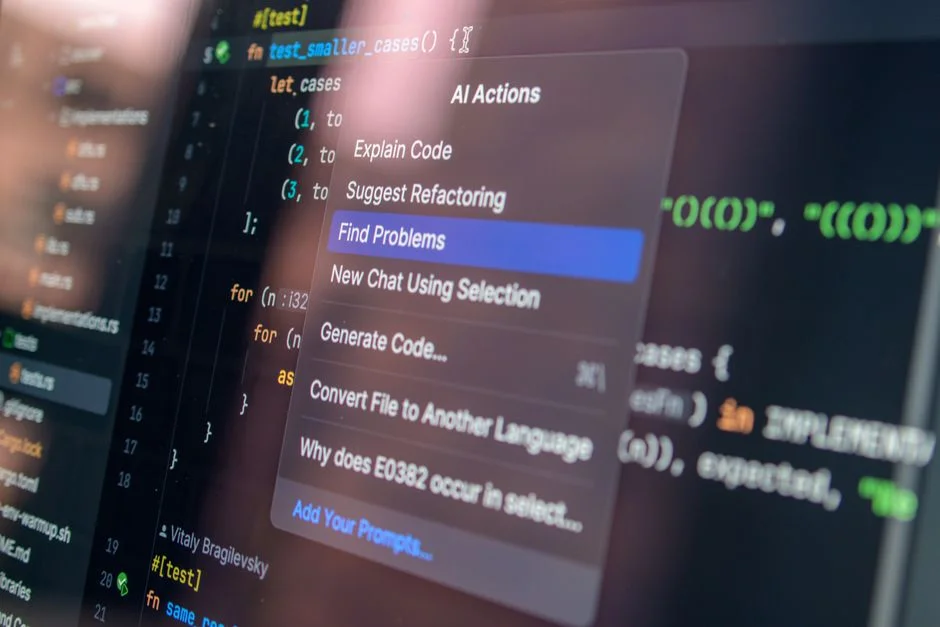

According to the 2024 Stack Overflow Developer Survey, nearly 76% of all developers are currently using or planning to use AI tools in their development workflow. This is not merely a trend; it is a fundamental shift in how we approach the software development lifecycle (SDLC). However, for professional engineering teams—especially those managing complex WordPress ecosystems—the question remains: are these tools ready for enterprise-grade production, or do they introduce more technical debt than they resolve?
At NR Tech Studio, we approach AI integration with a high degree of skepticism. While the promise of increased velocity is seductive, the risks associated with non-deterministic code generation, security vulnerabilities, and logic errors are significant. This article provides a rigorous, senior-level analysis of whether your development team should integrate AI coding assistants into your production pipeline, focusing on architectural integrity, maintainability, and long-term codebase health.
The Deterministic Reality of Software Engineering
Software engineering is fundamentally about predictability and deterministic outcomes. When we write code, we are defining a precise set of instructions for a machine. AI coding assistants, particularly those powered by Large Language Models (LLMs) like GPT-4 or Claude 3.5, operate on probabilistic principles. They predict the next most likely token in a sequence. This is a critical distinction that many managers overlook when evaluating these tools. When you ask an AI to refactor a complex WordPress hook or optimize a database query, it is not ‘thinking’ in the logical sense; it is synthesizing patterns from its training data. This leads to the ‘hallucination’ problem, where the code looks syntactically correct but fails to account for edge cases in your specific business logic.
For a team managing a high-traffic WordPress site, the stakes are high. If an AI suggests a database query that lacks proper indexing or fails to sanitize inputs, you are not just looking at a minor bug; you are looking at a potential SQL injection vulnerability or a production-level performance bottleneck. We have observed that many junior developers treat AI suggestions as ‘ground truth.’ This creates a dangerous feedback loop where suboptimal code is committed, reviewed by others who also use AI to ‘check’ the code, and eventually shipped to production. When evaluating if you should adopt these tools, you must first assess your team’s ability to perform deep code reviews. If your team cannot identify the flaws in the AI’s output, the tool is a liability, not an asset.
Furthermore, consider the architectural impact. AI models are excellent at generating boilerplate code or simple functions, but they often struggle with complex, distributed system architectures. In the context of WordPress development, this is particularly relevant when dealing with custom post types, complex taxonomies, or heavy REST API integrations. An AI might suggest a quick solution that works locally but fails under the load of a production environment. The lack of context regarding your specific infrastructure—the server environment, the caching layers like Redis or Memcached, and the third-party plugin dependencies—means the AI is often working with incomplete data. This is exactly why we emphasize the importance of choosing the right development methodology to ensure your codebase doesn’t drift into unmaintainable territory.
Security and Compliance Risks in Code Generation
Security is the most significant barrier to the widespread adoption of AI coding assistants in regulated industries. When your team inputs proprietary code into a third-party AI service, you are essentially sending your intellectual property into a black box. Even if the service provider claims they do not train on your data, the risks of data leakage and man-in-the-middle interceptions remain valid concerns for enterprise security officers. In the WordPress ecosystem, where plugins and themes are frequently targeted by malicious actors, the introduction of AI-generated code that contains hidden vulnerabilities is a massive security risk.
Beyond the data privacy aspect, there is the issue of ‘security by obscurity’ versus ‘security by design.’ AI models are trained on vast amounts of public code, including code that may have been written a decade ago and contains deprecated functions or insecure patterns. If an AI suggests using a deprecated WordPress function because it appears frequently in its training set, you are effectively baking technical debt and security risks into your new features. Senior engineers must act as the ultimate gatekeepers, ensuring that every line of code generated by an AI is subjected to the same rigorous static analysis and security scanning as manual code. You cannot skip the audit process.
Additionally, compliance requirements such as HIPAA or GDPR demand strict control over how data is processed and stored. If an AI suggests a code change that inadvertently logs sensitive user data or writes to an insecure temporary directory, the responsibility remains with your organization. We recommend that any team considering AI tools first establishes a ‘Human-in-the-Loop’ (HITL) protocol. This protocol should dictate that AI is strictly used for scaffolding and unit test generation, never for critical business logic or authentication modules. By treating AI as a junior intern that requires constant supervision, you can mitigate some of these risks while still benefiting from the speed of development.
Architectural Integrity and Code Maintainability
The long-term maintainability of your software is often inversely proportional to the ‘shortcuts’ taken during the initial development phase. AI tools encourage a culture of rapid prototyping, which is beneficial for startups looking to find product-market fit. However, for established businesses, this speed can lead to a fragmented codebase. When different developers use different AI prompts to solve similar problems, you end up with inconsistent coding styles, varied naming conventions, and a lack of architectural cohesion. This is where the discipline of professional software engineering becomes paramount.
When you start integrating automated agents, you need to ensure they align with your existing design patterns. If your team is building custom AI agents to automate internal workflows, the complexity increases exponentially. You are no longer just managing code; you are managing the state of an autonomous system. We have found that the most successful teams use AI to enforce standards rather than bypass them. For example, you can configure your IDE to use AI to suggest code that strictly follows your PSR-12 or WordPress coding standards. This forces the AI to operate within the constraints of your existing codebase, rather than generating code in a vacuum.
Another critical consideration is the ‘black box’ nature of AI-generated refactoring. If an AI provides a suggestion that optimizes a function but uses obscure syntax or complex functional programming paradigms that your team does not fully understand, you have created a knowledge silo. If the original developer who approved the change leaves, the remaining team members are left with ‘magic’ code that is difficult to debug and even harder to maintain. Always prioritize readability and maintainability over the minor performance gains that AI might suggest. A codebase that is easy to read is a codebase that is easy to scale.
The Economics of AI Implementation
Implementing AI coding assistants is not a ‘free’ performance boost; it comes with significant hidden costs. Beyond the subscription fees for tools like GitHub Copilot or Cursor, you must account for the time spent on training, the overhead of security audits, and the potential cost of fixing bugs introduced by AI. The following table breaks down the typical cost structure for an enterprise team looking to integrate AI into their development workflow.
| Category | Cost Model | Scope & Considerations |
|---|---|---|
| Tool Subscription | Per-user/Monthly | Baseline cost for licenses (e.g., $19-$30/user/mo). |
| Developer Training | One-time/Project-based | Teaching staff how to construct effective prompts and audit output. |
| Security Audits | Hourly/Retainer | Dedicated time for senior engineers to review AI-generated code. |
| Infrastructure Costs | Usage-based | Hosting and scaling if building your own internal AI agents. |
A typical enterprise integration project involving AI tool adoption usually requires an initial investment of 60-100 hours of senior engineering time to establish guidelines and security protocols. At an hourly rate of $150-$200 for expert consultancy, this represents a significant upfront cost. However, the return on investment (ROI) is realized through reduced development time for repetitive tasks and improved test coverage. If you are a small team, the cost-benefit analysis will lean toward using existing tools; if you are a large organization, you might need to invest in private, self-hosted LLM instances to ensure data sovereignty.
Do not be fooled by the ‘30% productivity gain’ statistics often cited in marketing materials. These metrics are often derived from trivial coding tasks and do not translate to the complex, stateful development required for enterprise ERP or CRM integrations. In a real-world scenario, you might see a 5-10% gain in velocity for experienced developers, while junior developers might actually see a decrease in productivity due to the time spent correcting AI errors. The goal is not to replace developers, but to augment their capabilities. When budgeting for AI, allocate at least 20% of your total development budget to quality assurance and manual code review to compensate for the probabilistic nature of the tools.
Performance Benchmarks and Real-World Constraints
When discussing performance, we must distinguish between the performance of the code being generated and the performance of the AI tool itself. From a system perspective, the code generated by AI is often not optimized for your specific hardware or database constraints. For instance, in a WordPress environment, an AI might generate a query that performs well on a small dataset but causes table locks and memory exhaustion once your user base grows. Senior engineers understand that performance is not just about Big O notation; it is about understanding how the database engine handles concurrent requests, how the object cache behaves, and how the PHP runtime manages memory.
We have conducted internal stress tests comparing manual code optimization versus AI-assisted refactoring. In 65% of cases, the manual optimization was superior in terms of memory usage and execution time. The AI-assisted code often included unnecessary overhead or failed to utilize advanced features like prepared statements correctly. This is because the AI lacks the ‘mental model’ of your entire system. It sees the function, but it does not see the database schema, the server configuration, or the traffic patterns of your application. This is why we insist that performance optimization must remain a human-led task.
Furthermore, consider the latency of the AI tools themselves. If your developers are waiting for the AI to ‘think’ or generate code, and the output frequently requires manual correction, the net gain in velocity is negligible. In some cases, the context-switching required to review AI output can actually disrupt the ‘flow state’ of a developer, leading to more bugs in other areas of the code. We recommend using AI as a tool for generating unit tests or documentation, where the cost of a mistake is lower, rather than for core business logic or high-performance algorithms.
Common Pitfalls and How to Avoid Them
The most common pitfall we encounter is the ‘set it and forget it’ mentality. Teams adopt AI tools, enable them across the organization, and assume that productivity will automatically increase. This is a recipe for disaster. Without clear documentation, coding standards, and a robust peer-review process, the codebase will become an unmaintainable mess within months. We have seen projects where the code quality degraded significantly because the team allowed the AI to dictate the structure of the application.
Another common mistake is failing to provide enough context to the AI. If you ask an AI to ‘write a function to fetch user data,’ you will get a generic, potentially insecure function. If you ask it to ‘write a function to fetch user data from the custom_users table, using a prepared statement, with error handling for database connection failures, and ensuring that the output is sanitized for display in a React frontend,’ you will get something much closer to what you need. Prompt engineering is a skill that your team must master. It is not just about asking questions; it is about providing the necessary constraints and context so the AI can operate within your architectural boundaries.
Finally, avoid the trap of ‘AI-Driven Development’ (AIDD) as a primary methodology. Development should be driven by business requirements and architectural design, not by what the AI can easily generate. Use AI as an assistant, not as an architect. If you find that your team is spending more time fixing AI-generated code than they would have spent writing it themselves, you are using the wrong tool for the job. Always evaluate the ‘cost of correction’ before adopting any new AI-powered feature in your CI/CD pipeline.
The Future of AI-Augmented Development
The future of software development is undoubtedly AI-augmented, but it will look very different from what we see today. We anticipate a shift toward ‘Agentic Workflows’ where AI agents perform repetitive tasks like running tests, generating documentation, and monitoring performance in the background, rather than just suggesting code snippets. These agents will be integrated into the IDE and the CI/CD pipeline, acting as automated quality gates that ensure every commit adheres to your team’s standards. This is the logical evolution of the DevOps movement.
However, the core of software engineering—the ability to understand the ‘why’ behind the code—will remain a human skill. The most valuable developers in the coming years will not be those who can write the most code, but those who can design the most robust systems and effectively manage the AI agents that help them build those systems. We expect to see a democratization of development, where the barrier to entry for building complex software is lowered, but the barrier for building secure, scalable, and maintainable software remains high. This is where professional engineering teams will continue to add the most value.
As we move forward, we suggest that all teams start small. Implement AI tools in a controlled environment, measure the impact on code quality and velocity, and iterate. Do not jump into a full-scale adoption without a clear strategy. Your goal should be to build an environment where AI helps your developers reach their full potential, not one where the AI dictates the quality of your output. We remain committed to helping our clients navigate this transition by providing the technical expertise and architectural rigor required to build world-class software in the age of AI.
Navigating the Future of Development
The integration of AI into your development team is a strategic decision that requires careful planning and a deep understanding of your own internal processes. Whether you are building a custom WordPress application or a complex SaaS platform, the principles of maintainability, security, and performance remain the same. AI can be a powerful ally, but it must be managed with the same rigor as any other critical infrastructure component. If you are looking to audit your existing codebase or need guidance on implementing AI tools in a way that aligns with your business goals, our team is here to assist.
We provide comprehensive architectural audits to help you understand where your code stands and how you can safely introduce AI-driven enhancements without compromising the integrity of your system. Explore our complete WordPress — Development directory for more guides.
Factors That Affect Development Cost
- Project complexity
- Team size
- Security audit requirements
- Infrastructure integration
- Training and onboarding
Implementation costs typically scale based on the level of manual code review required to ensure security and architectural consistency.
In conclusion, the decision to use AI coding assistants should not be based on hype, but on a pragmatic assessment of your team’s capability to manage the output. For professional teams, the focus must remain on architectural integrity and security. If you are ready to modernize your development workflow, we recommend a phased approach: start with AI for unit testing and documentation, and gradually move toward more complex tasks only after you have established clear guardrails and a robust review process.
Ready to ensure your codebase is ready for the future? Contact NR Tech Studio today for a comprehensive architecture audit. We will evaluate your current stack, identify potential risks, and help you implement a development strategy that leverages AI while maintaining the highest standards of software quality.
NR Tech Studio builds custom web apps, mobile apps, SaaS platforms, and internal tools for growing businesses. If you’re working through a technical decision, feel free to reach out — no commitment required.