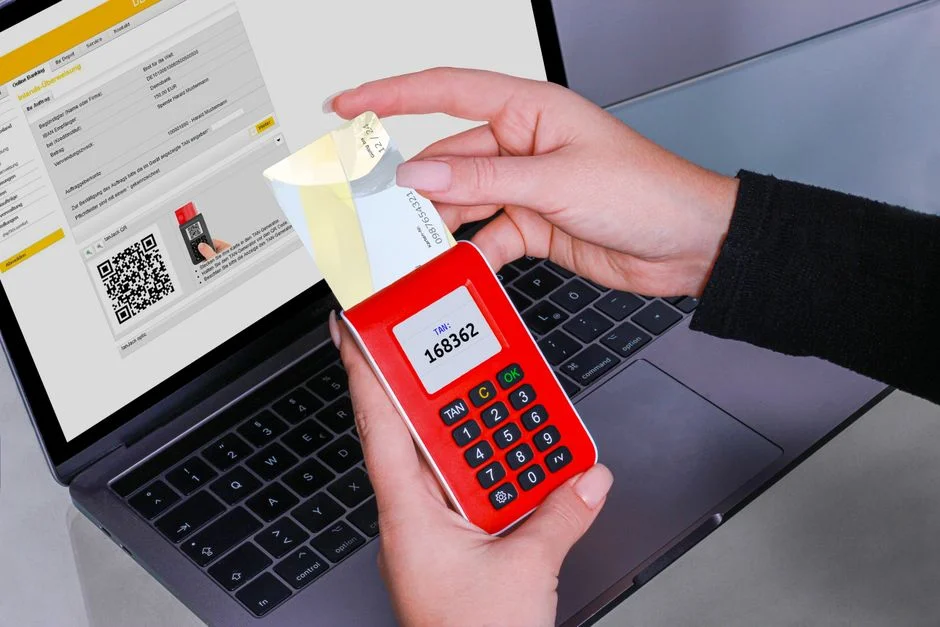

Setting up 2 Factor Authentication (2FA) involves implementing an additional verification step beyond a password to confirm a user’s identity, significantly enhancing account security. This critical security measure typically combines something a user knows (password) with something they have (phone, hardware token) or something they are (biometrics), effectively thwarting unauthorized access attempts even if primary credentials are compromised.
The landscape of digital threats continues to evolve, with credential stuffing, phishing, and account takeover attacks becoming increasingly sophisticated. Recent industry shifts, such as the accelerated adoption of WebAuthn and FIDO2 standards by major platforms, underscore the urgent need for stronger authentication mechanisms. Relying solely on passwords, no matter their complexity, is an insufficient defense against modern adversaries.
This guide delves into the secure implementation of 2FA, exploring various methods, architectural considerations, and critical security implications. We will examine the inherent risks and benefits of each approach, provide practical guidance for secure setup, and discuss the ongoing operational challenges to ensure your authentication systems remain resilient against persistent threats.
Understanding the Threat Landscape: Why 2FA is Non-Negotiable
In an era characterized by persistent cyber threats, the implementation of Two-Factor Authentication (2FA) is no longer a luxury but a fundamental requirement for any system handling sensitive data. The primary objective of 2FA is to establish a layered defense mechanism, significantly reducing the probability of unauthorized access even when a user’s primary credentials, typically a password, have been compromised. This necessity stems directly from the prevalent attack vectors that continually exploit weaknesses in single-factor authentication schemes.
Common attack methodologies such as credential stuffing leverage vast databases of leaked usernames and passwords, attempting to gain access across multiple services. Without 2FA, a single compromised password can lead to a cascade of account takeovers. Similarly, sophisticated phishing attacks often trick users into divulging their login credentials. While 2FA cannot prevent a user from entering their password on a malicious site, it ensures that the attacker cannot complete the login process without the second factor, thereby mitigating the impact of the initial compromise.
The OWASP Top 10, a widely recognized standard for web application security, consistently highlights ‘Identification and Authentication Failures’ (A07:2021) as a critical vulnerability. This category directly addresses inadequate authentication mechanisms, including weak password policies, improper session management, and, crucially, the absence of multi-factor authentication. Organizations that fail to implement robust 2FA strategies are inherently exposed to this high-impact risk, which can lead to severe data breaches, financial losses, and irreparable damage to reputation.
Beyond direct security implications, regulatory compliance mandates increasingly demand strong authentication. Regulations such as the General Data Protection Regulation (GDPR), the Health Insurance Portability and Accountability Act (HIPAA), and the Payment Card Industry Data Security Standard (PCI DSS) all implicitly or explicitly require robust security controls to protect sensitive data. The absence of 2FA can lead to significant penalties, legal liabilities, and a complete failure to meet compliance objectives. For instance, PCI DSS Requirement 8.3 requires multi-factor authentication for all non-console administrative access to systems handling cardholder data.
The cost associated with a data breach can be astronomical, encompassing direct financial losses, legal fees, regulatory fines, customer churn, and long-term reputational damage. Studies consistently show that organizations with mature security practices, including widespread 2FA adoption, experience significantly lower breach costs. From a security engineer’s perspective, advocating for and implementing 2FA is a proactive measure that mitigates a vast array of known threats, moving an organization from a reactive stance to a more resilient, proactive security posture. It is a foundational element of a comprehensive defense-in-depth strategy, essential for protecting both organizational assets and user trust.
Core Principles of Multi-Factor Authentication (MFA)
Multi-Factor Authentication (MFA), often used interchangeably with 2FA, is an authentication method that requires users to provide two or more verification factors to gain access to a resource. The strength of MFA lies in its reliance on distinct categories of credentials, making it significantly harder for an unauthorized entity to compromise an account. These categories are traditionally grouped into three fundamental factors:
- Knowledge (Something You Know): This is the most common factor and includes items such as passwords, PINs, security questions, or passphrases. Its security depends on the secrecy and complexity of the information, as well as the user’s ability to keep it confidential.
- Possession (Something You Have): This factor involves a physical or digital item that only the legitimate user possesses. Examples include hardware security tokens (e.g., YubiKey), smartphones receiving SMS codes or push notifications, authenticator apps generating Time-based One-Time Passwords (TOTP), or smart cards. The security here relies on the attacker not being able to physically or logically obtain this item.
- Inherence (Something You Are): This factor refers to unique biological characteristics of the user. Biometric data such as fingerprints, facial recognition, iris scans, or voice recognition fall into this category. Its security is predicated on the uniqueness and difficulty of forging or replicating these biological traits.
For an authentication scheme to truly be considered multi-factor, it must combine at least two factors from different categories. For instance, requiring a password (knowledge) and a PIN (knowledge) does not constitute 2FA because both factors belong to the same category. However, requiring a password (knowledge) and a TOTP code from an authenticator app (possession) constitutes a robust 2FA implementation.
The effectiveness of MFA stems from the principle that even if one factor is compromised, the attacker still needs to compromise a second, distinct factor to gain access. For example, if a password is stolen via a phishing attack, the attacker still lacks the physical possession of the user’s smartphone to receive the TOTP code. This significantly raises the bar for attackers, requiring them to execute more complex, multi-stage attacks.
Different types of 2FA methods offer varying levels of security and user convenience. SMS-based 2FA, while widely adopted, is vulnerable to SIM swap attacks and interception, making it a weaker ‘possession’ factor. TOTP (Time-based One-Time Password) generated by authenticator apps (e.g., Google Authenticator, Authy) provides a stronger possession factor as the codes are generated locally on the device and are not transmitted over potentially insecure channels. Push notifications offer convenience but depend on the security of the notification service and the user’s device. Hardware security keys (e.g., FIDO2/WebAuthn compliant devices) represent the strongest form of possession factor, as they are highly resistant to phishing and man-in-the-middle attacks due to cryptographic challenges. Understanding these distinctions is crucial for designing a truly secure authentication system.
Choosing the Right 2FA Method: A Security-First Approach
Selecting the appropriate 2FA method is a critical decision that balances security posture, user experience, and operational overhead. From a security engineer’s perspective, the primary objective is to select methods that offer the highest resistance to common attack vectors while maintaining reasonable usability. Not all 2FA methods are created equal in terms of their cryptographic strength and susceptibility to compromise.
SMS-Based 2FA (Out-of-Band Authentication)
SMS-based 2FA sends a one-time passcode (OTP) to a user’s registered mobile number. While ubiquitous and user-friendly, its security is increasingly questioned. The primary vulnerability lies in SIM swap attacks, where attackers convince mobile carriers to transfer a victim’s phone number to a SIM card controlled by the attacker. This allows them to intercept SMS OTPs. Furthermore, SMS messages can be intercepted by sophisticated attackers using techniques like SS7 network exploits. For highly sensitive applications, SMS 2FA is generally considered a weaker option due to these inherent systemic vulnerabilities.
Time-based One-Time Passwords (TOTP)
TOTP, commonly implemented via authenticator apps (e.g., Google Authenticator, Authy, Microsoft Authenticator), generates a new, time-sensitive code every 30-60 seconds. This method is superior to SMS because the codes are generated locally on the user’s device and are never transmitted over insecure channels. This significantly mitigates SIM swap and SMS interception risks. However, TOTP is still susceptible to phishing if users are tricked into entering the code on a malicious website that immediately relays it to the legitimate service. Proper user education and anti-phishing measures are crucial when deploying TOTP.
Push Notification-Based 2FA
Push-based 2FA sends a notification to a registered mobile app, prompting the user to approve or deny a login attempt. This offers a good balance of security and convenience. It’s generally more resilient to phishing than TOTP because the user is interacting directly with a trusted application and approving an action, rather than typing a code. However, it can be vulnerable to ‘MFA fatigue’ or ‘push bombing’ attacks, where attackers repeatedly send push notifications hoping the user will accidentally approve one. Robust implementations include contextual information in the push notification (e.g., IP address, location) and rate limiting to prevent such attacks.
Hardware Security Keys (U2F/FIDO2/WebAuthn)
Hardware security keys, such as those compliant with FIDO2 and WebAuthn standards, represent the gold standard for phishing-resistant MFA. These devices use public-key cryptography to verify a user’s identity. When a user attempts to log in, the browser or application challenges the security key. The key then cryptographically signs the challenge, proving its possession and identity. This process is inherently resistant to phishing and man-in-the-middle attacks because the cryptographic challenge is bound to the origin (website domain). Even if a user is tricked into visiting a phishing site, the security key will only respond to the legitimate domain, rendering the phishing attempt useless. While offering the highest security, widespread adoption can be challenging due to the need for physical hardware and potential user unfamiliarity.
Biometrics (On-Device)
Biometric authentication (fingerprint, facial recognition) is increasingly common, particularly on mobile devices. When implemented correctly, where the biometric data never leaves the device and is used solely to unlock a cryptographic key stored securely on the device (e.g., Secure Enclave), it can be a very strong factor of inherence. However, relying solely on biometrics without a secondary factor (like a PIN or password) can be risky if the biometric system itself is bypassed or if the device is compromised. Biometrics are best used as one factor in a multi-factor scheme, often paired with another possession factor like a secure element.
For enterprise environments, a layered approach is often best: prioritize hardware keys for administrative accounts or highly sensitive systems, use TOTP or secure push for general user populations, and consider SMS only as a fallback or for lower-risk applications, always with strong warnings about its limitations. The choice must always prioritize the integrity and confidentiality of the data being protected.
Architectural Considerations for 2FA Integration
Integrating 2FA into an existing application or designing it into a new system requires careful architectural planning to ensure both security and scalability. A robust 2FA architecture must account for user enrollment, verification flows, recovery mechanisms, and potential failure modes. Rushing this integration can introduce new vulnerabilities or significantly degrade the user experience.
User Enrollment and Provisioning
The enrollment process is the initial critical step. When a user enables 2FA, the system must securely provision the second factor. For TOTP, this involves generating a shared secret key (often displayed as a QR code) that the authenticator app scans. This secret must be stored securely on the server, typically encrypted at rest, and never exposed. For hardware keys, the public key of the device is registered with the server. During enrollment, it is paramount to verify the user’s identity through existing primary credentials and often through a secondary channel (e.g., email confirmation) to prevent an attacker from enrolling their own 2FA device on a victim’s account. The enrollment flow should also include clear instructions and warnings about the importance of safeguarding the second factor.
Verification Flow Design
The verification flow must be seamless yet secure. After a user provides their primary credentials, the system prompts for the second factor. This prompt should clearly indicate the type of 2FA expected (e.g., “Enter TOTP code,” “Check your phone for a push notification,” “Tap your security key”). The server-side logic must validate the provided second factor against the stored secret or public key. For TOTP, this involves comparing the user-provided code against a generated code using the shared secret and the current time, with a small window of tolerance for clock drift. For hardware keys, the server verifies the cryptographic signature generated by the key. All communication during this process must be encrypted using TLS 1.2 or higher to prevent interception.
Recovery Mechanisms and Emergency Codes
No 2FA system is infallible; users can lose their second factor device, or it can be stolen. Therefore, secure recovery mechanisms are essential. The most common approach is the provision of recovery codes or backup codes. These are typically a list of single-use codes generated during 2FA setup, which allow a user to bypass 2FA if their primary device is unavailable. These codes must be generated securely, stored encrypted, and presented to the user with strict instructions to print them or store them offline in a secure location. The system must also log the usage of each recovery code. Alternatively, an administrator-assisted recovery process can be implemented, requiring stringent identity verification (e.g., photo ID, video call) to prevent social engineering attacks.
Session Management and “Remember Me” Functionality
While 2FA secures the initial login, proper session management is crucial for ongoing security. Long-lived sessions, even after 2FA, can pose a risk if the user’s device is compromised. “Remember Me” functionality, which allows users to bypass 2FA for a period on a trusted device, should be implemented with extreme caution. This typically involves storing a long-lived, cryptographically signed token on the client, which is tied to the specific device and user agent. This token should be rotated periodically, invalidated upon password change or 2FA reset, and revoked if suspicious activity is detected. The system should also provide users with a clear overview of their active sessions and the ability to revoke them remotely.
API and Microservices Integration
For applications built on microservices or exposing APIs, 2FA needs to be considered at the API gateway or authentication service layer. Access to protected API endpoints should require a session token that was generated only after successful 2FA. This ensures that internal services do not need to re-verify 2FA, maintaining performance, but still benefit from its security. The authentication service becomes a central point for managing 2FA enrollment, verification, and recovery, providing a consistent security posture across the entire application ecosystem. Thorough RFCs and ADRs should document all architectural decisions.
Secure Implementation Practices for TOTP and SMS 2FA
Implementing Time-based One-Time Passwords (TOTP) and SMS-based 2FA requires adherence to specific security practices to mitigate their inherent vulnerabilities. While hardware tokens offer superior security, TOTP and SMS remain widely adopted due to their convenience and broad device compatibility. A security engineer must ensure that even these methods are implemented with the highest degree of caution.
TOTP Implementation Best Practices
- Secure Secret Generation: The shared secret key (often referred to as the seed) for TOTP generation must be cryptographically strong, typically 160 bits (20 bytes) or more, and generated using a cryptographically secure pseudo-random number generator (CSPRNG). Never use predictable or weak seeds.
- Secure Secret Storage: The shared secret must be stored securely on the server. This means encrypting it at rest using strong encryption algorithms (e.g., AES-256) and managing encryption keys with a Key Management Service (KMS). The secret should never be stored in plain text.
- QR Code Display: When generating a QR code for user enrollment, ensure that the secret is transmitted securely to the client (e.g., over HTTPS) and displayed only once. Avoid logging the secret in server logs.
- Time Synchronization: TOTP relies on accurate time synchronization between the server and the client device. Implement a small time window (e.g., 1-2 time steps, 30-60 seconds each) to account for clock drift. However, avoid overly generous windows, as this increases the chance of an attacker successfully guessing a valid code.
- Rate Limiting: Implement strict rate limiting on TOTP verification attempts to prevent brute-force attacks against the 2FA code. A typical approach is to allow 3-5 failed attempts within a short period (e.g., 5 minutes) before locking the account or imposing a longer cooldown.
- Code Replay Prevention: While TOTP codes are time-sensitive, an attacker could potentially capture and replay a valid code within its active window. The server should maintain a list of recently used valid TOTP codes for a short duration (e.g., the length of the time window) and reject any attempts to reuse them.
- Secret Rotation: Provide users with the ability to reset or re-enroll their TOTP secret, especially if they lose their device or suspect compromise. This process must be authenticated with their primary credentials and ideally an additional verification step.
SMS 2FA Implementation Caveats and Mitigations
Despite its convenience, SMS 2FA is the weakest link in the 2FA chain due to its susceptibility to SIM swap attacks and network interception. If SMS 2FA is deemed necessary for certain use cases, these mitigations are critical:
- Out-of-Band Verification: Ensure the SMS OTP is sent to a phone number that is distinct from the primary login device or channel, if possible.
- Short OTP Lifespan: SMS OTPs should have a very short validity period, typically 2-5 minutes, to minimize the window for interception and replay.
- Rate Limiting and Throttling: Implement aggressive rate limiting on SMS OTP requests and verification attempts. Prevent users from requesting multiple OTPs in quick succession.
- SIM Swap Detection: Integrate with telecommunication providers (where available) or third-party services that can detect or flag potential SIM swap events. If a SIM swap is detected, temporarily suspend SMS 2FA for the affected account.
- User Education: Clearly inform users about the risks of SIM swap attacks and advise them to contact their mobile carrier’s fraud department if they suspect their number has been ported without authorization.
- Fallback to Stronger Methods: Encourage users to switch to stronger 2FA methods like TOTP or hardware keys. Ideally, SMS 2FA should be offered as a lower-tier option or a temporary fallback during recovery.
- No SMS for Critical Accounts: Strictly prohibit SMS 2FA for administrative accounts, privileged users, or accounts managing highly sensitive data. For these, hardware keys or strong TOTP are mandatory.
Both TOTP and SMS 2FA require rigorous auditing and monitoring. Any anomalies in login patterns, repeated failed 2FA attempts, or unusual geographic access points should trigger immediate alerts and potentially account suspension. Regular penetration testing should specifically target 2FA mechanisms to uncover any implementation flaws.
Leveraging Hardware Security Keys (FIDO2/WebAuthn) for Phishing Resistance
For organizations prioritizing maximum security and phishing resistance, hardware security keys, leveraging FIDO2 and WebAuthn standards, represent the pinnacle of current authentication technology. A security engineer’s primary goal is to eliminate credential theft, and these standards offer a robust, cryptographically-sound solution that significantly outperforms traditional password and OTP-based methods.
The Power of FIDO2 and WebAuthn
FIDO2 is a set of open standards that enable users to leverage common devices to easily authenticate to online services in both mobile and desktop environments. WebAuthn is the core component of FIDO2, an API that allows web applications to integrate strong, phishing-resistant authentication using public-key cryptography. Unlike passwords or TOTP codes, which can be phished or intercepted, WebAuthn keys perform cryptographic operations that are bound to the origin (the website’s domain).
Here’s how it works:
- Registration: During registration, the user’s security key generates a new public/private key pair. The private key remains securely on the key, never leaving it. The public key is sent to the server and stored, associated with the user’s account.
- Authentication: When a user tries to log in, the server sends a unique cryptographic challenge to the browser. The browser passes this challenge to the security key.
- Cryptographic Signing: The security key uses its private key to cryptographically sign the challenge. This signature, along with the public key identifier, is sent back to the server.
- Verification: The server uses the stored public key to verify the signature. Because the signature is tied to the specific origin and the challenge, the server can be certain that the request originated from the legitimate user’s registered key on the correct website.
This process makes phishing virtually impossible. If an attacker creates a fake login page (e.g., evil-site.com), the security key will detect that the origin does not match the legitimate site (e.g., legit-site.com) and will refuse to sign the challenge. The user cannot be tricked into revealing their credentials, as the credentials (the private key) never leave the hardware device.
Integration with Laravel (Example using Laravel Fortify)
While Laravel Fortify provides robust 2FA support out-of-the-box for TOTP, integrating WebAuthn typically requires additional packages or custom implementation due to the complex cryptographic interactions. However, the fundamental flow remains consistent.
// Example (conceptual) of WebAuthn registration flow in Laravel backend
use Illuminate\Http\Request;
use App\Models\User;
use Webauthn\Server;

public function registerWebauthnKey(Request $request)
{
    $user = $request->user();
    $credentialCreationOptions = $server->generateCredentialCreationOptions( /* ... */ );

    // Send options to frontend to initiate WebAuthn registration
    // Frontend uses browser's navigator.credentials.create() to interact with security key

    // Upon successful registration, frontend sends attestation object back
    $attestationObject = json_decode($request->input('attestation'));
    $publicKeyCredentialSource = $server->verify( /* ... */ );

    // Store publicKeyCredentialSource data (credential ID, public key, counter) in database
    $user->webauthnKeys()->create([
        'credential_id' => $publicKeyCredentialSource->getCredentialId(),
        'public_key' => $publicKeyCredentialSource->getPublicKey(),
        'counter' => $publicKeyCredentialSource->getCounter(),
        // ... other metadata
    ]);

    return response()->json(['message' => 'Security key registered successfully']);
}

public function authenticateWebauthn(Request $request)
{
    $user = User::where('email', $request->input('email'))->firstOrFail();
    $assertionOptions = $server->generateAssertionOptions( /* ... */ );

    // Send options to frontend for WebAuthn authentication
    // Frontend uses browser's navigator.credentials.get() to interact with security key

    // Upon successful authentication, frontend sends assertion object back
    $assertionObject = json_decode($request->input('assertion'));
    $publicKeyCredentialSource = $server->verifyAssertion( /* ... */ );

    // Update counter for replay protection
    $webauthnKey = $user->webauthnKeys()->where('credential_id', $publicKeyCredentialSource->getCredentialId())->first();
    $webauthnKey->update(['counter' => $publicKeyCredentialSource->getCounter()]);

    Auth::login($user);
    return response()->json(['message' => 'Authenticated successfully with security key']);
}
Implementing WebAuthn requires careful server-side validation of the attestation and assertion objects, including verifying signatures, challenge values, and origin. Libraries like web-auth/webauthn-lib for PHP can significantly aid in this complex process. The counter value returned by the security key must be stored and incremented with each successful authentication to prevent replay attacks.
Deployment and User Adoption Challenges
While highly secure, deploying hardware security keys presents challenges. Users need to acquire and carry physical devices. Organizations must decide on a procurement strategy (e.g., provide keys to employees, allow users to bring their own). User education is paramount to explain the benefits and proper usage. Despite these hurdles, for critical applications, administrative access, and environments requiring the highest security assurance, WebAuthn-based hardware keys are the most prudent choice.
Implementing 2FA in Laravel with Fortify and Custom Solutions
Laravel, through its robust security features and extensible architecture, provides excellent foundations for implementing 2FA. For many applications, Laravel Fortify offers a streamlined approach, while more specialized requirements might necessitate custom solutions. A security engineer must evaluate the trade-offs between speed of implementation and granular control over the security features.
Laravel Fortify’s Built-in 2FA
Laravel Fortify is a backend authentication scaffolding that provides the logic for common authentication features, including 2FA. By default, Fortify supports TOTP-based 2FA. Its integration is relatively straightforward:
// In config/fortify.php, ensure 2FA is enabled
'features' => [
    // ...
    Features::twoFactorAuthentication([
        'confirmPassword' => true, // Require password confirmation before enabling/disabling
    ]),
    // ...
],
Once enabled, Fortify provides the necessary routes and actions for:
- Generating a 2FA Secret: Fortify generates a cryptographically secure 16-character base32 encoded secret for each user.
- Displaying QR Code: It uses the
pragmarx/google2fa-qrcodepackage to generate a QR code for authenticator app enrollment. - Displaying Recovery Codes: It generates a set of single-use recovery codes for emergency access.
- Verifying 2FA Codes: It handles the logic for validating TOTP codes provided by the user during login.
To integrate Fortify’s 2FA, you typically need to:
- Run
php artisan vendor:publish --tag=fortify-viewsto publish the Blade views. - Customize these views to fit your application’s UI, ensuring clear instructions for users.
- Implement the frontend logic to display the QR code, manage recovery codes, and handle the 2FA challenge during login.
Fortify’s approach is secure for TOTP, as it manages secret generation, storage (encrypted in the database), and verification. However, it’s crucial to ensure that the secrets are properly encrypted at rest and that recovery codes are handled with extreme care by users.
Custom 2FA Solutions in Laravel
While Fortify is excellent for TOTP, a custom solution might be required for:
- WebAuthn/FIDO2 Integration: As discussed previously, this requires more complex cryptographic interactions.
- SMS or Push-based 2FA: While Fortify doesn’t natively support these, you can integrate third-party SMS gateways (e.g., Twilio) or push notification services (e.g., Firebase Cloud Messaging, custom WebSocket solutions) within your Laravel application.
- Advanced Policy Enforcement: For example, requiring 2FA for specific user roles or for access to particular application modules.
For a custom SMS 2FA solution, the flow would involve:
// Example: Sending an SMS OTP
use Illuminate\Support\Facades\Cache;
use Illuminate\Support\Str;
use App\Services\SmsService; // Your custom SMS service wrapper

public function sendSmsOtp(Request $request)
{
    $user = $request->user();
    $otp = Str::random(6, 'numeric'); // Generate a 6-digit numeric OTP

    // Store OTP in cache with a short expiry (e.g., 5 minutes)
    Cache::put("user:{$user->id}:otp", $otp, now()->addMinutes(5));

    // Send OTP via SMS service
    SmsService::send($user->phone_number, "Your OTP is: {$otp}");

    return response()->json(['message' => 'OTP sent to your phone']);
}

public function verifySmsOtp(Request $request)
{
    $user = $request->user();
    $providedOtp = $request->input('otp');
    $storedOtp = Cache::get("user:{$user->id}:otp");

    if ($providedOtp === $storedOtp) {
        Cache::forget("user:{$user->id}:otp"); // Invalidate OTP after successful use
        // Log user in or grant access
        return response()->json(['message' => 'OTP verified successfully']);
    } else {
        // Increment failed attempt counter, apply rate limiting
        return response()->json(['message' => 'Invalid OTP'], 401);
    }
}
When building custom solutions, particular attention must be paid to: cryptographically secure random number generation for OTPs, secure storage of pending OTPs (e.g., in a secure cache with short expiry, never directly in the database without encryption), robust rate limiting to prevent brute-force attacks, and careful handling of external API integrations (e.g., SMS gateways) to ensure data privacy and prevent abuse. All custom code should undergo rigorous security review and penetration testing.
Security Auditing and Continuous Monitoring of 2FA Systems
The deployment of 2FA is not a one-time event; it requires continuous security auditing and vigilant monitoring to ensure its ongoing effectiveness against evolving threats. A security engineer understands that even the most robust initial implementation can degrade over time or become vulnerable to new attack vectors if not properly maintained and observed. Proactive measures are critical to identify and respond to potential compromises.
Regular Security Audits and Penetration Testing
Periodic security audits, conducted by independent third parties, are essential to identify weaknesses in the 2FA implementation. These audits should specifically focus on:
- Code Review: Scrutinizing the server-side logic for 2FA secret generation, storage, and verification. This includes checking for insecure random number generators, improper encryption, or logic flaws in the authentication flow.
- Configuration Review: Ensuring that all 2FA-related configurations (e.g., time windows for TOTP, rate limits, session management) adhere to best practices.
- Vulnerability Scanning: Using automated tools to scan for known vulnerabilities in libraries or frameworks used for 2FA.
- Penetration Testing: Actively attempting to bypass the 2FA mechanism through simulated attacks, such as phishing, brute-forcing, credential stuffing, SIM swapping (if applicable), and social engineering against recovery processes.
The findings from these audits must be addressed promptly, with critical vulnerabilities prioritized for immediate remediation. A comprehensive audit report should include actionable recommendations and a re-test plan.
Logging and Alerting for Suspicious Activity
Effective logging and alerting are the eyes and ears of a 2FA system. Every significant event related to 2FA must be logged, including:
- Successful and failed 2FA login attempts.
- 2FA enrollment (enabling 2FA).
- 2FA disablement.
- 2FA secret changes/resets.
- Usage of recovery codes.
- Changes to associated contact information (e.g., phone number for SMS 2FA).
- Requests for new OTPs (for rate limiting analysis).
These logs must be securely stored, immutable, and easily queryable. They feed into an alerting system that triggers notifications for suspicious patterns, such as:
- Multiple failed 2FA attempts from different IP addresses or geographic locations within a short period.
- Excessive requests for OTPs for a single account.
- Login attempts from unusual locations immediately followed by a successful 2FA bypass (potentially indicating a session hijack or recovery abuse).
- Disabling 2FA without corresponding primary credential re-authentication or other verification.
Alerts should be routed to the security team and, for critical events, potentially directly to the affected user (e.g., “Your 2FA was disabled. If this was not you, contact support immediately.”).
User Education and Awareness
Users are often the weakest link in any security chain. Continuous education is vital to ensure they understand:
- The importance of 2FA and how it protects their accounts.
- How to properly use their chosen 2FA method (e.g., not sharing TOTP codes, recognizing legitimate push notifications).
- The risks associated with SMS 2FA (e.g., SIM swap awareness).
- The secure storage of recovery codes.
- How to report suspicious activity or account compromise.
Regular security awareness training, phishing simulations, and clear in-application guidance can significantly improve the overall security posture by empowering users to be part of the defense. Without informed users, even the most technically advanced 2FA system can be undermined. This is an ongoing process, not a one-time training session.
Handling 2FA Recovery and Account Reset Securely
The most challenging aspect of 2FA from a security perspective is often the account recovery process. While 2FA significantly hardens the login flow, a poorly designed recovery mechanism can completely negate its benefits, serving as a backdoor for attackers. A security engineer must design recovery processes with extreme caution, prioritizing identity verification and minimizing social engineering vectors.
The Dual Challenge: Security vs. Usability
The fundamental tension in 2FA recovery is balancing the need for security with the practical reality that users will inevitably lose or damage their second factor. Overly complex recovery processes lead to user frustration and may encourage users to disable 2FA, defeating its purpose. Conversely, overly simplistic processes create glaring security holes.
Recovery Codes: The Primary Fallback
The most common and generally recommended recovery method involves recovery codes (also known as backup codes). These are a set of single-use, cryptographically strong codes generated during 2FA enrollment. Users are instructed to print these codes or store them in a secure, offline location. Key security considerations for recovery codes:
- Secure Generation: Codes must be generated using a cryptographically secure random number generator (CSPRNG) and be sufficiently long and complex (e.g., 10-16 alphanumeric characters).
- Single Use: Each code must be valid for only one successful recovery attempt. The system must immediately invalidate a used code.
- Rate Limiting: Implement strict rate limiting on recovery code attempts to prevent brute-force attacks.
- Logging: Every use of a recovery code must be logged, including the user, timestamp, and originating IP address. This allows for auditing and detection of suspicious activity.
- User Education: Emphasize to users the critical importance of storing these codes securely and offline. Warn against storing them in easily accessible digital locations (e.g., cloud storage, email).
Administrator-Assisted Account Recovery
When recovery codes are lost or unavailable, an administrator-assisted recovery process becomes necessary. This is the most sensitive recovery method and requires the most stringent identity verification to prevent social engineering. The process should be designed to be deliberately slow and involve multiple verification steps:
- Initial Request: User initiates a recovery request, typically through a dedicated support channel.
- Multi-Factor Identity Verification: The support agent must verify the user’s identity using multiple pieces of information that are difficult for an attacker to obtain. This might include:
- Personal identifiable information (PII) that is not publicly available.
- Past transaction history or account activity details.
- Verification against government-issued ID (e.g., driver’s license, passport) via a video call or secure document upload.
- Answering security questions that are genuinely personal and not easily guessable (though security questions themselves are often weak).
- Cool-down Period: After successful identity verification, a mandatory cool-down period (e.g., 24-72 hours) should be enforced before 2FA is reset or disabled. This provides the legitimate user time to detect and respond to a fraudulent recovery attempt.
- Notification to Original Contact Info: During the cool-down period, notifications should be sent to all registered contact methods (email, alternative phone numbers) associated with the account, informing the user of the recovery request. This allows the legitimate user to intervene if the request is fraudulent.
- Temporary Access or 2FA Reset: After the cool-down, 2FA can be temporarily disabled or a new 2FA setup can be initiated. The user should be immediately prompted to set up new 2FA.
All steps in the administrator-assisted recovery process must be meticulously documented and audited. Support staff handling these requests require specialized training in security awareness and social engineering detection. Access to tools that can reset 2FA should be highly restricted and require multi-person approval or dual-control mechanisms.
Proactive Measures: Alternative 2FA Methods
Encouraging users to enroll multiple 2FA methods (e.g., both TOTP and a hardware key) can significantly reduce the need for complex recovery processes. If one method is lost, the user can still access their account using the other, reducing the burden on support and the risk of social engineering.
Ultimately, a secure 2FA recovery process is a balance of friction and trust. The goal is to make it difficult for attackers while remaining accessible for legitimate users in distress, all while maintaining complete auditability.
The Cost of Implementing and Maintaining 2FA
Implementing and maintaining a robust 2FA system involves various costs, extending beyond initial development to ongoing operational expenses. As a security engineer, understanding these financial implications is crucial for advocating for necessary resources and making informed architectural decisions. The cost can vary significantly based on the chosen 2FA methods, the scale of the user base, and the level of custom integration required.
Initial Development and Integration Costs
The upfront costs are primarily associated with engineering effort for integration. For a Laravel application:
- Fortify Integration (TOTP): This is generally the most cost-effective option. The development effort is minimal, often a few days to a week, covering:
- Enabling Fortify’s 2FA features.
- Customizing frontend views for enrollment, recovery, and login challenges.
- Testing and deployment.
Estimated cost: $800 – $3,200 (based on 1-4 days at $100/hour development rate).
- Custom TOTP/SMS/Push Integration: If Fortify doesn’t meet specific requirements, or for non-Laravel applications, custom development is needed. This involves:
- Implementing OTP generation, storage, and validation logic.
- Integrating with SMS gateway APIs (e.g., Twilio, Nexmo) or push notification services (e.g., Firebase, PubNub).
- Developing custom frontend UI/UX for these methods.
- Rigorously testing security aspects (rate limiting, replay protection).
Estimated cost: $4,000 – $16,000+ (based on 1-4 weeks at $100/hour, potentially more for complex integrations).
- WebAuthn/FIDO2 Integration: This is the most complex and therefore most expensive in terms of initial development:
- Integrating a WebAuthn server-side library (e.g.,
web-auth/webauthn-lib). - Developing intricate frontend JavaScript for WebAuthn API calls (
navigator.credentials.create(),navigator.credentials.get()). - Handling credential management, counter updates, and robust validation.
- Extensive testing across various browsers and security keys.
Estimated cost: $12,000 – $40,000+ (based on 3-10 weeks at $100/hour, depending on existing infrastructure and expertise).
- Integrating a WebAuthn server-side library (e.g.,
Ongoing Operational Costs
Beyond initial setup, 2FA incurs recurring expenses:
- SMS Gateway Fees: For SMS 2FA, there are per-message costs. These can range from $0.005 to $0.05 per message, depending on volume and region. For a large user base with frequent OTP requests, this can accumulate significantly. For example, 100,000 users each receiving 5 OTPs per month could cost $2,500 – $25,000 per month.
- Push Notification Services: Many services offer free tiers, but enterprise-level usage or advanced features may incur costs, typically based on message volume or active users.
- Hardware Security Keys: If the organization provides these, the cost is typically $20 – $70 per key. For 1,000 employees, this is an upfront cost of $20,000 – $70,000, plus replacement costs.
- Third-Party 2FA Services: Some providers offer managed 2FA solutions (e.g., Duo Security, Okta Adaptive MFA). These typically charge per user per month, ranging from $3 – $9 per user/month. For 1,000 users, this is $3,000 – $9,000 per month.
- Monitoring and Logging: Costs associated with log aggregation, SIEM (Security Information and Event Management) systems, and security team time for monitoring 2FA-related alerts. This is often part of a larger security budget but should be factored in.
- Support and Recovery: Time spent by customer support or security teams assisting users with 2FA recovery, especially for complex administrator-assisted processes. This can be a significant hidden cost.
- User Education: Costs for creating training materials, conducting security awareness sessions, and maintaining documentation.
Cost Comparison Table (Illustrative)
| 2FA Method | Initial Dev Cost (Laravel) | Ongoing Per User/Month (Est.) | Pros | Cons |
|---|---|---|---|---|
| Fortify TOTP | $800 – $3,200 | Minimal (storage) | Fast setup, strong for TOTP | No SMS/WebAuthn, user manages app |
| Custom SMS | $4,000 – $16,000 | $0.005 – $0.05 per SMS | High reach, convenient | SIM swap risk, per-SMS cost |
| Custom WebAuthn | $12,000 – $40,000 | Minimal (storage) | Phishing resistant, highest security | Complex setup, hardware required |
| Managed 2FA Service | $2,000 – $8,000 (integration) | $3 – $9 per user | Feature-rich, reduced dev/ops | Vendor lock-in, recurring fees |
The typical range for 2FA implementation and maintenance can vary wildly from a few thousand dollars for basic TOTP on a small scale to hundreds of thousands annually for large enterprises with complex needs and managed services. The investment, however, is dwarfed by the potential cost of a security breach averted by robust 2FA. The cost of inaction far outweighs the cost of a comprehensive 2FA strategy.
Compliance and Regulatory Requirements for Strong Authentication
The imperative for strong authentication, particularly 2FA, is increasingly codified within various industry-specific and general data protection regulations. From a security engineer’s vantage point, understanding these compliance mandates is not merely about avoiding penalties, but about establishing a baseline for security posture that reflects legal and ethical obligations to protect user data. Failure to comply can result in severe financial penalties, legal repercussions, and significant reputational damage.
General Data Protection Regulation (GDPR)
While GDPR does not explicitly mandate 2FA, its principles of ‘data protection by design and by default’ (Article 25) and the requirement for ‘appropriate technical and organizational measures’ (Article 32) to ensure a level of security appropriate to the risk, strongly imply the need for 2FA. For any system processing personal data, especially sensitive categories of data, the risk of unauthorized access is high if only single-factor authentication is used. Therefore, implementing 2FA is a de facto requirement for GDPR compliance in many contexts, particularly for administrative access or access to sensitive user profiles.
Health Insurance Portability and Accountability Act (HIPAA)
HIPAA’s Security Rule mandates administrative, physical, and technical safeguards for Protected Health Information (PHI). Specifically, 45 CFR § 164.312(a)(2)(i) requires covered entities to implement ‘access control’ and 45 CFR § 164.312(a)(2)(ii)(D) requires ‘authentication’ to verify that a person or entity seeking access to electronic PHI is the one claimed. For cloud-based healthcare applications or any system handling PHI, 2FA is considered a critical technical safeguard to meet these requirements. The potential impact of a PHI breach mandates the strongest possible authentication controls.
Payment Card Industry Data Security Standard (PCI DSS)
PCI DSS is arguably the most explicit in its requirements for strong authentication. Requirement 8.3 specifically states: “Incorporate multi-factor authentication for all non-console access to the CDE (Cardholder Data Environment) and for all remote network access to the CDE.” This means any administrator logging into a system that stores, processes, or transmits credit card data, even from within the corporate network but not directly at the console, MUST use MFA. Furthermore, Requirement 8.2.1 mandates that passwords/passphrases must be changed at least every 90 days (if not using MFA), highlighting MFA as a superior alternative that can reduce the burden of frequent password changes while increasing security.
Other Regulations and Standards
- NIST Special Publication 800-63-3 (Digital Identity Guidelines): This comprehensive guidance from the U.S. National Institute of Standards and Technology provides detailed recommendations for digital identity, including authentication. It defines different Authenticator Assurance Levels (AALs), with AAL2 and AAL3 requiring multi-factor authentication, often with specific requirements for authenticator types (e.g., cryptographic hardware tokens for AAL3). Many government and critical infrastructure organizations align their security policies with NIST guidelines.
- SOC 2 (Service Organization Control 2): While not a regulation, SOC 2 reports evaluate a service organization’s information security practices relevant to security, availability, processing integrity, confidentiality, and privacy. Strong authentication, including 2FA, is a fundamental control for meeting the Trust Services Criteria, particularly for the Security criterion.
- ISO 27001 (Information Security Management): This international standard for information security management systems (ISMS) requires organizations to identify and treat information security risks. Implementing 2FA is a common and highly effective control to address risks related to unauthorized access, thereby contributing to ISO 27001 compliance.
From a compliance perspective, simply having 2FA is often insufficient; the implementation details matter. The chosen 2FA methods must be robust, the recovery processes secure, and the entire system subject to regular audits and monitoring, as discussed in previous sections. Proactive engagement with compliance frameworks ensures that 2FA is not just a feature, but a fundamental security control integral to the organization’s legal and ethical commitments.
Common Pitfalls and Anti-Patterns in 2FA Deployment
Even with the best intentions, 2FA deployments can introduce new vulnerabilities or fail to provide the intended security benefits if common pitfalls and anti-patterns are not meticulously avoided. A security engineer’s role includes identifying and mitigating these subtle yet critical weaknesses that can undermine the entire authentication scheme.
1. Weak 2FA Methods for Critical Assets
Pitfall: Relying on less secure 2FA methods, such as SMS OTPs, for highly privileged accounts (e.g., administrators, financial controllers) or access to sensitive systems (e.g., production databases, critical APIs). As discussed, SMS is vulnerable to SIM swap attacks and network interception.
Mitigation: Mandate phishing-resistant 2FA methods, like hardware security keys (FIDO2/WebAuthn) or strong TOTP, for all administrative users and access to critical infrastructure. Implement policy engines that enforce these requirements based on user role or resource sensitivity.
2. Insecure Recovery Mechanisms
Pitfall: Designing an account recovery process that is easily exploitable via social engineering or provides insufficient identity verification. Examples include relying solely on email-based recovery without additional checks, or allowing customer support to reset 2FA with minimal verification.
Mitigation: Implement multi-layered identity verification for recovery, including knowledge-based questions (if secure), government ID verification, and mandatory cool-down periods. Ensure all recovery attempts are logged and trigger notifications to the user’s registered contact methods. Restrict and audit access to 2FA reset capabilities for support staff.
3. Lack of Rate Limiting on 2FA Challenges
Pitfall: Failing to implement strict rate limiting on 2FA code entry attempts or OTP request sending. This allows attackers to brute-force TOTP codes or repeatedly request SMS OTPs, leading to account lockouts or SMS billing abuse.
Mitigation: Implement aggressive rate limiting for both 2FA code verification (e.g., 3-5 attempts per minute) and OTP request generation (e.g., 1 request per minute, 5 requests per hour). Exceeding limits should temporarily lock the account or block further requests for a defined period.
4. Replay Attacks and OTP Reuse
Pitfall: Allowing a valid TOTP or SMS OTP to be reused within its active window, or failing to invalidate an OTP immediately after a successful login. An attacker who intercepts a valid OTP could potentially reuse it.
Mitigation: For TOTP, maintain a small window of accepted codes (e.g., current time step and one preceding/succeeding step) and ensure that a code, once successfully used, cannot be used again within that window. For SMS OTPs, invalidate the code immediately upon successful verification.
5. Insecure Storage of 2FA Secrets
Pitfall: Storing TOTP shared secrets or recovery codes in plain text in the database, or using weak encryption without proper key management.
Mitigation: All 2FA secrets and recovery codes must be encrypted at rest using strong, industry-standard encryption algorithms (e.g., AES-256) with well-managed encryption keys (ideally using a KMS). Secrets should never be logged or exposed in plain text.
6. MFA Fatigue Attacks (Push Bombing)
Pitfall: Implementing push-based 2FA without safeguards against repeated, high-volume push notifications designed to annoy users into inadvertently approving a fraudulent login.
Mitigation: Include contextual information (IP address, location, time) in push notifications to help users identify legitimate requests. Implement rate limiting on push notification requests. Provide a clear mechanism for users to report fraudulent push requests.
7. Ignoring User Education
Pitfall: Assuming users inherently understand how to use 2FA securely or recognize phishing attempts. Without proper education, users are susceptible to social engineering.
Mitigation: Provide clear, concise, and ongoing user education on the importance of 2FA, how to use specific methods, the risks of phishing and SIM swaps, and how to securely store recovery codes. In-app guidance and regular security awareness campaigns are crucial.
Addressing these pitfalls requires a holistic security mindset, combining technical controls with robust processes and continuous user engagement. Regular security reviews and penetration testing are essential to uncover these anti-patterns before they are exploited.
Integrating 2FA with Identity Providers (IdPs) and SSO Solutions
In enterprise environments, 2FA is rarely a standalone feature; it typically integrates with existing Identity Providers (IdPs) and Single Sign-On (SSO) solutions. From a security engineer’s perspective, this integration simplifies user management and centralizes authentication policies, but it also shifts the responsibility for 2FA to the IdP. Understanding how 2FA interacts within this ecosystem is crucial for maintaining a consistent and strong security posture across all integrated applications.
The Role of Identity Providers (IdPs)
An IdP (e.g., Okta, Auth0, Azure AD, Google Workspace) is a system that creates, maintains, and manages identity information for principals (users) and provides authentication services to other applications (Service Providers, SPs). When an application relies on an IdP for authentication, the IdP is responsible for verifying the user’s identity, including any configured 2FA. The application itself typically delegates this responsibility, trusting the IdP’s assertion of identity.
SSO and 2FA Integration Flow (SAML/OpenID Connect)
The integration typically follows standard protocols like SAML (Security Assertion Markup Language) or OpenID Connect (OIDC):
- User Initiates Login: A user attempts to access an application (Service Provider, SP).
- Redirection to IdP: The SP redirects the user’s browser to the IdP’s login page.
- IdP Authentication (including 2FA): The user provides their primary credentials to the IdP. If 2FA is enabled and enforced by the IdP, the user is prompted for their second factor (e.g., TOTP, push notification, security key). The IdP performs the 2FA verification.
- Assertion/Token Issuance: Upon successful primary authentication AND 2FA verification, the IdP generates a cryptographically signed assertion (SAML) or an ID Token (OIDC). This assertion contains information about the authenticated user and often includes claims about the authentication strength (e.g., that MFA was used).
- Redirection Back to SP: The IdP redirects the user’s browser back to the SP, including the signed assertion/token.
- SP Verification and Session Establishment: The SP validates the assertion/token from the IdP, checking its signature, expiry, and audience. If valid, the SP establishes a local session for the user, granting access to the application. The SP trusts that the IdP has handled 2FA.
The key security benefit here is centralization. 2FA policies are managed once at the IdP level, and all integrated applications automatically inherit this security control without needing to implement their own 2FA logic. This reduces the attack surface and simplifies compliance.
Security Considerations for IdP Integration
- Trust Relationship: The SP must rigorously validate the IdP’s assertions. This involves securely exchanging cryptographic certificates for signature verification. Any misconfiguration in the trust relationship can lead to bypasses.
- MFA Assurance Claims: The IdP should ideally include an “MFA performed” claim in its assertions/tokens. The SP can then optionally check for this claim and deny access or grant limited access if MFA was not used, providing an additional layer of defense.
- IdP Security: The security of the entire system is critically dependent on the IdP’s own security posture. The IdP itself must be protected with the strongest possible 2FA for its administrators, robust access controls, and continuous monitoring. A compromise of the IdP is a compromise of all connected applications.
- Just-in-Time Provisioning: When users are provisioned to applications “just-in-time” via IdP assertions, ensure that appropriate default roles and permissions are assigned, and that no excessive privileges are granted by default.
- Session Management: While the IdP handles authentication, the SP is responsible for its own session management. SP sessions should have appropriate timeouts, be invalidated on logout, and support remote revocation.
When integrating 2FA with an IdP, careful attention must be paid to the configuration of both the IdP and the Service Provider to ensure that the chain of trust is unbroken and that the intended level of authentication strength is consistently enforced across all applications.
Security Implications of Storing 2FA Secrets and Recovery Codes
The storage of 2FA secrets and recovery codes on the server-side represents one of the most sensitive operations in a 2FA system. A compromise of this data can render the entire 2FA mechanism ineffective, effectively bypassing the second factor. As a security engineer, the design and implementation of secure storage mechanisms must be a top priority, adhering to the principle of defense-in-depth and least privilege.
Storing TOTP Shared Secrets
When a user enrolls a TOTP authenticator app, a shared secret (seed) is generated. This secret is crucial because both the server and the authenticator app use it to generate the same time-based codes. If an attacker gains access to this secret, they can generate valid TOTP codes and bypass 2FA.
- Encryption at Rest: The TOTP shared secret MUST be encrypted when stored in the database. This is non-negotiable. Use strong, industry-standard encryption algorithms like AES-256 in GCM mode.
- Key Management: The encryption keys used to protect these secrets must be managed securely. Ideally, these keys should be stored in a Hardware Security Module (HSM) or a cloud-based Key Management Service (KMS) (e.g., AWS KMS, Azure Key Vault, Google Cloud KMS). Keys should be rotated regularly, and access to them should be strictly controlled via IAM policies and auditing.
- Database Access Control: Implement strict access controls on the database containing 2FA secrets. Only the application’s authentication service should have read/write access to the encrypted secrets. Database administrators should not have direct access to decrypt these secrets.
- No Plaintext Logging: Ensure that 2FA secrets are never written to logs in plaintext during generation, storage, or retrieval.
- Separation of Concerns: Consider storing 2FA secrets in a separate, highly secured database or vault, distinct from the primary user database, further compartmentalizing the risk.
Storing Recovery Codes
Recovery codes are single-use codes that allow a user to bypass 2FA in emergency situations. Because they grant direct access, their compromise is equivalent to a full account takeover.
- Encryption at Rest: Similar to TOTP secrets, recovery codes MUST be encrypted at rest in the database using strong encryption algorithms and securely managed keys.
- Hashing vs. Encryption: While secrets are encrypted (reversible), some systems might hash recovery codes. However, hashing is less suitable here because the codes need to be retrieved and compared directly. Therefore, encryption is the standard approach.
- Single Use and Invalidation: Each recovery code must be marked as used and immediately invalidated after a single successful use. This prevents replay attacks.
- Strict Rate Limiting: Implement aggressive rate limiting on recovery code entry attempts to prevent brute-force attacks against the codes.
- Secure Presentation to User: When recovery codes are generated, they should be displayed to the user only once, with clear instructions to store them offline and securely. They should never be sent via insecure channels like email.
- Audit Logging: Every generation, display, and usage of a recovery code must be meticulously logged for auditing purposes.
Laravel Specific Considerations
In Laravel, when using Fortify for TOTP, the two_factor_secret and two_factor_recovery_codes columns in the users table are typically encrypted by Laravel’s built-in encryption mechanism (using encrypt() and decrypt() helpers). This relies on the APP_KEY in your .env file. While convenient, it’s crucial that APP_KEY is a strong, unique, and securely managed secret. For high-security applications, consider integrating with a KMS for key management beyond just the APP_KEY, or using column-level encryption with distinct keys.
// Example of encrypting a 2FA secret in Laravel
use Illuminate\Support\Facades\Crypt;
use App\Models\User;

$user = User::find(1);
$secret = 'your_generated_totp_secret'; // This should be a strong, random string

// Encrypt the secret before storing
$user->two_factor_secret = Crypt::encryptString($secret);
$user->save();

// To retrieve and decrypt for verification
$decryptedSecret = Crypt::decryptString($user->two_factor_secret);
The integrity of 2FA hinges on the confidentiality of these secrets. Any compromise of the storage or management of these keys or secrets directly undermines the security provided by the second factor, rendering the entire system vulnerable to account takeover. Continuous vigilance, robust encryption, and stringent access controls are paramount.
User Experience (UX) vs. Security Trade-offs in 2FA Design
Designing a 2FA system inherently involves navigating a delicate balance between robust security and an acceptable user experience (UX). While a security engineer will always prioritize the strongest security measures, an overly cumbersome or frustrating UX can lead to user bypasses, abandonment, or outright refusal to adopt 2FA, ultimately undermining security goals. Understanding and managing these trade-offs is crucial for successful deployment.
The Security-Usability Spectrum
- High Security, Low Usability: Hardware security keys (FIDO2/WebAuthn) offer the highest phishing resistance but require users to purchase and carry a physical device. Enrollment can be slightly more complex for non-technical users.
- Moderate Security, Moderate Usability: TOTP authenticator apps are generally secure, but users must download an app, scan a QR code, and manually enter codes. This can be a barrier for some.
- Lower Security, High Usability: SMS OTPs are incredibly convenient, as almost everyone has a phone. However, their security vulnerabilities (SIM swap) make them unsuitable for high-risk accounts.
- Convenient Security: Push notifications offer a good balance, but can be susceptible to MFA fatigue if not properly designed.
The ideal 2FA system is one that users are willing and able to adopt and use consistently. A perfectly secure system that no one uses is, in practice, perfectly insecure.
Mitigating UX Friction Points
- Clear Onboarding and Education: The 2FA enrollment process must be intuitive, with clear step-by-step instructions and explanations of *why* 2FA is important. Use visual aids (e.g., screenshots, animated GIFs) for complex steps like scanning a QR code.
- Multiple 2FA Options: Offer users a choice of 2FA methods where appropriate. For example, allow users to choose between TOTP or a hardware key. This empowers users to select a method that suits their comfort level and security needs, while still guiding them towards stronger options.
- “Remember Me” for Trusted Devices: For non-critical applications, allowing users to mark a device as “trusted” for a limited period (e.g., 30 days) can reduce the frequency of 2FA prompts. This must be implemented securely, with cryptographically signed tokens tied to device fingerprints and robust revocation mechanisms.
- Seamless Re-authentication: For sessions that expire, strive for a smooth re-authentication flow. If the user is on a trusted device and within a reasonable time frame, perhaps only a password is required, or a less intrusive 2FA challenge.
- Robust Recovery Process: As discussed, a secure yet accessible recovery process is vital. Users need to feel confident that they can regain access if they lose their 2FA device, without compromising security. Clearly communicate recovery options during enrollment.
- Contextual Prompts: Instead of generic 2FA prompts, provide context. For example, a push notification might state: “Login attempt from New York, IP 203.0.113.4 at 10:30 AM. Approve?” This helps users identify legitimate vs. fraudulent requests.
- Feedback and Error Handling: Provide clear and actionable feedback for failed 2FA attempts. Avoid generic error messages like “Invalid credentials.” Instead, guide the user (e.g., “TOTP code incorrect, please check your authenticator app’s time synchronization.”)
- Progressive Enhancement: Consider making 2FA optional initially, but strongly encourage it with in-app nudges and benefits (e.g., “Enable 2FA for an extra layer of security!”). For highly sensitive actions or user roles, 2FA should be mandatory.
The goal is to design a system where security is baked in, but the user experience doesn’t feel like an obstacle course. By thoughtfully addressing UX friction points, security engineers can increase 2FA adoption rates and overall system security without alienating the user base. This requires close collaboration between security, product, and design teams, often involving user research and A/B testing of different authentication flows.
Monitoring and Observability for 2FA Anomalies
Effective 2FA implementation extends far beyond initial setup; it demands continuous monitoring and observability to detect and respond to anomalies that may indicate attempted bypasses or compromises. From a security engineer’s perspective, robust logging, metric collection, and alert generation are non-negotiable components of a resilient 2FA system. Without these, even the strongest 2FA can be silently defeated.
Key Metrics and Events to Monitor
A comprehensive monitoring strategy for 2FA should focus on capturing and analyzing specific events and metrics:
- Successful 2FA Logins: Track the volume, frequency, and geographic distribution of successful 2FA authentications. Baselines can help identify unusual spikes or access from unexpected regions.
- Failed 2FA Attempts: Monitor the number of failed 2FA attempts per user, per IP address, and across the entire system. A sudden surge in failed attempts for a specific user or from a particular IP could indicate a brute-force attack or a phishing attempt.
- 2FA Enrollment/Disablement: Log all instances where 2FA is enabled or disabled for an account. Disablement, especially if not initiated by the legitimate user, is a critical red flag.
- Recovery Code Usage: Track every instance of a recovery code being used. Since these are high-privilege bypasses, any usage should trigger an alert and warrant investigation.
- 2FA Secret Changes/Resets: Monitor when a user’s 2FA secret is changed or reset. This could indicate a legitimate device loss or an attacker attempting to re-provision 2FA to their own device.
- OTP Request Volume: For SMS or email OTPs, monitor the rate of OTP requests. High volumes for a single user or from a single source could indicate an attempt to overwhelm the user or abuse the SMS gateway.
- IP Address and User Agent Changes: Correlate 2FA attempts with changes in source IP address, user agent, or other device fingerprints. Rapid changes or discrepancies can suggest session hijacking or credential sharing.
Logging Best Practices
All relevant 2FA events must be logged meticulously. These logs should adhere to security best practices:
- Immutable Logs: Store logs in a system that prevents tampering or deletion.
- Centralized Logging: Aggregate logs from all application components (frontend, backend, authentication service) into a centralized logging platform (e.g., ELK Stack, Splunk, Datadog).
- Contextual Information: Logs should include sufficient context, such as timestamp, user ID, IP address, user agent, event type, and any relevant error codes. Avoid logging sensitive information like plaintext 2FA codes or secrets.
- Retention Policies: Define and enforce appropriate log retention policies to meet compliance requirements and facilitate incident response.
Alerting and Incident Response
Raw logs are only useful if they trigger actionable alerts. A robust alerting system is paramount:
- Threshold-Based Alerts: Configure alerts for exceeding predefined thresholds, e.g., “5 failed 2FA attempts for user X within 5 minutes.”
- Anomaly Detection: Utilize machine learning or statistical analysis to detect deviations from normal 2FA behavior, such as logins from unusual geographic locations or at unusual times.
- Correlation: Correlate 2FA events with other security events (e.g., successful login immediately after a failed 2FA, or a password change followed by 2FA disablement).
- Tiered Alerts: Implement a tiered alerting system, with critical alerts going to the security operations center (SOC) or on-call engineers, and less critical alerts going to broader monitoring channels.
- Automated Response: For high-confidence critical alerts, consider automated responses such as temporarily locking the user account, forcing a password reset, or invalidating all active sessions.
The ability to quickly detect and respond to 2FA anomalies is a cornerstone of a proactive security strategy. It allows security teams to intervene before a potential compromise escalates into a full-blown data breach, safeguarding both organizational assets and user trust.
Future Trends in Authentication: Passwordless and Adaptive MFA
The landscape of authentication is continually evolving, driven by the persistent need for stronger security and improved user experience. Beyond traditional 2FA, emerging trends like passwordless authentication and adaptive MFA promise to reshape how users verify their identities. A forward-thinking security engineer must stay abreast of these developments to design future-proof systems that balance cutting-edge security with practical usability.
Passwordless Authentication
Passwordless authentication aims to eliminate the password entirely, removing the single biggest attack vector (password theft). Instead of a password, users authenticate using a combination of factors, often leveraging hardware security, biometrics, or magic links. This is not simply 2FA; it’s a paradigm shift where the ‘knowledge’ factor (password) is removed or replaced.
- WebAuthn/FIDO2 as Passwordless: The most prominent example is WebAuthn/FIDO2. When used as a primary authentication method (e.g., logging in with just a fingerprint or security key tap, no password), it becomes a truly passwordless experience. This offers the highest phishing resistance and significantly improves UX by removing password management overhead.
- Magic Links/Email OTP: Users receive a unique, time-sensitive link or OTP via email. Clicking the link or entering the code authenticates them. While convenient, the security is tied to the security of the user’s email account, making it susceptible to email compromise.
- Biometrics: On-device biometrics (fingerprint, facial recognition) when used to unlock a cryptographic key stored in a secure element, can also enable a passwordless experience.
The security implications of passwordless authentication are profound: it reduces the burden on users to remember complex passwords, eliminates credential stuffing, and significantly diminishes the impact of phishing. However, it shifts the security burden to the possession/inherence factors and the secure management of those devices or biometrics.
Adaptive Multi-Factor Authentication (Adaptive MFA)
Adaptive MFA, also known as Context-Aware Authentication, dynamically adjusts the required authentication factors based on the risk associated with a login attempt. Instead of always prompting for 2FA, it evaluates various contextual signals to determine if additional verification is necessary. This approach optimizes the balance between security and user convenience.
Signals typically evaluated by Adaptive MFA systems include:
- Location: Is the user logging in from an unusual geographic location? (e.g., a country they’ve never accessed from before).
- IP Address: Is the IP address associated with known malicious activity or an atypical network?
- Device Fingerprint: Is the user using a new or unrecognized device?
- Time of Day: Is the login attempt occurring at an unusual time for the user?
- User Behavior Analytics: Does the login behavior deviate from the user’s typical patterns (e.g., accessing unusual resources, performing high-risk actions)?
- Login Frequency: Is there an unusually high frequency of login attempts?
- Account Status: Has the account been flagged for suspicious activity recently?
Based on these risk signals, the system might:
- Allow password-only login (low risk).
- Require a second factor (medium risk).
- Require a stronger second factor (e.g., hardware key instead of SMS, high risk).
- Force a password reset and account lock (very high risk).
- Challenge the user with additional verification questions.
Adaptive MFA enhances UX by reducing unnecessary 2FA prompts while simultaneously increasing security by demanding stronger verification when risk levels are elevated. Implementing Adaptive MFA typically involves integrating with specialized Identity and Access Management (IAM) platforms or building sophisticated risk assessment engines within the authentication service. This requires significant architectural investment but offers a superior blend of security and usability for complex environments.
As we move towards a more interconnected and threat-laden digital world, the evolution towards passwordless and adaptive authentication methods will be crucial for maintaining robust identity security without compromising the user experience.
Developing Robust 2FA for REST APIs and Machine-to-Machine Communication
When discussing 2FA, the focus often defaults to human-initiated logins. However, securing REST APIs and machine-to-machine (M2M) communication channels with a form of multi-factor authentication is equally critical, especially for privileged operations or access to sensitive data. The principles differ from user-centric 2FA, but the goal remains the same: ensuring that only authorized entities can perform actions. A security engineer must apply similar defense-in-depth principles to API security.
API Authentication: Beyond Basic Tokens
Traditional API authentication often relies on single-factor mechanisms like API keys, OAuth access tokens, or JWTs (JSON Web Tokens). While these are effective for authorization, they represent a single point of failure if compromised. For high-privilege APIs, a second factor is essential.
Client Certificate Authentication (TLS Mutual Authentication)
For M2M communication, one of the strongest forms of multi-factor authentication is TLS Mutual Authentication (mTLS), which uses client-side certificates. This provides two factors:
- Knowledge (Implicit): The client must possess the private key associated with its certificate.
- Possession (Explicit): The client must possess the client certificate itself.
Here’s how mTLS works:
- Client Certificate Provisioning: Each client (e.g., a microservice, an IoT device) is issued a unique client certificate signed by a trusted Certificate Authority (CA). The client keeps the private key secure.
- TLS Handshake: During the TLS handshake, the server requests the client to present its certificate.
- Client Presents Certificate: The client sends its certificate to the server.
- Server Verification: The server verifies the client certificate’s chain of trust against its trusted CAs, checks for expiry, and ensures it hasn’t been revoked.
- Client Verifies Server: Simultaneously, the client verifies the server’s certificate (standard TLS).
If both client and server verify each other’s certificates successfully, a secure, mutually authenticated TLS tunnel is established. The API endpoint can then trust that the request originates from an authorized client. This method is highly resistant to credential theft and impersonation because the private key never leaves the client, and forging a valid client certificate is cryptographically infeasible. Implementing mTLS requires robust certificate management infrastructure and careful configuration of web servers and API gateways.
API Key Rotation and Management
While not strictly 2FA, secure API key management provides a layer of defense. API keys should be:
- Regularly Rotated: Keys should have a limited lifespan and be rotated periodically (e.g., every 90 days).
- Stored Securely: API keys should never be hardcoded in application source code. They should be stored in environment variables, secret management services (e.g., HashiCorp Vault, AWS Secrets Manager), or KMS.
- Least Privilege: API keys should only have the minimum necessary permissions required for the service using them.
OAuth 2.0 with Proof Key for Code Exchange (PKCE) for Public Clients
For public clients (e.g., mobile apps, single-page applications) using OAuth 2.0, the PKCE extension provides an additional layer of security, acting as a second factor against authorization code interception attacks. PKCE involves the client generating a `code_verifier` (a high-entropy random string) and a `code_challenge` (a hashed version of the verifier) which are exchanged during the OAuth flow. This ensures that only the legitimate client that initiated the flow can exchange the authorization code for an access token, even if the code is intercepted. While not traditional 2FA, it strengthens the OAuth flow against a critical attack vector.
IP Whitelisting and Network Segmentation
For critical internal APIs, implementing IP whitelisting or strict network segmentation can act as a form of ‘possession’ factor. By restricting API access only to requests originating from known, trusted IP addresses or specific network segments, you add a layer of control that makes unauthorized access significantly harder, even if an API key is compromised. This is a powerful control when combined with other authentication mechanisms.
Securing APIs with multi-factor principles requires a deep understanding of cryptographic protocols, network security, and robust secret management. It’s a critical area where a security engineer’s expertise is paramount to prevent unauthorized programmatic access to sensitive resources.
Integrating 2FA with Enterprise Resource Planning (ERP) Systems
Enterprise Resource Planning (ERP) systems are the backbone of many organizations, managing critical business processes such as finance, human resources, supply chain, and manufacturing. The data within ERP systems is highly sensitive and often subject to stringent compliance requirements. Therefore, integrating robust 2FA is not merely a best practice but a fundamental security imperative. A security engineer must approach ERP 2FA integration with extreme caution, recognizing the potential for widespread business disruption if security is compromised.
The Criticality of ERP Security
ERP systems like SAP, Oracle E-Business Suite, Microsoft Dynamics 365, or custom-built solutions, hold the ‘crown jewels’ of an organization’s data. Unauthorized access can lead to:
- Financial Fraud: Manipulation of invoices, payments, or financial records.
- Data Theft: Exfiltration of customer data, employee records, intellectual property.
- Operational Disruption: Halting production, supply chain paralysis, or service outages.
- Compliance Violations: Severe penalties under GDPR, HIPAA, PCI DSS, SOX (Sarbanes-Oxley Act), etc.
Given these risks, single-factor authentication for ERP access is an unacceptable vulnerability.
Integration Strategies for ERP 2FA
Integrating 2FA into ERP systems can be complex due to their monolithic nature, extensive customizations, and reliance on legacy components. Several strategies exist:
1. IdP-Driven SSO Integration
The most common and recommended approach is to integrate the ERP system with a centralized Identity Provider (IdP) that enforces 2FA. Many modern ERPs support standards like SAML or OpenID Connect for SSO. The flow is as follows:
- ERP Configuration: Configure the ERP system to delegate authentication to the IdP.
- IdP 2FA Enforcement: The IdP (e.g., Okta, Azure AD, Auth0) is configured to require 2FA for all users attempting to access the ERP application.
- User Experience: Users log into the IdP, complete 2FA, and are then seamlessly redirected to the ERP system with an authenticated session.
This strategy offloads the complexity of 2FA implementation and management from the ERP system to the specialized IdP, ensuring consistent 2FA enforcement across the entire enterprise application landscape. It also simplifies user provisioning and de-provisioning.
2. ERP Native 2FA Modules
Some ERP systems offer their own native 2FA modules or plugins. While these might seem convenient, they often come with limitations:
- Limited 2FA Methods: Native modules might only support basic TOTP or SMS, lacking support for stronger methods like WebAuthn.
- Customization Challenges: Integrating these modules might require extensive customization, which can be costly and introduce maintenance overhead.
- Security Audit: Native modules require rigorous security auditing, as their implementation quality can vary.
Using native modules is typically only recommended if SSO integration with an IdP is not feasible or if the ERP’s native module offers a uniquely strong and well-audited 2FA mechanism.
3. Reverse Proxy / API Gateway Enforcement
For legacy ERP systems that lack modern SSO capabilities, 2FA can be enforced at the network perimeter using a reverse proxy or API Gateway:
- Gateway Interception: All traffic to the ERP system passes through an API Gateway or reverse proxy.
- Authentication at Gateway: The gateway intercepts authentication requests, redirects users to an external authentication service (which enforces 2FA), and then issues a session token.
- ERP Access: Only requests with valid session tokens from the gateway are allowed to reach the ERP system.
This approach effectively
Types of Two-Factor Authentication Methods
When implementing 2FA, selecting the right method is crucial for balancing security needs with user experience. Different methods offer varying levels of protection against specific attack vectors. As a security engineer, it’s vital to understand these distinctions to make informed decisions for your application’s security posture.
SMS-based One-Time Passwords (OTP)
SMS-based 2FA sends a unique, time-sensitive code to a user’s registered mobile phone number. The user then enters this code into the application to complete the login process. It is widely adopted due to its simplicity and ubiquity.
- Pros: High user adoption, easy to implement, no special apps required.
- Cons: Highly vulnerable to SIM swap attacks, where an attacker convinces a mobile carrier to transfer a user’s phone number to a new SIM card. Also susceptible to SMS interception by sophisticated attackers. Not suitable for high-security environments.
// Conceptual PHP code for sending SMS OTP via Twilio
use Twilio\Rest\Client;

function sendSmsOtp($phoneNumber, $otp)
{
    $sid = env('TWILIO_SID');
    $token = env('TWILIO_AUTH_TOKEN');
    $twilioNumber = env('TWILIO_PHONE_NUMBER');

    $client = new Client($sid, $token);
    $client->messages->create(
        $phoneNumber,
        [
            'from' => $twilioNumber,
            'body' => "Your verification code is: {$otp}. It expires in 5 minutes."
        ]
    );
}
Time-based One-Time Passwords (TOTP)
TOTP involves an authenticator app (e.g., Google Authenticator, Authy, Microsoft Authenticator) generating a new, unique code every 30-60 seconds. The app and the server share a secret key, and both use a time-based algorithm to generate the same code. The user enters the code from their app into the login screen.
- Pros: More secure than SMS as codes are generated offline on the device and not transmitted over vulnerable networks. Resistant to SIM swap attacks.
- Cons: Still susceptible to phishing if the user is tricked into entering the code on a fake website. Requires users to install and manage an authenticator app.
// Conceptual PHP code for verifying TOTP using pragmarx/google2fa
use PragmaRX\Google2FALaravel\Google2FA;

function verifyTotp($userSecret, $userProvidedCode)
{
    $google2fa = new Google2FA();
    $window = 1; // Allow for 1 time step drift (30 seconds)

    return $google2fa->verifyKey($userSecret, $userProvidedCode, $window);
}
Push Notification-based 2FA
With push-based 2FA, when a user attempts to log in, a notification is sent to a registered mobile app (e.g., Duo Mobile, Okta Verify). The user simply taps “Approve” or “Deny” on their device.
- Pros: Excellent user experience, generally more phishing-resistant than TOTP (as users approve an action within a trusted app rather than typing a code).
- Cons: Can be vulnerable to “MFA fatigue” or “push bombing” attacks if not properly rate-limited and contextualized. Relies on the security of the notification service and the user’s device.
Hardware Security Keys (U2F/FIDO2/WebAuthn)
Hardware security keys (e.g., YubiKey, Google Titan Security Key) use public-key cryptography to verify identity. During login, the key cryptographically signs a challenge from the server. These keys are inherently phishing-resistant because the cryptographic operation is bound to the origin (website domain), preventing keys from responding to malicious sites.
- Pros: Highest level of security, extremely resistant to phishing and man-in-the-middle attacks. No secrets shared, no codes to type.
- Cons: Requires users to purchase and carry a physical device. Adoption can be challenging for general user populations.
// Conceptual Frontend JavaScript for WebAuthn authentication
async function webauthnLogin(challenge) {
    try {
        const credential = await navigator.credentials.get({
            publicKey: {
                challenge: base64UrlToUint8Array(challenge),
                allowCredentials: [], // Specify registered credentials or leave empty to allow any
                userVerification: 'preferred'
            }
        });
        // Send credential object to backend for verification
        console.log('WebAuthn credential obtained:', credential);
        return credential;
    } catch (error) {
        console.error('WebAuthn authentication failed:', error);
        throw error;
    }
}
Biometrics (On-Device)
Biometric authentication (fingerprint, facial recognition) uses unique biological characteristics to verify identity. When implemented securely (where biometric data never leaves the device and unlocks a cryptographic key), it serves as a strong ‘something you are’ factor.
- Pros: Highly convenient, strong inherence factor.
- Cons: Biometric systems can be bypassed (e.g., with high-quality spoofing). Best used in conjunction with other factors, not as a sole authentication method.
The choice of 2FA method directly impacts the overall security posture. For critical applications and administrative access, hardware security keys or strong TOTP are highly recommended. For broader user bases, push notifications can offer a good balance of security and convenience, while SMS should be reserved for lower-risk scenarios or as a temporary fallback, always with clear warnings about its limitations.
Enforcing 2FA: Policy, Best Practices, and User Adoption Strategies
Implementing 2FA is only half the battle; ensuring its widespread adoption and consistent enforcement across an organization is equally critical. A security engineer must develop clear policies, adhere to best practices, and employ effective strategies to encourage users to embrace this vital security control. Without a strong enforcement framework and user buy-in, the security benefits of 2FA remain theoretical.
Defining a Clear 2FA Policy
A well-defined 2FA policy is the cornerstone of successful deployment. This policy should outline:
- Mandatory vs. Optional: Clearly state which user groups or applications require mandatory 2FA (e.g., all employees, administrators, users accessing sensitive data) and where it is optional but highly recommended.
- Acceptable 2FA Methods: Specify which 2FA methods are approved for use, categorizing them by risk level (e.g., hardware keys for critical systems, TOTP for general access). Discourage or restrict weaker methods like SMS for high-risk scenarios.
- Enrollment Deadlines: Set clear timelines for mandatory 2FA enrollment to ensure timely adoption.
- Recovery Procedures: Detail the approved procedures for account recovery in case of lost or compromised 2FA devices, including required identity verification steps.
- Non-Compliance Consequences: Outline the consequences for non-compliance, such as restricted access or account suspension.
The policy should be regularly reviewed and updated to reflect changes in the threat landscape, regulatory requirements, and available authentication technologies. It should be communicated clearly and effectively to all stakeholders.
Best Practices for Enforcement
- Phased Rollout: For large organizations, implement 2FA in phases, starting with administrative users or pilot groups. This allows for testing, gathering feedback, and refining the process before a broader rollout.
- Mandatory Enrollment Flow: For systems where 2FA is mandatory, integrate the enrollment process directly into the user’s first login or initial setup. Do not allow users to bypass this step.
- Progressive Enforcement: For optional 2FA, use gentle nudges and in-app prompts to encourage enrollment. Highlight the security benefits and ease of use. Consider making certain high-value actions (e.g., changing payment details, accessing sensitive reports) require 2FA even if general login does not.
- Regular Audits: Periodically audit user accounts to ensure that mandatory 2FA is indeed enabled. Any deviations should be flagged and addressed.
- Automated Reminders: Send automated reminders to users who have not yet enrolled in mandatory 2FA.
User Adoption Strategies
User resistance is a significant hurdle. Effective strategies focus on education, ease of use, and demonstrating value:
- Clear Value Proposition: Explain in simple terms *why* 2FA is necessary and how it protects *their* data and the organization. Avoid technical jargon.
- Intuitive User Experience: As discussed in the UX section, make the enrollment and usage process as seamless and frustration-free as possible. Provide clear visual guides.
- Support and Assistance: Ensure that robust support channels are available to assist users with enrollment, device setup, and recovery. A positive support experience can significantly improve adoption.
- Security Awareness Training: Integrate 2FA education into broader security awareness training programs. Conduct phishing simulations to demonstrate the effectiveness of 2FA against credential theft.
- Leadership Buy-in: Secure visible support from senior leadership. When leaders actively champion and use 2FA, it sets a positive example for the rest of the organization.
- Gamification/Incentives: For optional 2FA, consider small incentives or gamified elements to encourage enrollment, though this should be secondary to clear communication of security benefits.
- Multiple Methods: Offering a choice of 2FA methods (where security permits) can cater to different user preferences and technical proficiencies, increasing overall adoption.
Ultimately, successful 2FA enforcement is a continuous process of policy articulation, technical implementation, and empathetic user engagement. A security engineer’s role extends beyond technical controls to influencing organizational culture towards a stronger security posture.
Laravel Livewire Form Validation: A Comprehensive Engineering Guide is an excellent resource for building secure and user-friendly forms, which are critical for both initial user registration and 2FA enrollment processes. Ensuring that the input fields for 2FA codes are validated correctly and securely is paramount to preventing various injection and brute-force attacks. Proper validation at the client and server side, as detailed in such guides, forms a crucial layer of defense even within the 2FA flow.
Advanced Threat Mitigation: Anti-Phishing and Anti-SIM Swap Measures
While 2FA significantly enhances security, it is not an absolute panacea. Sophisticated attackers continuously evolve their tactics, developing methods to bypass or undermine even multi-factor authentication. A proactive security engineer must implement advanced threat mitigation strategies specifically targeting anti-phishing and anti-SIM swap vulnerabilities to ensure the integrity of the 2FA system.
Anti-Phishing Measures
Phishing remains one of the most effective ways to compromise user credentials, and even 2FA can be bypassed if users are tricked into entering codes on malicious sites that act as real-time proxies. Advanced anti-phishing strategies include:
- Phishing-Resistant 2FA: Mandate the use of hardware security keys (FIDO2/WebAuthn) for critical accounts. As discussed, these keys are cryptographically bound to the origin and cannot be phished. This is the strongest technical control against phishing.
- User Education and Awareness: Continuous and engaging security awareness training is crucial. Educate users on how to identify phishing attempts (e.g., suspicious URLs, grammatical errors, unsolicited requests). Conduct simulated phishing campaigns to test and reinforce user vigilance.
- URL Rewriting and Scanning: Implement email gateway solutions that rewrite URLs in emails to scan them for malicious content before delivery. This can prevent users from inadvertently clicking on phishing links.
- Browser Security Features: Encourage the use of modern browsers with built-in anti-phishing warnings (e.g., Google Safe Browsing).
- Security Indicators: Clearly display security indicators in your application (e.g., HTTPS lock icon, company name in green for EV certificates) to help users verify they are on a legitimate site.
- Contextual Authentication: For push-based 2FA, provide contextual information (IP address, location, device type) in the push notification. This allows users to verify the legitimacy of the login attempt before approving it.
- Domain Name System Security Extensions (DNSSEC): Implement DNSSEC to protect your domain’s DNS records from cache poisoning attacks, which could redirect users to malicious sites.
- DMARC, DKIM, SPF: Implement these email authentication protocols to prevent attackers from spoofing your organization’s email domain for phishing campaigns.
Anti-SIM Swap Measures
SIM swap attacks specifically target SMS-based 2FA, allowing attackers to intercept OTPs by porting a victim’s phone number to a SIM card they control. Mitigating this requires a combination of technical and procedural controls:
- Eliminate SMS 2FA for Critical Accounts: The most direct mitigation is to simply not use SMS 2FA for any high-value accounts.
- Out-of-Band Verification for Number Changes: When a user requests a change to their registered phone number, enforce a cool-down period (e.g., 24-48 hours) and send notifications to the old number and other registered contact methods (email) before the change takes effect. This provides the legitimate user time to detect and report a fraudulent request.
- Integrate with Telco APIs: Explore partnerships with telecommunication providers or third-party services that offer APIs to detect or flag potential SIM swap events. If a SIM swap is detected, automatically suspend SMS 2FA for that account and initiate a high-friction recovery process.
- Account Lockouts/Suspension: Implement automated systems that detect suspicious activity related to phone numbers (e.g., multiple failed SMS OTP requests, rapid changes in associated contact information) and temporarily lock or suspend the account.
- Strong Identity Verification for Support: Train customer support staff to perform rigorous identity verification for any requests related to changing phone numbers or resetting 2FA. Implement multi-person approval for such sensitive actions.
- User Education: Educate users about the risks of SIM swap attacks and advise them to contact their mobile carrier immediately if they lose service unexpectedly or suspect their number has been ported.
By proactively addressing these advanced threat vectors, security engineers can significantly strengthen the overall resilience of their 2FA systems, ensuring that the second factor truly acts as a robust barrier against unauthorized access.
For architecting scalable data solutions that support complex security features like 2FA and its associated logging and monitoring, especially when dealing with high volumes of data, Laravel MongoDB: Architecting Scalable Data Solutions with NoSQL provides valuable insights. Using a NoSQL database like MongoDB can offer flexibility and performance benefits for storing diverse log data, user preferences, and potentially encrypted 2FA secrets, while ensuring that the underlying data infrastructure can scale with growing security requirements.
Building a Robust 2FA System: A Comprehensive Checklist for Security Engineers
Establishing a truly robust 2FA system requires a meticulous, multi-faceted approach, encompassing technical implementation, operational processes, and continuous vigilance. This checklist serves as a comprehensive guide for security engineers to ensure all critical aspects are addressed, moving beyond mere feature deployment to a hardened, resilient authentication architecture.
I. Policy and Planning
- Define Clear 2FA Policy: Specify mandatory/optional usage, approved methods, and recovery procedures.
- Risk Assessment: Conduct a thorough risk assessment to determine appropriate 2FA strength for different data types and user roles.
- Compliance Review: Ensure alignment with GDPR, HIPAA, PCI DSS, NIST, and other relevant regulations.
- User Persona Analysis: Understand user technical proficiency and preferences to inform UX design and method choices.
- Incident Response Plan: Develop a specific incident response plan for 2FA compromises or recovery abuse.
II. Technical Implementation
- Strong Randomness: Use cryptographically secure pseudo-random number generators (CSPRNG) for all secret and recovery code generation.
- Secure Secret Storage: Encrypt all 2FA secrets (TOTP seeds, recovery codes) at rest using AES-256 or stronger.
- Key Management: Implement a robust Key Management Service (KMS) for encryption keys, with regular rotation and strict access controls.
- Rate Limiting: Apply aggressive rate limiting to all 2FA entry attempts, OTP requests, and recovery code uses.
- Replay Protection: Ensure TOTP codes are not reusable within their active window and SMS OTPs are invalidated immediately after use.
- Secure Enrollment: Implement multi-factor verification during 2FA enrollment to prevent attackers from provisioning their own devices.
- Strong Recovery: Design a recovery process with multi-layered identity verification, cool-down periods, and notifications to all registered contact methods.
- Session Management: Implement secure session management, including appropriate timeouts, device binding for “remember me” functionality, and remote session revocation.
- API Security: Secure REST APIs and M2M communication with mTLS, robust API key management, and IP whitelisting where applicable.
- External Service Integration: Securely integrate with SMS gateways, push notification services, and IdPs, ensuring TLS 1.2+ and proper certificate validation.
- Error Handling: Provide clear, non-revealing error messages for failed 2FA attempts.
III. Monitoring and Observability
- Comprehensive Logging: Log all 2FA-related events (successes, failures, enrollments, disablements, recovery code usage) with sufficient context.
- Immutable & Centralized Logs: Store logs securely in a centralized, tamper-proof system with defined retention policies.
- Alerting: Configure real-time alerts for suspicious 2FA activity (e.g., multiple failed attempts, unusual login locations, 2FA disablement).
- Anomaly Detection: Implement behavioral analytics to detect deviations from normal user 2FA patterns.
- Audit Trails: Maintain clear audit trails for all administrative actions related to 2FA (e.g., resetting a user’s 2FA).
IV. User Engagement and Maintenance
- Continuous User Education: Provide ongoing training on 2FA importance, usage, phishing awareness, and SIM swap risks.
- Intuitive UX: Design user-friendly enrollment and verification flows to maximize adoption.
- Support & Documentation: Offer clear documentation and responsive support for 2FA issues and recovery.
- Regular Audits & Pen-testing: Conduct periodic security audits and penetration tests specifically targeting 2FA mechanisms.
- Stay Updated: Monitor industry trends (e.g., WebAuthn, passwordless), new attack vectors, and security advisories related to authentication.
- Emergency Contacts: Ensure users have verified emergency contact information (secondary email, phone) on file for recovery.
By diligently following this checklist, security engineers can establish a resilient 2FA system that significantly elevates the organization’s security posture and instills greater trust in its digital services.
Implementing Two-Factor Authentication is a fundamental and indispensable component of modern digital security. It serves as a critical barrier against the pervasive threats of credential theft, phishing, and account takeover, significantly reducing an organization’s attack surface. While the technical complexities vary across different 2FA methods and integration strategies, the underlying principle remains constant: layering authentication factors provides a dramatically stronger defense than relying on passwords alone.
From initial architectural design and secure implementation practices to continuous monitoring, robust recovery mechanisms, and ongoing user education, every aspect of 2FA demands meticulous attention from security engineers. Proactive engagement with compliance mandates, coupled with a vigilant stance against evolving threat vectors, ensures that 2FA systems remain effective and resilient. The investment in a well-designed and maintained 2FA solution is not merely a cost, but a critical safeguard against the potentially catastrophic consequences of a security breach.
Explore our complete Laravel, Basics directory for more guides.
NR Studio builds custom web apps, mobile apps, SaaS platforms, and internal tools for growing businesses. If you’re working through a technical decision, feel free to reach out — no commitment required.