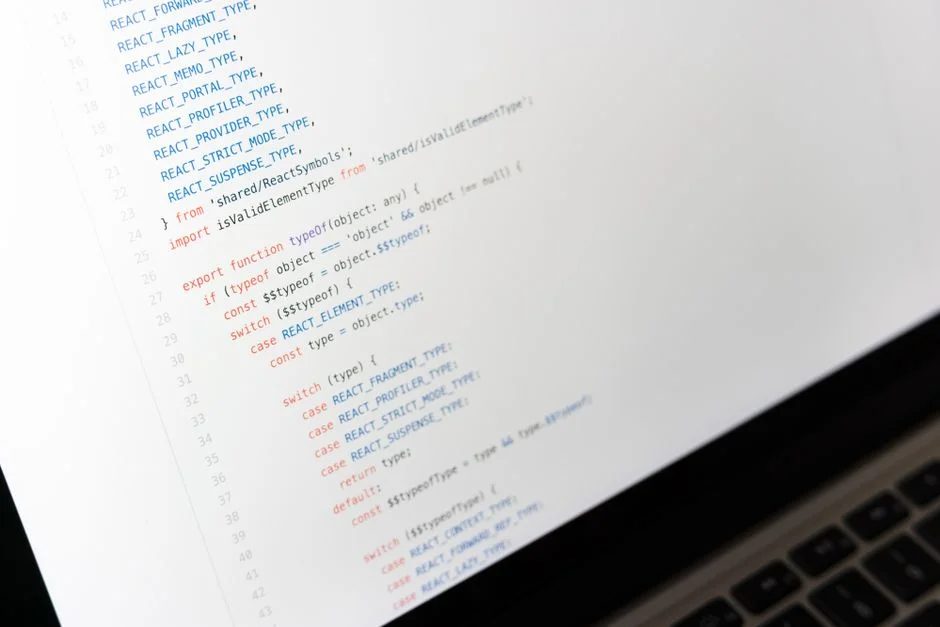

Implementing animated number counters in React applications enhances user engagement by visually representing data changes, progress, or statistics with a smooth transition rather than an abrupt switch. This effect is achieved by incrementally updating a number over a specified duration, creating a dynamic visual flow that captivates users. From a systems perspective, such animations must be optimized to prevent client-side performance bottlenecks that could degrade the overall application experience and indirectly impact infrastructure load through increased user frustration or reloads.
The challenge lies in balancing aesthetic appeal with computational efficiency, particularly within large-scale enterprise applications where resource utilization is paramount. Poorly implemented animations can lead to jank, dropped frames, and excessive CPU cycles, diminishing the perceived responsiveness of the application. As cloud architects, our focus extends beyond the immediate visual effect to the underlying mechanisms that ensure these animations are not only beautiful but also systematically sound, maintainable, and scalable across diverse client devices and network conditions.
This guide delves into the technical strategies for creating robust and performant number animations in React, examining both library-based and custom approaches. We will explore the architectural implications of animation choices, emphasizing how to integrate these features without compromising the stability or responsiveness of your broader application ecosystem.
React Number Animation: Core Principles and Implementation Strategies
React number animation involves progressively updating a numerical display from a starting value to an ending value over a set duration, often using a smooth easing function to control the rate of change. The fundamental principle is to manage the number’s state and render it repeatedly within a loop, typically orchestrated by browser-optimized methods like requestAnimationFrame or external animation libraries. This ensures that updates are synchronized with the browser’s refresh rate, leading to fluid visual transitions.
From an architectural standpoint, the choice of implementation strategy significantly impacts application performance and maintainability. A naive approach might involve using setInterval or setTimeout, but these methods are not synchronized with the browser’s rendering cycle and can lead to janky animations, especially under heavy load or on less powerful devices. The preferred method for precise, performant animations is requestAnimationFrame, which tells the browser that you want to perform an animation and requests that the browser calls a specified function to update an animation before the browser’s next repaint. This allows the browser to optimize resource allocation and ensure smooth rendering.
Consider an application displaying key performance indicators (KPIs) that update in real-time. Animating these numbers can draw user attention to significant changes. However, if multiple such animations run concurrently, careful resource management becomes critical. Each animation instance consumes CPU cycles and potentially GPU resources. In a large dashboard application, for example, a proliferation of unoptimized animations could collectively lead to a degraded user experience, manifesting as slow page loads or unresponsive UI elements. Therefore, a strategic approach to number animation involves encapsulating the animation logic within reusable components and ensuring that these components are highly efficient.
Another core principle is the use of easing functions. These mathematical functions describe the rate at which an animation progresses over time. A linear easing function, for instance, would update the number at a constant speed, which often looks unnatural. Cubic Bezier curves or predefined easing functions (e.g., ease-in-out, bounce) provide more natural and visually appealing motion. These functions dictate the acceleration and deceleration of the counting effect, making the animation feel more organic. Libraries abstract away the complexity of these functions, providing a declarative API for developers.
When designing components for animated numbers, it is crucial to consider the component’s lifecycle. Animations should typically start when the component mounts or when the target value changes. They should also be capable of being interrupted or reset if the component unmounts or if a new animation is triggered before the previous one completes. This lifecycle management prevents memory leaks and ensures that animations behave predictably within the React component tree. For instance, if a user navigates away from a page while an animation is in progress, the animation should be gracefully stopped and cleaned up to prevent unnecessary background processing.
Furthermore, accessibility is a non-negotiable aspect. While animations enhance visual engagement, they can also be a distraction or even a trigger for users with certain vestibular disorders. Providing a mechanism to disable animations (e.g., respecting the prefers-reduced-motion CSS media query) is an architectural best practice. This ensures that the application remains usable and inclusive for all users, aligning with broader web accessibility guidelines and demonstrating a commitment to robust, user-centric design.
Performance Considerations for Animated Numbers in Enterprise React Applications
In enterprise-grade React applications, performance is not merely a feature, but a fundamental requirement. Animated numbers, while visually engaging, introduce computational overhead that must be meticulously managed to prevent degradation of the user experience. The primary performance concerns revolve around CPU utilization, GPU acceleration, and ensuring a consistent frame rate (typically 60 frames per second for smooth animation).
Excessive CPU usage from animations can lead to several problems: increased battery drain on mobile devices, elevated fan noise on laptops, and a general sluggishness in the application’s responsiveness. Each frame of an animation requires React to re-render the component, the browser to recalculate layout, repaint pixels, and composite layers. If these operations are too heavy or too frequent, the browser cannot maintain 60 FPS, resulting in visible ‘jank’ or stuttering. This is particularly noticeable when multiple animations run concurrently or when animations occur alongside other complex UI operations.
To mitigate CPU bottlenecks, developers should prioritize solutions that leverage the GPU where possible. CSS animations and transitions are often GPU-accelerated by default for properties like transform and opacity. While animating numbers directly modifies the DOM text content, the component housing the number can often be optimized. For instance, if the number is part of a larger component that re-renders frequently, techniques like React.memo or useMemo can prevent unnecessary re-renders of static parts of the component tree. However, these optimizations do not directly address the cost of the animation loop itself, which still requires frequent state updates.
A critical strategy is to minimize the work done inside the animation loop. The function called by requestAnimationFrame should be as lightweight as possible. It should primarily update the numerical value and trigger a React state update. Avoid complex calculations, heavy DOM manipulations, or network requests within this loop. If data fetching or complex logic is required, it should be performed outside the animation loop, with the animation merely reflecting the updated data once it’s ready. This separation of concerns is a cornerstone of performant application architecture.
Another aspect is the choice of animation library. Libraries like React Spring or Framer Motion are highly optimized. They often employ techniques like declarative APIs, physics-based animations, and direct DOM manipulation (via refs) to bypass some of React’s rendering overhead. For example, React Spring often avoids re-rendering the component on every frame by directly updating the animated DOM element’s style properties, effectively decoupling the animation from React’s render cycle for certain types of animations. This can significantly reduce the CPU burden, especially for animations that involve many intermediate states.
Furthermore, consider the impact on critical rendering path. If number animations are part of the initial page load or above-the-fold content, they can delay the time-to-interactive metric. Deferring non-critical animations or using placeholders until the main content is loaded can improve perceived performance. Monitoring tools like Lighthouse or browser developer tools (Performance tab) are indispensable for identifying animation-related performance bottlenecks. Profiling CPU usage, analyzing frame drops, and pinpointing expensive renders allows architects and developers to make informed optimization decisions, ensuring that even visually rich elements like animated numbers contribute positively to the user experience without compromising overall system reliability.
Leveraging Animation Libraries: React Spring and Framer Motion for Number Effects
For sophisticated and performant number animations in React, dedicated animation libraries like React Spring and Framer Motion offer significant advantages over manual requestAnimationFrame implementations. These libraries abstract away much of the complexity, providing declarative APIs, physics-based animations, and performance optimizations out-of-the-box. As cloud architects, understanding these tools is essential for making informed decisions about library adoption, balancing development velocity with runtime efficiency.
React Spring is known for its physics-based animation engine. Instead of defining explicit durations and easing curves, you define spring parameters (mass, tension, friction), and the animation naturally interpolates to the target value. This approach often results in more natural and fluid movements. For number animations, React Spring’s useSpring hook is particularly powerful. It returns an animated value that can be directly applied to a component’s style or used to render a number. The library handles the interpolation and requestAnimationFrame calls internally, efficiently updating the DOM without necessarily triggering full React re-renders on every frame, especially when targeting properties like transform or opacity. For numerical values, it provides interpolation functions that can map the animated spring value to the desired number range. This allows developers to focus on the desired end state and the physical properties of the animation, rather than managing frame-by-frame updates.
import React from 'react';import { useSpring, animated } from '@react-spring/web'; function AnimatedNumber({ value }) { const { number } = useSpring({ from: { number: 0 }, number: value, delay: 200, config: { mass: 1, tension: 20, friction: 10 } // Physics-based config }); return <animated.span>{number.to(n => n.toFixed(0))}</animated.span>; // Format to integer}</code>In this example, the useSpring hook animates the number property from 0 to the target value. The animated.span component is a special component provided by React Spring that efficiently handles the animation updates. The to method on the animated value allows for formatting, ensuring the displayed number is an integer or has a specific decimal precision.
Framer Motion is another robust animation library that excels in creating declarative, production-ready animations. It is built on top of React and offers a comprehensive API for gestures, layout animations, and component-based animations. For number counting, Framer Motion’s animate prop or useAnimate hook can be used effectively. It integrates seamlessly with React’s component model and provides powerful features for orchestrating complex animation sequences. Framer Motion also prioritizes performance, often leveraging CSS transforms for hardware acceleration and optimizing its internal rendering pipeline.
import React, { useEffect, useRef } from 'react';import { motion, useMotionValue, useTransform, animate } from 'framer-motion'; function AnimatedNumberFramer({ value }) { const count = useMotionValue(0); const rounded = useTransform(count, Math.round); useEffect(() => { const controls = animate(count, value, { duration: 1 }); return controls.stop; }, [value, count]); return <motion.span>{rounded}</motion.span>;}Here, useMotionValue creates an animatable value, and useTransform allows for real-time transformations (like rounding). The animate function drives the animation. Framer Motion’s declarative nature and integration with component lifecycle make it a strong contender for applications requiring a broad range of UI animations, including number effects. Both libraries offer robust solutions that are more maintainable and performant than custom requestAnimationFrame implementations for most common use cases, making them excellent choices for enterprise applications where reliability and developer experience are critical.
Custom Animation Implementations: The `requestAnimationFrame` Approach
While animation libraries offer convenience and optimization, understanding and implementing custom number animations using requestAnimationFrame provides unparalleled control and can be essential for highly specific performance requirements or when external dependencies must be minimized. From a cloud architect’s perspective, this approach highlights direct interaction with browser rendering pipelines, offering insights into potential client-side bottlenecks and how to mitigate them at a fundamental level.
The requestAnimationFrame (rAF) API is the browser’s native mechanism for scheduling animations. It tells the browser that you want to perform an animation and requests that the browser calls a specified function to update an animation before the browser’s next repaint. The browser then optimizes this call, ensuring it’s executed at the ideal time to achieve 60 frames per second (or the screen’s refresh rate) without causing jank. This direct synchronization with the browser’s rendering cycle is its primary advantage over setInterval or setTimeout.
A custom animated number component typically involves a React hook that manages the animation state. This hook would encapsulate the rAF loop, calculate the interpolated value, and update the component’s internal state. The core logic involves tracking the animation’s start time, the current time, and the elapsed time. Using an easing function, the progress (a value between 0 and 1) is then calculated, which is then used to interpolate between the start and end number values.
import React, { useState, useEffect, useRef } from 'react'; function useAnimatedNumber(targetValue, duration = 1000) { const [currentValue, setCurrentValue] = useState(0); const animationFrameId = useRef(null); const startTime = useRef(null); const startValue = useRef(0); useEffect(() => { startValue.current = currentValue; // Capture current value for smooth transition startTime.current = null; // Reset start time for new animation const animateNumber = (timestamp) => { if (!startTime.current) startTime.current = timestamp; const progress = Math.min((timestamp - startTime.current) / duration, 1); // Simple ease-out quadratic easing function const easedProgress = progress * (2 - progress); const nextValue = startValue.current + (targetValue - startValue.current) * easedProgress; setCurrentValue(nextValue); if (progress < 1) { animationFrameId.current = requestAnimationFrame(animateNumber); } }; animationFrameId.current = requestAnimationFrame(animateNumber); return () => { if (animationFrameId.current) { cancelAnimationFrame(animationFrameId.current); } }; }, [targetValue, duration]); return Math.round(currentValue); // Or toFixed(X) for decimals} function CustomAnimatedNumber({ value }) { const animatedValue = useAnimatedNumber(value, 1500); // 1.5 seconds animation return <span>{animatedValue}</span>;}In this custom hook, useAnimatedNumber, the useEffect hook is responsible for initiating and cleaning up the requestAnimationFrame loop. When targetValue changes, a new animation is triggered. The animateNumber function calculates the progress and applies an easing function (here, a simple quadratic ease-out) to determine the intermediate value. The Math.min((timestamp - startTime.current) / duration, 1) ensures that progress never exceeds 1, preventing overshooting. The cleanup function returned by useEffect is crucial for preventing memory leaks and stopping animations when the component unmounts, a critical aspect of reliable application design.
The benefits of this custom approach include minimal bundle size, no external dependencies, and absolute control over the animation’s behavior. However, it also comes with increased development complexity and the responsibility for handling all edge cases, such as animation interruption, pausing, and chaining. For complex animation orchestrations, the overhead of managing these details manually can quickly outweigh the benefits, pushing architects towards robust libraries. Yet, for isolated, straightforward number animations, a well-crafted custom rAF hook can be an elegant and highly performant solution, demonstrating a deep understanding of browser and React rendering mechanisms.
State Management and Data Flow in Animated Number Components
Effective state management is paramount for animated number components, especially within larger React applications where data often flows from various sources and updates asynchronously. The way an animated number component receives and processes its target value directly impacts its responsiveness, performance, and integration into the overall application architecture. As a cloud architect, ensuring a clear and efficient data flow for dynamic UI elements is key to maintaining application health and scalability.
Typically, an animated number component receives its target value as a prop. When this prop changes, the component should trigger a new animation cycle. This simple pattern works well for isolated components. However, in enterprise applications, these numerical values often originate from global state, API responses, or real-time data streams. Integrating the animation component with a robust state management solution is therefore critical.
Consider a scenario where a dashboard displays real-time stock prices or user counts. These values might be managed by a global state store like Redux, Zustand, or a React Context. When the global state updates, the animated number component, connected to this state, should receive the new value and smoothly animate to it. This requires the animation logic to be aware of changes to its input prop. The useEffect hook in React is the primary mechanism for reacting to prop changes and triggering side effects, such as starting an animation.
For instance, if using a state management library like Zustand for strategic approaches to enterprise applications, the animated component would subscribe to a specific slice of the Zustand store. When that slice updates, the component re-renders with the new target value, prompting the animation to restart. The animation logic within the component then handles the transition from its current displayed value to the newly received target value. This pattern ensures that the animation is always reflecting the most up-to-date data, while the state management system handles the complexities of data fetching and global state synchronization.
import React, { useEffect, useRef, useState } from 'react';import { create } from 'zustand'; // Assuming Zustand for global state // Example Zustand store for a global counterconst useCounterStore = create((set) => ({ count: 0, setCount: (newCount) => set({ count: newCount }),})); function AnimatedZustandNumber() { const targetValue = useCounterStore((state) => state.count); const [currentValue, setCurrentValue] = useState(targetValue); const animationFrameId = useRef(null); const startTime = useRef(null); const startValueRef = useRef(targetValue); useEffect(() => { // If targetValue changes, start a new animation if (targetValue !== startValueRef.current) { startValueRef.current = currentValue; // Start from currently displayed value startTime.current = null; const duration = 1000; // 1 second animation const animateNumber = (timestamp) => { if (!startTime.current) startTime.current = timestamp; const progress = Math.min((timestamp - startTime.current) / duration, 1); const easedProgress = progress * (2 - progress); const nextValue = startValueRef.current + (targetValue - startValueRef.current) * easedProgress; setCurrentValue(nextValue); if (progress < 1) { animationFrameId.current = requestAnimationFrame(animateNumber); } else { animationFrameId.current = null; // Animation completed } }; animationFrameId.current = requestAnimationFrame(animateNumber); } return () => { if (animationFrameId.current) { cancelAnimationFrame(animationFrameId.current); } }; }, [targetValue, currentValue]); // Depend on targetValue and currentValue return <span>{Math.round(currentValue)}</span>;} // Example usage: <AnimatedZustandNumber /> or in a component that updates the storeIn this example, the AnimatedZustandNumber component listens to useCounterStore. When targetValue changes, the useEffect hook detects this and initiates a new animation from the current displayed value to the new target value. This ensures a smooth transition even if the underlying data updates rapidly. A critical aspect here is ensuring that the animation state (currentValue) is updated efficiently without causing excessive re-renders of the entire component tree. Libraries like React Spring and Framer Motion often optimize this by directly manipulating the DOM, further reducing React’s rendering overhead for individual animation frames. This architectural pattern of separating data concerns from presentation and animation logic leads to more robust, testable, and maintainable enterprise applications.
Accessibility and User Experience for Animated Numbers
While animated numbers can significantly enhance the visual appeal and dynamism of a React application, ignoring accessibility considerations can alienate a segment of your user base and violate established web standards. As cloud architects, our mandate includes ensuring that all application features, including animations, are inclusive and provide a positive user experience for everyone. This means going beyond mere functionality to consider the varying needs of users, particularly those with disabilities.
One of the primary concerns with animations is their potential to trigger vestibular disorders or cause discomfort for users sensitive to motion. Rapid, jarring, or continuous animations can be disorienting, leading to nausea, dizziness, or headaches. To address this, the prefers-reduced-motion CSS media query is an indispensable tool. This media query allows developers to detect if a user has indicated a preference for reduced motion in their operating system settings. When this preference is detected, animations should be either significantly toned down or entirely disabled, replacing them with instant transitions or static displays.
import React from 'react';import { useMediaQuery } from 'react-responsive'; // A common library for media queries // Assuming a custom hook or library for number animation function AnimatedNumberAccessible({ value }) { const prefersReducedMotion = useMediaQuery({ query: '(prefers-reduced-motion: reduce)' }); if (prefersReducedMotion) { return <span>{value.toFixed(0)}</span>; // Display static value } // Otherwise, render the animated component // For example, using the CustomAnimatedNumber from earlier: return <CustomAnimatedNumber value={value} />; }This pattern demonstrates how to conditionally render an animated or static component based on the user’s motion preference. Integrating this at the component level ensures that accessibility is baked into the UI layer, rather than being an afterthought. From an architectural perspective, this should be a standard component wrapper or a hook that all animation-intensive components consume, ensuring consistent behavior across the application.
Beyond motion sensitivity, other accessibility aspects include ensuring that the animated number’s final value is always readable and understandable. Screen readers, for instance, may not always correctly interpret rapidly changing numerical values. The animated element should eventually settle on a static, clearly announced value. Using ARIA attributes, such as aria-live="polite" or aria-atomic="true" on the container of the animated number, can help screen readers announce the final, updated value once the animation completes. This ensures that users relying on assistive technologies receive the correct information without being overwhelmed by intermediate animation states.
Furthermore, the duration and speed of the animation play a role in user experience. While fast animations can feel responsive, excessively fast or slow animations can be frustrating. A duration of 0.5 to 2 seconds is generally a good range for most number counting effects, providing enough time for the user’s eye to follow the transition without causing undue delay. The easing function also contributes significantly to the perceived quality of the animation; a smooth ease-in-out curve is often preferred over a linear transition for its natural feel.
Finally, consider the context in which the animation appears. Is it a critical piece of data? Is it merely decorative? Animations should serve a purpose, guiding the user’s attention or conveying a sense of progress, rather than being purely ornamental. Overuse of animations can lead to cognitive overload and diminish the impact of truly important visual cues. Thoughtful integration of animations, coupled with a strong commitment to accessibility, ensures that animated numbers enhance, rather than detract from, the overall user experience and the professional image of an enterprise application.
Testing Strategies for Animated Number Components
Ensuring the reliability and correctness of animated number components requires a robust testing strategy that covers both their functional behavior and their performance characteristics. From a cloud architect’s viewpoint, reliable testing prevents regressions, validates expected user experiences, and ensures that client-side animations do not introduce systemic vulnerabilities or performance bottlenecks into the production environment. Testing animated components presents unique challenges due to their time-dependent nature.
Unit Testing: The core logic of an animation, such as the interpolation function, easing function, or the state management within a custom hook, can be unit tested in isolation. For instance, you can test if a hook like useAnimatedNumber correctly calculates intermediate values and eventually settles on the target value. Mocking requestAnimationFrame is crucial here. Testing utilities often provide ways to advance timers and mock rAF calls, allowing you to simulate the passage of time without waiting for actual browser frames. This allows for deterministic testing of time-based logic.
import { renderHook, act } from '@testing-library/react-hooks';import { useAnimatedNumber } from './useAnimatedNumber'; // Your custom hook jest.useFakeTimers(); // Mock timers before tests describe('useAnimatedNumber', () => { it('should animate from 0 to target value', () => { const { result } = renderHook(() => useAnimatedNumber(100, 1000)); expect(result.current).toBe(0); // Initial value act(() => { jest.advanceTimersByTime(500); // Advance time by half duration }); // Expect value to be somewhere between 0 and 100, depending on easing expect(result.current).toBeGreaterThan(0); expect(result.current).toBeLessThan(100); act(() => { jest.advanceTimersByTime(500); // Advance to end of duration }); expect(result.current).toBe(100); // Final value act(() => { jest.advanceTimersByTime(100); // Ensure it stays at final value }); expect(result.current).toBe(100); }); it('should animate to a new target value if prop changes', () => { const { result, rerender } = renderHook(({ value }) => useAnimatedNumber(value, 1000), { initialProps: { value: 0 }, }); act(() => { jest.advanceTimersByTime(1000); // Complete initial animation }); expect(result.current).toBe(0); rerender({ value: 50 }); // Change target value act(() => { jest.advanceTimersByTime(500); // Advance time for new animation }); expect(result.current).toBeGreaterThan(0); expect(result.current).toBeLessThanOrEqual(50); act(() => { jest.advanceTimersByTime(500); // Complete new animation }); expect(result.current).toBe(50); });});jest.useRealTimers(); // Restore real timers after testsIntegration Testing: When animated number components are integrated into a larger UI, integration tests verify that they interact correctly with parent components, state management systems, and other UI elements. Tools like MSW React Testing Library for securing frontend data interaction in tests can be invaluable here. You can mock API responses that provide the numerical values, ensuring that the animation triggers correctly when new data arrives. These tests focus on user-centric scenarios, such as verifying that the correct final value is displayed after an animation triggered by a data fetch.
End-to-End Testing: For critical user flows involving animated numbers (e.g., displaying order confirmations or critical metrics), end-to-end (E2E) tests using tools like Cypress or Playwright can simulate full user interactions. E2E tests can assert that the animation completes, the final value is correct, and the overall page remains responsive during the animation. While E2E tests are slower and more brittle, they provide the highest confidence that the entire system works as expected in a browser environment.
Visual Regression Testing: For animations, visual regression testing is particularly relevant. Tools like Storybook with visual testing add-ons, or dedicated visual regression tools, can capture screenshots of the animated components at various stages of their animation. These screenshots are then compared against a baseline to detect unintended visual changes, which can be crucial for maintaining brand consistency and UI integrity. While not directly testing the numerical value, it ensures the *visual effect* is as intended.
Performance Testing: Beyond functional correctness, performance testing ensures animations do not introduce jank or excessive resource consumption. Browser developer tools (Performance tab) are excellent for profiling. Automated performance tests can be integrated into CI/CD pipelines to monitor frame rates, CPU usage, and memory consumption during animation. These tests can flag performance regressions before they reach production, aligning with the cloud architect’s goal of maintaining a performant and reliable application.
Architectural Patterns for Scalable Animation Deployment
Deploying animated number components in large-scale React applications requires adherence to architectural patterns that prioritize scalability, maintainability, and consistent performance across diverse environments. As a cloud architect, the focus shifts from individual component implementation to how these components fit into the broader system, ensuring they do not become bottlenecks or introduce technical debt. This involves considerations for component design, resource management, and deployment strategies.
Component Encapsulation and Reusability: Animated number components should be highly encapsulated, meaning their internal animation logic is self-contained and not leaked to parent components. They should primarily receive their target value as a prop and emit no internal state. This promotes reusability across different parts of the application, reducing code duplication and simplifying maintenance. A common pattern is to create a generic <AnimatedNumber> component that can accept various props like value, duration, easing, and optionally a formatter function (e.g., for currency or percentages). This allows for consistent animation behavior without re-implementing the core logic each time.
Lazy Loading and Code Splitting: If animation libraries or complex custom animation logic contribute significantly to the JavaScript bundle size, consider lazy loading these components. React’s React.lazy and Suspense, combined with Webpack’s code splitting, allow you to load animation-heavy components only when they are needed. For instance, a dashboard with animated KPIs might only load the animation library when the dashboard route is accessed, not on initial page load. This strategy improves the initial load time of the application, a critical metric for user engagement and SEO.
Server-Side Rendering (SSR) and Hydration: For applications using SSR (e.g., with Next.js), animated components require careful consideration during hydration. The server renders the initial static HTML, and then the client-side React application ‘hydrates’ it, attaching event listeners and re-rendering dynamic parts. Animations should typically start after hydration is complete to avoid visual glitches or re-rendering entire sections of the page that were already rendered statically. Libraries like React Spring and Framer Motion are generally compatible with SSR, but developers must ensure that animation states are properly managed on both server and client to prevent mismatches.
Throttling and Debouncing for Dynamic Inputs: In scenarios where the target value for an animated number updates very rapidly (e.g., from a high-frequency WebSocket stream), continuously triggering new animations can lead to performance issues. Implementing throttling or debouncing mechanisms on the input prop can limit the rate at which new animations are initiated. For example, you might only trigger a new animation every 100ms, even if the underlying data updates more frequently. This balances responsiveness with computational efficiency, preventing the animation system from being overwhelmed.
Centralized Animation Configuration: For enterprise applications, maintaining a consistent look and feel for animations is crucial. Centralizing animation durations, easing curves, and other common parameters in a configuration file or a custom hook ensures brand consistency and simplifies global changes. This aligns with the DRY (Don’t Repeat Yourself) principle and makes it easier for design teams to specify animation guidelines that developers can then implement uniformly across the application.
By adopting these architectural patterns, developers can integrate animated numbers and other dynamic UI elements into large-scale React applications in a way that is robust, performant, and maintainable, contributing positively to the overall system’s health and user satisfaction. These considerations are fundamental to building applications that are not only functional but also delightful to interact with.
Cost Implications of Implementing React Number Animations
While implementing React number animations might seem like a small feature, the associated development and maintenance costs can vary significantly based on complexity, chosen technologies, and the expertise required. From a financial and resource planning perspective, a cloud architect must evaluate these costs to ensure projects remain within budget and deliver expected ROI. This section provides a detailed breakdown of potential cost factors, using concrete ranges to aid in project estimation.
The primary cost drivers for animation implementation are developer time and, indirectly, the impact on application performance which can lead to further optimization efforts. The choice between using an established library versus a custom solution heavily influences the initial development effort.
| Cost Factor | Description | Typical Hourly Range | Estimated Time (Hours) | Cost Range (USD) |
|---|---|---|---|---|
| Basic Library Implementation | Using a well-documented library (e.g., React Spring, Framer Motion) for simple counting animations. | $50 – $150 | 4 – 16 | $200 – $2,400 |
Custom requestAnimationFrame |
Implementing a custom hook for precise control, minimal dependencies. | $75 – $200 | 8 – 32 | $600 – $6,400 |
| Advanced Library Features | Utilizing complex interpolations, physics, or chained animations from libraries. | $75 – $175 | 16 – 40 | $1,200 – $7,000 |
| Accessibility & Responsiveness | Implementing prefers-reduced-motion, ARIA attributes, responsive scaling. |
$60 – $150 | 8 – 24 | $480 – $3,600 |
| Performance Optimization | Profiling, identifying bottlenecks, and optimizing animations for high frame rates/low CPU. | $100 – $250 | 10 – 30 | $1,000 – $7,500 |
| Testing (Unit & Integration) | Writing comprehensive tests for animation logic and component integration. | $60 – $150 | 8 – 24 | $480 – $3,600 |
| Maintenance & Updates | Future updates, compatibility fixes, library upgrades, bug resolution. (Per incident/hour) | $50 – $200 | Ongoing | $50 – $2,000+ |
Developer Hourly Rates: These rates vary significantly by region and experience. Junior developers might fall on the lower end, while senior engineers specializing in performance or complex animations will command higher rates. For a typical project, a blended rate is often used.
- Basic Library Implementation: This involves integrating an existing library and applying its standard hooks or components. It’s relatively quick if the animation is straightforward.
- Custom
requestAnimationFrame: While avoiding a third-party dependency, this path requires more initial development time for writing and debugging the core animation logic, including easing functions, lifecycle management, and cleanup. - Advanced Library Features: Leveraging advanced capabilities like gesture-driven animations, complex interpolations, or synchronized sequences from libraries like Framer Motion or React Spring demands a deeper understanding of the library’s API and can increase development time.
- Accessibility & Responsiveness: Implementing features like respecting
prefers-reduced-motion, ensuring screen reader compatibility, and making animations responsive to different screen sizes adds a layer of complexity and development time, but it is crucial for an inclusive user experience. - Performance Optimization: This is an often-underestimated cost. If animations are causing jank or high resource usage, dedicated time for profiling, refactoring, and optimizing (e.g., using
will-changeCSS property, optimizing rendering loops, memoization) becomes necessary. This can involve specialized expertise. - Testing: Thorough unit and integration tests for animations are essential to prevent regressions. Mocking browser APIs and time-based functions adds complexity to the testing suite.
- Maintenance & Updates: Like any software component, animated numbers require ongoing maintenance. This includes updating animation libraries to newer versions, addressing browser compatibility issues, or fixing bugs that may arise from unexpected user interactions.
The total cost for a single, moderately complex animated number component in an enterprise application could range from a few hundred dollars for a basic implementation to several thousand dollars when factoring in advanced features, accessibility, performance tuning, and comprehensive testing. Projects requiring multiple such animations or highly customized effects will incur proportionally higher costs. Strategic planning and choosing the right tools for the job are essential to manage these expenses effectively.
Monitoring and Maintaining Animated Components in Production
Once React number animations are deployed to production, the responsibility shifts to continuous monitoring and maintenance to ensure they consistently deliver a high-quality user experience without introducing performance regressions or system instability. For a cloud architect, this involves establishing robust observability practices and proactive maintenance routines. The goal is to detect and address issues swiftly, maintaining the reliability and responsiveness of the application.
Performance Monitoring: Client-side performance metrics are crucial for animated components. Tools like Google Lighthouse, WebPageTest, and custom Real User Monitoring (RUM) solutions can track key metrics such as First Contentful Paint (FCP), Largest Contentful Paint (LCP), and Cumulative Layout Shift (CLS). While animated numbers might not directly impact FCP or LCP (unless they are part of the critical rendering path), they can affect CLS if not implemented carefully, and more importantly, they significantly influence the browser’s main thread activity and frame rate. Monitoring the average frame rate (FPS) and identifying periods of ‘jank’ (frame drops) in production is essential. RUM tools can collect these metrics from actual user sessions, providing invaluable insights into real-world performance under various network conditions and device capabilities.
Error Logging and Reporting: While animations are primarily visual, errors can still occur, such as issues with interpolation logic, unexpected state updates, or conflicts with other UI elements. Integrating error logging services (e.g., Sentry, Bugsnag) that capture client-side JavaScript errors is vital. These services should be configured to report errors specifically related to animation components, allowing development teams to quickly identify and fix issues that could lead to broken animations or application crashes.
A/B Testing Animation Variations: For critical animated elements, A/B testing different animation durations, easing functions, or even the presence/absence of animation can provide data-driven insights into user engagement and conversion rates. This allows architects and product managers to understand the real-world impact of animations on business metrics, justifying the investment in these features and guiding future design decisions. For example, testing if a faster number count animation leads to quicker comprehension of a financial metric.
Dependency Management: If animation libraries are used, keeping them updated is a continuous maintenance task. Regular updates ensure that you benefit from performance improvements, bug fixes, and new features. Automated dependency scanning tools can alert teams to outdated libraries or security vulnerabilities. However, updates must be tested thoroughly to ensure they don’t introduce breaking changes or new performance issues, especially in complex animation sequences.
Browser Compatibility Testing: Animations can behave differently across various browsers and devices. Regular cross-browser testing, both manual and automated, is necessary to ensure consistent animation behavior. This includes testing on older browsers, mobile devices, and devices with varying screen refresh rates. Automated testing frameworks can run animation-specific tests in different browser environments, flagging discrepancies. This is particularly important for enterprise applications that must support a wide range of user environments.
Documentation and Knowledge Transfer: Maintaining clear documentation for animation components, including their intended behavior, performance characteristics, and any known limitations, is crucial for long-term maintainability. This facilitates knowledge transfer within development teams and ensures that new features or changes do not inadvertently break existing animations. Documenting the architectural patterns and design decisions behind animation implementations helps maintain consistency and quality over the application’s lifecycle.
By proactively monitoring, testing, and maintaining animated components, cloud architects and development teams can ensure that these engaging UI elements continue to enhance the user experience without compromising the overall stability and performance of the production application.
Integrating Animated Numbers with Data Visualization Dashboards
Data visualization dashboards are central to enterprise applications, providing real-time insights into critical business metrics. Integrating animated numbers into these dashboards can significantly enhance data comprehension and user engagement, drawing attention to key figures and trends. However, this integration must be carefully planned to ensure that animations complement, rather than detract from, the clarity and performance of the visualizations. As a cloud architect, the focus is on how dynamic numerical displays integrate into a larger, data-intensive UI, maintaining overall system responsiveness.
Dashboards typically display a multitude of data points, often fetched from various back-end services. When a key metric (e.g., total sales, active users, system uptime) updates, animating its numerical display can make the change more noticeable and satisfying than an instantaneous jump. The challenge lies in orchestrating these animations alongside other dynamic elements like charts, graphs, and tables, all of which might be updating simultaneously.
Data Flow Synchronization: The animated number component must be tightly integrated with the dashboard’s data fetching and state management layers. If the dashboard uses a real-time data push mechanism (e.g., WebSockets), the animated number should smoothly transition to new values as they arrive. This requires the animation component to react efficiently to prop changes, as discussed in the state management section. Ensuring that the data flow is optimized to prevent excessive re-renders of the entire dashboard is critical. Techniques like memoization (React.memo, useMemo) on parent components can isolate the animated number’s re-renders, preventing cascading updates.
Performance Budgeting: Dashboards are often resource-intensive. Adding animations, even optimized ones, contributes to the overall client-side computational load. Architects must establish a ‘performance budget’ for the dashboard, allocating a certain amount of CPU/GPU time for animations. If the budget is exceeded, animations might need to be simplified, their frequency reduced, or their rendering deferred. For instance, less critical animated numbers might only animate when they come into the viewport, using an Intersection Observer API.
Visual Hierarchy and Emphasis: Animations should be used judiciously to highlight the most important numbers. Over-animating every single numerical display on a dashboard can lead to visual clutter and diminish the impact of critical data points. Architects and UX designers should collaborate to define a clear visual hierarchy, using animations to guide the user’s eye to the most relevant information, such as a changing KPI that indicates an alert or a significant achievement. The animation should serve to emphasize, not distract.
Integration with Charting Libraries: Many dashboards use charting libraries (e.g., D3.js, Chart.js, Recharts). These libraries often have their own animation capabilities for chart elements. When integrating animated numbers alongside charts, ensure that the animation styles and timing are consistent. For example, if a bar chart animates its bars on data update, the corresponding total value displayed as an animated number should ideally animate with similar timing and easing to create a cohesive visual experience. This often requires careful coordination between the number animation component and the charting library’s animation API, potentially using a shared animation context or synchronized triggers.
Scalability of Animation Instances: In dashboards with many animated numbers, consider the scalability of the animation engine. If a custom requestAnimationFrame approach is used, ensure that each instance is efficiently managed. If a library is used, verify its performance characteristics when handling a large number of concurrent animations. Excessive animation instances can quickly saturate the browser’s main thread, leading to a degraded user experience across the entire dashboard. The choice of animation solution should be informed by the expected density of animated elements.
By thoughtfully integrating animated numbers into data visualization dashboards, architects can help create highly engaging and informative user interfaces that empower users to quickly grasp complex data, ultimately enhancing the value of the enterprise application.
Factors That Affect Development Cost
- Complexity of animation logic
- Choice of animation library vs. custom implementation
- Integration with existing state management
- Accessibility requirements (e.g., prefers-reduced-motion)
- Performance optimization needs
- Testing coverage (unit, integration, E2E)
- Maintenance and future updates
The actual cost can vary significantly based on developer experience, project scope, and regional hourly rates.
React number animation, when implemented thoughtfully, significantly enhances user engagement and data comprehension within web applications. From foundational principles of requestAnimationFrame to leveraging sophisticated libraries like React Spring and Framer Motion, the technical landscape offers diverse approaches, each with its own trade-offs in terms of control, complexity, and performance. Critical to any enterprise-grade implementation is a rigorous focus on performance optimization, robust state management, and comprehensive accessibility, ensuring that these dynamic visual elements contribute positively to the overall user experience without compromising application stability.
Architecting these features demands a holistic view, considering not just the immediate visual effect but also the long-term maintainability, scalability, and resource implications across the entire application ecosystem. By adhering to best practices in component design, testing, and monitoring, development teams can deliver engaging and performant animated number counters that elevate the professionalism and user satisfaction of their React applications.
Explore our complete Laravel, Basics directory for more guides.
NR Studio builds custom web apps, mobile apps, SaaS platforms, and internal tools for growing businesses. If you’re working through a technical decision, feel free to reach out — no commitment required.