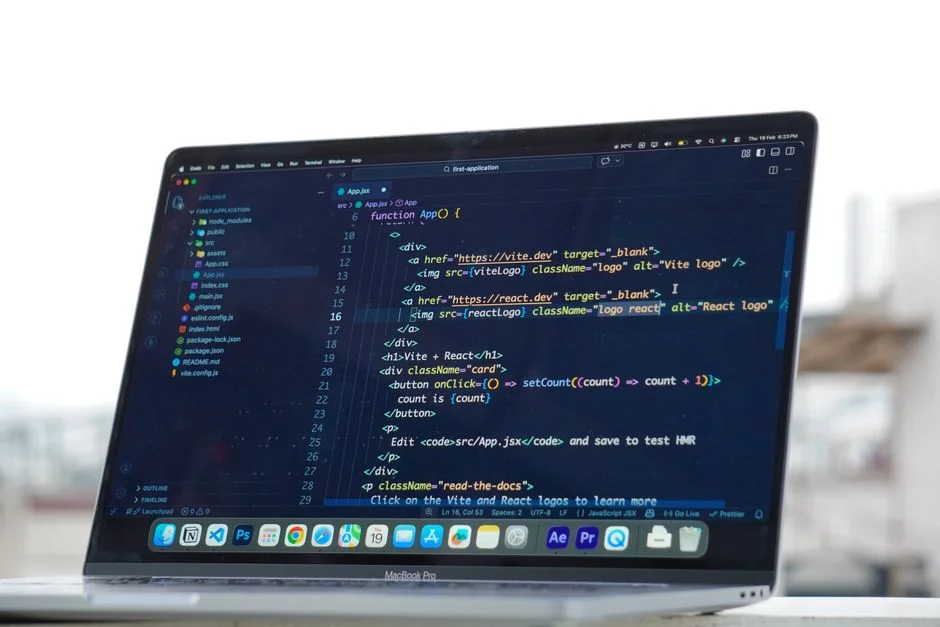

React Native circle animation involves creating dynamic, visually engaging circular elements within mobile applications, typically achieved using the Animated API, React Native SVG, or the more performant React Native Reanimated library. These animations enhance user experience, provide visual feedback, and can significantly impact user engagement and perceived application quality.
A recent study by Google found that a 100-millisecond delay in mobile load times can decrease conversion rates by 7%. While not directly about animations, this statistic underscores the critical importance of application responsiveness and fluidity. Animations, when poorly implemented, can introduce significant jank and latency, directly impacting user satisfaction and, consequently, the business metrics that drive infrastructure scaling and investment.
For a Cloud Architect, understanding the nuances of front-end performance, especially in areas like complex animations, is crucial. The choice of animation library and implementation strategy directly influences not just the device’s CPU and GPU load, but also indirectly the application’s overall success, user retention, and the subsequent demands placed on backend services, deployment pipelines, and monitoring infrastructure. A smooth, responsive user interface reduces user frustration, minimizes uninstalls, and supports higher engagement, all of which contribute to a more stable and predictable operational environment for the underlying cloud architecture.
Foundations of Circle Animation in React Native
Creating circle animations in React Native fundamentally involves manipulating the properties of a circular shape over time. The primary tools for this are React Native’s built-in Animated API, the react-native-svg library for vector graphics, and the high-performance react-native-reanimated library. Each approach offers distinct advantages and trade-offs concerning performance, complexity, and integration with the native UI thread.
The Animated API, part of the core React Native framework, provides a declarative way to create animations that run entirely on the JavaScript thread. It allows for defining animation values, interpolations, and sequences. While straightforward for simple animations, its reliance on the JavaScript thread means that heavy computations or frequent updates can lead to frame drops and a janky user experience, especially on lower-end devices. For a basic pulsating circle, where a circle’s radius or opacity changes over time, Animated is a viable starting point. However, for more intricate interactions, such as gesture-driven animations or simultaneous complex transformations, its limitations quickly become apparent, posing architectural challenges for applications aiming for high responsiveness.
For drawing actual circles and other vector shapes, react-native-svg is indispensable. It provides SVG primitives like <Circle>, <Rect>, and <Path> that can be rendered natively. When combined with the Animated API, you can animate SVG properties like cx, cy, r (radius), fill, and stroke. This combination is powerful for data visualizations, progress indicators, and custom loaders. However, animating SVG properties via the JavaScript thread still inherits the performance bottlenecks of the Animated API. The architectural decision to use react-native-svg often comes with a caveat: if the animations are complex or frequently updated, a more performant animation library must drive the SVG property changes.
The following example demonstrates a basic pulsating circle using the Animated API and react-native-svg. Notice how the Animated.Value is used to drive the r (radius) property of the <Circle> component.
import React, { useRef, useEffect } from 'react';
import { Animated, Easing, View, StyleSheet } from 'react-native';
import Svg, { Circle } from 'react-native-svg';

const PulsatingCircle = () => {
  const animatedRadius = useRef(new Animated.Value(20)).current; // Initial radius

  useEffect(() => {
    Animated.loop(
      Animated.sequence([
        Animated.timing(animatedRadius, {
          toValue: 50,
          duration: 1000,
          easing: Easing.inOut(Easing.ease),
          useNativeDriver: false, // SVG animations often cannot use native driver for property updates
        }),
        Animated.timing(animatedRadius, {
          toValue: 20,
          duration: 1000,
          easing: Easing.inOut(Easing.ease),
          useNativeDriver: false,
        }),
      ]),
      { iterations: -1 } // Loop indefinitely
    ).start();
  }, [animatedRadius]);

  return (
    <View style={styles.container}>
      <Svg height="100" width="100" viewBox="0 0 100 100">
        <Circle
          cx="50"
          cy="50"
          r={animatedRadius} // Animated radius
          fill="blue"
          stroke="skyblue"
          strokeWidth="5"
        />
      </Svg>
    </View>
  );
};

const styles = StyleSheet.create({
  container: {
    flex: 1,
    justifyContent: 'center',
    alignItems: 'center',
  },
});

export default PulsatingCircle;
The critical architectural decision here lies in the useNativeDriver: false property. While Animated supports offloading certain transform and opacity animations to the native UI thread, animating arbitrary SVG properties like r typically requires JavaScript thread intervention. This means that for complex SVG-based circle animations, the JavaScript thread must continually communicate with the UI thread to update the SVG properties, which can become a performance bottleneck. As a Cloud Architect, ensuring that the chosen animation strategy aligns with the application’s performance targets and device support matrix is paramount to preventing a poor user experience that could lead to increased support costs, negative app store reviews, and ultimately, a reduced user base, impacting the scalability requirements of the entire system.
Performance Considerations for Complex Circle Animations
When architecting a scalable mobile application, animation performance is not merely a visual aesthetic; it is a critical factor influencing user retention, app store ratings, and the overall perception of application quality. For complex circle animations, performance bottlenecks often arise from the inherent architecture of React Native, specifically the communication bridge between the JavaScript thread and the native UI thread. This bridge, while enabling cross-platform development, introduces overhead that can manifest as ‘jank’ or dropped frames if not managed carefully.
The **JavaScript thread** is responsible for running all application logic, including React component lifecycle methods, state updates, and the execution of the Animated API. When an animation is driven purely by JavaScript, every frame update requires the JavaScript thread to calculate new values and send them across the bridge to the native UI thread for rendering. If the JavaScript thread is busy with other tasks, such as handling user input, fetching data, or processing complex business logic, animation updates can be delayed, leading to a choppy experience. This is particularly problematic for highly interactive or gesture-driven circle animations where immediate visual feedback is essential.
To mitigate this, React Native introduced useNativeDriver for the Animated API. When set to true, it instructs the animation system to serialize the animation’s configuration and send it once to the native side, allowing the animation to run entirely on the native UI thread without requiring constant communication from JavaScript. This significantly improves performance for animations involving transform properties (like translateX, scale, rotate) and opacity. However, as noted in the previous section, animating arbitrary properties, especially those of SVG elements (e.g., r for radius, fill color), often cannot leverage the native driver, forcing the animation back onto the JavaScript thread. This limitation necessitates a deeper architectural strategy for highly performant circle animations.
Profiling tools like **Flipper** and the React Native Performance Monitor are indispensable for identifying animation bottlenecks. These tools allow developers to visualize frame rates, JavaScript thread activity, and bridge message traffic. A Cloud Architect should advocate for the integration of such profiling tools into the development workflow, ensuring that performance regressions are caught early in the development lifecycle rather than impacting production users. Understanding where CPU and GPU cycles are being consumed on the device helps inform decisions about offloading computations or optimizing rendering paths.
For instance, if a complex circle animation involves real-time data updates or intricate physics simulations, offloading these computations to a separate worker thread or even to a backend service could be considered. While this adds architectural complexity, it ensures the JavaScript thread remains free to handle UI updates, preserving animation fluidity. This strategy might involve using Web Workers (via libraries that polyfill them for React Native) or designing the animation logic to be driven by events pushed from a lightweight, dedicated backend service. Such an approach moves beyond simple front-end optimization to a full-stack performance strategy, impacting the overall cloud infrastructure design.
Consider a scenario where a circle animation represents a real-time data feed, like a fluctuating stock price or sensor reading, causing its size or color to change. If this data stream is high-frequency, updating the animation directly on the JavaScript thread can quickly overwhelm it. An alternative architecture might involve a backend service processing the raw data, performing necessary aggregations or interpolations, and then pushing only the relevant, smoothed animation parameters to the mobile client via WebSockets. The client-side animation would then react to these optimized, lower-frequency updates, significantly reducing the load on the JavaScript thread and ensuring a smooth animation. This exemplifies how front-end animation choices can ripple up to influence Vercel Edge Middleware or other cloud-based services for real-time data processing and delivery, ensuring optimal performance from edge to device.
Leveraging `react-native-reanimated` for Native Performance
For highly performant and complex circle animations, especially those driven by gestures or requiring intricate timing, react-native-reanimated has emerged as the industry standard. This library addresses the core limitations of the traditional Animated API by allowing animations to run entirely on the native UI thread, decoupled from the JavaScript thread. This architectural shift significantly reduces bridge overhead and eliminates jank, even when the JavaScript thread is heavily loaded.
The fundamental concept behind react-native-reanimated is the use of **worklets**. Worklets are small JavaScript functions that can be executed directly on the native UI thread. This means that animation logic, including calculations and interpolations, can run off the main JavaScript thread, ensuring smooth animations regardless of JavaScript thread activity. Developers write animation logic in JavaScript, and react-native-reanimated transpiles and optimizes it for native execution. This paradigm shift requires a different way of thinking about animation state and updates, moving from imperative JavaScript calls to declarative, native-executed code.
Key features of react-native-reanimated include:
- Shared Values: These are special mutable objects that can be accessed and modified from both the JavaScript thread and worklets running on the UI thread. They act as the communication backbone for animation state, allowing values to be updated efficiently without bridge serialization.
- Worklets: Small, pure JavaScript functions marked with
'worklet'that run on the UI thread. They are compiled ahead of time and can perform complex calculations, gesture handling, and animation logic directly on the native side. useAnimatedStyle: A hook that allows components to react to shared value changes and update their styles directly on the UI thread, bypassing the React reconciliation process for performance-critical updates.runOnJS: A mechanism to execute a JavaScript function from a worklet. This is used when an animation needs to trigger side effects on the JavaScript thread, such as updating component state or dispatching Redux actions, without blocking the animation itself.
Consider a dynamic circle that changes its radius based on a user’s horizontal drag gesture. Implementing this with the traditional Animated API would likely lead to jank, as every gesture event would trigger JavaScript thread calculations and bridge communication. With react-native-reanimated, the gesture handler and the animation logic can run entirely on the UI thread. The gesture handler updates a shared value representing the circle’s radius, and useAnimatedStyle directly applies this value to the SVG circle’s properties.
import React from 'react';
import { View, StyleSheet } from 'react-native';
import Svg, { Circle } from 'react-native-svg';
import Animated, { useSharedValue, useAnimatedProps, useAnimatedGestureHandler, runOnJS } from 'react-native-reanimated';
import { PanGestureHandler } from 'react-native-gesture-handler';

const AnimatedCircle = Animated.createAnimatedComponent(Circle);

const GestureControlledCircle = () => {
  const circleRadius = useSharedValue(20);

  const onGestureEvent = useAnimatedGestureHandler({
    onStart: (event, ctx) => {
      ctx.startX = circleRadius.value; // Store initial radius
    },
    onActive: (event, ctx) => {
      // Change radius based on horizontal drag
      circleRadius.value = Math.max(10, Math.min(100, ctx.startX + event.translationX / 2));
    },
    onEnd: (event) => {
      // Optionally animate back to a default or snap to a value
      // runOnJS(() => console.log('Gesture ended'))(); // Example of running JS from worklet
    },
  });

  const animatedProps = useAnimatedProps(() => {
    return {
      r: circleRadius.value,
    };
  });

  return (
    <View style={styles.container}>
      <PanGestureHandler onGestureEvent={onGestureEvent}>
        <Animated.View>
          <Svg height="200" width="200" viewBox="0 0 200 200">
            <AnimatedCircle
              cx="100"
              cy="100"
              animatedProps={animatedProps}
              fill="red"
              stroke="darkred"
              strokeWidth="5"
            />
          </Svg>
        </Animated.View>
      </PanGestureHandler>
    </View>
  );
};

const styles = StyleSheet.create({
  container: {
    flex: 1,
    justifyContent: 'center',
    alignItems: 'center',
  },
});

export default GestureControlledCircle;
This example demonstrates the power of react-native-reanimated for circle animations. By using Animated.createAnimatedComponent(Circle) and useAnimatedProps, the radius updates happen directly on the native thread, ensuring a buttery-smooth experience. From a Cloud Architect’s perspective, investing in react-native-reanimated for complex UI interactions reduces the risk of performance-related user complaints, which could otherwise lead to increased support tickets, negative reviews, and ultimately, a higher churn rate. A stable and performant client application minimizes the load on backend services by reducing unnecessary re-requests due to frustrated users and improves the overall quality of experience, making the entire system more robust and scalable. Integrating this library effectively requires careful consideration of the development team’s expertise and the overall project timeline, as it introduces a different mental model for animation development compared to the simpler Animated API.
Architectural Patterns for Scalable Animation Systems
Designing animation systems for large-scale React Native applications requires more than just knowing which library to use; it demands thoughtful architectural patterns that prioritize modularity, maintainability, and performance. As a Cloud Architect, the goal is to ensure that the front-end animation layer is not only visually appealing but also resilient, testable, and contributes positively to the overall application’s health and scalability.
One crucial pattern is **component-level animation encapsulation**. Instead of scattering animation logic throughout parent components, encapsulate related animation state and logic within dedicated, often reusable, animation components. For example, a <PulsatingCircle> component would manage its own animation values, timings, and `react-native-reanimated` hooks, exposing only necessary props for configuration (e.g., `size`, `color`, `speed`). This promotes loose coupling and makes it easier to reason about and debug individual animations, which is vital in a large codebase. This pattern also aligns with the principles of micro-frontends, where specific UI elements can be developed and maintained somewhat independently.
Another important pattern is **declarative animation configuration**. Instead of writing imperative animation sequences directly in component logic, define animation parameters (e.g., duration, easing, start/end values) as configuration objects. This allows for easier modification, A/B testing of animation speeds, and even dynamic configuration fetched from a backend service. For instance, a backend-driven configuration could dictate the animation speed of a progress circle during a critical transaction, allowing for real-time adjustments based on system load or user segment. This pushes the control plane for user experience into the cloud, enabling dynamic tuning without requiring client-side updates.
For complex animation orchestrations, consider a **state machine approach**. Libraries like XState or even simple custom state managers can be used to define distinct animation states (e.g., ‘idle’, ‘animatingIn’, ‘animatingOut’, ‘errorState’) and transitions between them. This is particularly useful for managing sequences of circle animations, where one animation triggers another, or for handling user interactions that interrupt ongoing animations. A well-defined state machine prevents race conditions and ensures predictable animation behavior, which is critical for maintaining a consistent user experience across various device types and network conditions.
When dealing with many animated elements or highly dynamic content, **virtualization and recycling** techniques, commonly used for lists, can be adapted. For example, if you have a grid of pulsating circles, rendering and animating all of them simultaneously can be a performance killer. Instead, render only the circles currently visible in the viewport and reuse their underlying animation instances as they scroll into view. While more complex to implement, this pattern drastically reduces the CPU/GPU load, ensuring smooth performance even with hundreds of animated elements. This directly impacts the device’s resource consumption, which, if optimized, leads to better battery life and sustained performance, enhancing user satisfaction and indirectly reducing the load on infrastructure by minimizing uninstalls and increasing engagement.
Finally, consider **animation testing strategies**. Just as backend services have unit and integration tests, animations should be tested to ensure they behave as expected across different devices and OS versions. This might involve snapshot testing of animation frames or using visual regression testing tools that compare rendered output. For critical animations, like a loading spinner during a network request, ensuring its continuous and correct operation is paramount. Automated testing of animation behavior contributes to the overall stability and reliability of the application, mirroring the rigorous testing applied to backend services.
Cloud Infrastructure Impact and Monitoring of Animation Performance
While animation performance primarily resides on the client-side, its implications extend directly to cloud infrastructure and operational costs. A well-performing animation system contributes to a positive user experience, which in turn influences user engagement, retention, and ultimately, the success of the application. For a Cloud Architect, understanding this nexus is crucial for strategic resource allocation, deployment planning, and proactive monitoring.
Poor animation performance can indirectly increase infrastructure load. For example, if an application frequently becomes unresponsive or experiences jank due to inefficient animations, users might force-quit and restart the app, leading to repeated authentication flows, redundant data fetches, and increased API calls. This surge in client-side errors and repeated actions directly translates to higher compute, network, and database loads on the backend. Conversely, a smooth, high-performing UI can reduce user frustration, decrease the frequency of such ‘recovery’ actions, and stabilize backend demand.
Monitoring animation performance involves integrating client-side performance metrics with broader application performance monitoring (APM) systems. Tools like Firebase Performance Monitoring, Sentry, or custom solutions feeding into observability platforms (e.g., Datadog, Grafana) can track metrics such as:
- Frame Rate (FPS): The most direct measure of animation smoothness. Drops below 60 FPS indicate jank.
- JavaScript Thread Occupancy: How much time the JavaScript thread spends on various tasks, including animation calculations.
- Bridge Message Queue Size: The backlog of messages waiting to cross the React Native bridge. A consistently large queue indicates a bottleneck.
- Memory Usage: Animations, especially those involving many assets or complex SVG paths, can consume significant memory, leading to crashes on low-memory devices.
- CPU/GPU Usage: Device-level resource consumption, which impacts battery life and overall device performance.
These client-side metrics, when correlated with backend performance data (e.g., API response times, database query durations), provide a holistic view of the application’s health. For instance, if a specific animation coincides with a spike in API errors or increased latency, it might indicate that the animation is inadvertently triggering too many backend requests, or that its performance is degrading under network stress. This level of cross-domain analysis is essential for identifying systemic issues that span both front-end and back-end architectures.
Deployment strategies also play a role. Over-the-air (OTA) updates for JavaScript bundles, facilitated by services like CodePush, allow for rapid iteration and deployment of animation fixes or optimizations without requiring full app store releases. This agility is critical for quickly addressing performance regressions identified through monitoring. However, careful versioning and rollout strategies are needed to prevent introducing new issues. The architecture should support canary deployments or phased rollouts for client-side updates, mirroring best practices for backend service deployments.
Finally, for applications with global user bases, considerations like network latency for dynamic animation data (e.g., configuration from a remote server) become relevant. Utilizing Content Delivery Networks (CDNs) for animation assets or implementing Vercel Edge Middleware to serve localized or optimized animation configurations can significantly improve initial load times and overall responsiveness for users far from the primary data centers. This ensures that even the most complex circle animations load and perform consistently across diverse geographical regions, aligning front-end visual performance with global infrastructure optimization strategies.
Advanced Techniques: Physics-Based and Lottie Animations
Beyond basic property interpolation, advanced circle animations often leverage physics-based models or pre-rendered animation assets to achieve highly realistic and expressive effects. These techniques offer significant advantages in terms of visual fidelity and developer productivity, but also introduce their own set of architectural considerations regarding asset management, bundle size, and rendering performance.
Physics-based animations simulate real-world physical properties such as springiness, friction, and gravity. Instead of defining fixed durations and easing curves, developers specify physical parameters, and the animation system calculates the motion. react-native-reanimated provides robust support for physics-based animations, allowing for more natural and interactive circle movements. For example, a circle might ‘snap’ into place with a spring effect, or bounce off boundaries. These animations feel more organic to users and can significantly enhance the perceived quality of the application. The architectural benefit here is that the animation adapts more naturally to varying inputs (e.g., gesture velocity), making the UI more resilient to edge cases and providing a consistent experience across diverse user interactions.
import React from 'react';
import { View, StyleSheet, TouchableOpacity, Text } from 'react-native';
import Svg, { Circle } from 'react-native-svg';
import Animated, { useSharedValue, useAnimatedStyle, withSpring } from 'react-native-reanimated';

const AnimatedCircle = Animated.createAnimatedComponent(Circle);

const SpringCircle = () => {
  const scale = useSharedValue(1);

  const animatedStyle = useAnimatedStyle(() => {
    return {
      transform: [{ scale: scale.value }],
    };
  });

  const handlePress = () => {
    // Animate to scale 1.5 with a spring effect, then back to 1
    scale.value = withSpring(1.5, { damping: 10, stiffness: 100 });
    setTimeout(() => {
      scale.value = withSpring(1, { damping: 10, stiffness: 100 });
    }, 500);
  };

  return (
    <View style={styles.container}>
      <Animated.View style={animatedStyle}>
        <Svg height="100" width="100" viewBox="0 0 100 100">
          <AnimatedCircle
            cx="50"
            cy="50"
            r="40"
            fill="purple"
            stroke="darkviolet"
            strokeWidth="5"
          />
        </Svg>
      </Animated.View>
      <TouchableOpacity onPress={handlePress} style={styles.button}>
        <Text style={styles.buttonText}>Press Me</Text>
      </TouchableOpacity>
    </View>
  );
};

const styles = StyleSheet.create({
  container: {
    flex: 1,
    justifyContent: 'center',
    alignItems: 'center',
  },
  button: {
    marginTop: 20,
    padding: 10,
    backgroundColor: 'lightblue',
    borderRadius: 5,
  },
  buttonText: {
    color: 'white',
    fontSize: 16,
  },
});

export default SpringCircle;
Lottie animations, powered by Airbnb’s Lottie library, allow designers to create complex animations in Adobe After Effects and export them as JSON files. These JSON files can then be rendered natively on mobile devices using the lottie-react-native library. This approach offers unparalleled design fidelity, enabling highly intricate and visually rich circle animations (e.g., complex loading spinners, onboarding animations, celebratory effects) without requiring extensive developer effort to recreate them programmatically. From an architectural standpoint, Lottie abstracts away the complexity of animation implementation, allowing designers to own the animation logic while developers focus on integration.
However, integrating Lottie comes with its own set of considerations. Lottie JSON files can vary significantly in size, directly impacting the application’s bundle size and initial load times. Large Lottie files, especially if many are used, can degrade the user experience. A Cloud Architect must consider strategies for efficient Lottie asset management:
- Asset Optimization: Compressing Lottie JSON files and ensuring designers create efficient animations.
- Lazy Loading: Loading Lottie assets only when they are needed, rather than bundling them all upfront. This might involve fetching them from a CDN at runtime.
- Caching: Caching downloaded Lottie assets to improve subsequent load times.
- Monitoring: Tracking the load time and rendering performance of Lottie animations in production.
The choice between programmatic animations (Animated, Reanimated) and asset-based animations (Lottie) depends on the animation’s complexity, desired fidelity, and the available design/development resources. For simple, interactive circle feedback, programmatic approaches are often more performant and lightweight. For rich, complex, non-interactive visual storytelling, Lottie is often the superior choice, provided its assets are managed effectively. Integrating these advanced techniques requires a holistic view of the application’s performance budget and the capabilities of the underlying cloud infrastructure to deliver and optimize these assets.
Testing and Debugging Animation Performance at Scale
Ensuring consistent and high-performing circle animations in a React Native application, especially at scale, requires a systematic approach to testing and debugging. Performance regressions in animations can be subtle but have a significant impact on user perception and overall application stability. A robust testing and debugging strategy is an integral part of maintaining a healthy, scalable mobile application.
**Unit and Integration Testing for Animation Logic:** While visual aspects of animations are hard to unit test, the underlying logic that drives them can and should be tested. This includes testing the calculation of animation values, the correct sequencing of animations, and the handling of edge cases (e.g., interrupted animations, rapid consecutive triggers). For react-native-reanimated, this means testing worklet functions and shared value updates. Tools like Jest can be used to verify that animation values change as expected over time or in response to specific inputs. This ensures the programmatic correctness of the animation system before visual rendering.
**Performance Profiling in Development and QA:** As previously mentioned, tools like Flipper and the React Native Performance Monitor are crucial during development. However, these tools should also be integrated into the Quality Assurance (QA) process. Dedicated performance testing environments, ideally replicating production conditions (e.g., network throttling, lower-end devices via simulators or device farms), should be used to identify performance bottlenecks before deployment. QA teams should have specific animation performance metrics to track, such as minimum acceptable FPS for critical UI flows involving circle animations. This proactive approach prevents performance issues from reaching production.
**Automated Visual Regression Testing:** For critical and complex circle animations, manual visual inspection across numerous devices and OS versions is impractical. Automated visual regression testing tools can capture screenshots or even short videos of animations and compare them against a baseline. Any significant deviation (e.g., jank, incorrect timing, visual artifacts) triggers a failure. While more complex to set up, this provides an invaluable safety net for ensuring visual consistency and preventing accidental animation regressions. This is particularly relevant for branding and user experience consistency, which directly impacts market perception and user trust.
**Production Monitoring and Alerting:** The ultimate test of animation performance is in production. Integrating client-side performance monitoring tools (e.g., Sentry, Crashlytics, custom APM solutions) to track key animation metrics (FPS, JavaScript thread usage, memory) is essential. Setting up alerts for deviations from baseline performance (e.g., average FPS drops below 50 for a specific screen) allows Cloud Architects and development teams to respond proactively to issues. For example, if a specific circle animation is part of a critical conversion funnel, a performance degradation could directly impact business metrics, warranting immediate attention. These alerts can be integrated into existing incident management systems, ensuring that animation performance is treated with the same criticality as backend service health.
**Debugging Native-Thread Animations:** Debugging react-native-reanimated animations can be more challenging than traditional JavaScript-driven animations due to their execution on the native UI thread. The console logs from worklets might not appear in the standard React Native debugger. Using tools like Xcode’s Instruments (for iOS) or Android Studio’s CPU Profiler can provide deeper insights into native thread activity, helping to pinpoint performance bottlenecks that JavaScript-level debugging tools might miss. Furthermore, leveraging Laravel Ray, while primarily a PHP debugging tool, highlights the importance of robust debugging utilities across the full stack. On the React Native side, similar powerful logging and inspection tools are needed to understand the flow of data and execution in complex animation scenarios, ensuring developers can quickly diagnose and resolve issues.
Security Implications of Dynamic Animation Data
While often perceived as purely a front-end aesthetic, dynamic circle animations, especially those whose properties or assets are fetched from remote sources, introduce security considerations that a Cloud Architect must address. The integrity and authenticity of animation data can impact not only the user experience but also the overall security posture of the mobile application.
Consider a scenario where animation configurations (e.g., Lottie JSON files, animation parameters, or even JavaScript worklet code) are served dynamically from a Content Delivery Network (CDN) or a dedicated API endpoint. If these assets are compromised or tampered with, an attacker could potentially:
- Inject Malicious Code: If animation data can include executable scripts (even indirectly through advanced Lottie features or custom JavaScript snippets), this could open the door to remote code execution vulnerabilities.
- Display Misleading Information: An attacker could alter a progress circle animation to falsely indicate completion, tricking users into premature actions or revealing sensitive data.
- Degrade Performance for DDoS: Malformed or excessively complex animation assets could be injected, designed to consume excessive device resources, leading to a denial-of-service on the client device or even contributing to a broader distributed denial-of-service (DDoS) attack if many clients are affected.
To mitigate these risks, several architectural safeguards must be implemented:
- Secure Data Transmission: All dynamic animation assets and configurations must be transmitted over HTTPS with strong TLS/SSL protocols. This prevents man-in-the-middle attacks where animation data could be intercepted and modified.
- Data Integrity Verification: For critical animation assets (e.g., Lottie files that are central to the user experience or brand identity), implement cryptographic hashing and signature verification. The client application should verify the hash or signature of the downloaded animation asset against a known, trusted value embedded in the application or fetched from a secure endpoint. Any mismatch should result in the animation being rejected.
- Input Validation and Sanitization: If animation parameters are dynamic and originate from user input or external APIs, rigorous validation and sanitization must be applied on both the server and client sides. This prevents injection attacks where malicious data could be used to manipulate animation behavior in unintended ways.
- Content Security Policy (CSP): While primarily a web concept, analogous principles apply to React Native. Restrict the sources from which animation assets can be loaded (e.g., only from trusted CDNs or your own secure API endpoints). This minimizes the attack surface.
- Least Privilege Principle: Ensure that the backend services serving animation data have the minimum necessary permissions. Similarly, client-side code should operate with the least privilege required to render animations.
- Regular Security Audits: Include dynamic animation data pipelines in regular security audits and penetration testing. This ensures that potential vulnerabilities are identified and remediated before they can be exploited in production.
Furthermore, in scenarios where React Native applications interact with native modules to perform complex graphics operations or access hardware features for animations, careful attention must be paid to the security of these bridges. Vulnerabilities in native modules can expose the entire application to risks. For instance, if an animation requires access to sensitive device sensors, ensure that permissions are requested appropriately and that data handling adheres to privacy best practices. This layered approach to security, from data transmission to client-side rendering, is paramount for building and maintaining trust in a scalable mobile application.
Cost Implications of High-Quality React Native Circle Animations
Developing and maintaining high-quality React Native circle animations, especially those designed for scalability and performance, incurs various costs that a Cloud Architect must factor into project budgeting and long-term operational planning. These costs extend beyond mere development hours to include infrastructure, tooling, and ongoing maintenance.
Development Costs: Talent and Time
The most significant cost factor is the expertise required. Simple `Animated` API circle animations can be implemented by mid-level React Native developers. However, complex, gesture-driven, or physics-based animations using `react-native-reanimated` demand senior-level expertise. These developers command higher hourly rates due to their specialized skills in native module interaction, performance optimization, and advanced animation paradigms.
| Skill Level | Hourly Rate (USD) | Typical Time for Complex Animation (hours) | Estimated Cost (USD) |
|---|---|---|---|
| Mid-Level Developer (Animated API) | $75 – $125 | 40 – 80 | $3,000 – $10,000 |
| Senior Developer (Reanimated, Lottie Integration) | $125 – $200 | 80 – 200 | $10,000 – $40,000 |
| Animation Designer (Lottie Assets) | $60 – $100 | 20 – 100 | $1,200 – $10,000 |
These figures are estimates and can vary significantly based on geographical location, project complexity, and team structure. A single, highly customized, interactive circle animation could easily fall into the higher end of these ranges, especially if it involves intricate design iterations and performance tuning across multiple devices.
Tooling and Infrastructure Costs
While React Native itself is open-source, the ecosystem around it might incur costs. For instance:
- Performance Monitoring Tools: Subscriptions to APM services (e.g., Datadog, Sentry, Firebase Performance Monitoring) can range from $50 to $1,000+ per month, depending on usage and features. These are essential for identifying and resolving animation-related performance bottlenecks in production.
- Device Farms: For comprehensive testing across a wide range of devices (critical for animation consistency), services like AWS Device Farm or BrowserStack can cost hundreds to thousands of dollars monthly based on usage.
- CDN for Animation Assets: If Lottie files or other dynamic animation configurations are served from a CDN, costs are typically usage-based, often starting from $0.05 per GB for data transfer, plus request costs. For a high-traffic app with many large animation assets, this can add up.
- CI/CD Pipelines: Robust CI/CD setups (e.g., GitHub Actions, GitLab CI, Bitrise) for automated testing and deployment of animation changes contribute to operational costs. Basic plans might be free, but enterprise-grade features and high usage can easily reach hundreds of dollars per month.
Maintenance and Optimization Costs
Animations are not a
Future Trends and Evolution of Animation in React Native
The landscape of animation in React Native is continuously evolving, driven by advancements in native rendering capabilities, JavaScript engine optimizations, and the growing demand for highly interactive and immersive user experiences. As a Cloud Architect, staying abreast of these trends is crucial for making informed decisions about future-proofing application architectures and leveraging emerging technologies.
One significant trend is the continued maturation of **`react-native-reanimated`**. The library is constantly being optimized, with new features like Shared Element Transitions and declarative gesture handling becoming more robust. Future versions are likely to further abstract away the complexities of native module interaction, making it even easier for developers to create high-performance animations without deep native knowledge. This will reduce development time and potentially lower the bar for entry for developers to create complex animations, impacting the talent pool and project costs.
Another area of active development is **Hermes**, the JavaScript engine optimized for React Native. Improvements in Hermes’s startup time, memory usage, and execution speed directly benefit JavaScript-driven animations and the overall responsiveness of the application. As Hermes becomes more powerful and widely adopted, the performance gap between JavaScript-driven animations and native-thread animations might narrow for simpler cases, though complex, gesture-heavy animations will likely still benefit from `react-native-reanimated`’s native execution model. Architects should monitor Hermes’s progress and consider its impact on the performance budget for client-side resources.
The concept of **declarative UI with WebAssembly (Wasm)** is also a long-term trend that could impact animation. While not directly integrated into React Native yet, the ability to compile high-performance graphics libraries or physics engines to Wasm and run them within the JavaScript context could open new avenues for incredibly complex and performant animations that are difficult to achieve today. This would require significant architectural shifts, potentially involving dedicated micro-services for Wasm compilation and delivery, thereby impacting cloud infrastructure.
Furthermore, the integration of **3D graphics and Augmented Reality (AR)** into mobile applications is becoming more prevalent. Libraries like `react-native-three` (for Three.js integration) or native AR frameworks like ARKit/ARCore exposed via React Native bridges will enable new forms of interactive circular elements, such as 3D loading spinners or AR-overlays. These advanced visual experiences will place even greater demands on device resources and potentially require specialized backend services for asset streaming, real-time spatial data processing, and content delivery, pushing the boundaries of what client-side animation systems and supporting cloud infrastructure can handle.
Finally, the growing emphasis on **accessibility in animations** is a critical trend. Future animation systems will need to provide more robust mechanisms for users to control animation speeds, reduce motion, or disable animations entirely. This is not just a regulatory compliance issue but a fundamental aspect of inclusive design. Architecturally, this means building animation systems with configurable parameters that can be adjusted based on user preferences or system settings, potentially driven by backend profiles or A/B testing configurations. Such considerations ensure that advanced animations do not inadvertently exclude segments of the user base, thereby upholding the application’s overall market reach and ethical standards.
Best Practices for Deploying Animated React Native Applications
Deploying React Native applications with complex circle animations requires a strategic approach to ensure optimal performance, stability, and user experience across diverse environments. As a Cloud Architect, the focus shifts from individual animation implementation to the entire lifecycle, encompassing build processes, delivery mechanisms, and continuous monitoring in production. Adhering to best practices minimizes operational overhead and maximizes application resilience.
Optimized Build Configuration
The build process for animated React Native applications must be optimized to reduce bundle size and improve startup performance. This includes:
- Code Splitting: For larger applications, implementing code splitting can ensure that animation-heavy components or their associated `react-native-reanimated` worklets are loaded only when needed. This reduces the initial bundle size and speeds up application launch.
- Asset Optimization: If using Lottie animations or other image assets for circular effects, ensure they are optimized for size and format. Tools for image compression and Lottie JSON minification should be integrated into the build pipeline.
- Hermes Integration: Ensure Hermes is enabled for both Android and iOS (where supported). Hermes significantly improves JavaScript startup time and reduces memory usage, directly benefiting animation performance.
- Native Module Linking: Verify that all native modules, especially those critical for animation (e.g., `react-native-reanimated`, `react-native-svg-render`), are correctly linked and configured for both platforms to prevent runtime errors and performance degradation.
Robust CI/CD Pipelines
A well-structured Continuous Integration/Continuous Deployment (CI/CD) pipeline is indispensable. This pipeline should automate:
- Automated Testing: Run unit, integration, and visual regression tests for animations on every code commit. This ensures that animation changes do not introduce regressions or performance bottlenecks.
- Performance Gates: Integrate performance profiling tools into the pipeline to establish performance gates. For example, if a build introduces a significant drop in FPS during a critical animation sequence, the build should fail or trigger an alert.
- Phased Rollouts: Implement phased rollouts (e.g., canary releases) for new application versions, especially those with significant animation changes. This allows for monitoring real-world performance on a subset of users before a full release, mitigating the risk of widespread issues. This strategy aligns with best practices for deploying backend services, extending the same resilience to the client-side.
Over-the-Air (OTA) Updates
Leveraging OTA update services like Microsoft CodePush is a powerful strategy for React Native applications. OTA updates allow for deploying JavaScript bundle changes, including animation fixes and optimizations, without requiring users to download a new version from app stores. This agility is crucial for quickly addressing animation-related bugs or performance regressions that might emerge in production, bypassing the lengthy app store review processes. However, OTA updates should be used judiciously, primarily for non-critical bug fixes and optimizations, while major feature additions or native module changes still necessitate a full app store release.
Global Content Delivery
For applications with a global user base, ensuring that dynamic animation assets (e.g., Lottie files, remote configuration for animation parameters) are delivered efficiently is vital. Utilizing Content Delivery Networks (CDNs) to cache and serve these assets from edge locations minimizes latency and improves load times for users worldwide. This offloads traffic from origin servers and enhances the responsiveness of the application’s visual elements, contributing to a consistent global user experience. This also ties into strategies like Next.js Wildcard Route patterns when considering how assets are served and routed efficiently across a distributed architecture.
Factors That Affect Development Cost
- Developer skill level and hourly rates
- Complexity of animation logic and design
- Use of specialized libraries like Reanimated or Lottie
- Need for custom animation assets from designers
- Performance monitoring tool subscriptions
- Device farm testing costs
- CDN usage for dynamic animation assets
- CI/CD pipeline costs
- Ongoing maintenance and optimization
The cost of implementing and maintaining high-quality React Native circle animations can vary significantly based on project scope, team expertise, and required tooling.
React Native circle animations are more than just visual flourishes; they are integral to a compelling user experience and a critical component in the overall architecture of scalable mobile applications. From the foundational Animated API to the high-performance capabilities of React Native Reanimated, and the design flexibility of Lottie, developers have a rich toolkit at their disposal. However, effective implementation demands a deep understanding of performance implications, architectural patterns, and rigorous testing methodologies.
For a Cloud Architect, the journey of a React Native application, including its intricate animations, extends from the client-side device to the very core of the cloud infrastructure. Performance bottlenecks in animations can ripple through to backend load, user retention, and ultimately, the business’s bottom line. By prioritizing native-thread animations, implementing robust monitoring, securing dynamic assets, and employing strategic deployment practices, organizations can ensure their animated applications deliver a fluid, engaging, and resilient experience that scales effectively with user demand.
Explore our complete Laravel, Basics directory for more guides.
NR Studio builds custom web apps, mobile apps, SaaS platforms, and internal tools for growing businesses. If you’re working through a technical decision, feel free to reach out — no commitment required.