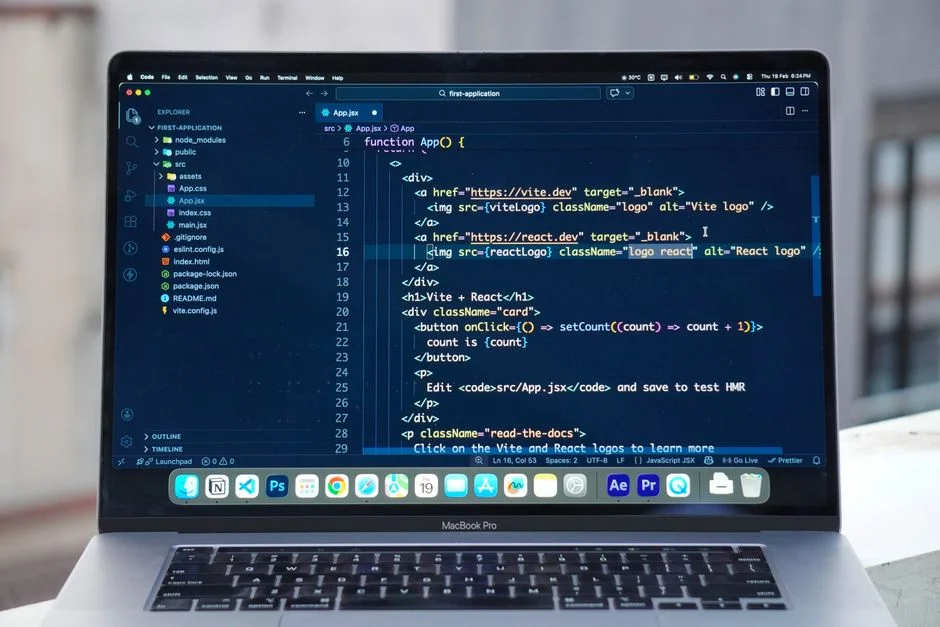

An online React playground is a browser-based integrated development environment (IDE) specifically designed for writing, running, and sharing React code. It provides a sandboxed, executable environment that eliminates local setup complexities, facilitating rapid prototyping, component isolation, and collaborative development. These platforms are crucial for teams seeking to streamline their React development workflows, onboard new engineers efficiently, and maintain consistent coding standards across projects.
Traditional local development setups, while powerful, often introduce significant friction in larger organizations. The architectural challenge lies in ensuring that every developer, irrespective of their local machine configuration, operates within a consistent and reproducible environment. Discrepancies in Node.js versions, dependency conflicts, and operating system variations can lead to “works on my machine” syndrome, causing considerable delays and debugging overhead. This scaling bottleneck impedes velocity and can become a major drain on engineering resources, particularly in projects involving numerous contributors or external collaborators.
Online React playgrounds address this by abstracting away the underlying infrastructure. They provide a standardized execution context, often containerized, where React applications can be developed, tested, and demonstrated without requiring any local installations beyond a web browser. For enterprise settings, this translates into improved operational efficiency, reduced onboarding time, and a more robust platform for experimentation and proof-of-concept development. The ability to instantly share live code snippets and collaborative edit sessions fosters tighter teamwork and accelerates feedback loops, directly impacting project timelines and software quality.
What is an Online React Playground and Why it Matters for Enterprise Development
An online React playground provides a complete web-based development environment tailored for React applications. At its core, it offers a browser-accessible editor, a transpiler (typically Babel for JSX and modern JavaScript features), a bundler (like Webpack or Vite), and a live preview pane that renders the React application in real-time as code changes are made. This eliminates the need for developers to install Node.js, npm/yarn, a code editor, and configure build tools locally, significantly lowering the barrier to entry for React development. For large organizations and distributed teams, this simplification is not merely a convenience; it is a strategic advantage that impacts productivity, consistency, and security.
From an enterprise perspective, the “why it matters” extends beyond individual developer convenience. Firstly, it ensures **environmental consistency**. Every developer, whether in-house or a contractor, is working within the exact same runtime environment, drastically reducing environment-related bugs and integration issues. This consistency is paramount for maintaining high standards in mission-critical applications. Secondly, it accelerates **onboarding and training**. New team members can start contributing to a React project within minutes, rather than spending hours or days setting up their local machines. This is particularly valuable in fast-paced environments or when scaling teams rapidly. Thirdly, online playgrounds enhance **code sharing and collaboration**. Features like shared URLs for live code, real-time collaborative editing, and integrated chat functionalities transform how teams iterate on UI components, troubleshoot issues, and conduct code reviews. This fosters a more agile development process and improves communication efficiency.
Furthermore, these platforms support **component isolation and rapid prototyping**. Developers can quickly spin up a new playground to test a specific React component or a small feature without affecting the main codebase or requiring a full project build. This isolated environment is ideal for experimenting with new libraries, validating design patterns, or creating minimal reproducible examples for bug reports. For organizations that maintain extensive component libraries or design systems, playgrounds become indispensable tools for showcasing, documenting, and testing individual components. They can serve as living documentation, providing interactive examples that are always up-to-date with the latest component definitions. The ability to quickly iterate on UI elements and get immediate visual feedback streamlines the design-to-development handover and ensures closer alignment between design specifications and implemented UIs. This capability is critical for maintaining consistency across complex applications and ensuring that design principles are correctly translated into functional code. The reduced friction in testing and demonstrating components also encourages greater adoption of reusable components, leading to more efficient development cycles and lower technical debt over time. Moreover, for educational purposes or internal workshops, online playgrounds offer an unparalleled platform for interactive learning, allowing participants to immediately apply concepts and see results.
Core Features and Capabilities of Enterprise-Grade React Playgrounds
When evaluating online React playgrounds for enterprise use, a standard set of features moves from “nice-to-have” to “essential.” An enterprise-grade playground must provide robust capabilities that align with organizational needs for security, scalability, and integration. Key features include a sophisticated code editor, comprehensive dependency management, real-time collaboration, and version control integration.
The **code editor** must go beyond basic text editing, offering features like intelligent auto-completion, linting (e.g., ESLint integration), syntax highlighting for JSX/TSX, and integrated debugging tools. Support for TypeScript is non-negotiable for modern enterprise React applications, ensuring type safety and improved maintainability. The ability to customize editor settings, keybindings, and themes also contributes to developer comfort and productivity. Crucially, the editor should handle multiple files and directory structures, allowing for more realistic project simulations than single-file snippets.
**Dependency management** is another critical capability. A robust playground should allow developers to easily add, update, and manage project dependencies via npm or yarn commands, either through a built-in terminal or a dedicated UI. It should also intelligently cache dependencies to speed up build times and reduce network overhead. The ability to import private npm packages or internal component libraries is a key differentiator for enterprise use, enabling the testing and integration of proprietary code within the sandboxed environment.
**Real-time collaboration** is a powerful feature that transforms how teams work together. This includes shared editing sessions where multiple developers can work on the same code simultaneously, similar to Google Docs. Integrated chat, presence indicators, and the ability to comment on specific lines of code further enhance communication. This is invaluable for pair programming, code reviews, and remote debugging sessions, especially for geographically dispersed teams. The capacity to share unique URLs for each playground instance, along with granular access controls (read-only, edit, admin), is essential for managing collaborative efforts securely and efficiently.
**Version control integration**, particularly with Git platforms like GitHub, GitLab, or Bitbucket, is foundational for enterprise workflows. Playgrounds should allow developers to import projects directly from repositories, commit changes back, create branches, and manage pull requests. This ensures that work done in the playground can be seamlessly integrated into the main development pipeline, adhering to established CI/CD processes. Some advanced playgrounds offer direct deployment capabilities to services like Vercel or Netlify, allowing for quick staging or production previews of playground projects. This integration with established version control systems is critical for maintaining code integrity, tracking changes, and facilitating team coordination. Without it, the playground becomes an isolated sandbox, difficult to reconcile with the main codebase. Furthermore, the ability to fork existing playgrounds and manage different versions of a component or application within the playground environment provides flexibility for experimentation while maintaining a clear history of changes. This level of integration ensures that the playground serves as a natural extension of the existing development ecosystem, rather not an isolated tool.
Architectural Patterns for Secure and Scalable Playgrounds
The underlying architecture of an online React playground must be designed for both security and scalability, especially when handling arbitrary user code execution in a multi-tenant environment. The primary architectural pattern revolves around containerization and serverless computing, coupled with robust isolation mechanisms.
At the core, **containerization** (e.g., Docker, containerd) is used to create isolated execution environments for each user’s code. When a user starts a new playground or runs their code, a dedicated container instance is provisioned. This container includes the necessary Node.js runtime, npm, and other build tools. This approach ensures that code executed by one user cannot interfere with or access the resources of another user, providing strong process and file system isolation. Each container is ephemeral, meaning it is created on demand and destroyed after a period of inactivity or when the session ends, preventing state leakage and resource exhaustion. This pattern directly addresses a significant security concern: preventing malicious code from impacting other users or the host system.
**Serverless functions** (e.g., AWS Lambda, Google Cloud Functions) often complement containerization for specific tasks, such as transpilation, bundling, or static asset hosting. For instance, when a user saves code, a serverless function might be triggered to transpile and bundle the code, which is then served to the live preview iframe. This allows the platform to scale processing power elastically based on demand, without managing persistent servers for these specific operations. The stateless nature of serverless functions aligns well with the ephemeral nature of playground sessions, contributing to overall system resilience and cost efficiency.
**Network isolation and sandboxing** are critical security layers. Each container operates within its own network namespace, limiting its ability to communicate with other containers or external resources unless explicitly allowed. Technologies like gVisor or WebAssembly (Wasm) are increasingly being explored for even stronger sandboxing, offering more granular control over system calls and memory access within the execution environment. For frontend rendering, the live preview is typically embedded within an iframe with strict Content Security Policy (CSP) headers, preventing the rendered code from interacting with the parent playground application or making unauthorized requests. This layered approach to isolation is essential for mitigating risks associated with arbitrary code execution.
For **scalability**, the architecture relies on a combination of microservices, load balancing, and auto-scaling. Different functionalities of the playground, such as code editing, build processes, and preview rendering, are often decoupled into separate microservices. This allows individual components to be scaled independently based on their specific demands. Load balancers distribute incoming requests across multiple container instances, ensuring high availability and responsiveness. Auto-scaling groups dynamically adjust the number of active containers based on real-time traffic and resource utilization metrics. This elastic infrastructure ensures that the playground can handle fluctuating user loads, from a few concurrent users to hundreds or thousands during peak times, without performance degradation. Furthermore, efficient caching mechanisms, for both npm dependencies and bundled code, play a significant role in reducing build times and improving the responsiveness of the development environment. The strategic use of CDNs (Content Delivery Networks) for serving static assets further enhances global performance, reducing latency for users across different geographical regions. This multi-faceted architectural approach is what allows online React playgrounds to offer a seamless and performant experience while maintaining stringent security standards. Leveraging a well-structured architecture is key to delivering a reliable and fast development experience, mirroring the considerations for high-performance applications built using techniques like ISR Next.js.
Integration Strategies with Existing CI/CD Pipelines and Version Control
For an online React playground to be truly valuable in an enterprise context, it must integrate seamlessly with existing development workflows, particularly Continuous Integration/Continuous Delivery (CI/CD) pipelines and version control systems. Disconnected tools create silos and inefficiencies, undermining the very purpose of streamlined development. The integration strategy should focus on bidirectional data flow, automated syncing, and consistent deployment practices.
The most fundamental integration is with **version control systems (VCS)** like Git. Enterprise playgrounds should offer direct import/export capabilities from popular Git hosting services (GitHub, GitLab, Bitbucket, Azure DevOps). Developers should be able to clone a repository into a playground environment, make changes, commit those changes back to a branch, and create pull requests (PRs) directly from the playground UI. This ensures that all code changes, regardless of where they originated, follow the established version control governance. Advanced integrations might include automatic playground creation for each new branch or PR, allowing for isolated testing and review environments. This reduces the overhead of local branch switching and environment setup for every review cycle.
**CI/CD pipeline integration** extends the utility of playgrounds beyond mere development. While playgrounds are not typically used for running full-scale CI tests, they can serve as excellent pre-commit validation environments. For example, a playground could be configured to automatically run linting checks (e.g., ESLint, Prettier) and basic unit tests whenever code is saved. This early feedback loop catches errors before they even reach the main CI pipeline, saving valuable build minutes and developer time. Furthermore, the ability to generate a shareable URL for a playground instance can be integrated into CI/CD notifications. After a successful build, a link to a live, interactive preview of the changes in a playground can be posted to Slack or a project management tool, facilitating faster stakeholder review and feedback collection.
**Component library and design system integration** is another critical aspect. Many enterprises maintain centralized component libraries (e.g., Storybook, Bit.dev) that house reusable UI components. An online React playground should be able to seamlessly pull these components, allowing developers to test new features or bug fixes against the established library. Conversely, new components developed within a playground should be easily exportable or publishable to the component library. This ensures consistency and promotes reuse across various projects. The playground can act as an interactive sandbox for new components before they are formally integrated into the main library. This allows for rapid iteration and validation of component behavior, styling, and API before they are made available to a wider development audience. Moreover, for comprehensive React Documentation, interactive playground examples can be embedded directly, providing living, runnable code snippets that demonstrate component usage. This approach makes documentation more engaging and ensures its accuracy, as the examples are directly executable and verifiable within the documentation itself.
Finally, **API and backend integration** allows playgrounds to interact with external services. While the primary focus is frontend, many playgrounds offer proxy configurations or allow for custom backend integrations (e.g., serverless functions, mock APIs). This enables developers to test React components that rely on data from actual or simulated backend services, providing a more realistic development environment. Secure handling of API keys and credentials within the playground environment, often through environment variables or secure vault integrations, is paramount. This holistic integration approach ensures that online React playgrounds are not isolated islands but rather integral components of a cohesive, enterprise-grade software development ecosystem.
Build vs. Buy: Evaluating In-House Solutions Against Commercial Offerings
The decision to “build” an in-house online React playground or “buy” a commercial offering is a complex one for enterprises, involving trade-offs between control, cost, maintenance, and time-to-market. A solutions consultant approach demands a thorough evaluation of organizational capabilities, strategic objectives, and long-term costs.
Arguments for Building an In-House Solution:
- Total Control and Customization: An in-house solution offers complete control over the technology stack, security policies, and specific features. This is crucial for organizations with unique compliance requirements, deeply integrated internal tools, or highly specialized development workflows. You can tailor the playground to perfectly fit your existing CI/CD, authentication systems, and component libraries.
- Data Sovereignty and Security: For highly regulated industries, keeping all code and execution within your own infrastructure might be a non-negotiable requirement. An in-house solution provides maximum assurance over data residency and security protocols, reducing reliance on third-party vendor security practices.
- Long-Term Cost Optimization (Potentially): While initial build costs are high, for very large enterprises with stable, long-term needs, the operational cost might eventually be lower than recurring subscription fees for a commercial product, especially if existing infrastructure and DevOps expertise can be leveraged.
- Intellectual Property: The platform itself becomes an internal asset, potentially offering a competitive advantage if it incorporates proprietary optimizations or features.
Arguments for Buying a Commercial Offering:
- Faster Time-to-Market: Commercial solutions are ready to use. Your team can start leveraging the benefits immediately without diverting engineering resources from core product development to build and maintain an internal tool.
- Reduced Maintenance Burden: Vendors handle all infrastructure, security patches, updates, and bug fixes. This offloads significant operational overhead from your internal DevOps and engineering teams, allowing them to focus on revenue-generating activities.
- Feature Richness and Innovation: Commercial platforms typically invest heavily in R&D, offering a broader range of features, advanced collaboration tools, and continuous innovation that would be difficult to replicate and maintain in-house. They often incorporate best practices and learning from a wide customer base.
- Scalability and Reliability: Reputable commercial providers build highly scalable and reliable infrastructure designed to handle varying loads. Achieving this level of resilience in-house requires substantial investment and expertise.
- Cost Predictability: Subscription models provide clear, predictable costs, making budgeting easier compared to the variable and often underestimated costs of developing and maintaining custom software.
Key Considerations for the Decision:
- Engineering Resources: Do you have the dedicated engineering talent (frontend, backend, DevOps, security) to build and, more importantly, continuously maintain and evolve a complex platform like an online IDE?
- Budget: Compare the total cost of ownership (TCO) for both options over a 3-5 year period, including initial development, ongoing maintenance, security audits, and feature development for the build option, versus subscription fees for the buy option.
- Strategic Focus: Is building an internal development tool central to your business strategy, or is your engineering talent better utilized on core product development?
- Security and Compliance: Carefully assess how each option meets your specific security, privacy, and regulatory compliance requirements.
In many cases, especially for small to medium-sized enterprises or those with limited DevOps resources, buying a commercial solution offers a more pragmatic and cost-effective path to achieving the benefits of an online React playground. For very large enterprises with unique needs and substantial engineering capacity, a hybrid approach or a carefully planned in-house build might be justifiable. This decision often mirrors the broader enterprise strategy regarding custom software development versus off-the-shelf solutions, where the benefits of specialized solutions from companies like NR Studio are often weighed against generic offerings.
Vendor Selection Criteria for Online React Playgrounds
Choosing the right online React playground vendor requires a systematic evaluation against a defined set of criteria that align with enterprise priorities. Beyond the core features, factors such as security, performance, integration capabilities, support, and pricing models play a pivotal role in long-term success. A thorough due diligence process minimizes risks and ensures the chosen platform genuinely enhances developer productivity.
Technical Criteria:
- Language and Framework Support: Ensure comprehensive support for React, TypeScript, JSX/TSX, and commonly used React ecosystem libraries. Evaluate how easily new versions of Node.js, npm, or React can be adopted by the platform.
- Editor Capabilities: Look for a feature-rich editor with intelligent auto-completion, linting, debugging tools, multi-file support, and customizability.
- Performance: The responsiveness of the editor, build times, and live preview refresh rates are crucial. Evaluate the platform’s performance under various loads and network conditions.
- Scalability: The platform must be able to scale to accommodate your team’s growth and fluctuating usage patterns without performance degradation.
- Extensibility: Can the playground be extended with custom plugins, integrations, or configurations to meet specific development needs?
Security and Compliance:
- Code Execution Isolation: Verify the robustness of their sandboxing and containerization mechanisms to prevent cross-user interference or malicious code execution.
- Data Security: Understand how user data (code, personal information) is encrypted, stored, and accessed. Inquire about data residency options if applicable.
- Authentication and Authorization: Support for enterprise SSO (SAML, OAuth2), granular access controls, and role-based permissions is essential.
- Compliance Certifications: Look for certifications like SOC 2, ISO 27001, GDPR, HIPAA, depending on your industry and regulatory requirements.
- Vulnerability Management: Inquire about their process for identifying, patching, and communicating security vulnerabilities.
Integration and Workflow:
- Version Control Integration: Seamless integration with Git providers (GitHub, GitLab, Bitbucket) for cloning, committing, branching, and PR management.
- CI/CD Integration: Ability to trigger or be integrated into existing CI/CD pipelines for automated testing, linting, and deployment.
- API/Backend Integration: Support for interacting with external APIs, mock servers, or even custom backend services securely.
- Component Library/Design System Integration: Ease of importing/exporting components from/to internal libraries.
Support and Vendor Reliability:
- Documentation: Comprehensive, clear, and up-to-date documentation for all features and integrations.
- Customer Support: Evaluate response times, support channels (chat, email, phone), and the availability of dedicated account managers for enterprise plans.
- SLA: Understand the Service Level Agreements for uptime, performance, and incident response.
- Vendor Roadmap: Assess the vendor’s commitment to ongoing development, innovation, and alignment with future React ecosystem trends.
Pricing Model:
- Clarity: Transparent pricing structures that clearly define what’s included in each tier.
- Scalability: Pricing that scales predictably with usage (e.g., number of users, compute hours, storage). Avoid hidden fees.
- Enterprise Options: Look for dedicated enterprise plans that offer custom features, enhanced support, and potentially on-premise deployment options.
By systematically evaluating potential vendors against these criteria, organizations can make an informed decision that secures a playground solution capable of meeting their current and future React development needs. This structured approach helps in avoiding pitfalls and ensuring a strategic investment. The choice of vendor can significantly impact developer productivity and the overall efficiency of your React development lifecycle, much like the careful selection of tools for secure state management with Zustand Reselect.
Performance and Optimization: Ensuring Responsive Development Environments
Performance and optimization are critical for any online development environment, especially for React playgrounds where developers expect immediate feedback and a fluid coding experience. A sluggish playground can negate the benefits of abstraction and lead to frustration. Ensuring responsiveness requires optimization across several layers: client-side, server-side, and network infrastructure.
Client-Side Optimizations:
- Efficient Editor Rendering: The code editor itself must be highly optimized. Using virtualized lists for large files, debouncing input events, and leveraging Web Workers for computationally intensive tasks (like linting or syntax parsing) prevents the UI from freezing.
- Bundle Size Management: For the playground’s own UI, minimizing JavaScript bundle size and employing code splitting ensures faster initial load times.
- Live Preview Optimization: The embedded live preview should re-render efficiently. This involves debouncing code changes, optimizing the underlying build process to only re-bundle affected modules (Hot Module Replacement, HMR), and potentially using WebSockets for near real-time updates without full page reloads.
Server-Side Optimizations:
- Container Warm-up and Reuse: To minimize cold start latencies, containers for execution environments can be pre-warmed or reused when possible. Intelligent scheduling algorithms ensure that new sessions are quickly assigned to available resources.
- Build System Efficiency: The server-side build process (transpilation, bundling) must be highly optimized. This involves parallelizing build tasks, leveraging incremental builds, and caching build artifacts aggressively. Utilizing fast bundlers like Vite or SWC instead of Webpack for development builds can drastically cut down compilation times.
- Resource Allocation: Dynamically allocating CPU, memory, and network resources to individual containers based on project complexity and user activity ensures fair resource distribution and prevents resource starvation.
- Dependency Caching: Node.js module dependencies can be cached globally or per project on the server side. This prevents re-downloading and re-installing common packages for every new playground instance, significantly speeding up project initialization.
Network Infrastructure Optimizations:
- Global Distribution: Deploying the playground infrastructure across multiple geographical regions (Points of Presence, PoPs) and leveraging Content Delivery Networks (CDNs) for static assets reduces network latency for users worldwide. This is crucial for distributed teams.
- Optimized Network Protocols: Utilizing WebSockets for real-time communication (e.g., collaborative editing, live preview updates) minimizes overhead compared to traditional HTTP polling.
- Edge Computing: For certain operations like basic request routing or simple transformations, leveraging edge computing platforms can bring computation closer to the user, further reducing latency. This is similar to how Next.js Middleware functions at the edge to enhance performance and security.
Monitoring and Analytics:
Continuous monitoring of key performance indicators (KPIs) such as build times, editor responsiveness, network latency, and error rates is essential. Robust logging and analytics allow platform engineers to identify bottlenecks, diagnose issues, and proactively optimize the system. Performance dashboards provide visibility into the overall health and responsiveness of the playground environment, ensuring a consistently high-quality developer experience. Implementing these optimization strategies ensures that the online React playground remains a high-performance tool, supporting rapid iteration and a seamless development workflow for all users.
Security Considerations for Code Execution Environments
Running arbitrary user-supplied code in a multi-tenant environment presents significant security challenges. For an enterprise-grade online React playground, security must be a foundational design principle, not an afterthought. The primary goal is to prevent malicious code from impacting other users, the host system, or accessing sensitive organizational data. This involves a multi-layered approach encompassing isolation, access control, input validation, and continuous monitoring.
Execution Environment Isolation:
- Containerization and Sandboxing: As discussed in architectural patterns, robust containerization (e.g., Docker, runC) provides process and filesystem isolation. Further sandboxing technologies (e.g., gVisor, Firecracker microVMs) can restrict system calls and network access at a finer granularity, creating a more secure execution boundary. Each user’s code must run in its own dedicated, ephemeral environment.
- Network Isolation: Containers should operate within isolated network namespaces, with outbound connections heavily restricted. Only necessary ports and external services should be whitelisted. Internal network communication between containers or to the host system should be blocked by default.
- Resource Limits: Implement strict CPU, memory, and disk I/O limits for each execution environment. This prevents denial-of-service attacks where a malicious script consumes all available resources, impacting other users or the platform’s stability.
Input Validation and Sanitization:
All user-supplied input, including code snippets, configuration files, and dependency lists, must be rigorously validated and sanitized. This prevents injection attacks (e.g., shell injection, command injection) that could exploit vulnerabilities in the build process or underlying system. Regular expression matching, allow-listing of safe commands, and static analysis tools can help identify and mitigate potential threats.
Access Control and Authentication:
- Role-Based Access Control (RBAC): Implement granular RBAC to ensure users only have access to the playgrounds and functionalities they are authorized for. This includes permissions for viewing, editing, sharing, and deploying code.
- Strong Authentication: Support for enterprise-grade authentication mechanisms like Single Sign-On (SSO) using SAML or OAuth2, multi-factor authentication (MFA), and strong password policies are non-negotiable.
- Principle of Least Privilege: The execution environment itself, and any services it interacts with, should operate with the minimum necessary permissions required to perform its function.
Dependency Security:
The Node.js and npm ecosystem can be prone to supply chain attacks. Playgrounds should implement measures to mitigate this:
- Dependency Scanning: Automatically scan imported dependencies for known vulnerabilities using tools like Snyk or npm audit.
- Dependency Whitelisting/Blacklisting: Allow administrators to define approved lists of dependencies or block known malicious packages.
- Private Package Repositories: For internal dependencies, integration with private npm registries ensures that proprietary code is not exposed.
Logging, Monitoring, and Auditing:
Comprehensive logging of all code execution events, user actions, and system activities is critical for security. Real-time monitoring for suspicious behavior, resource abuse, or attempted breaches, coupled with alerts, enables rapid incident response. Regular security audits and penetration testing are also essential to identify and address vulnerabilities proactively. Adhering to these stringent security measures is paramount for maintaining trust and protecting sensitive intellectual property within an enterprise online React playground.
Migration Strategies for Existing React Projects
Migrating existing React projects to an online playground, or even between different playground platforms, requires a structured approach to minimize disruption and ensure data integrity. While playgrounds are excellent for new development, integrating established, often complex, codebases demands careful planning and execution. The strategy involves assessing project compatibility, managing dependencies, and ensuring seamless integration with existing version control.
Phase 1: Assessment and Preparation
- Project Compatibility Audit: Evaluate the existing React project’s structure, build system (Webpack, Vite, Create React App), and dependencies. Identify any non-standard configurations, custom scripts, or proprietary tools that might not be directly supported by the target playground. Specifically, check Node.js version requirements, as playgrounds often run on specific, albeit configurable, Node.js runtimes.
- Dependency Analysis: List all production and development dependencies. Verify if the playground supports these versions or if upgrades are necessary. Pay special attention to any private npm packages or internal libraries; ensure the playground can securely access these.
- Environment Variables and Secrets: Document all environment variables, API keys, and secrets. Plan how these will be securely configured within the playground, typically through environment variable management features or integrations with secret management services.
- Version Control Readiness: Ensure the project is cleanly committed to a Git repository. A well-organized repository is crucial for seamless import into the playground.
Phase 2: Initial Migration and Setup
- Repository Import: Use the playground’s Git integration to import the existing project repository. This typically involves providing a repository URL and authentication credentials.
- Dependency Installation: Once imported, trigger a dependency installation (
npm installoryarn install) within the playground’s terminal or UI. Monitor for errors related to package availability or version conflicts. - Configuration Adjustment: Adapt the project’s build scripts (e.g.,
package.jsonscripts) or configuration files (e.g.,webpack.config.jsif applicable) to align with the playground’s execution environment. This might involve adjusting paths or environmental settings. - Initial Build and Test: Attempt to run the project in the playground. Resolve any compilation errors, runtime issues, or discrepancies between the local environment and the playground. Start with simple components and gradually test more complex parts of the application.
Phase 3: Integration and Validation
- Component Testing: Systematically test individual React components and features within the playground. Verify visual rendering, interactivity, and data fetching. This is an excellent opportunity to leverage the playground’s isolated environment for focused testing.
- External API Integration: If the project interacts with external APIs, configure the necessary API keys and test the integrations. Ensure secure handling of credentials.
- Collaboration Setup: Invite team members to the playground, set up appropriate access controls, and conduct collaborative sessions to validate the development experience.
- CI/CD Workflow Integration: If the playground supports it, integrate it into your existing CI/CD workflow. This could involve automated playground creation for new branches or PRs, or using the playground for pre-commit linting and basic tests.
Best Practices for Smooth Migration:
- Start Small: Begin with a smaller, less critical component or a feature branch rather than attempting to migrate the entire monorepo at once.
- Incremental Approach: Migrate features or modules incrementally, validating each step before proceeding.
- Automate Where Possible: Leverage playground APIs or scripting capabilities to automate repetitive setup tasks.
- Document Everything: Keep detailed records of any specific configurations, workarounds, or environment variables required for the project within the playground.
- Rollback Plan: Always have a clear rollback strategy in case the migration encounters insurmountable issues.
By following a methodical migration strategy, enterprises can successfully transition existing React projects to online playgrounds, unlocking the benefits of collaborative, cloud-native development without significant downtime or technical debt. This structured approach helps manage the complexity inherent in evolving development environments.
Advanced Use Cases: Component Libraries, Design Systems, and Prototyping
Beyond basic code execution, online React playgrounds offer advanced capabilities that are particularly beneficial for enterprise-scale development, especially concerning component libraries, design systems, and rapid prototyping. These use cases leverage the playground’s isolated, shareable, and interactive nature to streamline development, foster consistency, and accelerate innovation.
Component Library Development and Documentation:
For organizations maintaining extensive React component libraries, playgrounds serve as invaluable tools. Developers can:
- Isolate Component Development: Build and test individual components in isolation, ensuring they are self-contained and free from external dependencies that might exist in a larger application. This promotes modularity and reusability.
- Interactive Documentation: Embed live, editable playground examples directly into component documentation. This allows consumers of the library to interact with components, modify props, and see immediate results, making the documentation a living, executable specification. This is a significant step beyond static code examples, providing a dynamic learning environment.
- Version Control for Components: Track changes to individual components within the playground and link them to specific versions of the component library. This ensures that documentation and examples always reflect the current state of the library.
- Showcase and Feedback: Easily share interactive demos of new or updated components with designers, product managers, and other stakeholders for quick feedback and approval without requiring a full application build.
Design System Implementation and Governance:
Online React playgrounds are instrumental in implementing and enforcing a consistent design system across an organization:
- Design Token Integration: Integrate design tokens (colors, typography, spacing) directly into playground environments, ensuring that all component development adheres to the established visual language.
- Cross-Team Consistency: Provide a centralized, interactive environment where all teams can access, test, and contribute to the design system’s React component implementations, ensuring consistency across disparate applications.
- Rapid Theming and Skinning: Experiment with different themes or skins for components within the playground, allowing designers and developers to visualize changes instantly without modifying the core application.
- Automated Visual Regression Testing: Some advanced playgrounds can integrate with visual regression testing tools, automatically capturing screenshots of components and flagging unintended visual changes after code modifications, ensuring design integrity.
Rapid Prototyping and Proof-of-Concept (POC) Development:
The low-friction nature of online playgrounds makes them ideal for quickly iterating on new ideas:
- Instant Sandboxing: Spin up a new React environment in seconds to test a new library, API integration, or UI interaction without polluting a local setup or a main project.
- Collaborative Brainstorming: Teams can collectively prototype new features or explore different architectural approaches in real-time, accelerating the ideation phase.
- Stakeholder Demos: Generate shareable links to live prototypes for immediate feedback from non-technical stakeholders, reducing the feedback loop and ensuring early alignment.
- Tech Stack Experimentation: Safely experiment with cutting-edge React features, new build tools, or alternative state management solutions before committing to a full implementation. This allows for quick validation of technical feasibility and performance characteristics. For instance, evaluating different approaches to state management and performance optimization, such as those discussed in Zustand Reselect, can be done efficiently in such an environment.
By leveraging these advanced use cases, enterprises can transform their React development processes, moving towards a more agile, collaborative, and consistent approach to building user interfaces. The playground evolves from a simple code editor to a strategic tool for innovation and governance.
Cost Analysis: Investment in Online React Playgrounds
Understanding the cost implications of adopting an online React playground is crucial for enterprise budget planning. The investment isn’t just about subscription fees; it encompasses operational savings, resource reallocation, and the total cost of ownership (TCO) over time. This analysis will break down typical pricing models and provide realistic cost ranges based on market observations, acknowledging that specific vendor quotes will vary.
Online React playground vendors typically offer tiered pricing models, scaling with the number of users, features, and compute resources. Common tiers include:
- Free/Hobby Tier: Often limited to single users, public projects, and basic features. Not suitable for enterprise use.
- Pro/Team Tier: Designed for small teams, offering private projects, collaboration features, and increased compute.
- Business/Enterprise Tier: Tailored for larger organizations, including advanced security (SSO, RBAC), dedicated support, higher resource limits, custom branding, and potential on-premise or hybrid deployment options.
Typical Pricing Models and Ranges:
Most commercial platforms charge on a per-user, per-month basis, often with additional costs for compute hours, storage, or advanced features. The ranges provided below are based on market averages and can fluctuate based on specific vendor, feature set, and negotiation.
| Pricing Model | Description | Typical Monthly Range (per user) | Example Vendors |
|---|---|---|---|
| Per User/Month | Flat fee per active user per month. Often includes a base level of features and compute. | $20 – $70 | CodeSandbox, StackBlitz, Gitpod |
| Compute-Based | Charges based on CPU hours, memory usage, or active container time. Often combined with per-user fees. | Additional $0.05 – $0.20 per GB-hour/CPU-hour | Gitpod, Replit (for custom plans) |
| Feature-Based Tiers | Higher tiers unlock advanced features like SSO, audit logs, dedicated support, private npm access. | Increases base fee by $50 – $200+ per user for enterprise features | CodeSandbox Enterprise, StackBlitz Enterprise |
| Annual Contracts | Discounts often available for committing to annual plans. | 10% – 20% discount on monthly rates | Most vendors |
| Custom Enterprise Plans | Negotiated rates for very large organizations, often including on-premise options, dedicated infrastructure, and custom SLAs. | Highly variable, often starting at $5,000 – $15,000+ per month for a large team | CodeSandbox Enterprise, StackBlitz Enterprise |
Hidden Costs and Considerations:
- Data Transfer and Storage: Some platforms may charge for excessive data transfer or storage, especially for large projects or frequent dependency installations.
- Integrations: While many integrations are included, some specialized or premium integrations might incur additional costs.
- Support Tiers: Basic support is usually included, but dedicated support, faster response times, or account management typically comes with higher-tier plans.
- Customization/Branding: Enterprise plans often include custom branding or white-labeling, which can be an added cost.
- Migration Costs: Factor in the human effort and potential tools needed to migrate existing projects to the playground.
Return on Investment (ROI):
While direct costs are tangible, the ROI of an online React playground is often realized through indirect savings and increased productivity:
- Reduced Onboarding Time: Eliminating local setup can save days per new developer, translating into thousands of dollars in engineering time.
- Improved Collaboration: Faster feedback loops and real-time collaboration reduce development cycles and rework.
- Reduced Infrastructure Management: Offloading environment setup and maintenance frees up DevOps and engineering resources.
- Environmental Consistency: Fewer “works on my machine” bugs reduce debugging time and increase quality.
- Accelerated Prototyping: Faster iteration on new ideas can lead to quicker product innovation and market responsiveness.
For a team of 50 developers, a commercial enterprise-tier playground could cost anywhere from $2,500 to $10,000+ per month, depending on features and usage. However, if this investment saves each developer just a few hours per month in environment setup, debugging, or collaborative overhead, the ROI can quickly become positive. For instance, if an average engineer’s loaded cost is $150/hour, saving 10 hours per month across 50 engineers is $75,000 in monthly savings. A careful TCO analysis, balancing direct spend against productivity gains, is essential for justifying the investment in an online React playground.
Future Trends and Evolution of Interactive Development Environments
The landscape of online interactive development environments (IDEs) is continuously evolving, driven by advancements in cloud computing, browser technologies, and the increasing demand for remote and collaborative workflows. Several key trends are shaping the future of online React playgrounds, promising even more powerful, integrated, and intelligent development experiences.
Deeper Integration with AI and Machine Learning:
The integration of AI and ML will transform how developers interact with playgrounds. This includes:
- Intelligent Code Completion: Beyond basic auto-completion, AI-powered tools will suggest entire code blocks, refactorings, and even generate boilerplate code based on context and common patterns.
- Automated Bug Detection and Fixes: ML models trained on vast codebases will identify potential bugs, security vulnerabilities, and performance bottlenecks in real-time, offering intelligent suggestions for remediation.
- Code Generation from Natural Language: The ability to describe desired functionality in natural language and have the playground generate initial React components or logic will significantly accelerate prototyping.
- Personalized Learning and Recommendations: AI can analyze a developer’s coding patterns and provide personalized learning paths, suggest relevant React Documentation, or recommend optimal solutions for specific problems.
Enhanced WebAssembly (Wasm) Integration:
WebAssembly is poised to revolutionize in-browser execution environments. For online React playgrounds, Wasm offers:
- Improved Performance: Running build tools, transpilers, and even entire language runtimes (like Node.js) directly in the browser via Wasm can drastically reduce server-side load and latency, making playgrounds feel even more responsive.
- Stronger Isolation: Wasm’s sandboxed execution model provides an additional layer of security and isolation, making it safer to run untrusted code directly in the client.
- Expanded Language Support: Wasm enables the execution of code written in languages other than JavaScript (e.g., Rust, Go, C++), potentially allowing for polyglot playgrounds that support various frontend frameworks and backend logic within the same environment.
Ubiquitous Cloud Development Environments (CDEs):
The concept of the online playground is expanding into full-fledged Cloud Development Environments (CDEs) that can host entire projects, including backend services, databases, and complex infrastructure. This trend will lead to:
- Full-Stack Playgrounds: Environments capable of running both frontend React applications and their associated backend services (e.g., Node.js, Python, Go) and databases within the same cloud-hosted workspace.
- Infrastructure-as-Code Integration: CDEs will deeply integrate with Infrastructure-as-Code (IaC) tools, allowing developers to spin up and tear down development environments with predefined infrastructure configurations.
- Ephemeral Environments: The ability to create temporary, disposable development environments for every feature branch or pull request, ensuring complete isolation and reproducibility for testing and review.
Low-Code/No-Code Convergence:
As online playgrounds become more sophisticated, there will be a convergence with low-code/no-code platforms. This means:
- Visual Builders for React Components: Drag-and-drop interfaces for composing React components, generating clean, editable code in the background.
- Component Marketplaces: Integrated marketplaces for discovering, installing, and contributing reusable React components, accelerating development velocity.
- Simplified API Integration: Visual tools for connecting React components to backend APIs and data sources, reducing the need for manual coding of data fetching and state management logic.
These trends point towards a future where online React playgrounds are not just sandboxes for experimentation but become the primary, intelligent, and fully integrated development environments for enterprise software engineering, further blurring the lines between local and cloud-based development.
Embracing Cloud-Native Development Workflows
The evolution of online React playgrounds is a testament to the broader industry shift towards cloud-native development workflows. This paradigm emphasizes leveraging cloud services for every stage of the software lifecycle, from development and testing to deployment and monitoring. Online playgrounds are a critical enabler of this shift, providing a browser-based entry point into a fully cloud-hosted development experience. For enterprises, embracing these workflows offers significant advantages in agility, scalability, and operational efficiency.
A core principle of cloud-native development is **environment parity**. Ensuring that development, staging, and production environments are as similar as possible minimizes the likelihood of environment-specific bugs. Online React playgrounds contribute to this by providing standardized, reproducible development environments that can be orchestrated and managed using cloud infrastructure principles. This means developers are no longer reliant on their local machine’s configuration, which can drift over time, but instead work within an environment provisioned and controlled by the organization’s cloud infrastructure.
The **disposable nature of cloud resources** is another key aspect. With online playgrounds, development environments can be spun up on demand and torn down when no longer needed, reducing idle resource costs. This ephemeral approach is particularly beneficial for feature branches, bug fixes, or proof-of-concept work, where a temporary, isolated environment is ideal. This contrasts sharply with traditional local setups that require persistent maintenance and resource consumption, even when not actively used for a specific project. This aligns perfectly with the agile philosophy of rapid iteration and experimentation.
Furthermore, cloud-native workflows inherently support **distributed teams and remote work**. Online playgrounds provide a centralized, accessible platform where team members, regardless of their geographical location, can collaborate in real-time. This eliminates the complexities of VPNs, local setup synchronization, and inconsistent development tools, fostering a more cohesive and productive remote development experience. The ability to share a live, interactive link to a development environment simplifies code reviews, pair programming, and stakeholder demos, breaking down communication barriers that often plague distributed teams.
**Security and compliance** are also enhanced within a cloud-native framework. By centralizing development environments, organizations gain better control over security policies, access management, and auditing. Instead of securing hundreds or thousands of individual developer machines, security efforts can be focused on hardening the cloud infrastructure hosting the playgrounds. This allows for centralized vulnerability scanning, dependency management, and adherence to regulatory requirements, which are often more challenging to enforce across a diverse set of local machines. The ability to enforce strict network policies and resource isolation at the cloud infrastructure level provides a robust security posture that is difficult to achieve with traditional local development setups.
Finally, the tight integration of online React playgrounds with cloud-native CI/CD pipelines, container registries, and deployment services creates a streamlined path from code commit to production. This end-to-end cloud-native approach minimizes manual handoffs, reduces human error, and accelerates the entire software delivery lifecycle. Embracing these cloud-native development workflows through online React playgrounds is not just about adopting a new tool; it’s about fundamentally transforming how software is built, tested, and deployed in the modern enterprise.
Leveraging Online Playgrounds for Frontend Microservices Architecture
Frontend microservices, often implemented using frameworks like React, are gaining traction in enterprises seeking to break down monolithic frontend applications into smaller, independently deployable units. Online React playgrounds are uniquely positioned to support this architectural pattern, providing a conducive environment for developing, testing, and integrating these discrete frontend components. This approach enhances team autonomy, improves scalability, and simplifies maintenance for complex user interfaces.
In a frontend microservices architecture, a large React application is decomposed into multiple smaller, self-contained applications or components, each owned by a dedicated team. These micro-frontends can be developed, deployed, and scaled independently. Online React playgrounds facilitate this by:
- Isolated Development Environments: Each micro-frontend can reside in its own dedicated online playground. This allows teams to work on their specific part of the UI without affecting or being affected by changes in other micro-frontends. The playground provides the necessary isolation for dependencies, build processes, and runtime environments, ensuring that each microservice is truly independent.
- Component Integration and Composition: While micro-frontends are developed independently, they eventually need to be composed into a cohesive user experience. Online playgrounds can be used to simulate this composition. A “shell” or “container” playground can be set up to import and render multiple micro-frontends developed in other playgrounds or repositories, allowing for integration testing and visual validation of the entire user interface. This provides a safe space to test how different frontend microservices interact before deployment.
- Rapid Prototyping for Integration: When a new feature spans multiple micro-frontends, developers can quickly spin up a playground to prototype the interaction logic and API contracts between them. This iterative approach helps clarify integration points and potential challenges early in the development cycle, reducing friction during the actual implementation phase.
- Version Control and Deployment Alignment: Each micro-frontend typically has its own version control repository and CI/CD pipeline. Online playgrounds seamlessly integrate with these individual repositories, allowing teams to develop, commit, and deploy their micro-frontends independently. The playground acts as a development sandbox that respects the independent lifecycle of each microservice.
- Simplified Onboarding for Micro-frontends: New developers joining a team responsible for a specific micro-frontend can immediately start contributing within their dedicated playground, without needing to understand or set up the entire monolithic application. This significantly reduces the learning curve and time-to-productivity.
- Consistent Tooling and Standards: While teams work independently, online playgrounds can enforce consistent tooling, linting rules, and coding standards across all micro-frontends. This ensures a uniform level of code quality and maintainability across the entire frontend ecosystem, even with decentralized development.
The adoption of online React playgrounds in a frontend microservices architecture empowers teams to achieve greater autonomy and focus, leading to faster development cycles and more resilient, scalable user interfaces. It transforms the complexity of managing a distributed frontend into a more manageable and efficient process, demonstrating the strategic value of these tools in modern enterprise architecture.
Security Implications of Third-Party Integrations in Playgrounds
While online React playgrounds offer immense benefits, their integration with third-party services and libraries introduces a distinct set of security implications that enterprises must carefully manage. The ability to import external dependencies, connect to external APIs, and integrate with version control systems means extending the trust boundary beyond the core playground platform. A robust security posture requires scrutinizing these integrations.
Dependency Vulnerabilities (Supply Chain Risks):
The most common risk stems from third-party JavaScript libraries. When developers add dependencies via npm install within a playground, they are effectively pulling external code into the execution environment. This introduces the risk of:
- Known Vulnerabilities: Dependencies might contain publicly disclosed vulnerabilities (CVEs) that could be exploited.
- Malicious Packages: Attackers can publish malicious packages disguised as legitimate ones (typosquatting) or inject malicious code into existing popular packages.
- Transitive Dependencies: A seemingly safe direct dependency might pull in a vulnerable transitive dependency, creating a hidden attack vector.
Mitigation: Implement automated dependency scanning tools (e.g., Snyk, Dependabot, npm audit) within the playground’s build process. Enforce strict policies around approved package registries and potentially use private registries for internal dependencies. Regularly audit and update dependencies.
API and Data Exposure:
React applications often interact with backend APIs. If a playground allows direct connections to sensitive internal APIs, there’s a risk of:
- API Key Exposure: Hardcoding API keys or exposing them through insecure environment variables within a publicly shareable playground can lead to unauthorized access.
- Data Leakage: Malicious code could attempt to exfiltrate sensitive data accessed through legitimate API calls.
- CORS Issues and Proxy Misconfigurations: Improperly configured CORS policies or proxy settings within the playground could inadvertently expose internal APIs to unauthorized domains or allow for cross-site request forgery (CSRF) attacks.
Mitigation: Never expose production API keys directly in playgrounds. Use mock APIs, development-only API keys, or secure proxy configurations that filter requests. Implement strict network egress rules for playground containers, allowing connections only to whitelisted API endpoints. Educate developers on secure API key management and the risks of exposing sensitive information.
Version Control System (VCS) Integration Risks:
While VCS integration is beneficial, it also presents risks:
- Unauthorized Commits: Weak authentication or misconfigured access tokens could allow unauthorized playground users to commit malicious code to a linked repository.
- Leaked Credentials: If VCS credentials (e.g., GitHub Personal Access Tokens) are stored insecurely within the playground, they could be compromised.
- Malicious PRs: A playground could be used to craft and submit malicious pull requests to a project’s repository.
Mitigation: Enforce strong authentication (SSO, MFA) for VCS integrations. Use fine-grained access tokens with minimal necessary permissions. Regularly review and revoke stale or unused tokens. Implement code review policies for all commits originating from playgrounds, treating them with the same scrutiny as any other code contribution.
Cross-Site Scripting (XSS) and Content Security Policy (CSP) Bypass:
The live preview pane of a playground renders user-supplied HTML/JavaScript. Without robust isolation and CSP, this could lead to XSS attacks where malicious code in the preview can interact with the parent playground application. While the playground itself is likely designed with strong CSP, an attacker could potentially find a bypass.
Mitigation: Strict iframe sandboxing and a comprehensive Content Security Policy are paramount for the live preview. Regularly audit the CSP for potential bypasses. Ensure all user-generated content rendered in the preview is properly sanitized and encoded. The security principles applied to a playground’s preview environment are similar to those for protecting applications through Next.js Middleware, where security layers are implemented at the edge.
By proactively addressing these third-party integration security implications, enterprises can harness the power of online React playgrounds while maintaining a robust security posture and protecting their intellectual property and data.
Online React playgrounds represent a significant evolution in frontend development tooling, offering enterprises a powerful solution to common challenges like environment setup, collaboration, and consistent code quality. Their ability to provide isolated, browser-based development environments accelerates onboarding, streamlines workflows, and fosters rapid innovation, making them an indispensable asset for modern software teams. The strategic decision to adopt such a platform, whether building in-house or leveraging commercial offerings, hinges on a careful analysis of technical requirements, security posture, and long-term cost implications.
As the software landscape continues its shift towards cloud-native architectures and distributed teams, the role of interactive development environments will only grow. For organizations looking to optimize their React development lifecycle, reduce operational overhead, and empower their engineering talent with cutting-edge tools, a well-implemented online React playground is no longer a luxury but a strategic imperative. Thoughtful vendor selection, robust integration, and a proactive security mindset will ensure that this investment yields substantial returns in productivity and product quality.
Explore our complete Laravel, Basics directory for more guides.
NR Studio builds custom web apps, mobile apps, SaaS platforms, and internal tools for growing businesses. If you’re working through a technical decision, feel free to reach out — no commitment required.