
A Laravel update is executed by modifying dependencies in composer.json, running composer update or targeted package commands, and executing database migrations alongside framework cache clearing. This process synchronizes vendor binaries, patches known vulnerabilities, and brings the underlying framework kernel up to date with upstream security and functional fixes.
However, running an update cannot automatically resolve internal breaking changes, patch incompatible third-party packages, or repair custom architectural debt. Composer operates purely on semantic version constraints defined in your manifests. It does not inspect your runtime codebase for deprecated method signatures, dynamic property deprecations introduced in newer PHP versions, or subtle behavioral shifts in Eloquent query builders. Blindly executing an update command without isolated environment validation risks unrecoverable production downtime.
From a defensive engineering perspective, treating framework maintenance as an automated black box is a dangerous anti-pattern. Upgrading dependencies requires rigorous audit trails, strict verification of package cryptographic checksums, staged deployment gates, and systematic rollback plans designed to prevent regression vulnerabilities or silent data corruption.
Understanding the Distinction Between Composer Update and Laravel Version Upgrades
Executing composer update and migrating between major framework versions represent fundamentally distinct engineering operations. A routine composer update reads the root composer.json, computes the highest allowable package versions satisfying your existing semantic versioning (SemVer) constraints, and updates the composer.lock file. This updates minor and patch increments within the defined boundaries (for instance, bumping laravel/framework from version 10.1.0 to 10.48.22).
In contrast, a major version upgrade involves shifting the root constraint itself (for example, from ^10.0 to ^11.0). This shift brings intentional breaking changes, obsolete configuration files, altered service provider lifecycles, and updated minimal PHP runtime baselines. Applying patch versions primarily resolves targeted bugs and zero-day security advisories, whereas major upgrades demand structural refactoring of framework boot routines and application service layers.
Understanding this distinction determines your operational risk profile. Patch and minor updates can often be tested and merged rapidly through automated regression pipelines. Major framework upgrades require an active engineering initiative involving code deprecation audits, package compatibility matrix evaluations, and comprehensive staging rollouts.
Pre-Update Threat Modeling and Dependency Auditing
Before touching your dependency manifest, you must audit the attack surface of your application. Third-party packages installed via Composer execute with the same permissions as your core application runtime. Malicious maintainer takeovers, abandoned forks, and unpatched CVEs in nested dependencies present severe threats to infrastructure stability and regulatory data compliance standards such as GDPR, HIPAA, and PCI-DSS.
Composer provides native inspection tooling to identify packages with known vulnerabilities logged in the open-source security database. Execute the following CLI command as the primary gate in your local audit workflow:
# Perform static vulnerability audit across locked dependencies
composer audit --format=plain

# Alternative JSON format for continuous integration pipeline parsing
composer audit --format=json > security-audit-report.json
If vulnerabilities appear within nested transitive dependencies that you do not define directly in composer.json, running a broad update might pull updated upstream manifests that clear the CVE. However, if the vulnerable package is unmaintained, you must replace the component entirely or override the constraint using Composer repository aliases. During application modernization phases, teams often establish formal engineering standards and architecture to enforce strict package vetting policies and automated scanning gates.
Managing Composer Version Constraints and SemVer Traps
Composer relies on specific operators to determine allowable version ranges. Misunderstanding these prefixes can cause unexpected major updates to slip into production deployments, violating stability requirements. The two most common operators in Laravel projects are the caret (^) and the tilde (~).
- Caret Operator (
^10.0): Permits updates that do not increment the first non-zero digit. For^10.0, Composer permits versions up to, but not including,11.0.0. However, for^0.3.0, it locks strictly below0.4.0because zero-indexed releases historically contain breaking architectural shifts. - Tilde Operator (
~10.2.0): Permits updates up to the next specified significant digit.~10.2.0allows releases up to10.3.0, while~10.2allows updates up to11.0. - Exact Version (
10.48.0): Completely locks the package. No update occurs without manually changingcomposer.json.
The table below summarizes these operators, their allowed progression limits, and their operational risk index in continuous integration environments.
| Constraint Example | Lowest Allowed Version | Upper Bound Limit | Risk Level | Typical Use Case |
|---|---|---|---|---|
10.48.0 |
10.48.0 | < 10.48.1 | Minimal | High-compliance, strictly locked production APIs |
~10.4.0 |
10.4.0 | < 10.5.0 | Low | Restricting updates strictly to patch/bug fixes |
^10.4.0 |
10.4.0 | < 11.0.0 | Moderate | Standard framework dependencies accepting minor features |
* or dev-master |
Unconstrained | Unconstrained | Extreme | Strictly prohibited in production architectures |
To safely evaluate which packages have available upgrades without writing changes to the disk, run the outdated command with security filtering:
# Display direct dependencies with newer upstream versions available
composer outdated --direct

# Check exclusively for minor and patch upgrades within existing constraints
composer outdated --minor-only
Step-by-Step Execution Plan for In-Place Laravel Patch Updates
Applying in-place patch updates (such as updating Laravel from 10.20 to 10.48) requires a methodical, repeatable sequence of terminal commands. You must never run composer update without targeting specific packages on a production server. Package updates must occur exclusively in local or containerized staging environments, committed to revision control via the updated composer.lock, and deployed via deterministic pipelines.
- Create an isolated feature branch: Isolate framework updates from functional feature code to keep rollback points clean and discrete.
- Update the target packages: Execute
composer updateexclusively for the framework and immediate dependencies. - Run database migrations: Apply schema updates if core packages introduced migration fixes.
- Flush compiled artifacts: Purge cached configurations, compiled route tables, and serialized views.
- Execute automated test suites: Run integration, unit, and end-to-end tests against the newly locked vendors.
# Step 1: Branch creation
git checkout -b maintenance/update-laravel-core

# Step 2: Target specific core dependencies rather than an open update
composer update laravel/framework laravel/sanctum --with-dependencies

# Step 3: Clear all compiled state to avoid stale cached classes
php artisan optimize:clear

# Step 4: Run the test suite under the updated vendor state
php artisan test --parallel
This staged approach ensures that only the intended packages are modified, minimizing unexpected side effects across the broader dependency graph.
Navigating Major Version Upgrades: Database, Session, and Auth Breaking Changes
Major version upgrades introduce breaking changes that can disrupt authentication flows, database drivers, and session lifecycles. When migrating between major Laravel versions (such as moving from Laravel 9 to 10, or 10 to 11), framework internals undergo substantial reorganizations. Configuration files are frequently consolidated, base controllers are streamlined, and cryptographic serialization behaviors are updated.
For applications managing sensitive identity systems, such as enterprise platforms with multi-factor authentication, updating security libraries demands extreme vigilance. Modifying session serialization keys or underlying password hashing configurations without prior mapping can instantly invalidate customer authentication sessions or cause failed token verifications. When updating critical identity checkpoints, reviewing how your team is implementing TOTP two-factor authentication in Laravel helps safeguard MFA state persistence across framework cycles.
Database Type Mapping and Strict Casts
Major versions often alter Eloquent casts and query generation logic. For instance, recent framework versions altered how dates are serialized into ISO 8601 strings and how native database types map to PHP scalar types. If your application relies on raw database queries or non-standard SQLite/PostgreSQL JSON expressions, inspect query logs closely following a major update to identify unescaped syntax or changed null-handling behaviors.
<php

namespace App\Providers;

use Illuminate\Support\ServiceProvider;
use Illuminate\Support\Facades\DB;
use Illuminate\Support\Facades\Log;

class DatabaseAuditServiceProvider extends ServiceProvider
{
 /**
 * Register query logging during post-upgrade diagnostic runs.
 */
 public function boot(): void
 {
 // Only log during local or staging upgrade validation runs
 if ($this->app->environment('local', 'staging')) {
 DB:listen(function ($query) {
 // Flag queries with potential breaking behavior or excessive latency
 if ($query->time > 500) {
 Log:warning("Slow query detected post-upgrade: {$query->sql}", [
 'bindings' => $query->bindings,
 'time_ms' => $query->time,
 ]);
 }
 });
 }
 }
}
Automating Safe Updates with Shift and Continuous Integration
Manually scanning framework upgrade guides to track down renamed properties and relocated service providers is prone to human error. Automated remediation tools such as Laravel Shift analyze your Git repository via AST (Abstract Syntax Tree) parsers, creating atomic pull requests that update deprecated syntax, modernize configuration files, and adjust folder structures.
While automation accelerates refactoring, automated pull requests must run through a hardened Continuous Integration (CI) pipeline. A secure CI pipeline acts as an automated security boundary, ensuring that no dependency change reaches staging without passing linting, static analysis, type checking, and behavioral testing.
name: Laravel Update Validation Pipeline

on:
 pull_request:
 branches: [ main, production ]

jobs:
 audit-and-test:
 runs-on: ubuntu-latest
 steps:
 - uses: actions/checkout@v4

 - name: Setup PHP Environment
 uses: shivammathur/setup-php@v2
 with:
 php-version: '8.3'
 extensions: mbstring, pdo_mysql, bcmath, redis
 coverage: none

 - name: Validate Composer Configuration
 run: composer validate --strict --no-check-publish

 - name: Audit Locked Dependencies for Known Vulnerabilities
 run: composer audit

 - name: Install Locked Vendors Deterministally
 run: composer install --prefer-dist --no-interaction --no-progress --frozen-lockfile

 - name: Static Type Analysis (PHPStan / Larastan)
 run: vendor/bin/phpstan analyse --memory-limit=2G

 - name: Execute Test Suite
 run: php artisan test --fail-on-warning
Using --frozen-lockfile or composer install guarantees that the CI environment evaluates the exact dependency graph generated in local testing, preventing silent drift between developer machines and automated builds.
Database Migrations, Rollback Procedures, and Zero-Downtime Realities
Running framework updates often coincides with database schema adjustments. When updating systems that process high transaction volumes, running php artisan migrate directly during business hours introduces structural locking risks. If a migration alters large tables (such as adding indexes or modifying column data types), relational database engines such as MySQL or PostgreSQL may acquire metadata locks that block incoming write requests.
To maintain zero-downtime availability, implement the Expand and Contract pattern across your migration cycles:
- Phase 1 (Expand): Introduce new columns, nullable fields, or parallel tables without altering or dropping existing database structures. Deploy your updated code capable of reading both old and new formats.
- Phase 2 (Migrate Data): Run background queued jobs to backfill data into the new structures without locking active transaction tables.
- Phase 3 (Contract): Once the framework update is stable and old code branches are obsolete, issue a subsequent migration to prune legacy columns and unneeded indexes.
Always verify migration rollback integrity prior to updating production databases. Test the down migration execution path on staging environments to ensure your team can revert changes if errors emerge under live workloads:
# Validate the rollback capability of the most recent migration batch
php artisan migrate:rollback --step=1 --pretend

# Execute rollback in staging to verify data integrity remains intact
php artisan migrate:rollback --step=1
Security Implications: OWASP Mitigations, Deprecated Cryptography, and Serialization
Framework updates routinely address core security components. Overlooking framework patches can expose applications to serious OWASP Top 10 vulnerabilities, including Injection, Security Misconfiguration, and Software and Data Integrity Failures. In particular, Laravel updates frequently patch serialization handlers and signed URL validation routines.
A critical security consideration in modern Laravel upgrades is PHP object serialization. Historically, Laravel serialized queued job closures and session data using PHP native serialize() and unserialize() functions. When unvalidated user inputs reach native deserializers, attackers can construct Object Injection exploits that lead to Remote Code Execution (RCE). Recent framework releases have transitioned default drivers toward JSON-based serialization or enforced cryptographically signed payload verification.
Updating Application Encryption Keys Safely
Major framework updates may introduce upgraded cipher protocols or alter how cookie and session encryption is handled. If your application needs to rotate its APP_KEY during a security overhaul, never overwrite the existing key immediately. Doing so corrupts all database entries encrypted via the encrypt() helper and terminates existing user sessions.
<php

// config/app.php or config/cipher.php depending on framework version
return [
 'key' => env('APP_KEY'),
 'cipher' => 'AES-256-CBC',

 // Retain previous keys to permit graceful decryption and re-encryption
 'previous_keys' => [
 env('APP_PREVIOUS_KEY'),
 ],
];
During modern web application lifecycles, establishing a dynamic pipeline via agile rapid delivery platforms or initial software prototyping phases helps developers establish clear architectural boundaries for key rotation and credential management early, long before live consumer datasets are exposed to framework maintenance cycles.
Zero-Downtime Deployment Strategies for Upgraded Frameworks
Deploying updated framework dependencies to production environments requires specialized handling of disk caches and server processes. Simply running composer install on a live server causes race conditions: while files are written to the vendor directory, incoming HTTP requests may hit partially written PHP classes, resulting in fatal class not found errors.
Production updates must use atomic symlink switching, implemented by deployment tools such as Laravel Deployer or Envoy. The deployment pipeline writes the updated application into a standalone timestamped directory, builds compiled assets, executes cache warming routines, and then instantaneously switches the web server root symlink to the new release folder.
# Post-deployment cache warming sequence within the new release directory
php artisan config:cache
php artisan route:cache
php artisan view:cache
php artisan event:cache

# Gracefully restart long-running queue workers to consume updated vendor code
php artisan queue:restart
Always issue php artisan queue:restart during framework updates. Background workers run persistent PHP processes that retain compiled code in memory. If the underlying framework files change on disk while daemonized workers continue executing old class definitions, queue jobs may fail due to payload deserialization mismatches or missing helper functions.
Post-Update Verification, Telemetry, and Production Rollback Runbooks
The update lifecycle is incomplete until post-deployment telemetry confirms application health under real-world production traffic. Automated tests establish baseline correctness, but real user interactions expose edge cases like database deadlocks, third-party API timeout shifts, and memory leaks.
Monitor error aggregation systems (such as Sentry, Bugsnag, or Datadog) closely for the first two hours following a production update. Focus your analysis on the following key operational metrics:
- HTTP 5xx Spikes: Identify unhandled runtime exceptions triggered by altered framework method signatures.
- Queue Failure Counts: Track failing queued jobs indicating serialization mismatches or changed constructor signatures.
- Cache Miss Ratios: Ensure cache warming commands executed correctly and that dynamic key generation logic remained stable.
- Memory Footprint: Verify that new framework internals or PHP runtime versions did not introduce memory allocation regressions in long-running processes.
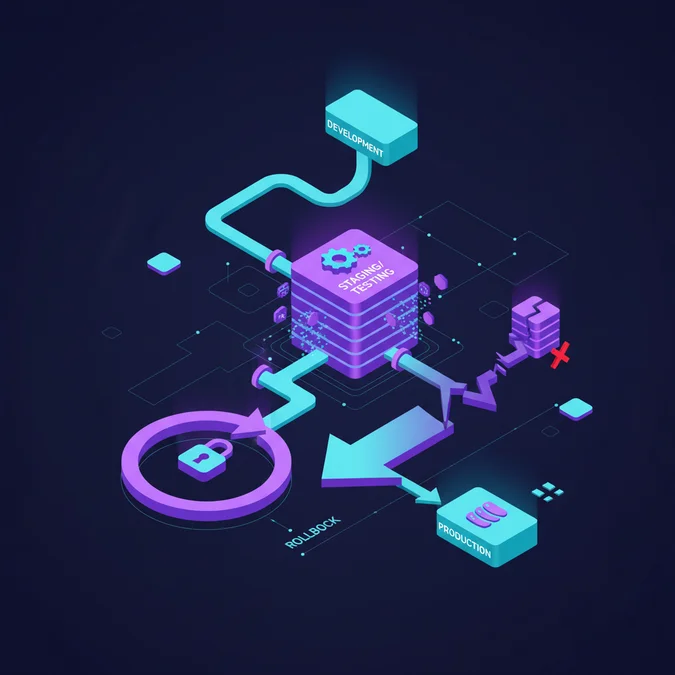
If fatal production errors emerge that cannot be patched forward immediately, execute your documented rollback runbook. Revert the atomic directory symlink to the previous release folder, re-apply the prior database migration batch if a reversible schema update was executed, and restart your queue workers.
Explore the Laravel Basics Directory
Maintaining framework stability, managing dependency trees, and establishing security-first development practices form the foundation of scalable Laravel engineering. For deeper dives into routing patterns, configuration architecture, and database management, consult our comprehensive documentation hub.
Explore our complete Laravel, Basics directory for more guides.
Updating a Laravel application is a fundamental maintenance task that requires systematic discipline rather than ad-hoc execution. By understanding the distinction between daily patch updates and major framework upgrades, strictly auditing Composer dependencies for known vulnerabilities, and isolating updates within robust continuous integration environments, engineering teams can upgrade their tech stacks while minimizing production downtime risks.
Treating dependencies as potential threat vectors protects your application from upstream supply chain compromises, serialization vulnerabilities, and architectural drift. Adopt atomic deployment practices, warm caches before routing traffic, and maintain clear rollback runbooks to ensure framework maintenance remains an orderly, predictable part of your development lifecycle.