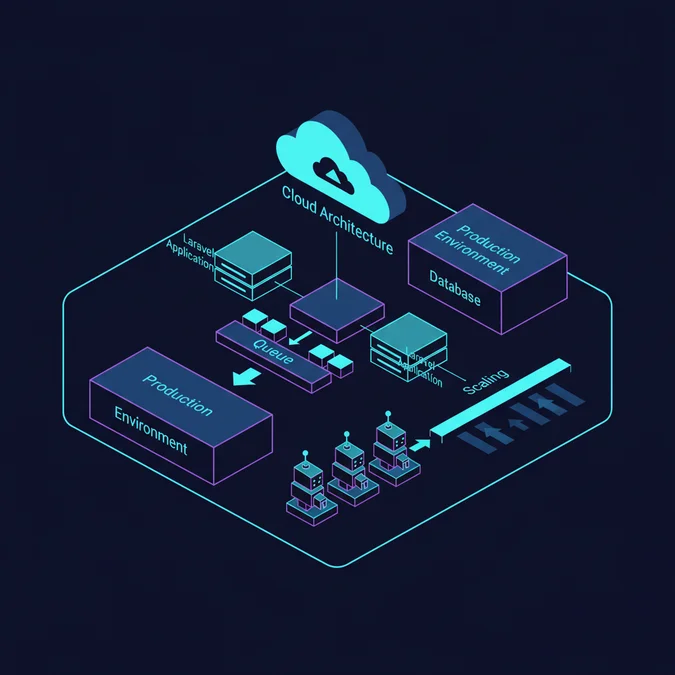

A Laravel queue example consists of dispatching a job class implementing ShouldQueue to a message broker like Redis, where an asynchronous worker process picks up the serialized payload, executes its handle() method off the main HTTP thread, and safely acknowledges completion or retries upon failure.
Consider a flash-sale checkout service processing 12,000 HTTP requests per second. If the synchronous execution cycle requires sending an order confirmation email, generating a tax invoice PDF, and dispatching inventory alerts to an external supplier API, the request-response lifecycle degrades rapidly. HTTP workers exhaust their connection pools, PHP-FPM processes saturate CPU cores waiting on network I/O, and average latency spikes from 45 milliseconds to several seconds before cascading into 504 Gateway Timeouts.
Offloading long-running I/O tasks to background workers resolves this architectural bottleneck. This technical guide examines real-world job architectures, queue driver trade-offs, worker memory constraints, failure recovery mechanics, and high-throughput monitoring across production systems.
Anatomy of a Production-Ready Job Class
A standard queued job in Laravel requires implementing the Illuminate\Contracts\Queue\ShouldQueue interface and utilizing the core dispatch traits. The internal dispatcher serializes the class properties, wraps the payload in an envelope containing metadata, and pushes it to your designated queue storage engine.
The job class must remain lean. Passing full Eloquent models into a job constructor leverages the SerializesModels trait, which stores only the model identifier and class name rather than the entire hydrated entity. When a background daemon picks up the job, it re-queries the database to fetch fresh state. If state mutation occurs between dispatch and execution, your job operates on stale memory unless hydrated dynamically.
<php

namespace App\Jobs;

use App\Models\Order;
use App\Services\InvoiceGenerator;
use App\Notifications\OrderProcessedNotification;
use Illuminate\Bus\Queueable;
use Illuminate\Contracts\Queue\ShouldQueue;
use Illuminate\Foundation\Bus\Dispatchable;
use Illuminate\Queue\InteractsWithQueue;
use Illuminate\Queue\SerializesModels;
use Throwable;

class ProcessOrderInvoice implements ShouldQueue
{
 use Dispatchable, InteractsWithQueue, Queueable, SerializesModels;

 /**
 * The number of times the job may be attempted.
 */
 public int $tries = 3;

 /**
 * The maximum number of unhandled exceptions to allow before failing.
 */
 public int $maxExceptions = 2;

 /**
 * The number of seconds the job can run before timing out.
 */
 public int $timeout = 120;

 /**
 * Delete the job if its models no longer exist.
 */
 public bool $deleteWhenMissingModels = true;

 public function __construct(
 public Order $order,
 public string $traceId
 ) {}

 public function handle(InvoiceGenerator $generator): void
 {
 // Re-verify order state after serialization hydration
 if ($this->order->status!== 'paid') {
 return;
 }

 $invoicePath = $generator->generateFor($this->order);

 $this->order->update([
 'invoice_path' => $invoicePath,
 'processed_at' => now(),
 ]);

 $this->order->user->notify(new OrderProcessedNotification($this->order));
 }

 public function failed(Throwable $exception): void
 {
 logger()->error('Order invoice processing failed permanently.', [
 'order_id' => $this->order->id,
 'trace_id' => $this->traceId,
 'error' => $exception->getMessage(),
 ]);
 }
}
In this example, dependencies such as InvoiceGenerator inject cleanly into the handle method via Laravel service container resolution. The $deleteWhenMissingModels flag ensures that if a record is deleted between dispatch and worker processing, the worker drops the job gracefully without triggering a false-positive ModelNotFoundException alert in your monitoring infrastructure.
Dispatching Strategies and Delayed Execution
Dispatching can take several forms depending on the consistency requirements of your system. A common production bug occurs when a job is dispatched inside an uncommitted database transaction. If the queue worker processes the job before the database commits the transaction, the worker reads stale data or fails entirely.
Laravel provides native tools to tie dispatching to transaction commits. By using afterCommit(), you guarantee that the message broker only receives the job once the local database transaction has finalized successfully.
<php

use App\Jobs\ProcessOrderInvoice;
use Illuminate\Support\Facades\DB;

DB:transaction(function () use ($order, $traceId) {
 $order->status = 'paid';
 $order->save();

 // Dispatch only after the commit completes
 ProcessOrderInvoice:dispatch($order, $traceId)
 ->onQueue('invoices')
 ->afterCommit();
});
You can also introduce delayed execution using the delay() method, which places the job on the broker with a delayed visibility timestamp. This is useful for third-party API polling or rate-limit back-off windows.
<php

// Delay execution by 5 minutes
ProcessOrderInvoice:dispatch($order, $traceId)
 ->onConnection('redis')
 ->onQueue('low-priority')
 ->delay(now()->addMinutes(5));
When planning event-driven transaction boundaries across microservices or complex monoliths, refer to practical guidelines like ADR software development principles to record architectural choices such as transactional outbox implementations versus direct broker writes.
Comparing Queue Drivers: Database, Redis, SQS, and Beanstalkd
Selecting an appropriate queue driver depends on throughput limits, infrastructure overhead, and consistency requirements. While Laravel ships with an out-of-the-box database driver, running high-concurrency queues on a primary relational database often introduces serious locking contention.
| Driver | Throughput (Jobs/sec) | Latency | Operational Complexity | Best Use Case |
|---|---|---|---|---|
| Database | 100 – 500 | Medium (10-50ms) | Zero (uses existing DB) | Low-traffic internal tools, MVPs |
| Redis | 10,000+ | Sub-millisecond | Low (in-memory, single node or cluster) | Standard high-throughput production apps |
| Amazon SQS | Near infinite | Network I/O bound (20-100ms) | Low (fully managed cloud service) | Decoupled microservices, AWS-native stacks |
| Beanstalkd | 5,000+ | Low (1-5ms) | Medium (requires self-hosted daemon) | Legacy lightweight queue setups |
When using the database driver, every pop operation executes a SELECT.. FOR UPDATE query with row-level locks on the jobs table. As queue depth expands, contention on table indexes degrades general database performance. For workloads exceeding 200 jobs per minute, migrating to Redis or SQS is mandatory.
If you must run the database driver under load, proper indexing is critical. Check out Laravel database indexing best practices to prevent locking bottlenecks on job claim queries.
Worker Mechanics: queue:work vs queue:listen
Running workers requires understanding how PHP manages execution state. Laravel provides two distinct CLI commands for processing queues: queue:work and queue:listen.
- queue:work: Bootstraps the framework once, loads application code into memory, and continuously polls the queue in an infinite loop. It offers maximum performance and throughput because it avoids the overhead of rebooting the entire framework for every job. However, code changes made after starting the worker do not take effect until the process restarts.
- queue:listen: Boots a fresh instance of the framework for every single job execution. This simplifies local development because code changes are recognized immediately, but it reduces throughput by 80% or more due to continuous framework bootstrap overhead.
In production, you must always run queue:work managed by a process control system like Supervisord. Below is a production-grade Supervisord configuration file that keeps worker daemons alive and gracefully restarts them upon failure.
[program:laravel-worker]
process_name=%(program_name)s_%(process_num)02d
command=php /var/www/app/artisan queue:work redis --sleep=3 --tries=3 --max-time=3600 --max-jobs=1000 --timeout=120 --queue=high,default,low
autostart=true
autorestart=true
stopasgroup=true
killasgroup=true
user=www-data
numprocs=8
redirect_stderr=true
stdout_logfile=/var/www/app/storage/logs/worker.log
stopwaitsecs=3600
The --queue=high,default,low flag specifies queue prioritization: the worker will drain all pending jobs from the high queue before inspecting default, ensuring high-priority events are never starved by high-volume background jobs.
Memory Leaks and Long-Running Worker Daemons
Because queue:work keeps the PHP process alive indefinitely, memory management becomes a primary operational concern. In standard HTTP requests, PHP tears down all memory allocations upon completion. In a daemonized worker, static properties, global singletons, uncollected database query logs, and circular references persist across job executions, accumulating memory until the process hits its limits.
The most common source of worker memory leaks is the database query log. When running local debug tools or specific packages, Laravel may append every executed query to an internal memory buffer. You can disable this explicitly in your worker bootstrap or service provider:
<php

use Illuminate\Support\Facades\DB;

// Disable query log accumulation in long-running processes
DB:disableQueryLog();
To prevent inevitable memory degradation, enforce hard boundaries on worker life cycles:
- –max-jobs: Instructs the worker to exit cleanly after processing a fixed number of jobs (e.g.
--max-jobs=1000). Supervisord immediately starts a fresh process with a pristine memory footprint. - –max-time: Forces the worker to terminate after a set duration, such as 3600 seconds, releasing fragmented memory.
- –memory: Specifies the ceiling in megabytes (e.g.
--memory=256). The worker checks its memory usage at the start of each iteration and exits if the limit is exceeded.
These process restarts are graceful: the worker finishes processing the current job before terminating, ensuring zero dropped payloads or aborted executions.
Failure Handling, Retries, and Exponential Backoff
Distributed systems experience transient failures: external payment gateways experience brief network blips, third-party APIs enforce rate limits, and databases hit lock wait timeouts. A production job must implement resilient retry strategies rather than immediately failing or retrying in a tight loop that hammers struggling downstream systems.
Laravel allows configuring linear or exponential backoffs directly on the job class. You can define an array of backoff intervals or supply a dedicated method returning dynamic delay seconds.
<php

namespace App\Jobs;

use Illuminate\Bus\Queueable;
use Illuminate\Contracts\Queue\ShouldQueue;
use Illuminate\Foundation\Bus\Dispatchable;
use Illuminate\Queue\InteractsWithQueue;
use Illuminate\Queue\SerializesModels;
use Throwable;

class SyncCustomerStripeProfile implements ShouldQueue
{
 use Dispatchable, InteractsWithQueue, Queueable, SerializesModels;

 public int $tries = 5;

 /**
 * Calculate the number of seconds to wait before retrying the job.
 * Implements an exponential backoff strategy: 5s, 25s, 125s, 625s
 */
 public function backoff(): array
 {
 return [5, 25, 125, 625];
 }

 public function handle(): void
 {
 // External API call that may fail intermittently
 }

 /**
 * Determine when the job should stop retrying.
 */
 public function retryUntil(): \DateTime
 {
 // Give up if attempts stretch past 2 hours
 return now()->addHours(2);
 }
}
When all retry attempts fail, Laravel routes the job into the failed_jobs database table. You can inspect, replay, or delete failed jobs using the standard Artisan tooling:
# Display list of all failed jobs
php artisan queue:failed

# Retry a specific job by UUID
php artisan queue:retry ce28a7e0-1c37-4d9b-a316-574d32f416e8

# Retry all failed jobs on the default queue
php artisan queue:retry --queue=default

# Flush all failed records from storage
php artisan queue:flush
Using automated security and integration testing pipelines like Laravel automated security scans and Zapier integration ensures that queue payloads containing sensitive external tokens remain encrypted at rest inside failed job logs.
Batching, Chaining, and Concurrency Control
Complex workflows rarely involve isolated, single-job dispatches. High-throughput architectures often require orchestrating sequential dependencies (job chaining) or parallel processing with progress tracking (job batching).
Job Chaining
Chaining ensures that a series of jobs run strictly sequentially. If any job in the chain fails, subsequent jobs are canceled automatically.
<php

use Illuminate\Support\Facades\Bus;
use App\Jobs\DownloadRawVideo;
use App\Jobs\TranscodeVideoFormat;
use App\Jobs\DistributeToCDN;

Bus:chain([
 new DownloadRawVideo($videoUrl),
 new TranscodeVideoFormat($videoId),
 new DistributeToCDN($videoId),
])->dispatch();
Job Batching
Batching allows running thousands of jobs concurrently across multiple worker processes, executing completion callbacks once the entire set finishes. This pattern is ideal for bulk imports, multi-recipient notifications, and distributed data transformations.
<php

use Illuminate\Bus\Batch;
use Illuminate\Support\Facades\Bus;
use App\Jobs\ImportCsvChunk;
use Throwable;

$chunks = array_chunk($records, 500);
$batchJobs = array_map(fn($chunk) => new ImportCsvChunk($chunk), $chunks);

$batch = Bus:batch($batchJobs)
 ->then(function (Batch $batch) {
 logger()->info('All chunks processed successfully.');
 })
 ->catch(function (Batch $batch, Throwable $e) {
 logger()->error('Batch processing encountered an error: '. $e->getMessage());
 })
 ->finally(function (Batch $batch) {
 logger()->info('Batch execution finished.');
 })
 ->onQueue('imports')
 ->dispatch();
Batching requires creating the job_batches database table via php artisan queue:batches-table and running migrations. This table tracks pending, failed, and total job counts atomically, allowing you to poll progress from frontend web interfaces.
Rate Limiting and Queue Concurrency Locks
When interacting with third-party APIs, your worker pool can easily overwhelm downstream rate limits. Running 32 parallel workers pushing requests to an API limited to 10 requests per second results in immediate HTTP 429 errors. Laravel provides native Redis-backed rate limiting and concurrency middleware.
You can define rate limiters inside your AppServiceProvider and attach them directly to your queued jobs.
<php

namespace App\Providers;

use Illuminate\Support\Facades\RateLimiter;
use Illuminate\Support\ServiceProvider;

class AppServiceProvider extends ServiceProvider
{
 public function boot(): void
 {
 RateLimiter:for('stripe-api', function (object $job) {
 // Allow max 10 calls per second, releasing back to queue if saturated
 return \Illuminate\Cache\RateLimiting\Limit:perSecond(10);
 });
 }
}
Then, attach the rate-limiting middleware to your job class using the middleware() method:
<php

namespace App\Jobs;

use Illuminate\Bus\Queueable;
use Illuminate\Contracts\Queue\ShouldQueue;
use Illuminate\Queue\Middleware\RateLimited;

class ChargeCustomerInvoice implements ShouldQueue
{
 use Queueable;

 public function middleware(): array
 {
 return [
 (new RateLimited('stripe-api'))
 ->dontRelease() // Fail immediately if exceeded, or omit to auto-release
 ];
 }

 public function handle(): void
 {
 // Charge logic safely throttled
 }
}
Additionally, prevent race conditions on identical resources using the WithoutOverlapping middleware. If a job is already processing an order, another job targeting the same order ID will release itself back to the queue until the active lock expires.
<php

use Illuminate\Queue\Middleware\WithoutOverlapping;

public function middleware(): array
{
 // Prevent concurrent runs for the same order for up to 60 seconds
 return [(new WithoutOverlapping($this->order->id))->releaseAfter(10)];
}
Monitoring and Managing Queues in High-Throughput Systems
Deploying queued workloads into mission-critical production environments requires active visibility into queue metrics: throughput, latency (time between dispatch and start), failure rates, and memory consumption. Without automated metrics, a silent queue backlog can grow to millions of jobs before engineers notice downstream processing stalls.
For Redis-based setups, Laravel Horizon provides an open-source dashboard, real-time metrics, auto-scaling worker pools, and automated pause/resume controls. Horizon auto-scales the number of processes allocated to specific queues based on current wait times and depth.
<php

// config/horizon.php
'environments' => [
 'production' => [
 'supervisor-1' => [
 'connection' => 'redis',
 'queue' => ['high', 'default'],
 'balance' => 'auto',
 'minProcesses' => 4,
 'maxProcesses' => 32,
 'balanceMaxShift' => 2,
 'balanceCooldown' => 3,
 'tries' => 3,
 ],
 ],
],
When designing high-throughput, distributed event-driven systems that span multiple infrastructure regions or hybrid clouds, study broader cloud patterns in guides like system design prompts for distributed cloud systems to evaluate when to move beyond framework workers toward dedicated message fabrics like Apache Kafka or RabbitMQ.
Explore the Complete Laravel Basics Guide
Queues are a foundational pillar of reliable, non-blocking application architecture. Understanding serialization, worker lifecycle management, and retry backoffs allows you to build systems that scale gracefully under extreme spikes in HTTP traffic.
[Explore our complete Laravel, Basics directory for more guides.](/topics/topics-laravel-basics/)
Implementing Laravel queues effectively moves computational bottlenecks, slow external API calls, and heavy report generation off the client request lifecycle. By designing lean, serializable job classes and choosing the right queue driver, you protect your web servers from thread starvation and cascading latency failures.
Pairing reliable background workers with proper retry policies, rate limiters, and daemon managers like Supervisord guarantees consistent performance. As your traffic increases, scale workers horizontally and monitor queue wait times to maintain a resilient, production-ready backend.