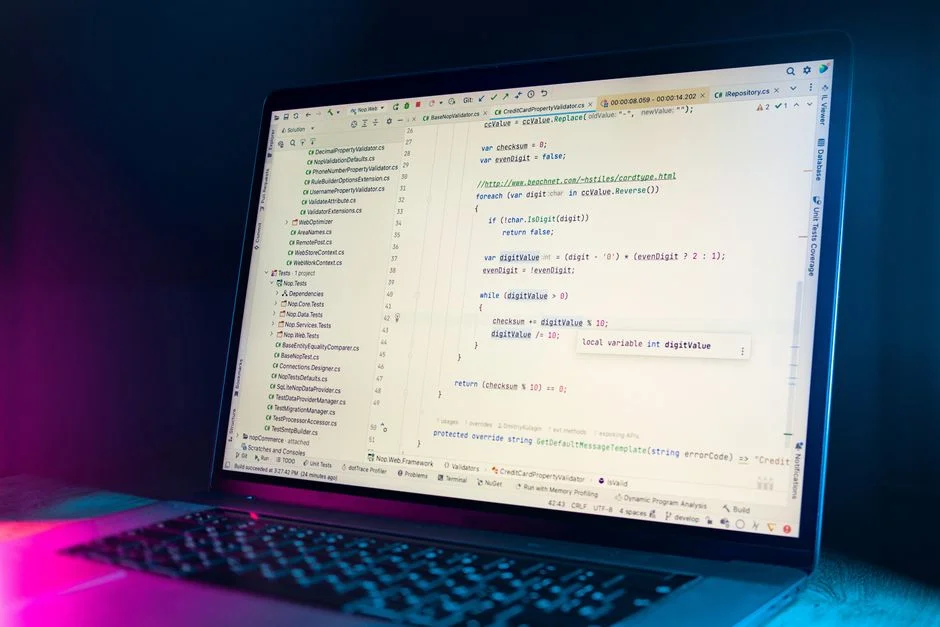

A Laravel backend serves as the server-side foundation for web and mobile applications, handling data storage, business logic, API endpoints, and authentication. It leverages Laravel’s elegant syntax and comprehensive ecosystem to facilitate rapid development of robust, maintainable, and scalable systems. This framework provides a structured approach to building complex server-side functionalities, abstracting away much of the boilerplate.
Laravel’s evolution from a niche PHP framework to a dominant player in backend development stems from its commitment to developer experience, performance, and a rich feature set. Initially released in 2011, it has consistently introduced modern architectural patterns, robust security features, and extensive tooling, making it a preferred choice for custom software development. This article delves into the core components, architectural considerations, and best practices for developing high-performing Laravel backends.
Understanding the Laravel Backend Core: Request Lifecycle and Architecture
The operational heart of any Laravel backend lies in its request lifecycle, a meticulously designed sequence of events that processes incoming HTTP requests and generates responses. Understanding this lifecycle is fundamental to building efficient and debuggable applications. When an HTTP request hits a Laravel application, it first passes through the public/index.php file, which acts as the entry point. This file bootstraps the application, loads environment variables, and then hands off control to the HTTP kernel (App\Http\Kernel).
The HTTP kernel is crucial; it defines the application’s global HTTP middleware stack, which includes tasks like session management, CSRF protection, and authentication. Middleware components are executed sequentially, allowing for request manipulation before it reaches the core logic and response manipulation before it’s sent back to the client. After passing through the middleware, the request is dispatched to the router, which matches the incoming URL to a defined route and its associated controller action or closure. The controller then executes the application’s specific business logic, interacts with models (often via Eloquent ORM) to fetch or manipulate data, and finally prepares a response.
Central to Laravel’s architecture is the **Service Container**, a powerful tool for managing class dependencies and performing dependency injection. It allows for flexible and testable code by automatically resolving class dependencies and injecting them into constructors or methods. **Service Providers** extend the Service Container, acting as central places to register bindings, event listeners, middleware, and even routes. They are instrumental in bootstrapping various components of your application and keeping your codebase modular. For instance, you might register a custom logging service or a third-party API client within a service provider, making it easily accessible throughout your application without tight coupling.
While Laravel’s MVC (Model-View-Controller) pattern is well-known, for complex backends, it’s often beneficial to adopt additional architectural patterns like the **Repository Pattern** or a dedicated **Service Layer**. A repository pattern abstracts the data persistence layer, allowing controllers to interact with data through a consistent interface, decoupling them from the specific ORM or database technology. A service layer, on the other hand, encapsulates complex business logic that might span multiple models or external services, preventing ‘fat controllers’ and promoting code reusability. This separation of concerns enhances maintainability and makes testing individual components more straightforward.
Consider a simple example of a service provider registering a custom service:
<?phpnamespace App\Providers;use App\Services\PaymentGatewayService;use Illuminate\Support\ServiceProvider;class AppServiceProvider extends ServiceProvider{ /** * Register any application services. */ public function register(): void { // Register a singleton instance of PaymentGatewayService $this->app->singleton(PaymentGatewayService::class, function ($app) { return new PaymentGatewayService(/* ... config ... */); }); } /** * Bootstrap any application services. */ public function boot(): void { // }}This service can then be injected into any controller or other class that needs it, promoting clean dependency management. The flexibility and extensibility offered by Laravel’s core architecture, combined with its robust request lifecycle, provide a solid foundation for building sophisticated backend systems.
Database Layer Mastery: Eloquent ORM and Query Optimization
The database layer is often the most critical component of a backend application, dictating performance and data integrity. Laravel’s **Eloquent ORM** (Object-Relational Mapper) provides an elegant, expressive syntax for interacting with databases, mapping database tables to PHP classes. This abstraction allows developers to work with database records as objects, simplifying CRUD (Create, Read, Update, Delete) operations and managing relationships between tables.
Eloquent models represent individual tables, and through these models, you can define relationships such as hasOne, hasMany, belongsTo, belongsToMany, and even polymorphic relationships. While convenient, improper use of Eloquent can lead to performance bottlenecks, most notably the **N+1 problem**. This occurs when fetching a collection of models and then iterating over them to load related data for each model individually, resulting in N+1 database queries (1 for the initial collection, N for each related item).
To mitigate the N+1 problem, Laravel provides **eager loading** through the with() method. By specifying relationships to be eager loaded, Eloquent fetches all related data in a single, optimized query, drastically reducing database load. For example, instead of loading users and then their posts one by one, you can load all users with their posts in two queries: one for users, one for all associated posts.
// N+1 problem example (avoid this)foreach (App\Models\User::all() as $user) { echo $user->posts->count();}// Eager loading example (preferred)foreach (App\Models\User::with('posts')->get() as $user) { echo $user->posts->count();}For more complex queries or performance-critical operations where the full ORM overhead might be unnecessary, Laravel’s **Query Builder** offers a fluent interface for building SQL queries directly. It provides a more granular control over the query, allowing for custom joins, subqueries, and raw expressions while still protecting against SQL injection. This is particularly useful when dealing with large datasets or complex reporting requirements that benefit from highly optimized queries.
Maintaining **data integrity** is paramount, especially in transactional systems. Laravel facilitates this through **database transactions**, allowing a series of database operations to be executed as a single, atomic unit. If any operation within the transaction fails, all previous operations are rolled back, ensuring the database remains in a consistent state. This is critical for operations like transferring funds or updating inventory, where partial updates could lead to serious discrepancies.
use Illuminate\Support\Facades\DB;DB::transaction(function () { DB::table('users')->update(['votes' => 1]); DB::table('posts')->delete(); // If this fails, the user update is rolled back.});Beyond Eloquent and the Query Builder, effective database performance relies heavily on proper **indexing strategies**. Identifying frequently queried columns and applying appropriate indexes (B-tree, hash, full-text) can dramatically speed up read operations. However, over-indexing can negatively impact write performance, so a balanced approach based on application access patterns is necessary. Regular database profiling and query analysis are essential practices to ensure optimal database performance throughout the application’s lifecycle.
API Development with Laravel: RESTful Principles and Authentication
Building robust and scalable APIs is a primary use case for a Laravel backend, serving as the data backbone for single-page applications (SPAs), mobile apps, and other services. Adhering to **RESTful principles** is crucial for creating intuitive, stateless, and cacheable APIs. This involves using standard HTTP methods (GET, POST, PUT, PATCH, DELETE) for corresponding CRUD operations on resources, employing meaningful URLs (e.g., /api/users, /api/products/{id}), and using appropriate HTTP status codes to indicate success or failure.
Laravel simplifies API development with its routing system, allowing you to define API routes separately from web routes (typically in routes/api.php). These routes are automatically prefixed with /api and apply the api middleware group, which includes stateless authentication mechanisms. For structuring API responses, Laravel’s **API Resources** provide a powerful way to transform your Eloquent models into JSON arrays that can be consumed by your clients. This allows you to control exactly what attributes are exposed, format data, and even include related resources, ensuring a consistent and clean API contract.
// app/Http/Resources/UserResource.php<?phpnamespace App\Http\Resources;use Illuminate\Http\Request;use Illuminate\Http\Resources\Json\JsonResource;class UserResource extends JsonResource{ /** * Transform the resource into an array. * * @return array<string, mixed> */ public function toArray(Request $request): array { return [ 'id' => $this->id, 'name' => $this->name, 'email' => $this->email, 'created_at' => $this->created_at->format('Y-m-d H:i:s'), 'posts_count' => $this->whenLoaded('posts', fn() => $this->posts->count()), ]; }}Authentication is a critical aspect of API security. Laravel offers several mechanisms tailored for different API use cases. **Laravel Sanctum** is ideal for SPAs and mobile applications, providing a lightweight token-based authentication system. For SPAs, it leverages Laravel’s session-based authentication for the initial login, then issues a CSRF token. For mobile apps or third-party API consumption, Sanctum issues API tokens that can be stored securely on the client and sent with each request in the Authorization header. Sanctum is designed for simplicity and efficiency, covering most common token-based needs.
For more complex scenarios requiring OAuth2 protocol support, such as integrating with third-party services or building your own OAuth2 provider, **Laravel Passport** is the go-to solution. Passport provides a full OAuth2 server implementation, allowing clients to obtain access tokens via various grant types (e.g., authorization code, client credentials, password grant). While more powerful, it also introduces more complexity due to the OAuth2 specification.
Effective **API versioning** is essential for long-term maintainability and preventing breaking changes for existing clients. Common strategies include URL versioning (e.g., /api/v1/users), header versioning (e.g., Accept: application/vnd.app.v1+json), or query parameter versioning (e.g., /api/users?version=1). URL versioning is often the simplest to implement and understand. Consistent **error handling** and **response standardization** are also vital. APIs should return predictable JSON error structures with clear error codes and messages, alongside appropriate HTTP status codes (e.g., 400 for bad request, 401 for unauthorized, 403 for forbidden, 404 for not found, 422 for unprocessable entity, 500 for server error).
Performance Engineering: Caching, Queues, and Horizontal Scaling
Optimizing the performance and scalability of a Laravel backend is a continuous engineering effort, encompassing various strategies from caching frequently accessed data to offloading long-running tasks. **Caching** is a primary technique to reduce database load and improve response times. Laravel provides a powerful, unified API for various cache backends, including file, database, Memcached, and Redis. For most production applications, using Redis or Memcached is recommended due to their in-memory speed. You can cache database query results, rendered view fragments, or any expensive computation. Implementing proper cache invalidation strategies (e.g., invalidating cache when underlying data changes) is crucial to prevent serving stale data.
use Illuminate\Support\Facades\Cache;// Cache a value for 60 minutes$users = Cache::remember('all_users', 60 * 60, function () { return App\Models\User::all();});// Manually clear cache when users are updatedCache::forget('all_users');For tasks that are time-consuming or resource-intensive, such as sending emails, processing image uploads, or generating reports, executing them synchronously within the HTTP request cycle can lead to slow response times and poor user experience. Laravel’s **Queue system** provides a robust solution for offloading these tasks to background workers. By dispatching jobs to a queue (backed by Redis, Amazon SQS, Beanstalkd, or a database), the HTTP request can complete quickly, while the jobs are processed asynchronously by dedicated queue workers. This significantly improves perceived performance and frees up web server resources.
A typical queue setup involves a queue driver (e.g., Redis), a queue worker process (e.g., Supervisor managing php artisan queue:work), and the jobs themselves. Jobs are simple PHP classes that define the logic to be executed. Laravel also supports chaining jobs, delaying jobs, and handling failed jobs, providing a comprehensive background processing solution.
Achieving **horizontal scalability** for a Laravel backend involves distributing incoming traffic across multiple instances of your application. This typically requires a load balancer (e.g., Nginx, AWS ELB) to distribute requests, and a stateless application design. For Laravel, this means ensuring session data, cache, and uploaded files are stored in a centralized, shared location (e.g., Redis for sessions/cache, S3 for files) rather than on individual server instances. Database read replicas can further offload read traffic from the primary database, improving database performance under heavy load. Containerization technologies like Docker and orchestration platforms like Kubernetes have made deploying and scaling Laravel applications horizontally much more manageable, allowing instances to be spun up or down dynamically based on demand.
Furthermore, optimizing database queries (as discussed in the previous section), minimizing external API calls, and using efficient data structures can contribute significantly to overall backend performance. Profiling tools like Blackfire or Laravel Debugbar can help identify performance bottlenecks, allowing for targeted optimizations. Implementing a robust monitoring system to track metrics like response times, error rates, and resource utilization is essential for proactively identifying and addressing performance degradation before it impacts users.
Security Best Practices for Laravel Backends
Security is not an afterthought but an integral part of designing and developing any Laravel backend. Laravel provides many built-in security features, but developers must understand and correctly implement them to protect against common web vulnerabilities. One of the most fundamental protections is against **Cross-Site Request Forgery (CSRF)**. Laravel automatically generates and validates CSRF tokens for all POST, PUT, PATCH, and DELETE requests, ensuring that requests originating from your application are legitimate. For API-only backends, Sanctum or Passport provide token-based authentication which inherently mitigates CSRF.
Protection against **Cross-Site Scripting (XSS)** attacks primarily involves sanitizing user-generated content before displaying it. While Laravel’s Blade templating engine automatically escapes output by default (using {{ $variable }}), direct output of unescaped user input (e.g., using {!! $variable !!}) should be avoided unless the content has been thoroughly sanitized. For rich text editors, using a library like DOMPurify on the frontend or a server-side HTML sanitizer is crucial.
Protecting against **SQL Injection** is largely handled by Eloquent ORM and the Query Builder through parameter binding. When you use methods like where() or update() with user input, Laravel automatically binds the parameters, preventing malicious SQL from being executed. However, using raw SQL queries with unescaped user input (e.g., DB::statement("SELECT * FROM users WHERE name = '$name'")) opens a severe vulnerability and should be strictly avoided. Always use parameterized queries for dynamic values.
Laravel’s **authentication and authorization** mechanisms are robust. Laravel Breeze and Jetstream provide secure starter kits for user authentication, including features like registration, login, password reset, and email verification. For authorization, Laravel offers flexible ways to define permissions using **Gates** and **Policies**. Gates are simple closures that determine if a user has permission to perform an action, while Policies are classes that group authorization logic for a specific model or resource. This granular control ensures users can only access or modify resources they are authorized for.
// Example of a Policy method// app/Policies/PostPolicy.php<?phpnamespace App\Policies;use App\Models\User;use App\Models\Post;class PostPolicy{ public function update(User $user, Post $post): bool { return $user->id === $post->user_id; }}// In a controller, you can then check://$this->authorize('update', $post);Beyond built-in features, several best practices enhance security. Always keep your Laravel framework and all third-party dependencies updated to the latest stable versions to patch known vulnerabilities. Regularly audit your application’s dependencies using tools like Composer Audit. Store sensitive information, such as API keys and database credentials, in environment variables (.env file) and never commit them to version control. Use strong, unique passwords for all database users and administrative accounts. Implement rate limiting on sensitive endpoints (e.g., login, password reset) to prevent brute-force attacks. Finally, configure your web server (Nginx, Apache) to serve only necessary files and restrict access to sensitive directories, and ensure HTTPS is enforced across your entire application to encrypt data in transit.
Testing Strategies: Unit, Feature, and Browser Tests
A high-quality Laravel backend is built upon a solid foundation of testing. Comprehensive testing ensures application stability, reduces regressions, and provides confidence during refactoring and deployment. Laravel integrates seamlessly with PHPUnit, offering robust support for various testing methodologies: unit tests, feature tests, and browser tests.
**Unit tests** focus on individual components or methods in isolation, verifying that a specific piece of code behaves as expected. For instance, a unit test might check if a utility function correctly formats a string or if a model’s accessor returns the correct value. These tests are typically fast to execute and help pinpoint issues at a granular level. When writing unit tests, it’s common practice to mock dependencies using tools like Mockery to ensure that the component under test is truly isolated from external factors like database interactions or API calls.
// Example of a simple unit test for a utility class<?phpnamespace Tests\Unit;use PHPUnit\Framework\TestCase;use App\Utils\StringFormatter;class StringFormatterTest extends TestCase{ public function test_it_formats_string_to_uppercase(): void { $this->assertEquals('HELLO WORLD', StringFormatter::uppercase('hello world')); }}**Feature tests** (also known as integration tests) verify the interaction between multiple components, often simulating an HTTP request to your application. These tests ensure that routes, controllers, middleware, and services work together correctly. Laravel’s built-in HTTP testing utilities make it straightforward to send requests to your application, inspect responses, assert database changes, and even simulate authenticated users. Feature tests are invaluable for verifying API endpoints, form submissions, and general application flows. They provide a higher level of confidence than unit tests alone, as they test the system more holistically.
// Example of a feature test for an API endpoint<?phpnamespace Tests\Feature;use Illuminate\Foundation\Testing\RefreshDatabase;use Tests\TestCase;use App\Models\User;use App\Models\Post;class PostApiTest extends TestCase{ use RefreshDatabase; // Resets database for each test public function test_authenticated_user_can_create_post(): void { $user = User::factory()->create(); $this->actingAs($user, 'sanctum'); // Authenticate as user $response = $this->postJson('/api/posts', [ 'title' => 'Test Post', 'content' => 'This is test content.' ]); $response->assertStatus(201) // Assert creation status ->assertJson([ 'message' => 'Post created successfully.' ]); $this->assertDatabaseHas('posts', [ 'title' => 'Test Post', 'user_id' => $user->id ]); }}**Browser tests** (or end-to-end tests) simulate actual user interaction with your application through a browser. Laravel Dusk, a first-party package, provides an expressive API for automating browser interactions, allowing you to click buttons, fill forms, and assert page content. While slower and more brittle than unit or feature tests, browser tests are crucial for verifying critical user flows and ensuring the entire application, including the frontend, functions as expected. They catch issues that might slip through lower-level tests, such as JavaScript errors or CSS rendering problems.
A balanced testing strategy typically involves a pyramid approach: a large number of fast unit tests, a moderate number of feature tests, and a small number of critical browser tests. Continuous integration (CI) pipelines should automatically run these tests on every code push, providing immediate feedback on code quality and preventing defective code from reaching production. This systematic approach to testing is a hallmark of professional software development and is essential for maintaining a reliable Laravel backend.
Deployment Strategies: From VPS to Serverless
Deploying a Laravel backend efficiently and reliably is as critical as its development. The choice of deployment strategy often depends on factors like scalability requirements, budget, team expertise, and desired operational overhead. Common approaches range from traditional Virtual Private Servers (VPS) to modern serverless architectures, each with its own trade-offs.
The most straightforward deployment method involves a **Virtual Private Server (VPS)** or dedicated server. This gives you full control over the server environment, allowing you to install Nginx or Apache, PHP-FPM, MySQL, and Redis. Tools like Laravel Forge or Ploi simplify server provisioning and deployment for these environments, automating tasks such as Git deployment, Composer installation, migration execution, and queue worker management. This approach offers flexibility and cost-effectiveness for many small to medium-sized applications, but requires manual scaling of the server itself or adding more servers behind a load balancer as traffic grows.
For more robust and automated scaling, deploying on **Platform-as-a-Service (PaaS)** providers like Heroku, AWS Elastic Beanstalk, or DigitalOcean App Platform can be beneficial. These platforms abstract away much of the underlying infrastructure management, allowing developers to focus solely on their code. They typically offer built-in features for automatic scaling, load balancing, continuous deployment, and monitoring. While simplifying operations, PaaS solutions can sometimes impose vendor lock-in and may have higher costs compared to self-managed VPS setups for very high traffic. Laravel applications generally integrate well with these platforms, often requiring minor configuration adjustments for environment variables and specific service bindings.
The advent of **containerization with Docker** and **orchestration with Kubernetes** has revolutionized modern backend deployments. Docker allows you to package your Laravel application and all its dependencies into a portable container image, ensuring consistent execution across different environments. Kubernetes then manages the deployment, scaling, and operation of these containers. This approach offers unparalleled scalability, resilience, and resource utilization. However, it introduces a significant learning curve and operational complexity, making it more suitable for larger teams and applications with stringent availability and scalability demands. Setting up a Kubernetes cluster and configuring ingress, persistent storage, and service meshes requires specialized expertise.
An emerging deployment strategy for Laravel backends is **serverless architecture**, using services like AWS Lambda or Google Cloud Functions. While traditional Laravel applications are not inherently serverless, tools like Bref allow you to run Laravel applications on AWS Lambda. In a serverless setup, your application code is executed in response to events (e.g., HTTP requests), and you only pay for the compute time consumed. This offers extreme scalability and cost optimization for applications with unpredictable or spiky traffic patterns. However, serverless introduces challenges such as cold starts (initial latency), statelessness requirements, and debugging complexities across distributed functions. It’s often best suited for specific microservices or API endpoints within a larger system rather than an entire monolithic Laravel application.
Regardless of the chosen strategy, key deployment considerations include automating deployments via CI/CD pipelines, robust monitoring and logging, regular backups, and a clear rollback plan. Continuous integration and continuous delivery (CI/CD) ensures that code changes are automatically tested and deployed, reducing manual errors and accelerating the release cycle. Tools like GitHub Actions, GitLab CI, or Jenkins can be configured to automate these processes, ensuring a smooth transition from development to production.
Integrating External Services: APIs, Webhooks, and Event-Driven Design
Modern Laravel backends rarely operate in isolation; they frequently integrate with a multitude of external services, ranging from payment gateways and email providers to third-party APIs and microservices. Effective integration requires careful design to ensure reliability, performance, and maintainability. Laravel provides excellent tools and patterns for consuming external APIs and exposing webhooks.
Consuming external **REST APIs** is a common task. Laravel’s HTTP Client, built on Guzzle, offers an expressive and fluent interface for making HTTP requests. It handles common tasks like setting headers, sending JSON data, handling redirects, and managing timeouts. Implementing retries with exponential backoff for transient network issues and robust error handling is crucial when interacting with external services, as their availability and response times are outside your control. You should also consider caching responses from external APIs where appropriate to reduce latency and API call limits.
use Illuminate\Support\Facades\Http;$response = Http::timeout(30) // Set timeout to 30 seconds ->retry(3, 100) // Retry 3 times, waiting 100ms between attempts ->withHeaders(['X-Custom-Header' => 'Value']) ->post('https://api.example.com/orders', [ 'item' => 'Product A', 'quantity' => 2, ]);if ($response->successful()) { $data = $response->json();} else { // Handle error}**Webhooks** provide a powerful mechanism for external services to notify your Laravel backend about events in real-time, rather than requiring your application to continuously poll for updates. For example, a payment gateway might send a webhook notification when a transaction is completed, or a CRM system might alert your application when a customer record is updated. When implementing webhook endpoints, it’s critical to: 1) **Verify the signature** of the incoming request to ensure it genuinely originates from the expected service and hasn’t been tampered with. 2) **Respond quickly** with an HTTP 200 OK status to acknowledge receipt, even if processing takes time. 3) **Process the webhook payload asynchronously** using Laravel’s queue system to avoid request timeouts and handle potential processing failures gracefully. This ensures your webhook endpoint remains responsive and robust.
**Event-driven design** extends beyond simple API calls and webhooks, enabling a more decoupled and scalable architecture. In Laravel, this involves dispatching **events** when significant actions occur within your application (e.g., OrderCreated, UserRegistered). These events can then be listened to by one or more **listeners**, which perform specific tasks in response. For instance, an OrderCreated event might trigger listeners to send a confirmation email, update inventory, and notify a logistics service. This pattern promotes loose coupling, making it easier to add new functionalities without modifying existing code. Events can also be broadcast to real-time clients using WebSockets, facilitated by Laravel Echo and Pusher/Ably, enabling dynamic user interfaces.
When designing integrations, always consider the potential for failure. Implement robust logging, error reporting (e.g., Sentry, Bugsnag), and monitoring for all external interactions. Circuit breakers can be used to prevent cascading failures when an external service becomes unavailable, temporarily preventing your application from making requests to it. This proactive approach to integration design ensures the overall stability and resilience of your Laravel backend.
Authentication and Authorization: Gates, Policies, and Role-Based Access Control
Effective authentication and authorization are cornerstones of secure Laravel backend development, ensuring that users are who they claim to be and that they can only access resources and perform actions they are permitted to. Laravel provides a comprehensive and flexible system for managing these critical aspects.
**Authentication** in Laravel is streamlined through its robust authentication scaffoldings like Laravel Breeze and Jetstream. These packages quickly set up features such as user registration, login, password reset, email verification, and two-factor authentication. At its core, Laravel’s authentication system uses guards to define how users are authenticated for each request (e.g., session guard for web, token guard for APIs). Once a user is authenticated, their identity is available via the Auth facade or the $request->user() helper.
Beyond authentication, **Authorization** determines what an authenticated user is allowed to do. Laravel offers two primary mechanisms for authorization: Gates and Policies.
- Gates: Gates are simple closure-based authorization checks. They are ideal for authorization logic that doesn’t belong to a specific model or for simple, global permissions. You define gates in your
AuthServiceProvider. For example, a gate might check if a user is an ‘admin’ or has access to a specific dashboard feature. They are quick to set up for straightforward permissions.
// app/Providers/AuthServiceProvider.php<?phpnamespace App\Providers;use Illuminate\Support\Facades\Gate;use Illuminate\Foundation\Support\Providers\AuthServiceProvider as ServiceProvider;class AuthServiceProvider extends ServiceProvider{ public function boot(): void { Gate::define('edit-settings', function ($user) { return $user->isAdmin(); }); }}// In your controller:if (Gate::allows('edit-settings')) { // User can edit settings}- Policies: Policies are classes that organize authorization logic for a particular model or resource. They are especially useful for larger applications where you have many permissions related to a single entity (e.g., a
Postmodel might haveview,create,update, anddeleteactions). Policies make your authorization code more organized, reusable, and testable. Each method within a policy corresponds to an action, receiving the authenticated user and often the model instance as arguments.
For more complex authorization requirements, such as managing permissions for multiple user roles, implementing **Role-Based Access Control (RBAC)** is a common pattern. While Laravel doesn’t include RBAC out-of-the-box, popular community packages like Spatie’s Laravel Permission provide a robust solution. This package allows you to associate users with roles (e.g., ‘editor’, ‘publisher’, ‘admin’) and assign permissions to those roles. Users then inherit permissions from their assigned roles. This significantly simplifies managing permissions across a large user base and provides a clear, hierarchical structure for access control.
When implementing authorization, it’s crucial to consistently apply checks at the controller level (using $this->authorize() or Gate::allows()) and, where applicable, within Blade templates to hide or disable UI elements. Never rely solely on frontend checks, as these can be easily bypassed. Always validate authorization on the backend before performing any sensitive operations. A well-designed authentication and authorization system is fundamental to securing your application’s data and functionality.
Real-time Capabilities: WebSockets with Laravel Echo
In an increasingly interactive web landscape, providing real-time capabilities is often a requirement for modern backend applications. Laravel backends can seamlessly integrate real-time features like live notifications, chat applications, and collaborative tools using WebSockets. Laravel’s **Broadcasting system**, coupled with **Laravel Echo**, simplifies the process of pushing real-time updates from your backend to client-side applications.
The core concept involves defining events in your Laravel application that should be broadcast. When such an event is dispatched, Laravel’s broadcasting driver pushes it to a WebSocket server. Laravel supports various drivers, including Pusher, Ably, and Redis (for self-hosted WebSocket servers like Laravel Reverb or Soketi). **Pusher** and **Ably** are popular hosted solutions that handle the WebSocket server infrastructure, scaling, and connection management, significantly reducing operational overhead. **Laravel Reverb**, introduced with Laravel 11, provides a first-party, self-hosted WebSocket server built directly into Laravel, offering a cohesive development experience.
On the client side, **Laravel Echo** is a JavaScript library that makes it easy to subscribe to channels and listen for events broadcast by your Laravel backend. Echo handles the underlying WebSocket connection and provides a clean API for interacting with events. This allows you to update your frontend UI in real-time without requiring the user to refresh the page or the client to constantly poll the server.
// Client-side JavaScript with Laravel Echoimport Echo from 'laravel-echo';import Pusher from 'pusher-js';window.Pusher = Pusher;window.Echo = new Echo({ broadcaster: 'pusher', key: import.meta.env.VITE_PUSHER_APP_KEY, cluster: import.meta.env.VITE_PUSHER_APP_CLUSTER ?? 'mt1', wsHost: import.meta.env.VITE_PUSHER_HOST ? import.meta.env.VITE_PUSHER_HOST : `ws-${import.meta.env.VITE_PUSHER_APP_CLUSTER}.pusher.com`, wsPort: import.meta.env.VITE_PUSHER_PORT ?? 80, wssPort: import.meta.env.VITE_PUSHER_PORT ?? 443, forceTLS: (import.meta.env.VITE_PUSHER_SCHEME ?? 'https') === 'https', enabledTransports: ['ws', 'wss'],});Echo.private(`users.${userId}`) .notification((notification) => { console.log(notification.type); // Update UI with new notification });Broadcasting events can occur over different types of channels: **public channels** (accessible to anyone), **private channels** (requiring authentication to subscribe), and **presence channels** (private channels that also track who is currently subscribed). Laravel’s authorization system integrates with broadcasting, allowing you to define authorization callbacks for private and presence channels, ensuring that only authorized users can listen to sensitive events. This is crucial for security, preventing unauthorized access to real-time data streams.
Implementing real-time capabilities with WebSockets and Laravel Echo can significantly enhance user engagement and the responsiveness of your application. It moves beyond traditional request-response cycles, enabling a more dynamic and interactive user experience. However, it also introduces considerations for infrastructure (managing WebSocket servers), scalability (handling many concurrent connections), and security (authorizing channel access). For developers building interactive dashboards, chat features, or live data updates, this combination provides a powerful and relatively straightforward solution.
Maintenance and Monitoring: Logging, Error Reporting, and Health Checks
A production-ready Laravel backend requires continuous maintenance and robust monitoring to ensure its long-term stability, performance, and security. Proactive identification and resolution of issues are paramount, and Laravel provides excellent tools to facilitate this.
**Logging** is the first line of defense for understanding what’s happening within your application. Laravel uses Monolog, offering a flexible and powerful logging system. You can configure multiple log channels (e.g., daily files, syslog, Slack, email) and log messages at various levels (debug, info, warning, error, critical, alert, emergency). It’s crucial to log significant events, errors, and potential security issues. Detailed logs allow you to trace the flow of requests, identify performance bottlenecks, and diagnose unexpected behavior. However, avoid logging sensitive user data directly. For production, centralizing logs using services like ELK Stack (Elasticsearch, Logstash, Kibana), Splunk, or DataDog is highly recommended for efficient searching, analysis, and alerting across multiple application instances.
use Illuminate\Support\Facades\Log;// Log an informational messageLog::info('User ' . $user->id . ' updated their profile.');// Log an error with contexttry { // ... some operation that might fail} catch (Exception $e) { Log::error('Failed to process order.', ['exception' => $e->getMessage(), 'order_id' => $orderId]);}$**Error reporting** goes beyond simple logging by actively notifying developers of critical issues. Services like Sentry, Bugsnag, or Flare (for Laravel-specific errors) integrate seamlessly with Laravel. When an unhandled exception occurs, these services capture the full stack trace, request context, user information, and environment details, aggregating them into a dashboard. This allows development teams to quickly identify, prioritize, and resolve errors, often before users even report them. Configuring these services to send notifications (e.g., to Slack, email) for new or recurring errors is a standard practice for maintaining application health.
**Health checks** are essential for monitoring the operational status of your backend and ensuring its availability. A basic health check endpoint (e.g., /health or /status) can return a simple HTTP 200 OK if the application is running. More sophisticated health checks can verify database connectivity, cache server reachability, queue worker status, and external API dependencies. Load balancers and monitoring systems can then periodically ping these endpoints. If a health check fails, the faulty instance can be removed from the load balancer rotation, preventing traffic from being directed to an unhealthy server. Laravel provides the Laravel Livewire Filament package, which includes a robust monitoring system, among other features.
Beyond these, regular **security audits**, dependency updates (composer update), and database maintenance (e.g., optimizing tables, cleaning up old data) are vital for long-term health. Implementing automated backups for your database and application code is non-negotiable. Furthermore, setting up a comprehensive **monitoring system** (e.g., Prometheus, Grafana, New Relic, Datadog) to track key metrics like CPU utilization, memory usage, network I/O, database query times, and application response times provides invaluable insights into your backend’s performance and helps anticipate scaling needs. Proactive maintenance and vigilant monitoring minimize downtime and ensure a smooth user experience.
Laravel Ecosystem and Tools: Extending Backend Capabilities
One of Laravel’s greatest strengths as a backend framework is its rich and vibrant ecosystem, offering a plethora of official and community-driven packages and tools that significantly extend its capabilities. This ecosystem allows developers to rapidly add complex features without reinventing the wheel, greatly enhancing productivity and reducing development time.
Laravel itself comes bundled with powerful first-party packages that are often essential for backend development. For instance, **Laravel Scout** provides a driver-based solution for adding full-text search to your Eloquent models, supporting search engines like Algolia or MeiliSearch. **Laravel Horizon** offers a beautiful dashboard and code-driven configuration for your Redis queues, providing insights into job throughput, failures, and worker performance. This is indispensable for applications heavily reliant on asynchronous processing.
**Laravel Dusk** (as mentioned in testing) provides browser automation for end-to-end testing, ensuring frontend interactions with your backend are robust. **Laravel Nova** is a powerful administration panel that allows you to manage your Eloquent records with minimal setup, providing a professional interface for content editors or administrators. For many business applications, a pre-built admin panel like Nova saves hundreds of development hours.
Beyond first-party tools, the community has developed an extensive collection of packages. **Spatie** is particularly renowned for its high-quality, well-maintained Laravel packages, covering areas like permissions, media library management, activity logging, and SEO. For example, their Laravel Permission package simplifies implementing Role-Based Access Control (RBAC), allowing you to assign roles and permissions to users with an elegant API. Another popular category includes packages for integrating with third-party services, such as payment gateways (e.g., Stripe, PayPal via Laravel Cashier), SMS providers, or cloud storage solutions.
The Laravel ecosystem also includes development tools that improve the developer experience. **Laravel Sail** provides a lightweight development environment using Docker, making it easy to set up and run Laravel applications consistently across different machines without manual environment configuration. This is particularly useful for teams and onboarding new developers. **Laravel Tinker** is an interactive shell (REPL) that allows you to interact with your Laravel application from the command line, executing Eloquent queries, dispatching events, or testing code snippets directly within your application’s context. This is an invaluable tool for debugging and quick prototyping.
For frontend integration, while a Laravel backend can serve pure JSON APIs to decoupled JavaScript frameworks (React, Vue, Next.js), Laravel also offers solutions like **Livewire** and **Inertia.js**. Livewire allows you to build dynamic interfaces with PHP, abstracting away much of the JavaScript, making it ideal for developers who prefer to stay within the PHP ecosystem. Inertia.js acts as an adapter, allowing you to build single-page applications using classic server-side routing and controllers, but with Vue, React, or Svelte components for the frontend, combining the best of both worlds. This rich ecosystem ensures that whatever your backend requirements or frontend preferences, Laravel likely has a robust, well-supported solution available.
Architectural Patterns for Scalable Laravel Backends
Building a scalable Laravel backend requires more than just performance optimizations; it demands a thoughtful application of architectural patterns that promote modularity, maintainability, and distributed processing. While Laravel’s default MVC structure is excellent for many applications, more complex systems benefit from patterns that introduce greater separation of concerns and reduce coupling.
The **Repository Pattern** is a common choice for abstracting the data persistence layer. Instead of controllers or services directly interacting with Eloquent models, they communicate with a repository interface. This interface defines methods for data access (e.g., findById, save, delete), and its concrete implementation handles the specifics of Eloquent or any other data source. This makes your application independent of the ORM, allowing you to switch databases or data access methods without altering business logic. It also simplifies testing, as you can easily mock the repository interface.
// app/Repositories/UserRepository.phpinterface UserRepository{ public function find(int $id): ?User; public function save(User $user): User; // ... other methods}// app/Repositories/EloquentUserRepository.phpclass EloquentUserRepository implements UserRepository{ public function find(int $id): ?User { return User::find($id); } public function save(User $user): User { $user->save(); return $user; }}A **Service Layer** is another powerful pattern, especially for encapsulating complex business logic. Instead of placing all logic in controllers (leading to ‘fat controllers’) or models (‘fat models’), a service class handles specific business operations that might involve multiple models, external API calls, or complex calculations. This promotes reusability, makes your application logic easier to test, and keeps controllers focused solely on handling HTTP requests and responses. For example, an OrderProcessingService might handle order creation, inventory updates, and payment gateway interactions.
**Command Bus / Action Pattern** further enhances separation by treating every business operation as a ‘command’ or ‘action’ object. A command is a simple DTO (Data Transfer Object) that describes an action to be performed, and a command handler is responsible for executing that action. This pattern promotes a clear contract for operations, makes it easier to log and replay actions, and naturally leads to more testable code. Laravel’s job queue system can also be seen as an implementation of a command bus, where jobs are commands dispatched to handlers.
For very large or highly distributed systems, evolving towards a **Microservices Architecture** might be considered. While Laravel itself is a full-stack framework often used for monoliths, its modularity and API-first capabilities make it suitable for building individual microservices. In a microservices architecture, a large application is broken down into smaller, independently deployable services, each responsible for a specific business capability. This offers extreme scalability, technology independence for each service, and fault isolation. However, it introduces significant operational complexity (distributed transactions, inter-service communication, monitoring) and is not a suitable choice for every project. A phased approach, starting with a well-architected monolith and extracting services as needed, is often more pragmatic.
Finally, embracing **Event-Driven Architecture (EDA)** (as discussed previously) provides a powerful way to decouple services and react to changes asynchronously. By publishing domain events, services can communicate indirectly, reducing direct dependencies and increasing resilience. This is particularly valuable in microservices environments but can also greatly benefit well-structured monolithic Laravel applications by improving internal communication and extensibility.
Database Management: Migrations, Seeding, and Backup Strategies
Effective database management is foundational to a stable and evolving Laravel backend. Laravel provides powerful tools for defining, modifying, populating, and backing up your database, ensuring consistency across development, staging, and production environments.
**Database Migrations** are Laravel’s version control for your database schema. Instead of manually writing SQL DDL statements, migrations allow you to define your database schema using expressive PHP code. Each migration file represents a set of changes (e.g., creating a table, adding a column, modifying an index). This ensures that all developers on a team are working with the same database structure and that schema changes can be applied predictably and reversibly. Migrations are executed using php artisan migrate and can be rolled back using php artisan migrate:rollback, providing a safe way to manage schema evolution.
// Example of a migration file<?phpuse Illuminate\Database\Migrations\Migration;use Illuminate\Database\Schema\Blueprint;use Illuminate\Support\Facades\Schema;return new class extends Migration{ /** * Run the migrations. */ public function up(): void { Schema::create('products', function (Blueprint $table) { $table->id(); $table->string('name'); $table->text('description')->nullable(); $table->decimal('price', 8, 2); $table->integer('stock_quantity')->default(0); $table->timestamps(); }); } /** * Reverse the migrations. */ public function down(): void { Schema::dropIfExists('products'); }};**Database Seeding** allows you to populate your database with sample data for development and testing purposes. Seeders are classes that contain logic to insert data into your tables. Laravel also integrates with **model factories**, which provide a convenient way to generate large amounts of realistic-looking dummy data for your Eloquent models. This is invaluable for testing features, demonstrating functionality, and ensuring that your application behaves correctly with various data scenarios. A master seeder can be used to run multiple seeders in a specific order, setting up a complete dataset with a single command (php artisan db:seed).
For production environments, robust **backup strategies** are non-negotiable. Data loss can be catastrophic, so regular, automated backups of your database are essential. The specific strategy will depend on your hosting environment and database type. For MySQL, tools like mysqldump can create logical backups, while cloud providers like AWS RDS offer automated snapshots and point-in-time recovery. It’s crucial to: 1) **Automate backups:** Use cron jobs or managed services. 2) **Store backups off-site:** Redundancy is key; store backups in a different geographical location or cloud region. 3) **Test backups regularly:** Periodically restore backups to a test environment to ensure their integrity and that the restoration process works as expected. 4) **Monitor backup jobs:** Ensure that backup jobs are completing successfully and alert on failures.
In addition to these, maintaining database performance involves regular optimization. This includes analyzing slow queries, ensuring proper indexing, and periodically archiving or purging old, unnecessary data. Tools like Laravel Telescope can help identify slow queries during development. For larger databases, consider database sharding or replication strategies to distribute load and improve fault tolerance. Comprehensive database management ensures that your Laravel backend can reliably store, retrieve, and process data for the long term.
Cost Considerations for Laravel Backend Development
Understanding the cost implications of developing a Laravel backend is crucial for budgeting and project planning. Development costs are not static; they vary significantly based on project complexity, team composition, geographic location, and ongoing maintenance requirements. This section breaks down the typical cost factors and provides realistic ranges.
The primary cost component is **labor**. Developer rates vary widely:
| Developer Location | Hourly Rate Range (USD) | Monthly Rate Estimate (USD) |
|---|---|---|
| North America (US/Canada) | $100 – $250+ | $16,000 – $40,000+ |
| Western Europe | $70 – $180 | $11,200 – $28,800 |
| Eastern Europe | $40 – $100 | $6,400 – $16,000 |
| Asia/South America | $25 – $60 | $4,000 – $9,600 |
These rates are for experienced Laravel backend developers. Junior developers will be on the lower end, while highly specialized senior architects or lead engineers will command rates at the higher end or beyond. The total development time directly multiplies these rates. A simple backend for a marketing site might take 200-400 hours, while a complex SaaS platform could easily exceed 1500-2000+ hours for initial development.
Beyond labor, other significant cost factors include:
- Infrastructure Costs: Hosting (VPS, PaaS, Cloud services like AWS/Azure/GCP), database services (managed SQL, Redis), CDN, storage, and domain names. For a small application, this might be $50-200/month. For a large, scalable application, it can easily reach $500-5000+/month, depending on traffic and resource utilization.
- Third-Party Services and Licenses: API subscriptions (e.g., payment gateways, SMS, email), monitoring tools (Sentry, New Relic), search services (Algolia), and Laravel Nova licenses. These can add $50-500+ per month, scaling with usage.
- Maintenance and Support: Post-launch, applications require ongoing maintenance, bug fixes, security updates, and feature enhancements. This is typically an ongoing cost, often 15-25% of the initial development cost annually, or billed hourly as needed.
- Team Size and Roles: A typical project involves not just backend developers but also frontend developers, UI/UX designers, project managers, QA engineers, and DevOps specialists. Each role adds to the overall cost.
- Project Complexity: The number of features, integrations, custom logic, performance requirements, and security needs directly influence development hours. A complex ERP system will naturally cost significantly more than a simple API for a mobile app.
For a basic Laravel backend (e.g., simple API for a mobile app with user authentication and CRUD operations), expect initial development costs to range from **$15,000 to $50,000**. Mid-range applications (e.g., e-commerce platform, custom CRM with several integrations) can cost anywhere from **$50,000 to $200,000**. Highly complex enterprise-level solutions (e.g., large-scale SaaS, custom ERP) can easily exceed **$200,000 to $500,000+**. These figures represent initial development; ongoing operational and maintenance costs must be factored in for the lifetime of the application. Engaging with a software development specialist can help accurately scope and estimate these costs.
Headless CMS and Laravel: Content Management for Modern Applications
Modern web development often separates the frontend user interface from the backend content management system, leading to the rise of **Headless CMS** solutions. A Laravel backend is exceptionally well-suited to act as the content delivery engine for a headless CMS, providing structured content via APIs to various frontend clients (SPAs, mobile apps, static sites). This approach offers greater flexibility, scalability, and allows for specialized frontend experiences.
In a headless setup, your Laravel backend would expose a robust API (often RESTful or GraphQL) that provides content from your database. Instead of rendering HTML views directly, the Laravel application focuses solely on content storage, retrieval, and business logic. The content itself can be managed in several ways:
- Custom Laravel CMS: You can build a custom content management interface directly within your Laravel application using packages like Laravel Nova, Filament, or even a custom-built admin panel. This gives you complete control over the content structure and administrative experience, tailoring it precisely to your application’s needs. This is ideal when content models are highly specific or integrated deeply with other application logic.
- Third-Party Headless CMS Integration: Your Laravel backend can integrate with external headless CMS platforms like Contentful, Strapi (which can also be self-hosted), or Sanity.io. In this scenario, your Laravel application would fetch content from these external APIs, process it if necessary, and then expose it through its own API. This offloads the content management UI and infrastructure to a specialized service, allowing your Laravel backend to focus on its core business logic.
The benefits of using a Laravel backend with a headless CMS approach are significant. It enables **multichannel delivery**, allowing the same content to be served to a website, a mobile app, a smart device, or any other digital touchpoint from a single source. It promotes **developer flexibility**, as frontend teams can use their preferred frameworks (React, Next.js, Vue, Angular) without being constrained by the backend’s templating engine. This separation also improves **scalability**; the frontend and backend can be scaled independently, and the backend can be optimized purely for data delivery.
When designing a Laravel backend for a headless CMS, key considerations include:
- API Design: Crafting clean, well-documented APIs with appropriate authentication (e.g., Sanctum for API tokens) and efficient data serialization (using API Resources).
- Caching: Implementing aggressive caching strategies for content, as content often changes less frequently than transactional data, significantly reducing database load.
- Webhooks/Event Handling: Setting up webhooks from the CMS to your Laravel backend to trigger cache invalidation or other processes when content is updated.
- GraphQL vs. REST: Deciding whether a REST API or a GraphQL API is more suitable. GraphQL offers clients more control over the data they fetch, reducing over-fetching and under-fetching, which can be beneficial for complex content structures. Laravel packages like Lighthouse make it easy to implement GraphQL.
By leveraging Laravel’s API capabilities, developers can build powerful content delivery systems that support the dynamic and diverse requirements of modern digital experiences, providing a robust foundation for content-rich applications.
Performance Benchmarking and Optimization Tools
Understanding and improving the performance of a Laravel backend is an ongoing process that relies heavily on accurate benchmarking and the judicious use of specialized optimization tools. Without empirical data, performance assumptions can lead to misguided efforts. Benchmarking allows you to establish a baseline, measure the impact of changes, and identify bottlenecks.
**Benchmarking** typically involves simulating various load conditions on your application to measure key metrics like response time, throughput (requests per second), and error rates. Tools like JMeter, K6, or ApacheBench (ab) can be used to generate synthetic load. For example, you might simulate 100 concurrent users accessing a specific API endpoint and measure the average response time and the number of requests the server can handle per second before performance degrades. This helps determine the application’s capacity and identifies points of failure under stress.
# Example using ApacheBench to test an endpointab -n 1000 -c 100 https://your-laravel-app.com/api/productsOnce bottlenecks are identified through benchmarking, **profiling tools** become indispensable for drilling down into the code. **Blackfire.io** is a powerful commercial profiler that integrates well with Laravel. It provides detailed call graphs, showing how much time and memory each function call consumes, allowing you to pinpoint the exact lines of code that are causing performance issues. This granularity is far beyond what simple logging can provide. **Xdebug** is another PHP debugger that can also be used for basic profiling, though it’s generally heavier and more suited for local development. For database query analysis, tools like **Laravel Debugbar** (for development) and managed database performance insights (e.g., AWS RDS Performance Insights) provide visibility into slow queries, execution plans, and resource utilization.
Key areas for optimization often include:
- Database Queries: Optimizing Eloquent queries, ensuring proper indexing, and using eager loading as discussed.
- Caching: Implementing application-level caching for frequently accessed data, and HTTP caching (e.g., with Nginx) for static assets or public API responses.
- Asynchronous Processing: Moving long-running tasks to queues to free up web server processes.
- Code Optimization: Refactoring inefficient algorithms, reducing unnecessary loops, and optimizing memory usage.
- Infrastructure Scaling: Horizontally scaling web servers, using read replicas for databases, and optimizing web server configurations (e.g., PHP-FPM settings).
- Asset Optimization: Minifying CSS/JS, compressing images, and using a CDN for frontend assets, though this primarily impacts frontend load times, it reduces backend bandwidth usage.
Continuous integration/continuous delivery (CI/CD) pipelines can incorporate automated performance tests, alerting developers when a code change introduces a performance regression. Monitoring tools (e.g., New Relic, Datadog, Prometheus) should be in place in production to continuously track application performance metrics, allowing for proactive adjustments and preventing performance issues from impacting users. A data-driven approach to performance ensures that optimization efforts are targeted and effective, leading to a faster, more responsive Laravel backend.
Factors That Affect Development Cost
- Developer Location and Experience
- Project Complexity and Number of Features
- Integration with Third-Party Services
- Infrastructure and Hosting Costs
- Ongoing Maintenance and Support
- Team Size and Roles (PM, QA, UI/UX)
The total cost of a Laravel backend varies significantly based on the project’s scope, the chosen development team’s rates, and ongoing operational expenses.
Developing a Laravel backend involves navigating a rich ecosystem and applying sound engineering principles to build applications that are not only functional but also performant, secure, and maintainable. From understanding its core request lifecycle and mastering database interactions to implementing robust APIs, optimizing for scale, and ensuring comprehensive security, each architectural decision contributes to the overall success of the project. The framework’s extensive tooling, combined with strategic deployment and diligent monitoring, provides a powerful foundation for any modern web or mobile application.
For businesses looking to build custom web applications, mobile apps, or SaaS platforms, a well-architected Laravel backend offers unparalleled flexibility and efficiency. Its adaptability allows it to serve as the backbone for diverse solutions, from simple APIs to complex enterprise systems. When you’re ready to transform your vision into a robust digital product, ensuring the backend is built with expertise and precision is paramount.
Explore our complete Laravel, Basics directory for more guides.
Contact NR Studio to build your next project with a scalable and secure Laravel backend tailored to your specific business needs. Our team of senior software engineers specializes in crafting high-performance custom solutions.
NR Studio builds custom web apps, mobile apps, SaaS platforms, and internal tools for growing businesses. If you’re working through a technical decision, feel free to reach out — no commitment required.