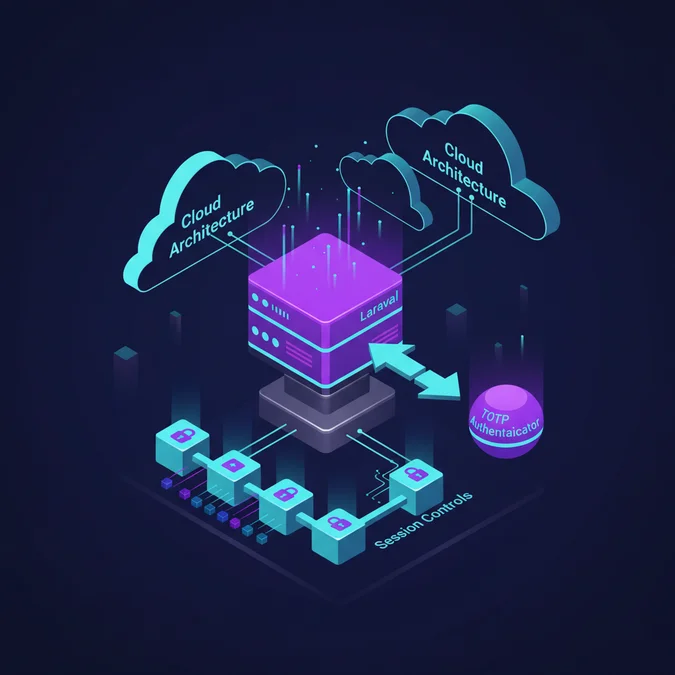

Laravel 2FA is a security pattern that mandates a secondary verification step, typically a time-based one-time password (TOTP) generated via RFC 6238, after successful primary credential authentication. It integrates into Laravel using middleware, cryptographic session markers, encrypted secret stores, and recovery code engines to mitigate credential stuffing and session hijacking.
Passwords remain vulnerable to automated credential reuse attacks, dictionary assaults, and leaked credential databases. While primary authentication establishes identity, standard password-based models offer zero defense once credentials leak through phishing or external corporate breaches.
Implementing reliable multi-factor mechanisms demands rigorous architectural discipline. This guide examines how to construct a resilient Laravel 2FA architecture, covering state transitions, secure secret storage, session isolation, TOTP verification algorithms, hardware keys, and comprehensive disaster recovery strategies.
Anatomy of RFC 6238 and TOTP in Laravel
Time-based One-Time Password algorithms generate temporary numeric tokens derived from a shared secret and current Unix epoch time. Under RFC 6238, TOTP relies on the HMAC-based One-Time Password standard (RFC 4226), substituting a moving counter with a time-step window.
The system calculates the counter value T using the formula:
// Time-step calculation under RFC 6238
$timeStep = 30; // standard 30-second window
$counter = floor(time() / $timeStep);
The shared secret is combined with this counter using an HMAC hashing algorithm, most commonly HMAC-SHA1, although HMAC-SHA256 and HMAC-SHA512 provide higher theoretical resistance to collision vectors. The resulting digest undergoes dynamic truncation to extract a 4-byte string, which is converted to an integer and modulo reduced to produce a 6-digit or 8-digit human-readable token.
In Laravel applications, time drift presents an operational challenge. If the user device clock deviates from the production server clock by more than 15 seconds, valid tokens are rejected. A production-ready verification pipeline checks a sliding window covering the immediate past, current, and immediate future steps (steps: -1, 0, +1), accepting tokens within a 90-second boundary.
Database Schema Design for Authentication State
Tracking two-factor status requires extending the user entity without degrading queries across normal authenticated workloads. A common architectural antipattern involves storing two-factor state as loose flags directly on the primary user record, blending mutable operational states with identity credentials.
A dedicated table, or strictly defined columns on the users table with encrypted cast handlers, maintains system integrity. Below is an optimal migration schema containing the two-factor secret, recovery codes, and confirmation timestamps:
use Illuminate\Database\Migrations\Migration;
use Illuminate\Database\Schema\Blueprint;
use Illuminate\Support\Facades\Schema;

return new class extends Migration
{
 public function up(): void
 {
 Schema:table('users', function (Blueprint $table) {
 $table->text('two_factor_secret')
 ->nullable()
 ->after('password');
 $table->text('two_factor_recovery_codes')
 ->nullable()
 ->after('two_factor_secret');
 $table->timestamp('two_factor_confirmed_at')
 ->nullable()
 ->after('two_factor_recovery_codes');
 });
 }

 public function down(): void
 {
 Schema:table('users', function (Blueprint $table) {
 $table->dropColumn([
 'two_factor_secret',
 'two_factor_recovery_codes',
 'two_factor_confirmed_at',
 ]);
 });
 }
};
Security dictates that the two_factor_secret must never exist as plaintext in persistent storage. Laravel model attribute casting ensures the framework decrypts the secret only during lifecycle operations:
namespace App\Models;

use Illuminate\Foundation\Auth\User as Authenticatable;

class User extends Authenticatable
{
 protected $casts = [
 'two_factor_secret' => 'encrypted',
 'two_factor_recovery_codes' => 'encrypted:array',
 'two_factor_confirmed_at' => 'datetime',
 ];
}
This encryption strategy ensures that unauthorized read access to database backups does not compromise the authenticator seeds, provided application encryption keys remain protected.
TOTP Secret Generation and QR Code Provisioning
Enrolling a mobile authenticator application (such as Google Authenticator, Aegis, or 1Password) requires generating an RFC 3548 Base32-compliant secret and provisioning it via an otpauth:// URI encoded into a visual matrix.
The provisioning URI follows a strict specification:
otpauth://totp/PlatformName:user@example.com?secret=JBSWY3DPEHPK3PXP&issuer=PlatformName&algorithm=SHA1&digits=6&period=30Generating this secret requires a cryptographically secure pseudo-random number generator (CSPRNG). Here is a complete service implementation demonstrating secret generation and QR output generation:
namespace App\Services;

use BaconQrCode\Renderer\ImageRenderer;
use BaconQrCode\Renderer\Image\SvgImageBackEnd;
use BaconQrCode\Renderer\RendererStyle\RendererStyle;
use BaconQrCode\Writer;
use PragmaRX\Google2FA\Google2FA;

class TwoFactorAuthenticationService
{
 public function __construct(
 protected Google2FA $engine
 ) {}

 public function generateSecretKey(): string
 {
 return $this->engine->generateSecretKey(32);
 }

 public function getQrCodeSvg(string $company, string $holder, string $secret): string
 {
 $url = $this->engine->getQRCodeUrl($company, $holder, $secret);
 $writer = new Writer(
 new ImageRenderer(
 new RendererStyle(200),
 new SvgImageBackEnd()
 )
 );

 return $writer->writeString($url);
 }

 public function verifyKey(string $secret, string $code, int $window = 1): bool
 {
 return (bool) $this->engine->verifyKey($secret, $code, $window);
 }
}
Rendering inline SVG strings circumvents external API dependencies, preventing third-party trackers from intercepting authentication URLs during onboarding.
Stateful Session Lifecycles and Two-Factor Middleware
A critical architectural pitfall in custom 2FA systems is granting a fully authenticated HTTP session immediately following primary credential verification. In secure implementations, the user session enters a quarantined state until the second factor is presented.
When primary authentication succeeds, the controller marks the session as unconfirmed and redirects the request:
namespace App\Http\Controllers\Auth;

use App\Http\Controllers\Controller;
use Illuminate\Http\Request;
use Illuminate\Support\Facades\Auth;

class AuthenticatedSessionController extends Controller
{
 public function store(Request $request)
 {
 $credentials = $request->validate([
 'email' => ['required', 'email'],
 'password' => ['required', 'string'],
 ]);

 if (! Auth:validate($credentials)) {
 return back()->withErrors(['email' => 'Invalid credentials.']);
 }

 $user = Auth:getProvider()->retrieveByCredentials($credentials);

 if ($user->two_factor_confirmed_at) {
 $request->session()->put([
 'login.id' => $user->getKey(),
 'login.remember' => $request->boolean('remember'),
 'auth.2fa.required' => true,
 ]);

 return redirect()->route('two-factor.challenge');
 }

 Auth:login($user, $request->boolean('remember'));
 $request->session()->regenerate();

 return redirect()->intended('/dashboard');
 }
}
Application routes must enforce verification status using an HTTP middleware. If a request reaches a restricted route while auth.2fa.required remains set, the middleware halts processing:
namespace App\Http\Middleware;

use Closure;
use Illuminate\Http\Request;
use Symfony\Component\HttpFoundation\Response;

class RequireTwoFactorAuthentication
{
 public function handle(Request $request, Closure $next): Response
 {
 $user = $request->user();

 if (! $user) {
 return redirect()->route('login');
 }

 if ($user->two_factor_confirmed_at && $request->session()->get('auth.2fa.required', false)) {
 return redirect()->route('two-factor.challenge');
 }

 return $next($request);
 }
}
Coupling this design with structured smoke tests safeguards systems from authorization bypass bugs. Teams evaluating deployment confidence often leverage smoke testing in software engineering pipelines to detect authentication flow regressions before push to staging.
Recovery Codes Architecture and Replay Prevention
When mobile devices break, corrupt their operating systems, or migrate without full backups, users lose access to TOTP tokens. Without secondary authentication channels, account lockout is absolute. Systems require single-use emergency recovery codes.
Recovery codes must balance entropy and readability. A standard pattern generates eight distinct 10-character alphanumeric strings split into blocks (for example, abcde-12345). These codes must be stored hashed or encrypted, and destroyed immediately upon use.
namespace App\Actions;

use App\Models\User;
use Illuminate\Support\Collection;
use Illuminate\Support\Str;

class GenerateRecoveryCodes
{
 public function execute(User $user): array
 {
 $codes = Collection:times(8, function () {
 return Str:random(10);
 })->all();

 $user->forceFill([
 'two_factor_recovery_codes' => $codes,
 ])->save();

 return $codes;
 }
}
When a recovery code is consumed during authentication, an atomic transaction matches, validates, and strips the code from the array:
namespace App\Actions;

use App\Models\User;
use Illuminate\Support\Facades\DB;

class ConsumeRecoveryCode
{
 public function execute(User $user, string $submittedCode): bool
 {
 return DB:transaction(function () use ($user, $submittedCode) {
 // Fresh lock on record to eliminate race conditions
 $lockedUser = User:where('id', $user->id)->lockForUpdate()->first();
 $codes = $lockedUser->two_factor_recovery_codes? [];

 foreach ($codes as $index => $code) {
 if (hash_equals($code, $submittedCode)) {
 unset($codes[$index]);
 $lockedUser->two_factor_recovery_codes = array_values($codes);
 $lockedUser->save();
 return true;
 }
 }

 return false;
 });
 }
}
Using hash_equals protects the lookup against timing attacks, while database row locking prevents concurrent replay vectors if an attacker fires parallel HTTP requests with the same code.
Comparing First-Party Laravel Fortify vs Custom Implementations
Architects deciding on authentication infrastructure in Laravel generally choose between building a custom implementation or adopting Laravel Fortify, the framework’s official headless authentication backend.
| Metric / Criterion | Custom Implementation | Laravel Fortify |
|---|---|---|
| Code Footprint | High (Custom controllers, services, actions) | Minimal (Vendor service package) |
| Flexibility | Complete control over flow and payloads | Configured through standard action contracts |
| Session Quarantine | Manual implementation required | Built-in state machine |
| Recovery Codes | Custom storage and consumption logic | Pre-built encrypted array handling |
| Frontend Independence | Native Blade, Inertia, or headless APIs | Strictly headless (fits Blade, Vue, React) |
| Maintenance Burden | High across major Laravel releases | Standard package maintenance |
Laravel Fortify exposes robust contracts for two-factor verification out of the box, handling token generation, validation, and recovery code lifecycles. However, custom implementations remain necessary when systems require custom time windows, multi-tenant secret managers, or bespoke single sign-on (SSO) fallbacks.
For enterprise projects requiring domain-specific login logic, teams often consult specialized engineering groups like those providing custom software development in Houston to tailor authentication stacks to complex enterprise compliance rules.
Livewire and Single Page Application 2FA Challenge Flows
Integrating 2FA challenges into Single Page Applications (SPAs) or real-time stacks like Livewire introduces state lifecycle complications. Unlike traditional HTTP form posts that reset document context, dynamic clients must handle state transitions without exposing token state.
When architecting a challenge component in Livewire, state must stay restricted to component properties. The challenge screen should enforce rate-limiting directly within the component execution loop:
namespace App\Livewire\Auth;

use App\Services\TwoFactorAuthenticationService;
use Illuminate\Support\Facades\Auth;
use Illuminate\Support\Facades\RateLimiter;
use Livewire\Component;

class TwoFactorChallenge extends Component
{
 public string $code = '';
 public string $recoveryCode = '';
 public bool $usingRecovery = false;

 public function verify(TwoFactorAuthenticationService $service)
 {
 $throttleKey = '2fa.challenge:'. session('login.id'). '|'. request()->ip();

 if (RateLimiter:tooManyAttempts($throttleKey, 5)) {
 $seconds = RateLimiter:availableIn($throttleKey);
 $this->addError('code', "Too many attempts. Try again in {$seconds} seconds.");
 return;
 }

 $userId = session('login.id');
 $user = \App\Models\User:findOrFail($userId);

 if (! $this->usingRecovery) {
 if (! $service->verifyKey(decrypt($user->two_factor_secret), $this->code)) {
 RateLimiter:hit($throttleKey, 300);
 $this->addError('code', 'The provided token is invalid.');
 return;
 }
 } else {
 // Recovery code logic
 }

 RateLimiter:clear($throttleKey);
 session()->forget('auth.2fa.required');
 Auth:login($user, session('login.remember', false));
 session()->regenerate();

 return redirect()->intended('/dashboard');
 }

 public function render()
 {
 return view('livewire.auth.two-factor-challenge');
 }
}
For teams building dynamic client applications, review the architectural considerations in our analysis of the Laravel Livewire API lifecycle to coordinate client-side component reactivity with server-side validation.
Security Implications: Brute-Force, Replay, and Time Drift
A 6-digit TOTP code contains only 1,000,000 combinations. An attacker with intercepted credentials can exhaust this space within minutes unless constrained by rate limiting and strict replay detection.
Rate Limiting Strategies
Laravel provides the RateLimiter facade, which interfaces directly with Redis or database cache backends. Challenge endpoints must apply strict throttling rules tied both to the client IP address and the targeted user identity:
use Illuminate\Support\Facades\RateLimiter;
use Illuminate\Http\Request;

public function throttleKey(Request $request): string
{
 return 'two-factor-auth:'. $request->session()->get('login.id'). '|'. $request->ip();
}
Limiting requests to 5 failed attempts per 5-minute interval reduces brute-force success probability to near zero.
Replay Attack Prevention
A standard TOTP code remains valid for the duration of its time-step (typically 30 seconds, or up to 90 seconds with drift tolerances). If an eavesdropper intercepts a token within this window, they can submit it before expiration.
To prevent replay attacks, track recently verified tokens in an ephemeral cache with a TTL matching the acceptable drift window:
use Illuminate\Support\Facades\Cache;

public function isTokenReplayed(int $userId, string $code): bool
{
 $cacheKey = "2fa.used:{$userId}:{$code}";

 // Set token in cache with a 90-second TTL
 if (Cache:has($cacheKey)) {
 return true;
 }

 Cache:put($cacheKey, true, now()->addSeconds(90));
 return false;
}
If the cache contains the token, the application rejects the request immediately, ensuring each token operates as a true one-time password.
Hardware Keys and WebAuthn Alternatives
While TOTP mitigates automated attacks, it remains susceptible to advanced reverse-proxy phishing systems (such as Evilginx). Phishing proxies relay credentials and dynamic 2FA tokens to authentic servers in real time, capturing authenticated session cookies.
WebAuthn and FIDO2 hardware keys (e.g. YubiKeys) eliminate this vulnerability by binding cryptographic proof directly to the browser TLS origin. Under WebAuthn, hardware authenticators generate public-key credentials bound to the application origin domain, preventing relay through proxy domains.
| Security Factor | TOTP (RFC 6238) | WebAuthn / FIDO2 |
|---|---|---|
| Shared Secret Exposure | Server holds decrypted seed in memory | Zero-knowledge; server stores only public key |
| Phishing Resistance | Vulnerable to real-time proxy kits | Cryptographically bound to domain origin |
| Hardware Dependency | Any mobile authenticator app | Physical USB/NFC key or platform authenticator |
| Implementation Complexity | Low (Pure PHP logic) | High (Requires browser credentials API) |
Incorporating modern security hardware alongside TOTP gives users flexibility while establishing zero-trust protocols for high-privilege administrators.
Testing 2FA Systems: Mocks, Clocks, and Feature Tests
Automated testing for two-factor authentication must account for time-dependent operations without causing brittle build runs. Manipulating application clocks and intercepting service containers allows deterministic testing.
Using Laravel testing helpers, you can travel through time and mock underlying TOTP engines cleanly:
namespace Tests\Feature\Auth;

use App\Models\User;
use App\Services\TwoFactorAuthenticationService;
use Illuminate\Foundation\Testing\RefreshDatabase;
use Mockery;
use Tests\TestCase;

class TwoFactorAuthenticationTest extends TestCase
{
 use RefreshDatabase;

 public function test_user_can_authenticate_with_valid_totp_code(): void
 {
 $user = User:factory()->create([
 'two_factor_secret' => encrypt('JBSWY3DPEHPK3PXP'),
 'two_factor_confirmed_at' => now(),
 ]);

 $serviceMock = Mockery:mock(TwoFactorAuthenticationService:class);
 $serviceMock->shouldReceive('verifyKey')
 ->with('JBSWY3DPEHPK3PXP', '123456')
 ->once()
 ->andReturn(true);

 $this->app->instance(TwoFactorAuthenticationService:class, $serviceMock);

 $response = $this->withSession([
 'login.id' => $user->id,
 'auth.2fa.required' => true,
 ])->post('/two-factor-challenge', [
 'code' => '123456',
 ]);

 $response->assertRedirect('/dashboard');
 $this->assertAuthenticatedAs($user);
 $this->assertFalse(session()->has('auth.2fa.required'));
 }
}
Engineering teams assessing system architecture and developer skill sets often mirror frameworks like the Anthropic developer certification to structure code review standards and unit testing compliance across sensitive code paths.
Disaster Recovery, Administrative Overrides, and Auditing
Inevitably, end users lose both their TOTP authenticator devices and recovery code archives. Without administrative fallback workflows, user accounts face permanent abandonment. However, naive administrative overrides represent an attack vector for social engineering campaigns.
Administrative reset workflows must enforce the following security controls:
- Split Authority Approvals: High-privilege account resets should require verification from two independent staff members.
- Mandatory Identity Challenge: Re-verify user identity using alternative channels (e.g. identity verification platforms, verified phone lines).
- Comprehensive Audit Logging: Record administrative overrides to an immutable log containing actor ID, target user ID, reason, and IP address.
namespace App\Actions;

use App\Models\User;
use Illuminate\Support\Facades\Log;

class AdminDisableTwoFactor
{
 public function execute(User $actor, User $targetUser, string $reason): void
 {
 // Verify permissions
 abort_unless($actor->can('manage-user-security'), 403);

 $targetUser->forceFill([
 'two_factor_secret' => null,
 'two_factor_recovery_codes' => null,
 'two_factor_confirmed_at' => null,
 ])->save();

 Log:channel('security')->warning('Two-factor authentication disabled by administrator.', [
 'admin_id' => $actor->id,
 'target_user_id' => $targetUser->id,
 'reason' => $reason,
 'timestamp' => now()->toIso8601String(),
 ]);
 }
}
Logging resets to a dedicated channel outside default application files (such as an external syslog aggregator or cloud log bucket) guarantees non-repudiation and preserves audit trails during security investigations.
Decision Matrix: Selecting the Right 2FA Architecture
Choosing the correct 2FA architecture depends on project scale, frontend architecture, and compliance overhead. Use this decision matrix to evaluate your options:
| Architecture Approach | Ideal Scenario | Primary Drawback |
|---|---|---|
| Laravel Fortify | Standard Laravel full-stack applications or single-page apps using official authentication kits | Strict conventions around action execution |
| Custom Service Engine | Complex SSO integration, multi-tenant databases, non-standard TOTP time-steps | Ongoing internal code maintenance and testing burden |
| Third-Party Auth (Auth0, Okta) | Enterprise federated systems with dedicated identity management teams | External network dependencies and vendor lock-in |
| WebAuthn / Passkeys | High-risk environments requiring phishing resistance | Requires modern hardware and complex client JavaScript APIs |
Evaluate these technical trade-offs against your engineering requirements and team velocity before committing to an architecture.
[Explore our complete Laravel, Basics directory for more guides.](/topics/topics-laravel-basics/)
Implementing two-factor authentication in Laravel requires more than dropping a TOTP package into an existing route. Resilient security architectures demand disciplined session quarantine mechanics, encrypted persistent storage, cache-backed replay prevention, and strict rate limiting to withstand real-world attack vectors.
For standard Laravel architectures, leveraging Laravel Fortify delivers a battle-tested foundation that eliminates redundant code. When enterprise constraints dictate bespoke authentication flows, ensure your implementation isolates intermediate credentials, validates time drift, and logs administrative operations to maintain security across your application lifecycle.