
An Integrated Development Environment (IDE) in software development is a software application that provides a comprehensive set of tools for writing, testing, and debugging code within a single, unified interface. It consolidates various development tasks, significantly enhancing developer productivity, code quality, and team collaboration across the software development lifecycle.
From a CTO’s perspective, the choice and adoption of an IDE are not merely technical preferences but strategic decisions that directly influence team velocity, total cost of ownership (TCO), and the organization’s capacity to deliver high-quality software efficiently. A well-selected and properly configured IDE can be a force multiplier, reducing friction in the development workflow and allowing engineers to focus on problem-solving rather than toolchain integration. Conversely, a fragmented or inefficient toolset can introduce significant technical debt and hinder project timelines.
This article will dissect the fundamental role of IDEs, their architectural underpinnings, and their profound impact on business outcomes. We will explore how these powerful tools contribute to accelerating development cycles, improving code maintainability, and fostering a more productive engineering culture, ultimately driving the strategic objectives of a technology-driven business.
The Integrated Development Environment (IDE): A Core Productivity Platform
An Integrated Development Environment (IDE) serves as the central workstation for software developers, unifying disparate tools into a cohesive application that supports the entire software creation process. It provides a structured environment where engineers can write, compile, debug, and deploy code without constantly switching between different applications, thereby minimizing context switching overhead and maximizing focus.
Historically, software development involved a collection of command-line tools and text editors. Engineers would write code in a simple editor, compile it using a separate command-line compiler, debug with another utility, and manage versions through distinct version control clients. This fragmented approach introduced significant cognitive load and operational inefficiencies. The advent of the IDE addressed this by integrating these functionalities, offering a single pane of glass for all core development activities. This integration is not just about convenience; it fundamentally transforms the developer experience by providing intelligent assistance and automation that would be cumbersome or impossible with discrete tools.
The strategic shift towards integrated platforms like IDEs is critical for any organization aiming to optimize its software development lifecycle. By standardizing on a powerful IDE, companies can ensure a consistent development environment across teams, reduce onboarding time for new engineers, and enforce coding standards more effectively. It’s an investment in developer ergonomics that pays dividends in productivity and talent retention. The benefits extend beyond individual efficiency; a unified environment facilitates better collaboration, as team members operate within a common, well-understood ecosystem, reducing inconsistencies and integration challenges.
For instance, an IDE’s integrated build system often abstracts away complex compilation commands, allowing developers to trigger builds with a single click or keyboard shortcut. Its version control integration means developers can commit, pull, and push changes directly from their coding environment, seeing diffs and managing branches visually. These capabilities streamline the day-to-day tasks that consume significant developer time, freeing them to concentrate on architectural design, algorithm optimization, and feature implementation. The cumulative effect across an engineering organization is a measurable increase in output and a reduction in operational friction, directly impacting project timelines and overall business agility.
From a total cost of ownership (TCO) perspective, while some premium IDEs may involve licensing fees, the gains in productivity, reduced debugging time, and improved code quality typically far outweigh these costs. Consider the time saved by an auto-completion feature that prevents syntax errors, or a refactoring tool that safely renames variables across an entire codebase in seconds. These efficiencies translate directly into lower development costs and faster time-to-market for critical features, providing a strong return on investment for the strategic adoption of robust IDEs.
Architecture and Core Components of a Modern IDE
A modern Integrated Development Environment (IDE) is a sophisticated application built upon a layered architecture, designed to provide extensibility, performance, and a rich user experience. Understanding its core components reveals how it delivers its powerful capabilities, enhancing developer workflow and code quality.
Source Code Editor
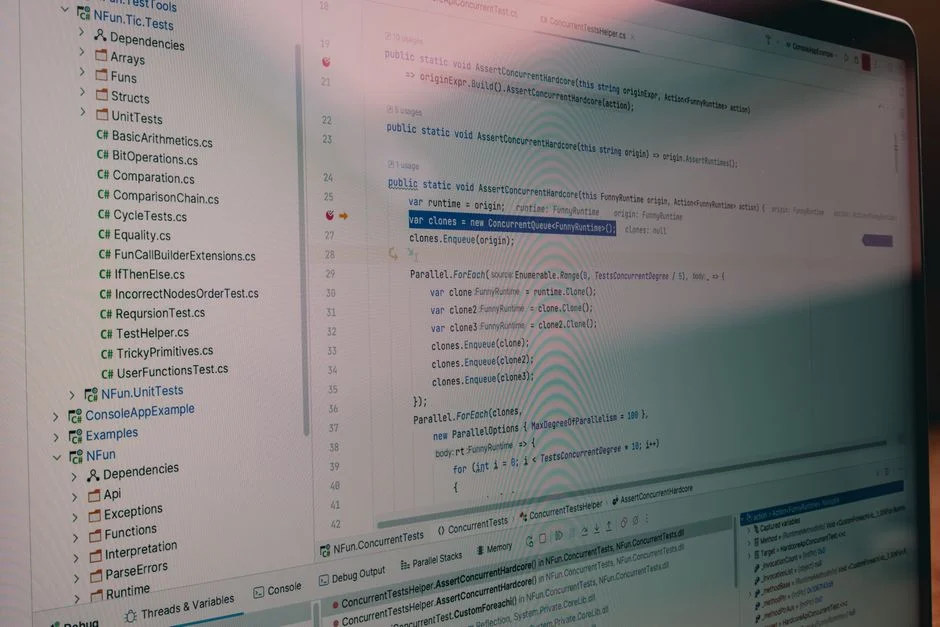
At the heart of every IDE is a powerful **source code editor**. Unlike a basic text editor, an IDE’s editor is context-aware. It features syntax highlighting, which visually distinguishes different elements of the code (keywords, variables, comments) using color. This dramatically improves readability and helps identify syntax errors quickly. Advanced editors also offer intelligent code completion (IntelliSense or auto-completion), which suggests relevant code snippets, variable names, and function calls as the developer types, significantly accelerating coding speed and reducing typos. Other crucial editor features include code folding, bracket matching, multi-cursor editing, and snippets, all designed to enhance typing efficiency and code navigation.
Compiler/Interpreter and Build Automation
IDEs seamlessly integrate with **compilers or interpreters** specific to the programming languages being used. For compiled languages (e.g., Java, C++, Go), the IDE can invoke the compiler to translate source code into executable binaries. For interpreted languages (e.g., Python, JavaScript, PHP), it can execute the code directly. Beyond simple compilation, IDEs incorporate **build automation tools** (e.g., Maven, Gradle, Webpack, Composer). These tools manage dependencies, execute build scripts, run tests, and package applications, often with visual interfaces that simplify complex build processes. This integration ensures that developers can build and run their applications directly from the IDE, streamlining the development-test cycle.
Debugger
An integrated **debugger** is indispensable for identifying and resolving logical errors in code. It allows developers to execute code line by line, set breakpoints to pause execution at specific points, inspect variable values, and examine the call stack. This granular control over program execution is crucial for understanding program flow and pinpointing the root cause of bugs. Modern debuggers often support remote debugging, enabling developers to troubleshoot applications running on different machines or environments, a critical feature for distributed systems and cloud deployments.
Version Control System (VCS) Integration
Effective team collaboration and code management rely heavily on **Version Control Systems (VCS)** like Git. IDEs provide deep integration with these systems, allowing developers to perform common VCS operations (e.g., commit, push, pull, branch, merge, rebase) directly within the IDE’s interface. This visual management of code changes, conflict resolution tools, and history browsing capabilities simplifies complex VCS workflows, reducing errors and ensuring code integrity across team members.
Refactoring Tools and Static Analysis
To improve code quality and maintainability, IDEs offer powerful **refactoring tools**. These tools can automatically and safely restructure code without changing its external behavior, for example, renaming variables, extracting methods, or changing method signatures across an entire project. This capability is vital for managing technical debt and keeping a codebase clean and adaptable. Additionally, many IDEs include **static analysis tools** that examine code without executing it, identifying potential bugs, security vulnerabilities, and adherence to coding standards. These tools provide real-time feedback, helping developers catch issues early in the development cycle, long before they reach testing or production environments.
Extensibility and Plugin Ecosystem
Modern IDEs are designed to be highly extensible, supporting a rich **plugin and extension ecosystem**. This allows developers to customize their environment, adding support for new languages, frameworks, testing tools, linters, and even custom workflows. This extensibility is often facilitated by architectural patterns like the Language Server Protocol (LSP) and Debug Adapter Protocol (DAP), which standardize communication between the IDE and language-specific tools. This modularity ensures that an IDE can adapt to a vast array of project requirements and developer preferences, making it a versatile and future-proof investment.
Strategic Advantages: Accelerating Development Velocity and Quality
The strategic adoption of a robust Integrated Development Environment offers profound advantages that directly translate into accelerated development velocity and improved software quality, both critical metrics for any technology-driven business. From a leadership perspective, these benefits are not merely conveniences for individual developers but fundamental drivers of organizational efficiency and market responsiveness.
Enhanced Developer Productivity
One of the most immediate and significant advantages is the boost in **developer productivity**. By consolidating essential tools, IDEs drastically reduce context switching, allowing engineers to remain in a focused flow state. Features like intelligent code completion, real-time error checking, and integrated debugging mean less time spent on mundane tasks, syntax errors, and hunting for bugs. This efficiency gain is cumulative; even small time savings per task, when multiplied across a team of developers and thousands of coding sessions, result in substantial gains in overall project timelines and feature delivery rates. This directly impacts the ability to bring new products or features to market faster, providing a competitive edge.
Improved Code Quality and Maintainability
IDEs are instrumental in fostering higher **code quality**. Their integrated static analysis tools provide immediate feedback on potential issues, encouraging developers to write cleaner, more maintainable code from the outset. Refactoring capabilities allow for safe and efficient restructuring of code, which is crucial for reducing technical debt over time. By enabling developers to easily adhere to coding standards and identify complex code patterns, IDEs ensure that the codebase remains robust, scalable, and easier for future engineers to understand and modify. This proactive approach to quality minimizes the likelihood of defects reaching production, reducing costly post-release fixes and associated reputational damage.
Streamlined Debugging and Troubleshooting
The sophisticated debugging capabilities of an IDE are a game-changer for **troubleshooting complex issues**. Stepping through code, inspecting variables, and analyzing call stacks within a visual interface dramatically reduces the time required to diagnose and fix bugs. This efficiency is particularly valuable in complex distributed systems or applications with intricate business logic. Faster debugging cycles mean less downtime for critical systems and quicker resolution of customer-impacting issues, directly contributing to operational stability and customer satisfaction.
Facilitating Team Collaboration and Onboarding
For engineering teams, IDEs enhance **collaboration** by providing a consistent development environment. When all developers use similar tools and configurations, it minimizes “works on my machine” problems and ensures that code behaves predictably across different workstations. Furthermore, the integration with version control systems streamlines code reviews and merging processes. For new team members, a well-documented and standardized IDE setup significantly reduces **onboarding time**. Instead of spending days configuring disparate tools, new hires can become productive much faster, which is a key factor in scaling engineering teams effectively.
Mitigating Technical Debt
While not a magic bullet, IDEs play a crucial role in **mitigating technical debt**. Their refactoring tools empower developers to continuously improve the codebase, making small, incremental changes that prevent larger architectural issues from accumulating. Static analysis and code quality metrics, often integrated into the IDE, provide visibility into areas of concern, allowing teams to address them proactively. This continuous improvement philosophy, supported by IDE capabilities, helps maintain a healthy codebase that is easier and less costly to evolve over its lifetime.
In summary, the strategic investment in and thoughtful utilization of IDEs are not just about developer comfort; they are about building a more efficient, higher-quality, and more adaptable software development organization. The cumulative impact on velocity, quality, and maintainability directly influences the bottom line and the ability to compete effectively in a dynamic market.
Types of IDEs and Their Application Contexts
The landscape of Integrated Development Environments is diverse, with various types tailored to different programming paradigms, platforms, and team structures. Understanding these distinctions is crucial for CTOs and technical leaders to select the most appropriate IDEs that align with their specific technological stack, project requirements, and operational goals. The right choice can significantly impact developer efficiency and project success.
Desktop-Based IDEs
Historically, and still predominantly, **desktop-based IDEs** are applications installed directly on a developer’s local machine. These IDEs typically offer the richest feature set, deepest integration with the local file system and operating system, and often the best performance for computationally intensive tasks like compilation and indexing. Examples include:
- JetBrains IDEs (IntelliJ IDEA, PyCharm, WebStorm, PhpStorm): Renowned for their powerful code analysis, advanced refactoring tools, and deep understanding of specific languages and frameworks. They are often favored for enterprise-level Java, Python, and web development due to their robust feature sets and strong emphasis on developer productivity.
- Visual Studio (Microsoft): A comprehensive IDE primarily for .NET development, C++, and various Microsoft technologies. It offers extensive debugging capabilities, strong integration with Azure cloud services, and a vast extension ecosystem.
- Eclipse (Eclipse Foundation): An open-source, extensible IDE popular for Java development, but adaptable to many other languages through plugins. Its modular architecture makes it highly customizable.
- Xcode (Apple): The official IDE for macOS, iOS, watchOS, and tvOS development, primarily using Swift and Objective-C. It integrates tightly with Apple’s ecosystem, including UI builders and device simulators.
Desktop IDEs are ideal for scenarios requiring maximum performance, offline work capabilities, and extensive customization. However, they require powerful local hardware and can have a steeper learning curve due to their rich feature set.
Lightweight Editors with IDE-like Features
A growing trend involves **lightweight code editors** that, through extensive plugin ecosystems, can achieve many IDE-like functionalities. These editors offer a balance between the simplicity of a text editor and the power of a full IDE.
- Visual Studio Code (Microsoft): An incredibly popular, open-source code editor that, with its vast marketplace of extensions, transforms into a powerful IDE for almost any language or framework. Its lightweight nature, fast startup time, and strong community support make it a favorite for web development (React, Next.js), Node.js, Python, and many other ecosystems.
- Sublime Text / Atom: Other extensible text editors that can be configured to act like IDEs, though VS Code has largely surpassed them in popularity and feature richness.
These are well-suited for projects where flexibility, speed, and a highly customizable environment are prioritized. They are particularly strong in JavaScript/TypeScript, Python, and PHP development, aligning well with modern web and API development stacks.
Cloud-Based IDEs / Online Development Environments (ODEs)
**Cloud-based IDEs** or **Online Development Environments (ODEs)** run entirely in a web browser, abstracting away the need for local setup and powerful hardware. These environments provide a consistent, pre-configured development environment accessible from anywhere, offering significant advantages for collaboration and standardized development.
- GitHub Codespaces / Gitpod: These platforms launch a full development environment in the cloud directly from a Git repository. They come pre-loaded with dependencies, tools, and even running application servers, allowing developers to start coding immediately without any local setup. This is particularly valuable for onboarding new team members or contributing to open-source projects.
- AWS Cloud9 / Google Cloud Shell Editor: Cloud provider-specific IDEs that integrate deeply with their respective cloud services, offering convenient access to cloud resources and deployment tools.
Cloud IDEs are excellent for distributed teams, rapid prototyping, educational settings, and projects requiring consistent environments across multiple developers. They reduce local resource requirements and simplify dependency management but require a stable internet connection.
Mobile-Specific IDEs
For mobile application development, specialized IDEs are essential due to the unique requirements of target platforms (iOS, Android).
- Android Studio (Google): The official IDE for Android development, built on IntelliJ IDEA. It provides powerful tools for UI design, device emulation, performance profiling, and integration with the Android SDK.
- Xcode (Apple): As mentioned, it’s indispensable for iOS and macOS development, offering specific tools for Apple’s ecosystem.
These IDEs are optimized for the specific challenges of mobile development, including managing device fragmentation, performance optimization, and integrating with platform-specific APIs. The strategic selection of an IDE type depends heavily on the organization’s technology stack, team distribution, and desired development workflow. A thoughtful decision here can significantly enhance developer efficiency and project delivery.
IDE Selection Criteria: A Strategic Framework for CTOs
Selecting the right Integrated Development Environment is a strategic decision for a CTO, impacting not just developer experience but also project timelines, operational costs, and long-term maintainability. It requires a comprehensive evaluation framework that goes beyond individual preferences to consider the broader organizational and technical landscape. A well-chosen IDE acts as a force multiplier, while a poor choice can become a source of friction and technical debt.
Alignment with Technology Stack
The foremost criterion is the **IDE’s alignment with the organization’s core technology stack**. If the primary development is in Java, an IDE like IntelliJ IDEA or Eclipse might be a natural fit due to their robust Java support. For .NET ecosystems, Visual Studio is the de facto standard. For modern web development leveraging React, Next.js, or Laravel with TypeScript and PHP, Visual Studio Code often provides the best balance of flexibility and performance via its extensive plugin ecosystem. The chosen IDE must offer first-class support for the programming languages, frameworks, and databases in use, including intelligent code completion, debugging, and build tooling specific to those technologies.
Developer Experience and Productivity Features
The **developer experience (DX)** provided by the IDE directly correlates with productivity. Evaluate features such as:
- Intelligent Code Completion and Suggestions: How accurate and helpful are the suggestions? Do they support context-aware completion across libraries and frameworks?
- Refactoring Capabilities: Can the IDE safely and efficiently perform complex code refactorings across the codebase?
- Debugging Tools: Is the debugger intuitive, powerful, and capable of handling complex scenarios (e.g., multi-threaded, remote debugging)?
- Integrated Version Control: How seamlessly does it integrate with Git or other VCS, including visual diffing and conflict resolution?
- Performance: How quickly does the IDE start up, index projects, and perform common operations? Does it remain responsive with large codebases?
A positive DX reduces frustration, minimizes context switching, and allows engineers to stay in a productive flow state, directly impacting team velocity.
Extensibility and Ecosystem
No single IDE can provide every feature out-of-the-box. Therefore, **extensibility and a rich plugin ecosystem** are critical. The ability to customize the IDE with extensions for linters (e.g., ESLint), formatters (e.g., Prettier), testing frameworks, database clients, or cloud service integrations ensures that the IDE can adapt to evolving project needs. A vibrant community and a well-maintained marketplace of extensions indicate a healthy and future-proof IDE choice. This also includes support for Language Server Protocol (LSP) and Debug Adapter Protocol (DAP), which ensure broad language support and integration with various tooling.
Collaboration Features and Cloud Integration
For distributed teams, **collaboration features** are increasingly important. Consider IDEs that offer built-in collaboration tools (e.g., VS Code Live Share) or seamless integration with cloud development environments (e.g., GitHub Codespaces, Gitpod). These can standardize development environments, simplify onboarding, and enable pair programming or remote assistance. Integration with cloud providers (AWS, Azure, Google Cloud) can also streamline deployment and management of cloud resources directly from the development environment.
Cost and Licensing
While often secondary to productivity gains, **cost and licensing models** must be considered. Open-source IDEs like VS Code and Eclipse offer powerful capabilities without direct licensing fees, though they might require investment in community-driven support or custom tooling. Commercial IDEs like those from JetBrains or Visual Studio Enterprise come with licensing costs but often provide dedicated support, advanced features, and a more polished experience. The TCO should factor in not just direct costs but also the productivity gains and potential reduction in technical debt.
Community Support and Documentation
A strong **community and comprehensive documentation** are invaluable. Active forums, extensive tutorials, and readily available solutions to common problems can significantly reduce debugging time and learning curves for new features or configurations. This support infrastructure ensures that developers can quickly find answers and leverage the full power of their chosen tool.
By systematically evaluating IDEs against these criteria, CTOs can make informed decisions that empower their engineering teams, optimize development workflows, and ultimately contribute to the strategic success of their software initiatives.
Optimizing IDE Workflows for Maximum Team Velocity
Beyond merely selecting a powerful Integrated Development Environment, maximizing its potential requires deliberate optimization of workflows. For a CTO, this translates to establishing practices and configurations that amplify team velocity, reduce friction, and ensure consistent, high-quality output across the entire engineering organization. It’s about turning a robust tool into a highly efficient operational system.
Standardized Configuration and Dotfiles Management
One of the most effective ways to optimize IDE workflows is through **standardized configurations**. This involves creating a baseline setup for the chosen IDE, including recommended extensions, settings, keybindings, and themes. These configurations can be managed as “dotfiles” in a version control system (like Git), allowing every developer to quickly set up their environment consistently. This approach minimizes the “works on my machine” problem, ensures a uniform developer experience, and reduces the onboarding time for new team members significantly. When every developer’s IDE behaves similarly, it fosters a shared understanding of the development environment and reduces cognitive load during collaboration or code reviews.
Automating Common Tasks with IDE Features
Modern IDEs offer extensive capabilities for **automating common, repetitive tasks**. This includes:
- Task Runners: Integrating build tools (e.g., Gulp, Webpack), test runners (e.g., Jest, PHPUnit), or custom scripts directly into the IDE’s task management system. Developers can trigger these tasks with keyboard shortcuts or through a simple UI, eliminating the need to switch to a terminal.
- Code Generation: Leveraging IDE features or plugins for generating boilerplate code, such as class definitions, component structures (e.g., React components), or API client stubs. This accelerates initial development and ensures consistency.
- Macros and Custom Commands: Many IDEs allow recording sequences of actions as macros or defining custom commands, further tailoring the environment to specific project needs and automating highly specialized workflows.
By automating these recurring tasks, engineers can dedicate more time to complex problem-solving and innovation, directly boosting team velocity.
Leveraging Advanced Debugging and Profiling
Effective use of an IDE’s **advanced debugging and profiling tools** is paramount for rapid issue resolution and performance optimization. Encouraging developers to master features like conditional breakpoints, watch expressions, remote debugging, and memory/CPU profilers can drastically cut down the time spent on bug hunting. For instance, a developer proficient in using the IDE’s profiler can quickly identify performance bottlenecks in an application, leading to more efficient code and better user experiences. This focus on deep debugging capabilities reduces the mean time to resolution (MTTR) for critical defects, enhancing overall system reliability.
Integrating with CI/CD Pipelines and Code Quality Tools
For strategic alignment, IDE workflows should be tightly integrated with the broader **CI/CD pipelines** and **code quality tools**. This means configuring the IDE to run linters (e.g., ESLint, PHP_CodeSniffer), formatters (e.g., Prettier), and static analysis checks (e.g., SonarQube integrations) locally, providing immediate feedback to the developer. Catching issues early, before code is committed to version control, prevents them from propagating through the CI/CD pipeline, saving valuable build minutes and preventing delays. This proactive quality assurance, enabled by IDE integration, directly contributes to higher code quality and reduced technical debt. For example, a developer can ensure their code adheres to Privacy by Design principles by utilizing static analysis tools that flag potential data handling issues before deployment.
Continuous Learning and Knowledge Sharing
Finally, fostering a culture of **continuous learning and knowledge sharing** around IDE optimization is crucial. Regular internal workshops, documentation of best practices, and dedicated channels for sharing tips and tricks can elevate the entire team’s proficiency. Encouraging developers to explore new extensions, keyboard shortcuts, and advanced features ensures that the organization continuously extracts maximum value from its IDE investment. This collective expertise builds institutional knowledge and further cements the IDE as a central pillar of engineering excellence, supporting the strategic goals of the business.
IDE Extensions and Plugins: Extending Capabilities and Customization
The true power and adaptability of modern Integrated Development Environments often lie in their extensive ecosystems of extensions and plugins. These add-ons allow developers to customize their IDEs far beyond their out-of-the-box capabilities, tailoring the environment to specific project requirements, personal preferences, and evolving technological landscapes. For a CTO, understanding and strategically managing these extensions is key to maintaining a productive and cohesive development environment, preventing tool sprawl, and ensuring security.
Enhancing Language and Framework Support
Many IDEs, particularly lightweight ones like Visual Studio Code, rely heavily on extensions for comprehensive **language and framework support**. While a core IDE might offer basic syntax highlighting, an extension can provide advanced features such as:
- Intelligent Code Completion: Leveraging Language Server Protocol (LSP) implementations for specific languages (e.g., Python, TypeScript, PHP, Go) to offer highly accurate and context-aware suggestions.
- Debugging Adapters: Integrating Debug Adapter Protocol (DAP) implementations to enable robust debugging for various runtimes and frameworks.
- Syntax Highlighting and Linting: Providing specialized highlighting for domain-specific languages or advanced linting rules for frameworks (e.g., React, Laravel, Next.js).
- Refactoring Tools: Offering framework-specific refactoring capabilities, such as refactoring a React component or a Laravel controller structure.
These extensions are critical for developers working with diverse tech stacks, ensuring they have the best tooling for each specific technology.
Integrating Development Tools and Services
Extensions also serve as bridges to integrate a myriad of **external development tools and services** directly into the IDE workflow:
- Version Control Enhancements: Beyond basic Git integration, extensions can provide richer visual history, advanced diffing tools, or integrations with specific Git hosting platforms (e.g., GitHub, GitLab).
- Database Clients: Many extensions offer lightweight database management capabilities, allowing developers to browse schemas, run queries, and inspect data without leaving their coding environment.
- Cloud Provider Integrations: Extensions for AWS, Azure, or Google Cloud enable developers to manage cloud resources, deploy applications, and interact with cloud services directly from the IDE.
- Containerization Tools: Integrations with Docker or Kubernetes allow developers to build, run, and manage containers and orchestrate deployments from within the IDE.
By bringing these external tools into the IDE, developers can maintain focus and reduce context switching, enhancing overall efficiency.
Code Quality and Productivity Tools
A significant category of extensions focuses on **code quality, formatting, and general productivity**:
- Linters and Formatters: Extensions like ESLint, Prettier, PHP_CodeSniffer, or Black automatically enforce coding standards and format code, ensuring consistency across the codebase and reducing cognitive load during code reviews.
- Static Analysis Tools: Integrations with tools like SonarLint provide real-time feedback on potential bugs, security vulnerabilities, and code smells, helping developers write more robust and secure code.
- Testing Framework Integrations: Extensions can provide visual interfaces for running tests (e.g., Jest, PHPUnit, Cypress), viewing test results, and navigating to failing tests quickly.
- Snippets and Boilerplate: Libraries of code snippets and templates for common patterns or framework constructs accelerate development and enforce consistency.
These tools are crucial for maintaining a high standard of code quality and reducing technical debt over the project’s lifetime.
Strategic Management of Extensions
From a CTO’s perspective, while the extensibility of IDEs is a powerful asset, it also presents challenges. Uncontrolled proliferation of extensions can lead to performance issues, security vulnerabilities, or inconsistent developer environments. Therefore, a strategic approach is necessary:
- Curated Extension Lists: Maintain and recommend a curated list of essential extensions for different project types or technology stacks.
- Security Audits: Periodically review extensions for security implications, especially those with broad permissions or from unverified sources.
- Performance Monitoring: Be aware that too many extensions can degrade IDE performance. Encourage developers to only install what is truly necessary.
- Documentation: Document the recommended setup and configuration for IDEs and their extensions to simplify onboarding and maintain consistency.
By thoughtfully managing the extension ecosystem, organizations can harness the full power of their IDEs, creating highly optimized and secure development environments that drive engineering excellence.
IDE Integration with CI/CD and DevOps Workflows
The modern software development landscape is characterized by continuous integration, continuous delivery (CI/CD), and a strong emphasis on DevOps practices. For a CTO, the seamless integration of the Integrated Development Environment (IDE) with these automated workflows is not just a convenience, but a strategic imperative that directly impacts release velocity, code quality, and operational efficiency. The IDE serves as the entry point for code into the pipeline, making its integration a critical success factor.
Early Feedback Loop and Pre-Commit Checks
A primary benefit of integrating the IDE with CI/CD is the establishment of an **early feedback loop**. Developers can configure their IDEs to run linters, formatters, and even unit tests automatically on save or before committing code. This pre-commit check mechanism catches many issues (syntax errors, style violations, basic logical bugs) locally, preventing them from ever reaching the shared codebase or triggering a CI build. This saves valuable CI/CD pipeline time, reduces build failures, and ensures that only higher-quality code enters the version control system. For example, a developer writing a new feature in a software development project can immediately see if their code adheres to project standards, reducing the need for lengthy code review cycles focused on trivial issues.
Streamlined Version Control Operations
IDEs provide sophisticated **version control system (VCS) integration**, most commonly with Git. This allows developers to perform core VCS operations (commit, pull, push, branch, merge, rebase) directly from the IDE’s interface. Visual diffing tools within the IDE make it easy to review changes, resolve merge conflicts, and understand code history. This seamless integration ensures that developers can interact with the VCS frequently and efficiently, which is fundamental to CI/CD practices where small, frequent commits are encouraged. It reduces the overhead of context switching to a command-line interface, making version control a natural part of the coding process.
Local Testing and Debugging of Pipeline Components
Many advanced IDEs and their extensions allow developers to **locally test and debug components that are part of the CI/CD pipeline**. For instance, some IDEs can run Docker containers or Kubernetes pods locally, allowing developers to test their application in an environment that closely mirrors production. This capability is invaluable for catching environment-specific bugs early. Furthermore, integrations with serverless frameworks or cloud development kits enable local simulation and debugging of cloud functions or services, reducing reliance on cloud deployments for every test iteration and accelerating the development of cloud-native applications.
Integrated Deployment and Monitoring Tools
While full deployment is typically handled by the CI/CD pipeline, some IDEs offer extensions for **simplified deployment and basic monitoring**. Developers might be able to trigger deployments to staging environments, view logs from deployed applications, or interact with cloud resource management tools directly from their IDE. This provides a convenient way for developers to quickly validate their changes in a live environment without needing to navigate complex cloud consoles or command-line tools. While not replacing the full CI/CD pipeline, these integrations offer a quick feedback loop for iterative development.
DevOps Culture and Automation
The tight integration of IDEs with CI/CD and DevOps workflows reinforces a culture of **automation and shared responsibility**. By bringing pipeline-related tasks and feedback directly into the developer’s primary workspace, it encourages a “shift-left” approach to quality and operations. Developers become more aware of how their code impacts the entire pipeline, from build to deployment and monitoring. This fosters a more holistic understanding of the software delivery process, aligning individual development efforts with broader organizational goals of continuous delivery and operational excellence. Ultimately, a well-integrated IDE ecosystem contributes significantly to reducing the total cost of ownership (TCO) for software projects by minimizing manual errors and maximizing automated efficiencies across the entire development and operations lifecycle.
Managing Technical Debt and Code Quality with IDEs
Technical debt is an inevitable byproduct of software development, representing the cost of choosing expediency over optimal design or implementation. While it cannot be entirely eliminated, a well-utilized Integrated Development Environment (IDE) is a powerful tool for proactively managing and mitigating technical debt, thereby ensuring higher code quality and long-term project sustainability. From a CTO’s perspective, leveraging the IDE’s capabilities in this area is crucial for maintaining a healthy codebase and preserving team velocity over time.
Real-time Static Analysis and Linting
One of the most immediate contributions of an IDE to code quality is its **real-time static analysis and linting capabilities**. As developers write code, the IDE continuously scans for potential issues, syntax errors, style violations, and even common anti-patterns. Tools like ESLint for JavaScript, PHP_CodeSniffer for PHP, or SonarLint for various languages provide instant feedback, often highlighting problems with red squiggly lines or warnings. This immediate feedback loop allows developers to correct issues as they arise, preventing them from accumulating into larger technical debt. Catching these problems early is significantly cheaper and faster than discovering them during code review, testing, or, worse, in production.
Automated Code Formatting and Style Enforcement
Inconsistent code style is a common source of friction and minor technical debt within a team. IDEs, often through extensions like Prettier or native formatting tools, can **automatically format code** according to predefined rules. By integrating these formatters into the save-on-file operation or pre-commit hooks, organizations can ensure a consistent code style across the entire codebase. This reduces bikeshedding during code reviews, improves readability, and makes it easier for different developers to work on the same files without stylistic clashes. A unified code style is a small but significant factor in maintaining a clean and understandable codebase.
Powerful Refactoring Tools
Technical debt often manifests as poorly structured code that is difficult to modify or extend. IDEs offer **powerful refactoring tools** that enable developers to safely restructure code without altering its external behavior. Features like renaming variables, extracting methods, moving classes, or changing function signatures across an entire project can be performed with confidence, as the IDE intelligently updates all references. This capability is invaluable for continuously improving the design of a system, breaking down monolithic functions, or clarifying naming conventions. Regular refactoring, supported by the IDE, prevents code entropy and keeps the codebase adaptable to new requirements, reducing the long-term cost of change.
Navigation and Code Comprehension
Understanding an existing codebase is a prerequisite for effective maintenance and feature development. IDEs significantly aid in **code comprehension** through features like:
- Go to Definition/Declaration: Quickly navigating from a usage of a variable or function to its original definition.
- Find All References: Identifying all places where a specific code element is used.
- Call Hierarchy: Visualizing the call stack of a function or method.
- Structural Search: Performing complex code searches based on structure rather than just text.
These navigation tools allow developers to quickly grasp complex relationships within the codebase, understand the impact of changes, and identify areas that might be prone to introducing new technical debt or bugs. By reducing the time spent on understanding code, engineers can focus more on quality improvements.
Integration with Code Quality Metrics and Dashboards
For a holistic approach to technical debt management, IDEs can integrate with **external code quality platforms** (e.g., SonarQube, CodeClimate). These integrations often provide dashboards or inline indicators within the IDE that show metrics like cyclomatic complexity, code coverage, and the presence of security vulnerabilities. This real-time visibility empowers developers to address quality issues as they write code, aligning their efforts with organizational quality goals. By making code quality metrics accessible and actionable at the developer’s workstation, IDEs become a central component in a strategic effort to continuously reduce technical debt and build more robust, maintainable software systems.
Security Implications and Best Practices for IDE Usage
While Integrated Development Environments significantly enhance productivity, they also represent a critical attack surface if not managed with security in mind. From a CTO’s perspective, ensuring that IDE usage adheres to robust security best practices is paramount to protect intellectual property, prevent supply chain attacks, and maintain the integrity of the software development lifecycle. A compromised IDE can lead to unauthorized code changes, credential theft, or the introduction of vulnerabilities into production systems.
Secure Configuration and Updates
The foundation of secure IDE usage lies in **secure configuration and diligent updates**. IDEs, like any software, can have vulnerabilities that are patched in newer versions. Therefore, enforcing a policy of regular updates for the IDE itself and all its installed extensions is crucial. This means staying current with security advisories from IDE vendors and the maintainers of popular plugins. Furthermore, default IDE settings often prioritize convenience over security; configuring features like remote debugging, external tool execution, and network access with the principle of least privilege is essential. Disabling unnecessary features and extensions reduces the attack surface.
Vetting Extensions and Plugins
The extensive plugin ecosystem, while a strength, is also a potential weakness. **Vetting extensions and plugins** before widespread adoption is a critical best practice. Organizations should:
- Source from Reputable Marketplaces: Prefer extensions from official marketplaces (e.g., VS Code Marketplace, JetBrains Plugins Repository) that have some level of vendor oversight.
- Review Permissions: Understand the permissions an extension requests (e.g., file system access, network access) and evaluate if they are strictly necessary for its stated functionality.
- Monitor for Vulnerabilities: Regularly check for security advisories related to installed extensions. Tools that scan for known vulnerabilities in dependencies should also cover IDE extensions where possible.
- Limit Untrusted Extensions: Discourage or prohibit the installation of extensions from unverified sources or those with a small, unmaintained user base.
A single malicious extension could exfiltrate source code, inject malware, or compromise developer credentials.
Credential Management and Secret Handling
Developers often handle sensitive credentials (API keys, database passwords, cloud access tokens) within their IDEs. Implementing **secure credential management** is vital:
- Environment Variables: Encourage or enforce the use of environment variables for secrets, rather than hardcoding them directly into the codebase.
- Secret Management Tools: Integrate with secure secret management solutions (e.g., HashiCorp Vault, AWS Secrets Manager) where developers retrieve credentials programmatically rather than storing them locally.
- IDE-specific Secret Storage: Utilize secure storage mechanisms provided by the IDE (e.g., keyring integration) for temporary credentials, rather than plain text files.
Never commit sensitive information to version control, even in development branches. The IDE should facilitate, not hinder, adherence to these security protocols.
Secure Development Practices within the IDE
The IDE can also be configured to enforce **secure coding practices**:
- Static Application Security Testing (SAST): Integrate SAST tools or extensions that scan code for common security vulnerabilities (e.g., SQL injection, cross-site scripting) in real-time or as part of pre-commit checks.
- Dependency Scanning: Use extensions that scan project dependencies for known vulnerabilities, alerting developers to outdated or insecure libraries.
- Security-focused Linters: Configure linters with rules specifically designed to flag security-sensitive code patterns.
By shifting security left, the IDE helps developers identify and remediate vulnerabilities early, significantly reducing the risk of security incidents in production. This proactive approach to security is a cornerstone of modern software engineering and a critical component of a robust security posture, protecting both the intellectual property and the operational integrity of the business.
The Future of IDEs: Cloud-Native, AI-Powered, and Collaborative
The evolution of Integrated Development Environments is far from over. As software development paradigms shift towards cloud-native architectures, distributed teams, and increasingly complex systems, IDEs are adapting to meet these new challenges. For a CTO, understanding these emerging trends is crucial for making forward-looking technology investments that will empower engineering teams and maintain a competitive edge. The future of IDEs is characterized by deeper cloud integration, pervasive AI assistance, and enhanced real-time collaboration capabilities.
Cloud-Native Development Environments
One of the most significant trends is the rise of **cloud-native development environments (CDEs)**, often referred to as cloud IDEs. Platforms like GitHub Codespaces, Gitpod, and AWS Cloud9 are moving the entire development environment to the cloud. This trend offers several compelling advantages:
- Instant Onboarding: New developers can get a fully configured, running development environment in seconds, eliminating hours or days of local setup.
- Consistency: Every developer works in an identical environment, reducing “works on my machine” issues and ensuring consistent behavior.
- Hardware Agnostic: Developers can work from any device, including thin clients, as the heavy lifting is done in the cloud.
- Resource Scalability: Cloud environments can provide elastic compute resources, allowing developers to spin up powerful machines for compilation or testing as needed, without local hardware limitations.
- Enhanced Security: Centralized management of development environments in the cloud can offer better security controls and auditing capabilities.
This shift fundamentally changes how development teams operate, especially for large, distributed organizations or those heavily invested in cloud infrastructure.
AI-Powered Development Assistance
The integration of **Artificial Intelligence (AI)** is rapidly transforming IDEs into intelligent coding companions. AI-powered features are moving beyond basic code completion to provide more sophisticated assistance:
- Contextual Code Generation: Tools like GitHub Copilot can generate entire functions, classes, or complex code snippets based on comments or partial code, dramatically accelerating development.
- Intelligent Debugging: AI can analyze crash reports, suggest potential fixes, or even identify patterns in code that are likely to cause bugs.
- Automated Code Review: AI can flag potential issues, suggest improvements, or ensure adherence to coding standards, augmenting human code reviewers.
- Natural Language to Code: The ability to describe desired functionality in natural language and have the AI generate the corresponding code is becoming a reality, further abstracting the coding process.
These AI capabilities promise to make developers significantly more productive, allowing them to focus on higher-level architectural design and problem-solving rather than boilerplate code or repetitive tasks.
Real-time Collaborative Development
As teams become more distributed, **real-time collaborative development** within the IDE is gaining prominence. Features like VS Code Live Share allow multiple developers to concurrently edit the same codebase, share terminals, and debug together in real-time, regardless of their physical location. This goes beyond traditional pair programming by enabling seamless, synchronous collaboration directly within the development environment. This trend fosters tighter team cohesion, accelerates knowledge transfer, and makes remote problem-solving more efficient, directly impacting team velocity and project delivery. These features are particularly valuable for organizations embracing remote-first or hybrid work models, ensuring that geographical distance does not impede effective collaboration.
Integration with Low-Code/No-Code Platforms
While IDEs are traditionally for professional developers, there’s an emerging trend of integration with **low-code/no-code platforms**. This allows professional developers to extend, customize, or integrate applications built with low-code tools, bridging the gap between citizen developers and traditional engineering teams. This hybrid approach enables faster development of certain application components while maintaining the flexibility and power of custom code where needed, contributing to overall business agility.
The future IDE will be less about a single desktop application and more about a flexible, intelligent, and highly connected development ecosystem, deeply integrated with cloud services and powered by AI. CTOs must strategically evaluate these trends to ensure their organizations are equipped with the tools that will define the next generation of software innovation and maintain a leading edge in the market.
The Integrated Development Environment stands as a cornerstone of modern software engineering, far transcending its initial role as a mere code editor. For CTOs and technical leaders, the strategic selection, optimal configuration, and continuous evolution of IDE practices are critical determinants of engineering productivity, software quality, and overall business agility. A well-chosen IDE empowers developers to operate at peak efficiency, minimizes technical debt, and accelerates the journey from concept to production.
By understanding the architectural components, leveraging advanced features and extensions, and integrating IDEs seamlessly into CI/CD and DevOps workflows, organizations can unlock significant efficiencies. Furthermore, staying abreast of emerging trends like cloud-native development environments and AI-powered assistance is essential for future-proofing development capabilities. Ultimately, the IDE is more than just a tool; it is a strategic asset that directly influences the success of software initiatives and the competitive posture of a technology-driven company.
Explore our complete Software Development, Cost & Estimation directory for more guides.
If your business seeks to optimize its development processes or build bespoke software solutions that leverage cutting-edge tools and strategic engineering practices, contact NR Studio. Our expertise in custom web development, mobile app development, and AI integration ensures that your projects are delivered with precision, efficiency, and a focus on long-term value.
NR Studio builds custom web apps, mobile apps, SaaS platforms, and internal tools for growing businesses. If you’re working through a technical decision, feel free to reach out — no commitment required.