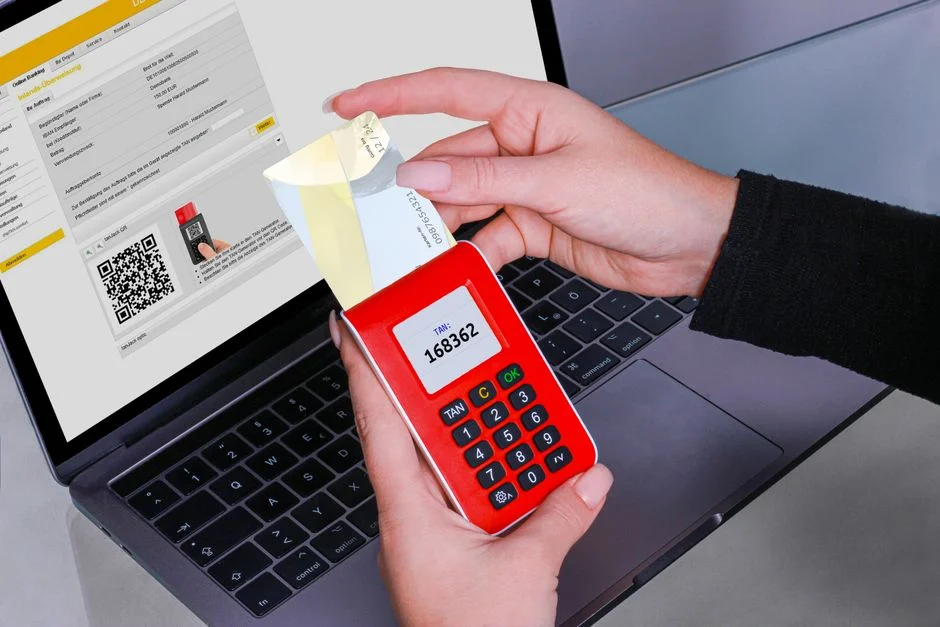

Setting up two factor authentication (2FA) involves integrating a secondary verification step into an application’s login flow, typically requiring something the user knows (password) and something they have (authenticator app code, security key). This critical security measure significantly mitigates unauthorized access risks stemming from credential compromise, phishing, and brute-force attacks.
However, it is crucial to recognize that 2FA, while a powerful deterrent, is not an absolute panacea against all forms of account takeover. It primarily addresses the vulnerability of compromised primary credentials. Sophisticated attack vectors such as session hijacking, malware-based interception of 2FA codes, or advanced social engineering tactics can still bypass even well-implemented 2FA. Furthermore, the security of 2FA is inherently tied to the chosen method; SMS-based 2FA, for instance, is susceptible to SIM-swapping attacks, demonstrating its limitations.
A comprehensive security posture demands not just the implementation of 2FA, but also a deep understanding of its underlying mechanics, potential failure points, and the broader threat landscape. As security engineers, our responsibility extends beyond simply enabling a feature; we must architect robust systems that account for the real-world complexities of user behavior, evolving attack methodologies, and the inherent vulnerabilities within any single security control. This guide will dissect the technical considerations and secure implementation strategies for 2FA, particularly focusing on Time-Based One-Time Passwords (TOTP) and WebAuthn.
Understanding the Core Vulnerabilities 2FA Addresses
Two-factor authentication is a fundamental defense against a pervasive and critical threat: the unauthorized access to user accounts. Its primary function is to erect a significant barrier even if an attacker successfully obtains a user’s primary credential, typically their password. The psychological mindset of a searcher for “how to set up two factor authentication” often stems from a direct or indirect awareness of these vulnerabilities, seeking a concrete solution to protect digital assets.
The most common attack vectors that 2FA directly counter include credential stuffing, phishing, and brute-force attacks. Credential stuffing leverages lists of usernames and passwords stolen from data breaches on other services. If a user reuses their password across multiple sites, a breach on one site can lead to compromise on others. Phishing attacks trick users into divulging their credentials on malicious look-alike sites. Brute-force attacks involve systematically trying many password combinations. In all these scenarios, if only a password is required, its compromise grants an attacker full access. 2FA disrupts this chain by demanding a second, distinct factor that the attacker is unlikely to possess.
From an OWASP perspective, inadequate authentication and identification practices consistently rank high, notably as A07:2021 Identification and Authentication Failures. This category encompasses a broad range of weaknesses, from weak password policies and improper session management to, crucially, the lack of multi-factor authentication. An application without 2FA is inherently vulnerable to automated attacks that exploit common user behaviors, such as password reuse. The absence of 2FA significantly increases the risk score of an application in any security assessment.
However, it is vital for security engineers to maintain a cautious perspective: 2FA is not a silver bullet. While it significantly elevates the security baseline, it introduces its own set of challenges and is susceptible to specific advanced attacks. For instance, while TOTP (Time-Based One-Time Password) significantly reduces phishing success rates, advanced adversaries might employ real-time phishing proxies that intercept both credentials and TOTP codes simultaneously. SMS-based 2FA, often seen as a convenient option, is notoriously vulnerable to SIM-swapping attacks, where an attacker convinces a mobile carrier to transfer a victim’s phone number to a SIM card controlled by the attacker. This allows the attacker to receive SMS verification codes directly.
Furthermore, the reliance on a second factor means that the recovery process for lost 2FA devices or keys becomes a critical attack surface. If a user loses their authenticator app access, the recovery mechanism, whether it’s backup codes or a support process, must be exceptionally secure to prevent an attacker from exploiting it. A poorly designed recovery flow can completely undermine the security gains of 2FA. Therefore, when architecting 2FA, we must consider not just the primary authentication flow but also the entire lifecycle of the user’s authentication credentials, including provisioning, usage, and recovery, always assuming potential compromise at every stage.
Architecting for Two Factor Authentication: Design Principles
Designing an effective two factor authentication system requires a principled approach that balances security, usability, and maintainability. The core principle revolves around requiring at least two distinct types of authentication factors from the traditional triad: knowledge (something you know, like a password or PIN), possession (something you have, like a physical token, smartphone, or security key), and inherence (something you are, like a fingerprint or facial scan). A robust 2FA implementation combines factors from at least two of these categories, making it significantly harder for an unauthorized entity to gain access.
When selecting 2FA methods, security engineers must evaluate the trade-offs. Time-Based One-Time Passwords (TOTP), generated by authenticator apps (e.g., Google Authenticator, Authy), are widely adopted due to their open standard nature (RFC 6238), offline generation capability, and resistance to phishing compared to static passwords. They rely on a shared secret key and the current time to produce a short-lived code. WebAuthn (Web Authentication API), part of the FIDO2 standard, represents a significant leap forward in security. It uses public-key cryptography and hardware security keys (like YubiKey) or platform authenticators (like Windows Hello, Touch ID). WebAuthn is highly resistant to phishing, man-in-the-middle attacks, and credential stuffing because the private key never leaves the authenticator device and the authentication challenge is cryptographically bound to the origin.
Conversely, SMS-based 2FA, while convenient for users, is generally considered the weakest link among common 2FA methods. Its susceptibility to SIM-swapping, SS7 attacks, and interception makes it a less secure option, especially for high-value accounts. While better than no 2FA, its deployment should be carefully weighed against the risk profile of the application and its users. Organizations handling sensitive data should actively discourage or deprecate SMS 2FA where possible, favoring stronger alternatives.
A critical architectural consideration is the recovery mechanism for lost or inaccessible 2FA devices. This is often the weakest link in the entire 2FA chain. Common recovery methods include backup codes (a set of single-use codes provided at 2FA setup), trusted device bypasses, or manual identity verification processes. Backup codes must be generated securely, stored safely by the user (preferably offline), and invalidated after use. Manual recovery processes, while seemingly robust, are susceptible to social engineering. Implementing a multi-step, multi-channel recovery process that requires more than one piece of information or verification method can enhance security. For instance, requiring a combination of email verification, knowledge-based questions, and a waiting period before account access is restored.
Finally, the user experience (UX) cannot be entirely divorced from security. A cumbersome or confusing 2FA setup or daily login flow will lead to user frustration, increased support tickets, or, worse, users disabling 2FA altogether. Clear, concise instructions, intuitive UI, and perhaps the option for “remember me for 30 days on this device” (with careful session management) can improve adoption without compromising core security. However, convenience must never override fundamental security principles. As security engineers, our role is to inform the product team about the risks associated with overly simplified or insecure UX decisions, advocating for secure defaults and educating users on best practices.
Implementing TOTP (Time-Based One-Time Password) in Practice
Time-Based One-Time Password (TOTP) is a widely adopted and relatively secure form of 2FA, specified in RFC 6238. Its implementation involves a shared secret key between the server and the user’s authenticator application, combined with the current time to generate a unique, short-lived code. For developers, understanding the underlying mechanics is crucial for a secure implementation, particularly when integrating with frameworks like Laravel.
The core of TOTP relies on the HMAC-based One-time Password (HOTP) algorithm (RFC 4226). TOTP extends HOTP by using a time-based counter instead of an event-based counter. Specifically, the server and the authenticator app both calculate a hash-based message authentication code (HMAC) using the shared secret key and a time-windowed counter. This counter is typically the current Unix time divided by a step size (e.g., 30 seconds), ensuring that the code refreshes periodically. The resulting HMAC is then truncated to produce a 6 or 8-digit numeric code.
The implementation process typically involves several key steps:
- Secret Key Generation: When a user enables 2FA, the server generates a cryptographically strong, unique secret key (e.g., 160-bit or 20 bytes) for that user. This key must be stored securely in the database, ideally encrypted at rest. It should never be transmitted to the client or revealed to the user directly, except during the initial setup phase.
- QR Code Generation: To simplify user enrollment, the secret key is typically encoded into a URI string following the Key Uri Format (e.g.,
otpauth://totp/Example:alice@google.com?secret=JBSWY3DPEHPK3PXP&issuer=Example). This URI is then used to generate a QR code, which the user scans with their authenticator app. The QR code contains the secret, the issuer (your application name), and the user’s identifier. - Server-Side Validation: When a user attempts to log in with 2FA, they provide their password and the current TOTP code from their authenticator app. The server retrieves the user’s stored secret key, calculates the expected TOTP code(s) for the current time window and potentially a small preceding/succeeding window (to account for clock drift), and compares it to the user-provided code.
- Clock Drift Tolerance: Real-world systems have clock synchronization issues. It is standard practice to allow for a small “window” of accepted codes, typically one or two time steps (e.g., 30-60 seconds) before and after the current time. This means the server might check the code generated for
t-1,t, andt+1time windows. - Rate Limiting and Brute-Force Protection: Even with 2FA, rate limiting on code attempts is essential. An attacker might try to brute-force the 6-digit code if the server does not enforce limits. After a few failed attempts, the user should be locked out or required to wait before trying again.
- Recovery Codes: During initial 2FA setup, generate a set of one-time recovery codes (e.g., 10-15 unique codes). These codes allow users to regain access if they lose their authenticator device. Each code must be single-use and immediately invalidated upon successful redemption. These codes must be displayed prominently to the user with instructions to store them securely.
For Laravel applications, libraries like pragmarx/google2fa abstract much of this complexity, providing methods for secret generation, QR code URI creation, and code verification. When integrating such libraries, always ensure they are actively maintained and follow industry best practices. Proper error handling, user feedback, and secure storage of the secret key are paramount. The secret key must be treated with the same level of confidentiality as user passwords.
Integrating WebAuthn for Phishing-Resistant Authentication
WebAuthn, or Web Authentication API, is a cornerstone of the FIDO2 project and represents the gold standard for phishing-resistant multi-factor authentication. Unlike TOTP, which still requires the user to type a code, WebAuthn leverages public-key cryptography and hardware-backed security modules (authenticators) to provide a fundamentally more secure authentication experience. As security engineers, advocating for and implementing WebAuthn is a strategic move to protect users against sophisticated credential theft.
The core innovation of WebAuthn is its reliance on public-key cryptography. During registration, the user’s authenticator (e.g., a YubiKey, a fingerprint reader, or facial recognition on a device) generates a unique cryptographic key pair for your specific website. The public key is sent to your server and stored, while the private key remains securely on the authenticator and never leaves it. During authentication, your server sends a cryptographic challenge to the client. The authenticator then uses its private key to sign this challenge, proving possession of the key without ever revealing it. This signature, along with the public key credential ID, is sent back to the server for verification.
Key advantages of WebAuthn:
- Phishing Resistance: Because the authenticator cryptographically binds the authentication request to the specific origin (your website’s domain), an attacker hosting a phishing site cannot trick the authenticator into signing a challenge for their malicious domain. The authenticator simply won’t respond.
- Man-in-the-Middle (MitM) Resistance: Similarly, the origin binding prevents MitM attacks where an attacker tries to intercept and relay credentials.
- Credential Leakage Immunity: The private key never leaves the authenticator. Even if your server’s database is breached, the stored public keys are useless to an attacker without the corresponding private keys on the user’s physical device.
- User Experience: Depending on the authenticator, the user experience can be significantly smoother than typing a TOTP code, often involving a simple touch of a security key or a biometric scan.
Implementing WebAuthn requires careful coordination between the client-side JavaScript API and the server-side verification logic. On the client, the navigator.credentials.create() method is used for registration, and navigator.credentials.get() is used for authentication. These methods interact with the user’s browser and operating system to manage the authenticators. On the server, you need to verify the authenticity of the registration and assertion (login) responses. This involves:
- Challenge Generation: The server generates a cryptographically secure, random challenge during both registration and authentication. This challenge must be unique per request and have a short expiration.
- Attestation Verification (Registration): During registration, the server receives an attestation object from the client, which includes the public key and metadata about the authenticator. The server verifies this attestation to ensure the authenticator is genuine and trusted.
- Assertion Verification (Authentication): During login, the server receives an assertion object containing the authenticator’s signature over the challenge. The server uses the stored public key to verify this signature, ensuring the user possesses the correct private key and that the challenge was signed for the correct origin.
Libraries exist to simplify WebAuthn integration on the server-side, such as web-auth/webauthn-lib for PHP/Laravel. These libraries handle the complex parsing and cryptographic verification of the WebAuthn data structures. When implementing, pay close attention to the various flags and options within the WebAuthn specification, such as userVerification (requiring a PIN or biometric) and authenticatorSelection (specifying preferred authenticator types). Proper handling of these options ensures a secure and compliant implementation, maximizing the phishing resistance offered by this powerful authentication standard.
Secure Recovery Strategies for Lost 2FA Devices
A robust two factor authentication system is only as strong as its weakest link, and for many implementations, that weakness lies in the account recovery process for lost or inaccessible 2FA devices. As security engineers, we must approach recovery with the same rigor as initial authentication, recognizing it as a prime target for social engineering and account takeover attempts. The psychological mindset of a user needing recovery is one of urgency and frustration, which attackers often exploit.
The goal of a secure recovery strategy is to enable legitimate users to regain access while presenting an insurmountable barrier to unauthorized individuals. Several common strategies exist, each with its own security implications:
- Backup Codes: This is the most common and generally recommended method. During 2FA setup, the system generates a set of unique, single-use codes (e.g., 10-20 codes). Users are instructed to print these codes or store them in a secure, offline location. Each code is invalidated after a single use. The critical security consideration here is the secure generation and initial display of these codes, ensuring they are not logged or cached by the application, and educating the user on their secure storage. The server must strictly enforce the single-use policy.
- Trusted Device Bypass: Some systems allow users to mark a device (e.g., their personal computer) as “trusted” for a certain period (e.g., 30 days), bypassing 2FA on subsequent logins from that device. While convenient, this introduces a risk: if the trusted device is compromised, the 2FA protection is nullified. Implementations must ensure strong device fingerprinting, session management, and the ability for users to revoke trusted devices remotely. This is where robust session management, potentially leveraging techniques similar to those discussed in articles like Laravel Cache Remember: Architectural Patterns for Scalable Systems for efficient token invalidation, becomes critical.
- Email/SMS Recovery: While email or SMS can be used as a recovery channel, they should never be the sole factor for recovery, especially given the known vulnerabilities of SMS (SIM-swapping). If used, they should be part of a multi-step, multi-channel recovery process. For example, sending a recovery link to a registered email address, combined with knowledge-based questions or a waiting period. This is often an acceptable fallback for lower-risk applications, but not for high-security environments.
- Manual Identity Verification: For high-security or regulated applications (e.g., financial services), a manual identity verification process might be necessary. This could involve submitting government-issued IDs, video calls, or in-person verification. While the most secure, it is also the most resource-intensive and least user-friendly. Such processes must be designed to prevent impersonation and fraud.
Regardless of the chosen method, several overarching principles apply: rate limiting on recovery attempts is crucial to prevent brute-force attacks on recovery codes or knowledge-based questions. Logging and alerting for all recovery attempts, successful or failed, should be implemented, notifying the user’s primary contact method (email/SMS) immediately. Users should always have the ability to revoke all 2FA sessions and recovery codes, forcing a re-enrollment. Finally, the recovery process should be clearly documented for users, but without revealing sensitive implementation details that an attacker could exploit. The recovery flow should be treated as a critical path and subjected to rigorous security testing, including penetration testing and social engineering simulations.
Laravel-Specific 2FA Implementation with Pragmarx/Google2FA
For Laravel applications, implementing TOTP-based two factor authentication is significantly streamlined through community packages, with pragmarx/google2fa being a prominent and well-maintained choice. This package provides a robust and easy-to-integrate solution for generating and verifying TOTP codes, aligning with the RFC 6238 standard. As a security engineer, leveraging such packages requires understanding their capabilities and integrating them securely within the Laravel ecosystem.
To begin, install the package via Composer:
composer require pragmarx/google2fa-qrcodeThis package includes QR code generation capabilities, simplifying the user enrollment process. After installation, you’ll typically need to publish the configuration file, though often the defaults are sufficient. The core steps for integration are as follows:
-
User Model Integration:
Your
Usermodel will need a column to store the 2FA secret key. This column should be nullable initially and then populated when the user enables 2FA. Ideally, this secret should be encrypted at rest in your database. Laravel’s built-in encryption capabilities can be used for this.Schema::table('users', function (Blueprint $table) { $table->string('google2fa_secret')->nullable();}); -
Enabling 2FA:
When a user decides to enable 2FA, you generate a new secret key and display a QR code. The
Google2FAfacade provides methods for this:use PragmaRX\Google2FA\Google2FA;use PragmaRX\Google2FAQRCode\Google2FA as Google2FAQRCode; // For QR code generation// ...public function enableTwoFactor(Request $request){ $google2fa = new Google2FA(); $secret = $google2fa->generateSecretKey(); // Store the secret temporarily in session or cache before final confirmation $request->session()->put('2fa_secret', $secret); $user = $request->user(); $qrCodeUrl = (new Google2FAQRCode())->get QRCodeUrl( config('app.name'), // Your application name $user->email, $secret ); return view('2fa.enable', compact('qrCodeUrl', 'secret'));}The user scans the QR code with their authenticator app. To confirm setup, they enter a code from the app, which your server verifies.
-
Confirming 2FA Setup:
After the user scans the QR code, they submit a code from their authenticator app to confirm the setup. This is a critical step to ensure the secret was correctly added to their device.
public function confirmTwoFactor(Request $request){ $google2fa = new Google2FA(); $secret = $request->session()->get('2fa_secret'); $code = $request->input('code'); if ($google2fa->verifyKey($secret, $code)) { $user = $request->user(); $user->google2fa_secret = encrypt($secret); // Encrypt the secret before storing $user->save(); $request->session()->forget('2fa_secret'); // Generate and store recovery codes here return redirect('/home')->with('success', '2FA enabled successfully!'); } return back()->withErrors(['code' => 'Invalid 2FA code. Please try again.']);}Note the use of
encrypt($secret). Storing the secret encrypted adds an extra layer of protection in case of a database breach. When you need to verify a code, you would usedecrypt($user->google2fa_secret). -
Login with 2FA:
After a user successfully authenticates with their password, if 2FA is enabled, they are redirected to a 2FA verification page. A middleware can enforce this.
// In a custom TwoFactorMiddleware handle method// ...if ($user->google2fa_secret && !$request->session()->has('2fa_verified')) { return redirect()->route('2fa.verify');}// ...// In the 2FA verification controllerpublic function verifyTwoFactor(Request $request){ $google2fa = new Google2FA(); $user = auth()->user(); // Or retrieve user from session if not fully logged in $secret = decrypt($user->google2fa_secret); $code = $request->input('code'); if ($google2fa->verifyKey($secret, $code)) { $request->session()->put('2fa_verified', true); return redirect()->intended('/home'); } return back()->withErrors(['code' => 'Invalid 2FA code.']);}The
verifyKeymethod supports a configurable window for clock drift tolerance, typically 1 or 2 steps (30-60 seconds). This package also offers methods for generating recovery codes, which should be done immediately after 2FA is confirmed and securely presented to the user. For advanced scenarios, especially in high-traffic applications, consider how 2FA verification impacts session management and potential race conditions, which might require revisiting troubleshooting strategies for Laravel queue jobs if background tasks are involved in authentication flows.Security Implications of Different 2FA Methods
The choice of two-factor authentication method carries profound security implications, directly impacting the attack surface and the overall resilience of user accounts against compromise. As security engineers, a nuanced understanding of these implications is paramount to making informed decisions that protect both users and the organization. The “how to set up two factor authentication” query necessitates not just procedural steps, but a deep dive into the security characteristics of each option.
SMS-Based 2FA: Convenience vs. Vulnerability
SMS-based 2FA, while offering broad accessibility and ease of use, is widely regarded as the least secure form of 2FA. Its primary vulnerabilities stem from:
- SIM-Swapping Attacks: Attackers social engineer mobile carriers to transfer a user’s phone number to a SIM card under their control. Once the number is ported, the attacker receives all SMS messages, including 2FA codes.
- SS7 Network Vulnerabilities: The Signaling System No. 7 (SS7) global telecommunications network has known vulnerabilities that can be exploited to intercept SMS messages.
- Phishing: While better than no 2FA, SMS codes can still be phished if users are tricked into entering them on malicious sites that immediately relay them to the legitimate service.
- Carrier-Level Interception: In some jurisdictions, law enforcement or intelligence agencies may have the capability to intercept SMS traffic, posing a privacy and security risk.
Given these risks, SMS 2FA should be deprecated for high-value accounts or sensitive applications. If it must be offered for accessibility, it should be clearly communicated as a less secure option, with stronger alternatives promoted.
TOTP (Time-Based One-Time Password): A Balanced Approach
TOTP, generated by authenticator apps, offers a significantly higher security posture than SMS 2FA. Its strengths include:
- Offline Operation: Codes are generated on the device without network connectivity, making them resistant to network-level interception.
- Phishing Resistance: While not entirely immune, TOTP codes are harder to phish than passwords because they are time-sensitive and typically require manual entry. Real-time phishing proxies are needed for successful attacks.
- Open Standard: Based on RFC 6238, ensuring interoperability and auditability.
However, TOTP is not without its weaknesses:
- Secret Key Management: The shared secret key is a single point of failure. If an attacker gains access to the server-side stored secret (especially if unencrypted) or tricks the user into revealing it during initial setup, 2FA is compromised.
- Clock Drift: Server and device clock synchronization issues can lead to failed authentications, requiring a tolerance window that slightly increases the brute-force attack surface.
- Backup Codes: As discussed, secure management of backup codes is critical.
WebAuthn (FIDO2): The Gold Standard for Phishing Resistance
WebAuthn represents the pinnacle of current 2FA technology, offering unparalleled phishing resistance. Its security benefits stem from:
- Public-Key Cryptography: Eliminates shared secrets and prevents credential leakage from server breaches.
- Origin Binding: Cryptographically binds authentication to the specific domain, making phishing virtually impossible as the authenticator will only sign challenges from the legitimate site.
- Hardware Security: Leverages tamper-resistant hardware (security keys, TPMs, Secure Enclaves) for private key storage and cryptographic operations.
- Resistance to Man-in-the-Middle: The cryptographic challenge-response mechanism prevents attackers from intercepting and replaying credentials.
Despite its superior security, WebAuthn has some adoption challenges:
- Hardware Dependency: Requires compatible authenticators (security keys or platform authenticators), which may not be universally available to all users.
- Complexity of Implementation: More complex to implement on both client and server sides compared to TOTP.
When designing 2FA, a layered approach is often best. Offer WebAuthn as the primary, most secure option, TOTP as a strong alternative, and SMS only as a last resort or for low-risk scenarios, coupled with strong warnings to the user. Regular security audits and staying updated with the latest versions of frameworks and libraries are crucial to mitigate emerging threats against any chosen 2FA method.
User Experience and Compliance Considerations for 2FA
Beyond the technical implementation, the success of a two factor authentication strategy is heavily influenced by user experience (UX) and compliance with data protection regulations. A perfectly secure system that users cannot or will not use is functionally insecure. Similarly, failing to meet compliance mandates can result in significant legal and financial repercussions. As security engineers, we must bridge the gap between stringent security requirements and practical user adoption, while ensuring regulatory adherence. The “how to set up two factor authentication” extends beyond code to policy and people.
Balancing Security with Usability
A common pitfall in security engineering is designing systems that are so secure they become unusable. For 2FA, this manifests in several ways:
- Overly Complex Setup: If the enrollment process for 2FA is confusing, lengthy, or requires too many steps, users will abandon it. Clear, concise instructions, visual aids (like QR codes), and immediate feedback are essential.
- Frequent Re-authentication: While security dictates frequent re-authentication, user convenience often pushes back. Strategies like “remember me for 30 days on this device” can mitigate this, but must be implemented with careful session management and strong device fingerprinting. Users must also have the ability to revoke trusted devices.
- Lack of Recovery Options: As discussed, a difficult or non-existent recovery path for lost devices leads to frustration and potentially disabling 2FA. Providing clear, accessible recovery options (e.g., backup codes) is a UX imperative.
- Inconsistent Experience: If 2FA behaves differently across various platforms (web, mobile app), it creates confusion. Striving for a consistent and predictable user flow is important.
User education is also a critical component of UX. Clearly explaining *why* 2FA is important, *how* it protects them, and *how* to use it effectively (e.g., storing backup codes securely) can significantly improve adoption and reduce support burden.
Compliance Requirements and Data Protection
Implementing 2FA is often not just a security best practice but a regulatory mandate, especially for applications handling sensitive data. Key compliance frameworks that frequently require or strongly recommend 2FA include:
- GDPR (General Data Protection Regulation): While not explicitly mandating 2FA, GDPR’s requirements for “appropriate technical and organizational measures” to protect personal data implicitly push towards strong authentication methods. Failure to implement 2FA where a risk assessment deems it necessary could be seen as a breach of these measures.
- HIPAA (Health Insurance Portability and Accountability Act): For healthcare data in the United States, HIPAA’s Security Rule mandates administrative, physical, and technical safeguards. Strong authentication, including 2FA, is often a necessary technical safeguard to protect Electronic Protected Health Information (ePHI).
- PCI DSS (Payment Card Industry Data Security Standard): For entities processing credit card data, PCI DSS Requirement 8.3 explicitly mandates multi-factor authentication for all non-console access to the Cardholder Data Environment (CDE).
- NIST Guidelines: The National Institute of Standards and Technology (NIST) provides detailed guidelines (e.g., NIST SP 800-63B) on digital identity, which strongly recommend and often require multi-factor authentication for higher assurance levels.
When designing 2FA, consider the data involved, the industry, and the geographic regions of your users. Documenting your 2FA implementation choices, risk assessments, and user education efforts is crucial for demonstrating compliance during audits. This proactive approach to security and compliance not only protects your users but also safeguards your business from legal liabilities and reputational damage. Ensuring your underlying infrastructure, such as how you manage Next.js npm dependencies, is also secure forms part of this holistic compliance strategy.
Monitoring, Auditing, and Incident Response for 2FA
Implementing two factor authentication is merely the first step; maintaining its effectiveness and responding to potential bypasses requires continuous monitoring, rigorous auditing, and a well-defined incident response plan. As security engineers, our responsibility extends to ensuring the operational integrity of 2FA systems, proactively identifying anomalies, and reacting swiftly to mitigate threats. The “how to set up two factor authentication” guide would be incomplete without addressing its ongoing lifecycle management.
Continuous Monitoring and Alerting
Effective monitoring of 2FA activities is critical for detecting suspicious behavior. Key areas to monitor include:
- 2FA Enrollment/Disabling: Any changes to a user’s 2FA status (enabling, disabling, changing method) should trigger immediate alerts to administrators and notifications to the user via their primary contact method (e.g., email). Unauthorized changes are a strong indicator of account takeover attempts.
- Failed 2FA Attempts: A sudden increase in failed 2FA attempts for a particular user or across the system can indicate a brute-force attack against the 2FA code or a credential stuffing attack where attackers are attempting to bypass the second factor. Threshold-based alerting is essential here.
- Recovery Code Usage: Each use of a recovery code should be logged and alert administrators. Multiple uses from different IPs, or rapid successive uses, could signal compromise.
- Device Registration/Revocation: Monitoring the registration of new WebAuthn devices or the revocation of existing ones can help detect unauthorized activity.
- Session Hijacking Indicators: While 2FA protects login, session hijacking can bypass it. Monitor for unusual session activity, such as rapid geographic changes or concurrent sessions from different locations, especially if a “remember me” feature is in place.
Logs should be centralized, immutable, and accessible for forensic analysis. Security Information and Event Management (SIEM) systems are invaluable for aggregating these logs and correlating events to identify complex attack patterns.
Regular Auditing and Testing
Periodic auditing of your 2FA implementation is vital to ensure it remains effective and compliant. This includes:
- Configuration Audits: Regularly review 2FA settings, including allowed methods, clock drift tolerances, and recovery options, to ensure they align with current security policies and best practices.
- Code Reviews: Conduct security-focused code reviews of all 2FA-related logic, paying close attention to secret key storage, QR code generation, and verification routines. Look for potential vulnerabilities like insecure random number generation or improper cryptographic operations.
- Penetration Testing: Engage ethical hackers to attempt to bypass your 2FA implementation. This should include social engineering attempts against recovery flows and technical attacks against the chosen 2FA mechanisms.
- Compliance Audits: Verify that your 2FA implementation meets all relevant regulatory requirements (GDPR, HIPAA, PCI DSS).
Incident Response for 2FA Bypass
Despite best efforts, a 2FA bypass can occur. A well-defined incident response plan is crucial:
- Detection: As outlined in monitoring, rapid detection is key. Automated alerts should trigger the response.
- Containment: Immediately disable the compromised account’s access, invalidate all active sessions, and force a password reset. If a specific 2FA method (e.g., SMS) is found to be compromised system-wide, temporarily disable it or flag it as high-risk.
- Eradication: Identify the root cause of the bypass. Was it social engineering? A vulnerability in the 2FA library? A compromised recovery mechanism? Patch the vulnerability and strengthen affected areas.
- Recovery: Assist the legitimate user in regaining secure access, which may involve a manual identity verification process and a complete 2FA re-enrollment.
- Post-Incident Analysis: Conduct a thorough post-mortem to understand what happened, why it happened, and what preventative measures can be put in place. Update policies, training, and technical controls accordingly.
Treating 2FA as a dynamic security control that requires continuous attention rather than a set-it-and-forget-it feature is fundamental to maintaining a strong security posture. This continuous vigilance integrates well with broader strategies for system health and security, including monitoring for issues like stuck Laravel queue jobs, as operational stability often correlates with security integrity.
Common Pitfalls and Anti-Patterns in 2FA Implementation
While the goal of enabling two factor authentication is to enhance security, several common pitfalls and anti-patterns can inadvertently weaken the overall protection or introduce new vulnerabilities. As security engineers, a proactive approach involves recognizing and actively avoiding these mistakes during the design and implementation phases. Understanding these traps is as crucial as knowing “how to set up two factor authentication” correctly.
1. Insecure Secret Key Management
The 2FA secret key (for TOTP) is the cryptographic anchor. A common anti-pattern is storing this key unencrypted in the database. If your database is breached, all 2FA secrets are exposed, rendering the second factor useless. Always encrypt the 2FA secret at rest. Use strong, industry-standard encryption algorithms and manage encryption keys securely, ideally separate from the database itself (e.g., using a Key Management Service). For Laravel, this means leveraging its built-in encryption features or a dedicated cryptography library.
2. Weak Recovery Mechanisms
As previously discussed, the recovery path is often the weakest link. Common mistakes include:
- Single-Factor Recovery: Relying solely on email or SMS for recovery. An attacker with access to a user’s email or phone can bypass 2FA entirely.
- Predictable Backup Codes: Generating backup codes sequentially or using weak random number generators. Backup codes must be cryptographically random and securely stored by the user.
- Lack of Rate Limiting on Recovery: Allowing unlimited attempts to guess backup codes or answer security questions.
- No User Notification on Recovery: Failing to notify users immediately when their account recovery process is initiated or completed.
3. Insufficient Clock Drift Tolerance
While allowing for clock drift (e.g., 1-2 time steps) is necessary for usability, setting an excessively large tolerance window (e.g., 5+ minutes) significantly increases the window for brute-force attacks against the 6-digit TOTP code. A 6-digit code has 1,000,000 possibilities. With a 30-second window, an attacker has a very limited time. With a 5-minute window, the attack surface is greatly expanded. Balance usability with the smallest reasonable window.
4. Reusing 2FA Secrets Across Services
Though less common, some developers might be tempted to use a single 2FA secret across different applications or environments. This creates a catastrophic single point of failure. Each application, and ideally each user within each application, must have a unique 2FA secret.
5. Lack of User Education
Users are an integral part of the security chain. Failing to educate them on the importance of 2FA, how to use it safely, and how to securely store backup codes is a significant oversight. A user who doesn’t understand the system is more prone to making mistakes or falling for social engineering tactics.
6. Insecure Session Management Post-2FA
2FA protects the login process, but once a user is authenticated, their session must be securely managed. Common issues include:
- Long-lived, Inactive Sessions: Sessions that persist indefinitely without re-authentication or activity checks.
- Weak Session Tokens: Easily guessable or predictable session identifiers.
- Lack of Session Invalidation: Not invalidating all active sessions upon password change, 2FA disabling, or suspicious activity.
This is where understanding and implementing robust session management, potentially drawing insights from architectural patterns for scalable systems that optimize token handling, becomes critical. The security of the session after 2FA is just as important as the 2FA itself.
7. Forgetting to Log and Monitor
As detailed in the previous section, a lack of comprehensive logging and monitoring for 2FA-related events means that even if a bypass occurs, you might not detect it until significant damage has been done. If you can’t see it, you can’t protect against it.
By proactively addressing these common pitfalls, security engineers can build a 2FA implementation that genuinely enhances application security rather than creating a false sense of protection.
Cost Implications of Two Factor Authentication Implementation
Implementing two factor authentication is not a one-time technical task; it involves ongoing costs that span development, infrastructure, third-party services, and operational overhead. For businesses, particularly startups and growing enterprises, understanding these financial implications is critical for budgeting and strategic planning. The “how to set up two factor authentication” discussion must therefore include a realistic appraisal of the associated expenditures.
The total cost of 2FA implementation can vary dramatically based on the chosen method, the scale of the user base, the complexity of integration, and the level of security assurance required. It’s not just about the initial setup; maintenance, support, and compliance all contribute to the long-term expenditure.
1. Development and Integration Costs
This is primarily driven by developer salaries and the time spent on integration. Factors include:
- Choice of 2FA Method: WebAuthn is generally more complex to integrate than TOTP, requiring more specialized knowledge and development time. SMS 2FA might be quicker to integrate but carries higher operational risks.
- Existing Authentication System: Integrating 2FA into a legacy system can be more challenging and time-consuming than into a modern, modular authentication framework.
- Customization: Any custom branding, specific user flows, or advanced recovery options will increase development effort.
- Testing: Rigorous unit, integration, and security testing of the 2FA flow is essential but adds to development costs.
For a typical small to medium-sized business, initial development costs for a TOTP implementation in a framework like Laravel might range from $3,000 to $10,000 for a basic setup with recovery codes, assuming existing authentication is robust. A WebAuthn implementation could easily range from $8,000 to $25,000 due to its complexity and the need for more specialized expertise.
2. Third-Party Services and Infrastructure
Many 2FA implementations rely on external services, incurring recurring costs:
- SMS Gateway Providers: For SMS 2FA, you pay per message. Costs can range from $0.005 to $0.05 per SMS, depending on volume and region. For a large user base, this can quickly accumulate.
- Email Service Providers: Used for recovery links and notifications. While often bundled with other services, dedicated transactional email services have tiered pricing.
- QR Code Generation Libraries: While many are open-source, some commercial solutions or APIs might have usage fees.
- WebAuthn Attestation Services: Some advanced WebAuthn features, particularly for enterprise-level assurance, might involve third-party attestation services or specialized hardware support.
- Hardware Security Keys: If your organization provides physical security keys (e.g., YubiKeys) to employees or high-value users, the cost per key (e.g., $20-$70 per key) can add up.
3. Operational and Maintenance Costs
These are ongoing costs associated with managing the 2FA system:
- Support: Handling user queries related to 2FA setup, lost devices, and recovery processes can be a significant burden on customer support teams. Training support staff is also an expense.
- Monitoring and Logging: Costs associated with SIEM systems, log storage, and personnel to monitor alerts.
- Security Audits and Penetration Testing: Regular security assessments are crucial for 2FA but incur significant costs, ranging from $5,000 to $30,000+ per engagement depending on scope.
- Compliance Reporting: Time and resources spent on documenting and reporting 2FA controls for regulatory compliance.
- Software Maintenance: Keeping 2FA libraries and dependencies updated is essential for security, requiring developer time. This includes updating Next.js to its latest version or managing Next.js npm dependencies, as underlying framework security impacts the entire application.
Cost Comparison Summary
Factor SMS 2FA TOTP (Authenticator App) WebAuthn (FIDO2) Initial Dev Cost (Basic) $1,000 – $3,000 $3,000 – $10,000 $8,000 – $25,000 Per-User Operational Cost $0.005 – $0.05 per SMS Minimal (app is free) Minimal (user owns key) Hardware Cost None None (user’s phone) $20 – $70 per key (if provided) Security Assurance Low Medium-High Very High Support Overhead Medium (SIM swap issues) Medium (recovery codes) Low (phishing resistance) A typical range for a comprehensive 2FA implementation for a mid-sized application (10,000-50,000 users) can range from $10,000 to $50,000+ for initial setup and an additional $500 to $5,000+ per month for ongoing operational costs, depending heavily on the chosen methods and user activity.
Future Trends in Authentication: Passwordless and Beyond
As security engineers, our vision for authentication extends beyond the current state of two factor authentication. The industry is rapidly moving towards more seamless, secure, and user-friendly methods, largely driven by the desire to eliminate passwords and the inherent vulnerabilities they introduce. Understanding these future trends is crucial when considering “how to set up two factor authentication” today, as today’s architectural decisions can pave the way for tomorrow’s innovations.
Passwordless Authentication
The ultimate goal for many is passwordless authentication, where the primary factor is no longer a shared secret that can be forgotten, phished, or breached. WebAuthn, discussed earlier, is a foundational technology for passwordless authentication, allowing users to log in using biometrics (fingerprint, face scan) or security keys without ever typing a password.
Other forms of passwordless authentication include:
- Magic Links: Users receive a one-time login link via email. While convenient, this method is susceptible to email account compromise and phishing.
- Device Biometrics: Leveraging built-in biometrics on smartphones or laptops (e.g., Face ID, Touch ID, Windows Hello) directly for authentication, often backed by secure hardware.
- QR Code-Based Login: Scanning a QR code on a web page with a mobile app that is already authenticated, effectively using the mobile device as an authenticator.
The shift to passwordless reduces the attack surface associated with credential stuffing, phishing, and password breaches. It also significantly improves user experience by removing the burden of password creation, memorization, and periodic resets.
Continuous Authentication
Traditional authentication is a discrete event: you log in once and remain authenticated until your session expires. Continuous authentication, however, involves ongoing verification of user identity throughout a session. This is achieved by analyzing various contextual signals:
- Behavioral Biometrics: Analyzing typing patterns, mouse movements, gait, and other unique user behaviors.
- Device Fingerprinting: Continuously monitoring device characteristics (IP address, browser type, operating system, location) for anomalies.
- Environmental Factors: Geolocation, network changes, and time of day.
If the system detects a significant deviation from the user’s typical behavior or environment, it can trigger a step-up authentication challenge (e.g., re-enter 2FA code) or even terminate the session. This dynamic approach provides a much stronger defense against session hijacking and insider threats.
Decentralized Identity and SSI (Self-Sovereign Identity)
Emerging concepts like decentralized identity and self-sovereign identity (SSI) aim to give users more control over their digital identities, often leveraging blockchain technology. Instead of relying on a central authority (like a social media login or a specific website) to manage their identity, users would hold verifiable credentials (e.g., digital driver’s license, degree certificate) issued by trusted entities. They could then selectively present these credentials to services without exposing unnecessary personal data. This paradigm shift could fundamentally change how authentication and authorization are handled, moving towards a more privacy-preserving and user-centric model.
AI and Machine Learning in Authentication
Artificial intelligence and machine learning are increasingly being employed to enhance authentication security. These technologies can:
- Detect Anomalies: Identify unusual login patterns, such as logins from new locations, unusual times, or with atypical device characteristics, to flag potential fraud.
- Risk-Based Authentication: Dynamically adjust the authentication requirements based on the assessed risk level of a login attempt. A low-risk login (e.g., from a known device and location) might only require a password, while a high-risk attempt might demand multiple 2FA factors.
- Fraud Prevention: Analyze vast datasets to identify sophisticated attack patterns that might bypass traditional security controls.
While these advancements promise greater security and usability, they also introduce new challenges, such as the ethical implications of continuous monitoring and the potential for bias in AI algorithms. As security engineers, we must carefully evaluate these technologies, ensuring they are implemented transparently, fairly, and with robust privacy safeguards. The journey of authentication is one of continuous evolution, and staying abreast of these trends is essential for building resilient systems.
Best Practices for 2FA Rollout and User Adoption
Successfully implementing two factor authentication extends beyond the technical code; it critically depends on a well-executed rollout strategy and sustained user adoption. As security engineers, our role isn’t just to build secure systems, but to ensure they are used effectively by the target audience. A poorly managed rollout can lead to user frustration, low adoption rates, and ultimately, diminished security benefits. The “how to set up two factor authentication” conversation must encompass the human element.
Phased Rollout Strategy
Avoid a ‘big bang’ approach. A phased rollout allows for iterative improvements, addresses issues on a smaller scale, and builds momentum. Consider these phases:
- Internal Pilot: First, roll out 2FA to your internal team (developers, QA, support). This provides invaluable feedback, identifies usability issues, and allows your team to become experts who can assist users.
- Opt-In for Early Adopters: Offer 2FA as an optional feature to a segment of your most engaged users. These users are often more tech-savvy and willing to provide constructive feedback.
- Mandatory for High-Risk Users/Roles: For specific user groups (e.g., administrators, users with access to sensitive data), make 2FA mandatory from the outset. This secures critical accounts first.
- Gradual Mandatory Rollout: Over time, expand the mandatory requirement to the broader user base. Provide ample notice and clear deadlines.
Comprehensive User Education
Users are your first line of defense. Investing in clear, accessible education is paramount:
- Why 2FA Matters: Explain the risks of not using 2FA (phishing, credential stuffing) and how it protects their accounts and data. Use real-world examples without being overly alarmist.
- How to Set Up: Provide step-by-step guides with screenshots or short videos. Highlight common authenticator apps and how to use them.
- Recovery Instructions: Emphasize the importance of backup codes and how to store them securely. Clearly explain the recovery process for lost devices.
- Ongoing Reminders: Use in-app notifications, emails, and blog posts to remind users about 2FA and its benefits.
Clear and Consistent User Interface (UI)
The UI for 2FA setup and login must be intuitive and free of jargon:
- Simple Enrollment Flow: Minimize steps. Clearly indicate progress.
- Prominent Activation: Make the option to enable 2FA easy to find in account settings.
- Contextual Help: Provide help text or tooltips at each step of the process.
- Error Messages: Provide helpful, actionable error messages instead of generic failures.
Incentivizing Adoption
For optional 2FA, consider incentives:
- Security Badges: Display a badge or status indicating a user has enabled 2FA.
- Enhanced Features: Offer access to certain advanced features only for 2FA-enabled accounts.
- Public Commitment: Demonstrate your organization’s commitment to security, which can encourage users to adopt protective measures.
Support and Feedback Mechanisms
Ensure your support team is well-trained and equipped to handle 2FA-related queries. Establish clear channels for users to provide feedback on the 2FA experience. This feedback loop is invaluable for continuous improvement.
By treating 2FA rollout as a product launch rather than just a technical feature, and by focusing heavily on user experience and education, security engineers can significantly increase adoption rates and, consequently, the overall security posture of the application. This holistic approach ensures that the investment in 2FA translates into real-world protection, complementing other critical system health checks and updates, such as those involved in maintaining the latest version of Next.js for overall system integrity.
Advanced Security Enhancements and Future-Proofing 2FA
While establishing robust two factor authentication is a critical baseline, security engineering demands a forward-looking perspective, constantly seeking to enhance existing protections and adapt to evolving threats. This involves exploring advanced security enhancements and architecting 2FA solutions that are resilient and adaptable for the future. The question of “how to set up two factor authentication” evolves into “how to set up highly resilient and future-proof 2FA.”
Factors That Affect Development Cost
- Development and integration complexity
- Choice of 2FA method (SMS, TOTP, WebAuthn)
- Existing authentication system’s modularity
- Customization requirements
- Testing and quality assurance
- Third-party service fees (SMS gateways, email providers)
- Hardware security key provision (if applicable)
- Customer support overhead for 2FA issues
- Monitoring, logging, and SIEM costs
- Security audit and penetration testing frequency
- Compliance reporting effort
- Ongoing software maintenance and updates
The total cost for a comprehensive 2FA implementation varies significantly based on scale, chosen methods, and integration complexity, with initial setup and ongoing operational expenses.
Frequently Asked Questions
What is two-factor authentication (2FA)?
Two-factor authentication (2FA) adds a second layer of security to your online accounts beyond just a password. It requires users to verify their identity using two different authentication factors, typically something they know (like a password) and something they have (like a code from an authenticator app or a security key).
Why is 2FA important for online security?
2FA is crucial because it significantly reduces the risk of unauthorized access even if your password is stolen or compromised through phishing, credential stuffing, or brute-force attacks. An attacker would need both your password and your second factor to gain access, making account takeover much more difficult.
What are the most secure 2FA methods?
WebAuthn (FIDO2) with hardware security keys or platform authenticators is considered the most secure due to its phishing resistance and use of public-key cryptography. Time-Based One-Time Passwords (TOTP) from authenticator apps are also highly secure. SMS-based 2FA is generally considered the least secure option due to vulnerabilities like SIM-swapping.
How do I recover my account if I lose my 2FA device?
Most services provide recovery options, often in the form of one-time backup codes generated during 2FA setup. It’s critical to store these codes securely and offline. Some services may offer email/SMS recovery (less secure) or a manual identity verification process for high-security accounts. Always check the service’s specific recovery instructions.
Can two-factor authentication be bypassed?
While 2FA significantly enhances security, it is not entirely foolproof. Sophisticated attacks like real-time phishing proxies, malware on compromised devices, or social engineering targeting recovery mechanisms can potentially bypass 2FA. The security of 2FA depends heavily on the chosen method and its implementation.
Implementing two factor authentication is a non-negotiable imperative for any application handling user data. While the procedural steps for integrating methods like TOTP and WebAuthn are well-defined, true security engineering requires a deep understanding of the underlying vulnerabilities 2FA addresses, its inherent limitations, and the nuanced trade-offs between security, usability, and cost. From architecting robust recovery mechanisms to navigating compliance mandates and guarding against common pitfalls, every decision impacts the overall security posture.
As we’ve explored, the landscape of authentication is continually evolving, with trends towards passwordless solutions and continuous verification promising even greater security and convenience. By embracing a cautious, risk-averse, and continuously adaptive mindset, security engineers can build resilient authentication systems that not only protect user accounts today but are also prepared for the challenges of tomorrow. Protecting your users’ digital lives is a continuous journey, not a destination.
Explore our complete Laravel, Basics directory for more guides.
NR Studio builds custom web apps, mobile apps, SaaS platforms, and internal tools for growing businesses. If you’re working through a technical decision, feel free to reach out — no commitment required.