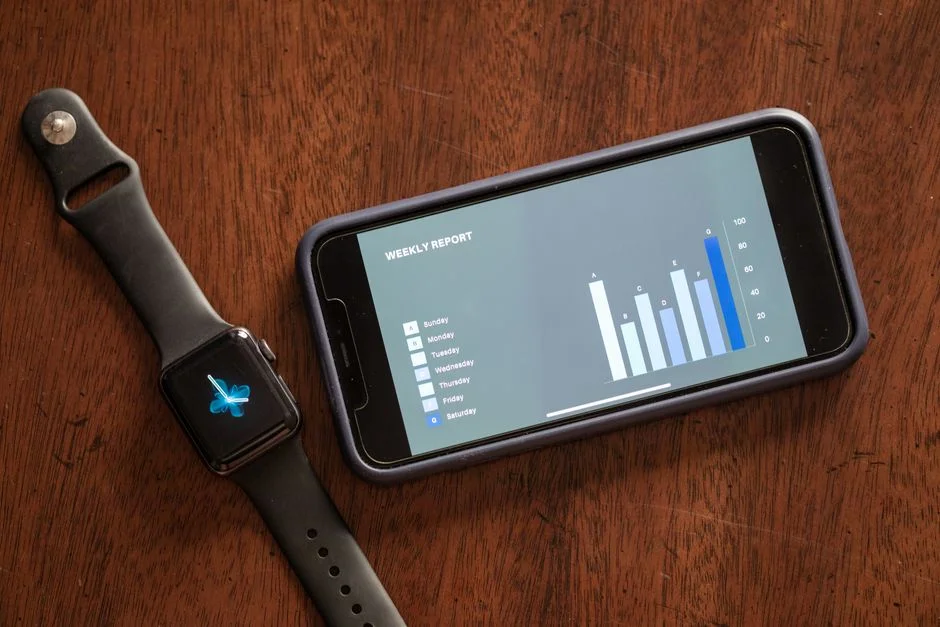

Building a habit tracker app is a classic entry point into the mobile development space, yet it is deceptively complex to execute well. While the basic premise involves simple CRUD (Create, Read, Update, Delete) operations, the real challenge lies in designing a system that effectively fosters user retention through psychological engagement and technical performance. As a startup founder or CTO, your goal is not just to build a list of checkboxes, but to architect a habit-forming product that survives the competitive app store ecosystem.
This guide approaches habit tracker development from a senior engineering perspective. We will move beyond the surface-level UI design to explore the underlying data structures, synchronization strategies, and the critical trade-offs between local-first performance and cloud-based scalability. Whether you are aiming for a MVP (Minimum Viable Product) or a feature-complete enterprise solution, understanding the technical requirements early will dictate the success of your launch.
Defining the Core Data Model
The foundation of any habit tracker is its data model. A poorly designed schema will lead to performance bottlenecks as user history grows. At a minimum, your system must handle users, habits, and completions. A common mistake is storing completions as a simple array, which becomes inefficient as the dataset scales. Instead, use a normalized relational structure.
- Users: Standard authentication metadata.
- Habits: Contains the frequency (daily, weekly), reminders, and goal definitions.
- Completions: A timestamped record linked to a specific habit ID.
By using a relational database (like PostgreSQL with Supabase or MySQL), you can easily query historical trends, such as ‘current streak’ or ‘completion percentage,’ using simple SQL aggregations rather than processing large JSON blobs on the client side.
Architecting for Offline-First Capability
Habit trackers are used daily, often in conditions where connectivity is intermittent. If your app requires a server round-trip to toggle a checkbox, the user experience will feel sluggish and unreliable. To solve this, you must implement an offline-first architecture.
Use a local database, such as SQLite or WatermelonDB, to persist user interactions immediately. Once the network is available, a background synchronization process resolves conflicts and pushes updates to the cloud. This requires a robust conflict resolution strategy—typically ‘last-write-wins’ or a versioned timestamp approach—to ensure that a user toggling a habit on two different devices does not result in lost data.
The Choice Between Native vs. Cross-Platform
For habit trackers, the performance requirements are generally low, meaning you do not necessarily need to build two separate native codebases. React Native or Flutter are excellent choices here. They allow you to share logic across iOS and Android, significantly reducing development time and maintenance costs.
Trade-off: While cross-platform frameworks speed up development, they add an abstraction layer that can make debugging native-specific UI glitches or deep-linking issues more complex. If your habit tracker requires heavy integration with Apple Health or Google Fit, you may find that native modules are required regardless.
Implementing Push Notifications and Reminders
Retention is the lifeblood of a habit app. If you don’t remind users, they won’t build the habit, and they will churn. Implementing push notifications requires integrating with Firebase Cloud Messaging (FCM) or Apple Push Notification service (APNs). The technical challenge here is not just sending the notification, but managing the scheduling logic.
Do not rely on the client-side alarm clock, as mobile operating systems frequently kill background processes to save battery. Instead, use a combination of local push notifications for simple daily reminders and server-side push notifications for more complex, time-sensitive habit triggers. This ensures that the user receives the nudge even if the app has been force-closed.
Performance Benchmarks and Security
Users expect an app that opens instantly. A habit tracker should have a ‘Time to Interactive’ (TTI) of under 500ms. If your app takes longer to load, users will drop off before they even record their habit.
| Metric | Target |
|---|---|
| Cold Start Time | < 1s |
| DB Query Latency | < 50ms |
| Sync Time | < 2s (background) |
Security is equally critical. You are dealing with user behavior data, which can be sensitive. Always encrypt data at rest on the device and use secure, token-based authentication (JWT) for all API communications. Never store plain-text passwords or PII (Personally Identifiable Information) in local storage.
Scaling the Backend for Growth
As you move beyond the MVP stage, the backend will face pressure from concurrent sync requests. Using a serverless architecture like Next.js API routes or AWS Lambda allows your backend to scale automatically based on traffic. For the database, ensure your indexing strategy on the completions table is optimized for date-range queries. If you find your primary database struggling, consider a caching layer like Redis to store the most active user sessions and daily streaks.
Factors That Affect Development Cost
- Complexity of UI/UX design
- Integration with health APIs (Apple/Google)
- Backend infrastructure requirements
- Offline synchronization complexity
- Cross-platform vs native development choice
Development costs vary significantly based on the depth of features and the complexity of the backend synchronization logic.
Frequently Asked Questions
How do I create my own habit tracker?
To create a habit tracker, start by defining the core data model for habits and completions, choose a cross-platform framework like React Native for efficiency, and implement an offline-first database like SQLite to ensure the app works without an internet connection.
What is the 3 3 3 rule for habits?
The 3-3-3 rule is a productivity framework suggesting you should accomplish 3 tasks: 3 hours on your most important project, 3 shorter tasks, and 3 maintenance activities. It is often used in habit tracking to balance deep work with daily upkeep.
What is the best app to build better habits?
The best habit tracker is one that minimizes friction for the user. Look for apps that emphasize simplicity, reliable push notifications, and clear visual progress tracking, as these features are proven to increase long-term user engagement.
Building a successful habit tracker is about balancing technical robustness with a seamless user experience. By prioritizing an offline-first approach, choosing the right cross-platform framework, and ensuring your backend is optimized for data-heavy queries, you create a product that users can rely on daily. Remember that the technology is merely the vessel; the habit-forming nature of the UX is what ultimately drives your success.
If you are ready to move from concept to code, NR Tech Studio specializes in building scalable mobile applications that prioritize performance and user retention. Our team of experienced developers can guide you through the architectural decisions that save time and prevent technical debt. Contact us today to discuss your vision.
NR Tech Studio builds custom web apps, mobile apps, SaaS platforms, and internal tools for growing businesses. If you’re working through a technical decision, feel free to reach out — no commitment required.