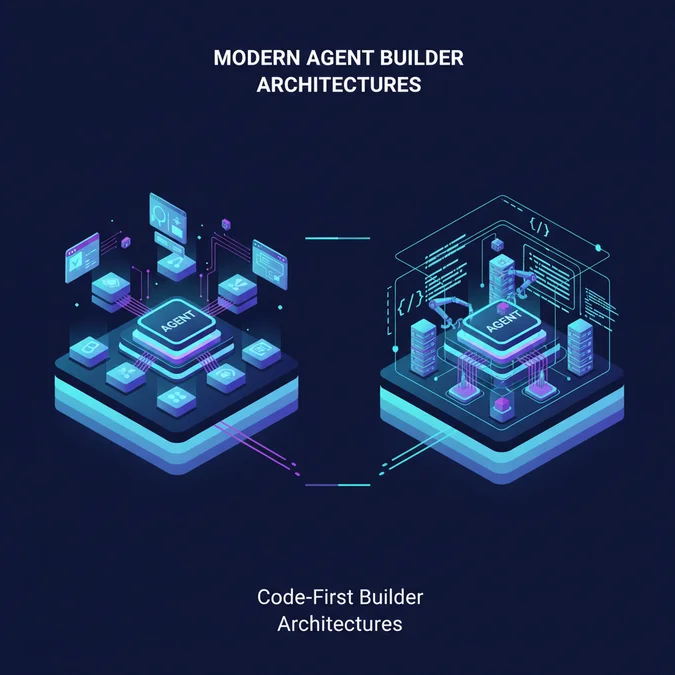

A production Google agent is an autonomous software system powered by Gemini foundation models, Vertex AI orchestration primitives, and structured tool interfaces designed to plan, call enterprise APIs, and execute stateful workflows without human intervention. Rather than treating an LLM as an isolated conversational endpoint, enterprise implementations bind multimodal models to external runtime environments that validate schemas, ground answers in authoritative corporate knowledge, and enforce strict execution guardrails.
Building resilient agentic architectures on Google Cloud requires navigating a rapidly shifting developer ecosystem. Between high-level declarative platforms, specialized accelerator catalogs, and raw SDK-driven reasoning loops, engineers face substantial trade-offs across end-to-end latency, context grounding costs, and operational control. Selecting the wrong abstraction layer risks shipping brittle tool-calling loops or unpredictable, ungrounded outputs to production environments.
This reference architecture breaks down the technical anatomy of modern Google agents. We examine the platform taxonomy, analyze deployment steps across managed engines, evaluate pre-built patterns, review production Python code for tool calling, and inspect the operational safety mechanisms required to harden autonomous execution pipelines.
Deconstructing the Modern Google Agent Taxonomy
Enterprise deployments of a google agent rely on a layered stack that separates high-order semantic reasoning from deterministic software execution. At the base lies the foundation model layer, dominated by multimodal Gemini architectures capable of high-speed structured output generation. Above the model, orchestration runtimes handle state, short-term conversational context, and dynamic tool routing.
+-----------------------------------------------------------------------+
| Enterprise Ingress |
| (Webhooks, Chat Surfaces, Cloud Functions, Pub/Sub) |
+-----------------------------------------------------------------------+
 |
 v
+-----------------------------------------------------------------------+
| Orchestration and Policy Gateway |
| - Vertex AI Agent Runtime / Custom Microservice |
| - Model Armor (Prompt Injection / PII Filtering) |
| - State Machine, Memory Store, Step Counter & Loop Breakers |
+-----------------------------------------------------------------------+
 |
 +----------------+----------------+
 | |
 v v
+-----------------------------------+ +---------------------------------+
| Reasoning Engine | | Grounding Engines |
| - Gemini 1.5 Pro (Deep Logic) | | - Vertex AI Search Datastores |
| - Gemini 1.5 Flash (Low-Latency) | | - BigQuery Vector Index |
+-----------------------------------+ +---------------------------------+
 | |
 +----------------+----------------+
 |
 v
+-----------------------------------------------------------------------+
| Deterministic Tool Layer |
| - OpenAPI Extensions - Cloud Run Microservices |
| - IAM Authenticated Service Accounts - Downstream APIs |
+-----------------------------------------------------------------------+
The orchestration layer coordinates reasoning steps via the ReAct (Reasoning and Acting) pattern or targeted tool evaluation. The agent determines whether incoming queries require datastore lookups, internal code execution, or specialized API mutations. Tool calls pass through strict schema validation layers before reaching downstream enterprise endpoints.
| Architectural Layer | Primary Technology | Latency Profile | Primary Responsibility |
|---|---|---|---|
| Foundation Reasoning | Gemini 1.5 Flash / Pro | 250ms to 1200ms TTFT | Intent parsing, planning, semantic synthesis, function calling. |
| Execution & State | Vertex Agent Platform / Cloud Run | 15ms to 50ms | Session history, state persistence, step limits, deterministic branching. |
| Grounding & Retrieval | Vertex AI Search / Datastores | 120ms to 350ms | Enterprise RAG, semantic vector lookups, document chunk verification. |
| Tooling & Extensions | Vertex Extensions / OpenAPI 3.0 | External API dependent | Mutating databases, executing third-party actions, fetching transactional state. |
Production Rule: Never bind foundational agents directly to external APIs without an intermediate deterministic validation layer. If an LLM misformats a field or fabricates a UUID, your validation layer must intercept the error and force a repair prompt instead of passing corrupted state to enterprise services.
Provisioning Reasoning Engines with Gemini AI Agent Builder
Implementing managed agents on Google Cloud centers around gemini ai agent builder, a unified platform that abstracts manual prompt chaining, vector index maintenance, and conversational memory. The service binds foundation models to managed datastores and OpenAPI-compatible extensions.
To deploy a production-grade reasoning engine using the declarative Vertex AI platform, engineers follow an established lifecycle pipeline:
- Create the Agent Container: Configure the core persona, global context guidelines, and fallback thresholds inside the Vertex AI Agent console or via the REST API.
- Bind Enterprise Datastores: Link unstructured Google Cloud Storage buckets or structured BigQuery datasets to a Vertex AI Search instance, generating automatic vector embeddings without pipeline overhead.
- Configure Extensions: Mount OpenAPI 3.0 specs to declare deterministic external integrations, supplying OAuth2 or service account credentials for secure tool execution.
- Tune Grounding Thresholds: Calibrate the Grounding Confidence Score threshold. Queries returning scores below 0.7 can be automatically routed to deterministic fallbacks or human review.
- Expose Runtime Endpoints: Deploy the agent to scalable regional endpoints, protected by Cloud IAM and ready for asynchronous client polling or streaming SSE connections.
Below is a Terraform configuration declaring an enterprise search datastore and binding it directly to an agent grounding engine:
resource "google_discovery_engine_data_store" "enterprise_knowledge" {
 project = var.project_id
 location = "global"
 data_store_id = "corp-docs-store"
 display_name = "Corporate Document Grounding Store"
 industry_vertical = "GENERIC"
 content_config = "CONTENT_REQUIRED"
 solution_types = ["SOLUTION_TYPE_SEARCH"]
}

resource "google_vertex_ai_endpoint" "agent_runtime_endpoint" {
 project = var.project_id
 name = "gemini-agent-prod-endpoint"
 location = "us-central1"
 display_name = "Gemini Reasoning Engine Runtime"
 labels = {
 environment = "production"
 managed_by = "terraform"
 }
}
Using managed platforms significantly decreases deployment velocity bottlenecks, allowing teams to deliver grounded operational workflows without writing boilerplate context-retrieval wrappers.
Evaluating Pre-Built Patterns in Google Agent Garden
When launching new automated operations, architects must decide between building bespoke orchestration pipelines or deploying curated accelerators found in agent garden. Agent Garden provides pre-packaged reference architectures, domain blueprints, and ready-to-run microservices tuned for specific enterprise workflows such as contract intelligence, customer support triaging, and infrastructure diagnostics.
| Capability Dimension | Agent Garden Accelerators | Bespoke Custom ADK Microservices |
|---|---|---|
| Implementation Time | Hours to days (templated rollout) | Weeks to months (full software lifecycle) |
| Extensibility | Constrained to blueprint interfaces | Infinite; arbitrary Python/Go runtime logic |
| Model Flexibility | Primarily locked to Gemini ecosystems | Multi-model routing (Gemini, Claude, local models) |
| Tooling Ecosystem | Pre-integrated Google Workspace & BigQuery | Any REST, gRPC, or legacy database system |
| Auditability & Testing | Platform logs within Cloud Logging | Unit, integration, and fuzz testing suites |
To determine whether your team should adopt an accelerator or build a custom runtime, audit your constraints against this production readiness checklist:
- Deploy Agent Garden patterns if your workflow relies heavily on native Google Workspace data, straightforward document RAG pipelines, or standard CRM integrations.
- Deploy Agent Garden patterns when time-to-market is the primary KPI and business logic follows standardized question-answering or classification patterns.
- Choose custom code-first microservices if execution requires distributed state machines, complex multi-agent handoffs, non-standard authorization schemes, or hard sub-second latency SLA limits.
- Choose custom microservices if continuous integration requires deterministic mocking, property-based testing, and automated canary deployments for reasoning updates.
Implementing Multi-Turn Tool Calling and Grounding in Python
For systems demanding granular runtime control, engineers implement custom agents using the Google GenAI SDK. This approach exposes full visibility over function call parsing, token limits, and execution recovery routines.
The production Python script below demonstrates configuring a multi-turn agent loop. It binds a Gemini 1.5 model to a deterministic external inventory lookup tool, implements structural output parsing, and tracks execution cycles to prevent recursive execution failures.
import os
from typing import Any, Dict
from google import genai
from google.genai import types

# Configure client with Project and Regional Context
client = genai.Client(
 vertexai=True,
 project=os.environ.get("GCP_PROJECT_ID", "prod-agent-workloads"),
 location="us-central1"
)

def query_inventory_database(sku_id: str, warehouse_zone: str) -> Dict[str, Any]:
 """Simulates a live transactional database query for item availability."""
 # In production, replace with a real connection pool query
 mock_db = {
 "SKU-9982": {"available": 42, "status": "IN_STOCK", "reorder_days": 0},
 "SKU-1044": {"available": 0, "status": "BACKORDER", "reorder_days": 14}
 }
 return mock_db.get(sku_id, {"available": 0, "status": "UNKNOWN_SKU", "reorder_days": -1})

def run_production_agent(user_prompt: str, max_turns: int = 5) -> str:
 # Register tool definitions with precise schemas
 inventory_tool = types.Tool(
 function_declarations=[
 types.FunctionDeclaration(
 name="query_inventory_database",
 description="Fetch availability, status, and lead times for a given SKU and warehouse.",
 parameters=types.Schema(
 type="OBJECT",
 properties={
 "sku_id": types.Schema(type="STRING", description="Canonical format SKU-XXXX"),
 "warehouse_zone": types.Schema(type="STRING", description="Zone identifier, e.g. US-EAST")
 },
 required=["sku_id", "warehouse_zone"]
 )
 )
 ]
 )

 # Enforce safe execution parameters
 config = types.GenerateContentConfig(
 temperature=0.1, # Low variance for deterministic tool decisions
 tools=[inventory_tool],
 system_instruction="You are a supply chain execution agent. Always verify stock via tools before responding."
 )

 chat = client.chats.create(model="gemini-1.5-flash", config=config)
 response = chat.send_message(user_prompt)
 turn_counter = 0

 # Multi-turn execution evaluation loop
 while response.function_calls and turn_counter < max_turns:
 turn_counter += 1
 for call in response.function_calls:
 if call.name == "query_inventory_database":
 tool_args = call.args
 tool_result = query_inventory_database(
 sku_id=tool_args.get("sku_id", ""),
 warehouse_zone=tool_args.get("warehouse_zone", "US-EAST")
 )

 # Return structured payload back into the reasoning context
 response = chat.send_message(
 types.Part.from_function_response(
 name="query_inventory_database",
 response={"result": tool_result}
 )
 )
 else:
 raise ValueError(f"Unauthorized function execution attempted: {call.name}")

 if turn_counter >= max_turns:
 return "Handoff to human: Agent exceeded maximum operational iterations."

 return response.text

if __name__ == "__main__":
 output = run_production_agent("Check stock levels for SKU-9982 in US-WEST and advise if we can fulfill 10 units.")
 print(f"Agent Response: {output}")
Architecture Note: Setting temperature to 0.0 or 0.1 stabilizes function calling. Higher temperatures cause models to misplace parameter boundaries or invent optional schema attributes, degrading multi-turn reliability.
Hardening Autonomous Systems with Model Armor and Identity Controls
Autonomous agents introduce substantial blast radiuses. If an untrusted prompt manipulates an agent into executing unauthorized API functions, enterprise databases can suffer data exfiltration or state corruption. Hardening a production agent requires defense-in-depth across the model gateway, IAM policies, and execution boundaries.
Google Cloud Model Armor sits in the ingress path, scrubbing incoming requests for prompt injections, jailbreak vectors, and sensitive PII before text reaches the Gemini inference runtime. Outgoing tool arguments are similarly sanitized against pre-configured policy profiles.
| Security Threat | Failure Mode | Mitigation Architecture |
|---|---|---|
| Prompt Injection | User input overrides system instructions to run arbitrary tools. | Pre-runtime Model Armor evaluation; token-level input sanitization. |
| Privilege Escalation | Agent calls sensitive mutations using over-privileged credentials. | Scoped Cloud IAM Service Accounts with short-lived OAuth tokens per tool. |
| Infinite ReAct Loops | Failed tool responses cause endless retry cycles, ballooning costs. | Deterministic max-step counters hard-coded into orchestration runtimes. |
| State Drift / Hallucination | Model fabricates operational parameters during extended multi-turn tasks. | Pydantic or JSON schema validation rejecting malformed tool arguments. |
To safely deploy enterprise agents, enforce this operational governance checklist:
- Enforce Short-Lived User Delegated Credentials: When executing tools on behalf of a human user, use Cloud IAM service account impersonation or pass OAuth2 tokens rather than static system-level service keys.
- Air-Gap Write Tools from Read Tools: Separate read-only datastore retrieval from transactional write mutations. Require explicit secondary verification tokens or human-in-the-loop approvals for destructive operations.
- Set Hard Iteration Bounds: Enforce strict limits on execution cycles. Never allow an agent to loop more than three to five turns without resolving an answer or escalating to an error queue.
- Implement Network Service Perimeter (VPC-SC): Confine Vertex AI endpoints, storage buckets, and runtime microservices within a secure perimeter to prevent exfiltration even under total prompt compromise.
Architectural Trade-Offs: Managed Platform vs. Code-First Runtimes
Choosing between fully managed platforms (like Vertex AI Agent Platform and Google Workspace Studio) and code-first microservices (built on the Google GenAI SDK or custom frameworks) involves trade-offs across latency budgets, billing predictability, and maintenance overhead.
| Evaluation Metric | Vertex AI Agent Platform | Google Workspace Studio | Code-First Microservices (Cloud Run) |
|---|---|---|---|
| P95 Latency | 1800ms to 4500ms | 3000ms to 8000ms | 600ms to 2200ms |
| Token Cost Profile | Platform management markup included | Bundled per-seat Workspace SKU | Direct per-million token Gemini billing |
| Observability | Cloud Logging, Vertex Pipelines | Admin Console Activity Logs | OpenTelemetry, Cloud Trace, Prometheus |
| Custom Logic Support | Constrained to Extensions / Webhooks | No-code, UI-driven rules | Complete control over code and state |
| Tool Concurrency | Sequential tool orchestration | Sequential pre-set routines | Parallel async tool execution support |
Cost Optimization Reality: When using large models like Gemini 1.5 Pro for multi-turn conversations, context windows expand rapidly as tool schemas and execution history accumulate. For latency-sensitive workflows with high query volumes, route intent classification and schema formatting to Gemini 1.5 Flash, reserving Gemini 1.5 Pro exclusively for multi-step reasoning failures.
Platform decisions depend on who maintains the service. If domain experts and business analysts manage conversation flows and knowledge updates, managed platforms eliminate infrastructure bottlenecks. When engineers require sub-second response times, parallel tool invocations, and granular telemetry inside existing tracing fabrics, code-first microservices deployed to Cloud Run remain the optimal enterprise pattern.
Frequently Asked Questions
What is a Google agent in enterprise architecture?
A google agent is an autonomous software system powered by Gemini models and Vertex AI infrastructure. It reasons over tasks, determines execution paths, calls enterprise APIs via structured extensions, and grounds answers using live datastores to execute workflows with minimal human intervention.
How does Agent Garden differ from Gemini AI Agent Builder?
Gemini AI Agent Builder provides the managed platform to create, configure, and orchestrate custom conversational and task-oriented agents. Agent Garden serves as the repository of pre-packaged, domain-specific agent templates and foundation workflows that engineers deploy or customize directly within Google Cloud.
Which foundation models power agents in the Google Cloud ecosystem?
Google agents primarily utilize Gemini 1.5 Pro for complex reasoning and multimodal tool coordination, or Gemini 1.5 Flash for high-throughput, latency-critical operations. Both models support massive context windows and native function calling required for resilient agentic workflows.
How do Google agents mitigate infinite execution loops in production?
Production systems use deterministic step limiters, timeout boundaries, and confidence scoring thresholds configured in Vertex AI. When an agent exceeds max-iteration parameters or encounters repeated tool execution failures, it triggers human-in-the-loop handoffs or returns structured fallback responses.
Enterprise agent architectures represent a fundamental shift from static text generation to stateful, deterministic execution pipelines. Success on the Google Cloud platform relies on picking the right operational layer: utilizing Gemini 1.5 models for planning, grounding outputs within managed Vertex Search datastores, and securing execution paths with Model Armor and least-privilege IAM controls.
As you architect agentic systems in 2026, begin by testing pre-built blueprints in Agent Garden to validate feasibility. Transition toward custom GenAI SDK implementations on Cloud Run when your SLAs demand microsecond orchestration, distributed telemetry, and fine-tuned control over iterative tool evaluation loops.