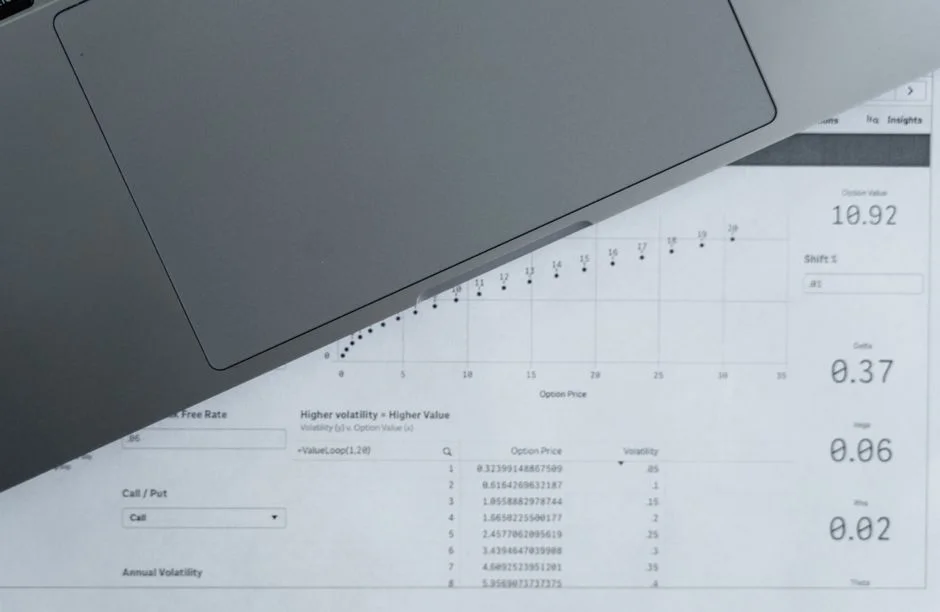
For early-stage startups and small businesses, the spreadsheet is the default operational engine. It is accessible, requires zero technical overhead, and provides immediate visibility into simple data structures. However, as your business moves beyond the initial validation phase, the limitations of spreadsheet-based management—version control issues, data silos, and manual entry errors—begin to act as a drag on operational velocity. The transition from manual tracking to an Enterprise Resource Planning (ERP) system is not merely an IT upgrade; it is a fundamental shift in how your business architecture handles data integrity and process automation.
At NR Studio, we frequently consult with founders who have reached the ‘spreadsheet breaking point.’ This transition is often driven by the need for real-time inventory synchronization, automated financial reporting, or the integration of disparate departmental data. This article explores the technical differences between maintaining operational data in spreadsheets versus implementing a formal ERP system, helping you determine when your infrastructure requires a professional-grade software solution.
The Architectural Limitations of Spreadsheets
Spreadsheets are essentially flat-file, non-relational data stores. While they excel at ad-hoc analysis and rapid prototyping, they fail to enforce data consistency. In a spreadsheet, a ‘Customer ID’ is a string in a cell, prone to typos, duplicates, and inconsistent formatting. There is no inherent transactional integrity; if two users edit the same workbook, you are at the mercy of file-locking mechanisms or, worse, manual merge conflicts.
Technically, a spreadsheet lacks a schema. An ERP system, by contrast, operates on a relational database model (such as PostgreSQL or MySQL). This ensures that data is normalized, relationships between entities—such as Sales Orders, Inventory Items, and Customer Records—are strictly enforced via foreign keys, and transactions are ACID-compliant. When your operational data grows, the ‘lack of schema’ in a spreadsheet leads to systemic data corruption that becomes increasingly expensive to remediate.
Data Integrity and the Cost of Human Error
The reliance on manual data entry in spreadsheets is a major security and reliability risk. In a growing business, the frequency of ‘copy-paste’ operations increases the probability of human error exponentially. An ERP system mitigates this through API-first data ingestion and automated validation rules. By utilizing a central database, an ERP ensures that when a sales order is processed, the inventory count is decremented automatically, and the financial ledger is updated in real-time.
Furthermore, security in a spreadsheet environment is primitive. Access control is usually limited to file-level permissions. An ERP system provides granular, role-based access control (RBAC), allowing you to restrict sensitive financial or HR data to specific user roles, ensuring compliance with data protection regulations and internal governance policies.
The Scalability Tradeoff: Custom ERP vs Off-the-Shelf
When you decide to move away from spreadsheets, you face a critical decision: adopting a monolithic off-the-shelf ERP or commissioning a custom solution. Off-the-shelf software offers immediate feature sets but often forces you to adapt your business processes to the software’s rigid logic. This is the ‘opinionated’ nature of standard ERPs. If your business model involves unique workflows or specialized logistics, an off-the-shelf system may force you to create ‘workarounds’ that ultimately lead you right back to using external spreadsheets.
A custom ERP built on modern stacks—such as Laravel for the backend and React for the dashboard—allows you to codify your unique business logic directly into the software. The tradeoff is clear: custom development requires a higher upfront investment in engineering time and architectural planning, whereas off-the-shelf solutions carry recurring licensing fees and potential integration limitations.
Performance and Integration Capabilities
As your transaction volume increases, spreadsheets suffer from performance degradation. Large workbooks with complex macros or massive data sets become sluggish, often crashing during critical reporting cycles. ERP systems are designed for high-concurrency environments. They utilize optimized database indexing and caching layers to ensure that dashboards remain responsive even as your data grows into the millions of rows.
Integration is another key differentiator. A modern ERP acts as the ‘source of truth’ for your entire tech stack. Through REST or GraphQL APIs, an ERP can ingest data from your e-commerce storefront, payment gateways, and shipping providers. This level of automation is impossible to achieve reliably with spreadsheets, which typically require brittle, third-party middleware to bridge the gap.
Implementation Strategy: The Phased Approach
Moving from spreadsheets to an ERP should never be a ‘big bang’ migration. Attempting to move all business logic at once is a common cause of implementation failure. We recommend a phased approach: start by migrating your most critical, high-volume data—typically inventory or order management—into a centralized system. Once the data pipeline is stable, expand the ERP’s scope to cover financial reporting and CRM modules.
Budget considerations for this transition include not only the development or license costs but also the ‘hidden’ costs of data cleaning. You must sanitize your existing spreadsheet data before importing it into a relational database; otherwise, you are simply migrating bad data into a more expensive system. Allocate time for training your team on the new data entry standards and the shift in operational mindset.
Factors That Affect Development Cost
- Data migration and cleaning complexity
- Number of internal and external API integrations
- Customization requirements for unique workflows
- Security and compliance auditing needs
- Training and change management for staff
Costs vary significantly based on whether you choose a modular off-the-shelf system or a bespoke custom development project tailored to your specific infrastructure.
Frequently Asked Questions
Do small businesses need an ERP?
Small businesses need an ERP when they reach a point where manual spreadsheet management causes data silos, frequent errors, or significant operational bottlenecks. If your business relies on multiple disconnected tools, an ERP can consolidate these into a single source of truth.
Is ERP a growing industry?
Yes, the ERP market continues to grow as businesses increasingly prioritize digital transformation, automation, and real-time data visibility. The demand for cloud-based and custom-tailored ERP solutions is particularly high among growing SMEs.
Can Excel be an ERP system?
While Excel can simulate some ERP functions, it is not an ERP system. It lacks a relational database structure, ACID-compliant transaction processing, granular security controls, and the ability to natively integrate with other software via robust APIs.
What are the 4 pillars of ERP?
The four pillars of ERP are typically recognized as Finance, Supply Chain Management, Manufacturing/Production, and Customer Relationship Management. These pillars provide the foundational data structures needed to manage core business processes.
The transition from spreadsheets to an ERP system is a milestone that marks the evolution of a business from a chaotic, manual-entry environment to a structured, data-driven organization. While spreadsheets hold a place in early-stage operations, they cannot support the complexity, security, and performance requirements of a scaling enterprise.
If you find that your team spends more time managing file versions and fixing manual entry errors than analyzing business performance, it is time to consider a purpose-built software solution. At NR Studio, we specialize in building custom ERP systems that align perfectly with your unique operational workflows. Contact us today to discuss how we can architect a scalable foundation for your business.
Not Sure Which Direction to Take?
Book a 30-minute call with one of our engineers — we’ll help you decide without the sales pitch.