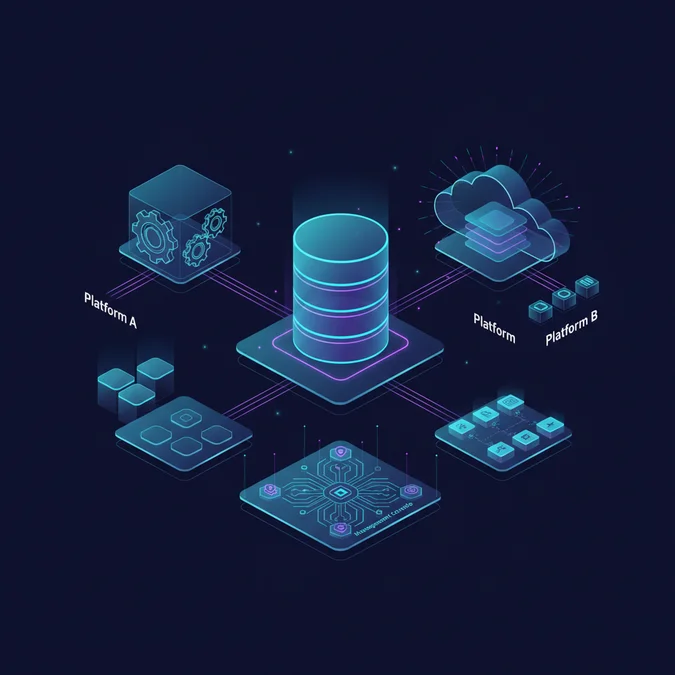

A database server is a dedicated computer program or system that provides database services to other computers or programs, known as clients. It stores, retrieves, and manages data, ensuring its integrity, security, and availability for applications and users through a client-server architecture.
This article provides a practitioner-level exploration of database servers, dissecting their fundamental architecture, core operational mechanics, and diverse deployment strategies. We will cover everything from internal component interactions to advanced scaling and security best practices, equipping you with the knowledge to design, implement, and maintain robust data management solutions.
What is a Database Server? Core Concepts and Role
At its core, a database server is the backbone of any data-driven application, serving as a centralized repository for organized information. It is a specialized program or a dedicated machine running database management system (DBMS) software, designed to store, retrieve, and manipulate data efficiently and securely.
The fundamental operational paradigm for a database server is the client-server model. In this setup, client applications, such as web servers, mobile apps, or desktop programs, send requests to the database server. The server then processes these requests, executes the necessary operations on the stored data, and returns the results to the client. This segregation of responsibilities allows for optimized resource allocation, enhanced security, and centralized data management.
Key Role: A database server’s primary responsibility is to ensure data integrity, consistency, availability, and security across all interactions. It manages concurrent access, handles transactions, and enforces data schema rules, making it indispensable for reliable application functionality.
Without a robust database server, applications would struggle with data persistence, concurrent access management, and maintaining data accuracy, leading to unreliable and inefficient systems. Its role extends beyond mere storage, encompassing complex data manipulation and access control.
How Database Servers Function: Architecture and Mechanics
Understanding the internal architecture of a database server is crucial for effective management and optimization. A typical database server comprises several interconnected components that work in concert to process requests, manage data, and ensure system reliability.
Core Components of a Database Server
- Query Processor: Interprets client SQL (or NoSQL) queries, optimizes their execution plan, and directs them to the appropriate storage engine.
- Storage Engine: The component responsible for physically storing and retrieving data from disk or memory. Examples include InnoDB for MySQL or WiredTiger for MongoDB.
- Transaction Manager: Ensures the Atomicity, Consistency, Isolation, and Durability (ACID) properties of transactions. It handles concurrency control and recovery mechanisms.
- Buffer Manager: Manages the database’s memory buffer (cache) to reduce disk I/O operations by keeping frequently accessed data in RAM.
- Log Manager: Records all database changes in a transaction log, crucial for recovery in case of system failures.
- Concurrency Control Manager: Manages simultaneous access to data by multiple users or applications, preventing conflicts and ensuring data consistency.
- Security Manager: Handles authentication, authorization, and encryption, ensuring only authorized users can access specific data.
When a client sends a query, the query processor first parses and optimizes it. The optimized plan is then executed, often involving the buffer manager to fetch data from cache or the storage engine to retrieve it from disk. The transaction manager ensures that all operations within a transaction either complete successfully or are fully rolled back, maintaining data integrity. Concurrency control mechanisms, such as locking, prevent data corruption from simultaneous writes.
Consider a simple SQL query:
SELECT * FROM Users WHERE status = 'active';The database server’s query processor receives this. It might then check if an index exists on the ‘status’ column to speed up retrieval. The storage engine then fetches the relevant data blocks, possibly from the buffer cache, and the results are returned to the client. This entire process is orchestrated to be as efficient and reliable as possible.
| Component | Primary Function | Impact on Performance |
|---|---|---|
| Query Processor | Parses, optimizes, and executes queries | Inefficient queries increase CPU load |
| Storage Engine | Manages physical data storage and retrieval | Disk I/O speed is critical |
| Transaction Manager | Ensures ACID properties and concurrency | Poor concurrency management can cause deadlocks |
| Buffer Manager | Caches frequently accessed data in RAM | Insufficient RAM leads to excessive disk I/O |
| Log Manager | Records all changes for recovery | High write activity can stress I/O subsystem |
Types of Database Servers: SQL, NoSQL, Cloud, and On-Premise
The landscape of database servers is diverse, primarily categorized by their underlying data model and deployment strategy. Choosing the right type is paramount for application performance, scalability, and cost-effectiveness.
SQL Database Servers (Relational)
Relational database management systems (RDBMS) are the most traditional type of database server. They organize data into tables with predefined schemas, using Structured Query Language (SQL) for data definition and manipulation. Key characteristics include:
- Structured Data: Data is organized in rows and columns.
- ACID Compliance: Strong guarantees for data integrity and consistency, vital for financial transactions.
- Schema-on-Write: Schema must be defined before data can be inserted.
- Examples: MySQL, PostgreSQL, Oracle Database, Microsoft SQL Server.
SQL database servers excel in applications requiring complex queries, strong transactional consistency, and well-defined relationships between data entities, such as enterprise resource planning (ERP) systems or banking applications.
NoSQL Database Servers (Non-Relational)
NoSQL databases emerged to address the limitations of relational databases in handling massive volumes of unstructured or semi-structured data, high-velocity data streams, and highly distributed environments. They offer flexible schemas and horizontal scalability. NoSQL types include:
- Document Databases: Store data in flexible, JSON-like documents (e.g., MongoDB, Couchbase).
- Key-Value Stores: Simple key-value pairs for high-speed read/write operations (e.g., Redis, Amazon DynamoDB).
- Column-Family Stores: Store data in column families, optimized for large datasets (e.g., Apache Cassandra, HBase).
- Graph Databases: Store data as nodes and edges, ideal for highly connected data (e.g., Neo4j, Amazon Neptune).
NoSQL database servers are often preferred for applications like real-time analytics, content management systems, social media platforms, and IoT data ingestion, where schema flexibility and massive scalability are critical.
Deployment Models
Beyond the data model, database servers can be deployed in various environments:
- On-Premise: Databases are hosted on hardware within an organization’s own data center. Provides maximum control and security, but entails significant upfront costs and maintenance overhead.
- Cloud-Hosted (IaaS): Running database software on virtual machines provided by cloud providers (e.g., AWS EC2, Azure VMs). Offers flexibility and scalability, shifting hardware management to the provider.
- Database-as-a-Service (DBaaS / PaaS): Fully managed database services where the cloud provider handles all infrastructure, patching, backups, and scaling (e.g., Amazon RDS, Azure SQL Database, Google Cloud SQL, MongoDB Atlas). This significantly reduces operational burden, allowing developers to focus on application logic.
- Hybrid: A combination of on-premise and cloud deployments, often used for data residency requirements or gradual cloud migration.
Emerging Trend: Serverless databases, like Amazon Aurora Serverless, represent a further evolution of DBaaS, automatically scaling compute capacity up and down to match demand, and charging only for consumed resources. This is particularly beneficial for unpredictable workloads.
| Feature | SQL Database Servers | NoSQL Database Servers |
|---|---|---|
| Data Model | Relational, tables with fixed schemas | Non-relational, flexible schemas (document, key-value, graph, etc.) |
| Schema | Schema-on-write, rigid | Schema-on-read, dynamic |
| Scalability | Vertical (scale-up), horizontal via sharding/replication | Horizontal (scale-out) by design |
| Transactions | Strong ACID compliance | Often BASE (Basically Available, Soft state, Eventually consistent) |
| Query Language | SQL (Structured Query Language) | Varies (APIs, query languages specific to type) |
| Use Cases | ERP, CRM, financial systems, complex transactions | Big data, real-time analytics, content management, IoT |
Designing Robust Database Server Deployments: Models and Trade-offs
Designing a robust database server deployment requires careful consideration of scalability, high availability, and disaster recovery. These factors dictate how your application performs under load, its resilience to failures, and its ability to recover from catastrophic events.
Scalability Strategies
Scalability refers to the ability of a database server to handle increasing amounts of data or traffic. There are two primary approaches:
- Vertical Scaling (Scale-Up): Increasing the resources (CPU, RAM, storage) of a single database server instance.
- Pros: Simpler to implement, maintains data consistency easily.
- Cons: Limited by hardware maximums, single point of failure, often more expensive at extreme scales.
- Horizontal Scaling (Scale-Out): Distributing data and workload across multiple database server instances.
- Pros: Virtually limitless scalability, high availability can be built-in, cost-effective with commodity hardware.
- Cons: Increased complexity in data distribution (sharding), managing consistency across nodes, more challenging query optimization.
Common horizontal scaling techniques include:
- Replication: Creating copies of the database (replicas) to distribute read workloads and provide failover capabilities. A primary (master) server handles writes, and secondary (read-replica) servers handle reads.
- Sharding: Partitioning a large dataset into smaller, more manageable chunks (shards) and distributing these shards across multiple database servers. Each shard operates as an independent database.
High Availability (HA)
High availability ensures that the database server remains operational even if components fail. The goal is to minimize downtime.
- Failover Clustering: A group of servers (nodes) that work together to provide continuous service. If one node fails, another automatically takes over its workload.
- Active-Passive Clusters: One server is active, handling requests, while another is passive, ready to take over. Data is replicated from active to passive.
- Active-Active Clusters: Multiple servers are simultaneously active, sharing the workload. This provides better resource utilization and faster failover.
- Load Balancing: Distributing incoming client requests across multiple database servers to prevent overload on any single instance.
Disaster Recovery (DR)
Disaster recovery focuses on restoring database services and data after a catastrophic event, such as a natural disaster, major outage, or cyberattack. DR strategies aim to minimize data loss (Recovery Point Objective, RPO) and downtime (Recovery Time Objective, RTO).
- Regular Backups: Essential for any DR plan. Full, differential, and incremental backups should be performed regularly and stored off-site.
- Point-in-Time Recovery (PITR): Using transaction logs (write-ahead logs) to restore the database to a specific moment in time, minimizing data loss.
- Multi-Region Deployments: Replicating data across geographically diverse data centers. If one region goes down, traffic can be rerouted to another.
- Data Archiving: Moving old or infrequently accessed data to less expensive storage, improving performance of active data and reducing backup sizes.
| Strategy | Description | Primary Benefit | Key Challenge |
|---|---|---|---|
| Vertical Scaling | Add more resources to a single server | Simplicity, strong consistency | Hardware limits, single point of failure |
| Horizontal Scaling | Distribute data/load across multiple servers | High scalability, fault tolerance | Complexity, consistency management |
| Replication | Maintain multiple copies of data | Read scalability, HA | Write contention, replication lag |
| Sharding | Partition data across separate databases | Massive scalability, performance | Query complexity, rebalancing shards |
| Failover Clustering | Automatic switch to backup server on failure | High Availability | Setup complexity, potential data loss during switch |
| Multi-Region DR | Geographically distributed data copies | Disaster resilience | Cost, network latency for sync |
Database Server Deployment Checklist for Robustness
Implementing these strategies requires a methodical approach. This checklist can guide your deployment decisions:
- Define RPO and RTO: Clearly establish acceptable data loss and downtime metrics.
- Choose Scaling Strategy: Determine if vertical or horizontal scaling is appropriate for anticipated growth.
- Implement Replication: Set up read replicas for read-heavy workloads and primary/secondary replication for HA.
- Consider Sharding: If horizontal scaling limits are reached, evaluate sharding data based on a logical key.
- Automate Backups: Schedule regular, automated backups to secure off-site storage.
- Test Recovery Plans: Periodically test your disaster recovery procedures to ensure they work.
- Monitor Performance & Health: Implement comprehensive monitoring for server health, query performance, and resource utilization.
- Plan for Redundancy: Ensure redundancy at all levels: network, power, storage, and compute.
- Document Architecture: Maintain up-to-date documentation of your database server architecture and recovery procedures.
Optimizing and Securing Your Database Servers: Best Practices
Effective management of database servers goes beyond initial setup; it demands continuous optimization and stringent security measures. Neglecting either can lead to performance bottlenecks, data breaches, and system instability.
Performance Optimization
Optimizing database server performance involves a multi-faceted approach, targeting hardware, software, and application-level interactions:
- Indexing: Properly indexing frequently queried columns can drastically reduce query execution times. However, over-indexing can slow down write operations.
- Query Optimization: Analyze slow queries using the database’s query optimizer or execution plans. Rewrite inefficient queries, avoid
SELECT *when specific columns suffice, and minimize joins on large tables. - Hardware Resources: Ensure adequate CPU, RAM, and fast storage (SSDs, NVMe) are allocated. Insufficient RAM leads to excessive disk I/O, a common bottleneck.
- Caching: Utilize database-level caching (e.g., buffer pools) and application-level caching (e.g., Redis, Memcached) to reduce the load on the database server.
- Database Configuration Tuning: Adjust DBMS parameters such as buffer sizes, connection limits, and concurrency settings to match your workload.
- Partitioning: For very large tables, partitioning them based on a range or list can improve query performance and maintenance operations.
-- Example: Create an index to speed up queries on the 'email' column
CREATE INDEX idx_users_email ON Users (email);

-- Example: Analyze a query's execution plan (PostgreSQL syntax)
EXPLAIN ANALYZE SELECT * FROM Orders WHERE order_date > '2023-01-01';
Security Hardening
Securing database servers is paramount, given the sensitive nature of the data they often contain. A comprehensive security strategy includes:
- Principle of Least Privilege: Grant users and applications only the minimum necessary permissions to perform their tasks. Avoid using ‘root’ or ‘admin’ accounts for daily operations.
- Strong Authentication: Enforce strong, unique passwords and multi-factor authentication (MFA) where possible.
- Network Security: Place the database server behind firewalls, limit access to specific IP addresses or subnets, and use Virtual Private Clouds (VPCs) or private links in cloud environments.
- Encryption: Encrypt data at rest (on disk) and in transit (over the network) using SSL/TLS.
- Regular Patching and Updates: Keep the database server software and operating system patched with the latest security updates.
- Auditing and Logging: Enable comprehensive auditing to track who accessed what data and when. Regularly review logs for suspicious activity.
- Vulnerability Scanning: Periodically scan database servers for known vulnerabilities and misconfigurations.
- Data Masking/Anonymization: For non-production environments, mask or anonymize sensitive data to prevent exposure.
Database Servers Security Hardening Checklist
- Network Isolation: Restrict database server access to trusted IPs/subnets only. Use a private network.
- Strong Passwords & MFA: Implement robust password policies and MFA for all administrative accounts.
- Least Privilege Access: Review and restrict user/application permissions to absolute necessity.
- Encryption: Enable data at rest encryption (e.g., TDE) and data in transit encryption (SSL/TLS).
- Regular Patching: Automate or schedule regular security updates for OS and DBMS.
- Audit Logging: Configure detailed audit logs for all data access and administrative actions.
- Vulnerability Scans: Conduct periodic vulnerability assessments and penetration testing.
- Backup Security: Ensure backups are encrypted, stored securely, and access-controlled.
- Remove Default Accounts: Delete or disable default database accounts with known credentials.
- Intrusion Detection: Deploy intrusion detection systems (IDS) or security information and event management (SIEM) solutions.
Choosing and Implementing the Right Database Server Solution
Selecting the appropriate database server solution is a critical decision that impacts an application’s performance, scalability, cost, and developer productivity. The choice should align with your project’s specific requirements, rather than following trends blindly.
Key Factors for Selection
- Data Structure and Relationships: If your data is highly structured with complex relationships requiring strong transactional consistency, a SQL database server is often the best fit. For unstructured, semi-structured, or highly dynamic data, a NoSQL database server offers greater flexibility.
- Data Volume and Velocity: Applications generating massive amounts of data at high speed (e.g., IoT, real-time analytics) often benefit from NoSQL databases designed for horizontal scalability. Smaller, more predictable datasets might be well-served by SQL.
- Consistency Requirements: Financial systems or applications where data consistency is paramount (ACID properties) necessitate SQL databases. Where eventual consistency is acceptable for higher availability and scalability (BASE properties), NoSQL can be a strong contender.
- Query Complexity: If your application relies on complex joins, aggregations, and analytical queries, SQL databases with their mature query optimizers are generally superior.
- Scalability Needs: Anticipate future growth. If massive, unpredictable scaling is expected, cloud-native or horizontally scalable NoSQL solutions are preferable.
- Cost and Budget: Licensing costs (for commercial databases like Oracle, SQL Server), operational overhead (on-prem vs. DBaaS), and infrastructure expenses vary significantly. Open-source options (PostgreSQL, MySQL, MongoDB Community) can reduce licensing costs.
- Team Expertise: Leverage your team’s existing knowledge. Training costs and learning curves for new technologies can be substantial.
- Ecosystem and Tooling: Consider the availability of drivers, ORMs, monitoring tools, and community support for your chosen database server.
Common Use Cases and Recommendations
| Use Case | Recommended Database Server Type | Justification |
|---|---|---|
| E-commerce Platform | SQL (PostgreSQL, MySQL) for orders/inventory; NoSQL (MongoDB) for product catalogs/user profiles | SQL for transactional integrity; NoSQL for flexible product data. |
| Financial Transactions | SQL (PostgreSQL, Oracle, SQL Server) | Strict ACID compliance, complex reporting. |
| Social Media Feed | NoSQL (Cassandra, MongoDB, Redis) | High write throughput, flexible schema, massive scalability. |
| IoT Data Ingestion | NoSQL (Cassandra, InfluxDB) or specialized time-series databases | High-velocity data, massive volume, often append-only. |
| Content Management System (CMS) | SQL (MySQL, PostgreSQL) or Document NoSQL (MongoDB) | SQL for structured content, NoSQL for flexible document storage. |
| Real-time Analytics | NoSQL (Cassandra, Redis, Elasticsearch) or Columnar SQL (ClickHouse) | High read/write performance, distributed processing. |
Emerging Trends
The database server landscape is constantly evolving:
- Serverless Databases: Services like Amazon Aurora Serverless or Google Cloud Firestore abstract away server management entirely, scaling automatically and charging only for actual usage. Ideal for unpredictable workloads and cost optimization.
- NewSQL Databases: Aim to combine the scalability of NoSQL with the ACID guarantees and SQL interface of traditional relational databases (e.g., CockroachDB, TiDB).
- Multi-Model Databases: Databases that support multiple data models (e.g., document, graph, key-value) within a single system, offering versatility (e.g., ArangoDB, MarkLogic).
- Vector Databases: Specialized databases designed to store and query vector embeddings, critical for AI/ML applications and semantic search (e.g., Pinecone, Weaviate).
Strategic Implementation: Start with a proof of concept. Validate your assumptions about performance, scalability, and operational complexity before committing to a full-scale deployment of a specific database server technology.
By carefully evaluating these factors and understanding emerging trends, organizations can make informed decisions that lay a strong foundation for their data infrastructure and application success.
Frequently Asked Questions
What is the primary function of a database server?
A database server’s primary function is to store, retrieve, and manage data for applications and users. It processes queries, ensures data integrity, handles transactions, and provides secure access to information, acting as the central repository for an organization’s digital assets.
How do SQL and NoSQL database servers differ?
SQL database servers are relational, using structured query language and predefined schemas, ideal for complex transactions and structured data. NoSQL database servers are non-relational, offering flexible schemas and horizontal scalability, better suited for large volumes of unstructured or semi-structured data.
What are the key components of a typical database server?
Key components of a database server include the database management system (DBMS) software, a query processor, a storage engine for data persistence, a transaction manager to ensure data consistency, and networking capabilities for client connections. Hardware includes CPU, RAM, and high-speed storage.
Why is security crucial for database servers?
Security is crucial for database servers because they often hold sensitive and critical information. Robust security measures prevent unauthorized access, data breaches, corruption, and loss, protecting privacy, maintaining regulatory compliance, and ensuring the continuous availability and integrity of vital organizational data.
A database server is far more than just a storage mechanism; it is a sophisticated system critical to the functionality, reliability, and security of modern applications. From understanding its core architectural components like the query processor and storage engine, to navigating the diverse landscape of SQL and NoSQL databases, and mastering complex deployment strategies for high availability and disaster recovery, a comprehensive grasp of this technology is indispensable for any technical professional.
By prioritizing thoughtful design, continuous optimization, and robust security practices, organizations can ensure their database servers are not only high-performing but also resilient against failures and threats. The insights provided here serve as a foundational guide for making informed decisions, whether you are architecting a new system, migrating existing data, or simply seeking to enhance the operational excellence of your data infrastructure.
NR Studio builds custom web apps, mobile apps, SaaS platforms, and internal tools for growing businesses. If you’re working through a technical decision, feel free to reach out — no commitment required.