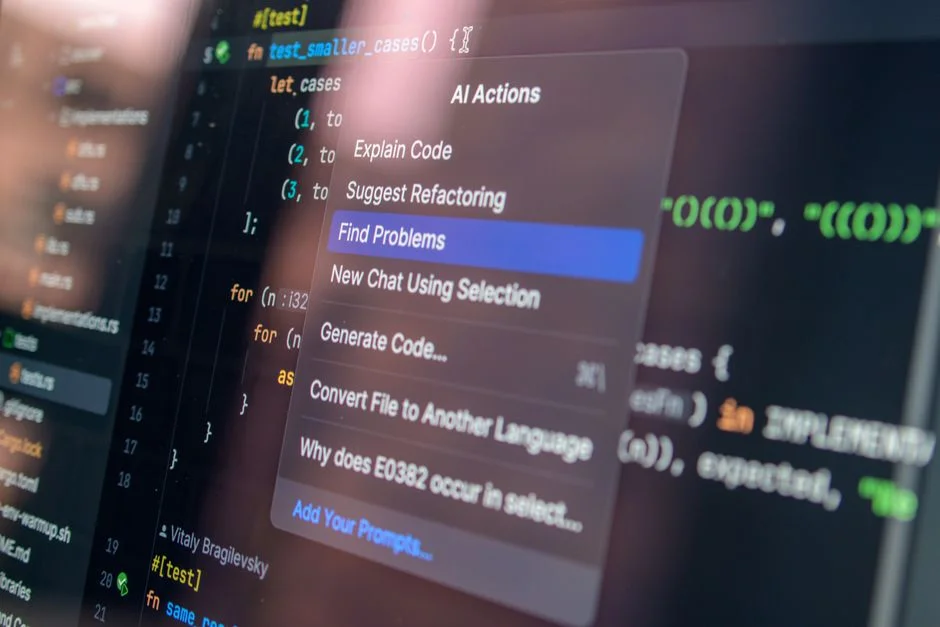

The trajectory of software development has shifted dramatically from the era of manual boilerplate generation to the current landscape dominated by large language models integrated directly into the IDE. Historically, we moved from assembly to high-level languages, then to framework-driven development, and now to AI-augmented workflows. For CTOs and technical leads, the question is no longer whether AI coding assistants are capable of generating syntax, but whether they align with the rigorous standards required for production-grade WordPress development.
Adopting AI in a professional environment involves a complex risk-benefit calculation. We are evaluating not just the speed of code generation, but the long-term maintainability, security, and technical debt implications of AI-assisted output. As an organization committed to high-performance WordPress ecosystems, we have observed that while AI excels at routine tasks, it often struggles with the nuanced architectural requirements of complex plugins and custom themes. This article provides an executive-level analysis of whether your development team should integrate these tools into your production pipeline today.
The Evolution of Automated Code Generation
The history of software engineering is defined by our persistent drive to abstract away the mundane. In the early days of WordPress development, creating custom post types, meta boxes, and taxomony registrations required manual coding of every line. We eventually transitioned to boilerplate generators and robust starter themes. Today, AI coding assistants represent the next logical step in this evolution, moving from static templates to generative models that understand context and intent. However, the paradigm shift is significant. Unlike static code generators, AI tools generate non-deterministic outputs, meaning the same prompt can yield different results across sessions, which introduces a new layer of complexity for quality assurance teams.
When we look at the maturity of these tools, we must differentiate between autocomplete engines and reasoning agents. Autocomplete engines, powered by models like Copilot or Codeium, are primarily predictive. They analyze existing code patterns and suggest completions. This is largely helpful for reducing keystrokes in repetitive tasks like writing unit tests or documentation headers. Conversely, reasoning agents are designed to understand broader context, such as project folder structure or dependency graphs. For a WordPress agency managing dozens of client sites, the risk is that these models might hallucinate configurations that violate WordPress coding standards (WPCS) or security best practices. We have seen instances where AI suggests deprecated functions from older versions of WordPress, which can lead to significant vulnerabilities if not caught during the code review process.
Furthermore, the integration of AI into the development lifecycle necessitates a shift in how we handle peer reviews. When an AI generates 40% of the logic in a new module, the human developer becomes an editor rather than an author. This transition can lead to a ‘passive review’ culture, where developers trust the AI output implicitly. This is a dangerous trend. In our experience, the most effective teams are those that treat AI output as ‘draft code’ that must be subjected to the same, if not stricter, scrutiny as human-written code. Before jumping into full adoption, you must evaluate whether your team has the architectural maturity to identify subtle logic errors that an AI might introduce in a complex hook or filter interaction.
Evaluating Total Cost of Ownership and ROI
When assessing the economic viability of AI coding assistants, we must look beyond the monthly subscription fee. The true cost of ownership includes training, security auditing, and the potential for increased technical debt. For an agency, the cost per developer is relatively low, but the indirect costs of managing AI-generated vulnerabilities can be substantial. If a developer uses an AI assistant to build a custom API integration that later fails due to an obscure security flaw, the cost of remediation can dwarf the savings gained during the initial development phase. This is similar to the hidden costs of using low-code tools when compared to the long-term stability of custom automation development.
To provide a clear picture of the fiscal landscape, we have outlined the standard cost structures associated with deploying AI tools across a development team. These figures represent industry averages for enterprise-grade tooling, excluding the man-hours required for internal policy development and security training.
| Pricing Model | Typical Scope | Cost Considerations |
|---|---|---|
| Per-Seat Subscription | Standard IDE Integration | Fixed monthly cost; scales linearly with team size. |
| Enterprise Tier | Self-hosted/Private Models | Requires infrastructure overhead and dedicated management. |
| Custom Model Training | Proprietary Codebases | High upfront cost; requires significant data engineering. |
| Audit/Consulting | AI Policy Implementation | One-time engagement for security and compliance framework. |
We typically find that for teams of 5-10 developers, the return on investment is realized through a 15-20% increase in velocity for routine CRUD operations. However, this efficiency gain is often offset by the overhead of auditing AI-generated code. If your team is currently building complex applications, you cannot afford to skip the human-in-the-loop review. The cost of a security breach caused by an AI-generated SQL injection vulnerability far outweighs the potential savings in development time. Therefore, the TCO model must prioritize security audits as a mandatory step in the CI/CD pipeline.
Technical Debt and Architectural Integrity
One of the primary concerns for CTOs is the accumulation of technical debt. AI coding assistants are trained on vast datasets of public code, which includes both high-quality library code and poor-quality legacy snippets. When an AI suggests a solution for a WordPress plugin, it may inadvertently pull in patterns that are not optimal for your specific architectural needs. This is particularly relevant when developing complex systems where performance, scalability, and maintainability are non-negotiable. If your team relies heavily on AI to write complex logic, you risk creating a codebase that is difficult to debug because the underlying patterns are inconsistent and lack a unified architectural philosophy.
In the context of WordPress, this is magnified by the platform’s reliance on a global hook system. A well-architected plugin uses specific action and filter priorities to maintain stability. An AI assistant, lacking the full context of your plugin’s interaction with other installed plugins or the core WordPress environment, might suggest a hook priority that causes race conditions or performance degradation. We have seen projects where AI-generated code resulted in ‘spaghetti’ logic, where global variables were modified in ways that broke third-party integrations. This forces your senior engineers to spend more time refactoring AI code than they would have spent writing it from scratch.
To mitigate these risks, we recommend a ‘strict policy’ approach. Your team should only use AI for isolated functions or boilerplate code that has no dependency on the global state. Complex business logic should always be written by experienced engineers who understand the full scope of the system. Furthermore, treat AI as a ‘suggestion engine’ rather than a ‘solution engine’. If a developer cannot explain exactly why the AI generated a specific block of code, that code should not be merged into the repository. Maintaining architectural integrity requires a human-centric approach to decision-making, ensuring that every line of code serves a clear, documented purpose within the system’s broader architecture.
Security Implications in the AI Era
Security is the single biggest barrier to the widespread adoption of AI coding assistants in enterprise environments. Because these models are trained on public code, they can inadvertently suggest code that mimics known vulnerabilities. For instance, an AI might suggest a database query that is vulnerable to SQL injection because it is mimicking a pattern found in older, insecure legacy code. When you are migrating systems to custom development, you need to ensure that the foundation is rock-solid. Introducing AI-generated code into this process without a robust security audit is an invitation to disaster.
The threat landscape is evolving. Attackers are now using AI to identify patterns in open-source libraries, which are then fed back into the training sets of coding assistants. This creates a feedback loop where insecure patterns are reinforced. For a WordPress development team, this means that every AI-generated suggestion must be passed through a static analysis tool that is configured for WordPress security standards. You should integrate tools like PHP_CodeSniffer with WordPress-specific rulesets into your CI/CD pipeline. Even then, automated tools cannot catch logic-based vulnerabilities, such as improper capability checks or nonce verification failures.
Furthermore, consider the data privacy aspect. When you feed your internal codebase into an AI assistant, you must ensure that your intellectual property is not being used to train the public model. Most enterprise versions of these tools offer ‘zero-retention’ policies, but you must verify this contractually. We recommend that teams strictly enforce a ‘no-sensitive-data’ policy for AI prompts. This means developers should never include client-specific API keys, database credentials, or proprietary business logic in their prompts. If the AI requires context, provide it via abstracted interfaces or documentation headers that do not expose the internal workings of your security architecture.
Operationalizing AI in a Professional Workflow
Operationalizing AI is not about replacing developers; it is about creating a controlled environment where AI augments human capability. The most successful teams we have observed implement an ‘AI-as-a-Pair’ model. In this setup, the AI acts as a junior developer who is fast but prone to mistakes. The senior developer acts as the reviewer and architect. This keeps the senior engineer in the driver’s seat, responsible for the final code output while utilizing the AI to speed up the drafting of repetitive code blocks. This approach requires clear guidelines on when and how to use the tool, as well as mandatory training on prompt engineering for specific coding tasks.
The integration process should start with a pilot phase. Do not roll out AI assistants to the entire team at once. Instead, select a small, high-performing group to experiment with the tools on non-critical projects. Track their performance metrics, paying close attention to the time spent on code reviews versus time spent on initial development. You will likely find that while initial development speed increases, the time spent on code reviews also increases. The goal is to find the balance where the total cycle time is reduced without compromising on quality. This is an iterative process that requires constant feedback and adjustment of your internal development standards.
Finally, encourage a culture of transparency. If a developer uses AI to solve a difficult problem, they should document that the code was AI-assisted. This ensures that when the code is reviewed, the reviewer knows to pay extra attention to the logic and security of that specific section. It also helps the team build a ‘knowledge base’ of what the AI is good at and where it fails. Over time, your team will develop a shared intuition for when to trust the AI and when to rely on their own expertise. This collective wisdom is the most valuable asset you can develop as you scale your team’s use of AI tools.
Scaling Challenges and Long-term Maintainability
As your team grows, the consistency of your code becomes a major challenge. When every developer uses an AI assistant, the risk of code style drift increases. One developer’s AI might prefer camelCase, while another’s prefers snake_case, leading to a codebase that looks like it was written by ten different people. Maintaining a unified coding standard is difficult enough with human developers; adding AI into the mix can turn this into a maintenance nightmare. To solve this, you must enforce strict linting and formatting rules that are automatically applied at the commit level. Your AI-assisted development workflow must be subservient to your automated quality control processes.
Furthermore, long-term maintainability depends on documentation. AI assistants are excellent at generating documentation, but they often generate documentation that describes the ‘what’ rather than the ‘why’. A good code comment explains the business logic or the reason for a specific architectural decision. AI usually fails at this because it does not have the context of your business requirements. As a result, you might end up with a codebase that is technically documented but lacks the strategic context necessary for future developers to understand why certain decisions were made. Ensure that your team’s policy mandates human-written documentation for all core business logic and critical architectural components.
Finally, consider the ‘model drift’ problem. As AI models are updated, their coding style and suggested patterns can change. This can lead to a situation where code written with an AI model in 2024 looks significantly different from code written with an updated model in 2026. This inconsistency makes it harder to maintain the software over long periods. You must treat your development environment, including your AI configuration, as part of your infrastructure. Version control your AI configuration settings and ensure that the entire team is using the same model versions where possible to maintain consistency across the codebase.
The Migration Path for Established Teams
Migrating to an AI-augmented workflow should be viewed as a strategic transition rather than a simple software installation. Start by auditing your current development processes to identify bottlenecks where AI could provide the most value. For most WordPress teams, this is in the area of unit testing, documentation, and routine CRUD tasks. These are low-risk areas where the AI can provide immediate value without jeopardizing the stability of your core application. Once your team is comfortable with the tools in these areas, you can gradually expand their use to more complex tasks, provided that your security and review processes are robust enough to handle the increased load.
Communication is key during this transition. Your team needs to understand the ‘why’ behind the adoption of AI. It is not to replace them, but to empower them to handle more complex, high-value work. Address their concerns about job security and the quality of their work directly. When developers feel that they are in control of the technology, they are more likely to use it responsibly. Provide training sessions that focus on both the capabilities and the limitations of the tools, and encourage a culture of critical thinking where the AI is viewed as a tool like any other, not an authority.
Finally, establish a feedback loop. Set up a regular meeting where developers can share their experiences with the AI tools. What patterns are they finding? Where is the AI failing? What security concerns have they encountered? Use this feedback to refine your internal policies and to identify the training needs of your team. By treating the adoption of AI as a collaborative, team-wide effort, you can navigate the challenges of the transition and build a more efficient, high-performing development organization that leverages the power of AI while maintaining the rigor of human-led engineering.
Strategic Authority in WordPress Development
The adoption of AI is not a binary decision; it is a strategic maneuver that requires careful calibration. Your goal is to maximize the velocity of your team without sacrificing the architectural integrity of the software you deliver. For the WordPress ecosystem, this means ensuring that your AI-assisted workflows remain strictly within the boundaries of best practices for theme and plugin development, while continuously monitoring for potential security regressions. As you integrate these tools, remember that your ultimate responsibility is to the client and the long-term viability of their digital assets.
We have successfully navigated these transitions for numerous clients, ensuring that the integration of new technologies always serves the business goals of scalability, security, and performance. Our approach is grounded in the reality of professional software engineering, where the cost of a mistake often exceeds the value of a shortcut. By maintaining a human-led, AI-augmented approach, you can achieve the best of both worlds: the speed of automation and the precision of human expertise. If you are looking to assess how your team can leverage these tools effectively, we are here to help you evaluate your current architecture and strategy.
Explore our complete WordPress — Development directory for more guides. Explore our complete WordPress — Development directory for more guides.
Factors That Affect Development Cost
- Team size and license volume
- Security audit requirements
- Infrastructure for private models
- Internal training and policy development
- Integration with existing CI/CD pipelines
Costs vary significantly based on whether you opt for standard per-seat licensing or enterprise-grade custom model implementations.
In conclusion, the decision to adopt AI coding assistants is not a question of ‘if’ but ‘how’. For professional WordPress teams, the risks of unchecked AI usage are significant, including potential security vulnerabilities, architectural inconsistency, and the accumulation of technical debt. However, these risks can be managed through a rigorous, human-centric approach that treats AI as a powerful but fallible tool. By focusing on security, architectural integrity, and ongoing human oversight, you can successfully integrate these assistants into your workflow to increase velocity and improve overall team output.
If you are ready to modernize your development workflow or need an expert assessment of your current architecture to see how you can safely introduce AI, we are here to assist. Our team specializes in high-performance WordPress development and can help you audit your current processes, identify opportunities for automation, and implement a secure, scalable strategy that prepares your business for the future of software engineering. Contact us today to schedule a comprehensive code and architecture audit.
NR Tech Studio builds custom web apps, mobile apps, SaaS platforms, and internal tools for growing businesses. If you’re working through a technical decision, feel free to reach out — no commitment required.