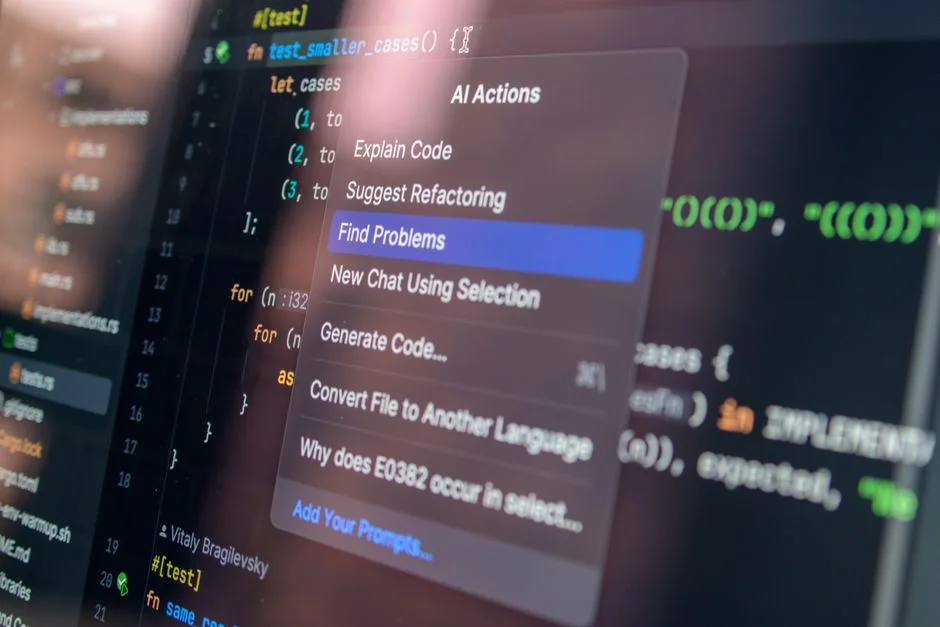

Enterprise ERP systems represent the pinnacle of architectural complexity. When managing millions of rows of transactional data, maintaining strict ACID compliance, and ensuring that custom business logic remains decoupled from the core framework, the margin for error is non-existent. A single poorly optimized query or a race condition in a high-concurrency payroll module can lead to catastrophic data integrity failures. As senior engineers, we face the constant pressure of scaling these systems while simultaneously reducing technical debt.
Artificial Intelligence (AI) code assistants have emerged not as a replacement for architectural oversight, but as powerful tools to augment our development lifecycle. However, integrating these assistants into an enterprise environment requires more than just enabling a plugin. It demands a rigorous approach to context management, prompt engineering, and security, ensuring that AI-generated output adheres to your specific design patterns and performance requirements without introducing vulnerabilities or architectural drift.
Architectural Context Management for AI Models
The primary reason AI assistants fail in enterprise environments is a lack of context. When working on a large-scale Laravel or Next.js application, the AI cannot understand your proprietary directory structure or the intricacies of your specific service injection pattern unless it is explicitly provided. To effectively use AI code assistants for an ERP, you must treat your codebase as a living document that the AI can traverse. This involves creating a ‘context window’ that includes your base service classes, trait definitions, and middleware configurations.
For instance, when refactoring a complex data transformation service, simply asking an AI to ‘optimize this function’ is insufficient. Instead, provide the AI with the abstract base class and the interface definition. This allows the model to suggest refactorings that align with your existing Dependency Injection (DI) containers. We have found that passing specific DTO (Data Transfer Object) definitions into the prompt prevents the AI from generating loose, type-unsafe code that would violate our TypeScript or PHP strict-typing standards. By anchoring the AI to your existing architecture, you ensure that the generated code respects the encapsulation boundaries you have established.
Furthermore, consider the impact on your database layer. When generating repository methods, you must ensure the AI understands your Eloquent models or Prisma schemas. If you are working on a module like the one detailed in our guide on building an ERP payroll module, you should feed the AI the specific migration files and model relationships. This prevents the generation of N+1 query patterns and ensures that the AI utilizes eager loading correctly, adhering to the performance constraints necessary for high-throughput enterprise applications.
Establishing Guardrails for AI-Generated Logic
In an enterprise ERP, security and maintainability are paramount. AI assistants can produce code that is syntactically correct but architecturally flawed. To mitigate this, we implement a strict ‘Human-in-the-Loop’ (HITL) protocol for all AI-generated contributions. No AI-suggested code is merged into the main development branch without a mandatory secondary review by a senior engineer who understands the system’s performance bottlenecks and security constraints.
We also utilize automated linting and static analysis tools as a secondary barrier. When the AI suggests a block of logic, the output must pass through our CI/CD pipeline, which includes PHPStan for Laravel or ESLint for our frontend frameworks. If the AI suggests a function that ignores our established exception handling or fails to implement proper request validation, the build fails immediately. This creates a feedback loop where the AI eventually ‘learns’ the specific coding standards of our team, reducing the noise in generated pull requests.
Another critical aspect of guardrails involves data privacy. When using cloud-based AI assistants, ensure that your enterprise environment is configured to prevent the model from training on your proprietary code. Most enterprise-grade AI tools offer ‘zero-retention’ policies. For ERP development, where you might be handling sensitive financial data or client-specific business logic, this is non-negotiable. You must audit the data flow to ensure no PII (Personally Identifiable Information) is leaked into the AI’s training set through accidental inclusion in prompts or code comments.
Optimizing AI for Database Performance and Schema Design
When working on enterprise ERPs, the database is the heartbeat of the application. AI assistants can be remarkably effective at identifying potential indexing issues, but they can also suggest suboptimal query structures if not guided by your specific database engine’s capabilities. Whether you are using MySQL, PostgreSQL, or a distributed system, you must instruct the AI to prioritize index coverage and avoid sequential scans on large tables.
When using AI to generate complex SQL queries or ORM logic, always provide the current explain plan output for the slow-running queries you are attempting to optimize. By showing the AI the actual execution path, you force it to account for the physical data layout. For example, if you are integrating a new module into an existing ecosystem, such as managing the integration flow between CRM and ERP systems, the AI can help draft the synchronization logic, but you must ensure it understands the transaction isolation levels required to prevent deadlocks during high-concurrency write operations.
We recommend using the AI to generate unit tests for your database interactions first. By defining the expected outcome for a complex transaction—such as a payroll disbursement that involves multiple balance updates—the AI can help you write the test cases that enforce atomicity. If the AI suggests a query that could potentially lead to a race condition, the unit test will catch it before it reaches a production-like environment. This ‘Test-Driven AI Development’ approach is far more robust than letting the AI write implementation code directly into the controller.
Handling Complex Business Logic and State Management
Enterprise ERPs are characterized by state-heavy business processes. Whether it is an inventory management workflow or a complex tax calculation engine, the logic is rarely linear. AI assistants often struggle with multi-step state machines because they lack the ‘memory’ of the entire system’s state. To overcome this, break down your requirements into modular, stateless chunks before prompting the AI.
Instead of asking the AI to ‘write the order processing system,’ define the specific state transition for a single event. For example, ‘Given a status of PENDING, write a method to transition to AUTHORIZED, ensuring the inventory check is performed first.’ By scoping the AI’s task to a specific state transition, you minimize the risk of it hallucinating business rules that don’t exist. This modular approach also makes the code easier to test and maintain, as each piece of logic is isolated and verifiable.
Furthermore, use AI to document the state machine itself. Ask the AI to generate a Mermaid.js diagram or a sequence diagram based on your provided business requirements. This allows you to visually verify that the AI understands the process flow before it writes a single line of code. If the diagram is incorrect, you know the AI has misunderstood the business rule, and you can course-correct before wasting time on implementation.
AI-Assisted Refactoring and Legacy System Maintenance
One of the most valuable use cases for AI in enterprise development is refactoring legacy code. ERP systems often contain ‘spaghetti code’ that has accumulated over years of patches. AI assistants can be used to scan these legacy functions and suggest modern, clean-code alternatives. However, the caveat is that the AI does not understand the ‘why’ behind the original implementation. It only sees the code.
When refactoring, use the AI to generate side-by-side comparisons of the legacy code versus the proposed modern version. Include comments in the prompt that explain the original business constraints. For example, if a legacy function uses a specific global variable, tell the AI: ‘This global variable is a hard dependency for the legacy tax module; ensure the refactored code preserves this dependency while improving the function’s readability.’ This prevents the AI from breaking hidden dependencies that are essential for system stability.
Finally, focus on using AI to write documentation for the legacy code. Many enterprise systems suffer from ‘tribal knowledge’ where the logic is understood only by the original developer. By feeding the legacy code into an AI assistant and asking it to document the flow, you create a baseline for future maintenance. This documentation can then be used to inform the development of new features, ensuring that the legacy system’s quirks are understood by the entire team.
Iterative Development and Feedback Loops
The effectiveness of an AI assistant is directly proportional to the quality of the feedback loop. In an enterprise setting, you should establish a ‘prompt library’ that contains your most effective patterns. This library ensures that all developers on the team are using the same language and style when prompting the AI, resulting in consistent code output across the entire ERP platform.
When an AI provides an incorrect or inefficient solution, do not just discard it. Analyze why the AI failed. Was the prompt too vague? Did it lack the necessary context? Did it ignore a specific architectural constraint? By documenting these failures, you can refine your prompt library to prevent similar issues in the future. This iterative process turns the AI assistant into a specialized tool that understands your team’s specific coding culture and project requirements.
Treat the AI as a junior developer who has access to all your documentation but lacks real-world experience with your specific system’s edge cases. You wouldn’t let a junior developer push to production without supervision, and you shouldn’t treat the AI any differently. By maintaining strict oversight and continuous feedback, you can leverage the speed of AI while maintaining the high quality expected in enterprise-grade software.
Integrating AI into the CI/CD Pipeline
To truly scale AI usage in an enterprise, integration into the CI/CD pipeline is essential. We don’t just use AI in our local IDEs; we use it to automate the generation of boilerplate code, migration scripts, and test stubs during our build process. By using GitHub Actions or similar CI tools, we can trigger AI agents to perform pre-commit checks or suggest optimizations based on the latest codebase changes.
For example, every time a developer opens a pull request, an AI agent can analyze the diff and flag potential security risks or performance regressions. This provides immediate feedback to the developer before a human reviewer even looks at the code. This ‘AI-gatekeeper’ approach ensures that our standards remain high even when the team is moving fast. It doesn’t replace the human reviewer, but it makes their job much easier by surfacing potential issues early in the lifecycle.
However, ensure that the AI agents running in your CI/CD pipeline have limited permissions. They should only be able to suggest changes or flag issues, never merge code or modify the database schema directly without explicit approval. By keeping the AI on a ‘read-only’ path for the majority of the pipeline, you maintain control over the system’s evolution while still benefiting from the speed and accuracy of AI-driven analysis.
ERP Industry-Specific ERP Resources
Navigating the complexities of industry-specific ERP development requires a deep understanding of both software architecture and the specific business domain. Whether you are building for healthcare, logistics, or manufacturing, the principles of modularity, scalability, and security remain the same. To continue your journey into mastering these systems, we have compiled a set of resources to guide you through the architectural challenges you will face.
Explore our complete ERP — Industry-specific ERP directory for more guides.
Factors That Affect Development Cost
- Project infrastructure complexity
- Integration requirements with legacy systems
- Security and compliance audit needs
- Data migration and mapping scope
Costs vary significantly based on the depth of architectural customization and the volume of existing legacy data that requires integration.
Frequently Asked Questions
How to use AI assistant for coding?
Use AI assistants by providing clear, context-rich prompts that include your project’s architecture, existing interfaces, and specific constraints. Always treat the AI output as a draft that requires human verification and testing before being merged into the codebase.
How do AI coding assistants work?
AI coding assistants use large language models trained on massive datasets of source code. They predict the most likely next tokens in a sequence, allowing them to suggest code snippets, refactorings, or documentation based on the context provided in your current file or workspace.
How to code projects with AI?
To code projects with AI, break your requirements into small, stateless tasks and use the AI to generate boilerplate, unit tests, and documentation. Maintain a strict review process to ensure the generated code aligns with your system’s performance and security requirements.
The integration of AI code assistants into enterprise ERP projects is not a path to shortcuts; it is a path to greater efficiency, provided it is approached with the rigor of a senior engineer. By maintaining strict control over context, enforcing human-in-the-loop reviews, and integrating AI into your existing CI/CD pipelines, you can significantly reduce the time spent on boilerplate code while maintaining the integrity of your core business logic.
If you are looking to architect or scale your next enterprise ERP, our team at NR Tech Studio specializes in building high-performance, maintainable software tailored to your specific industry needs. Contact NR Tech Studio to build your next project and ensure your team is equipped with the best tools and architectural practices for the future.
NR Tech Studio builds custom web apps, mobile apps, SaaS platforms, and internal tools for growing businesses. If you’re working through a technical decision, feel free to reach out — no commitment required.