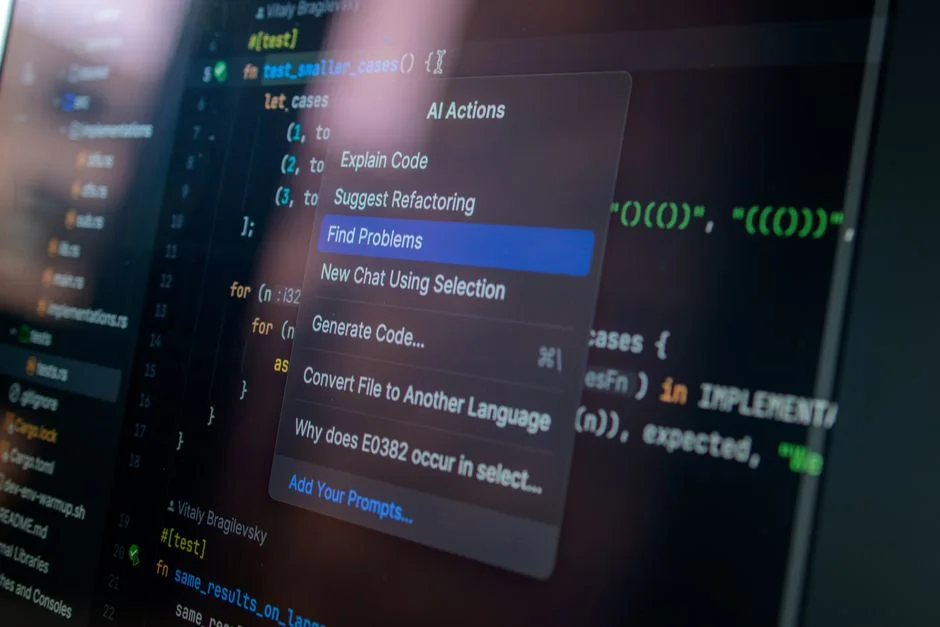

Artificial intelligence (AI) has become an integral part of modern applications, enhancing user experience and streamlining interactions. One of the most sought-after AI features is autocomplete, which predicts and suggests possible completions for user input. In this article, we will delve into the world of AI autocomplete, exploring how to integrate this powerful feature into your app.
From understanding the basics of AI autocomplete to implementing it in your application, we will cover everything you need to know. Whether you are a seasoned developer or just starting out, this tutorial is designed to guide you through the process with ease.
Before we begin, let’s take a look at what AI autocomplete is and how it works. AI autocomplete uses machine learning algorithms to predict and suggest possible completions for user input. This is achieved by training the model on a large dataset of text, which enables it to learn patterns and relationships in language.
Understanding AI Autocomplete
AI autocomplete is a feature that uses machine learning algorithms to predict and suggest possible completions for user input. This is achieved by training the model on a large dataset of text, which enables it to learn patterns and relationships in language.
There are several types of AI autocomplete, including language modeling, text classification, and sentiment analysis. Each type of autocomplete has its own unique characteristics and applications.
Language modeling is the most common type of AI autocomplete, which involves predicting the next word or character in a sequence of text. This is useful for applications such as text messaging, email, and search engines.
Choosing the Right AI Autocomplete Tool
There are several AI autocomplete tools available, each with its own strengths and weaknesses. Some popular options include the OpenAI API, Claude API, and Gemini API.
When choosing an AI autocomplete tool, there are several factors to consider, including the size and quality of the training dataset, the complexity of the model, and the level of customization available.
The OpenAI API is a popular choice for AI autocomplete, offering a range of pre-trained models and a user-friendly interface. However, it can be expensive and may not offer the level of customization required for some applications.
Implementing AI Autocomplete in Your App
Implementing AI autocomplete in your app involves several steps, including setting up the AI model, integrating it with your application, and testing and refining the results.
The first step is to set up the AI model, which involves choosing the right tool and configuring it for your application. This may involve fine-tuning the model on a custom dataset or adjusting the hyperparameters to optimize performance.
Once the model is set up, you can integrate it with your application using an API or SDK. This will involve sending user input to the model and receiving predicted completions in response.
Optimizing AI Autocomplete Performance
Optimizing AI autocomplete performance involves several techniques, including fine-tuning the model, adjusting the hyperparameters, and using techniques such as caching and batching.
Fine-tuning the model involves training it on a custom dataset to improve its performance on your specific application. This can be time-consuming and requires a large amount of labeled data.
Adjusting the hyperparameters involves tweaking the settings of the model to optimize its performance. This can include settings such as the learning rate, batch size, and number of epochs.
Common Challenges and Solutions
Implementing AI autocomplete can be challenging, and there are several common issues that developers may encounter. These include issues such as overfitting, underfitting, and hallucination.
Overfitting occurs when the model is too complex and performs well on the training data but poorly on new, unseen data. Underfitting occurs when the model is too simple and fails to capture the underlying patterns in the data.
Halucination occurs when the model generates text that is not based on any real-world data. This can be a problem for applications such as chatbots and virtual assistants.
Real-World Applications of AI Autocomplete
AI autocomplete has a wide range of real-world applications, including text messaging, email, search engines, and virtual assistants.
In text messaging, AI autocomplete can be used to predict and suggest possible completions for user input. This can be especially useful for applications such as messaging apps and email clients.
In search engines, AI autocomplete can be used to predict and suggest possible search queries. This can be especially useful for applications such as web search and e-commerce search.
Conclusion and Future Directions
In conclusion, AI autocomplete is a powerful feature that can enhance user experience and streamline interactions. By understanding the basics of AI autocomplete, choosing the right tool, and implementing it in your app, you can unlock the full potential of this technology.
As AI continues to evolve, we can expect to see even more advanced and sophisticated autocomplete features in the future. These may include features such as personalized autocomplete, context-aware autocomplete, and multimodal autocomplete.
Frequently Asked Questions
How do I add an AI to my app?
Adding an AI to your app involves several steps, including choosing the right tool, setting up the model, and integrating it with your application. You can use a pre-trained model or fine-tune a model on a custom dataset to improve its performance on your specific application.
How to activate autocomplete?
Activating autocomplete involves setting up the AI model and integrating it with your application. You can use an API or SDK to send user input to the model and receive predicted completions in response.
How do you add AI to your app in 5 minutes?
Adding AI to your app in 5 minutes is possible using pre-trained models and APIs. You can use a service such as the OpenAI API to quickly integrate AI autocomplete into your application.
How does AI autocomplete work?
AI autocomplete works by using machine learning algorithms to predict and suggest possible completions for user input. This is achieved by training the model on a large dataset of text, which enables it to learn patterns and relationships in language.
In this article, we have explored the world of AI autocomplete, from understanding the basics to implementing it in your app. We have also discussed common challenges and solutions, as well as real-world applications of this technology.
If you are interested in learning more about AI autocomplete or implementing it in your app, we recommend checking out some of the resources listed below. Additionally, you can reach out to us at NR Tech Studio for more information on how to get started with AI autocomplete.
NR Tech Studio builds custom web apps, mobile apps, SaaS platforms, and internal tools for growing businesses. If you’re working through a technical decision, feel free to reach out — no commitment required.