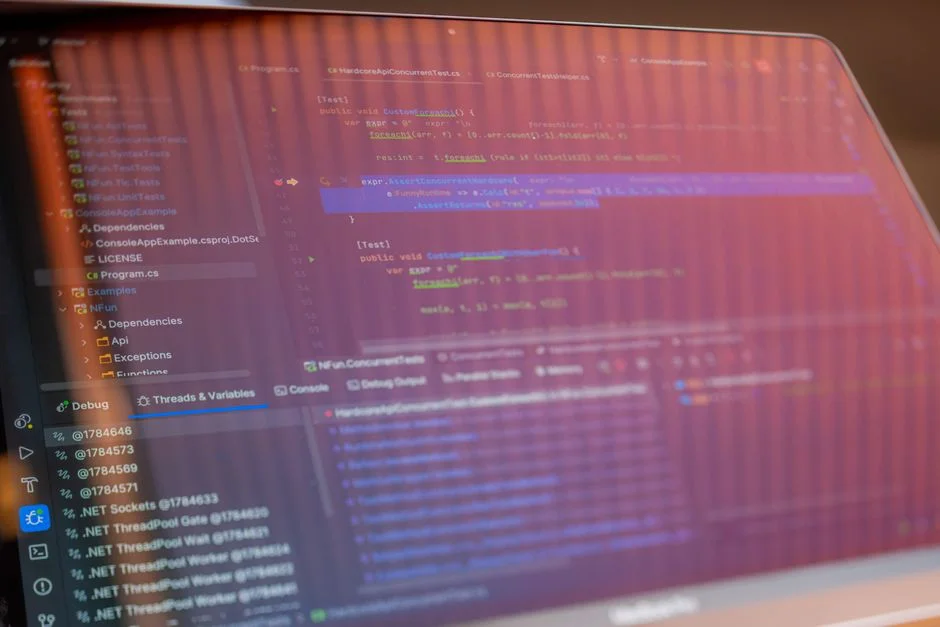

The concept of a software development environment has evolved dramatically since the early days of computing. Initially, a development environment was largely synonymous with a single developer’s machine—a terminal, a text editor, and a compiler, often interacting directly with hardware. This localized approach, while simple for individual work, quickly exposed limitations in collaboration, consistency, and scalability as projects grew in complexity and team sizes expanded. The infamous “it works on my machine” dilemma became a pervasive challenge, highlighting the need for environments that could reliably mirror production conditions.
Over decades, the industry’s response to these challenges has been a continuous pursuit of standardization, isolation, and automation. From the introduction of version control systems that managed code changes, to virtual machines that encapsulated entire operating systems, and more recently, containers and cloud-native services that abstract infrastructure entirely, each technological leap aimed to reduce friction and improve predictability. Today, a development environment is no longer just a machine; it’s an intricate ecosystem of tools, services, and configurations designed to support the entire software development lifecycle, from initial coding to deployment and maintenance.
Understanding the diverse array of software development environment examples available is critical for any organization seeking to optimize its engineering workflow. The choice of environment profoundly impacts development velocity, team collaboration, system reliability, and ultimately, the time-to-market and quality of the software produced. This article delves into various architectural patterns for development environments, examining their underlying principles, practical implementations, and the strategic considerations necessary for selecting and managing them effectively within an enterprise context.
The Foundational Local Development Environment: Control and Consistency
The local development environment remains the bedrock for most individual developers. This setup typically involves an Integrated Development Environment (IDE) like VS Code, IntelliJ IDEA, or Eclipse, running directly on a developer’s workstation. Complementing the IDE are various tools: a local database instance (e.g., MySQL, PostgreSQL, MongoDB), a web server (e.g., Nginx, Apache), language runtimes (e.g., Node.js, PHP, Python, Java JVM), and a version control client (e.g., Git). The primary advantage of a local environment is the immediate feedback loop it offers; code changes can be tested and debugged instantly without network latency or external dependencies, fostering rapid iteration.
However, the local environment also presents significant challenges. The most notorious is environment drift. Differences in operating systems, installed package versions, or even subtle configuration discrepancies between developers’ machines—or between a developer’s machine and staging/production—can lead to bugs that are difficult to reproduce and diagnose. This inconsistency often results in lost development time and increased frustration. Furthermore, onboarding new team members can be a protracted process, requiring extensive manual setup and troubleshooting to replicate a functional development stack.
Modern approaches have largely mitigated these issues through containerization and virtualization. Tools like Docker allow developers to define their entire application stack—including the application code, runtime, system tools, libraries, and settings—within a container image. Docker Compose then orchestrates multiple containers (e.g., application, database, cache) to run as a single service. This ensures that every developer runs an identical environment, effectively eliminating “it works on my machine” scenarios. For Windows users, Windows Subsystem for Linux (WSL) further enhances this by providing a full Linux environment directly within Windows, allowing seamless execution of Linux-native development tools and Docker.
Consider a typical web application project using Laravel, React, and MySQL. A local Docker Compose setup would involve services for: the PHP-FPM application server, Nginx as a web server, a MySQL database, and potentially a Redis cache. Each service runs in its own isolated container, defined by a `docker-compose.yml` file. This file becomes the single source of truth for the environment’s configuration, making it portable and reproducible across all developer workstations.
# docker-compose.yml example for a Laravel/React application
version: '3.8'

services:
  app:
    build:
      context: .
      dockerfile: Dockerfile
    volumes:
      - .:/var/www/html
    ports:
      - "8000:8000"
    depends_on:
      - db
      - redis
    environment:
      DB_CONNECTION: mysql
      DB_HOST: db
      DB_PORT: 3306
      DB_DATABASE: laravel
      DB_USERNAME: root
      DB_PASSWORD: root
      REDIS_HOST: redis

  nginx:
    image: nginx:stable-alpine
    ports:
      - "80:80"
    volumes:
      - .:/var/www/html
      - ./nginx/default.conf:/etc/nginx/conf.d/default.conf
    depends_on:
      - app

  db:
    image: mysql:8.0
    environment:
      MYSQL_ROOT_PASSWORD: root
      MYSQL_DATABASE: laravel
    volumes:
      - dbdata:/var/lib/mysql
    ports:
      - "3306:3306"

  redis:
    image: redis:alpine
    ports:
      - "6379:6379"

volumes:
  dbdata:
This structured approach ensures that whether a developer is working on macOS, Windows, or Linux, their local environment behaves identically. It simplifies dependency management, accelerates onboarding, and reduces the likelihood of environment-related bugs, allowing developers to focus on writing and debugging application logic rather than wrestling with infrastructure inconsistencies. The upfront investment in containerization pays dividends in long-term team efficiency and software reliability.
Staging and Pre-Production Environments: Mimicking Reality
Beyond individual local development, organizations require environments that closely mirror production to facilitate integration testing, performance validation, and user acceptance testing (UAT). These are broadly categorized as staging and pre-production environments. The fundamental goal is to catch issues that only manifest when different components interact, or under realistic load conditions, before they impact live users. A critical aspect of these environments is their role in ensuring that software changes, once deemed stable locally, can integrate seamlessly with other services and data sources.
Staging environments are typically a near-exact replica of the production environment in terms of hardware, software configurations, and data. This fidelity is paramount for identifying configuration-specific bugs, performance bottlenecks, and integration failures that might not be apparent in a less comprehensive local setup. Data synchronization is a common challenge; often, anonymized or sanitized subsets of production data are periodically copied to staging to provide realistic test scenarios without exposing sensitive information. This process requires robust data handling policies and automated scripts to ensure data integrity and privacy.
Pre-production environments, sometimes referred to as UAT or QA environments, might vary slightly from staging in their purpose. While staging is often used for final technical validation before deployment, pre-production is more geared towards business stakeholders and end-users to perform final acceptance testing. The key here is often not just technical correctness, but also usability and workflow validation. These environments may have specific testing tools or monitoring agents that are not present in production but are crucial for validating the user experience.
Maintaining multiple, high-fidelity environments is resource-intensive. Each environment requires dedicated infrastructure, deployment pipelines, and operational oversight. This is where strategic decisions regarding environment provisioning become crucial. Companies often adopt strategies such as ephemeral environments, where a complete, isolated environment is spun up on demand for a specific feature branch or pull request, and then torn down after testing. This approach, often powered by Kubernetes and cloud services, dramatically reduces idle resource costs and improves developer agility. For example, a new feature branch might trigger a CI/CD pipeline to deploy a fresh instance of the application and its dependencies to a temporary namespace in a shared Kubernetes cluster, complete with its own database and external service mocks. Once the feature is reviewed and merged, the environment is automatically decommissioned.
Another common pattern involves shared persistent environments. While cost-effective for smaller teams, these can introduce contention and flakiness if multiple feature branches are deployed simultaneously. A robust deployment strategy for shared environments includes clear branching models, feature flags to isolate unfinished work, and stringent testing protocols to prevent one team’s changes from destabilizing another’s. Regardless of the specific implementation, the underlying principle remains: provide an environment that eliminates as many variables as possible between development and production, thereby reducing the likelihood of critical failures once software goes live. Neglecting these intermediate environments can lead to significant issues, as documented in various cases where software fails due to systemic breakdowns.
Cloud-Native Development Environments: Leveraging Managed Services for Agility
The advent of cloud computing has fundamentally reshaped how development environments are provisioned and managed. Cloud-native development environments move the entire development stack, or significant portions of it, away from local machines and into the cloud. This paradigm shift offers substantial benefits in terms of standardization, scalability, and collaborative capabilities, addressing many of the inconsistencies inherent in purely local setups.
Platforms like AWS Cloud9, Google Cloud Shell, and GitHub Codespaces provide browser-based IDEs connected to cloud-hosted compute instances. Developers can access a fully configured development environment from any device with an internet connection, eliminating the need for powerful local hardware or complex setup procedures. These environments come pre-loaded with common tools, SDKs, and language runtimes, ensuring that every developer starts with an identical, functional workspace. This significantly reduces onboarding time for new team members, transforming what used to be days of setup into minutes.
Beyond integrated IDEs, the cloud-native approach extends to leveraging managed services for components like databases, message queues, and object storage. Instead of running local MySQL or Redis instances, developers connect to managed services (e.g., Amazon RDS, Google Cloud SQL, Azure Database for PostgreSQL, Amazon ElastiCache) that are provisioned and managed by the cloud provider. This offloads operational overhead, ensuring high availability, backups, and scalability without direct developer intervention. While this introduces network latency compared to local resources, the benefits of consistency and reduced maintenance often outweigh this drawback, especially for complex microservices architectures.
The architecture for a cloud-native development environment typically involves:
- Centralized Code Repository: GitHub, GitLab, Bitbucket.
- Cloud-Hosted Workspaces: Services like Codespaces or Cloud9 providing the compute and IDE.
- Managed Cloud Services: For databases, queues, storage, and other infrastructure components.
- Container Registries: Docker Hub, Amazon ECR, Google Container Registry for storing application images.
- CI/CD Pipelines: Integrated with the cloud platform for automated testing and deployment to development, staging, and production environments.
This ecosystem allows for rapid provisioning of isolated environments. For instance, a developer can spin up a dedicated cloud development workspace, connect it to a temporary database instance, and deploy their feature branch’s containerized application. All of this can be automated through Infrastructure as Code (IaC) tools like Terraform or CloudFormation, ensuring that environments are consistently configured and easily reproducible.
The primary trade-offs include potential vendor lock-in, increased operational costs if environments are not properly managed (e.g., leaving instances running unnecessarily), and a reliance on internet connectivity. However, for distributed teams or projects requiring significant computational resources, cloud-native environments offer unparalleled agility and consistency, fostering a more collaborative and efficient development process. They also inherently align with modern software factory operational models by standardizing the build and deploy processes.
Containerized Development Environments with Docker and Kubernetes: Scalable Reproducibility
Containerization, primarily driven by Docker, has become the de facto standard for packaging and deploying applications, and its impact on development environments is profound. The core promise of containers—packaging an application and all its dependencies into a single, isolated unit—directly addresses the environment consistency issues that plagued earlier development paradigms. A Docker image contains everything needed to run a piece of software: code, runtime, system tools, libraries, and settings, ensuring that it runs identically regardless of the underlying infrastructure.
For local development, Docker Compose is the most common tool. It allows developers to define multi-container application services in a single YAML file. This `docker-compose.yml` serves as a blueprint for the entire local development stack, including the application itself, databases, cache servers, and other microservices. Developers simply run `docker-compose up`, and a consistent, isolated environment is provisioned within minutes. This significantly accelerates onboarding and eliminates environment-related bugs, as discussed previously.
Extending containerization to shared development and staging environments often involves Kubernetes. Kubernetes orchestrates containers at scale, managing deployment, scaling, and networking for containerized applications. For development, Kubernetes can be used to create isolated namespaces or clusters where developers can deploy their feature branches. Tools like Minikube or Kind allow developers to run a lightweight Kubernetes cluster locally for testing, while more robust solutions involve shared development clusters in the cloud.
The concept of “inner-loop development” with Kubernetes is crucial here. This refers to the rapid cycle of coding, building, and testing changes. While deploying to a remote Kubernetes cluster for every small change can be slow, tools like Tilt and Skaffold aim to optimize this. Tilt, for example, watches for local code changes, automatically rebuilds affected containers, and deploys them to the Kubernetes cluster, providing real-time feedback and logs directly in the developer’s console. Skaffold offers similar capabilities, streamlining the build-push-deploy workflow for Kubernetes applications.
# Example Skaffold configuration for local Kubernetes development
apiVersion: skaffold/v2beta16
kind: Config
metadata:
  name: my-app
build:
  local:
    push: false
  artifacts:
    - image: my-app-image
      context: .
      docker:
        dockerfile: Dockerfile
deploy:
  kubectl:
    manifests:
      - k8s/*.yaml
portForward:
  - resourceType: Service
    resourceName: my-app-service
    namespace: default
    port: 80
    localPort: 8080
This approach ensures that the development environment is as close to production as possible, reducing discrepancies and improving the reliability of deployments. It also fosters a strong DevOps culture by encouraging developers to think about the operational aspects of their applications from the outset. However, managing Kubernetes clusters, even for development purposes, adds a layer of operational complexity. Organizations must invest in robust tooling, expertise, and automation to fully realize the benefits of containerized and orchestrated development environments, particularly when integrating these with RFCs in software development to ensure architectural consistency.
Virtualized Development Environments: Isolation for Specialized Workflows
Virtualized development environments, primarily relying on Virtual Machines (VMs), provide a robust layer of isolation that predates widespread container adoption. A VM encapsulates an entire operating system, including its kernel, libraries, and applications, within a virtualized hardware abstraction. This offers a higher degree of isolation compared to containers, making VMs particularly suitable for specialized workflows, legacy systems, or scenarios where specific operating system requirements cannot be met by containerization alone.
Common use cases for virtualized environments include:
- Legacy System Development: Maintaining and developing applications built on older operating systems (e.g., Windows XP, specific Linux distributions) or requiring outdated software versions that conflict with modern host systems.
- Cross-Platform Development: Developers working on macOS might use a Windows VM to test applications natively, or vice-versa, ensuring compatibility across different OS environments.
- Security Isolation: For projects handling highly sensitive data or requiring strict isolation from the host machine, a VM provides a sandboxed environment that can be more secure than a container.
- Shared Development Servers: In some enterprise settings, a powerful server might host multiple VMs, each dedicated to a developer or a team, providing a standardized and powerful remote development experience.
Technologies like VMware Workstation/Fusion, Oracle VirtualBox, and Microsoft Hyper-V are widely used for local VM creation and management. These tools allow developers to create, clone, snapshot, and manage virtual disk images, offering significant flexibility. For remote or shared virtualized environments, solutions like VMware vSphere or cloud-based VM services (e.g., AWS EC2, Azure VMs, Google Compute Engine) are employed. Remote desktop protocols (RDP, VNC, SSH with X forwarding) enable developers to interact with these virtual machines as if they were local.
While VMs offer superior isolation and can run full operating systems, they come with a higher resource overhead compared to containers. Each VM requires its own allocated RAM, CPU, and disk space for the guest OS, leading to increased resource consumption on the host machine or higher cloud costs. Startup times for VMs are also typically longer than for containers. Furthermore, managing VM images and ensuring consistency across a team can be complex, often requiring centralized image management systems or tools like Vagrant for automated provisioning.
# Vagrantfile example for provisioning a VM development environment
Vagrant.configure("2") do |config|
  config.vm.box = "ubuntu/focal64"
  config.vm.network "private_network", ip: "192.168.33.10"
  config.vm.hostname = "dev-machine"

  config.vm.provider "virtualbox" do |vb|
    vb.memory = "2048"
    vb.cpus = "2"
  end

  config.vm.provision "shell", inline: <<-SHELL
    sudo apt-get update
    sudo apt-get install -y nginx php-fpm mysql-server
    # Further application-specific setup
  SHELL
end
The choice between VMs and containers often depends on the specific project requirements. For modern, microservices-based applications, containers are generally preferred due to their lightweight nature and faster startup times. However, for scenarios demanding full OS compatibility, deep kernel access, or strict isolation for security or legacy reasons, virtualized environments remain an indispensable tool in the software development toolkit, providing a robust and controlled workspace for specialized development tasks.
Serverless Development Environments: Event-Driven Agility
Serverless computing represents a significant shift in infrastructure management, allowing developers to build and run applications without provisioning or managing servers. In a serverless development environment, the focus moves entirely to writing code (functions) that respond to events, with the cloud provider automatically managing the underlying infrastructure, scaling, and maintenance. This paradigm offers unique advantages for rapid prototyping, event-driven architectures, and microservices.
The core components of a serverless development environment revolve around Function-as-a-Service (FaaS) offerings like AWS Lambda, Google Cloud Functions, and Azure Functions. Developers write small, single-purpose functions in their preferred language (e.g., Node.js, Python, Java, Go) and deploy them to the cloud. These functions are then triggered by various events, such as HTTP requests, database changes, file uploads to storage buckets, or messages from a queue.
Developing serverless applications presents a different set of challenges compared to traditional monolithic or containerized approaches. Local development for serverless functions can be tricky because the runtime environment and event triggers are inherently cloud-native. To address this, cloud providers and third-party tools offer local emulation capabilities. For example, AWS SAM CLI (Serverless Application Model Command Line Interface) allows developers to run Lambda functions, API Gateway, and DynamoDB locally, simulating the AWS environment. Similarly, Google Cloud Functions Emulator and Azure Functions Core Tools provide local testing capabilities.
A typical serverless development workflow might involve:
- Local Code Editing: Using a standard IDE to write function code.
- Local Emulation/Testing: Using CLI tools to run and debug functions locally with simulated events.
- Deployment: Using IaC tools (e.g., Serverless Framework, AWS SAM, Terraform) to define and deploy functions, APIs, and other serverless resources to a development cloud environment.
- Cloud-Based Testing: Invoking functions directly in the cloud, monitoring logs, and debugging using cloud provider tools.
The benefits of serverless development environments are compelling:
- Reduced Operational Overhead: No servers to manage, patch, or scale.
- Automatic Scaling: Functions automatically scale up and down based on demand, leading to efficient resource utilization.
- Pay-per-Execution: Costs are incurred only when functions are actively running, making it highly cost-effective for intermittent workloads.
- Faster Development Cycles: Focus on business logic rather than infrastructure.
However, there are trade-offs. Debugging distributed serverless applications can be more complex due to the ephemeral nature of functions and the distributed event-driven architecture. Cold starts (initial latency when a function is invoked after a period of inactivity) can impact performance. Vendor lock-in is also a consideration, as serverless platforms are highly specific to cloud providers. Nevertheless, for applications that align with an event-driven model, serverless environments offer unparalleled agility and cost efficiency, particularly when integrated with robust security architectures for managing proposals and contracts, where event-driven workflows can trigger complex business logic.
Integrated Development Environments for Mobile and IoT: Specialized Toolchains
Developing for mobile devices and the Internet of Things (IoT) introduces unique environmental considerations that necessitate specialized toolchains and development environments. Unlike web or backend development, mobile and IoT projects often involve specific hardware, operating system intricacies, and stringent performance or power consumption requirements that shape the entire development setup. The environments must accommodate diverse target platforms, from smartphones and tablets to embedded systems and microcontrollers.
For mobile development, the primary environments are dictated by the target operating system:
- iOS Development: Primarily uses Xcode on macOS. This IDE provides a comprehensive suite of tools for Swift/Objective-C development, UI design (Interface Builder), debugging, performance profiling, and device simulation/emulation. It integrates seamlessly with Apple’s ecosystem, including signing and deployment to the App Store.
- Android Development: Relies on Android Studio, an IDE based on IntelliJ IDEA, running on Windows, macOS, or Linux. It supports Java/Kotlin development, provides an extensive set of emulators, debugging tools, and integrates with the Android SDK and Gradle build system.
Cross-platform mobile development frameworks like React Native or Flutter allow developers to write code once and deploy to both iOS and Android. While these frameworks abstract much of the platform-specific code, their development environments still require access to the native SDKs and build tools (Xcode and Android Studio) to compile and run applications on emulators or physical devices. This often means developers need a machine capable of running both environments effectively, often a powerful macOS machine or a Windows/Linux machine with a macOS VM.
IoT development environments are even more diverse, depending on the specific hardware and communication protocols involved. These environments often include:
- Hardware Development Kits (HDKs): Specific boards (e.g., Raspberry Pi, Arduino, ESP32) with their own SDKs and development tools.
- Integrated Development Environments (IDEs): Often lightweight, specialized IDEs like Arduino IDE, PlatformIO (a plugin for VS Code), or vendor-specific tools (e.g., Espressif IDF for ESP32). These typically include compilers, debuggers, and upload tools for flashing firmware onto devices.
- Cross-Compilers: Since IoT devices often have resource-constrained processors, code is typically compiled on a more powerful host machine for the target architecture.
- Cloud IoT Platforms: Integration with cloud services like AWS IoT Core, Google Cloud IoT Core, or Azure IoT Hub for device management, data ingestion, and message routing. Development often involves SDKs for these platforms to connect devices and process data.
// Example Arduino sketch for an ESP32 IoT device
#include
#include

const char* ssid = "YOUR_SSID";
const char* password = "YOUR_PASSWORD";
const char* mqtt_server = "YOUR_MQTT_BROKER_IP";

WiFiClient espClient;
PubSubClient client(espClient);

void setup_wifi() {
  delay(10);
  Serial.println("Connecting to WiFi...");
  WiFi.begin(ssid, password);
  while (WiFi.status() != WL_CONNECTED) {
    delay(500);
    Serial.print(".");
  }
  Serial.println("WiFi connected");
  Serial.println("IP address: ");
  Serial.println(WiFi.localIP());
}

void callback(char* topic, byte* payload, unsigned int length) {
  Serial.print("Message arrived [" + String(topic) + "] ");
  for (int i = 0; i < length; i++) {
    Serial.print((char)payload[i]);
  }
  Serial.println();
}

void reconnect() {
  while (!client.connected()) {
    Serial.print("Attempting MQTT connection...");
    if (client.connect("ESP32Client")) {
      Serial.println("connected");
      client.subscribe("esp32/output");
    } else {
      Serial.print("failed, rc=" + client.state());
      Serial.println(" try again in 5 seconds");
      delay(5000);
    }
  }
}

void setup() {
  Serial.begin(115200);
  setup_wifi();
  client.setServer(mqtt_server, 1883);
  client.setCallback(callback);
}

void loop() {
  if (!client.connected()) {
    reconnect();
  }
  client.loop();
}
The complexity of these environments often stems from the need to interact with physical hardware, manage firmware versions, and handle real-time data streams. Effective mobile and IoT development requires not only robust software tools but also access to physical devices for accurate testing and debugging, emphasizing the need for specialized labs or device farms in more advanced scenarios.
Remote Development Environments: Centralized Power and Collaboration
Remote development environments centralize the computational resources and development tools on a remote server or cloud instance, allowing developers to access them from a lightweight client machine. This model has gained significant traction, especially with the rise of distributed teams and the increasing power requirements of modern development stacks. The core idea is to decouple the developer’s local machine from the heavy lifting of compiling, running, and debugging complex applications.
Key benefits of remote development include:
- Standardization: All developers work within an identical server-side environment, eliminating “it works on my machine” issues.
- Powerful Resources: Remote servers can be provisioned with high-end CPUs, ample RAM, and fast SSDs, far exceeding what’s typically available on a developer’s laptop. This is crucial for large codebases, complex builds, or resource-intensive applications.
- Enhanced Security: Source code and sensitive data reside on secure, managed servers rather than potentially vulnerable local machines. This simplifies compliance and data protection efforts.
- Seamless Collaboration: Multiple developers can work on the same remote environment or share access to specific instances, facilitating pair programming and collaborative debugging.
- Instant Onboarding: New team members can be productive almost immediately, as there’s no extensive local setup required. They simply connect to a pre-configured remote environment.
Implementation of remote development environments varies. One common approach involves using SSH to connect to a remote Linux server. IDEs like VS Code offer robust remote development extensions that allow developers to use their local IDE interface while all code execution, compilation, and debugging happen on the remote machine. This provides a familiar local experience with the power of a remote server. Cloud-based services like GitHub Codespaces, AWS Cloud9, and Gitpod take this a step further by providing fully managed, browser-accessible remote environments.
Another pattern involves Virtual Desktop Infrastructure (VDI) solutions, where developers access a full virtual desktop running on a remote server. This is particularly useful for Windows-centric development or graphical applications that require a full desktop experience. Technologies like Citrix Virtual Apps and Desktops, VMware Horizon, or even simple RDP connections to cloud VMs (e.g., Azure Virtual Desktop) facilitate this.
The architecture often involves:
- Remote Compute Instances: VMs or containers hosted in the cloud or on-premises servers.
- Centralized Storage: Network File Systems (NFS) or cloud storage for codebases and project data.
- Connectivity: Secure VPNs or direct SSH connections for accessing remote environments.
- Tooling: Remote development extensions for IDEs, or browser-based IDEs.
- Identity and Access Management: Robust controls to manage who can access which environments and resources.
While offering significant advantages, remote development introduces dependencies on network connectivity and can sometimes have minor latency issues depending on the geographical distance from the remote server. Cost management is also a consideration, as powerful cloud instances can accrue significant charges if not properly managed (e.g., auto-stopping idle environments). Despite these considerations, remote development environments are becoming increasingly prevalent, providing a scalable and secure way to empower development teams, especially in organizations that embrace flexible work arrangements and require centralized control over their development infrastructure.
The Strategic Imperative: Build vs. Buy in Development Environments
When establishing or refining software development environments, organizations invariably face a fundamental strategic decision: whether to “build” a custom environment in-house or “buy” a commercially available solution. This build vs. buy dilemma is not unique to development environments, but its implications here are particularly significant, impacting development velocity, operational costs, security posture, and long-term maintainability.
Building a Custom Development Environment:
Opting to build means designing, implementing, and maintaining the entire environment using open-source tools, cloud primitives, and internal expertise. This typically involves:
- Provisioning VMs or Kubernetes clusters.
- Configuring operating systems, runtimes, and dependencies.
- Setting up version control, CI/CD pipelines, and monitoring tools.
- Developing custom scripts and automation for environment provisioning and management.
The primary advantage of building is unparalleled customization. Organizations can tailor every aspect of the environment to their exact needs, integrating deeply with existing internal systems and adhering to specific security or compliance requirements. This approach offers maximum control and avoids vendor lock-in. For companies with unique technology stacks, stringent regulatory demands, or a strong in-house DevOps team, building might be the only viable option or the most cost-effective in the long run.
However, building comes with substantial overhead. It requires significant upfront investment in engineering time, expertise, and ongoing maintenance. The team responsible for the development environment becomes an internal product team, tasked with keeping the environment stable, secure, and up-to-date. This can divert valuable engineering resources from core product development. Additionally, a poorly designed or maintained custom environment can quickly become a source of technical debt and developer frustration.
Buying a Commercial Development Environment Solution:
“Buying” typically refers to adopting managed services or commercial platforms that provide pre-configured, cloud-hosted development environments. Examples include GitHub Codespaces, Gitpod, AWS Cloud9, or more comprehensive platforms that offer Environment-as-a-Service (EaaS). These solutions handle the infrastructure provisioning, maintenance, security patching, and often provide integrated IDEs and collaborative features out-of-the-box.
The main benefit of buying is speed and reduced operational burden. Teams can get started quickly without significant upfront infrastructure work. These platforms often come with enterprise-grade features, security best practices, and scalability built-in. For organizations aiming to maximize developer focus on application logic and minimize infrastructure overhead, commercial solutions can be highly attractive. They can also provide a more consistent and predictable cost model, especially when usage patterns are well-understood.
The trade-offs include less customization flexibility, potential vendor lock-in, and ongoing subscription costs. While many commercial solutions offer configuration options, they may not accommodate highly niche requirements. The reliance on a third-party vendor also means being subject to their roadmap, pricing changes, and service availability. Before committing to a commercial solution, a thorough evaluation of its features, scalability, security, and integration capabilities with existing tools is essential.
The decision to build or buy is rarely black and white; a hybrid approach is often the most pragmatic. Organizations might buy core cloud infrastructure (e.g., managed Kubernetes, managed databases) and build custom automation layers on top. Or they might use commercial remote development environments for basic tasks while maintaining specialized local setups for performance-critical work. The optimal strategy depends on the organization’s size, budget, internal expertise, specific project requirements, and long-term strategic goals. A thorough Request for Comments (RFC) process can help articulate these requirements and guide the decision-making.
Cost Implications of Software Development Environments: A Detailed Breakdown
The cost of a software development environment is a multifaceted consideration, extending far beyond initial setup expenses. It encompasses infrastructure, tooling, human resources, and the often-overlooked cost of inefficiency. Understanding these components is crucial for making informed decisions that balance budget constraints with developer productivity and software quality. This section provides a detailed breakdown of cost factors, including concrete examples of expenditures.
Infrastructure Costs: On-Premise vs. Cloud
On-Premise Environments: Building and maintaining development environments on internal servers involves significant capital expenditure (CapEx) for hardware (servers, storage, networking gear), data center space, power, and cooling. Operational expenditure (OpEx) includes ongoing maintenance, electricity bills, and the salaries of IT and operations staff. While the per-hour cost of compute might appear lower once hardware is purchased, the total cost of ownership (TCO) can be high due to depreciation, upgrade cycles, and the need for redundant systems.
- Server Hardware: A single high-end server suitable for hosting multiple VMs or containers could cost $5,000 – $20,000+.
- Storage: SAN/NAS solutions for shared storage can range from $10,000 – $100,000+ depending on capacity and performance.
- Network Equipment: Switches, firewalls, and routers typically cost $1,000 – $10,000+.
- Power & Cooling: Ongoing utility costs can be hundreds to thousands of dollars per month for a small server room.
- Staff Salaries: Dedicated IT/Ops staff to manage this infrastructure can easily add $70,000 – $150,000+ per year per engineer.
Cloud-Based Environments: Cloud providers (AWS, Azure, GCP) offer an OpEx model, where costs are based on actual resource consumption. This eliminates large upfront CapEx but requires careful monitoring to prevent cost overruns. Pricing models are complex, involving compute (VMs, containers, serverless functions), storage, networking, and managed services.
- Compute Instances (VMs): An `m5.large` EC2 instance (2 vCPU, 8GB RAM) costs approximately $0.096 per hour, or about $70 per month if run continuously. A more powerful `m5.xlarge` (4 vCPU, 16GB RAM) is around $0.192 per hour or $140 per month.
- Managed Databases (e.g., AWS RDS): A small PostgreSQL instance (`db.t3.medium`, 2 vCPU, 4GB RAM) can cost around $50 – $100 per month, excluding storage and I/O. Larger instances and higher performance tiers increase this significantly.
- Container Orchestration (e.g., AWS EKS): EKS control plane charges $0.10 per hour (approx. $73 per month) per cluster, plus the cost of underlying EC2 instances for worker nodes.
- Serverless Functions (e.g., AWS Lambda): Free tier includes 1M requests and 400,000 GB-seconds of compute time. Beyond that, costs are typically $0.20 per 1M requests and $0.0000166667 per GB-second. Development environments often stay within the free tier or incur minimal costs.
- Storage: S3 storage costs around $0.023 per GB per month. EBS volumes for EC2 instances can be $0.10 per GB per month.
- Network Data Transfer: Outbound data transfer from cloud services can range from $0.05 to $0.12 per GB, which can add up for frequent data synchronization or large deployments.
A typical cloud-based development environment for a medium-sized team (e.g., 5-10 developers, several staging environments) could easily run from $500 to $5,000+ per month, heavily depending on resource sizing, usage patterns, and the number of active environments.
Tooling and Software Licensing Costs
Beyond infrastructure, the software itself incurs costs. This includes IDE licenses, specialized development tools, monitoring solutions, and security software.
- IDEs: While VS Code is free, commercial IDEs like IntelliJ IDEA Ultimate cost around $150 – $500 per developer per year.
- Version Control Systems: GitHub, GitLab, Bitbucket offer free tiers, but enterprise plans can range from $4 – $21 per user per month.
- CI/CD Platforms: Jenkins is free, but managed solutions like CircleCI or GitLab CI/CD can cost from $150 to $1,000+ per month based on usage and features.
- Monitoring & Logging: Datadog, New Relic, Splunk can be very expensive, often starting at hundreds to thousands of dollars per month, scaling with data volume and hosts.
- Security Tools: Static Application Security Testing (SAST) or Dynamic Application Security Testing (DAST) tools can range from $1,000 to $10,000+ per seat/year or be bundled into enterprise security suites.
Human Resources and Efficiency Costs
This is often the largest, yet most underestimated, cost component. Developer time spent on environment setup, troubleshooting, or waiting for builds and deployments is a direct expense.
- Onboarding Time: If it takes a new developer a week to set up their environment, that’s 40 hours of a senior engineer’s salary (e.g., $50-$100/hour fully burdened), plus the lost productivity.
- Environment Drift Troubleshooting: Debugging “it works on my machine” issues can consume dozens of hours per week across a team.
- Slow Builds/Tests: A build that takes 30 minutes instead of 5 minutes, run 10 times a day by 10 developers, amounts to 400 hours of lost productivity per week.
- Maintenance: Dedicated DevOps or platform engineering time to maintain custom environments.
Consider the cumulative impact: if a team of 10 developers each loses 2 hours per week due to environment-related issues, that’s 20 hours of lost productivity. At an average fully burdened cost of $75/hour, this equates to $1,500 per week, or $78,000 per year. Investing in robust, consistent development environments directly translates to significant savings in developer salaries.
Example Cost Comparison Table (Illustrative)
The following table provides a simplified comparison of hypothetical monthly costs for a development environment supporting a team of 10 developers, illustrating the trade-offs between different approaches.
| Cost Category | Local Dev (Containerized) | Cloud-Native (Managed Services) | Remote Dev (Cloud VMs) |
|---|---|---|---|
| Infrastructure (Compute, Storage, Network) | $0 (uses local machine) | $500 – $2,000 (managed services, shared dev instances) | $800 – $3,000 (dedicated VMs per dev, shared staging) |
| Tooling & Licenses (IDEs, VCS, CI/CD) | $150 – $500 (per dev, per year if commercial IDE) | $200 – $1,000 (managed CI/CD, cloud IDE fees) | $200 – $1,000 (similar to cloud-native) |
| Operational Overhead (Setup, Maintenance, Troubleshooting) | $500 – $2,000 (developer time for local issues) | $100 – $500 (minimal, managed by vendor) | $300 – $1,500 (managing VMs, images, access) |
| Total Estimated Monthly Cost (excluding salaries) | $650 – $2,500 | $800 – $3,500 | $1,300 – $5,500 |
This table excludes the direct salaries of developers, which are a constant regardless of environment type, but implicitly includes the *lost productivity* due to environment issues within the operational overhead. The “Local Dev” model still incurs costs for commercial tools and developer time spent on environment issues, even if the infrastructure is “free.” The optimal environment balances these costs against the benefits of efficiency, consistency, and developer satisfaction. A robust software factory model emphasizes minimizing these hidden costs through automation and standardization.
Security Considerations in Development Environments: Protecting the Software Supply Chain
The security of development environments is a critical, yet often underestimated, aspect of overall software security. A compromised development environment can serve as a potent entry point for attackers to inject malicious code, steal intellectual property, or gain unauthorized access to production systems. Protecting the software supply chain starts at the earliest stages of development, making robust security practices in development environments paramount.
Key security considerations include:
- Access Control and Authentication: Developers need access to various systems—code repositories, cloud resources, databases, CI/CD pipelines. Implementing strong authentication mechanisms (e.g., Multi-Factor Authentication, Single Sign-On) and granular Role-Based Access Control (RBAC) is essential. Least privilege principles must be enforced, ensuring developers only have the minimum permissions necessary for their tasks.
- Data Security: Development environments often handle sensitive data, whether it’s production data subsets for testing or sensitive API keys and credentials. Data must be encrypted at rest and in transit. Production data should be rigorously anonymized or synthetically generated for development and staging environments to prevent accidental exposure. Secrets management solutions (e.g., HashiCorp Vault, AWS Secrets Manager, Azure Key Vault) are crucial for securely storing and distributing credentials without hardcoding them.
- Vulnerability Management: Development machines and environments are susceptible to common software vulnerabilities. Regular patching of operating systems, IDEs, language runtimes, and dependencies is vital. Static Application Security Testing (SAST) and Software Composition Analysis (SCA) tools should be integrated into the CI/CD pipeline to identify vulnerabilities in code and third-party libraries early in the development cycle.
- Network Isolation: Development environments should be logically isolated from production networks and, ideally, from each other (e.g., using VPCs, subnets, security groups in cloud environments). This limits the blast radius of a potential breach. Restricting outbound internet access from development environments to only necessary endpoints can prevent exfiltration of data or communication with malicious command-and-control servers.
- Endpoint Security: For local development environments, endpoint detection and response (EDR) solutions, antivirus software, and host-based firewalls are necessary. Policies preventing the installation of unauthorized software or the use of unapproved USB devices can mitigate risks.
- Supply Chain Security: The tools and dependencies used in a development environment themselves can introduce vulnerabilities. Verifying the integrity of downloaded packages, using private package registries, and implementing strict dependency management policies are crucial. The “SolarWinds” attack demonstrated how critical a compromise in the software supply chain can be, even at the build system level.
Implementing these security measures requires a multi-layered approach. For instance, in a cloud-native development environment, security groups are used to restrict network access, IAM roles control permissions to cloud resources, and managed services handle patching and infrastructure security. For containerized environments, scanning Docker images for vulnerabilities before deployment is a standard practice. Furthermore, organizations should conduct regular security audits and penetration testing of their development environments to identify and remediate weaknesses.
The human element is equally important. Developers must be educated on security best practices, including secure coding principles, phishing awareness, and reporting suspicious activities. A culture of security, where developers view themselves as the first line of defense, is indispensable. Neglecting security in development environments can lead to devastating consequences, as evidenced by numerous incidents where initial breaches occurred through development or staging systems. For organizations handling sensitive information, such as those in finance or healthcare, robust security in development environments is not merely a best practice but a regulatory imperative. This focus on security is a core tenet of building resilient systems, much like the security architectures required for consultant proposal and contract systems.
Migration Strategies for Development Environments: Transitioning with Minimal Disruption
Migrating development environments is a complex undertaking, often driven by the need to adopt new technologies, improve efficiency, reduce costs, or enhance security. Whether moving from on-premise to cloud, from VMs to containers, or adopting a new remote development platform, a well-planned migration strategy is essential to minimize disruption to development teams and maintain productivity. A haphazard approach can lead to significant downtime, loss of data, and developer frustration.
The first step in any migration is a thorough assessment of the existing environment. This includes cataloging all applications, databases, dependencies, configurations, and specialized tools. Understanding current pain points—slow builds, environment drift, high maintenance costs—helps define the goals for the new environment. Identifying key stakeholders (developers, QA, operations, security) and their requirements is also crucial. A detailed inventory helps ensure that no critical components are overlooked during the transition.
Common migration patterns include:
-
Lift-and-Shift (Rehosting)
This involves moving existing VM-based environments directly to cloud VMs (e.g., EC2, Azure VMs). It’s often the fastest way to get to the cloud with minimal changes to the application or environment configuration. While it doesn’t immediately leverage cloud-native benefits like serverless or managed services, it provides a foundation for future modernization. The primary challenge is ensuring network connectivity, data transfer, and security group configurations are correctly replicated in the cloud.
-
Replatforming (Lift-Tinker-Shift)
This strategy involves making some optimizations to the environment during migration, typically by introducing containers or managed services. For example, migrating existing applications running on VMs to Docker containers orchestrated by Kubernetes, or replacing self-managed databases with cloud-managed database services (e.g., RDS, Azure SQL Database). Replatforming offers a better balance between effort and cloud-native benefits, improving scalability, reliability, and reducing operational overhead.
-
Refactoring/Rearchitecting (Cloud-Native Transformation)
This is the most transformative approach, involving significant changes to the application architecture and development environment to fully embrace cloud-native patterns. This might include breaking down monoliths into microservices, adopting serverless functions, or utilizing event-driven architectures. While offering the greatest long-term benefits in terms of agility, scalability, and cost optimization, it’s also the most complex and time-consuming migration strategy, often requiring a phased approach.
Regardless of the chosen strategy, several best practices apply:
- Phased Rollout: Avoid a “big bang” migration. Start with a pilot team or a non-critical application to test the new environment and iron out issues before a broader rollout.
- Automation: Use Infrastructure as Code (IaC) tools (Terraform, CloudFormation, Ansible) to define and provision the new environment. This ensures consistency, reproducibility, and speeds up the migration process.
- Data Migration Strategy: Plan how data will be migrated, whether through one-time transfers, continuous replication, or hybrid approaches. Ensure data integrity and minimize downtime.
- Comprehensive Testing: Thoroughly test the new environment for functionality, performance, and security. This includes unit tests, integration tests, and user acceptance testing.
- Training and Documentation: Provide adequate training for developers and operations staff on the new tools and workflows. Comprehensive documentation is crucial for smooth adoption.
- Rollback Plan: Always have a contingency plan to revert to the old environment if critical issues arise during migration.
A successful migration is not just about moving infrastructure; it’s about transforming workflows and empowering developers with better tools. It requires strong leadership, clear communication, and a commitment to continuous improvement. By treating the migration as a strategic project with clear objectives and a detailed roadmap, organizations can navigate the complexities and achieve a more efficient, resilient, and future-proof development ecosystem.
The Future of Development Environments: Intelligent, Adaptive, and Hyper-Personalized
The trajectory of software development environments points towards increasing intelligence, adaptability, and personalization. As software systems grow more complex and development teams become more distributed, the need for environments that can proactively assist developers, abstract away infrastructure complexities, and tailor themselves to individual preferences will become paramount. Several emerging trends are shaping this future, promising to further enhance productivity and innovation.
-
AI-Powered Development Assistance
The integration of Artificial Intelligence (AI) and Machine Learning (ML) into development environments is already transforming coding. Tools like GitHub Copilot and similar AI code assistants provide real-time code suggestions, generate boilerplate code, and even suggest entire functions based on context. The future will see these AI capabilities expand to proactive bug detection, performance optimization recommendations, and automated refactoring. AI could analyze patterns in code, identify potential security vulnerabilities before they are committed, and even suggest optimal architectural patterns based on project requirements. This shifts the developer’s role from purely writing code to guiding and overseeing AI-generated solutions, focusing on higher-level design and problem-solving.
-
Self-Healing and Adaptive Environments
Future development environments will be more resilient and self-aware. Leveraging observability and AI, these environments could detect and automatically remediate issues like misconfigured dependencies, resource contention, or failing services. Imagine an environment that, upon detecting a slow database query in a staging environment, automatically suggests an index or even creates a temporary, optimized database instance for testing. This adaptive nature will reduce developer frustration and operational overhead, allowing teams to maintain higher velocity.
-
Hyper-Personalized Workspaces
While standardization is crucial for consistency, the future will also embrace hyper-personalization. Developers will have greater control over customizing their workspace, not just in terms of UI themes but also in pre-loading specific tool sets, integrating preferred external services, and configuring resource allocations dynamically. Cloud-native platforms will offer more granular control over environment templates, allowing teams to create variations optimized for different roles (e.g., frontend, backend, data science) or specific project phases, while still adhering to core organizational standards. This personalization will be driven by user preferences and historical usage patterns, optimized by AI to maximize individual productivity.
-
Edge Development and Offline Capabilities
As computing extends to the edge and developers increasingly work in diverse locations, development environments will need to support robust offline capabilities and efficient edge development. This could involve intelligent caching of dependencies, local proxies for cloud services, and synchronization mechanisms that allow developers to work disconnected and seamlessly push changes once connectivity is restored. For IoT and edge computing, this means bringing development tools closer to the physical devices, perhaps through localized micro-cloud environments or highly optimized remote-local synchronization.
-
Augmented Reality/Virtual Reality (AR/VR) for Collaboration and Visualization
While still nascent, AR/VR could offer new dimensions for collaborative development and system visualization. Imagine a virtual workspace where developers can interact with 3D representations of their application architecture, debug code in an immersive environment, or collaborate with remote team members in a shared virtual space. This could significantly enhance understanding of complex systems and foster more intuitive forms of collaboration.
These trends highlight a future where development environments are less about static infrastructure and more about dynamic, intelligent platforms that anticipate developer needs, automate routine tasks, and foster innovative collaboration. The goal remains the same: to empower developers to build exceptional software with greater speed, reliability, and enjoyment, continuously pushing the boundaries of what’s possible.
Factors That Affect Development Cost
- Infrastructure (on-premise hardware, cloud compute, storage, networking)
- Tooling and Software Licensing (IDEs, VCS, CI/CD, monitoring, security)
- Operational Overhead (setup, maintenance, troubleshooting, developer inefficiency)
- Staff Salaries (direct and indirect costs of engineering time)
Costs can vary dramatically based on team size, complexity of applications, chosen technologies, and the extent of cloud resource utilization.
The journey through various software development environment examples reveals a continuous evolution driven by the persistent need for consistency, efficiency, and scalability. From foundational local setups augmented by containerization to distributed cloud-native platforms and specialized environments for mobile and IoT, each architectural pattern addresses distinct challenges and offers unique advantages. Strategic considerations such as the build vs. buy dilemma, detailed cost analysis, and robust security measures are paramount for organizations navigating this complex landscape.
Ultimately, the choice and implementation of a development environment are not merely technical decisions; they are strategic investments that directly impact an organization’s ability to innovate, deliver high-quality software, and remain competitive. By understanding the trade-offs, leveraging modern tooling, and fostering a culture of continuous improvement, businesses can construct development ecosystems that empower their engineering teams and accelerate their journey towards digital excellence.
Explore our complete Software Development — Outsourcing directory for more guides.
NR Studio builds custom web apps, mobile apps, SaaS platforms, and internal tools for growing businesses. If you’re working through a technical decision, feel free to reach out — no commitment required.