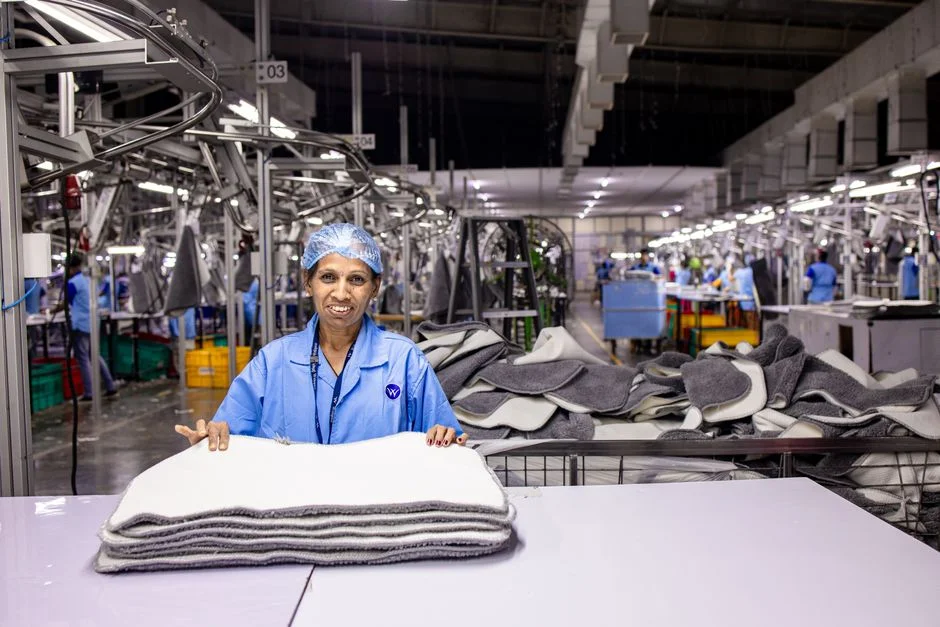
Textile manufacturing is a high-stakes, process-heavy industry where margins are dictated by supply chain precision, inventory turnover, and production efficiency. For growing textile enterprises, off-the-shelf software often fails to address the unique complexities of multi-stage production, from raw fiber procurement and spinning to weaving, dyeing, and finished-goods logistics. Relying on fragmented spreadsheets or generic software leads to significant data silos and operational bottlenecks that hinder growth.
A custom ERP solution tailored for textile manufacturing provides the structural integrity necessary to manage complex bill of materials (BOM), batch tracking, and machine utilization in real-time. This article outlines the architectural requirements, core modules, and technical considerations for building or upgrading an ERP system specifically engineered for the textile sector.
Core Architectural Requirements for Textile ERP
A textile-specific ERP must be built with a modular, event-driven architecture to handle the high volume of asynchronous data generated by production lines. Unlike standard retail ERPs, a textile solution requires deep integration with IoT sensors on machinery and real-time tracking of raw material consumption.
- Scalability: Utilizing a microservices approach allows you to scale specific modules—such as inventory or production scheduling—independently during high-demand seasons.
- Data Integrity: Implementing a robust relational database (e.g., PostgreSQL or MySQL) is critical for maintaining transactional consistency across complex production batches.
- API-First Design: Your ERP must expose a RESTful API to communicate with external logistics providers, e-commerce platforms, and internal IoT controllers.
Essential Modules for Textile Production
Standard ERP modules are insufficient for textile manufacturing. A purpose-built system must include:
- Advanced Inventory Management: Must track materials by lot numbers, fiber composition, dye batches, and GSM (grams per square meter) to ensure quality consistency.
- Production Planning & Scheduling: Tools for managing loom capacity, machine downtime, and multi-stage processing workflows (weaving, finishing, packaging).
- Quality Control (QC) Integration: Automated capture of QC metrics at every stage, allowing for immediate defect identification and batch rejection.
- Supply Chain & Procurement: Automated reorder points based on real-time production velocity to minimize storage costs while preventing stockouts.
Technical Tradeoffs: Custom Development vs. Off-the-Shelf
The choice between building a custom ERP and purchasing an enterprise suite is a classic build-vs-buy decision. Off-the-shelf software offers immediate deployment but often forces your business to adapt to the software’s rigid processes. Conversely, a custom solution provides complete control over the workflow.
Tradeoff: Custom software requires a higher initial investment and ongoing development resources but eliminates the ‘technical debt’ associated with workarounds for processes the software was not designed to support.
For most textile manufacturers, the long-term ROI of a custom system outweighs the initial overhead, especially when proprietary manufacturing processes are a core competitive advantage.
Data Flow and Integration Architecture
Integrating diverse systems—from floor-level machine sensors to top-level financial reporting—requires a centralized data orchestrator. Below is a representation of how data typically flows through a textile manufacturing ERP.
User Interface (Next.js/React) -> API Gateway -> Business Logic Layer (Laravel) -> Database (MySQL/PostgreSQL) -> IoT/Warehouse Integration
By using a framework like Laravel for the backend, developers can leverage robust queue management to handle heavy background processing tasks, such as generating complex production reports or updating inventory counts across multiple warehouse locations without blocking the main thread.
Performance and Security Considerations
Security is paramount when managing proprietary manufacturing formulas and sensitive supply chain data. A custom ERP must implement role-based access control (RBAC) to ensure that floor workers, warehouse managers, and executives only access the data relevant to their roles.
Performance optimization, particularly for reporting and dashboarding, is achieved through effective database indexing and caching strategies. For instance, using Redis to cache frequently accessed production metrics can significantly reduce the latency of executive dashboards, ensuring real-time visibility into operational health.
Cost Factors for ERP Development
The cost of developing a custom ERP varies significantly based on several factors:
- Module Complexity: The number of custom integrations with legacy hardware or external accounting software.
- User Base Size: The requirement for multi-tenant capabilities or complex permission hierarchies.
- Migration Requirements: The effort involved in cleansing and migrating data from legacy spreadsheets or outdated software systems.
- Maintenance & Support: The ongoing need for security patches, feature updates, and infrastructure scaling.
Budgeting should account for both the initial development phase and a recurring budget for continuous improvement and system maintenance.
Factors That Affect Development Cost
- Project complexity
- Number of third-party integrations
- Data migration requirements
- System architecture and scalability needs
Development costs vary based on the depth of customization and the complexity of the production workflows being automated.
Frequently Asked Questions
What are the top 3 ERP systems?
The top 3 ERP systems generally cited are SAP, Oracle NetSuite, and Microsoft Dynamics 365. These are comprehensive, enterprise-grade platforms, though they often require significant customization for niche industries like textile manufacturing.
What are the five 5 ERP modules?
The five core ERP modules typically include Finance/Accounting, Human Resources, Supply Chain Management, Manufacturing/Production, and Customer Relationship Management (CRM).
Which ERP software is best for manufacturing?
There is no single ‘best’ ERP; the right choice depends on your production scale and complexity. For manufacturers with unique, non-standard workflows, a custom-built ERP often outperforms off-the-shelf solutions by aligning perfectly with specific production processes.
Which software is used in the textile industry?
Textile companies use a mix of specialized ERP systems, CAD software for pattern design, and custom-built applications for inventory and machine management. Many larger firms develop custom middleware to bridge the gap between these disparate tools.
Investing in a custom ERP for textile manufacturing is not merely a software upgrade; it is a strategic move to digitize production, reduce waste, and gain granular control over your operations. By prioritizing modularity, security, and real-time data visibility, you can build a system that evolves alongside your business.
At NR Studio, we specialize in building high-performance, scalable software solutions tailored to your specific manufacturing workflows. If you are ready to modernize your textile operations, contact us to discuss your requirements.
Ready to Build a Custom Solution?
NR Studio specializes in custom software built around your workflow. Tell us what you’re building and we’ll walk through your options together.