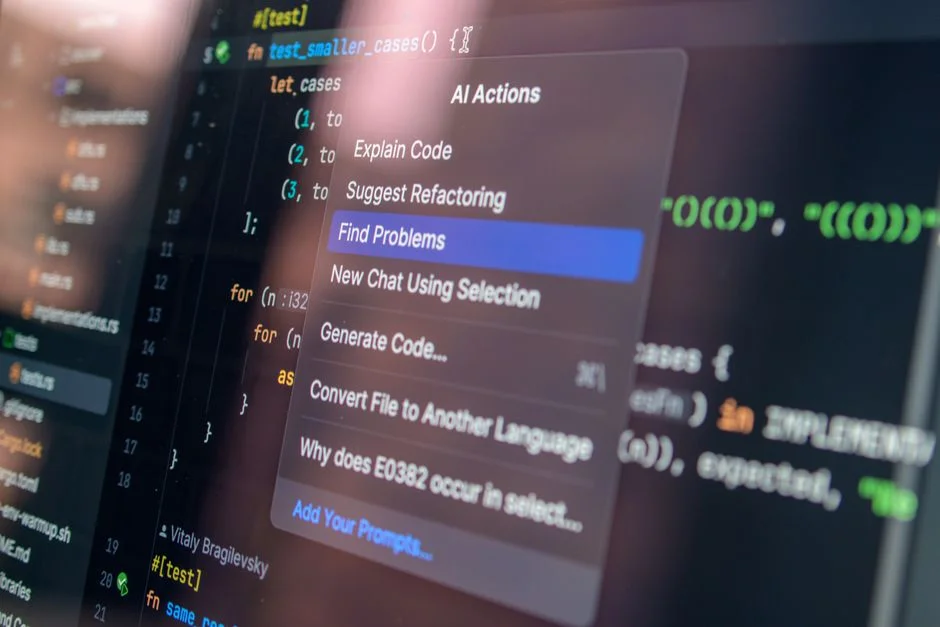

Most engineering managers are dead wrong when they claim that AI-assisted code generation will replace junior developers. In reality, these tools are currently magnifying the incompetence of mediocre engineers while simultaneously turning your top-tier talent into code-review bottlenecks. The true value of AI in the software development lifecycle is not in spitting out boilerplate code, but in the rigorous, automated evaluation of architectural integrity and security compliance before a single line of code hits your staging environment.
At NR Tech Studio, we have observed that the obsession with raw code generation speed often blinds technical leads to the hidden costs of technical debt and hallucinations inherent in LLM-generated outputs. If your team is relying on zero-shot generation without robust validation layers, you are not building software; you are building a liability. This guide cuts through the marketing noise to evaluate the actual utility of current AI coding assistants, emphasizing structural reliability, enterprise-grade integration, and the critical necessity of human-in-the-loop review processes.
The Fallacy of Velocity: Why Generation Is Only Half the Equation
The market is flooded with tools that promise 10x developer productivity through code generation. However, high-velocity code generation without integrated review mechanisms is a recipe for catastrophic failure. When an LLM generates a function, it does not understand your specific application’s business logic or your existing security constraints. It operates on probabilistic patterns derived from its training data, which often includes outdated or insecure coding practices. Consequently, developers who treat these tools as ‘black boxes’ end up spending more time debugging AI-induced errors than they would have spent writing the code from scratch.
To mitigate these risks, you must treat AI output as untrusted input. Just as you would sanitize data from a public API, you must sanitize code generated by an AI agent. This requires a shift from ‘AI-first coding’ to ‘AI-assisted verification.’ Organizations that successfully integrate these tools typically implement a multi-stage pipeline where the LLM’s output is automatically passed through static analysis tools (SAST) and custom linters before a human developer even sees the code. This is where you should look into how to evaluate AI model output quality for your app to ensure that your integration is actually reducing technical debt rather than compounding it.
Furthermore, consider the architectural implications. If your team is scaling rapidly, you need to ensure that your infrastructure can handle the influx of generated code. If your monitoring is not up to par, you will never know if an AI-generated bug is causing a production outage. You might find it beneficial to secure uptime monitoring for your small business infrastructure to catch these issues before they impact your end users. The goal is to move away from the ‘generate and commit’ workflow towards a ‘generate, validate, and verify’ workflow where AI acts as a partner in the review process, not a primary author.
Comparative Analysis of Enterprise-Grade AI Coding Assistants
When selecting a tool, you must differentiate between general-purpose autocomplete models and specialized enterprise assistants. Tools like GitHub Copilot and Cursor have dominated the market, but they serve different operational needs. Copilot is excellent for real-time suggestions within an IDE, acting as an extension of the developer’s thought process. Cursor, however, offers a more integrated ‘AI-native’ experience by indexing your entire codebase, which allows for context-aware refactoring that standard autocomplete simply cannot replicate.
For teams requiring deeper security and compliance, the focus must shift to self-hosted or private-instance models. If your company handles sensitive data, you cannot afford to send your proprietary business logic to public cloud endpoints. This is why many CTOs are opting for custom deployments that utilize private LLMs within their own VPC. We often help clients train AI models for code generation to ensure that the assistant is well-versed in their specific internal libraries, proprietary frameworks, and architectural style guides, which significantly reduces the frequency of hallucinations.
Below is a comparison of common deployment strategies for AI coding assistants:
| Feature | Cloud-Based (SaaS) | Private/On-Premise | Hybrid/VPC |
|---|---|---|---|
| Data Privacy | Low | High | High |
| Setup Complexity | Minimal | High | Moderate |
| Context Awareness | Global | Limited to Local | High |
| Cost Basis | Per-seat subscription | Infrastructure/GPU costs | Tiered/Usage-based |
When choosing between these, consider your team’s size and the nature of your IP. A startup with a small, public-facing project may thrive on the speed of a cloud-based SaaS tool, while a healthcare or fintech company dealing with strict regulatory mandates will almost certainly require the control offered by a private instance. You can secure AI coding assistants for your engineering teams by strictly defining the scope of what data is fed into the prompt context, ensuring that no PII or sensitive secrets are ever exposed to the model during the generation phase.
The Economics of AI Implementation: Pricing and Cost Modeling
Calculating the true cost of AI-assisted development goes far beyond the monthly subscription fee of a seat-based license. You must account for the hidden costs of infrastructure, training, and the inevitable ‘validation tax’—the time engineers spend correcting AI errors. At NR Tech Studio, we categorize these costs into four distinct buckets: license costs, integration labor, infrastructure/GPU compute, and ongoing maintenance.
For enterprise clients, the cost of a ‘seat’ is often the cheapest part of the equation. The real investment lies in the time required to fine-tune models on your own codebase and the engineering hours spent building the validation pipeline. Below is a breakdown of typical cost models for implementing AI-assisted development at scale.
| Cost Component | Model | Typical Scope |
|---|---|---|
| Tool Licenses | Per-seat/Monthly | Basic IDE integration |
| Custom Integration | Hourly/Project-based | Custom RAG pipelines and CI/CD hooks |
| Model Fine-tuning | Retainer/Project-based | Training on internal documentation |
| Infrastructure | Usage-based | GPU costs for local LLM inferencing |
A basic integration, including setting up an LLM-assisted linting pipeline, typically takes between 40 and 80 hours of development time. If you choose an enterprise-grade setup with custom RAG (Retrieval-Augmented Generation) to give the AI context about your internal documentation, you are looking at a much higher initial investment, often ranging from 150 to 300 hours of specialized engineering work. Do not view this as a one-time cost; AI models evolve, and your internal codebases evolve even faster. You should budget for quarterly maintenance to update your RAG vectors and fine-tune your models against new framework versions.
Ultimately, the ROI is found in the reduction of ‘brain drain’ for your senior engineers. If an AI assistant can handle the boilerplate and simple refactoring, your seniors can focus on complex system architecture and high-level design. If your current cost model does not account for the ‘validation tax,’ you are likely underestimating your total spend by at least 30-40%.
Architectural Challenges in Scaling AI-Assisted Workflows
Scaling AI tools across a distributed engineering team introduces significant latency and consistency issues. When you have fifty developers each utilizing an AI assistant that is pulling context from a shared repository, you encounter the ‘context window’ problem. If your codebase is large, the AI cannot simply ‘read everything.’ You must implement sophisticated vector database strategies to perform efficient RAG, ensuring that the assistant receives only the most relevant code snippets. This prevents the model from being overwhelmed by irrelevant data, which is a common cause of ‘hallucination’ where the AI confidently suggests code that does not match your project’s architectural patterns.
Another challenge is the ‘drift’ in code quality. Without a unified configuration for your AI agents, different developers will receive suggestions based on different coding styles, leading to a fragmented codebase. You need to enforce a ‘Global Prompt Policy’ or a centralized system prompt that dictates the coding standards, testing requirements, and security practices for your entire team. This acts as a ‘guardrail’ that ensures every suggestion is consistent with your organization’s best practices. This architecture requires continuous monitoring of the AI’s output quality, which necessitates a feedback loop where developers can flag incorrect or insecure suggestions back to the engineering lead.
From an infrastructural perspective, you must also manage the rate limits and cost of API calls if you are building your own tools on top of models like the Claude or Gemini APIs. We have seen teams fail because they hit their API quotas in the middle of a critical sprint. Implementing a caching layer for common code snippets or using smaller, faster models for simple tasks and reserving powerful models for complex architectural tasks can significantly optimize your costs and improve responsiveness. This is a classic trade-off between model capability and operational efficiency.
Navigating the Build vs. Buy Trade-off in AI Tooling
Choosing whether to build a custom AI-assisted workflow or buy a pre-packaged solution is one of the most critical decisions a CTO will face. Buying a tool like GitHub Copilot or Cursor is the ‘path of least resistance.’ It provides immediate benefits, low maintenance, and a familiar user experience. However, it also creates a hard dependency on a third-party vendor’s roadmap, data privacy policies, and model performance. If the vendor changes their pricing or shifts their focus, your entire development workflow could be disrupted.
Building a custom solution, on the other hand, gives you total control. You can integrate it directly into your CI/CD pipelines, use your own internal datasets for fine-tuning, and ensure that no data leaves your secure environment. However, the ‘build’ path carries a massive maintenance burden. You become responsible for the uptime of your RAG pipeline, the accuracy of your vector database, and the security of your model endpoints. For most businesses, the middle ground is the most prudent: buy the core IDE integration for general tasks, but build the custom validation layers and specialized agents that handle your proprietary business logic.
Consider this matrix when evaluating your path:
| Criteria | Buy (Off-the-shelf) | Build (Custom) |
|---|---|---|
| Time to Market | Days | Months |
| Maintenance | Low | High |
| IP Protection | Limited | Total |
| Flexibility | Rigid | High |
We often advise clients to ‘buy the commodity and build the core.’ If you need help with standard language syntax, let the big models do it. If you have a complex domain-specific language or a highly specialized architecture, that is where you should invest in custom development. The cost of building is not just the initial development; it is the recurring cost of keeping your AI models aligned with your evolving codebase.
Security and Compliance: The Hidden Pitfalls of AI Code Generation
Security is the most overlooked aspect of AI-assisted code generation. When an AI generates code, it may inadvertently include vulnerable patterns, such as SQL injection risks, insecure cryptographic implementations, or hardcoded secrets. Because these models are trained on vast amounts of open-source code, they often replicate the ‘insecure-by-default’ patterns commonly found in public repositories. If your team does not have a robust, automated review process in place, these vulnerabilities will inevitably make their way into your production environment.
To combat this, your security team must be involved in the selection of AI tools. You need to ensure that the vendor complies with your data protection standards (e.g., SOC2, HIPAA). Furthermore, you must implement ‘AI-aware’ security scanning. Standard SAST tools are often not enough; you need custom rules that specifically look for patterns generated by LLMs. For instance, an LLM might suggest a perfectly valid but deprecated API call, which creates a security risk over time. Your pipeline should automatically flag such suggestions before they are merged.
Finally, there is the risk of ‘data poisoning.’ If your team is fine-tuning a model on your own code, you must ensure that your training data is clean and does not contain sensitive information. A single developer accidentally committing an API key into the training set could lead to that key being ‘learned’ by the model and potentially exposed in future code suggestions. This is why strict governance over your codebase and your training pipeline is non-negotiable. Always prioritize security audits over raw generation speed, or you will eventually face a breach that far outweighs any gains in developer productivity.
The Role of Human-in-the-Loop in Modern Development
The ‘human-in-the-loop’ concept is not just a safety feature; it is an essential part of the development lifecycle. As we move toward more autonomous coding agents, the role of the developer is shifting from ‘writer’ to ‘editor’ and ‘architect.’ The developer’s job is no longer to type characters into a file, but to define the intent, verify the output, and ensure the generated code integrates seamlessly into the broader system architecture. This requires a higher level of seniority, not lower.
We recommend a ‘review-first’ culture where every AI-generated suggestion is treated as a pull request that requires at least one human sign-off. This forces developers to actually read and understand the generated code, preventing the ‘blind acceptance’ of AI suggestions. Additionally, this practice serves as a training ground for junior developers, who can learn from the high-quality, AI-suggested code while also spotting errors that the AI might have missed. It is a symbiotic relationship where the AI provides the draft and the human provides the wisdom.
To effectively manage this, you must integrate your AI assistant directly into your code review workflow. Tools that allow for ‘AI-assisted PR reviews’ can highlight potential issues in a pull request before a human reviewer even opens it. This saves time and ensures that the human reviewer is focusing on the most critical architectural concerns rather than simple syntax errors. By making the AI a participant in the code review process, you are effectively democratizing high-quality code standards across your entire team.
Integrating AI Assistants into Existing CI/CD Pipelines
The true power of AI-assisted coding is unlocked when it is fully integrated into your CI/CD pipeline. Instead of running AI as a standalone tool, treat it as a continuous integration stage. When a developer pushes code, your pipeline should automatically run a series of AI-driven checks. These checks can look for style violations, potential bugs, or even architectural regressions. If the AI detects a problem, it can automatically comment on the PR with a suggestion for how to fix it, significantly reducing the back-and-forth between developers and reviewers.
For teams using Laravel or Next.js, this is particularly effective. You can train or prompt your AI agents to be experts in your specific framework’s best practices. For example, if a developer tries to use a raw SQL query instead of an Eloquent ORM method in a Laravel project, the AI can automatically flag it and suggest the correct, more secure approach. This turns your CI pipeline into an automated mentor, constantly reinforcing best practices and preventing the accumulation of technical debt.
Implementation requires a clear strategy for how your AI agent interacts with your repository. You might use tools like LangChain to orchestrate these automated reviews, connecting your code analysis tools with an LLM backend. This allows you to create a custom, automated ‘AI reviewer’ that is specific to your project’s needs. The key is to keep the feedback loop tight; if the AI takes too long to analyze a PR, developers will stop using it. Aim for an automated review process that completes in under 60 seconds, providing immediate, actionable feedback to the developer.
The Future of AI Coding: From Autocomplete to Autonomous Agents
We are currently in the ‘autocomplete’ phase of AI coding, where the tool suggests lines or functions based on local context. The next phase, which is already starting to emerge, is the ‘autonomous agent’ phase. In this model, you provide the AI with a high-level requirement—for example, ‘add a new user management module with RBAC’—and the agent executes the entire task, including writing the code, creating the migrations, adding the tests, and submitting the PR. This is a massive leap in capability that will fundamentally change how we build software.
However, this shift also increases the ‘blast radius’ of potential errors. If an autocomplete error affects a function, an autonomous agent error could potentially break an entire service. This is why the ‘human-in-the-loop’ requirement will become even more critical, not less. As agents become more capable, our review processes must become more sophisticated. We will need ‘AI-auditors’—other AI agents whose sole job is to review the code generated by the primary agent, acting as a second set of eyes before a human reviewer steps in.
For businesses, this means investing in the infrastructure to support these agents now. You need to start thinking about your codebase as a data structure that an AI can navigate. This means improving your documentation, standardizing your directory structures, and ensuring your code is modular and testable. The more ‘AI-ready’ your codebase is today, the easier it will be to adopt these autonomous agent workflows tomorrow. It is not just about the tools you use; it is about the structural integrity of the software you are building.
Synthesizing Your AI Strategy: A Roadmap for CTOs
Implementing an AI-assisted coding strategy is a long-term commitment that requires a clear vision and a disciplined approach. Start by assessing your current bottlenecks. Are you struggling with code quality? Is your team spending too much time on manual testing? Are your juniors struggling to get up to speed on your framework? Each of these problems requires a different AI-assisted solution. Do not try to implement everything at once. Start with a pilot project, measure the impact, and then scale.
Your roadmap should focus on three phases: 1) Foundation, where you define your coding standards and implement basic IDE-level AI support; 2) Integration, where you build the validation layers and CI/CD hooks; and 3) Optimization, where you fine-tune models on your specific codebase and explore autonomous agent workflows. Throughout this process, maintain a focus on the ‘human-in-the-loop’ to ensure that your team remains in control of the software they are building. Remember, the goal is not to replace your engineers, but to amplify their capabilities.
Finally, ensure that your strategy is aligned with your business goals. AI is not a magic solution to productivity problems; it is a tool that requires investment and management. If you are not seeing a clear ROI in terms of faster delivery or higher quality code, re-evaluate your implementation. Are your developers actually using the tools correctly? Are your validation layers catching real issues? Are your models properly fine-tuned for your specific domain? Continuous refinement is the key to success in this rapidly evolving field.
Connect with Our Experts
Navigating the complex landscape of AI integration requires expertise that goes beyond simply selecting the right tools. At NR Tech Studio, we specialize in building custom, enterprise-grade AI-assisted workflows that are tailored to your unique architectural and security requirements. Whether you need help setting up a private LLM instance, designing a custom RAG pipeline for your codebase, or training your team on AI-first development practices, our engineers are here to assist.
Don’t let the hype distract you from the real work of building robust, scalable software. If you are ready to take a strategic approach to AI-assisted coding, we invite you to schedule a free 30-minute discovery call with our tech lead. We will review your current development lifecycle, identify the most impactful areas for AI integration, and provide a roadmap for your team’s success. [Explore our complete AI Integration — AI APIs & Tools directory for more guides.](/topics/topics-ai-integration-ai-apis-tools/)
Factors That Affect Development Cost
- License per-seat costs
- Infrastructure costs for local LLM inferencing
- Engineering hours for custom RAG and validation pipelines
- Maintenance and model fine-tuning requirements
Costs vary significantly based on whether you opt for standard SaaS subscriptions or build custom, private-instance integrations.
The integration of AI-assisted coding tools is not a simple procurement exercise; it is a fundamental shift in how engineering organizations manage their most valuable asset: their code. By prioritizing automated validation, security, and human-in-the-loop review processes, you can transform these tools from potential liabilities into powerful force multipliers for your development team. The organizations that succeed will be those that treat AI not as a replacement for human intellect, but as an essential partner in the continuous improvement of their software architecture.
As you move forward, keep your focus on the long-term maintainability of your codebase. The code you generate today must be as readable, secure, and performant as the code you write tomorrow. With the right strategy and the right partners, you can navigate the complexities of this transition and position your business for long-term growth. We look forward to helping you build the future of your engineering organization.
Not Sure Which Direction to Take?
Book a 30-minute call with one of our engineers — we’ll help you decide without the sales pitch.