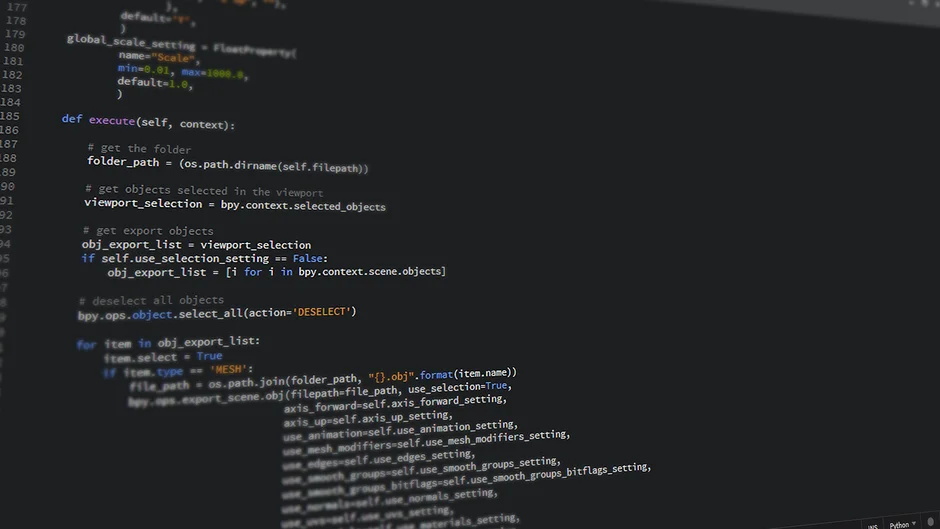
AI coding assistants have accelerated the prototyping phase for many engineering teams, but they frequently produce code that lacks the architectural rigor required for production-scale systems. When you build with LLMs, you often inherit technical debt disguised as functional logic: non-performant database queries, inefficient memory usage, and brittle error handling that fails under load. Before scaling an application, you must treat AI-generated code with the same skepticism as a junior developer’s pull request.
This article outlines a systematic technical audit framework to validate the integrity of your codebase. We focus on identifying architectural bottlenecks, evaluating the reliability of AI-generated integration points, and ensuring your system can handle the transition from a prototype to a high-concurrency production environment.
Static Analysis and Code Quality Audit
The first step is to establish a baseline for code quality. AI tools often generate code that is syntactically correct but structurally flawed. You must enforce strict linting and type-safety protocols to expose hidden issues. If your project uses TypeScript, strict mode is non-negotiable.
- Type Coverage: Use
tsc --noEmitto ensure zero implicit any types. - Cyclomatic Complexity: Run tools like
eslint-plugin-complexityto identify functions that are too dense for maintainability. - Dependency Audits: AI tools often suggest outdated or bloated packages. Run
npm auditoryarn auditto identify security vulnerabilities in the generated dependency tree.
Evaluating AI-Generated Integration Logic
AI models are notorious for writing ‘optimistic’ code—logic that assumes external APIs, vector databases, or LLM endpoints will always return a 200 OK response. This is fatal in production. You must audit the error boundaries of your integrations.
// Example of poor AI-generated integration

async function getEmbedding(text) {

  const response = await openai.embeddings.create({ input: text, model: 'text-embedding-3-small' });

  return response.data[0].embedding;

}
// Required production-grade audit fix
async function getEmbedding(text) {
try {
return await retry(() => openai.embeddings.create({ ... }), { retries: 3 });
} catch (error) {
logger.error('Embedding generation failed', { error });
throw new ServiceUnavailableError('AI provider latency issue');
}
}
Database Performance and Vector Indexing
When scaling RAG-based architectures, the most common failure point is the vector database. AI tools often generate inefficient retrieval queries that perform full table scans instead of utilizing HNSW or IVF indexes. You must verify that your database schema and indexing strategy support your projected data volume.
| Metric | Audit Action |
|---|---|
| Query Latency | Analyze EXPLAIN ANALYZE output for vector similarity searches. |
| Memory Usage | Monitor RAM overhead of the vector index during peak load. |
| Consistency | Verify transaction isolation levels for RAG-write operations. |
Memory Management and Concurrency
AI assistants frequently struggle with asynchronous programming patterns, often creating race conditions or memory leaks in Node.js or Python environments. When auditing your code, look for unhandled promises and global scope pollution.
- Memory Leaks: Use Chrome DevTools or
heapdumpto identify objects that are not being garbage collected. - Event Loop Blocking: Identify synchronous operations inside async blocks that could block the event loop under high traffic.
- Connection Pooling: Audit your database and API client connection pools to ensure they are sized correctly for your concurrency requirements.
Security and Prompt Injection Vulnerabilities
If your application exposes LLM endpoints, you are vulnerable to prompt injection and indirect prompt injection. A standard code audit must include a security review of how user input is sanitized before it reaches the model.
Ensure that you are not blindly passing user strings into prompt templates. Implement a multi-layer validation strategy:
- Input Sanitization: Strip control characters and enforce length limits at the application layer.
- Prompt Guardrails: Use libraries like
NeMo Guardrailsto enforce system instructions. - Privilege Segregation: Ensure the AI service account has the minimum necessary permissions in your vector database.
Infrastructure and Scaling Limits
Scaling requires moving from a local development setup to a distributed architecture. Audit your infrastructure configuration files (e.g., Dockerfiles, Kubernetes manifests) to ensure they are production-ready.
Check for:
- Resource Limits: Are CPU and memory limits explicitly set in your K8s manifests?
- Health Checks: Do you have
livenessProbeandreadinessProbeconfigured for your AI microservices? - Horizontal Scaling: Can your stateless services scale horizontally without side effects?
Testing Strategy for Deterministic AI
Testing non-deterministic AI outputs is difficult. You must move away from simple unit tests toward evaluation frameworks. Implement a test suite that measures the quality of LLM responses using metrics like faithfulness, answer relevance, and context precision.
// Using a simple assertion for AI output quality

expect(response.content).toMatch(/^[A-Za-z0-9\s]{10,500}$/);

expect(response.metadata.confidenceScore).toBeGreaterThan(0.85);
Monitoring and Observability
You cannot scale what you cannot measure. Ensure that your audit includes the implementation of robust distributed tracing. Use tools like OpenTelemetry to track the latency of each segment of your AI pipeline, from initial request to vector search to final model completion.
Key metrics to track:
- Token Usage: Monitor cost-per-request trends.
- Latency P95/P99: Track the response time of your model inference.
- Error Rate: Monitor 4xx/5xx responses from downstream AI providers.
Frequently Asked Questions
How to conduct an AI audit?
Conducting an AI audit involves reviewing the codebase for architectural flaws, verifying the reliability of API integrations, testing for security vulnerabilities like prompt injection, and ensuring that database indexing supports your expected load.
What is the best AI tool for audit?
There is no single ‘best’ tool. You should use a combination of static analysis tools like ESLint or SonarQube for code quality, and specialized observability platforms like LangSmith or Arize for monitoring AI-specific performance and hallucination rates.
Is the IRS using AI for audits?
Yes, tax authorities including the IRS have implemented machine learning models to analyze tax returns for anomalies, which helps them identify high-risk cases for human investigation.
Is AI a threat to auditors?
AI is not a threat but a tool for auditors. It allows for the analysis of massive datasets that would be impossible for humans to audit manually, shifting the auditor’s role toward interpreting AI-generated insights rather than performing rote data entry.
Auditing an AI-generated codebase is a rigorous process that moves beyond simple code review. By focusing on architectural bottlenecks, memory safety, and infrastructure reliability, you transform a fragile prototype into a scalable enterprise application. The goal is to replace the ‘magic’ of AI with the predictability of sound software engineering principles.
As you scale, continue to treat your AI integrations as dynamic dependencies that require constant monitoring and validation. A proactive audit today prevents the architectural collapse of tomorrow.
NR Studio builds custom web apps, mobile apps, SaaS platforms, and internal tools for growing businesses. If you’re working through a technical decision, feel free to reach out — no commitment required.