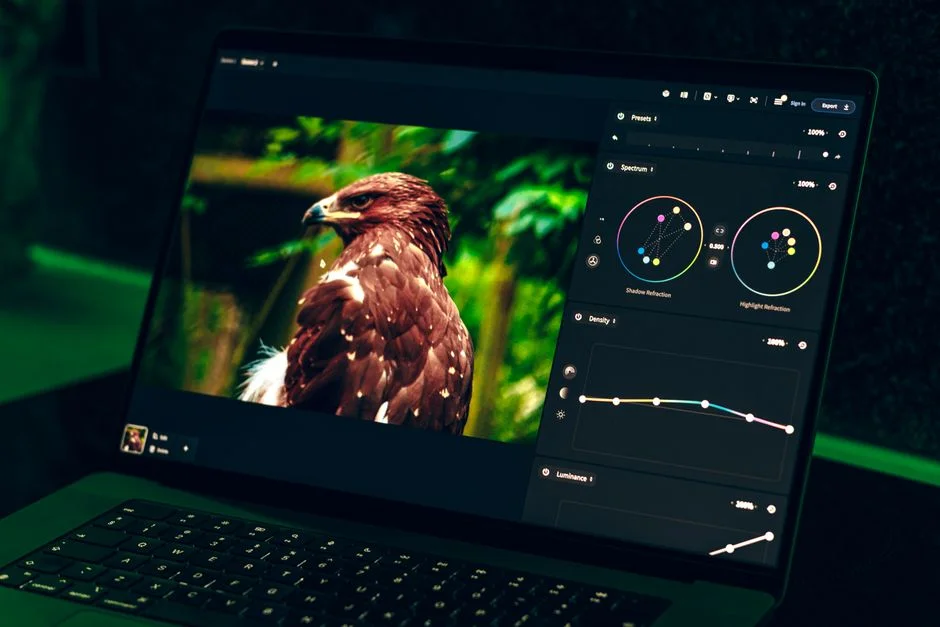

An image tracer is a software tool or algorithm that converts a raster image, composed of pixels, into a vector graphic, which is defined by mathematical paths, points, and curves. This process, often called vectorization or autotracing, enables images to be scaled infinitely without pixelation, making them ideal for logos, technical drawings, and digital art.
Consider an image tracer as a highly specialized digital cartographer. Imagine you have a faded, hand-drawn map on a piece of paper, full of intricate details and varying line weights. This is your raster image, a fixed grid of color information. A cartographer’s job is not just to scan this map, but to meticulously trace every river, road, and boundary, converting these visual elements into precise, scalable mathematical descriptions. The resulting vector map can then be resized for a billboard or a business card without any loss of clarity, a capability impossible with the original paper sketch. Image tracers perform this exact transformation digitally, analyzing pixel data and translating it into resolution-independent vector paths.
The strategic imperative for utilizing image tracers extends beyond mere aesthetic improvement. For organizations managing vast repositories of digital assets, migrating legacy raster graphics to modern vector formats ensures future compatibility, design flexibility, and improved performance across diverse platforms. This conversion is a critical step in digital asset lifecycle management, enhancing the utility and longevity of visual content.
The Fundamental Mechanics of Image Tracing: Raster to Vector Conversion
At its core, an image tracer functions as a sophisticated image processing pipeline designed to identify and interpret visual information within a pixel-based image and reconstruct it using geometric primitives. The process begins with a raster image, typically in formats like JPEG, PNG, or BMP, which are fundamentally grids of colored pixels. The objective is to transform this discrete pixel information into continuous mathematical descriptions that define lines, curves, and shapes.
The initial phase often involves preprocessing steps to optimize the raster input for tracing accuracy. This can include **noise reduction** to eliminate spurious pixels, **image smoothing** to reduce jagged edges, and **contrast enhancement** to better differentiate foreground from background. For color images, **color quantization** algorithms may be applied to reduce the number of unique colors, simplifying the subsequent edge detection. This step is crucial, as a cleaner, more defined input directly correlates with a more accurate vector output. Without proper preprocessing, the tracer might interpret noise as significant features, leading to an overly complex and inaccurate vector graphic.
Edge Detection and Path Generation Algorithms
Following preprocessing, the tracer employs advanced algorithms for **edge detection**. Common techniques include Canny, Sobel, or Laplacian operators, which identify abrupt changes in pixel intensity or color, indicating the boundaries of objects. Once edges are detected, the system proceeds to **path generation**. This is where the mathematical representation truly begins. Instead of storing individual pixels, the tracer constructs vector paths using algorithms such as:
- Line Segmentation: Identifying straight line segments along detected edges.
- Curve Fitting: Approximating curved segments using Bezier curves, B-splines, or arcs. These mathematical functions allow for smooth, scalable representation of complex shapes.
- Contour Tracing: Following the detected pixel boundaries to create closed paths. This often involves algorithms like “marching squares” or “boundary following” to connect adjacent edge pixels into coherent outlines.
The complexity and sophistication of these algorithms directly influence the quality of the vector output. Simpler tracers might produce jagged or overly segmented paths, while advanced solutions utilize iterative refinement techniques to generate smoother, more optimized curves that closely match the original raster image’s intent.
Output Formats and Their Significance
The final stage is rendering the generated vector paths into a standard vector graphics format. The most prevalent output format is **Scalable Vector Graphics (SVG)**, an XML-based vector image format for two-dimensional graphics with support for interactivity and animation. SVG’s open standard and web compatibility make it a preferred choice for modern digital applications. Other formats include Encapsulated PostScript (EPS), Adobe Illustrator Artwork (AI), or Windows Metafile (WMF), each with specific use cases in print, design, or legacy systems.
Understanding the fundamental mechanics of an image tracer reveals its utility as a bridge between pixel-based and mathematically defined visual data. This transition is not merely a format conversion; it is a transformation that imbues an image with properties essential for high-fidelity rendering across varying resolutions and for precise manipulation within graphic design and engineering workflows.
Core Algorithmic Approaches to Vectorization
The effectiveness of an image tracer hinges on its underlying algorithms. While the general goal is consistent, the specific methodologies employed can vary significantly, each offering distinct advantages and trade-offs in terms of speed, accuracy, and output quality. A deep understanding of these approaches is crucial for selecting or developing the most appropriate vectorization strategy for a given application.
Outline Tracing Algorithms
One primary category of algorithms focuses on **outline tracing**. These methods prioritize identifying and following the external and internal boundaries of shapes within the raster image. The process typically involves:
- Binarization: Converting the image to a black and white format, simplifying color information to just presence or absence of a feature.
- Edge Detection: As discussed, identifying pixel transitions.
- Contour Following: Algorithms like “Potrace” or “Autotrace” systematically traverse the detected edges, connecting pixels into continuous paths. These algorithms often use a technique called “scanline processing” where they move across the image, pixel by pixel, building up segments of paths.
- Path Simplification: After initial path generation, algorithms apply techniques like the Ramer-Douglas-Peucker algorithm to reduce the number of points in a path while maintaining its overall shape, thus optimizing the vector data without losing visual fidelity. This step is critical for reducing file size and improving rendering performance.
Outline tracing is particularly effective for images with clear, distinct boundaries, such as logos, line art, and technical drawings. However, it can struggle with images containing subtle gradients, complex textures, or photographic detail, often producing an overly simplified or posterized result.
Centerline Tracing Algorithms
In contrast to outline tracing, **centerline tracing** algorithms focus on identifying the medial axis or skeleton of lines and shapes. This approach is particularly valuable for vectorizing schematics, maps, handwriting, or any graphic where the thickness of a line carries semantic meaning. The process generally involves:
- Thinning/Skeletonization: Reducing lines and shapes to their single-pixel-width skeletons. This iterative process removes outer pixels while preserving connectivity and topology.
- Medial Axis Transform: Calculating the set of all points that have more than one closest point on the shape’s boundary. This effectively finds the center of the shapes.
- Vectorization of Skeletons: Converting the resulting skeleton into a series of connected line segments and curves.
- Stroke Reconstruction: Inferring the original stroke width from the thinning process and applying it to the vectorized centerline, recreating the original visual appearance while maintaining the underlying mathematical definition of the center.
Centerline tracing offers superior results for graphics where line weight is an intrinsic property, making it invaluable for CAD conversions or digitizing old blueprints. The challenge lies in accurately reconstructing variable stroke widths and handling complex intersections without introducing artifacts.
Pattern Recognition and Machine Learning Approaches
More advanced image tracers are beginning to incorporate **pattern recognition** and **machine learning** techniques. Instead of purely geometric analysis, these systems can be trained on large datasets of raster and corresponding vector images. This allows them to learn complex relationships and make more intelligent decisions during vectorization, especially for ambiguous or noisy inputs. For instance, a neural network might be trained to recognize specific characters or symbols in a scanned document and convert them into high-quality vector representations, even if the input is degraded. This represents a significant shift from rule-based algorithms to adaptive, data-driven approaches, promising improvements in accuracy for highly complex or artistic raster images. The integration of AI allows for a more nuanced interpretation of visual intent, moving beyond simple edge detection to understanding the context of the shapes and lines.
Strategic Applications of Image Tracing in Enterprise Environments
The utility of image tracing extends far beyond simple graphic design tasks, serving as a critical process in various enterprise contexts. For organizations, the ability to convert raster images to vectors can unlock new efficiencies, improve data interoperability, and enhance the quality of digital assets across multiple departments.
Digital Asset Management and Archival
In large enterprises, particularly those with long operational histories, vast archives of visual data exist in legacy raster formats. These can include scanned documents, old blueprints, historical photographs, or marketing materials. Converting these assets to vector formats ensures their longevity and usability. Vector graphics are resolution-independent, meaning they can be scaled and repurposed for future technologies and display resolutions without degradation. This is crucial for **digital asset management (DAM)** systems, where assets must remain versatile. Furthermore, vector files are often smaller for simple graphics, easing storage and transmission burdens. The process of vectorizing these archives is not merely a conversion; it is an act of digital preservation and future-proofing, ensuring that valuable visual information remains accessible and editable for decades to come. This also facilitates more efficient indexing and retrieval within DAM platforms, as vector elements can sometimes be more easily parsed and tagged programmatically.
Technical Illustration and CAD/CAM Workflows
For engineering, manufacturing, and architectural firms, image tracing is indispensable for **CAD (Computer-Aided Design)** and **CAM (Computer-Aided Manufacturing)** workflows. Often, legacy schematics, hand-drawn technical illustrations, or scanned blueprints need to be integrated into modern digital design environments. Manually redrawing these complex documents is time-consuming and prone to human error. An image tracer can automate the conversion of these raster images into editable vector formats, such as DXF or DWG, which are compatible with CAD software. This significantly accelerates the design process, reduces operational costs, and ensures accuracy. For example, a manufacturing company might use an image tracer to convert scanned machine part diagrams into vector outlines for direct import into CAM software, enabling automated cutting or milling operations. This integration bridges the gap between historical documentation and contemporary production methodologies, streamlining product development cycles.
Branding, Marketing, and Web Development
In branding and marketing, logos and brand elements must maintain consistency and quality across all mediums, from business cards to billboards, and from websites to mobile applications. Original brand assets are ideally created as vector graphics, but often, only low-resolution raster versions are available. An image tracer allows for the reconstruction of these critical brand elements into scalable vectors, ensuring crisp, clean rendering at any size. For web development, SVG assets generated via tracing offer significant advantages: they are resolution-independent, typically smaller in file size than equivalent high-resolution raster images, and can be manipulated with CSS and JavaScript. This improves page load times, enhances user experience on high-DPI screens, and simplifies responsive design implementations. When combined with modern web frameworks, such as Next.js, optimizing image assets becomes a critical performance consideration. For instance, using SVG sprites or dynamically loading vector logos can significantly reduce the overall bundle size and improve perceived performance, a topic extensively covered in guides like next.config.js: The Definitive Guide to Next.js Application Configuration.
Geographic Information Systems (GIS) and Mapping
GIS applications heavily rely on precise spatial data. Image tracing plays a role in converting scanned historical maps, satellite imagery features, or hand-annotated field sketches into vector layers for GIS databases. For instance, tracing old property boundaries or hydrological features from scanned maps allows for their integration into modern digital mapping systems, enabling spatial analysis and urban planning. This process helps digitize and analyze vast amounts of geographic data that might otherwise remain in inaccessible analog formats, providing critical insights for infrastructure development, environmental studies, and disaster management. The accuracy of the tracing directly impacts the reliability of subsequent spatial analyses, making the choice of tracing algorithm and subsequent manual refinement paramount.
Evaluating Image Tracer Solutions: Build vs. Buy Considerations
When an organization identifies a need for image tracing capabilities, a critical strategic decision arises: should they build a custom solution or purchase an off-the-shelf product? This build vs. buy dilemma involves a comprehensive evaluation of technical requirements, long-term maintenance, integration needs, and resource allocation. As a solutions consultant, the recommendation hinges on a detailed understanding of the organization’s specific context.
Factors Favoring a Custom-Built Image Tracer
Building a custom image tracer is typically justified when an organization has highly specialized requirements that commercial off-the-shelf (COTS) solutions cannot adequately address. This often includes:
- Unique Algorithmic Needs: If the raster images present specific challenges, such as highly degraded inputs, unusual artistic styles, or very niche technical diagrams that require bespoke algorithms for optimal vectorization. For example, a company dealing with ancient manuscript scans might need a tracer tailored to specific historical script characteristics.
- Deep Integration Requirements: When the image tracing functionality needs to be deeply embedded within a proprietary workflow or a complex legacy system, where existing APIs or integration points of COTS products are insufficient. This might involve direct memory access, custom data pipelines, or real-time processing requirements that demand granular control over the tracing engine.
- Intellectual Property and Competitive Advantage: Developing a unique, high-performance image tracer can provide a significant competitive advantage, especially for companies whose core business involves image processing, graphic design software, or specialized data conversion services. The IP generated can be a valuable asset.
- Cost-Effectiveness for High Volume/Long-Term Use: While initial development costs are high, for organizations with extremely high volumes of tracing tasks over a long period, the cumulative licensing fees of COTS solutions might eventually exceed the custom build cost, making the latter more economically viable in the long run.
- Specific Performance Constraints: If the tracing process requires extreme speed, minimal latency, or operates within highly constrained hardware environments (e.g., embedded systems), a custom solution can be optimized precisely for these performance metrics, bypassing the overhead of generalized COTS software.
The decision to build requires significant investment in specialized engineering talent, ongoing maintenance, and continuous R&D to keep the solution competitive. This path is often chosen by companies with mature engineering departments and a strategic vision for owning their core technology stack.
Advantages of Commercial Off-the-Shelf (COTS) Solutions
For most enterprises, adopting a COTS image tracer solution offers numerous benefits, primarily centered around speed to implementation, lower initial cost, and reduced maintenance burden:
- Rapid Deployment: COTS products are ready to use, allowing organizations to integrate tracing capabilities quickly into their workflows without lengthy development cycles.
- Lower Upfront Costs: While licensing fees apply, the absence of development, testing, and initial infrastructure setup costs makes COTS solutions significantly cheaper to acquire and deploy initially.
- Proven Stability and Features: Commercial products typically undergo extensive testing and iterative development, offering robust features, bug fixes, and continuous improvements driven by a broad user base. They often include advanced features like batch processing, multiple output formats, and user-friendly interfaces.
- Vendor Support and Documentation: Reputable vendors provide technical support, comprehensive documentation, and training, reducing the internal burden of troubleshooting and user education.
- Reduced Maintenance Overhead: The vendor is responsible for updates, security patches, and compatibility issues, freeing up internal IT resources.
- Integration with Existing Ecosystems: Many COTS image tracers offer well-documented APIs, plugins for popular design software (e.g., Adobe Illustrator), and integrations with common DAM or content management systems, simplifying their adoption into existing enterprise ecosystems.
The choice between building and buying ultimately depends on a detailed **Total Cost of Ownership (TCO)** analysis, considering not just initial expenditure but also ongoing operational costs, internal resource allocation, and the strategic value derived from the chosen approach. For a Laravel application requiring image tracing, one might consider integrating a COTS solution via its API, similar to how one might integrate a custom log viewer, as discussed in Laravel Pail: Real-time Log Tail and Debugging in Production, to monitor the tracing process and its outputs.
Integration Strategies for Image Tracers in Enterprise Architectures
Integrating an image tracer into an existing enterprise architecture requires careful planning to ensure seamless operation, maintain data integrity, and optimize performance. The chosen strategy will depend on the nature of the tracer solution (custom or COTS), the existing system landscape, and the specific use cases it needs to support.
API-Driven Integration for COTS Solutions
For commercial off-the-shelf image tracers, the most common and robust integration method is through **Application Programming Interfaces (APIs)**. Modern COTS solutions typically offer RESTful APIs that allow programmatic access to their tracing functionalities. This approach provides several benefits:
- Decoupling: The image tracer operates as a separate service, reducing dependencies and allowing independent scaling and updates.
- Flexibility: APIs can be consumed by various internal systems, including web applications, content management systems, or custom backend services, regardless of their underlying technology stack.
- Standardization: RESTful APIs adhere to industry standards, making integration predictable and well-documented.
A typical API integration workflow might involve an internal application uploading a raster image to the tracer service via an API endpoint, receiving a job ID, and then polling another endpoint to retrieve the vectorized output once processing is complete. Authentication mechanisms (e.g., API keys, OAuth) are crucial for securing these interactions. For instance, a digital asset management system could use such an API to automatically vectorize uploaded logos, storing both the original raster and the new vector versions.
Queue-Based Processing for Asynchronous Workflows
Image tracing, especially for complex or high-resolution images, can be a computationally intensive and time-consuming operation. Direct, synchronous processing can lead to timeouts, performance bottlenecks, and poor user experience. Therefore, **asynchronous, queue-based processing** is often the preferred integration strategy, particularly for background tasks or batch operations. This involves:
- Message Queues: Systems like RabbitMQ, Apache Kafka, or AWS SQS are used to queue tracing requests. When an image needs to be traced, a message containing its identifier and relevant parameters is published to the queue.
- Worker Processes: Dedicated worker processes or microservices consume messages from the queue, perform the tracing operation, and then store the vectorized output (e.g., in an object storage like S3) and update the status in a database.
- Event-Driven Notifications: Once tracing is complete, an event can be published or a webhook triggered to notify the originating system, allowing it to retrieve the result.
This architecture significantly improves system responsiveness, allows for horizontal scaling of worker processes based on demand, and provides resilience against failures. If a worker fails, the message can be reprocessed by another worker, preventing data loss. For PHP-based applications, integrating with queues is a common pattern, similar to managing background tasks in a Laravel application. The efficient handling of tasks in the background ensures that resource-intensive operations do not block the main application thread.
Data Flow and Storage Considerations
Efficient data flow and appropriate storage solutions are paramount. Raster images destined for tracing are often large, and the resulting vector files, while sometimes smaller, still require robust storage. Common patterns include:
- Object Storage: Services like Amazon S3, Google Cloud Storage, or MinIO are ideal for storing both source raster images and generated vector graphics due to their scalability, durability, and cost-effectiveness. Images are uploaded, their references passed to the tracer, and outputs are stored back.
- Database Integration: Metadata about the tracing jobs (e.g., original filename, output format, status, associated asset IDs) is stored in a relational database (e.g., MySQL, PostgreSQL) or a NoSQL database. This metadata is critical for tracking the lifecycle of traced assets and linking them back to original source material. Effective database indexing, as discussed in Laravel Database Indexing Best Practices for High-Performance Applications, is crucial here for quick retrieval of tracing job statuses and asset information.
- Content Delivery Networks (CDNs): For web-facing applications, serving vectorized assets through a CDN can drastically reduce latency and improve load times for end-users, especially for geographically dispersed audiences.
The integration strategy must also account for error handling, retry mechanisms, and robust logging to ensure traceability and facilitate debugging. A comprehensive logging solution, perhaps similar to what Laravel Pail offers for real-time log tailing, can provide invaluable insights into the tracing pipeline’s health and performance.
Performance Benchmarks and Optimization Strategies for Vectorization
Optimizing the performance of an image tracing workflow is critical for enterprise applications, especially when dealing with high volumes of images or time-sensitive operations. Performance is typically measured by metrics such as processing speed, accuracy of vectorization, and the quality/size of the output vector file. Achieving optimal performance involves understanding the factors influencing these metrics and applying strategic optimization techniques.
Key Performance Indicators (KPIs) in Image Tracing
Before optimizing, it is essential to define the relevant KPIs:
- Processing Time: The duration from input raster submission to vector output generation. This is often the most critical metric for real-time or near real-time applications.
- Vectorization Accuracy: How closely the vectorized output matches the visual intent and detail of the original raster image. This can be subjective but can also be quantified by comparing geometric properties or visual differences.
- Output File Size: The size of the resulting SVG or other vector file. Smaller files improve storage efficiency, network transmission, and rendering performance.
- Path Complexity: The number of nodes, segments, and curves in the vector output. Lower complexity generally correlates with smaller file sizes and faster rendering.
- Resource Utilization: CPU, memory, and I/O consumption during the tracing process. Efficient tracers should minimize these to allow for higher concurrency or lower infrastructure costs.
These KPIs often present trade-offs; for example, increasing accuracy might lead to higher path complexity and larger file sizes, or faster processing might compromise detail. The optimization strategy must align with the specific priorities of the application.
Factors Influencing Tracing Performance
Several factors directly impact the performance of an image tracer:
- Input Image Characteristics:
- Resolution and Dimensions: Higher resolution images contain more pixels, requiring more data to process.
- Color Depth: Images with a larger color palette (e.g., 24-bit color) require more complex color quantization and edge detection than monochromatic or 8-bit images.
- Complexity of Content: Images with fine details, intricate patterns, or subtle gradients are inherently more challenging and time-consuming to vectorize accurately.
- Noise and Artifacts: Noisy images require extensive preprocessing, adding to the processing time.
- Algorithmic Efficiency: The choice of tracing algorithm (e.g., outline vs. centerline, specific curve fitting methods) and its implementation directly affects computational load.
- Hardware Resources: The CPU speed, available RAM, and disk I/O performance of the server or workstation performing the tracing operation are significant bottlenecks or accelerators.
- Software Environment: The programming language, libraries, and operating system overhead can all contribute to or detract from performance.
Optimization Strategies
To enhance image tracing performance, consider the following strategies:
- Intelligent Preprocessing:
- Downsampling: For images where extreme detail is not required, reducing the input resolution can significantly speed up tracing.
- Binarization/Color Quantization: Aggressively reducing the color palette to the minimum necessary colors simplifies edge detection.
- Noise Reduction: Applying appropriate filters (e.g., Gaussian blur, median filter) to clean up the image before tracing.
- Algorithmic Parameter Tuning: Most tracers offer configurable parameters, such as sensitivity for edge detection, curve smoothness thresholds, and maximum path complexity. Tuning these parameters for specific image types can yield better results and performance. For example, increasing the error tolerance in a curve fitting algorithm will reduce path complexity at the cost of minor accuracy.
- Parallel Processing and Concurrency: For high-throughput scenarios, parallelizing the tracing of multiple images across multiple CPU cores or even distributed systems can drastically reduce overall processing time. This is where queue-based architectures shine, allowing multiple worker nodes to process jobs concurrently.
- Optimized Output Generation:
- SVG Optimization: Post-processing the generated SVG to remove redundant points, consolidate paths, and simplify XML structure can reduce file size. Tools like SVGO are commonly used for this purpose.
- Format Selection: Choosing the most appropriate vector format based on the intended use case can sometimes offer performance benefits.
- Hardware Acceleration: For very demanding tasks, exploring GPU-accelerated image processing libraries or dedicated hardware can provide substantial speedups, especially for the initial raster analysis phases.
- Caching Mechanisms: Caching results for frequently requested or previously traced images can eliminate redundant processing, improving system responsiveness for repeated requests. This is particularly useful in content management systems where assets might be requested multiple times.
By systematically addressing these factors and applying targeted optimization strategies, enterprises can ensure their image tracing pipelines are both efficient and effective, meeting the demands of modern digital workflows.
Challenges and Common Pitfalls in Automated Image Tracing
While automated image tracing offers significant benefits, it is not a panacea. Organizations must be aware of inherent challenges and common pitfalls to set realistic expectations and implement effective mitigation strategies. Misconceptions about the capabilities of image tracers can lead to suboptimal results, increased manual rework, and project delays.
Loss of Detail and Artistic Nuance
One of the primary challenges is the potential **loss of detail and artistic nuance**, especially when tracing complex raster images like photographs or highly textured artwork. Image tracers are inherently reductive; they simplify pixel data into geometric paths. This means:
- Gradients and Tones: Smooth color gradients in a raster image are often converted into a series of distinct color bands or solid shapes, resulting in a “posterized” effect. Subtle shading, photographic realism, and intricate textures are extremely difficult, if not impossible, to perfectly replicate in vector format without enormous file sizes and path complexity.
- Fine Details: Very fine lines, tiny imperfections, or subtle visual noise that might be aesthetically pleasing in a raster image can either be misinterpreted as significant features, leading to overly complex and jagged vectors, or entirely lost during simplification.
- Human Interpretation: An image tracer lacks human artistic judgment. It cannot discern the designer’s intent behind a brushstroke or the subtle emotional impact of a photograph. It simply processes pixels based on algorithmic rules.
The output, while mathematically precise, may lack the organic feel or specific aesthetic qualities of the original. This often necessitates significant manual cleanup and refinement by a graphic designer, which can negate some of the automation benefits.
Handling Ambiguity and Noise
Raster images, particularly scanned documents or historical artifacts, often contain **ambiguity and noise**. These can manifest as:
- Low Resolution and Compression Artifacts: JPEG compression artifacts, pixelation from low resolution, or blurriness can confuse edge detection algorithms, leading to inaccurate or incomplete paths.
- Scanner Noise and Degradation: Scanned images may have dust, scratches, faded ink, or uneven lighting, all of which are interpreted as pixel data by the tracer. Without robust preprocessing, these can be vectorized as unwanted elements.
- Overlapping or Intersecting Lines: In complex technical drawings, lines that are very close or intersect at shallow angles can be difficult for a tracer to correctly segment and connect, leading to broken paths or merged shapes.
Addressing ambiguity often requires extensive preprocessing, which itself can be a complex task, or post-processing manual correction. Failure to manage noise effectively results in “dirty” vector files that are difficult to edit and large in size.
Scalability of Manual Refinement
Even with advanced tracers, some degree of **manual refinement** is almost always required to achieve production-ready vector graphics, especially for critical assets like corporate logos or high-fidelity illustrations. The pitfall here is underestimating the time and resources required for this manual step. If an organization plans to vectorize thousands of complex images, and each requires significant manual touch-up, the perceived efficiency gains from automation can quickly diminish. The scalability of manual refinement becomes a bottleneck, turning an automated process into a semi-automated one with substantial human labor costs. This is particularly true for images with intricate details or those where perfect fidelity to the original aesthetic is paramount. When considering a large-scale migration of image assets, a realistic assessment of the manual effort required post-tracing is crucial for accurate project planning and resource allocation.
File Size and Performance Bloat
While vector graphics are typically more compact than high-resolution raster images for simple shapes, an overly aggressive or poorly configured image tracer can generate **bloated vector files**. If the tracer creates too many anchor points, redundant paths, or excessively complex curves to perfectly match every pixel detail, the resulting SVG can be larger and slower to render than a well-optimized raster image. This negates the performance benefits of vector graphics, leading to slower web page loads, increased storage costs, and diminished user experience. Regular auditing and optimization of generated vector files (e.g., using SVG optimizers) are necessary to prevent this pitfall. Understanding the balance between accuracy and file complexity is key to avoiding this common issue.
Best Practices for Successful Image Tracing Implementations
Implementing image tracing effectively within an enterprise requires more than just acquiring the right software; it demands a strategic approach encompassing preparation, execution, and post-processing. Adhering to best practices ensures optimal results, minimizes rework, and maximizes the return on investment in vectorization efforts.
Source Image Preparation and Preprocessing
The quality of the vector output is directly proportional to the quality of the raster input. Therefore, **thorough source image preparation** is paramount:
- High-Resolution Originals: Always start with the highest resolution and least compressed raster image available. This provides the tracer with the maximum amount of pixel data to work with, leading to more accurate edge detection and smoother curves.
- Clean and Crisp Inputs: Before tracing, clean up any dust, scratches, or unwanted artifacts from the source image. For scanned documents, ensure proper lighting and alignment to minimize distortions.
- Color Optimization: For color images, consider reducing the color palette (color quantization) to the essential colors. This simplifies the tracing process and often leads to cleaner, more manageable vector files. Avoid overly complex color schemes unless absolutely necessary.
- Contrast Enhancement: Adjust contrast and brightness to ensure clear differentiation between foreground elements and the background. This helps the tracer accurately identify object boundaries.
- Noise Reduction: Apply appropriate filters (e.g., despeckle, median filter) to remove extraneous pixels or noise that could be misinterpreted as features.
Investing time in meticulous preprocessing significantly reduces the need for extensive manual cleanup post-tracing, which is often more time-consuming.
Parameter Tuning and Iterative Refinement
Automated tracers are rarely a one-click solution. **Effective parameter tuning and iterative refinement** are crucial for achieving desired results:
- Understand Tracer Settings: Familiarize yourself with the various settings offered by your chosen tracer (e.g., threshold sensitivity, curve fitting accuracy, maximum number of colors, minimum object size). Each setting influences the output in specific ways.
- Experiment and Iterate: Do not expect perfect results on the first attempt. Trace a small sample of representative images, adjust parameters based on the output, and iterate until the desired balance between accuracy, complexity, and file size is achieved.
- Batch Processing with Templates: Once optimal settings are identified for a specific type of image (e.g., logos, schematics, photos), save these as templates for batch processing. This ensures consistency and efficiency for large-scale operations.
- Targeted Tracing: For complex images, consider tracing specific elements separately with different settings and then compositing them in a vector graphics editor. For example, trace text separately from intricate line art.
This iterative process requires a degree of expertise and an understanding of the trade-offs involved.
Output Validation and Post-Processing
The work doesn’t end once the vector file is generated. **Rigorous output validation and post-processing** are essential:
- Visual Inspection: Always visually inspect the vectorized output against the original raster image to identify any discrepancies, missing details, or unwanted artifacts.
- Manual Cleanup: Use vector graphics software (e.g., Adobe Illustrator, Inkscape) to perform necessary manual cleanup, such as correcting broken paths, simplifying redundant points, adjusting curves, and removing extraneous shapes. This is where human judgment complements algorithmic processing.
- SVG Optimization: For SVG outputs, use dedicated optimizers (e.g., SVGO) to strip unnecessary metadata, consolidate paths, and reduce file size without affecting visual quality. This is particularly important for web-based applications.
- Metadata Preservation: If the original raster image contains important metadata (e.g., EXIF data for photographs), ensure this information is either preserved in an accompanying file or explicitly transferred to the new vector asset’s metadata where applicable. For critical data governance, understanding how to manage and view this information is vital, as explored in Image Metadata Viewer: Strategic Imperatives for Data Governance and Compliance.
- Version Control: Implement version control for vectorized assets, especially during the refinement process, to track changes and revert to previous states if needed.
By integrating these best practices into the workflow, organizations can harness the power of image tracing to produce high-quality, scalable vector assets efficiently and reliably.
The Role of Image Tracers in Digital Transformation Initiatives
Digital transformation, for many enterprises, involves modernizing legacy systems, digitizing physical assets, and optimizing operational workflows. Image tracers play a subtle yet significant role in this broader strategic shift, enabling the conversion of outdated or inefficient visual data into formats that are compatible with contemporary digital ecosystems and future technologies.
Legacy Data Modernization
Many industries, from manufacturing to government, possess vast repositories of historical documents, blueprints, maps, and schematics that exist only in physical or low-resolution raster forms. These assets, while critical to institutional knowledge, are difficult to search, edit, and integrate into modern digital workflows. Image tracers are instrumental in **legacy data modernization** efforts. By converting these raster images into editable vector formats, organizations can:
- Unlock Archival Data: Make previously inaccessible or cumbersome visual data usable within CAD systems, GIS platforms, or digital asset management solutions.
- Reduce Physical Storage: Transition from physical archives to digital storage, reducing operational costs and improving data accessibility.
- Enhance Data Interoperability: Facilitate the exchange of visual information between different software applications and departments, breaking down data silos.
This modernization is not just about converting files; it’s about transforming static, historical records into dynamic, actionable data that can inform current operations and strategic planning.
Enabling New Digital Products and Services
The ability to efficiently vectorize images can directly contribute to the development of **new digital products and services**. For example:
- Customization Platforms: Companies offering personalized products (e.g., custom apparel, engraved items) can use image tracers to convert customer-uploaded raster images (like photos or sketches) into vector formats suitable for manufacturing processes (e.g., laser cutting, embroidery machines).
- Augmented Reality (AR) and Virtual Reality (VR): For creating interactive 3D models or virtual environments, vector graphics serve as excellent base layers for textures, decals, and geometric shapes, ensuring high fidelity and scalability within immersive experiences.
- Interactive Web Applications: Vectorized elements, particularly SVGs, are ideal for interactive web interfaces, allowing for dynamic manipulation via JavaScript and CSS, enhancing user engagement and accessibility.
By providing a bridge between diverse visual inputs and scalable digital outputs, image tracers empower businesses to innovate and expand their digital offerings, reaching new markets and improving customer experiences.
Improving Efficiency in Design and Engineering Workflows
In design and engineering, continuous improvement of workflow efficiency is a constant goal. Image tracers contribute by automating tasks that were historically manual and time-consuming:
- Accelerated Redrawing: Eliminating or significantly reducing the need to manually redraw complex logos, diagrams, or schematics from raster sources. This frees up skilled designers and engineers to focus on higher-value creative and problem-solving tasks.
- Standardization of Assets: Ensuring that all visual assets conform to a consistent, editable, and scalable vector standard, which is crucial for brand consistency and product design integrity.
- Facilitating Iteration: Vector graphics are inherently easier to modify and iterate upon. An image tracer provides a quick starting point for design revisions, allowing for more agile development cycles in product design and marketing campaigns.
By streamlining the conversion of visual assets, image tracers contribute to a more agile, efficient, and interconnected digital enterprise, directly supporting the objectives of digital transformation by enabling data fluidity and operational excellence.
Security and Compliance Considerations for Image Tracing Workflows
When integrating image tracing into enterprise operations, particularly those involving sensitive or proprietary data, security and compliance considerations are paramount. Organizations must ensure that the process of converting raster images to vectors does not introduce vulnerabilities, compromise data integrity, or violate regulatory requirements. A robust security posture around image processing workflows is non-negotiable.
Data Privacy and Confidentiality
Image tracing often involves processing visual data that may contain sensitive information, including:
- Proprietary Designs: Engineering schematics, product designs, or architectural blueprints that are intellectual property.
- Personal Identifiable Information (PII): Scanned documents might contain names, addresses, or other personal data.
- Confidential Business Information: Financial reports, strategic plans, or internal communications.
When using cloud-based image tracing services or third-party APIs, organizations must ensure that the data transmission and processing adhere to strict confidentiality protocols. This includes:
- Secure Data Transmission: Utilizing encrypted channels (e.g., HTTPS/TLS) for uploading and downloading images.
- Data Segregation: Ensuring that the tracing service logically or physically separates an organization’s data from that of other clients.
- Data Retention Policies: Verifying that the service provider has clear policies on how long data is stored post-processing and that these align with internal and regulatory requirements.
- Access Controls: Implementing strong authentication and authorization mechanisms to restrict who can initiate tracing jobs and access outputs.
For highly sensitive data, an on-premise or privately hosted image tracer solution might be preferred to maintain complete control over the data lifecycle.
Intellectual Property (IP) Protection
The act of tracing an image, especially one sourced externally, raises questions of intellectual property. Organizations must establish clear guidelines:
- Licensing and Rights: Ensure that the original raster image is either owned by the organization, is in the public domain, or is used under a valid license that permits derivative works.
- Attribution: If required by the original license, ensure proper attribution is maintained in the vectorized output or associated metadata.
- Derivative Works: Understand the legal implications of creating a vector derivative. While the act of tracing might not automatically confer new copyright, the resulting vector graphic is a distinct asset.
Internally, protecting proprietary designs during the tracing process involves robust access controls and ensuring that the tracing infrastructure itself is secure against unauthorized access or data exfiltration. This includes securing endpoints and ensuring that any image metadata, which could contain ownership information, is handled appropriately, a concept elaborated in discussions around Image Metadata Viewer: Strategic Imperatives for Data Governance and Compliance.
Regulatory Compliance (GDPR, HIPAA, SOC 2)
Depending on the industry and geographic location, image tracing workflows may fall under various regulatory compliance frameworks:
- GDPR (General Data Protection Regulation): If images contain PII of EU citizens, strict rules apply to how this data is processed, stored, and secured. This includes data minimization, consent, and the right to be forgotten.
- HIPAA (Health Insurance Portability and Accountability Act): For healthcare organizations, images containing Protected Health Information (PHI) must be handled with extreme care, ensuring compliance with HIPAA’s security and privacy rules.
- SOC 2 (Service Organization Control 2): If using a third-party tracing service, verifying their SOC 2 compliance (or equivalent) provides assurance regarding their security controls relevant to the trust principles of security, availability, processing integrity, confidentiality, and privacy.
Compliance often necessitates comprehensive audit trails, data encryption at rest and in transit, and documented security policies for all components of the image tracing pipeline. Regular security audits and penetration testing of the tracing infrastructure are also crucial to proactively identify and mitigate potential vulnerabilities. For any system handling sensitive data, rigorous security reviews and adherence to established frameworks are not merely good practice but a regulatory obligation.
Emerging Trends and Future Directions in Image Vectorization
The field of image vectorization is continuously evolving, driven by advancements in artificial intelligence, increasing demand for high-quality digital assets, and the need for more efficient content creation workflows. Understanding these emerging trends is crucial for enterprises planning their long-term digital strategies and investing in future-proof technologies.
AI and Machine Learning for Enhanced Accuracy
The most significant trend is the increasing integration of **Artificial Intelligence (AI) and Machine Learning (ML)**, particularly deep learning, into image tracing algorithms. Traditional rule-based tracers often struggle with ambiguity, noise, and artistic interpretation. AI-powered tracers, however, can:
- Learn from Data: By training neural networks on vast datasets of raster images and their corresponding human-created vector versions, these models can learn to recognize complex patterns, styles, and semantic meanings. This allows them to make more intelligent decisions during vectorization, leading to significantly higher accuracy and more aesthetically pleasing results.
- Handle Complexities: ML models are better equipped to handle noisy inputs, subtle gradients, and artistic nuances that stump deterministic algorithms. They can infer missing information or smooth out imperfections more intelligently.
- Style Transfer: Advanced AI could potentially allow for “style transfer” during vectorization, converting a raster image into a vector graphic that adheres to a specific artistic style (e.g., line art, watercolor, comic book style).
This shift from purely computational geometry to cognitive pattern recognition promises a future where automated tracing requires less manual cleanup and produces more human-like vector interpretations.
3D Vectorization and Volumetric Tracing
While current image tracers primarily focus on 2D raster-to-vector conversion, an emerging area is **3D vectorization and volumetric tracing**. This involves converting 3D raster data (e.g., from medical scans like CT/MRI, 3D photography, or volumetric simulations) into 3D vector models (e.g., CAD formats, polygonal meshes, NURBS surfaces). This capability has profound implications for:
- Medical Imaging: Automatically generating precise 3D anatomical models from patient scans for surgical planning or prosthetics design.
- Reverse Engineering: Converting scanned physical objects into editable 3D CAD models.
- Virtual Reality and Gaming: Creating detailed 3D assets from real-world volumetric data more efficiently.
This is a computationally intensive field, but advancements in point cloud processing, surface reconstruction algorithms, and deep learning are making it increasingly viable, bridging the gap between physical reality and digital 3D models.
Real-Time and Interactive Tracing
As processing power increases and algorithms become more efficient, the prospect of **real-time and interactive image tracing** is becoming a reality. Imagine a user drawing on a tablet, and as they draw, the raster strokes are instantly converted into smooth, editable vector paths. This has implications for:
- Digital Art and Illustration: Providing artists with immediate vector output, combining the natural feel of raster drawing with the scalability of vectors.
- User-Generated Content: Empowering non-technical users to create high-quality vector graphics from their sketches or images within web or mobile applications.
- Live Design Collaboration: Enabling collaborative design sessions where raster inputs are instantly vectorized and shared for real-time editing.
This trend moves image tracing from a batch process to an interactive design tool, fundamentally changing how digital assets are created and manipulated. The focus shifts to providing immediate feedback and seamless integration into creative workflows.
Open Standards and Interoperability
The continued push for **open standards and improved interoperability** will further enhance the utility of image tracers. While SVG is a dominant standard, there is ongoing work to improve its capabilities and ensure seamless exchange between different software platforms. Additionally, the development of open-source tracing libraries and frameworks (e.g., based on Python or JavaScript) will democratize access to advanced vectorization capabilities, fostering innovation and custom solutions. The future of image tracing is likely to be characterized by smarter, faster, and more integrated solutions that leverage AI to bridge the gap between pixel and path with unprecedented accuracy and flexibility, further embedding this technology as a cornerstone of digital asset creation and management.
Image tracers are sophisticated tools that perform the critical function of converting raster images into scalable vector graphics. This process is fundamental for ensuring the longevity, versatility, and quality of visual assets across diverse enterprise applications, from digital asset management and archival to technical illustration, branding, and geographic information systems. The strategic decision to implement an image tracer, whether through custom development or the adoption of commercial solutions, hinges on a careful assessment of technical requirements, integration needs, and long-term operational goals.
While automated tracing offers substantial benefits in efficiency and scalability, it is not without its challenges. Organizations must anticipate potential pitfalls such as the loss of artistic nuance, the complexity of handling ambiguous inputs, and the need for manual refinement. Adhering to best practices in image preparation, parameter tuning, and post-processing is essential to mitigate these challenges and maximize the value derived from vectorization efforts. As the field continues to evolve with advancements in AI and machine learning, image tracers are poised to become even more intelligent and integral to digital transformation initiatives, enabling new products, streamlining workflows, and securing valuable visual data for the future.
Explore our complete Laravel, Basics directory for more guides.
NR Studio builds custom web apps, mobile apps, SaaS platforms, and internal tools for growing businesses. If you’re working through a technical decision, feel free to reach out — no commitment required.