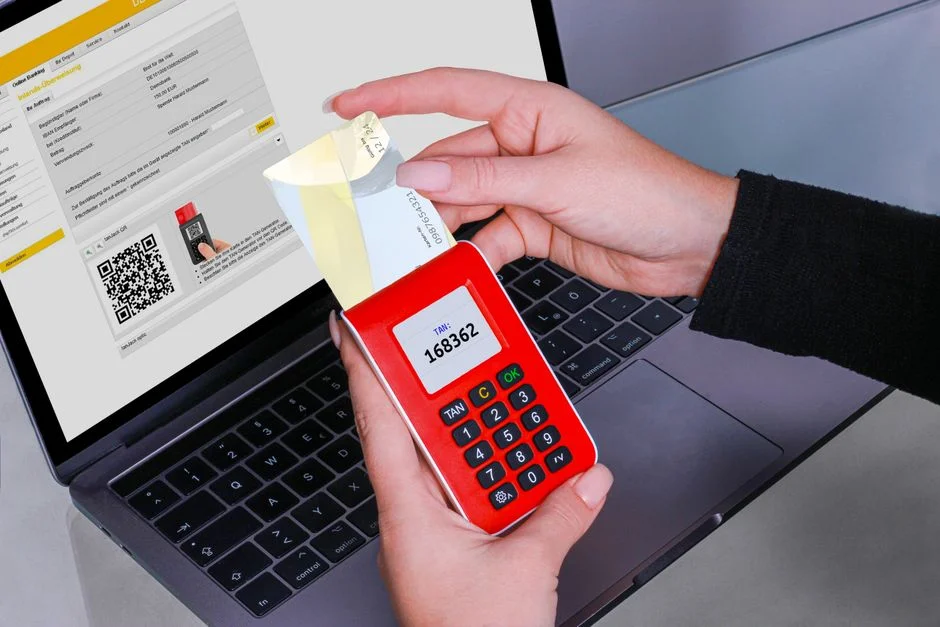

2 Factor Authentication (2FA) is a critical security mechanism that requires users to present two distinct forms of identification before granting access to a system or application. This layered approach significantly enhances security by making it substantially harder for unauthorized entities to compromise accounts, even if one authentication factor, such as a password, is stolen. It acts as a digital deadbolt, adding a necessary second barrier to entry.
Consider 2FA akin to securing a high-value asset in a bank vault. The first factor, your knowledge of the vault combination (a password), is essential but can be compromised. The second factor, a unique key that only you possess (a physical token or biometric scan), is required to open the inner door. Without both the combination and the key, access is denied, preventing unauthorized entry even if an attacker acquires one element. This article will dissect the operational mechanics, architectural considerations, implementation strategies, and critical security implications of 2FA, emphasizing a risk-averse, enterprise-grade perspective.
The Operational Mechanics of 2FA: How It Works Under the Hood
Two-factor authentication fundamentally operates by combining at least two independent categories of credentials. These categories are traditionally defined as: something you know (e.g., a password or PIN), something you have (e.g., a hardware token, smartphone, or smart card), and something you are (e.g., a fingerprint, facial scan, or voice recognition). The strength of 2FA lies in the requirement that an attacker must compromise two distinct factors, dramatically increasing the effort and complexity required for a successful breach.
Let’s examine the common types of ‘something you have’ factors and their underlying mechanics:
- Time-based One-Time Passwords (TOTP): This is one of the most prevalent 2FA methods, used by applications like Google Authenticator or Authy. TOTP relies on a shared secret key, agreed upon during setup, and the current time. Both the server and the user’s device use an algorithm (typically HMAC-SHA1 or HMAC-SHA256) to generate a short, numeric code that is valid for a brief period, usually 30 or 60 seconds. The server generates its own expected code and compares it to the one provided by the user. If they match within the time window, authentication proceeds. This method is robust because the code changes frequently, making replay attacks difficult.
- SMS-based OTP: Here, the ‘something you have’ is your mobile phone, which receives a one-time passcode via SMS. While widely adopted due to its simplicity, SMS-based 2FA is increasingly viewed as a weaker link due to vulnerabilities such as SIM swap attacks, where attackers port a victim’s phone number to a device they control, thereby intercepting the OTP. It also suffers from potential delivery delays or network issues.
- Push Notifications: Many modern 2FA solutions send a push notification to a registered mobile device, prompting the user to approve or deny a login attempt. This method is user-friendly and more secure than SMS because the authentication request is sent directly to an app that has established a secure channel with the authentication service, rather than relying on the less secure SMS protocol. The user simply taps ‘Approve’ on their device.
- Hardware Security Keys (e.g., FIDO2/U2F): These physical devices represent a ‘something you have’ factor that is highly resistant to phishing. When a user logs in, the website challenges the hardware key, which then cryptographically signs the challenge. The key does not transmit a shared secret or a code that can be intercepted; instead, it proves its presence and authenticity. FIDO2, an evolution of U2F, supports passwordless authentication, where the hardware key itself can be the primary authentication factor, often combined with a PIN or biometric (something you know/are) for a truly multi-factor experience.
- Biometrics: Factors like fingerprints, facial recognition, or iris scans fall under ‘something you are’. These are typically integrated into devices (smartphones, laptops) and used to unlock access to an application or to confirm a push notification. While convenient, the security of biometrics depends heavily on the underlying hardware and software, including secure enclaves for storing biometric templates and robust liveness detection to prevent spoofing.
The operational flow for 2FA typically involves these steps: First, the user provides their primary credential (e.g., username and password). The server verifies this. Second, if the primary credential is valid, the server prompts the user for the second factor. This could involve sending an OTP to their registered device, waiting for a push notification approval, or prompting for a hardware key interaction. Finally, the server validates the second factor. Only upon successful validation of both factors is access granted. This sequential validation ensures that even if an attacker compromises one factor, the second factor acts as a robust defense, preventing unauthorized access. Implementing robust rate limiting and lockout policies is crucial to prevent brute-force attempts against the second factor.
Architectural Patterns for 2FA Integration: Strategic Choices
Integrating two-factor authentication into an application or system requires careful architectural planning. The choice of pattern significantly impacts security posture, development effort, maintenance overhead, and compliance. Broadly, organizations face a decision between implementing 2FA functionality in-house or leveraging third-party Identity as a Service (IDaaS) providers.
In-House 2FA Implementation
An in-house approach means developing and maintaining the 2FA logic directly within your application’s codebase. This provides maximum control over the user experience, data storage, and cryptographic implementations. For instance, a Laravel application might use a package like Laravel Fortify, which offers scaffolding for 2FA functionalities, including TOTP generation and recovery code management. This approach demands a deep understanding of cryptographic best practices, secure secret storage, and robust error handling to avoid introducing vulnerabilities. Key considerations include:
- Secret Management: Securely storing the shared secrets for TOTP generation is paramount. These secrets must be encrypted at rest and accessed only by authorized services.
- Recovery Mechanisms: Implementing secure recovery code generation, storage, and revocation processes is critical to prevent account lockouts while maintaining security.
- Rate Limiting and Brute Force Protection: Robust protections against repeated 2FA attempts are essential to prevent attackers from guessing codes.
- Compliance: Ensuring the in-house implementation meets relevant data protection regulations (e.g., GDPR, HIPAA) requires meticulous attention to detail.
- Maintenance Burden: Updates, patches, and security audits for the 2FA system become the responsibility of the internal development team.
Third-Party IDaaS Providers
Leveraging external IDaaS providers such as Okta, Auth0, Duo Security, or Twilio Authy offloads much of the complexity and security burden associated with 2FA. These services specialize in identity and access management, offering pre-built, highly secure, and scalable solutions. The integration typically involves using SDKs or APIs to connect your application to the IDaaS platform. Benefits include:
- Reduced Development Effort: Significant reduction in development time as the core 2FA logic is handled externally.
- Enhanced Security Posture: IDaaS providers invest heavily in security research, infrastructure, and compliance, often surpassing what individual organizations can achieve.
- Scalability and Reliability: These services are built to handle high volumes of authentication requests and offer high availability.
- Feature Richness: Access to a wider range of 2FA methods (SMS, push, biometrics, FIDO2) and advanced features like adaptive authentication, which adjusts security based on context (e.g., location, device).
- Compliance Support: IDaaS providers often offer certifications and features that simplify compliance efforts.
However, relying on third-party providers introduces external dependencies and requires careful vendor selection. Factors like vendor lock-in, data residency, service level agreements (SLAs), and the provider’s own security track record must be thoroughly evaluated. For instance, integrating with a platform like Auth0 simplifies identity management across various applications, including those built with frameworks like Next.js for frontend and Laravel for backend APIs. For a Next.js application, integrating gRPC for efficient client-server communication might also involve ensuring that the authentication tokens generated by the IDaaS are properly propagated and validated in the gRPC calls, maintaining the integrity of the authenticated session.
Ultimately, the choice between in-house and third-party solutions hinges on an organization’s specific security requirements, development resources, risk tolerance, and compliance obligations. For many, the security benefits and reduced operational overhead of IDaaS providers outweigh the desire for absolute control offered by in-house development.
Implementing 2FA in Laravel: A Technical Deep Dive
Laravel, a prominent PHP framework, offers robust mechanisms for integrating two-factor authentication, primarily through its first-party packages like Laravel Fortify. Fortify provides the backend logic for registration, authentication, and password reset, including built-in support for 2FA using TOTP. This significantly streamlines the development process for securing user accounts.
Utilizing Laravel Fortify for 2FA
Laravel Fortify handles the generation and verification of TOTP secrets, as well as the management of recovery codes. To integrate Fortify, you typically install the package, publish its assets, and configure your user model. The core steps involve:
- Installation: Composer is used to add Fortify to your project.
- Configuration: Fortify’s service provider and feature flags are configured to enable 2FA.
- User Model Integration: Your
Usermodel needs to implement theTwoFactorAuthenticatabletrait, which adds necessary fields liketwo_factor_secretandtwo_factor_recovery_codesto your database schema. - Frontend Integration: While Fortify provides the backend, you’ll need to create the frontend views for enabling/disabling 2FA, displaying the QR code, and entering TOTP codes. This often involves using a library to generate the QR code from the shared secret provided by Fortify.
// In your User model:app/Models/User.phpuse Laravel\Fortify\TwoFactorAuthenticatable;use Illuminate\Foundation\Auth\User as Authenticatable;class User extends Authenticatable{ use TwoFactorAuthenticatable; // ... other model definitions}When a user enables 2FA, Fortify generates a unique secret key, which is then stored encrypted in the two_factor_secret column of the user’s record. This secret is presented to the user, typically as a QR code, for scanning into an authenticator app. Fortify also generates a set of one-time recovery codes, which are crucial for users who lose access to their authenticator device. These codes are also stored encrypted and should be presented to the user to save securely.
// Example of enabling 2FA (simplified for illustration)// This would typically be handled by Fortify's controllers and views$user->forceFill([ 'two_factor_secret' => encrypt( app(TwoFactorAuthenticationProvider::class)->generateSecret() ), 'two_factor_recovery_codes' => encrypt(json_encode( collect(range(0, 8))->map(function () { return RecoveryCode::generate(); })->all() )),])->save();For projects utilizing administrative interfaces, such as those built with `encore/laravel-admin`, integrating 2FA is paramount. The administrative panel often grants elevated privileges, making it a prime target for attackers. Implementing 2FA for admin users, leveraging Fortify’s capabilities, adds a critical layer of defense against unauthorized access to backend systems. This ensures that even if an administrator’s password is compromised, the second factor prevents a breach of the management console.
Security Considerations for Implementation
- Secret Storage: The
two_factor_secretandtwo_factor_recovery_codesfields in the database must be encrypted. Laravel’s built-in encryption facilities are suitable for this. Never store these in plaintext. - Recovery Code Handling: Recovery codes should be single-use and immediately invalidated after use. Users should be prompted to generate new ones if they exhaust their current set or if their device is lost.
- Rate Limiting: Implement robust rate limiting on 2FA code verification attempts to prevent brute-force attacks. Laravel’s built-in throttle middleware can be adapted for this purpose.
- QR Code Generation: While Fortify generates the secret, you’ll need a frontend library (e.g.,
bacon/bacon-qr-code) to render the QR code for users to scan. Ensure this process happens securely over HTTPS. - User Experience: Provide clear instructions for users on how to set up 2FA, how to use recovery codes, and what to do if they lose their device.
By carefully implementing 2FA with Laravel Fortify and adhering to these security best practices, developers can significantly enhance the security posture of their applications, protecting sensitive user data and maintaining the integrity of the system.
Vulnerabilities and Attack Vectors in 2FA Systems
While two-factor authentication dramatically improves security, it is not a panacea. Attackers continuously evolve their tactics, and various vulnerabilities and attack vectors can undermine even well-implemented 2FA systems. Understanding these weaknesses is crucial for designing and maintaining truly resilient authentication mechanisms.
SMS Interception and SIM Swap Attacks
SMS-based 2FA is particularly susceptible to SIM swap attacks. In this scenario, an attacker social engineers a mobile carrier into porting a victim’s phone number to a SIM card controlled by the attacker. Once the number is swapped, all SMS messages, including 2FA codes, are delivered to the attacker’s device, bypassing the second factor. This vulnerability highlights the reliance on external, often less secure, telecommunication systems. Organizations should consider offering stronger 2FA methods (e.g., TOTP or hardware tokens) and educate users on the risks of SMS-based 2FA.
Phishing for 2FA Codes
Sophisticated phishing campaigns can trick users into revealing their 2FA codes. Attackers create convincing fake login pages that not only capture credentials but also prompt for the 2FA code in real-time. If the user enters the code on the fake site, the attacker can immediately use it on the legitimate site before it expires. This is particularly effective against TOTP and SMS OTPs. Solutions like FIDO2/U2F hardware keys are highly resistant to this, as they cryptographically bind the authentication to the legitimate domain, preventing the key from working on a phishing site.
Brute-Force and Rate Limiting Bypasses
Even if an attacker cannot intercept or phish a 2FA code, they might attempt to brute-force it by trying numerous combinations. Robust rate limiting is essential to mitigate this. Without proper rate limiting, an attacker could repeatedly submit 2FA codes until a valid one is found. Attackers might also try to bypass rate limits by distributing attempts across multiple IP addresses or by exploiting weaknesses in how the rate limits are applied (e.g., per-user vs. global limits).
Replay Attacks
While TOTP codes are time-sensitive, poorly implemented 2FA systems could be vulnerable to replay attacks if the server does not enforce strict time windows or allows codes to be used multiple times. An attacker who captures a valid 2FA code might attempt to resubmit it. Proper implementation ensures that a used code is immediately invalidated and that codes outside a narrow time window are rejected.
Compromised Devices and Malware
If a user’s device (computer or smartphone) is compromised with malware, the attacker might be able to bypass 2FA. Malware on a smartphone could intercept SMS OTPs, display fake push notifications, or even extract TOTP secrets from authenticator apps if the app’s storage is not adequately protected. On a computer, keyloggers could capture passwords and then redirect 2FA prompts to the attacker’s control. Endpoint security and user awareness are critical countermeasures.
Bypassing 2FA Through Misconfigurations or Fallback Mechanisms
Many systems offer recovery options for users who lose their 2FA device, such as recovery codes or alternative email verification. If these fallback mechanisms are not secured as rigorously as the primary 2FA method, they can become the weakest link. Attackers specifically target these recovery paths. Misconfigurations in the 2FA setup, such as allowing insecure HTTP connections during the 2FA setup phase or failing to invalidate old recovery codes, can also create bypass opportunities. According to OWASP, broken authentication and sensitive data exposure are consistent threats, and 2FA, if poorly implemented, can fall prey to these categories. Ensuring secure API endpoints, especially for Next.js applications communicating with a Laravel backend, is vital. For example, if a Next.js frontend sends 2FA codes to a Laravel API, secure communication (HTTPS, proper token validation) must be in place to prevent interception or tampering.
Compliance and Data Governance: The Mandate for Strong Authentication
In the current regulatory landscape, strong authentication, including 2FA, is not merely a best practice; it is often a legal and compliance mandate. Organizations operating in regulated industries or handling sensitive data must adhere to a complex web of standards and laws that explicitly or implicitly require multi-factor authentication to protect user accounts and data integrity. Failure to comply can result in significant financial penalties, reputational damage, and loss of customer trust.
General Data Protection Regulation (GDPR)
While GDPR does not explicitly name “2FA” as a requirement, its core principles of “data protection by design and by default” and requirements for “appropriate technical and organisational measures” to ensure the security of personal data strongly imply the necessity of multi-factor authentication. Given the severe consequences of a data breach involving personal data, relying solely on single-factor authentication for access to sensitive systems or user accounts would likely be deemed insufficient under GDPR’s accountability principle. Implementing 2FA for access to customer data, administrative interfaces, and internal systems is a fundamental technical measure to protect personal data.
Payment Card Industry Data Security Standard (PCI DSS)
PCI DSS, mandatory for any entity that processes, stores, or transmits credit card information, has explicit requirements for multi-factor authentication. Requirement 8.3 states that “Multi-factor authentication (MFA) is required for all non-console access to the Cardholder Data Environment (CDE) for personnel with administrative access, and for all remote access to the CDE.” This includes VPNs, remote desktop, and application access. For web applications handling payments, even if the card data is tokenized, strong authentication for administrative portals or any system that can influence the security of the payment process is non-negotiable.
Health Insurance Portability and Accountability Act (HIPAA)
HIPAA, which governs the protection of protected health information (PHI) in the United States, requires covered entities to implement “access control” and “authentication” mechanisms. While not explicitly naming “2FA,” the Security Rule mandates technical safeguards to protect electronic PHI (ePHI). Given the sensitive nature of health data, robust authentication, such as 2FA, is an industry standard and practically a de facto requirement to meet HIPAA’s administrative, physical, and technical safeguard rules, especially for remote access or access to systems containing large amounts of ePHI.
Other Regulations and Standards
- NIST Cybersecurity Framework: Recommends multi-factor authentication as a key control for identity management and access control.
- SOC 2 (Service Organization Control 2): Requires controls related to security, availability, processing integrity, confidentiality, and privacy. Strong authentication is fundamental to meeting the security criteria.
- ISO 27001: An international standard for information security management systems, it requires organizations to assess risks and implement controls. Multi-factor authentication is a common and highly recommended control for reducing authentication-related risks.
- Federal Information Security Modernization Act (FISMA): For U.S. federal agencies, FISMA mandates strong authentication controls to protect federal information systems.
From a security engineer’s perspective, compliance is not just about ticking boxes; it’s about embedding a culture of security. Implementing 2FA across all critical access points, from customer-facing logins to internal administrative tools, is a foundational step in demonstrating due diligence and fulfilling the ethical and legal obligations of data protection. When developing applications, especially those handling sensitive data or administrative functions, robust authentication becomes a core requirement, impacting how API endpoints are secured and how user sessions are managed, especially across different application components like a Next.js frontend and a Laravel backend. This also applies to securing access to internal tools, like those built with `encore/laravel-admin`, where elevated privileges necessitate the strongest possible authentication methods.
User Experience and Adoption: Balancing Security with Usability
From a security perspective, the ideal authentication system would be impervious to all attacks, but in reality, such a system might be so cumbersome that users bypass it or find workarounds, inadvertently creating new vulnerabilities. Achieving a balance between robust security and an acceptable user experience is critical for successful 2FA adoption. A complex or frustrating 2FA process can lead to user fatigue, support overhead, and even a reduction in overall security if users disable it or choose weaker alternatives.
Factors Influencing User Experience
- Ease of Setup: The initial enrollment process for 2FA should be intuitive and straightforward. Clear instructions, visual cues (like QR codes), and minimal steps encourage users to enable 2FA. Complicated setup flows often result in abandonment.
- Authentication Speed: The time it takes to complete the second factor should be minimal. Push notifications, which require a single tap, generally offer the fastest experience, followed by TOTP. SMS OTPs can suffer from network delays, leading to frustration.
- Reliability: The 2FA method must be consistently reliable. If OTPs are frequently delayed, push notifications fail, or hardware keys are temperamental, users will quickly lose trust and seek to disable the feature.
- Recovery Options: A clear and secure process for recovering access if a 2FA device is lost or inaccessible is paramount. Complex, lengthy, or insecure recovery procedures are a major source of user dissatisfaction and potential security risks.
- Contextual Prompts: Intelligent systems that only prompt for 2FA when necessary (e.g., on a new device, from an unusual location, or for high-risk transactions) can reduce friction. This is known as adaptive or risk-based authentication.
Strategies for Enhancing Adoption
- Education and Communication: Clearly articulate the benefits of 2FA in terms of personal security and data protection. Explain the types of attacks 2FA prevents and provide simple, jargon-free instructions.
- Choice of Methods: Offer a range of 2FA options, allowing users to choose the method that best suits their needs and comfort level. This might include TOTP apps, push notifications, and hardware security keys. While SMS is convenient, its security weaknesses should be communicated, and stronger alternatives encouraged.
- Gradual Rollout and Incentives: Consider a phased rollout of 2FA, perhaps starting with high-risk user groups or offering incentives (e.g., small discounts, premium features) for enabling it.
- “Remember Me” Functionality: For trusted devices, allow users to opt-out of 2FA prompts for a defined period (e.g., 30 days). This significantly reduces friction for frequent logins from known locations, while still enforcing 2FA for new or untrusted environments. However, the implementation of “remember me” must be carefully audited to ensure it does not create a persistent bypass mechanism that can be exploited. The token used for remembering a device must be securely stored and revoked if the device is compromised.
- Adaptive Authentication: Implement systems that analyze risk signals (e.g., unusual login location, new device, suspicious IP address) and only challenge for the second factor when a login attempt is deemed high-risk. This minimizes user friction for routine, low-risk authentications.
Balancing security and usability requires continuous monitoring and feedback. User support channels should be equipped to handle 2FA-related issues efficiently and securely. For instance, when designing a user interface for 2FA setup in a Next.js application, the focus should be on clarity and simplicity, guiding the user through the process step-by-step. The backend Laravel API must be robust enough to handle various 2FA methods and recovery flows without compromising security. A well-designed 2FA system is one that users embrace because they understand its value and find it manageable, not one they resent and try to circumvent.
Advanced 2FA Concepts: Beyond Basic OTPs
While TOTP and SMS OTPs form the foundation of many 2FA implementations, the landscape of authentication is evolving rapidly. Advanced 2FA concepts aim to provide stronger security, better user experience, or both, often by leveraging cryptographic principles and contextual awareness. As a security engineer, understanding these concepts is vital for designing future-proof and resilient authentication systems.
FIDO2 and WebAuthn
FIDO2, built upon the WebAuthn standard, represents a significant leap forward in authentication security. It enables strong, phishing-resistant, and passwordless authentication using hardware security keys or built-in platform authenticators (e.g., Windows Hello, Apple Face ID/Touch ID). Unlike TOTP or SMS, FIDO2 does not transmit shared secrets or OTPs. Instead, it uses public-key cryptography: during registration, the authenticator generates a unique key pair for each website, sending the public key to the server. During login, the website challenges the authenticator, which cryptographically signs the challenge with its private key. This signature proves possession of the key without revealing it. Because the authentication is cryptographically bound to the origin (website domain), it is inherently resistant to phishing attacks. An attacker cannot trick the user into authenticating on a fake site because the hardware key will refuse to sign a challenge for an incorrect origin.
Adaptive or Risk-Based Authentication (RBA)
Adaptive authentication dynamically adjusts the level of security required based on an assessment of the login attempt’s risk. Instead of always prompting for a second factor, RBA analyzes various signals in real-time, such as:
- Geographic Location: Is the login from an unusual country or region?
- Device Fingerprinting: Is the device new or unrecognized?
- IP Address Reputation: Is the IP associated with known malicious activity?
- Time of Day: Is the login occurring at an unusual hour for the user?
- Behavioral Biometrics: Is the typing cadence or mouse movement consistent with past behavior?
If the risk score is low, the user might only need a password. If it’s medium, a second factor (e.g., TOTP) is requested. If high, access might be denied or require a more stringent method (e.g., a hardware key or manual review). This approach enhances user experience by reducing friction for legitimate, low-risk logins while maintaining strong security for suspicious activity. Implementing RBA requires sophisticated analytics and potentially machine learning capabilities, often provided by IDaaS vendors.
Biometric Authentication (as a second factor)
While biometrics (fingerprint, facial recognition) are often discussed as primary authentication methods, they are also powerful as a second factor. When integrated with a device’s secure enclave, biometrics offer a convenient and strong ‘something you are’ factor. For example, a user might enter their password (something you know) and then use their fingerprint to confirm the login on their smartphone (something you are, via a ‘something you have’ device). The security of biometric 2FA hinges on the integrity of the device’s secure hardware and robust liveness detection to prevent spoofing. Modern implementations integrate deeply with platform authenticators (like those used in WebAuthn) for enhanced security.
Multi-Factor Authentication (MFA) vs. 2FA
It’s important to clarify the distinction: 2FA is a specific type of MFA, where exactly two factors are used. MFA is the broader category, encompassing any authentication method that uses two or more distinct factors. While often used interchangeably, the term MFA is more technically accurate when discussing systems that might employ three or more factors or a combination of factors beyond the strict ‘two’ definition. The principles discussed for 2FA generally apply to MFA, with the added complexity of coordinating multiple authentication challenges.
These advanced concepts push the boundaries of authentication, moving towards a more secure, context-aware, and user-friendly future. For enterprise applications, particularly those handling sensitive data or high-value transactions, integrating these advanced 2FA methods offers a significant advantage in mitigating sophisticated attacks.
The Cost Implications of 2FA: Implementation and Maintenance
Implementing and maintaining two-factor authentication involves various cost considerations, which can range significantly based on the chosen approach, scale, and specific security requirements. These costs are not limited to initial development but extend to ongoing operational expenses, support, and potential hardware investments. Understanding these financial implications is critical for strategic planning and budget allocation.
Development and Integration Costs
The initial cost is heavily influenced by whether an organization opts for an in-house solution or integrates with a third-party Identity as a Service (IDaaS) provider.
- In-house Development: Building 2FA functionality from scratch or customizing open-source components (like Laravel Fortify) requires significant developer time. Average developer hourly rates for skilled professionals can range from $75 to $200+ per hour, depending on location and expertise. For a comprehensive in-house 2FA system, including secure secret management, recovery flows, and robust rate limiting, the development effort could span 200 to 800+ hours. This translates to an initial development cost ranging from approximately $15,000 to $160,000+. This estimate includes design, coding, testing, and security auditing.
- Third-Party IDaaS Integration: Integrating with a service like Okta, Auth0, or Twilio Authy reduces development time but incurs subscription fees. Initial integration efforts might still require 40 to 160 hours of developer time, costing roughly $3,000 to $32,000. This covers API integration, UI adjustments, and configuration.
Subscription and Licensing Fees
For IDaaS providers, subscription fees are a primary ongoing cost. These are typically tiered based on the number of active users, features required (e.g., adaptive authentication, advanced analytics), and support levels.
| Provider Type | Cost Model | Typical Range (Monthly) | Notes |
|---|---|---|---|
| Basic IDaaS (e.g., Twilio Authy API) | Per-user or per-transaction | $0.01 – $0.05 per authentication; $100 – $500 for low volume | Often pay-as-you-go, suitable for smaller scale or specific 2FA types. |
| Mid-Tier IDaaS (e.g., Auth0, Okta Developer) | Per-user per month, tiered features | $500 – $5,000+ for 1,000 – 10,000 users | Includes more features like MFA, SSO, basic adaptive auth. Enterprise plans vary widely. |
| Enterprise IDaaS (e.g., Okta Enterprise, Duo Security) | Custom pricing, per-user per month, advanced features | $5,000 – $50,000+ for 10,000+ users | Comprehensive identity management, advanced RBA, compliance, dedicated support. |
These ranges are illustrative; actual costs depend heavily on negotiation and specific feature sets. Some providers offer free tiers for very low usage, which can be useful for initial prototyping or small applications.
Hardware Costs
If implementing hardware security keys (e.g., YubiKeys) for specific user groups (e.g., administrators, high-value accounts), there’s a direct purchase cost per device. These keys typically range from $25 to $75 per unit. For a team of 100 administrators, this could be an upfront hardware cost of $2,500 to $7,500.
Operational and Maintenance Costs
- Ongoing Development and Updates: For in-house solutions, this includes patching vulnerabilities, updating libraries, and adding new features. This can be 10-20% of the initial development cost annually. For IDaaS, this is largely covered by subscription fees, but integration points might need occasional updates.
- User Support: Providing support for 2FA-related issues (lost devices, recovery codes, setup difficulties) requires help desk resources. This can be a significant operational cost, especially if the 2FA process is not user-friendly.
- Security Auditing and Compliance: Regular security audits of the 2FA system (internal or external) are crucial, especially for regulated industries. These audits can cost anywhere from $5,000 to $50,000+ annually depending on scope.
- SMS Gateway Costs: If SMS OTP is used, there are per-SMS costs, typically ranging from $0.005 to $0.05 per message, which can accumulate with high user volumes.
The total cost of 2FA is a blend of upfront investment, recurring subscription fees, and ongoing operational expenses. While the financial outlay can be substantial, it must be weighed against the potentially catastrophic costs of a security breach, which can include regulatory fines, legal fees, reputational damage, and loss of customer trust. From a security engineering standpoint, investing in robust 2FA is a fundamental risk mitigation strategy that justifies its cost.
The typical range for 2FA implementation and maintenance can vary from a few hundred dollars per month for small applications leveraging basic IDaaS, to tens of thousands of dollars monthly for large enterprises with complex requirements and advanced adaptive authentication features.
Best Practices for Secure 2FA Deployment and Management
Deploying and managing 2FA effectively requires adherence to a set of best practices that extend beyond initial implementation. These practices focus on minimizing attack surfaces, ensuring data integrity, and maintaining user trust over the long term. As a security engineer, my emphasis is on a cautious, proactive approach to protect against evolving threats.
Prioritize Strong 2FA Methods
Not all 2FA methods offer the same level of security. Prioritize and encourage the use of phishing-resistant methods like FIDO2/WebAuthn hardware keys or strong, app-based TOTP (e.g., Google Authenticator, Authy). While SMS-based OTPs are convenient, their susceptibility to SIM swap attacks makes them a weaker option. If SMS is offered, clearly communicate its limitations and provide stronger alternatives. For high-value accounts or administrative access, stronger methods should be mandatory.
Secure Secret Management
For TOTP-based 2FA, the shared secret key is the most critical component. It must be:
- Encrypted at Rest: Store the secret securely in the database, encrypted using a strong, industry-standard encryption algorithm (e.g., AES-256). Laravel’s encryption features are suitable for this.
- Protected in Transit: Always transmit secrets and QR code data over HTTPS.
- Never Logged: Avoid logging the raw secret or generated OTPs in application logs.
- Isolated: Ensure that the key used for encrypting 2FA secrets is separate from other application keys and is rotated regularly.
Robust Recovery Mechanisms
Account recovery is a prime target for attackers if not handled securely. Implement:
- One-Time Recovery Codes: Generate a set of unique, single-use recovery codes for each user. These codes must be stored encrypted and presented to the user to save securely (e.g., print or store in a password manager).
- Secure Recovery Process: If recovery codes are lost, the fallback recovery process must be highly secure. This might involve a multi-step process, requiring identity verification (e.g., government ID, video call), or a time-delayed recovery to allow the user to detect and intervene in a fraudulent attempt. Avoid relying solely on email or security questions that can be easily compromised.
- Revocation: Immediately revoke all existing recovery codes if a user suspects compromise or generates new ones.
Implement Comprehensive Rate Limiting and Account Lockout
To prevent brute-force attacks on 2FA codes:
- Strict Rate Limiting: Limit the number of 2FA code attempts within a short timeframe (e.g., 3-5 attempts within 5 minutes).
- Account Lockout: After a certain number of failed attempts, temporarily or permanently lock the account, requiring an administrator to unlock it or a more stringent recovery process.
- IP-based Throttling: Implement throttling based on IP address, in addition to user-based limits, to mitigate distributed brute-force attacks.
Continuous Monitoring and Auditing
Regularly monitor authentication logs for suspicious activity, such as:
- Numerous failed 2FA attempts.
- Login attempts from unusual geographic locations or IP addresses.
- Frequent 2FA setup or disable requests.
- Recovery code usage.
Conduct periodic security audits and penetration tests of your 2FA implementation. This includes reviewing code, configurations, and recovery processes to identify and remediate potential vulnerabilities. Ensure that any third-party 2FA providers also undergo regular audits and provide compliance certifications.
User Education and Support
Educate users on the importance of 2FA, how to use it safely, and the risks of various methods. Provide clear instructions for setup, usage, and recovery. Ensure that your support team is well-trained to handle 2FA-related issues securely and efficiently, without inadvertently compromising accounts.
By rigorously applying these best practices, organizations can build a robust 2FA system that significantly elevates their security posture and protects against a wide array of cyber threats.
Integrating 2FA with Next.js Frontends and Laravel Backends
When architecting modern web applications, it’s common to find a decoupled frontend, often built with Next.js or React, interacting with a robust backend API, such as one developed with Laravel. Integrating 2FA into such a setup requires careful coordination between the frontend and backend to ensure a seamless yet secure authentication flow. The challenge lies in securely transmitting and verifying authentication factors across distinct application layers.
Frontend Flow (Next.js)
The Next.js frontend is responsible for presenting the 2FA user interface and handling the user’s input. The typical flow involves:
- Initial Login: User submits username and password to the Laravel backend.
- 2FA Challenge: If the backend determines that 2FA is enabled for the user, it responds with a status indicating a 2FA challenge is required (e.g., HTTP 401 Unauthorized with a specific header or body payload).
- Display 2FA Input: The Next.js frontend detects the 2FA challenge and displays an input field for the 2FA code (e.g., TOTP code, recovery code).
- Submit 2FA Code: User enters the 2FA code, and the Next.js app sends it to a dedicated 2FA verification endpoint on the Laravel backend.
- Session Establishment: Upon successful 2FA verification, the Laravel backend issues an authenticated session token (e.g., JWT, API token, or sets a secure cookie), which the Next.js frontend stores securely (e.g., in HTTP-only cookies or local storage, with appropriate security measures for JWTs).
For the 2FA setup process, the Next.js frontend would also be responsible for displaying the QR code generated by the Laravel backend (from the TOTP secret) and prompting the user to scan it with their authenticator app. Secure communication between the Next.js client and the Laravel API is paramount. This means exclusively using HTTPS and ensuring proper CSRF protection and token management.
// Example Next.js frontend sending 2FA code to Laravel APIasync function verifyTwoFactor(code) { try { const response = await fetch('/api/two-factor-challenge', { method: 'POST', headers: { 'Content-Type': 'application/json', 'Authorization': `Bearer ${localStorage.getItem('temp_token')}` // Token from initial login }, body: JSON.stringify({ code }), }); if (response.ok) { const data = await response.json(); localStorage.setItem('auth_token', data.token); // Store final auth token // Redirect to dashboard } else { // Handle 2FA verification error } } catch (error) { console.error('2FA verification failed:', error); }}Backend Logic (Laravel)
The Laravel backend handles the core 2FA logic, including secret generation, storage, verification, and recovery. If using Laravel Fortify, much of this is handled out-of-the-box, but custom API endpoints are often needed for a decoupled setup.
- User Model: Ensure the
Usermodel uses theTwoFactorAuthenticatabletrait, and the necessary database columns (two_factor_secret,two_factor_recovery_codes) are present and encrypted. - API Endpoints: Create dedicated API routes for:
- Enabling 2FA (generating secret, QR code data, recovery codes).
- Disabling 2FA.
- Challenging for 2FA after initial password verification.
- Verifying 2FA codes.
- Using recovery codes.
- Session Management: After successful 2FA verification, issue a long-lived, secure session token. For API-driven applications, this often means a JWT or an opaque API token. Ensure proper token invalidation and refresh mechanisms.
// Example Laravel API endpoint for 2FA challenge verificationuse Illuminate\Http\Request;use Laravel\Fortify\TwoFactorAuthenticationProvider;Route::post('/two-factor-challenge', function (Request $request) { $user = /* Retrieve user based on temporary token or session */; if (! $user || ! $request->has('code')) { return response()->json(['message' => 'Unauthorized'], 401); } $provider = app(TwoFactorAuthenticationProvider::class); if ($provider->verify(decrypt($user->two_factor_secret), $request->code)) { // 2FA code is valid, issue final authentication token $token = $user->createToken('auth_token')->plainTextToken; return response()->json(['token' => $token]); } // Check recovery codes if TOTP fails if (in_array($request->code, json_decode(decrypt($user->two_factor_recovery_codes), true))) { // Valid recovery code, handle usage and regenerate recovery codes $user->replaceRecoveryCode($request->code); // Custom method $token = $user->createToken('auth_token')->plainTextToken; return response()->json(['token' => $token]); } return response()->json(['message' => 'Invalid 2FA code'], 403);})->middleware(['auth:sanctum']); // Or your preferred API authenticationThis decoupled architecture allows for flexible frontend development while centralizing security logic on the Laravel backend. The use of robust API authentication, such as Laravel Sanctum, is essential to secure the communication between the Next.js frontend and the Laravel API, ensuring that only authenticated (and 2FA-verified) requests are processed.
The Role of 2FA in Securing Administrative Interfaces
Administrative interfaces, often referred to as admin panels or dashboards, represent a critical attack surface for any application. These interfaces typically grant elevated privileges, allowing users to manage data, configure system settings, and control user accounts. Compromise of an administrative account can lead to catastrophic data breaches, system manipulation, and complete loss of control. Therefore, implementing robust 2FA for all administrative access is not merely a recommendation; it is an absolute security imperative.
Why Admin Interfaces are High-Value Targets
- Elevated Privileges: Admin accounts can often perform actions like creating, reading, updating, and deleting all data, managing user roles, and even deploying code.
- Centralized Control: A single compromised admin account can grant access to an entire system, bypassing individual user account protections.
- Configuration Access: Attackers can reconfigure security settings, disable logging, or create backdoors if they gain admin access.
- Data Access: Direct access to sensitive customer data, financial records, or intellectual property is common through admin interfaces.
Given these risks, relying solely on a password for administrative access is an unacceptable security posture. Even strong, unique passwords can be compromised through phishing, keyloggers, or database breaches. 2FA provides a crucial secondary layer of defense, ensuring that even if an attacker obtains an administrator’s password, they cannot gain unauthorized access without the second factor.
Implementing 2FA for Admin Panels
Whether using a custom-built admin panel or a package like `encore/laravel-admin`, the principles for securing it with 2FA remain consistent and stringent:
- Mandatory 2FA: 2FA should be mandatory for all administrative accounts, without exceptions. This should be enforced at the system level, preventing administrators from disabling it.
- Strongest 2FA Methods: For admin access, prioritize the strongest available 2FA methods. Hardware security keys (FIDO2/U2F) are highly recommended due to their phishing resistance. TOTP apps are also a strong choice. SMS-based 2FA should be avoided entirely for administrative access due to its known vulnerabilities.
- Dedicated Authentication Flows: Admin logins should often use a separate, hardened authentication flow from regular user logins. This can involve different rate limits, stricter session management, and more aggressive lockout policies.
- Secure Recovery: The recovery process for administrative 2FA should be exceptionally stringent, potentially requiring multi-party approval, physical identity verification, or a time-delayed process to prevent malicious takeovers. Recovery codes must be handled with the utmost care.
- Audit Logging: Comprehensive audit logs must capture all administrative login attempts, including 2FA status (success/failure), IP addresses, and device information. Alerts should be configured for suspicious login patterns (e.g., failed 2FA attempts, logins from unusual locations).
For a Laravel application leveraging `encore/laravel-admin`, integrating 2FA can be done by extending its authentication guard or by integrating Laravel Fortify’s 2FA features specifically for the admin guard. This ensures that the robust authentication mechanisms provided by Laravel Fortify are applied to the administrative users, thereby fortifying the most critical entry point of the application. The configuration would involve mapping the admin user model to Fortify’s `TwoFactorAuthenticatable` trait and ensuring the admin login route enforces the 2FA challenge.
// Example: Applying 2FA to a custom admin guard in Laravel config/fortify.php'guards' => ['web', 'admin'], // Ensure 'admin' guard is included// In your routes/web.php or routes/admin.phpRoute::middleware(['auth:admin', 'twofactor.challenge'])->group(function () { // Admin dashboard routes that require 2FA});Securing administrative interfaces with mandatory, strong 2FA is a non-negotiable component of an enterprise-grade security strategy. It acts as a primary barrier against unauthorized system control and data compromise, directly addressing critical security concerns often highlighted by the OWASP Top 10, particularly ‘Broken Authentication and Session Management’.
Future Trends in Authentication: Towards Passwordless and Continuous Verification
The evolution of authentication is driven by a constant pursuit of enhanced security, improved user experience, and reduced operational overhead. While 2FA has significantly strengthened traditional password-based systems, the industry is rapidly moving towards more advanced paradigms, notably passwordless authentication and continuous verification. These trends aim to eliminate the inherent weaknesses of passwords and provide a more dynamic, adaptive security posture.
Passwordless Authentication
Passwordless authentication seeks to remove passwords entirely from the authentication flow, thereby eliminating the single largest attack vector: credential theft. Instead of passwords, users rely on stronger, often cryptographically secure methods. Key approaches include:
- Biometrics: Using fingerprints, facial recognition, or iris scans directly as the primary authentication factor, often leveraging secure hardware enclaves on devices.
- Magic Links / Email OTP: Sending a unique, time-sensitive link or OTP to a verified email address. While convenient, this method relies on the security of the user’s email account.
- FIDO2/WebAuthn: As discussed earlier, FIDO2 enables passwordless authentication using hardware security keys or platform authenticators. This is considered the gold standard for passwordless authentication due to its phishing resistance and strong cryptographic underpinnings.
- Mobile Device Authentication: Using a registered mobile device to approve logins, often combined with a biometric unlock on the device itself.
The transition to passwordless authentication is not merely about convenience; it fundamentally shifts the burden of security away from memorized secrets (passwords) to possession-based or inherence-based factors that are much harder to compromise. For a Next.js application, integrating with an IDaaS provider that supports FIDO2 or other passwordless methods would involve leveraging their SDKs and APIs to orchestrate the authentication flow, providing a seamless user experience while maintaining robust security.
Continuous Verification and Adaptive Authentication
Traditional authentication is a discrete event: a user logs in, and then they are trusted until their session expires. Continuous verification, or continuous adaptive authentication (CAA), challenges this model. Instead of a single point-in-time check, CAA constantly monitors user behavior and environmental factors throughout the session to detect anomalies and potential compromises. This can involve:
- Behavioral Biometrics: Analyzing typing patterns, mouse movements, scrolling speed, and other unique user behaviors.
- Device Context: Monitoring changes in device fingerprints, operating system, or browser.
- Network Context: Detecting changes in IP address, geographical location, or network type.
- Application Activity: Observing unusual access patterns to sensitive resources or rapid, uncharacteristic actions.
If suspicious activity is detected, the system can dynamically prompt for re-authentication (e.g., a 2FA challenge), elevate the authentication requirements, or even terminate the session. This proactive approach significantly enhances security by detecting and responding to threats in real-time, rather than solely relying on initial login checks. Implementing CAA requires advanced analytics, machine learning, and deep integration into the application’s runtime environment.
Decentralized Identity and Blockchain
Emerging concepts like decentralized identity (DID) and verifiable credentials (VCs), often leveraging blockchain technology, aim to give users more control over their digital identities. Instead of relying on centralized identity providers, users hold their own verifiable credentials issued by trusted entities. While still in nascent stages, this could reshape how authentication works, offering enhanced privacy and resistance to large-scale data breaches affecting single identity providers.
These future trends signify a move towards more intelligent, dynamic, and user-centric authentication systems. As security engineers, our role is to evaluate these advancements, understand their cryptographic underpinnings, and strategically integrate them to build even more resilient applications, always balancing the cutting-edge with proven security principles.
Key Metrics and Monitoring for 2FA Systems
Effective security posture relies not just on implementing controls, but also on continuously monitoring their performance and efficacy. For 2FA systems, this means tracking specific metrics and establishing robust logging and alerting mechanisms to detect anomalies, identify potential attacks, and ensure system health. A proactive monitoring strategy is indispensable for any security engineer.
Critical Metrics to Monitor
- 2FA Enrollment Rate: This metric indicates the percentage of eligible users who have enabled 2FA. A low enrollment rate signifies a significant security gap. Tracking this helps identify areas for user education or process improvement.
- 2FA Success Rate: The percentage of successful 2FA challenges. A consistently low success rate could indicate issues with user education, device synchronization (for TOTP), or even active attacks.
- 2FA Failure Rate and Reasons: Track the percentage of failed 2FA attempts and categorize the reasons (e.g., incorrect code, expired code, invalid recovery code, network error). A spike in failed attempts might signal a brute-force attack or a widespread user issue.
- Recovery Code Usage: Monitor how often recovery codes are used. High usage could indicate users frequently losing their primary 2FA device, poor user practices, or potential account takeover attempts targeting recovery flows.
- Time to Authenticate (2FA Step): Measure the latency introduced by the 2FA step. Excessive delays can indicate performance issues with the 2FA service (internal or external) or network problems, leading to user frustration.
- Fraud/Account Takeover (ATO) Rates: Correlate 2FA data with reported fraud or ATO incidents. This is the ultimate measure of 2FA’s effectiveness. A high ATO rate despite 2FA implementation suggests bypass vulnerabilities.
Logging and Alerting Best Practices
Comprehensive logging is the foundation of effective monitoring. For 2FA events, logs should capture:
- Timestamp: Precise time of the event.
- User ID: Identifier of the user involved.
- IP Address: Source IP of the login attempt.
- Device Information: User agent, device type (if available).
- Event Type: (e.g., 2FA challenge initiated, 2FA code submitted, 2FA success, 2FA failure, 2FA enabled/disabled, recovery code used).
- Reason for Failure: Specific error codes or messages for failed attempts.
- Method Used: (e.g., TOTP, SMS, Push, FIDO2).
These logs should be aggregated into a centralized Security Information and Event Management (SIEM) system for analysis and long-term retention. Data retention policies must comply with regulatory requirements (e.g., GDPR, HIPAA).
Establish actionable alerts based on these metrics and logs:
- High Volume of Failed 2FA Attempts: Alert if a single user or IP address experiences an unusual number of failed 2FA attempts within a short period (e.g., 5 attempts in 5 minutes).
- Login from New Geolocation: Alert if a user logs in from a country or region not previously associated with their account, especially if followed by a successful 2FA.
- Multiple Recovery Code Uses: Alert if a user uses multiple recovery codes within a short timeframe or if a recovery code is used after a long period of inactivity.
- 2FA Disabled: Alert administrators immediately if 2FA is disabled for any high-privilege account.
- Suspicious 2FA Enrollment: Alert on rapid 2FA enrollment/disabling patterns that might indicate automated attacks or misconfigurations.
For Next.js frontends interacting with Laravel backends, ensure that the Laravel API logs all relevant 2FA events with sufficient detail. The logging framework (e.g., Monolog in Laravel) should be configured to send logs to the SIEM. Dashboards should be created to visualize key 2FA metrics, providing a quick overview of the system’s security health. This continuous vigilance allows security teams to detect and respond to threats targeting authentication mechanisms before they escalate into full-blown breaches.
Incident Response and Post-Breach Protocols for 2FA Compromise
Despite robust 2FA implementations, the possibility of a compromise, however remote, must be acknowledged and prepared for. A well-defined incident response plan for 2FA breaches is crucial for minimizing damage, restoring security, and maintaining trust. As a security engineer, my focus is on preparedness and swift, decisive action when an incident occurs.
Indicators of 2FA Compromise
Detecting a 2FA compromise often relies on anomalous activity identified through monitoring. Key indicators include:
- Unauthorized Account Access: A user reports login activity they didn’t initiate, despite having 2FA enabled.
- Suspicious Login Locations: Successful 2FA logins from unusual geographic locations or IP addresses.
- Unexplained 2FA Disablement: A user’s 2FA is suddenly disabled without their knowledge or consent.
- Compromised Recovery Codes: Recovery codes are used unexpectedly, or a user reports them stolen.
- SIM Swap Notifications: Alerts from mobile carriers or users about unauthorized SIM card changes.
- Phishing Reports: Users reporting having entered 2FA codes on suspicious, fake websites.
Incident Response Phases
A structured incident response (IR) plan, often based on frameworks like NIST’s Computer Security Incident Handling Guide, is essential:
- Preparation: This is the most crucial phase. It involves developing the IR plan, training staff, establishing communication channels, and ensuring logging and monitoring systems are in place. For 2FA, this means having clear procedures for account lockout, recovery, and evidence collection.
- Identification: Upon detecting a potential 2FA compromise, the first step is to confirm the incident. This involves reviewing logs, interviewing users, and correlating data from various security tools. Determine the scope of the compromise (single user, multiple users, administrative accounts).
- Containment: The immediate goal is to prevent further damage. This might involve:
- Account Lockout: Temporarily lock the compromised user account.
- Session Termination: Immediately terminate all active sessions for the affected user.
- Credential Revocation: Invalidate all current session tokens, API keys, and potentially the 2FA secret itself.
- Disable 2FA Temporarily: If the 2FA method itself is compromised (e.g., SIM swap), temporarily disable 2FA for the affected user and force a re-enrollment with a stronger method.
- Isolate Systems: If administrative access is compromised, isolate affected systems or restrict network access.
- Eradication: Remove the root cause of the compromise. This could involve:
- Forcing Password Reset: Require a complex, unique password reset for the affected user.
- Re-enroll 2FA: Guide the user through a secure re-enrollment of 2FA, ideally using a stronger method.
- Patch Vulnerabilities: If the compromise was due to a systemic vulnerability (e.g., a bug in the 2FA logic or a phishing vulnerability), patch it immediately.
- Remove Malware: Ensure the user’s device is clean if a malware infection contributed to the breach.
- Recovery: Restore affected systems and services to full operation. This includes:
- Account Restoration: Safely restore the user’s account access after verifying identity and re-securing credentials.
- System Hardening: Implement additional security controls based on lessons learned.
- Enhanced Monitoring: Place the affected account under heightened scrutiny.
- Lessons Learned: Conduct a post-incident review to understand what happened, why it happened, and how to prevent similar incidents in the future. Update IR plans, security policies, and technical controls. This phase is critical for continuous improvement.
Communication protocols are vital during an incident. Transparent, yet controlled, communication with affected users, regulators, and potentially the public is necessary. For applications with a Next.js frontend and Laravel backend, the incident response plan must cover both layers, including how to invalidate API tokens, manage user sessions across the stack, and ensure consistent messaging to users. This proactive approach to incident response, coupled with robust logging and monitoring, transforms potential disasters into manageable security events.
The Importance of Developer Education in 2FA Security
The security of any software system is fundamentally tied to the knowledge and practices of the developers who build and maintain it. For 2FA, this principle is particularly acute. A deep understanding of cryptographic primitives, common attack vectors, and secure coding practices among the development team is far more impactful than merely integrating a library. Without proper education, even the most sophisticated 2FA frameworks can be rendered ineffective through misconfiguration or insecure custom code.
Understanding Underlying Mechanisms
Developers should not treat 2FA as a black box. They need to understand:
- Cryptographic Principles: How TOTP secrets are generated and verified using HMAC-SHA1/SHA256, the role of time synchronization, and the implications of key stretching for password hashing.
- Threat Models: Common attack vectors like SIM swapping, phishing, replay attacks, and brute-force attempts. Understanding these helps in designing defensive measures.
- Session Management: How authenticated sessions are established and maintained after 2FA, and the importance of secure token storage (e.g., HTTP-only cookies versus local storage for JWTs) and token revocation.
- Error Handling: Secure error messages that do not leak information about the authentication process or user existence.
Secure Coding Practices for 2FA
Education must translate into practical secure coding habits:
- Input Validation and Sanitization: All user-supplied 2FA codes, recovery codes, and related inputs must be rigorously validated and sanitized to prevent injection attacks or format-based bypasses.
- Secure Storage of Secrets: Developers must know how to encrypt 2FA secrets at rest and manage encryption keys securely, avoiding hardcoding or insecure storage. Laravel’s encryption services provide a solid foundation, but their correct application is key.
- Rate Limiting Implementation: Proper implementation of rate limiting on 2FA endpoints to prevent brute-force attacks, considering both per-user and global limits.
- Logging and Monitoring: Understanding what to log (and what *not* to log, like raw secrets) for auditability and incident response, and how to integrate with SIEM systems.
- Secure Recovery Flows: Designing recovery processes that are secure, require strong identity verification, and avoid easily guessable information.
- HTTPS Everywhere: Ensuring all communication involving 2FA data, from frontend to backend, is exclusively over HTTPS. For instance, when a Next.js frontend sends a 2FA code to a Laravel API, this must happen over a secure channel.
Continuous Learning and Security Culture
The threat landscape is constantly evolving, so developer education cannot be a one-time event. It requires:
- Regular Training: Ongoing security training, including workshops on secure coding, OWASP Top 10 vulnerabilities, and specific 2FA attack scenarios.
- Code Reviews: Integrating security-focused code reviews where peers or security specialists scrutinize 2FA implementations for vulnerabilities.
- Access to Security Expertise: Ensuring developers have access to security engineers or security champions who can provide guidance and review architectural decisions.
- Documentation: Maintaining clear, up-to-date documentation on secure 2FA implementation patterns and company security policies.
By investing in developer education, organizations embed security into the very fabric of their software development lifecycle. This proactive approach reduces the likelihood of introducing 2FA vulnerabilities, minimizes the cost of fixing security defects late in the cycle, and ultimately builds more resilient applications. This is especially true for complex, enterprise-grade systems where multiple teams might be contributing to authentication flows across different technologies, like a Next.js frontend, a Laravel backend, and perhaps even a gRPC service for internal communication, all needing consistent security protocols.
The Interplay of 2FA with Single Sign-On (SSO) Systems
In enterprise environments, Single Sign-On (SSO) systems are commonly deployed to simplify user access to multiple applications with a single set of credentials. While SSO aims for convenience, its security is paramount, and this is where 2FA plays a critical, reinforcing role. The integration of 2FA with SSO enhances the security of the entire application ecosystem, preventing a single compromised password from unlocking access to numerous services.
SSO: Centralized Authentication, Centralized Risk
SSO solutions, such as those based on SAML, OAuth, or OpenID Connect, centralize the authentication process. Instead of authenticating separately with each application, users authenticate once with an Identity Provider (IdP), which then issues tokens or assertions that grant access to various Service Providers (SPs). This centralization offers significant benefits:
- Improved User Experience: Users don’t need to remember multiple passwords.
- Reduced Password Fatigue: Less likelihood of users reusing weak passwords.
- Centralized User Management: Easier provisioning and de-provisioning of users.
However, this centralization also introduces a single point of failure. If the primary credentials used to log into the IdP are compromised, an attacker gains access to *all* applications connected to that SSO system. This makes the IdP a prime target for attackers, and thus, securing access to the IdP becomes the most critical security concern.
2FA as a Shield for SSO
This is where 2FA becomes indispensable. Implementing mandatory 2FA for access to the SSO Identity Provider significantly mitigates the risk associated with a centralized authentication point. Even if an attacker obtains a user’s password for the SSO system, they cannot gain access without the second factor. This effectively extends the protection of 2FA across all applications integrated with the SSO solution.
Key considerations for integrating 2FA with SSO:
- Mandatory IdP 2FA: 2FA should be enforced for all users accessing the SSO Identity Provider. This ensures that the primary authentication gateway is robustly secured.
- Strong 2FA Methods for IdP: For the SSO IdP, prioritize strong, phishing-resistant 2FA methods like FIDO2/WebAuthn or app-based TOTP. SMS-based 2FA should be avoided due to its vulnerabilities.
- Conditional Access Policies: Many SSO providers offer conditional access, allowing administrators to enforce stricter 2FA requirements based on context (e.g., user group, network location, device posture). For instance, an administrator accessing sensitive applications might always require a hardware key, while a regular user might only need TOTP for external access.
- Seamless Integration: The 2FA challenge should be seamlessly integrated into the SSO login flow, ideally presented by the IdP itself, to maintain a consistent user experience.
From a security perspective, an SSO system without 2FA for its Identity Provider is a significant vulnerability. It concentrates the risk of credential theft, turning a single compromised password into a master key for an entire enterprise’s digital assets. By mandating and effectively implementing 2FA at the SSO layer, organizations can leverage the convenience of SSO while simultaneously bolstering their overall security posture against sophisticated credential-based attacks. This layered defense is crucial for protecting sensitive data and maintaining compliance across diverse application landscapes, from Next.js frontends consuming various services to Laravel backends providing core functionalities.
Factors That Affect Development Cost
- Development approach (in-house vs. third-party)
- Scale of users
- Complexity of features (e.g., adaptive authentication)
- Choice of 2FA methods (e.g., hardware tokens)
- Ongoing maintenance and support
- Compliance requirements
- SMS gateway costs
The typical range for 2FA implementation and maintenance can vary from a few hundred dollars per month for small applications leveraging basic IDaaS, to tens of thousands of dollars monthly for large enterprises with complex requirements and advanced adaptive authentication features.
Two-factor authentication is no longer an optional security enhancement; it is a fundamental requirement for protecting digital assets and user identities in an increasingly hostile cyber landscape. From safeguarding individual accounts against credential stuffing to fortifying enterprise SSO systems, 2FA provides a critical layer of defense that significantly raises the bar for attackers. The decision to implement 2FA, whether through in-house development or third-party services, must be driven by a clear understanding of its operational mechanics, potential vulnerabilities, and the regulatory mandates that underpin its necessity.
As security engineers, our responsibility extends beyond mere implementation; it encompasses strategic architectural choices, rigorous adherence to best practices, continuous monitoring, and a proactive incident response posture. By prioritizing strong 2FA methods, educating developers and users, and staying abreast of evolving authentication trends, organizations can build resilient systems that withstand sophisticated attacks, maintain data integrity, and uphold user trust. The investment in robust 2FA is not just a cost, but a critical safeguard against potentially catastrophic security breaches.
Explore our complete Laravel, Basics directory for more guides.
NR Studio builds custom web apps, mobile apps, SaaS platforms, and internal tools for growing businesses. If you’re working through a technical decision, feel free to reach out — no commitment required.