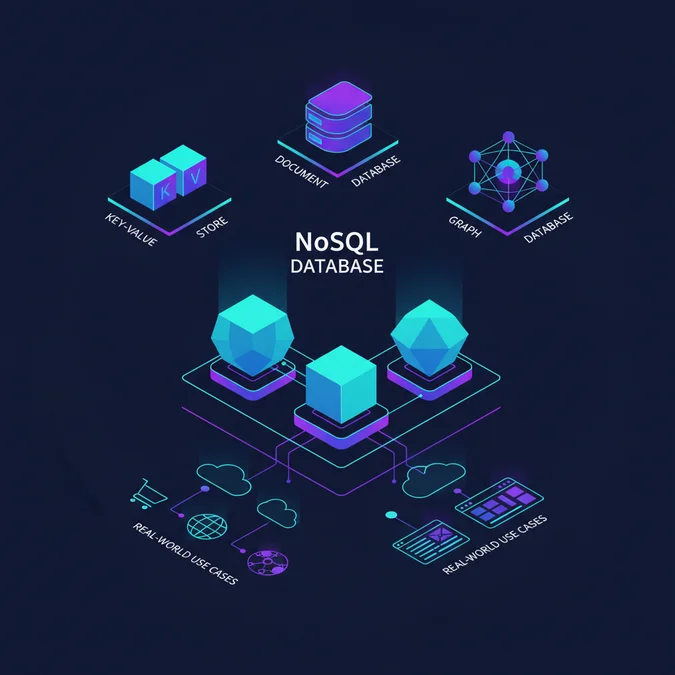

Open source database software provides flexible, cost-effective solutions for data management, offering benefits like community support, transparency, and freedom from vendor lock-in. These systems range from robust relational databases to scalable NoSQL options, enabling diverse application architectures without proprietary licensing fees.
Choosing the right open source database is a critical decision impacting system performance, scalability, and long-term operational costs. This guide equips engineers and technical leaders with the insights needed to compare popular open source database systems, understand their total cost of ownership, and implement solutions effectively, moving beyond mere feature lists to practical, actionable knowledge.
We will examine the core principles, conduct detailed comparisons of leading SQL and NoSQL options, establish a clear decision framework, and explore implementation strategies with practical code examples.
What is Open Source Database Software and Why Choose It?
Open source database software refers to database management systems whose source code is freely available for inspection, modification, and distribution. Unlike proprietary alternatives, these systems foster community-driven development, transparency, and often come with more flexible licensing models. This fundamental characteristic underpins their appeal to organizations seeking greater control and adaptability over their data infrastructure.
The benefits of adopting open source database systems are multifaceted:
- Cost Efficiency: Eliminating initial licensing fees significantly reduces upfront investment, making advanced database capabilities accessible even for startups and small to medium-sized enterprises. While there are costs associated with hosting, maintenance, and support, these are often more predictable and controllable than proprietary solutions.
- Flexibility and Customization: Access to the source code allows developers to tailor the database to specific, unique application requirements. This level of customization is rarely possible with closed-source products.
- Community Support: A vibrant global community contributes to ongoing development, bug fixes, and extensive documentation. Forums, mailing lists, and community platforms provide invaluable resources for troubleshooting and learning.
- Vendor Independence: Choosing open source database software mitigates the risk of vendor lock-in, providing the freedom to switch providers or manage the database internally without prohibitive exit costs.
- Security and Transparency: The open nature of the source code allows for rigorous peer review, often leading to quicker identification and patching of vulnerabilities compared to proprietary systems.
- Innovation: The collaborative environment of open source accelerates innovation, integrating new features and technologies at a rapid pace.
For these reasons, many organizations consider an open source db as a strategic choice for modern application development and data management.
Key Takeaway: Open source database software offers significant advantages in cost, flexibility, transparency, and community support, making it a compelling choice for diverse technical requirements.
Comparing Top Open Source Database Software: SQL vs. NoSQL Options
Selecting the optimal open source database software requires a clear understanding of the distinctions between relational (SQL) and non-relational (NoSQL) paradigms. Each category serves different architectural needs and data models. Below, we compare prominent open source options, including considerations for an online database or an online db solution.
Open Source SQL Databases
Relational databases excel in structured data, transactional integrity (ACID properties), and complex querying. They are the backbone of many enterprise applications where data consistency is paramount.
Many providers offer a free SQL database or a free SQL db, making them accessible for development and smaller projects. For those looking for a free online web database, many cloud providers offer free tiers for these solutions.
- PostgreSQL: Often hailed as ‘the world’s most advanced open source relational database,’ PostgreSQL is renowned for its robustness, feature set, and extensibility. It supports SQL and JSON queries, providing a hybrid approach, and offers advanced data types and indexing. Its transactional integrity and concurrency control are highly regarded, making it suitable for complex analytical workloads and demanding web applications.
- MySQL: A widely popular choice, especially for web applications (LAMP stack), MySQL is known for its speed, ease of use, and broad community support. While it may not offer the same advanced features as PostgreSQL out-of-the-box, its performance, scalability, and maturity make it a strong contender for many use cases, including e-commerce and content management systems.
- SQLite: A lightweight, self-contained, serverless, zero-configuration, transactional SQL database engine. SQLite is ideal for embedded systems, mobile applications, and small desktop applications where a full-fledged database server is overkill. It’s an excellent choice for a free SQL solution that requires minimal overhead.
Open Source NoSQL Databases
NoSQL databases are designed for flexibility, scalability, and handling unstructured or semi-structured data. They often sacrifice some transactional consistency for higher availability and partition tolerance, aligning with the CAP theorem’s principles for distributed systems.
- MongoDB: A leading document-oriented NoSQL database, MongoDB stores data in flexible, JSON-like documents. This schema-less approach is ideal for rapidly evolving data models and agile development. It offers high availability with replica sets and horizontal scaling with sharding, making it suitable for big data, content management, and real-time analytics.
- Cassandra: An Apache project, Cassandra is a highly scalable, distributed NoSQL database that provides high availability without single points of failure. Its column-family data model and peer-to-peer architecture are optimized for massive amounts of data across multiple data centers, making it a strong choice for real-time recommendations, messaging systems, and IoT applications.
- Redis: An in-memory data structure store, Redis is primarily used as a cache and message broker. While not a traditional primary database, its lightning-fast performance for key-value operations, lists, sets, and hashes makes it invaluable for session management, real-time analytics, and leaderboards.
The choice between these open source database software options depends heavily on the specific project requirements, data characteristics, and scalability goals.
Consideration: When evaluating a free online web database, assess the provider’s terms for free tiers, including limitations on storage, throughput, and uptime guarantees, which can significantly impact production readiness.
| Feature/Database | PostgreSQL | MySQL | MongoDB | Cassandra |
|---|---|---|---|---|
| Data Model | Relational (SQL, JSON) | Relational (SQL) | Document | Column-family |
| Schema | Strict, Flexible (JSONB) | Strict | Flexible/Schema-less | Flexible |
| ACID Compliance | Full | Full (InnoDB) | Eventual (tunable) | Eventual |
| Scalability | Vertical, Read Replicas | Vertical, Sharding, Replicas | Horizontal (Sharding) | Horizontal (Distributed) |
| Use Cases | Complex OLTP, Analytics, GIS | Web apps, OLTP, E-commerce | Big Data, Content Mgmt, Real-time analytics | IoT, Messaging, Time-series |
| Performance | High, especially for complex queries | High for read-heavy, simpler queries | High for write-heavy, flexible data | Very high for writes, distributed reads |
| Licensing | PostgreSQL License (MIT-like) | GPL/Commercial | SSPL/Apache 2.0 | Apache 2.0 |
| Community | Very Strong, Developer-focused | Very Large, Broad | Large, Developer-focused | Strong, Enterprise-focused |
Selecting the Right Open Source Database: A Decision Framework
Choosing the correct open source database software is paramount for the success and longevity of any application. This decision framework guides you through critical considerations, moving beyond general recommendations to project-specific suitability. Whether you need a robust open source db or a simple free database app, this structured approach helps.
Decision Framework Checklist:
- Data Structure and Relationships:
- Is your data highly structured with clear, defined relationships? (Lean towards SQL: PostgreSQL, MySQL)
- Is your data unstructured, semi-structured, or rapidly evolving? (Lean towards NoSQL: MongoDB, Cassandra)
- Do you require strong transactional consistency (ACID)? (SQL is generally preferred)
- Scalability Requirements:
- Do you anticipate massive data growth and high traffic? (NoSQL often offers easier horizontal scaling)
- Can your application scale vertically (more powerful server) or primarily horizontally (more servers)?
- What are your read and write throughput expectations?
- Performance Needs:
- Are low-latency reads and writes critical? (In-memory stores like Redis, or highly optimized NoSQL)
- Are complex analytical queries a primary concern? (PostgreSQL excels here)
- What are your indexing requirements?
- Data Volume and Velocity:
- Will you be handling terabytes or petabytes of data? (Distributed NoSQL like Cassandra)
- Is your data streaming in real-time? (Consider systems optimized for high write throughput)
- Consistency vs. Availability vs. Partition Tolerance (CAP Theorem):
- Which of these three properties is most critical for your application in a distributed environment? (SQL databases prioritize Consistency, NoSQL often prioritizes Availability/Partition Tolerance)
- Community Support and Ecosystem:
- How active is the database’s community? Are there ample resources, forums, and third-party tools?
- What is the availability of skilled developers for the chosen database?
- Licensing and Governance:
- Understand the specific open source license (e.g., GPL, Apache 2.0, SSPL) and its implications for your project.
- Are there any corporate entities backing the open source project (e.g., Red Hat for PostgreSQL, Oracle for MySQL)?
- Integration with Existing Stack:
- How well does the database integrate with your chosen programming languages, frameworks, and cloud environment?
- Operational Overhead:
- What are the requirements for deployment, monitoring, backup, and recovery?
- Are managed services available for the database (e.g., AWS RDS for PostgreSQL/MySQL, MongoDB Atlas)?
Practical Tip: For small projects or prototyping, starting with a versatile
open source dblike PostgreSQL can provide a solid foundation. Its flexibility allows it to handle many data types, postponing the need for a specialized NoSQL solution until scale demands it. For embedded needs, afree database applike SQLite is often unmatched.
Total Cost of Ownership (TCO) and Vendor Selection for Open Source Databases
While open source database software eliminates initial licensing fees, it is crucial to understand the Total Cost of Ownership (TCO). TCO for an open source db encompasses more than just software acquisition; it includes infrastructure, operational expenses, and potential support costs. Organizations evaluating open source database systems must consider these factors comprehensively.
Components of Open Source Database TCO:
- Hardware and Infrastructure: This includes servers, storage, networking, and cloud computing resources. While not directly a database cost, the choice of database impacts hardware requirements significantly (e.g., I/O for transactional databases, RAM for in-memory systems).
- Deployment and Configuration: Initial setup, optimization, and integration with existing systems require skilled labor.
- Maintenance and Operations: Ongoing tasks such as backups, patching, upgrades, performance tuning, and monitoring contribute heavily to TCO.
- Support and Training: While community support is free, enterprise-grade support contracts from commercial vendors (e.g., EnterpriseDB for PostgreSQL, Percona for MySQL/MongoDB) offer SLAs, dedicated engineers, and faster issue resolution. Training for development and operations teams is also a significant, often overlooked, cost.
- Development Costs: The time developers spend working with the database, including schema design, query optimization, and application integration.
- Data Migration: Costs associated with migrating data from existing systems, including tools and labor.
Vendor Selection for Open Source Database Support:
Engaging with a specialized vendor or agency can significantly de-risk open source database adoption, particularly for complex deployments or when internal expertise is limited. Here’s an agency vetting checklist:
- Expertise and Experience:
- Does the vendor have deep knowledge and proven experience with your chosen
open source database software? - Can they provide case studies or references for similar projects?
- Does the vendor have deep knowledge and proven experience with your chosen
- Support Model and SLAs:
- What level of support do they offer (24/7, business hours)?
- What are their Service Level Agreements (SLAs) for response and resolution times?
- Do they offer proactive monitoring and maintenance?
- Services Offered:
- Beyond basic support, do they provide consulting, performance tuning, migration assistance, or custom development?
- Do they offer managed services, alleviating your operational burden?
- Pricing Structure:
- Is their pricing transparent and predictable (e.g., subscription-based, per-incident, project-based)?
- Are there hidden costs?
- Community Involvement:
- Does the vendor contribute back to the open source community? This indicates a deeper commitment and understanding.
Considering these factors ensures a holistic view of the investment, beyond just the ‘free’ aspect of the software.
| TCO Factor | Impact on Cost | Mitigation/Consideration |
|---|---|---|
| Infrastructure (Cloud/On-prem) | Variable, can be substantial | Optimize resource allocation, leverage serverless options for burst workloads |
| Staffing (DBAs, Developers) | High, ongoing operational cost | Cross-train existing staff, leverage managed services for routine tasks |
| Third-party Support Contracts | Adds predictable cost for enterprise-grade support | Evaluate need based on criticality, internal expertise, and risk tolerance |
| Training & Skill Development | Initial and ongoing investment | Utilize free online resources, community forums, or specialized courses |
| Data Migration & Integration | One-time, can be complex | Plan meticulously, use proven tools, consider phased migration |
| Customization & Development | Project-specific, ongoing for unique needs | Leverage existing features, contribute back to community for common enhancements |
Implementing Open Source Database Solutions: Practical Steps and Code Examples
Implementing open source database software effectively requires a systematic approach. This section outlines practical steps and provides basic code examples for common operations, focusing on a free SQL option like PostgreSQL and a NoSQL alternative like MongoDB. These examples illustrate how to get started with a free SQL db or even a free database online.
Step 1: Installation and Setup
For most open source databases, installation can be done via package managers, Docker, or cloud-managed services.
PostgreSQL (Ubuntu/Debian):
sudo apt update
sudo apt install postgresql postgresql-contrib
sudo -u postgres psql -c "ALTER USER postgres WITH PASSWORD 'your_password';"
sudo -u postgres createdb mydatabase
MongoDB (Ubuntu/Debian):
sudo apt update
sudo apt install gnupg curl
curl -fsSL https://www.mongodb.org/static/pgp/server-6.0.asc | \n   sudo gpg --dearmor -o /usr/share/keyrings/mongodb-archive-keyring.gpg
echo "deb [ arch=amd64,arm64 signed-by=/usr/share/keyrings/mongodb-archive-keyring.gpg ] https://repo.mongodb.org/apt/ubuntu focal/mongodb-org/6.0 multiverse" | sudo tee /etc/apt/sources.list.d/mongodb-org-6.0.list
sudo apt update
sudo apt install -y mongodb-org
sudo systemctl start mongod
sudo systemctl enable mongod
Step 2: Database Connection and Basic Operations
Connecting to your database and performing basic CRUD (Create, Read, Update, Delete) operations is fundamental.
PostgreSQL (using `psql` command-line client):
-- Connect to database
psql -U postgres -d mydatabase

-- Create a table
CREATE TABLE users (
    id SERIAL PRIMARY KEY,
    username VARCHAR(50) UNIQUE NOT NULL,
    email VARCHAR(100) UNIQUE NOT NULL,
    created_at TIMESTAMP WITH TIME ZONE DEFAULT CURRENT_TIMESTAMP
);

-- Insert data
INSERT INTO users (username, email) VALUES ('john_doe', 'john.doe@example.com');

-- Select data
SELECT * FROM users WHERE username = 'john_doe';

-- Update data
UPDATE users SET email = 'j.doe@newdomain.com' WHERE username = 'john_doe';

-- Delete data
DELETE FROM users WHERE username = 'john_doe';
MongoDB (using `mongosh` shell):
// Connect to database (if not already connected)
use mydatabase;

// Create a collection and insert a document
db.users.insertOne({
    username: 'jane_doe',
    email: 'jane.doe@example.com',
    created_at: new Date()
});

// Find data
db.users.find({ username: 'jane_doe' });

// Update data
db.users.updateOne(
    { username: 'jane_doe' },
    { $set: { email: 'j.doe@newdomain.com' } }
);

// Delete data
db.users.deleteOne({ username: 'jane_doe' });
Step 3: Backup and Restore Strategy
Regular backups are non-negotiable for any production database.
PostgreSQL Backup:
pg_dump -U postgres -d mydatabase > mydatabase_backup.sql
PostgreSQL Restore:
psql -U postgres -d mydatabase < mydatabase_backup.sql
MongoDB Backup:
mongodump --db mydatabase --out /path/to/backup/directory
MongoDB Restore:
mongorestore --db mydatabase /path/to/backup/directory/mydatabase
Step 4: Monitoring and Performance Tuning
Continuously monitor database performance metrics (CPU, memory, disk I/O, query execution times) and tune queries and indexes as needed. Tools like pg_stat_statements for PostgreSQL or MongoDB Atlas’s performance advisor can be invaluable.
Step 5: Security Best Practices
- Use strong, unique passwords for database users.
- Implement role-based access control (RBAC) and grant only necessary permissions.
- Encrypt data at rest and in transit.
- Regularly update your database software to patch known vulnerabilities.
- Restrict network access to the database server.
By following these steps and leveraging the extensive documentation and community support available for each open source database software, developers can confidently deploy and manage their data solutions.
Factors That Affect Development Cost
- Hardware and infrastructure costs
- Deployment and configuration labor
- Ongoing maintenance and operations
- Third-party support contracts
- Staff training and skill development
- Data migration and integration
- Customization and development
The total cost of ownership for open source database software varies significantly based on project complexity, scale, internal expertise, and the level of external support required.
Frequently Asked Questions
What is the best free SQL database for beginners?
For beginners, PostgreSQL and MySQL are excellent free SQL database options. PostgreSQL offers advanced features and strong compliance, while MySQL is known for its ease of use and wide community support. Both are robust for learning and small projects, making them ideal free SQL db choices.
Can I host a free online web database for my project?
Yes, you can host a free online web database. Many cloud providers offer free tiers for services like PostgreSQL or MongoDB, allowing you to deploy a database for small-scale web projects. Options like Firebase or Heroku also provide free database online services, often with usage limits.
Are there reliable free database apps available for small business use?
Yes, several reliable free database apps are suitable for small business use. SQLite is excellent for embedded applications, while PostgreSQL and MySQL offer robust features for more traditional server-based deployments. Cloud-based options like Google Sheets or Airtable can also serve as simple online db solutions for specific needs.
How does SQL Server Online compare to open source database systems?
SQL Server Online (Azure SQL Database) is a proprietary, cloud-based relational database service from Microsoft, offering managed services and scalability. Open source database systems like PostgreSQL or MySQL provide more control, flexibility, and often lower licensing costs, but require more self-management or community support, making them distinct choices.
The landscape of open source database software offers a compelling array of choices for modern applications, ranging from robust SQL systems like PostgreSQL and MySQL to scalable NoSQL solutions like MongoDB and Cassandra. These options provide significant advantages in flexibility, cost-effectiveness, and community-driven innovation, moving beyond the traditional constraints of proprietary systems.
Making an informed decision requires a deep understanding of project-specific requirements, a thorough comparison of available technologies, and a realistic assessment of the total cost of ownership. By leveraging the decision frameworks and implementation guidance provided, organizations can confidently select, deploy, and manage open source database solutions that align with their technical and business objectives, fostering agility and long-term sustainability.
NR Studio builds custom web apps, mobile apps, SaaS platforms, and internal tools for growing businesses. If you’re working through a technical decision, feel free to reach out — no commitment required.