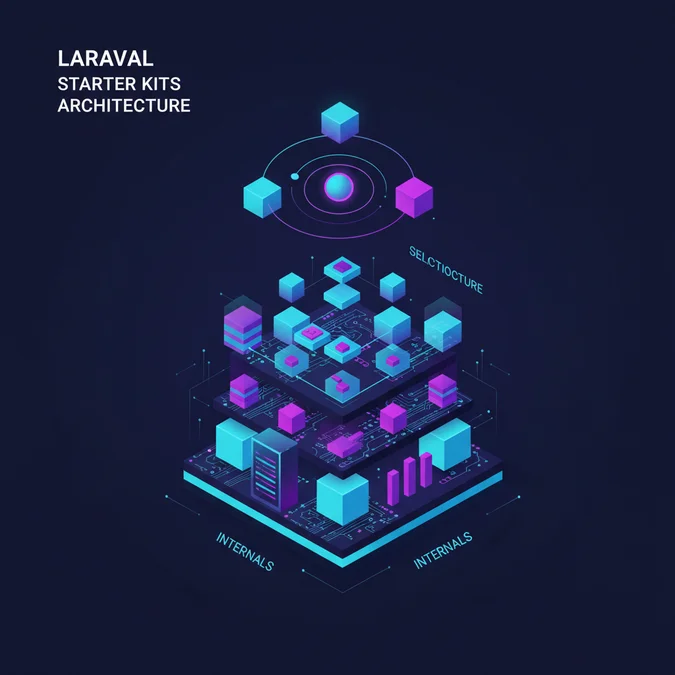

Laravel starter kits provide production-ready scaffolding for authentication, session handling, user verification, and frontend asset compilation. By generating pre-configured controllers, routes, state management routines, and database migrations, these official and community boilerplates eliminate dozens of hours of repetitive bootstrap engineering while enforcing standard framework conventions.
Most engineering teams treat starter kits as temporary scaffolding to be discarded or outgrown, but this perspective is flawed. Treating a starter kit as disposable code guarantees architectural drift, brittle authentication layers, and mounting technical debt within six months. The most maintainable enterprise applications treat their chosen starter kit as the immutable baseline architecture of their operational core, aligning domain models directly with the scaffolding rather than fighting its structural paradigms.
Understanding the low-level trade-offs between traditional Blade-rendered kits, reactive Inertia monoliths, and headless decoupled setups dictates application throughput, memory utilization, and developer velocity. Evaluating these kits requires inspecting concrete runtime mechanics, token lifecycle boundaries, and frontend compilation pipelines.
Starter Kit Taxonomy and Architectural Paradigms
Laravel starter kits fall into distinct architectural categories based on where application state lives and how views are rendered. The Laravel ecosystem currently maintains three official implementations: Laravel Breeze, Laravel Jetstream, and Laravel Fortify. While third-party alternatives exist, these three define the core paradigms for authentication and application scaffolding.
Server-Side Rendered Blade Kits
Server-side rendering represents the traditional architectural pattern. In this model, every user interaction triggers a round-trip HTTP request, or an asynchronous fetch that yields raw HTML. The Laravel router resolves the request, executes controller logic, interrogates the database via Eloquent, and pipes variables into Blade templates compiled into native PHP code cached in storage/framework/views.
- State Locality: State is completely centralized within the server session driver (Redis, database, or encrypted cookies).
- Hydration Overhead: Zero client-side virtual DOM hydration penalty; initial contentful paint is bound purely to server response time and asset transport.
- Memory Footprint: Minimal client memory usage, but higher concurrent web server memory demands under intense traffic spikes.
Monolithic Single Page Applications via Inertia.js
Inertia.js creates a bridge between a Laravel backend and contemporary client frameworks like Vue or React without the architectural complexity of building a standalone REST or GraphQL API. Inertia acts as a replacement for traditional client-side routing. Laravel controllers return an Inertia response containing component names and JSON props rather than Blade views.
use Inertia\Inertia;
use Inertia\Response;
use Illuminate\Http\Request;

final class DashboardController
{
 public function __invoke(Request $request): Response
 {
 return Inertia:render('Dashboard/Index', [
 // Props are serialized directly to JSON and passed to the frontend component
 'metrics' => [
 'activeUsers' => 1420,
 'throughput' => '420 req/s',
 ],
 // Lazy evaluation prevents expensive database queries until requested by partial reloads
 'historicalLogs' => fn () => $request->user()->auditLogs()->latest()->take(10)->get(),
 ]);
 }
}
Headless and Decoupled API Kits
Headless setups decouple the Laravel backend from the client user interface entirely. Fortify or Breeze API configurations expose stateful cookie authentication endpoints for single-page applications or stateless bearer tokens for native mobile applications. The client application runs on a standalone Node or edge runtime, interacting with Laravel exclusively via structured JSON payloads over HTTP.
Laravel Breeze Deep Dive: Minimalist Authentication Internals
Laravel Breeze is intentionally simple. Unlike packages that hide logic behind vendor directory abstractions, Breeze publishes plain, unadorned controllers, routes, and views directly into an application codebase. This transparency makes Breeze the standard choice for projects requiring complete control over the authentication lifecycle without upstream package constraints.
Route and Controller Footprint
When Breeze is installed, it populates routes/auth.php and writes controllers directly into app/Http/Controllers/Auth. Requests do not traverse hidden package middleware or call undocumented framework hooks. A login attempt routes to AuthenticatedSessionController:store, which delegates credential validation to an Auth\LoginRequest form request class.
namespace App\Http\Requests\Auth;

use Illuminate\Auth\Events\Lockout;
use Illuminate\Foundation\Http\FormRequest;
use Illuminate\Support\Facades\Auth;
use Illuminate\Support\Facades\RateLimiter;
use Illuminate\Support\Str;
use Illuminate\Validation\ValidationException;

final class LoginRequest extends FormRequest
{
 public function authenticate(): void
 {
 $this->ensureIsNotRateLimited();

 // Standard web guard session authentication attempt
 if (! Auth:attempt($this->only('email', 'password'), $this->boolean('remember'))) {
 RateLimiter:hit($this->throttleKey());

 throw ValidationException:withMessages([
 'email' => trans('auth.failed'),
 ]);
 }

 RateLimiter:clear($this->throttleKey());
 }

 public function ensureIsNotRateLimited(): void
 {
 if (! RateLimiter:tooManyAttempts($this->throttleKey(), 5)) {
 return;
 }

 event(new Lockout($this));

 $seconds = RateLimiter:availableIn($this->throttleKey());

 throw ValidationException:withMessages([
 'email' => trans('auth.throttle', [
 'seconds' => $seconds,
 'minutes' => ceil($seconds / 60),
 ]),
 ]);
 }

 public function throttleKey(): string
 {
 return Str:transliterate(Str:lower($this->input('email')).'|'.$this->ip());
 }
}
Session and Token Mechanics
Breeze defaults to session-based state management using the standard Laravel session middleware stack. Upon successful credential verification, the session ID regenerates via $request->session()->regenerate() to protect against session fixation attacks. For setups choosing the Next.js or Nuxt frontend stacks, Breeze configures Laravel Sanctum to provide cookie-based SPA authentication, using CSRF token exchange and session cookies over secure HTTPS connections.
Laravel Jetstream and Fortify: Enterprise Scaffolding Mechanics
Laravel Jetstream is designed for complex application domains requiring sophisticated user management primitives out of the box. Jetstream handles multi-factor authentication, team tenancy, API token management, and browser session invalidation. Unlike Breeze, Jetstream splits responsibilities: Laravel Fortify provides the headless backend authentication engine, while Jetstream supplies the presentation layer using either Livewire or Inertia.
Action-Based Architecture
Jetstream shifts business logic away from traditional HTTP controllers into single-purpose Action classes. These classes live in app/Actions/Fortify and app/Actions/Jetstream, decoupling domain operations from the transport layer. When a user updates their profile, changes their password, or creates a team, the request routes to an Action executing standard Laravel validation and database updates.
namespace App\Actions\Fortify;

use App\Models\User;
use Illuminate\Support\Facades\Validator;
use Illuminate\Validation\Rule;
use Laravel\Fortify\Contracts\UpdatesUserProfileInformation;

final class UpdateUserProfileInformation implements UpdatesUserProfileInformation
{
 public function update(User $user, array $input): void
 {
 Validator:make($input, [
 'name' => ['required', 'string', 'max:255'],
 'email' => ['required', 'email', 'max:255', Rule:unique('users')->ignore($user->id)],
 'photo' => ['nullable', 'mimes:jpg,jpeg,png', 'max:1024'],
 ])->validateWithBag('updateProfileInformation');

 if (isset($input['photo'])) {
 $user->updateProfilePhoto($input['photo']);
 }

 $user->forceFill([
 'name' => $input['name'],
 'email' => $input['email'],
 ])->save();
 }
}
Two-Factor Authentication Pipeline
Jetstream implements secure two-factor authentication (2FA) via time-based one-time passwords (TOTP). Fortify manages this lifecycle by storing an encrypted TOTP secret within the user table, generating recovery codes hashed using native bcrypt or argon2id algorithms. When a user confirms 2FA, Fortify validates the time-drifted code against the stored secret before activating the requirement on future session authentications.
Architectural Trade-offs: Blade vs Inertia vs Livewire
Choosing a starter kit requires committing to a specific frontend state architecture. Selecting between Blade, Inertia, and Livewire involves fundamental trade-offs in operational complexity, memory boundaries, and developer workflows. When teams follow modern planning frameworks, such as an introduction to agile software development, assessing architectural constraints early avoids costly mid-cycle rewrites.
| Metric / Attribute | Traditional Blade (Breeze) | Inertia.js (Breeze/Jetstream) | Livewire (Jetstream) |
|---|---|---|---|
| State Management | Purely Server-side | Client-side (Vue/React reactive state) | Server-synchronized client proxies |
| Initial Bundle Size | Minimal (< 50 KB CSS/JS) | Moderate to Large (150 KB – 400 KB) | Low to Moderate (Alpine.js + Livewire runtime) |
| DOM Reconciliation | Full document swap | Virtual DOM diffing (client) | Morphdom string diffing over wire |
| Payload per Interaction | Full HTML document | Targeted JSON payloads | JSON serialized delta updates + HTML diff |
| Network Overhead | High bandwidth, low latency | Low bandwidth, minimal parsing | Variable bandwidth, serialization bound |
| Cold Start Latency | Extremely fast | Fast (requires JS parsing step) | Fast |
Blade requires zero client-side hydration, rendering it optimal for content-driven systems and internal administrative dashboards where complex UI states are infrequent. Inertia excels when the user experience demands complex, highly interactive interfaces with optimistic UI updates, but introduces dual-stack complexity requiring mastery of both PHP and modern JavaScript toolchains.
Livewire eliminates the JavaScript build requirement while providing reactive behaviors. However, it introduces subtle operational costs: every user interaction sends an AJAX request carrying serialized component state across the network, which can saturate connection pools and increase server memory usage when components handle large collections.
Database Schema Design, Session Drivers, and Tenancy Constraints
Starter kits configure critical database schema conventions during initialization. Jetstream and Breeze introduce default migrations that influence foreign key relationships, session durability, and multi-tenant architectures.
Session Storage Bottlenecks
By default, starter kits often run against file or database session drivers in local development. In production environments handling high concurrent request volumes, the database session driver introduces severe row-level locking contention on the sessions table.
-- Standard Laravel session table schema
CREATE TABLE `sessions` (
 `id` varchar(255) COLLATE utf8mb4_unicode_ci NOT NULL,
 `user_id` bigint unsigned DEFAULT NULL,
 `ip_address` varchar(45) COLLATE utf8mb4_unicode_ci DEFAULT NULL,
 `user_agent` text COLLATE utf8mb4_unicode_ci,
 `payload` longtext COLLATE utf8mb4_unicode_ci NOT NULL,
 `last_activity` int NOT NULL,
 PRIMARY KEY (`id`),
 KEY `sessions_user_id_index` (`user_id`),
 KEY `sessions_last_activity_index` (`last_activity`)
) ENGINE=InnoDB DEFAULT CHARSET=utf8mb4 COLLATE=utf8mb4_unicode_ci;
Under concurrent loads, simultaneous write locks on active session records cause query queues to back up rapidly. High-throughput applications must migrate session handling to an in-memory key-value store like Redis to decouple session I/O from primary relational database operations.
Team Tenancy Implementation
Jetstream features an optional team management engine. It establishes a multi-tenant model within a shared database using three primary tables: teams, team_user (pivot table with role attributes), and team_invitations. The users table gains a current_team_id column.
While this schema works well for lightweight software-as-a-service configurations, it relies on soft database relationships rather than hard database isolation. As an application scales, enforcing tenant boundaries requires adding global Eloquent query scopes across every tenant-aware model. Forgetting a tenant scope in custom queries can expose data across organizations, making strict integration testing essential.
Asset Bundling and Build Pipeline Internals with Vite
Modern Laravel starter kits rely on Vite for frontend compilation and local development serving. Vite replaces legacy Webpack pipelines, using native ES modules during development to eliminate hot-module replacement (HMR) latency.
Vite Configuration Dynamics
The vite.config.js file acts as the pipeline definition. The official Laravel Vite plugin handles asset resolution, hot file generation, and Blade directive hooks.
import { defineConfig } from 'vite';
import laravel from 'laravel-vite-plugin';
import vue from '@vitejs/plugin-vue';

export default defineConfig({
 plugins: [
 laravel({
 input: [
 'resources/css/app.css',
 'resources/js/app.js',
 ],
 // Enables aggressive full-page refreshes for Blade changes
 refresh: true,
 }),
 vue({
 template: {
 transformAssetUrls: {
 base: null,
 includeAbsolute: false,
 },
 },
 }),
 ],
 server: {
 // Enforces strict origin matching in containerized environments
 hmr: {
 host: 'localhost',
 },
 },
});
In development, the @vite Blade directive inspects whether the local dev server is running by checking for the existence of the public/hot file. If present, it injects script tags pointing directly to the Vite dev server port (typically 5173). In production environments, it parses the generated public/build/manifest.json file to render hashed, cache-busted asset tags with prefetch hints.
Production Asset Optimization
When compiling for production via npm run build, Vite performs Rollup-based tree shaking, CSS minification, and code splitting. If using Inertia with dynamic component imports, Vite creates granular chunk files for each view component. This minimizes initial payload transfer sizes because users download page-specific JavaScript only when navigating to that specific route.
API Token Management and Single Page Application Authentication via Sanctum
Both Breeze and Jetstream utilize Laravel Sanctum for API token issuance and SPA authentication. Sanctum operates using two distinct operational models: stateful session cookies and personal access bearer tokens.
Stateful Cookie Authentication for SPAs
When a frontend application shares a top-level domain with the Laravel backend (for example, app.example.com and api.example.com), Sanctum uses standard session cookies instead of bearer tokens stored in client storage. This eliminates token leakage risks through Cross-Site Scripting (XSS) vectors.
- The client application issues an initial GET request to
/sanctum/csrf-cookie. - Laravel sets an encrypted
XSRF-TOKENcookie on the response headers. - The client framework extracts this value and attaches it to the
X-XSRF-TOKENheader on subsequent authentication requests. - The
EnsureFrontendRequestsAreStatefulmiddleware intercepts incoming calls, inspects the request origin against configured domains inconfig/sanctum.php, and applies the web middleware stack dynamically to enable session persistence.
Stateless Bearer Tokens
For mobile applications or third-party integrations, Jetstream uses Sanctum’s personal access tokens. These tokens are stored as 64-character SHA-256 hashes in the personal_access_tokens database table. Jetstream provides a built-in interface for generating tokens and scoping them using granular abilities, which are checked via the tokenCan method within controller authorizations.
use Illuminate\Http\Request;
use Illuminate\Http\JsonResponse;

final class DataExportController
{
 public function __invoke(Request $request): JsonResponse
 {
 // Verify the token possesses the designated granular capability
 if (! $request->user()->tokenCan('reports:export')) {
 return response()->json(['message' => 'Forbidden: Insufficient token scope.'], 403);
 }

 return response()->json([
 'status' => 'Export queued',
 'download_url' => '/exports/archive-latest.zip',
 ]);
 }
}
Testing Strategies and CI/CD Automation for Scaffolding
A starter kit introduces significant surface area to a newly initialized codebase, including authentication endpoints, password resets, email verification handlers, and profile update routines. Maintaining long-term stability requires comprehensive automated test suites using Pest PHP or PHPUnit to verify that custom modifications do not compromise core authentication logic.
Testing Authentication Lifecycles
Starter kits ship with predefined feature tests. When customizing user models or modifying middleware pipelines, run tests against both valid and boundary cases. The following example illustrates testing rate-limiting behavior on a starter kit’s login pipeline using Pest PHP:
use App\Models\User;
use Illuminate\Support\Facades\RateLimiter;

beforeEach(function () {
 RateLimiter:clear('test@example.com|127.0.0.1');
});

test('users cannot authenticate with invalid credentials and trigger rate limits', function () {
 $user = User:factory()->create([
 'email' => 'test@example.com',
 'password' => bcrypt('correct-password'),
 ]);

 // Execute five consecutive failed attempts
 foreach (range(1, 5) as $attempt) {
 $response = $this->post('/login', [
 'email' => 'test@example.com',
 'password' => 'wrong-password',
 ]);
 $response->assertSessionHasErrors('email');
 }

 // The 6th attempt must trigger a rate-limiting lockout
 $response = $this->post('/login', [
 'email' => 'test@example.com',
 'password' => 'wrong-password',
 ]);

 $response->assertSessionHasErrors('email');
 $this->assertTrue(session()->has('errors'));
 $this->assertGuest();
});
CI/CD Integration Pipeline
Continuous integration pipelines must validate both the backend PHP unit tests and frontend asset compilation to ensure zero regressions before merging code changes.
- Static Analysis: Run PHPStan or Larastan at level 8 or higher to verify that Action classes and controllers maintain strict type safety.
- Frontend Asset Verification: Execute
npm run buildwithin CI runners to catch broken component imports or Vite resolution errors before deployment. - Database Migrations: Run tests against an isolated PostgreSQL or MySQL database instance in CI rather than relying exclusively on SQLite in-memory databases, ensuring native constraint and index compatibility.
Monitoring & Observability: Auditing Auth Pipelines and Worker Queues
Starter kits run security-sensitive operations including password resets, account registrations, and email verification dispatches. Production systems require deep observability into these pipelines to detect credential stuffing attacks, monitor system throughput, and resolve queue bottlenecks.
As background workloads expand, utilizing dedicated monitoring tools becomes critical. For a deeper breakdown of infrastructure orchestration and background job observability, review mastering Laravel Horizon for queue monitoring to optimize system performance.
Tracking Authentication Security Events
Laravel fires structured events throughout its authentication lifecycle. Starter kits take advantage of these events to trigger side effects, such as sending welcome notifications or invalidating API tokens. By binding event subscribers, teams can stream structured audit logs into observability systems like OpenTelemetry, Datadog, or Elasticsearch.
namespace App\Listeners;

use Illuminate\Auth\Events\Failed;
use Illuminate\Auth\Events\Login;
use Illuminate\Support\Facades\Log;

final class AuthenticationAuditSubscriber
{
 public function handleUserLogin(Login $event): void
 {
 Log:info('auth.success', [
 'user_id' => $event->user->getAuthIdentifier(),
 'ip_address' => request()->ip(),
 'user_agent' => request()->userAgent(),
 ]);
 }

 public function handleUserFailed(Failed $event): void
 {
 Log:warning('auth.failure', [
 'credentials' => ['email' => $event->credentials['email']? 'unknown'],
 'ip_address' => request()->ip(),
 'user_agent' => request()->userAgent(),
 ]);
 }

 public function subscribe(): array
 {
 return [
 Login:class => 'handleUserLogin',
 Failed:class => 'handleUserFailed',
 ];
 }
}
Queue Backpressure and Verification Overload
Starter kits often dispatch email verification and password reset notifications synchronously unless models implement the MustVerifyEmail interface and notification classes implement ShouldQueue. Failing to queue these notifications couples critical user authentication flows directly to third-party email provider latency. If an SMTP server experiences transient timeouts, user registration requests will hang, exhausting web worker execution pools.
Scaling Challenges: Memory Limits, Session Bloat, and State Drift
Scaling applications derived from starter kits introduces specific bottlenecks that can degrade performance if left unmanaged. These issues typically emerge around memory allocation, session hydration, and state synchronization across distributed servers.
Session Hydration and Garbage Collection
When high volumes of concurrent requests hit a distributed Laravel cluster, session serialization can introduce significant memory consumption. By default, Laravel loads the entire session payload into memory during the StartSession middleware phase. Applications using Jetstream with multi-tenant contexts often store active team objects or nested authorization arrays directly within session structures, ballooning payload sizes.
- Keep session payloads minimal by storing only primitive identifiers rather than serialized models.
- Configure aggressive session garbage collection lifecycles in
config/session.phpto purge orphaned entries from Redis or database clusters. - Utilize Redis clustering with dedicated read-replicas to prevent session lookups from saturating master database connections.
Inertia SSR Memory Leaks
Deploying Inertia with Server-Side Rendering (SSR) requires running a Node.js process alongside the PHP application runtime. The Laravel backend dispatches an HTTP request to the local Node SSR service, which renders the initial Vue or React component tree to an HTML string. If client-side components introduce uncollected event listeners or global state references, the Node.js SSR runtime can experience memory leaks, eventually triggering process crashes under sustained loads.
Migration Path: Decoupling and Refactoring Starter Kit Implementations
As enterprise requirements change, applications may outgrow their initial starter kit scaffolding. Transitioning from a Breeze-scaffolded monolith to a decoupled architecture, or extracting custom authentication microservices, requires a structured refactoring approach that avoids breaking existing user sessions.
- Isolate Domain Logic from Scaffolding: Extract any custom domain logic placed directly inside starter kit controllers or actions into dedicated domain service classes. Controllers should act strictly as HTTP transport adapters, handling validation and returning responses.
- Introduce an Authentication Contract Layer: Abstract the authentication driver behind internal interfaces. This allows switching the backend from Laravel’s built-in session authentication to external identity providers (such as Keycloak, Auth0, or corporate SAML services) without rewriting route handling across the entire application.
- Gradual Frontend Decoupling: If migrating from an Inertia monolith to an independent Single Page Application, enable Laravel Sanctum’s stateful cookie domain handling on the new frontend origin. Then, refactor Inertia controller endpoints to return standard API resource collections (
JsonResource) instead ofInertia:renderresponses.
Executing refactoring in structured phases preserves security mechanisms and user state while eliminating the architectural constraints of the original starter kit.
Explore our complete Laravel, Basics directory for more guides.
Laravel starter kits provide a powerful foundation for modern application engineering, transforming what was once weeks of error-prone authentication development into an immediate, reliable baseline. Whether selecting the clean simplicity of Laravel Breeze, the enterprise-scale feature set of Laravel Jetstream, or the headless flexibility of Fortify and Sanctum, matching the kit to your operational requirements is critical. By understanding how each kit manages state lifecycles, database transactions, session durability, and frontend compilation pipelines, engineering teams can build scalable, high-throughput systems without incurring technical debt.