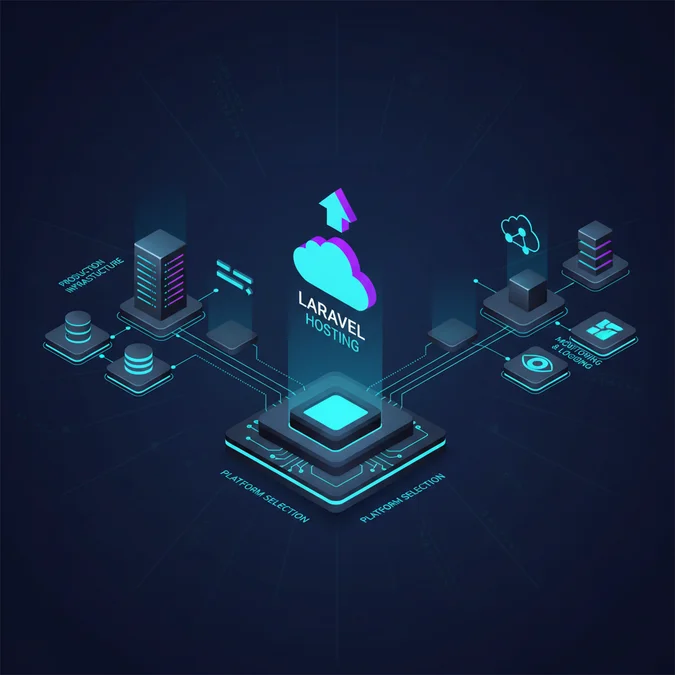

Laravel hosting refers to the specialized server infrastructure, runtime environment, and operational tooling required to execute modern PHP applications using the Laravel framework. It encompasses PHP-FPM execution, Redis caching, persistent queue workers, relational database management, and asynchronous background task scheduling under varying traffic volumes.
When an application scales past twenty concurrent database writes per second, conventional single-box hosting collapses. Consider an e-commerce checkout surge where web processes exhaust system memory: PHP-FPM spawns fifty concurrent child processes, database connection limits are saturated immediately, and background notification dispatches stall because the default synchronous driver blocks web worker threads. Without deliberate infrastructure segregation, transient traffic spikes turn into systemic outages.
Solving this operational bottleneck demands more than simply increasing CPU cores on a shared droplet. Engineering teams must systematically evaluate process isolation, cache topologies, background worker persistence, and automated delivery pipelines across virtual private servers, managed cloud platforms, and container orchestration clusters.
Core Runtime Prerequisites and OS-Level System Dependencies
A functional Laravel environment demands specific system packages, PHP extensions, and security boundaries that standard web hosting accounts rarely configure out of the box. Running production workloads requires an operating system like Ubuntu 22.04 LTS or Debian 12 configured with non-root execution rights, tailored POSIX signal handling, and kernel-level file descriptor adjustments.
The baseline runtime depends heavily on modern PHP-FPM configurations. Default installations restrict concurrent processing to prevent memory saturation, but these conservative defaults throttle throughput on high-traffic nodes. The fundamental modules necessary for operation include ext-mbstring, ext-xml, ext-ctype, ext-curl, ext-pdo_mysql or ext-pdo_pgsql, ext-bcmath, ext-intl, and ext-zip. For enterprise cryptography and session serialization, ext-sodium and ext-opcache are mandatory components.
Nginx serves as the standard reverse proxy and static asset engine, delegating dynamic PHP script execution to PHP-FPM via local Unix domain sockets to avoid the network overhead of TCP loopback interfaces. Below is a battle-tested, secure Nginx host configuration that routes all traffic through the single entry point at /public/index.php while strictly preventing execution of arbitrary user uploads:
server {\n listen 80;\n listen [:]:80;\n server_name api.production.internal;\n root /var/www/laravel-app/public;\n\n add_header X-Frame-Options "SAMEORIGIN" always;\n add_header X-Content-Type-Options "nosniff" always;\n add_header X-XSS-Protection "1; mode=block" always;\n add_header Referrer-Policy "no-referrer-when-downgrade" always;\n\n index index.php;\n charset utf-8;\n\n # Prevent public access to hidden system and configuration files\n location ~ /\.(?well-known).* {\n deny all;\n }\n\n # Direct asset routing bypasses PHP runtime for low latency\n location / {\n try_files $uri $uri/ /index.php?$query_string;\n }\n\n # Deny direct execution of arbitrary PHP files inside public uploads\n location ~ ^/storage/.*\.php$ {\n deny all;\n }\n\n location = /favicon.ico { access_log off; log_not_found off; }\n location = /robots.txt { access_log off; log_not_found off; }\n\n error_page 404 /index.php;\n\n location ~ \.php$ {\n fastcgi_pass unix:/run/php/php8.3-fpm.sock;\n fastcgi_param SCRIPT_FILENAME $realpath_root$fastcgi_script_name;\n include fastcgi_params;\n fastcgi_hide_header X-Powered-By;\n fastcgi_buffer_size 16k;\n fastcgi_buffers 4 16k;\n }\n}Process ownership must align strictly between the web server, queue processors, and local storage layers. Misconfigured Unix permissions are the leading cause of failed session writes and deployment breakages. The web root should be owned by a dedicated deploy user, with write permissions granted to www-data exclusively on the storage and bootstrap/cache directories through granular access control lists (ACLs) rather than unsafe chmod -R 777 commands.
Hosting Paradigms: Shared, VPS, PaaS, and Containerized Architectures
Selecting a hosting tier requires balancing direct infrastructure control against ongoing platform engineering overhead. Teams must understand how application lifecycle requirements align with different operational models before committing to a provider.
Shared Hosting Realities
Shared hosting allocates shared OS instances across multiple tenants. While inexpensive, it prevents customization of the php.ini core directives, limits memory allocations to 64MB or 128MB per script, blocks persistent process managers like Supervisor, and eliminates shell access required for background queue processing. Shared hosting is fundamentally unsuitable for mission-critical applications.
Unmanaged Virtual Private Servers
A virtual private server (VPS) provides dedicated virtualization slices with full root access. This setup allows custom Nginx tuning, full control over PHP versions, dedicated Redis instances, and persistent worker management. If your team plans to configure infrastructure manually, reviewing the process to deploy a Laravel application on a VPS clarifies the baseline automation required for custom networking, automated security patching, and SSH deployment tooling.
Platform as a Service (PaaS) and Managed Runtimes
PaaS solutions abstract OS provisioning entirely. Services like Laravel Forge, Envoyer, Heroku, or AWS Elastic Beanstalk automate package installations, zero-downtime symlink swapping, and SSL generation. While unit infrastructure costs are higher than raw compute, operational overhead decreases significantly. Infrastructure teams avoid manual kernel updates and socket permission tuning.
Containerized Orchestration (Docker & Kubernetes)
Container architectures bundle the application, runtime, and PHP extensions into immutable images. This ensures consistency between staging and production environments while enabling horizontal autoscaling behind cloud load balancers. However, it introduces significant complexity around stateful assets, persistent storage mounts, and centralized log shipping.
| Hosting Model | Deployment Complexity | Worker Daemon Support | Autoscaling Capability | Operational Overhead |
|---|---|---|---|---|
| Shared Hosting | Minimal (FTP/cPanel) | None (Cron-only) | None | Low (Provider Managed) |
| Unmanaged VPS | Moderate (SSH/Bash/Ansible) | Native (Supervisor) | Manual vertical resize | High (Self Managed) |
| Managed PaaS | Low (Git push automation) | Native (UI Managed) | Scripted/API-based | Low to Moderate |
| Container Cluster | High (Docker/K8s/Helm) | Separate Pods/Replicas | Dynamic Horizontal (HPA) | Very High (Platform Ops) |
Critical Services: Database Isolation, Caching, and Storage Decoupling
A high-performance deployment pattern separates the stateless web layer from the stateful storage tier. Colocating MySQL, Redis, and application code on a single virtual server creates resource contention during peak traffic spikes, leading to system failure.
Relational Database Topologies
Laravel interacts with relational engines via the Eloquent ORM or raw query builders. In production, the database should reside on a dedicated instance with provisioned IOPS to avoid I/O bottlenecks. Configure Laravel with distinct read and write connection pools to route high-frequency queries to read replicas, preserving the primary master node for transactional writes:
// config/database.php\n'mysql' => [\n 'driver' => 'mysql',\n 'read' => [\n 'host' => [\n env('DB_READ_HOST_1', '10.0.1.11'),\n env('DB_READ_HOST_2', '10.0.1.12'),\n ],\n ],\n 'write' => [\n 'host' => [\n env('DB_HOST', '10.0.1.10'),\n ],\n ],\n 'sticky' => true, // Prevents reading stale data within the same request lifecycle\n 'database' => env('DB_DATABASE', 'forge'),\n 'username' => env('DB_USERNAME', 'forge'),\n 'password' => env('DB_PASSWORD', ''),\n 'charset' => 'utf8mb4',\n 'collation' => 'utf8mb4_unicode_ci',\n 'prefix' => '',\n],Redis for Session and Cache Layers
Handling user sessions through the local filesystem or standard relational database causes lock contention and read delays. Offloading sessions and runtime caches to an in-memory Redis cluster delivers sub-millisecond lookups. Redis also natively supports atomic operations, making it the preferred cache driver for distributed locks and rate-limiting middleware.
Object Storage for Stateless Filesystems
When multiple web nodes sit behind a load balancer, local directory writes to storage/app/public become isolated to a single server, breaking file availability across nodes. Production architectures replace local storage with S3-compatible object storage. Using pre-signed URLs offloads high-bandwidth user uploads directly to cloud buckets, completely bypassing PHP worker threads.
Background Worker Architecture: Daemons, Supervisors, and Queues
A common failure pattern in basic hosting is running asynchronous operations during the HTTP request lifecycle. Sending transactional emails, processing image variations, generating PDFs, and syncing data with external APIs must be handled by background queues using database, Redis, or Amazon SQS drivers.
Unlike simple web requests that terminate within milliseconds, Laravel queue workers are long-lived PHP processes. Because PHP was built for request-response lifecycles, long-running CLI processes can leak memory over time or crash when hitting unhandled exceptions. To maintain uptime, process managers like systemd or Supervisor must monitor worker threads and automatically restart them when they terminate.
Below is a production Supervisor configuration file that launches multiple worker processes, limits memory allocations, and handles safe restarts:
[program:laravel-worker]\nprocess_name=%(program_name)s_%(process_num)02d\ncommand=/usr/bin/php /var/www/laravel-app/artisan queue:work redis --sleep=3 --tries=3 --max-time=3600 --max-jobs=1000 --memory=128\nautostart=true\nautorestart=true\nuser=www-data\nnumprocs=8\nredirect_stderr=true\nstdout_logfile=/var/www/laravel-app/storage/logs/worker.log\nstopwaitsecs=3600\nstopsignal=SIGTERMThe directives defined above play critical roles in operational stability:
- –max-time=3600: Forces workers to gracefully self-terminate every hour, purging memory leaks.
- –max-jobs=1000: Recycles the PHP runtime after executing one thousand jobs to ensure internal state is regularly cleared.
- –memory=128: Directs the queue runner to abort if internal memory exceeds 128MB, triggering Supervisor to spawn a clean process.
- stopsignal=SIGTERM and stopwaitsecs=3600: Allows long-running tasks to finish processing before deployment scripts terminate the underlying process.
For high-throughput systems, running tools like Laravel Horizon alongside Redis provides dashboard metrics for wait times, queue throughput, and automated workload balancing across variable job volumes.
Zero-Downtime Deployment Strategies and Build Automation
Updating production applications without dropping incoming HTTP requests requires atomic release strategies. Naive workflows that execute git pull directly in the active web directory often trigger transient 500 errors, broken dependencies during composer install runs, and race conditions as new files execute against old configuration caches.
The standard pattern for zero-downtime updates is the atomic symlink architecture, popularized by deployment tools like Envoyer, Deployer, and Capistrano. The server structure contains three primary paths:
releases/: A directory storing timestamped release folders (such asreleases/20260330120000).shared/: A persistent directory storing the.envenvironment file, user storage directories, and system logs.current: A symbolic link pointing to the latest operational release directory. The web server document root points exclusively tocurrent/public.
During deployment, build pipelines prepare the target release directory, link shared assets, compile frontend bundles, run database migrations, warm up framework caches, and update the current symlink using an atomic operation:
# Prepare the new release container\nmkdir -p /var/www/app/releases/20260330140000\ncd /var/www/app/releases/20260330140000\n\n# Clone repository and pull vendor dependencies without dev packages\ngit clone --depth 1 git@github.com:org/repo.git.\ncomposer install --no-dev --prefer-dist --optimize-autoloader --no-interaction\n\n# Link shared configuration and uploaded media directories\nln -nfs /var/www/app/shared/.env /var/www/app/releases/20260330140000/.env\nln -nfs /var/www/app/shared/storage /var/www/app/releases/20260330140000/storage\n\n# Execute migrations and generate static framework caches\nphp artisan migrate --force\nphp artisan config:cache\nphp artisan route:cache\nphp artisan view:cache\n\n# Atomically switch the symlink to activate the new code\nln -nfs /var/www/app/releases/20260330140000 /var/www/app/current_temp\nmv -Tf /var/www/app/current_temp /var/www/app/current\n\n# Reload runtime engines to invalidate internal OPcache memory\nsudo systemctl reload php8.3-fpm\nphp artisan queue:restartReloading PHP-FPM is mandatory. Because OPcache caches compiled bytecode in shared memory, simply updating the symlink on disk will not clear the old bytecode from memory. A graceful FPM reload forces OPcache to re-evaluate the new symlink target without dropping inflight requests.
Security Implications: Network Segregation, Secrets, and Compliance
Securing a production Laravel installation requires multi-layered controls across the operating system, network policies, and the application layer. Web servers should never expose internal infrastructure ports directly to the public internet.
Database instances, Redis clusters, and queue nodes must reside on a private Virtual Private Cloud (VPC) subnet. The public subnet should expose only ports 80 and 443 via reverse proxies or cloud load balancers. Administrative access must be restricted to encrypted VPN connections or audited bastion jump hosts protected by multi-factor SSH keys.
Handling production secrets via unencrypted local files introduces substantial compliance and data breach risks. When developing complex platforms, such as enterprise portals or applications requiring HIPAA compliance, access auditing is essential. For teams reviewing infrastructure designs for regulated domains, our technical guide on Laravel for healthcare application development provides an in-depth reference for system hardening and regulatory controls.
Core security measures for infrastructure isolation include:
- Preventing Sensitive File Exposure: Ensure web server rules block access to the
.envfile,.gitdirectories, and configuration files. Exposing an unmaskedAPP_KEYallows attackers to forge encrypted session cookies, decode tokens, and execute arbitrary code on the host. - Application Firewalls and Rate Limiting: Use edge providers like Cloudflare or AWS WAF to drop malicious bot traffic, prevent volumetric DDoS attacks, and enforce geographic filtering before requests reach PHP-FPM.
- Automated Dependency Auditing: Incorporate
composer auditdirectly into continuous integration workflows to catch known vulnerabilities before deployments reach production.
Observability and Performance Tuning: OPcache and Database Profiling
Managing modern web infrastructure requires real-time insight into compute utilization, cache hit rates, query latencies, and worker job throughput. Once a platform handles millions of monthly requests, diagnosing bottlenecks requires continuous telemetry rather than reactive log tailing.
A critical engine optimization is Zend OPcache tuning. By compiling human-readable PHP scripts into binary bytecode once and storing it in shared memory, OPcache eliminates disk I/O and parsing overhead for subsequent requests. Default OPcache configurations allocate insufficient memory for enterprise Laravel codebases with large vendor directories. The following configuration provides optimal production values:
; /etc/php/8.3/fpm/conf.d/10-opcache.ini\nzend_extension=opcache.so\nopcache.enable=1\nopcache.enable_cli=0\nopcache.memory_consumption=256\nopcache.interned_strings_buffer=16\nopcache.max_accelerated_files=20000\nopcache.validate_timestamps=0\nopcache.revalidate_freq=0\nopcache.save_comments=1\nopcache.fast_shutdown=1Setting opcache.validate_timestamps=0 delivers significant performance gains by stopping PHP from polling the filesystem on every request to check if files changed. This turns file lookups into zero-overhead memory reads. However, it requires an explicit PHP-FPM service reload during each deployment to clear and rebuild the bytecode cache.
To monitor application health, teams often implement dedicated tracing tools. For an architectural breakdown of metrics collection and memory profiling, read our detailed guide on Laravel Pulse monitoring, which demonstrates how to profile slow database queries and monitor queue delays with minimal compute overhead.
Hosting Cost Models: Detailed Infrastructure and Pricing Comparison
Calculating total cost of ownership (TCO) for Laravel infrastructure requires evaluating compute expenses, license costs, and ongoing platform management overhead. A single cheap VPS can run hobby sites for a few dollars per month, but mission-critical enterprise environments require redundant database clusters, load balancing, and dedicated support retainers.
Below is a concrete pricing comparison illustrating infrastructure options across small, mid-tier, and high-availability enterprise environments:
| Scale & Tier | Monthly Hosting Cost | External Tooling & Add-ons | Engineering Support Retainer | Target Production Workload |
|---|---|---|---|---|
| Developer / Small Business | $12 – $48 / mo | $0 – $19 / mo (Forge, Backups) | $0 (Internal Ad-hoc) | Under 100k pageviews/mo; Single VPS (2-4 vCPU, 4-8GB RAM) |
| Mid-Market Production | $180 – $650 / mo | $100 – $300 / mo (Cloudflare, Bugsnag, Horizon) | $1,500 – $4,000 / mo (Managed DevOps) | 1M – 5M requests/mo; 2 App Nodes, Managed DB, Redis instance |
| Enterprise High-Availability | $1,200 – $5,500+ / mo | $500 – $2,000 / mo (Datadog, AWS WAF, Enterprise S3) | $5,000 – $15,000 / mo (24/7 SLA Engineering Retainer) | 10M+ requests/mo; Auto-scaling clusters, multi-zone DB failover |
Engineering teams frequently debate whether to build custom infrastructure or buy managed services. Managing raw cloud instances on AWS, GCP, or Hetzner directly reduces baseline server costs, but requires dedicated platform engineers. Adopting managed orchestration platforms like Laravel Forge, Envoyer, or Laravel Cloud provides automated provisioning and pre-tested configurations, reducing operational risk and team overhead.
Organizations building bespoke platforms must also plan for development and maintenance lifecycles. To understand how architectural choices impact operational budgets across long delivery roadmaps, read our case analysis on why Laravel is the superior framework for building a custom school management system, which covers technical decisions and long-term hosting economics.
Explore the Fundamentals
Configuring production infrastructure is just one part of operating modern PHP systems at scale. Server provisioning, queue tuning, and database optimization connect directly with clean routing, object-oriented design, and maintainable application lifecycles.
Explore our complete Laravel, Basics directory for more guides.
Choosing the right hosting infrastructure depends on operational scale, application state, and team capabilities. For straightforward back-office applications, a managed virtual private server running through a specialized configuration engine provides dependable performance with low administrative overhead. At this scale, standardizing deployment symlinks and isolating Redis services prevents the most common operational bottlenecks.
As request volumes expand into multi-tenant and high-concurrency environments, decoupling stateful storage, isolating database read replicas, and orchestrating worker pools via dedicated daemons becomes critical. Prioritize infrastructure visibility, enforce private subnet boundaries, and automate rolling deployments early to ensure sustained system availability and platform stability.