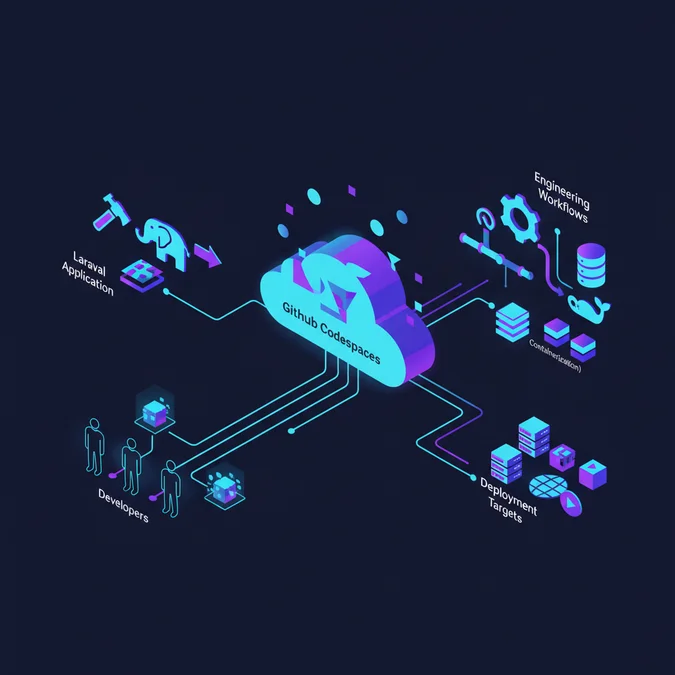

GitHub Codespaces is a cloud-hosted development environment platform that runs containerized, pre-configured development runtimes backed by high-performance virtual machines directly accessible via browser or desktop editors. By virtualizing developer infrastructure through reproducible devcontainer.json configurations, engineering organizations eliminate local environment drift, reduce onboarding latency from days to seconds, and standardize runtime environments across entire distributed teams.
Following recent GitHub platform updates that introduced multi-repository support, customized prebuild triggers, and accelerated NVMe-backed host instances, Codespaces has transitioned from an experimental developer tool to an enterprise-grade standard for cloud-native workflows. For technical leaders running complex application frameworks like Laravel, this shift provides an opportunity to modernize developer tooling while unifying staging, testing, and development environments under identical kernel and container boundaries.
Scaling a multi-service Laravel application with relational databases, Redis caches, background queues, and search daemons traditionally requires extensive local orchestration using Docker Desktop or local hypervisors. This article provides a comprehensive architectural evaluation of GitHub Codespaces, detailing how engineering teams can implement containerized development environments that increase velocity, enhance code consistency, and reduce long-term technical debt.
Core Architectural Mechanics of GitHub Codespaces
At its technical foundation, GitHub Codespaces operates as a managed orchestration platform executing Docker containers on isolated Azure-backed virtual machines. When an engineer boots an environment, the Codespaces control plane provisions a dedicated Linux virtual machine, clones the target repository, parses the root or hidden .devcontainer/devcontainer.json specification, and builds or pulls the designated OCI container image. The developer then connects directly over an authenticated, encrypted WebSocket connection using either a browser-based Visual Studio Code instance or a local desktop client.
Understanding this execution lifecycle requires evaluating the boundary between the host hypervisor and the container workspace. The host VM assigns computing resources (CPU cores, RAM, and attached virtual block storage) strictly to the running container instance. Persistent files are stored inside a dedicated volume mount mapped directly to /workspaces/[repository-name], preserving git state, untracked artifacts, and temporary storage across VM sleep-and-resume cycles.
The system relies on three decoupled components:
- The Host Virtual Machine: A bare-metal or hypervisor-managed Linux instance responsible for running the Docker daemon, network interfaces, and secure SSH tunnels back to GitHub infrastructure.
- The Dev Container Engine: An open standard implementation driven by
devcontainer.jsonthat dictates container layer caching, package installations, port forwarding declarations, and editor extension synchronization. - The Client Bridge: An encrypted RPC channel that streams editor state, file system change notifications, integrated terminal I/O, and forwarded HTTP/TCP traffic between the remote machine and the user interface.
By decoupling editor interface logic from runtime compute workloads, engineering leaders gain complete control over runtime reproducibility. Developers no longer run application code against mismatched system packages, different PHP minor patch versions, or varying operating system system-call variations.
Evaluating Dev Container Specifications for Complex Frameworks
Configuring a modern Laravel application inside GitHub Codespaces requires abandoning generic default containers in favor of explicit, version-locked devcontainer.json declarations. The Dev Container specification, maintained as an open-source standard, defines everything from environment variables and user privileges to service dependencies and IDE plugins. A properly structured configuration isolates application logic inside deterministic container layers.
For enterprise-grade PHP and Laravel stacks, configuring a single monolithic container leads to maintainability bottlenecks. Instead, architects should construct a multi-container topology using Docker Compose, defined directly inside the devcontainer metadata. This mirrors local service dependencies such as MySQL or PostgreSQL, Redis for session cache and queue handling, and Mailpit for outbound SMTP interception.
Below is a production-grade .devcontainer/devcontainer.json specification designed to orchestrate a distributed Laravel runtime environment:
{
 "name": "Laravel Production-Parity Dev Environment",
 "dockerComposeFile": "docker-compose.yml",
 "service": "app",
 "workspaceFolder": "/workspaces/${localWorkspaceFolderBasename}",
 "features": {
 "ghcr.io/devcontainers/features/github-cli:1": {},
 "ghcr.io/devcontainers/features/node:1": {
 "version": "20"
 }
 },
 "customizations": {
 "vscode": {
 "extensions": [
 "bmewburn.vscode-intelephense-client",
 "amiralizadeh9480.laravel-extra-intellisense",
 "xdebug.php-debug",
 "eamodio.gitlens"
 ],
 "settings": {
 "php.validate.executablePath": "/usr/local/bin/php",
 "files.eol": "\n",
 "editor.formatOnSave": true
 }
 }
 },
 "forwardPorts": [8000, 3306, 6379],
 "postCreateCommand": "composer install && cp -n.env.example.env && php artisan key:generate --ansi",
 "remoteUser": "vscode"
}
This declarative file acts as machine-executable documentation. When paired with version-controlled dotfiles, it guarantees that every developer operates within an environment that matches continuous integration runners and production targets, preventing configuration drift across the engineering team.
Orchestrating Multi-Container Dependencies with Docker Compose
While simple scripts execute adequately within a single container, enterprise Laravel applications rely heavily on supporting stateful services. Orchestrating these components requires a secondary docker-compose.yml linked directly to the Dev Container lifecycle. This file specifies network configurations, health checks, environment parameters, and shared storage mounts necessary to execute background workers alongside the primary web process.
A critical consideration when orchestrating database and cache containers within Codespaces is volume persistence. Ephemeral storage inside auxiliary service containers disappears if not explicitly backed by named Docker volumes. By declaring named volumes for database storage directories, developers retain state across container rebuilds and machine restarts.
The following configuration defines a production-aligned environment running PHP 8.3 FPM, Nginx, PostgreSQL 16, and Redis:
version: '3.8'
services:
 app:
 build:
 context:
 dockerfile: Dockerfile
 args:
 VARIANT: '8.3'
 volumes:
 -.:/workspaces/${localWorkspaceFolderBasename}:cached
 networks:
 - backend
 environment:
 DB_HOST: postgres
 REDIS_HOST: redis
 APP_ENV: local

 postgres:
 image: postgres:16-alpine
 restart: unless-stopped
 environment:
 POSTGRES_DB: laravel_app
 POSTGRES_USER: dev_user
 POSTGRES_PASSWORD: dev_secret_password
 volumes:
 - pgdata:/var/var/lib/postgresql/data
 networks:
 - backend

 redis:
 image: redis:7-alpine
 restart: unless-stopped
 volumes:
 - redisdata:/data
 networks:
 - backend

networks:
 backend:
 driver: bridge

volumes:
 pgdata:
 redisdata:
By binding these dependent services to a private internal bridge network, the application container communicates across predictable hostnames without exposing ports to public ingress channels unless explicitly designated via the forwardPorts attribute.
Benchmarking Prebuild Configurations to Minimize Onboarding Latency
Developer friction often manifests during environment initialization. For large-scale applications with deep dependency graphs, executing composer install, running database migrations, seeding test datasets, and compiling frontend assets via Vite or Webpack can consume between 15 and 45 minutes on a clean checkout. GitHub Codespaces addresses this throughput bottleneck via GitHub Actions-driven prebuild engines.
Codespaces prebuilds continuously monitor repository changes across designated baseline branches. When a pull request merges into main or develop, an automated CI workflow spins up an ephemeral runner, builds the container image, executes initialization lifecycle scripts, and captures a standardized disk snapshot. When an engineer creates a new Codespace on that branch, the platform downloads and inflates the prepared VM image rather than building it from scratch.
| Initialization Metric | Cold Startup (Standard Container) | Prebuild Snapshot Configuration | Performance Delta |
|---|---|---|---|
| Container Layer Download & Build | 240 to 480 seconds | 15 to 30 seconds | ~94% Reduction |
| PHP Composer Package Resolution | 90 to 180 seconds | Cached (0 seconds) | Instantaneous |
| Node/NPM Asset Compilation | 60 to 120 seconds | Cached (0 seconds) | Instantaneous |
| Database Schema Migration & Seeding | 45 to 90 seconds | Incremental (5 to 10 seconds) | ~88% Reduction |
| Total Mean Developer Idle Time | 435 to 870 seconds | 20 to 40 seconds | ~95% Velocity Gain |
To implement this efficiency gain, define an automated lifecycle hook within devcontainer.json utilizing the updateContentCommand. This specific hook executes strictly during the CI prebuild phase, committing vendor artifacts directly into the preserved image snapshot:
{
 "updateContentCommand": "composer install --no-interaction --prefer-dist && npm ci",
 "postCreateCommand": "php artisan migrate --force",
 "postStartCommand": "php artisan queue:restart"
}
By bifurcating static package fetching (handled asynchronously in prebuilds) from dynamic operational hooks (executed locally upon connection), teams completely eliminate idle setup windows during new branch validation and onboarding cycles.
Database Strategy and State Management in Ephemeral Environments
Managing relational databases across cloud development environments introduces state isolation challenges. When developers work in parallel branches, database schemas drift rapidly. In traditional local development workflows, developers run manual seeds or share shared development database instances. Both patterns introduce systemic issues: shared databases lead to dirty read states and race conditions, while massive local seeds overwhelm workstation resources.
Codespaces solves this boundary problem by isolating state to individual container instances. However, provisioning gigabytes of test data for high-fidelity debugging demands disciplined schema design. Engineering teams must ensure schemas remain performant by incorporating efficient database indexing techniques for high throughput queries early in their local development cycles to avoid masking poorly constructed queries behind small development datasets.
To manage state efficiently without bloating VM snapshots, organizations should leverage seed factories coupled with database branching tools or sanitized snapshot hydration scripts. The following Bash sequence demonstrates an automated database seeding strategy executed during the container boot cycle:
#!/usr/bin/env bash
set -euo pipefail

# Ensure PostgreSQL daemon is accepting connections before executing migrations
echo "Waiting for PostgreSQL backend daemon.."
until pg_isready -h postgres -p 5432 -U dev_user; do
 sleep 1
done

echo "Postgres is active. Checking migration state.."

# Run migrations safely within ephemeral container boundary
php artisan migrate --no-interaction

# Seed baseline operational records if database is empty
RECORD_COUNT=$(php artisan tinker --execute="echo \App\Models\User:count();")

if [ "$RECORD_COUNT" -eq "0" ]; then
 echo "Empty database detected. Seeding core test fixtures.."
 php artisan db:seed --class=TestingDatabaseSeeder --no-interaction
fi
This script ensures developers always land on a clean, fully populated dataset without requiring manual intervention, preserving context when testing complex relational dependencies.
Security Implications: Network Ingress, Secrets, and Enterprise Boundary Control
Transitioning code execution from local developer laptops to centralized cloud containers alters the corporate attack surface. In traditional settings, intellectual property resides on physical storage drives across widely distributed hardware assets, demanding strict device management policies, disk encryption enforcement, and physical security measures. Codespaces centralizes source code, application secrets, and compute workloads strictly within corporate cloud parameters.
A critical architectural security vector is port forwarding. By default, processes listening on network ports inside a Codespace container can be forwarded over HTTPS. If an engineer unintentionally exposes an administrative dashboard or local API endpoint with public visibility, unauthenticated external actors could access internal application memory. For instance, testing forms or API endpoints with mismatched cross-site request forgery configurations could reveal vulnerabilities, similar to tracking down a Laravel 419 session expiration issue in development tunnels.
Security architects must enforce governance using organizational security policies:
- Port Visibility Restrictions: System administrators should configure organizational policies restricting forwarded ports exclusively to private (authenticated) or internal organizational scope, blocking public ingress.
- Encrypted Secret Injection: Never hardcode API credentials, AWS keys, or production-like tokens into committed environment files. Codespaces integrates natively with GitHub Codespaces Secrets, injecting encrypted variables into the runtime environment via memory at startup.
- Audit Logging and Telemetry: Enterprise plans capture connection lifecycles, shell invocation histories, port exposure events, and code download activities within centralized audit logs, satisfying SOC2 and ISO 27001 compliance standards.
By enforcing network boundaries at the identity provider level, teams eliminate the data-loss risk associated with unencrypted physical laptops containing complete Git repositories and database dumps.
Debugging and Telemetry: Xdebug and Profiler Integration
A common friction point when moving to remote containerized environments is configuring interactive debuggers. Local configurations frequently break because IDEs expect the debug listener to reside on the same network interface as the developer client. In a remote Codespaces environment, the PHP execution runtime, Xdebug extension, and Visual Studio Code server operate over an abstracted container network bridge.
To enable non-blocking interactive debugging, Xdebug must be configured within the Dockerfile to target the local container loopback address, routing debug packets through the VS Code Remote extension bridge. Below is an optimized PHP extension configuration for xdebug.ini deployed within the dev container:
[xdebug]
zend_extension=xdebug.so
xdebug.mode=develop,debug,coverage
xdebug.start_with_request=yes
xdebug.client_host=127.0.0.1
xdebug.client_port=9003
xdebug.log=/tmp/xdebug.log
xdebug.discover_client_host=0
xdebug.idekey=VSCODE
Complementing this PHP runtime setup requires a corresponding debug configuration inside .vscode/launch.json to map paths accurately across file systems:
{
 "version": "0.2.0",
 "configurations": [
 {
 "name": "Listen for Xdebug",
 "type": "php",
 "request": "launch",
 "port": 9003,
 "pathMappings": {
 "/workspaces/my-laravel-project": "${workspaceFolder}"
 }
 }
 ]
}
This path mapping aligns file execution addresses reported by the remote Linux kernel with the active workspace in the IDE. This unlocks real-time breakpoint evaluation, call-stack inspection, and variable watch expressions without introducing operational latency.
Scaling Challenges: Storage Lifecycle and Memory Contention
While cloud environments eliminate workstation hardware inconsistencies, they introduce unique scaling challenges related to compute resource exhaustion and block storage lifecycle management. When dozens of developers actively spin up multiple microservices or monorepos containing tens of thousands of automated tests, engineering leaders must actively monitor compute limits and container lifecycles.
One common operational bottleneck occurs when developers spawn multiple parallel Codespaces across feature branches and forget to decommission them. Although suspended environments do not consume active compute cores, persistent storage attached to each suspended container incurs recurring block-storage overhead. Teams should set aggressive retention thresholds to automatically prune inactive environments:
- Automated Retention Policies: Enforce organization-level policies that delete suspended environments after 72 hours of developer inactivity, ensuring uncommitted code is either pushed or safely cleared.
- Docker Layer Caching Optimization: Multi-stage Dockerfiles must be organized with cold, infrequently updated layers (such as the base operating system and system packages) placed first, reserving high-churn dependencies (such as application code or lock files) for final layers.
- Shared Compute Contention: Running continuous Laravel Dusk tests or intensive headless browser tasks inside 2-core / 4GB RAM virtual machines frequently triggers out-of-memory (OOM) errors. Engineering teams must systematically right-size instance profiles based on branch tasks.
By establishing governance models around resource allocation and container pruning, organizations prevent cloud bloat while ensuring every engineer maintains sufficient CPU and memory headrooms for local unit and integration tests.
Developer Tooling Integration: Vite, Livewire, and Frontend Hot Reloading
Modern web applications rely heavily on real-time frontend build tools to maintain fast iteration feedback loops. When utilizing Vite alongside Laravel Blade or Livewire, developers expect Hot Module Replacement (HMR) to inject CSS and JavaScript mutations instantaneously into the browser. In a remote cloud context, standard WebSocket connections often fail because the HMR server defaults to broadcasting over local workstation loopback addresses.
To establish bidirectional WebSocket connections between the client browser and a remote Codespaces runtime, engineers must adapt the vite.config.js file. The configuration must intercept dynamic Codespaces environment variables to establish the correct public forwarding port and client communication protocol:
import { defineConfig } from 'vite';
import laravel from 'laravel-vite-plugin';

export default defineConfig({
 plugins: [
 laravel({
 input: ['resources/css/app.css', 'resources/js/app.js'],
 refresh: true,
 }),
 ],
 server: {
 host: '0.0.0.0',
 port: 5173,
 strictPort: true,
 hmr: {
 // Automatically route HMR WebSockets through the Codespaces forwarded URI
 host: process.env.CODESPACE_NAME? `${process.env.CODESPACE_NAME}-5173.${process.env.GITHUB_CODESPACES_PORT_FORWARDING_DOMAIN}`: 'localhost',
 clientPort: process.env.CODESPACE_NAME? 443: 5173,
 protocol: process.env.CODESPACE_NAME? 'wss': 'ws',
 },
 },
});
In addition to this Vite build configuration, the devcontainer.json file must explicitly forward port 5173 with its visibility set to private or public, depending on how external browser testing is routed. Once configured, asset changes save to remote disk, trigger compilation, and update the developer’s local browser window in sub-second intervals.
Standardizing CI/CD Parity and Automated Validation Workflows
One of the most persistent operational sources of technical debt is the divergence between local development runtimes and continuous integration runners. When developers build code against PHP 8.2 on macOS using Homebrew, while CI executes against PHP 8.3 on Ubuntu containers, edge regressions slip past local unit tests only to fail during pull request validation cycles.
GitHub Codespaces natively resolves this runtime gap by establishing complete parity between the developer’s active workspace and downstream CI/CD pipelines. Because Dev Container definitions use standard OCI base images, engineering teams can build their production GitHub Actions workflows directly on top of the exact same container base used for feature implementation.
Consider this strategic architecture:
- Published Base Images: Create a dedicated container repository that builds and signs an enterprise development image containing locked runtime binaries, system extensions, and utilities.
- Codespaces Consumes Image: The
.devcontainer/devcontainer.jsonreferences this pre-built base image, eliminating local container compilation steps entirely. - GitHub Actions Matches Runtimes: Continuous integration workflows execute within identical container boundaries, guaranteeing identical byte-for-byte behavior during PHPUnit and integration test runs.
Standardizing around shared container environments eliminates environment-specific bug reports, letting engineering teams focus on application logic and architectural performance rather than local system debugging.
Comprehensive Architectural Directory and Foundation Guides
Adopting cloud-based environments is one facet of scaling technical operations and building resilient web applications. Structuring enterprise applications requires deep foundational knowledge across database architectures, security implementations, session management, and asynchronous workload processing.
Explore our complete Laravel, Basics directory for more guides: Explore our complete Laravel, Basics directory for more guides. Learn foundational architecture design patterns, framework optimizations, and modern backend engineering practices to streamline enterprise development lifecycles.
Transitioning engineering teams to GitHub Codespaces shifts software development from fragmented physical workstations to centrally managed, containerized cloud infrastructure. For technology leaders, the strategic trade-offs involve balancing operational compute limits and cloud governance against substantial returns in onboarding speed, code quality consistency, and robust intellectual property security.
For complex frameworks like Laravel, utilizing custom Docker Compose topologies, automated prebuild caching, and adapted build pipelines eliminates configuration friction and technical debt. As applications scale in organizational and architectural complexity, adopting declarative cloud development environments provides the stability, velocity, and architectural parity necessary to support high-performing distributed engineering teams.