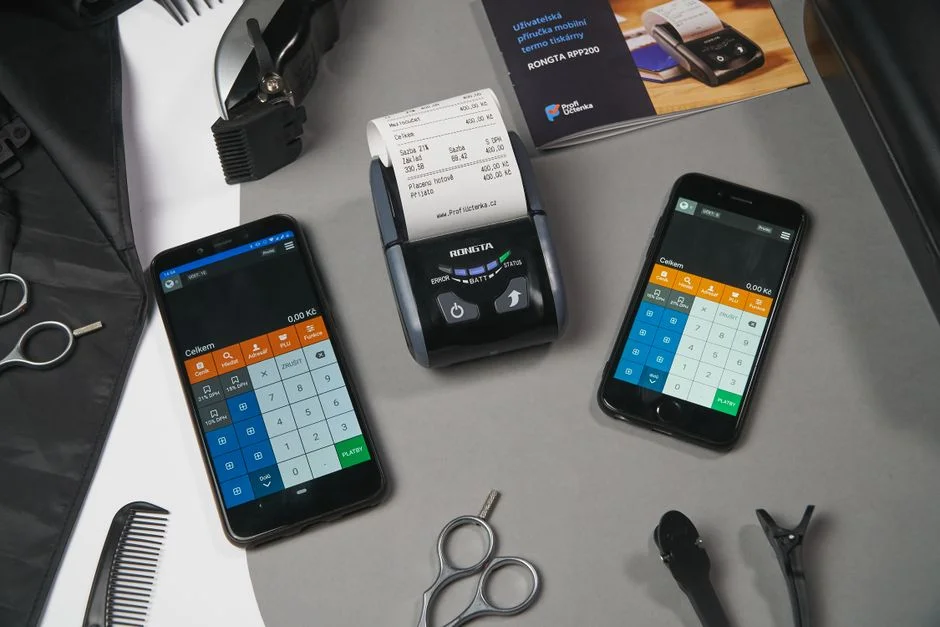

Direct browser-to-hardware communication remains one of the most persistent technical hurdles in modern web development. It is critical to understand from the outset that web browsers cannot natively access local peripheral hardware like thermal POS printers due to stringent security sandboxing protocols. A web application running in a standard Chrome or Firefox instance has zero direct access to USB or serial ports. This limitation is a deliberate architectural security choice, preventing malicious sites from interacting with local hardware, but it creates a significant friction point for POS systems.
To bridge this gap, you must implement a localized bridge layer. This layer acts as a proxy, translating high-level web events into low-level ESC/POS commands that the thermal printer interprets. This article details the architectural patterns required to establish a robust, reliable, and low-latency communication channel between your web application and local POS hardware, focusing on the specific constraints of hardware-level command streaming and event-driven print job management.
The Architectural Necessity of Local Proxy Services
Since the browser cannot speak directly to the hardware, the most effective architectural pattern is the implementation of a local printer proxy service. This is typically a lightweight, background-running application (often written in Node.js, Go, or Python) installed on the client machine. The web application communicates with this local proxy via WebSocket or a local HTTP API. When a user clicks ‘Print’ in your browser-based dashboard, the browser sends a JSON payload containing the receipt data to the localhost server, which then serializes the data into binary ESC/POS commands.
The primary advantage of this architecture is the decoupling of the UI layer from the hardware driver layer. By utilizing a local WebSocket server, you maintain a persistent, bidirectional connection. This allows for real-time status reporting—such as ‘out of paper,’ ‘printer offline,’ or ‘cover open’—which is impossible in a traditional stateless HTTP request-response cycle. Furthermore, this approach abstracts the operating system differences; your local proxy handles the OS-specific driver calls (CUPS on Linux/macOS or Windows Spooler APIs) while the web application remains platform-agnostic.
Binary Serialization and ESC/POS Command Sets
Thermal printers do not render HTML or CSS. They operate on a command-based protocol, most commonly ESC/POS, developed by Epson. To successfully integrate, your backend or local proxy must translate structured data into these specific byte sequences. For example, a command to set the character size to double-width is represented by the hexadecimal byte sequence 1D 21 11. Sending plain text to a thermal printer will result in raw, unformatted, and often unreadable output.
Effective integration requires a serialization engine. Instead of sending raw text, your web app should send a structured schema—ideally a JSON object describing the receipt layout—to the proxy. The proxy then maps this schema to the appropriate byte streams. Consider the following implementation logic for a Node.js-based bridge:
// Example of an ESC/POS command buffer construction

const buffer = Buffer.from([

  0x1B, 0x40, // Initialize printer

  0x1B, 0x61, 0x01, // Center alignment

  ...textToBytes('NR Tech Studio Receipt'),

  0x0A, // Line feed

  0x1D, 0x56, 0x42, 0x00 // Cut paper

]);

printer.write(buffer);
This level of control allows for precise management of graphical elements, such as logos (which must be converted to monochrome bitmaps) and barcodes. You must manage the buffer carefully to prevent overflow, especially when printing large images or complex table structures, as thermal printers have extremely limited onboard memory.
Managing Asynchronous Print Queues
In high-traffic retail or hospitality environments, print jobs must be queued to prevent data loss or printer contention. If a user hits the ‘Print’ button multiple times while the hardware is busy, the system must handle the concurrency gracefully. A naive implementation that attempts to write to the serial port without a lock mechanism will result in corrupted output or a crashed printer driver. You should implement a FIFO (First-In-First-Out) queue within your local proxy.
The queue should be persistent enough to handle application restarts but lightweight enough to maintain low latency. Using a simple in-memory queue in your Node.js proxy is often sufficient, but for critical infrastructure, consider an SQLite instance to track the status of every print job (Pending, Processing, Completed, Failed). This allows the application to provide feedback to the user regarding exactly which receipt failed to print, enabling a manual retry mechanism if the hardware encountered a mechanical jam.
Handling Hardware Status and Error States
The integration is incomplete without robust feedback loops. Thermal printers often provide status responses, but these are rarely exposed through standard operating system print dialogs. To get true status, your proxy must read the raw data returned from the printer’s serial or USB interface. This is known as ‘Status Back’ or ‘Real-time Status Transmission’ (ASB). When you send a status request command, the printer responds with a specific byte pattern indicating its current state.
Implementing this requires a non-blocking I/O approach. If your proxy hangs while waiting for a response from an offline printer, the entire UI will feel unresponsive. Use asynchronous read streams to monitor the printer port. When a status byte arrives, parse it against the manufacturer’s documentation to determine if the printer is ready. This data should then be pushed to the frontend via the WebSocket, allowing the UI to display a live status indicator to the business staff.
Security Considerations for Local Proxies
By introducing a local proxy, you effectively create a new attack surface on the client machine. Because the proxy acts as a server on localhost, it must be protected against Cross-Origin Resource Sharing (CORS) attacks. If the proxy accepts requests from any origin, a malicious website could potentially send unauthorized print jobs to the local printer. You must strictly enforce origin validation in your proxy configuration, ensuring that only requests from your specific domain are accepted.
Furthermore, ensure that the proxy does not execute arbitrary commands or expose sensitive file system paths. The API should be strictly limited to a defined set of printing operations. If the proxy requires administrative privileges to access USB ports, ensure the service is configured with the least privilege necessary, and avoid running the process as root or SYSTEM if possible. Regularly audit the proxy’s logs to detect any anomalous or unauthorized print attempts.
Scaling and Maintenance
Scaling this integration across multiple locations requires centralized management of the printer proxies. You should consider a containerized approach for the proxy itself or a robust auto-update mechanism. Since printer drivers and hardware firmware are notorious for requiring updates, your proxy should be able to report its version and status back to a central server. This allows your team to troubleshoot connectivity issues remotely without requiring physical access to the POS station.
For complex deployments, consider using a configuration-as-code approach where printer settings—such as paper width, baud rate, and character sets—are managed via a central dashboard and pushed to the local proxies. This reduces the time required to onboard new hardware and minimizes configuration drift across your retail footprint. [Explore our complete Software Development directory for more guides.](/topics/topics-software-development/)
Factors That Affect Development Cost
- Complexity of receipt formatting requirements
- Number of hardware locations
- Network latency and reliability
- Operating system compatibility requirements
Implementation effort varies significantly based on the number of printer models supported and the requirement for real-time status feedback.
Frequently Asked Questions
Is there a web app for POS systems?
Yes, many modern POS systems are web-based, but they require a local bridge or proxy software to communicate with physical hardware like thermal printers and cash drawers.
How to connect thermal printer to POS?
To connect a thermal printer to a web-based POS, you must install a local proxy driver on the host computer that translates web-sent data into ESC/POS commands.
How to connect to printer via web browser?
Browsers cannot directly access printers for security reasons. You must use a local background service that the browser interacts with via WebSockets or a local API.
Integrating physical POS thermal printers with web applications requires moving beyond standard browser capabilities. By deploying a robust local proxy service that manages binary ESC/POS command translation, asynchronous print queues, and real-time hardware status monitoring, you can achieve a professional-grade printing experience. This architecture ensures that your web application remains performant and secure while providing the necessary interface for hardware interaction.
Successful implementation hinges on your ability to treat hardware communication as a distinct, reliable service layer rather than an afterthought. As businesses evolve, maintaining this separation of concerns will allow your software to adapt to new hardware requirements without necessitating a complete rewrite of your core application logic.
NR Tech Studio builds custom web apps, mobile apps, SaaS platforms, and internal tools for growing businesses. If you’re working through a technical decision, feel free to reach out — no commitment required.