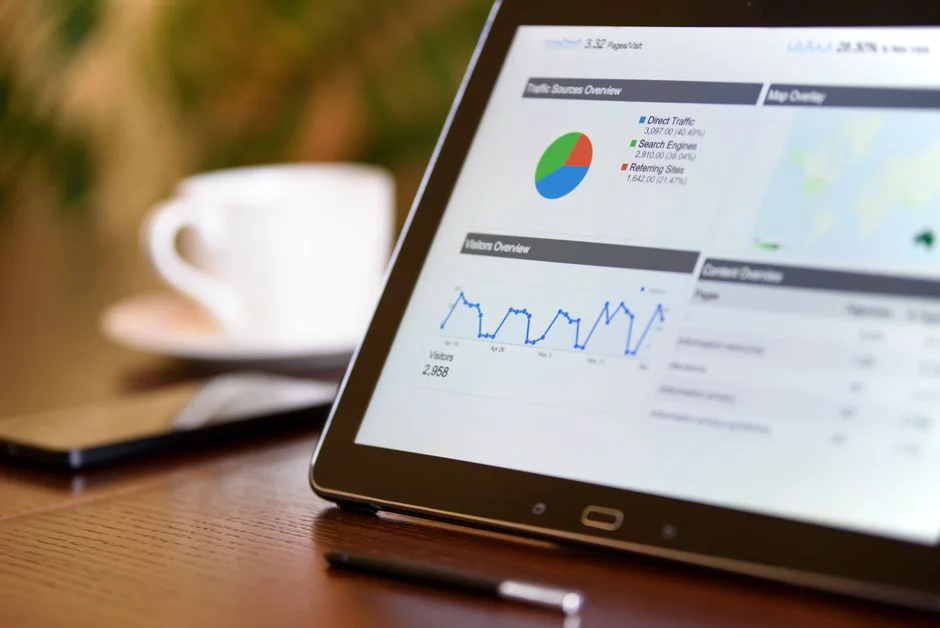

Building a custom ERP dashboard for a local manufacturing business is not a silver-bullet solution for operational inefficiency. It will not magically fix broken supply chain processes, nor will it compensate for inaccurate master data management. A dashboard is merely a visual abstraction of the underlying data; if your data ingestion layer is flawed, the dashboard will simply provide a high-fidelity view of your operational failures. Before writing a single line of code, you must accept that the utility of your interface is strictly limited by the integrity of your data pipeline.
For manufacturing environments, the challenge lies in the high-frequency, low-latency requirements of shop floor telemetry and inventory tracking. Most off-the-shelf solutions fail here because they are designed for generalized business logic rather than the specific constraints of production lines and resource planning. This guide details the architectural rigor required to build a performant, scalable, and secure ERP dashboard, moving beyond basic CRUD operations to enterprise-grade system design.
The Architectural Trap of Generic ERP Frameworks
Many engineering teams fall into the trap of attempting to modify monolithic ERP systems to fit their specific manufacturing needs. This approach is fundamentally flawed because monolithic architectures are inherently rigid; they prioritize consistency over agility. When you attempt to force a custom manufacturing module into a legacy system, you often encounter database schema conflicts, performance bottlenecks, and a lack of granular control over data flow. These systems were designed for accounting and HR, not for real-time machine monitoring or complex bill-of-materials (BOM) processing.
Instead of battling legacy constraints, a custom dashboard should sit atop a microservices-oriented architecture. By decoupling the dashboard from the core ERP data stores, you allow for independent scaling. If your production line telemetry spikes during peak hours, your dashboard backend should be able to scale horizontally without impacting the performance of your financial reporting modules. We often see teams struggle when they attempt to build a monolithic dashboard that tries to do everything at once. By following the principles of architecting a custom reporting dashboard for enterprise CRM systems, you can ensure that your data visualization layer remains lightweight and responsive, regardless of the complexity of the underlying ERP data.
Furthermore, local manufacturing businesses often deal with fragmented data sources, including legacy PLC (Programmable Logic Controller) outputs, Excel-based spreadsheets, and disparate cloud services. A custom dashboard acts as the unified ingestion point. When designing this, avoid the temptation to create a direct database connection between your dashboard and your primary production database. This creates a single point of failure and introduces unnecessary load on your transactional systems. Instead, implement an event-driven architecture using message queues or a dedicated data warehouse that periodically aggregates production metrics. This separation ensures that your manufacturing operations continue to function even if the dashboard service experiences latency or downtime.
Designing for High-Frequency Telemetry Ingestion
In a manufacturing environment, the dashboard must reflect reality with minimal latency. If your sensors are reporting machine status every second, your dashboard cannot be waiting on batch jobs that run every hour. You need a streaming architecture. Utilizing technologies like Apache Kafka or AWS Kinesis allows you to ingest high-frequency data streams and process them before they reach the persistence layer. This is critical for real-time monitoring of machine health, production throughput, and quality control metrics.
When handling this level of data velocity, your database schema design is paramount. You should favor time-series databases like InfluxDB or TimescaleDB for your telemetry data, rather than relational databases like MySQL for every metric. While MySQL is excellent for master data management—such as product definitions and supplier information—it struggles with the write-heavy loads generated by thousands of sensors. By segregating your data, you optimize for the specific workload: relational databases for consistency and transactional integrity, and time-series databases for high-speed ingestion and aggregation.
Consider the impact on your application layer. Your dashboard frontend should leverage WebSockets or Server-Sent Events (SSE) to push updates to the user interface in real-time. This avoids the overhead of constant polling, which can degrade performance as the number of concurrent dashboard users grows. By building a robust ingestion pipeline, you ensure that the data presented on your dashboard is actionable, not historical. This is the difference between a dashboard that informs a decision and one that merely archives past events.
Data Modeling for Manufacturing Complexity
Manufacturing data is inherently hierarchical. A single product may have a BOM consisting of hundreds of sub-components, each with its own lead time, supplier, and inventory status. If your data model is not normalized correctly, you will face significant performance issues when trying to render a dashboard that calculates real-time inventory availability or production schedules. You must treat your Master Data Management (MDM) with the highest level of scrutiny.
When modeling your ERP data, prioritize relational integrity for business objects. For instance, your product definitions, customer profiles, and supplier contracts must exist in a system that enforces strict transactional constraints. We have seen projects fail because developers treated BOM structures as flat JSON blobs in a NoSQL database. While this offers flexibility, it makes complex queries—such as ‘What is the impact on lead time if this specific component is delayed by three days?’—computationally expensive and difficult to maintain.
To solve this, leverage a robust relational schema with indices optimized for your most frequent queries. If your dashboard needs to show real-time production status, create materialized views that pre-calculate the state of your production lines. This shifts the computational burden from the request-time to the write-time, ensuring that the user experience remains snappy even when the underlying data set is vast. Remember that security-first migration strategies are essential when moving from legacy systems to a custom code base, as you must maintain data integrity throughout the transition process to prevent corruption in your master data records.
Security and Access Control in Industrial Environments
Security in a manufacturing ERP dashboard is not just about preventing unauthorized access; it is about ensuring that the right personnel have the right level of visibility into the production process. A floor operator needs access to machine status and work order queues, while a production manager needs access to cost-of-goods-sold (COGS) and supply chain analytics. Implementing Role-Based Access Control (RBAC) at the application level is insufficient. You must implement attribute-based access control (ABAC) to account for factors such as the user’s location, the machine’s status, and the time of day.
Furthermore, you must secure the data ingestion layer. If your manufacturing floor is connected to the internet, your PLC interfaces must be isolated. Never expose your internal production network directly to the dashboard’s public-facing API. Use a secure gateway or a VPN tunnel to bridge your internal OT (Operational Technology) network with your IT (Information Technology) network. All communication between these layers should be encrypted, and all API endpoints should require authenticated tokens, ideally managed through a centralized identity provider.
Finally, consider the auditability of your system. In a manufacturing context, regulatory compliance often requires detailed logs of who changed which production setting and when. Implement an immutable audit log that records every state change in your ERP system. This is not just a security requirement; it is an operational necessity for troubleshooting production errors. By integrating logging directly into your application architecture, you ensure that you always have a trail of evidence for every action taken through your custom dashboard.
Scaling the Frontend for Complex Visualizations
Manufacturing dashboards often suffer from ‘visualization bloat,’ where users demand more charts and tables than the browser can efficiently render. To prevent this, your frontend architecture must be modular. Use component-based frameworks like React or Next.js, and focus on lazy-loading components that are not immediately visible. This ensures that the initial load time of the dashboard remains low, even if the application eventually grows to include dozens of widgets.
When dealing with large datasets, do not perform heavy calculations in the browser. Your dashboard frontend should only be responsible for rendering data, not processing it. Use your backend API to aggregate data on the server side and return only the necessary payload for the charts. If you need to visualize thousands of data points, consider using canvas-based rendering libraries rather than SVG, as the latter can quickly consume browser memory and lead to performance degradation.
Also, consider the user experience of your dashboard in the context of a shop floor. Unlike office environments, shop floor workers might be using tablets or industrial-grade touchscreens. Your UI must be responsive, touch-friendly, and capable of displaying critical information in high-contrast modes for readability in various lighting conditions. By applying modular architectural patterns to your frontend, you can easily swap out specific visualization modules without needing to rebuild the entire application, allowing your dashboard to evolve alongside the changing needs of the manufacturing floor.
Integrating External SaaS and Legacy Systems
No custom ERP dashboard exists in a vacuum. You will likely need to integrate with external SaaS platforms for accounting, shipping, or procurement. This requires a robust middleware layer that can handle asynchronous communication and error handling. When integrating with third-party APIs, always implement a circuit-breaker pattern. If a third-party service goes down, your dashboard should not hang or crash; instead, it should gracefully degrade by displaying cached data or a user-friendly error message.
For legacy systems, you might need to build custom adapters. If you are working with an older, proprietary ERP, you might need to interact with it via a database-level connection or a legacy SOAP API. In these cases, encapsulate the complexity of the legacy system behind a modern REST or GraphQL API layer. This allows your dashboard to interact with a clean, well-defined interface, while the adapter layer handles the dirty work of communicating with the legacy system. This is particularly relevant when you are managing enterprise content architecture across disparate systems, as it ensures that your dashboard can consume data from multiple sources without becoming tightly coupled to any single one.
Always prioritize idempotent operations when building these integrations. In a distributed environment, network failures are inevitable. If a request is retried, it should not result in duplicate records or corrupted data. By ensuring that your integration layer is idempotent, you build a resilient system that can withstand the unpredictable nature of real-world networking and integration challenges.
Continuous Deployment and Monitoring of the Dashboard
A custom ERP dashboard is a living system that requires constant updates to support new manufacturing processes. To maintain high availability, you must implement a mature CI/CD pipeline. Every change to your dashboard code should be automatically tested, built, and deployed to a staging environment that mirrors your production configuration. This allows you to catch regressions before they reach your shop floor, where a bug could stop production.
Monitoring is equally critical. You should have observability tools that track not just the health of your application servers, but also the performance of your database queries and the latency of your API integrations. Use distributed tracing to understand the path of a request through your architecture, which is essential for diagnosing performance bottlenecks in complex, multi-service systems. If you are not actively monitoring your system, you are essentially flying blind.
Finally, implement a blue-green deployment strategy. By maintaining two identical production environments, you can switch traffic between them with zero downtime. This is crucial for a manufacturing business that operates 24/7. When you deploy a new version of your dashboard, you can verify it in the blue environment before routing traffic to it. If any issues arise, you can immediately roll back to the green environment, ensuring that your production floor never loses access to its mission-critical data.
Handling Data Consistency in Distributed Systems
When your dashboard spans multiple services, maintaining data consistency becomes a significant challenge. You cannot rely on traditional database transactions across different service boundaries. Instead, you must embrace eventual consistency. Use the Saga pattern to manage distributed transactions. If a business process, such as ordering raw materials, involves multiple services, the Saga pattern ensures that if one step fails, the entire sequence is compensated, maintaining the overall integrity of your ERP state.
Furthermore, avoid the temptation to cache everything. While caching can improve performance, it can also lead to stale data being displayed on your dashboard. Implement cache invalidation strategies that are triggered by events in your system. When a production order is updated, the associated cache entries must be invalidated or updated immediately. This ensures that your users are always looking at the most current data, which is vital for real-time decision making on the factory floor.
Lastly, pay close attention to your event bus. If you are using an event-driven architecture, the order of events matters. Ensure that your message broker guarantees the order of delivery for events related to the same resource. If an ‘order created’ event arrives after an ‘order updated’ event, your system state will be corrupted. By using partition keys in your message broker, you can ensure that events are processed in the correct sequence, maintaining the consistency of your ERP data across all services.
Leveraging Cloud Infrastructure for Elastic Scaling
Local manufacturing businesses often have fluctuating workloads. During production spikes, your dashboard might experience a massive increase in requests. By leveraging cloud infrastructure like AWS or GCP, you can implement auto-scaling groups that automatically add or remove server instances based on demand. This ensures that your application always has the resources it needs to perform, while also keeping your infrastructure footprint optimized.
Use managed services wherever possible. Instead of managing your own database clusters, use services like Amazon RDS or Google Cloud SQL, which provide automated backups, patching, and high availability. This allows your engineering team to focus on building features for the business rather than performing database maintenance. Similarly, use managed Kubernetes services like EKS or GKE to orchestrate your microservices, as they provide robust tools for deployment, scaling, and service discovery.
Finally, consider the geographic distribution of your infrastructure. If your manufacturing plant has multiple sites, you should deploy your dashboard services in regions that are closest to your users. Use global load balancers to route traffic to the nearest healthy instance, reducing latency and improving the responsiveness of your dashboard. By building your infrastructure with a cloud-native mindset, you ensure that your ERP dashboard is not just a tool, but a scalable asset that can grow with the business.
The Role of Master Data Management in Production Visibility
Your dashboard is only as good as the master data it displays. In a manufacturing context, MDM is the foundation for everything from BOM management to supply chain scheduling. You must ensure that your product codes, vendor profiles, and machine identifiers are consistent across all systems. If your ERP uses one SKU for a product but your inventory system uses another, your dashboard will inevitably display conflicting information.
Implement a centralized ‘source of truth’ for your master data. This should be a service that is responsible for creating, updating, and distributing master data to all other services in your architecture. When a new product is added, the MDM service emits an event that all other services consume to update their local caches. This pattern ensures that all parts of your ERP are in sync, preventing the data silos that often plague manufacturing operations.
Also, prioritize data quality at the point of entry. Implement strict validation rules in your dashboard’s input forms. Do not allow users to enter malformed data or skip required fields. By enforcing data quality at the source, you reduce the amount of cleaning and reconciliation required later. Remember that the goal of your ERP dashboard is to provide a clear picture of the business; if the underlying data is noisy or inaccurate, that picture will always be distorted.
Bridging the Gap Between IT and OT
The integration of Information Technology (IT) and Operational Technology (OT) is the greatest challenge in modern manufacturing. Your dashboard needs to bridge this gap. This requires a deep understanding of industrial protocols like OPC-UA, Modbus, and MQTT. Your backend must be capable of translating these protocols into standard JSON or Protobuf formats that your dashboard can easily consume.
When building this bridge, prioritize security and isolation. OT networks are notoriously vulnerable, and they are often running on legacy hardware that cannot be easily patched. Your middleware should act as a firewall, inspecting all incoming traffic from the shop floor and ensuring that only authorized commands can pass through to the OT network. This is a critical architectural requirement for any custom ERP dashboard that interacts with real-world production equipment.
Furthermore, consider the physical environment. Your data acquisition hardware might be located in harsh conditions, such as high temperatures or high vibration areas. Ensure that your infrastructure is robust enough to handle these conditions. Use redundant gateways and local data logging to ensure that even if the connection to the central ERP system is lost, the data is not lost. By planning for these physical realities, you ensure that your dashboard is truly industrial-grade.
Future-Proofing Your ERP Architecture
Technology changes rapidly, and your ERP architecture should be designed to adapt. Avoid hard-coding business logic into your dashboard. Instead, use a configuration-driven approach where business rules are stored in a separate, version-controlled repository. This allows you to update your production processes without needing to re-deploy your entire application. This is the essence of building a flexible, future-proof system.
Invest in documentation and knowledge transfer. A custom ERP is a complex piece of software that will likely outlive the original development team. Document your architecture, your API contracts, and your deployment processes thoroughly. Use infrastructure-as-code (IaC) tools like Terraform or Pulumi to define your infrastructure, ensuring that your entire environment can be recreated from scratch if necessary. This is the ultimate form of disaster recovery and the best way to ensure the long-term viability of your project.
Finally, stay connected with the broader engineering community. Follow the evolution of cloud-native patterns and participate in open-source projects that address common manufacturing challenges. By keeping your architecture aligned with industry standards, you ensure that you can always find talent to maintain and improve your system. Your ERP dashboard is a long-term investment, and by building it with care and foresight, you ensure that it provides value for years to come.
Cluster Resource Links
To continue your journey in optimizing manufacturing systems and ERP architectures, please refer to our curated resources. [Explore our complete ERP — Custom ERP directory for more guides.](/topics/topics-erp-custom-erp/)
Factors That Affect Development Cost
- Integration complexity with legacy OT systems
- Data volume and real-time processing requirements
- Number of concurrent users and role-based access complexity
- Infrastructure automation and CI/CD setup requirements
- Customization depth of manufacturing modules
Development effort varies significantly based on the number of legacy data silos and the level of real-time telemetry integration required.
Frequently Asked Questions
Can I create my own ERP system?
Yes, you can build a custom ERP system, but it requires significant engineering expertise and a clear understanding of your business processes. It is often more effective to build specific modules that integrate with existing systems rather than building a monolithic ERP from scratch.
What is replacing ERP?
ERP systems are not being replaced, but they are evolving into modular, cloud-native architectures. Businesses are moving away from monolithic suites toward best-of-breed microservices that communicate through APIs and event-driven pipelines.
Can AI build an ERP system?
AI can assist in writing code and generating boilerplate, but it cannot architect a complex, secure, and performant ERP system. Human software engineers are still required to define business logic, ensure data integrity, and manage infrastructure complexity.
Building a custom ERP dashboard for a manufacturing business is an exercise in managing complexity, reliability, and data integrity. By moving away from monolithic designs and embracing a microservices-oriented, event-driven architecture, you can create a system that is as dynamic as your production floor. Focus on robust data ingestion, secure IT/OT integration, and scalable cloud infrastructure to ensure your dashboard remains a reliable source of truth.
If you are struggling with your current architecture or want to ensure your upcoming project is built on a solid foundation, reach out to our team. We offer comprehensive architectural audits to help you identify bottlenecks, security risks, and scaling issues in your existing ERP systems. Let us help you build a dashboard that drives your business forward.
NR Tech Studio builds custom web apps, mobile apps, SaaS platforms, and internal tools for growing businesses. If you’re working through a technical decision, feel free to reach out — no commitment required.