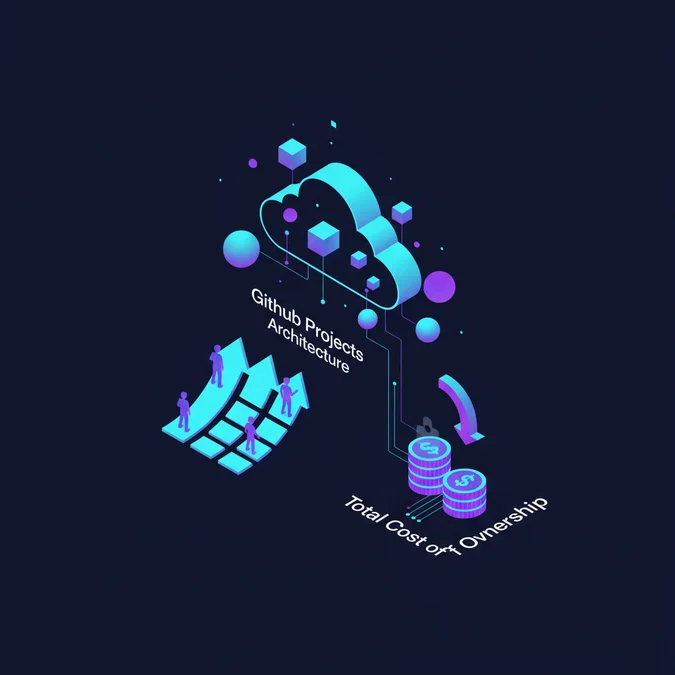

GitHub Projects is an extensible project management and workflow orchestration engine built directly into the GitHub ecosystem, combining relational metadata tables, kanban boards, and automation pipelines tied directly to repository code, pull requests, and deployment events.
Engineering organizations increasingly migrate away from detached issue trackers like Jira, Linear, and Asana toward GitHub Projects to eliminate cross-system synchronization overhead. Fragmented toolchains force engineers to manually reconcile pull request states with ticket statuses, leading to context switching and stale roadmaps. Bringing the tracking layer directly adjacent to the Git tree removes this operational friction.
For technology executives, this migration is not merely about developer convenience. It represents a fundamental reduction in operational complexity, technical debt, and SaaS licensing costs, allowing cross-functional software delivery teams to execute with predictable velocity.
Core Mechanics: Data Model, Custom Fields, and Event Triggers
GitHub Projects operates on a modern, flexible relational data model built on top of the GitHub GraphQL API (v4). Unlike legacy issue-tracking boards that merely rendered repository issues as static cards, the current iteration functions as an independent, organization-level metadata layer. It can aggregate issues, pull requests, and draft ideas across hundreds of distinct repositories within an enterprise organization.
At the center of this architecture is the ProjectV2 entity. A ProjectV2 instance owns custom field definitions, iteration schedules, view configurations, and automated workflows. When an issue or pull request is associated with a project, GitHub creates a ProjectV2Item join record. This decoupling ensures that repository-level data (such as commit history, branch references, and repository labels) remains pristine and isolated, while organizational metadata (such as business priorities, sprint assignments, and client billing identifiers) is managed at the portfolio tier.
Custom Field Types and Schema Flexibility
Engineering leaders can tailor field schemas to match specific delivery lifecycles. GitHub Projects supports five primary field data types:
- Text: Freeform alphanumeric strings, often utilized for external tracking identifiers or short delivery notes.
- Number: Quantitative metrics such as story points, complexity scores, or estimated monetary costs.
- Date: Temporal markers used to anchor non-sprint delivery targets and external vendor commitments.
- Single Select: Strict categorical options such as triaged state, risk tier, or architectural domain.
- Iteration: Rolling sprint windows with configurable durations (for example, two-week cycles) and automated cadence roll-overs.
By defining these fields at the organizational level, engineering leaders can enforce taxonomy across distinct codebases. For example, when structuring a distributed backend application alongside complex e-commerce logic, teams can cross-reference infrastructure requirements with code level features. Incorporating scalable architectures for commercial backends directly into unified sprint iterations ensures that high-volume processing goals remain aligned with business milestones.
Event triggers operate through webhooks emitted whenever a ProjectV2Item changes. State transformations, such as moving an item from In Progress to Review, emit native payload events that continuous integration pipelines, notification gateways, and external audit log systems can ingest with sub-second latencies.
Automation Mechanics and Cross-Repository Orchestration
Manual status maintenance represents a silent tax on engineering velocity. When developers must remember to drag cards across boards after pushing commits, opening pull requests, or merging branches, board state diverges from reality. GitHub Projects resolves this by embedding native, rule-based automations alongside GitHub Actions integration.
Native project workflows provide immediate, event-driven state updates based on common developer interactions. Built-in rules allow organizations to configure deterministic transitions:
- When a new issue is logged with a specific label, automatically add it to the project and set status to Backlog.
- When a linked pull request transitions to open, update the project status from In Progress to In Review.
- When a pull request review is requested, assign the target code owner as a project item collaborator.
- When a pull request merges into the default branch, transition the item status to Done and record the closed timestamp.
Orchestrating Workflow States via GitHub Actions
For enterprise-grade orchestration, native rules often fall short of custom governance needs. In these scenarios, GitHub Actions interacts directly with the project through the GraphQL API, granting teams full programmatic control over metadata mutation.
name: Sync PR to Project Column

on:
 pull_request:
 types: [opened, ready_for_review]

jobs:
 track_delivery:
 runs-on: ubuntu-latest
 steps:
 - name: Add Pull Request to Enterprise Project
 uses: actions/add-to-project@v0.5.0
 with:
 # Project URL at organizational level
 project-url: https://github.com/orgs/my-enterprise-org/projects/12
 github-token: ${{ secrets.PROJECT_AUTOMATION_PAT }}
 labeled: backend, priority-high
This declarative pipeline ensures that every high-priority backend contribution is tracked inside the management plane without human intervention. By tying automation directly to pull request lifecycle states, technical leads obtain visibility into work without interrupting active development cycles.
Unified Engineering Environments and Portfolio Tracking
A common operational challenge in growing technology organizations is the disconnect between project ticketing and local developer environments. A developer identifies an assigned card on a kanban board, clones the repository, provisions dependencies, reproduces the target issue, and pushes a branch. Any discrepancy in environment setup introduces lead time delays.
Connecting GitHub Projects to cloud-based execution containers bridges this operational gap. By linking issues in a project directly to pre-configured devcontainers, organizations can eliminate drift across development machines. Teams utilizing cloud development environments for engineering teams can instantiate identical runtime configurations directly from an active project item with a single click, completely bypassing local environment configuration bottlenecks.
This integration directly benefits cross-repository portfolio management. Consider an enterprise product composed of a single-page application frontend, three distributed microservices, and a shared internal package. With GitHub Projects, a single portfolio board aggregates work streams across all five repositories:
| Component Repository | Project Item Type | Custom Field: Release Phase | Automated Trigger |
|---|---|---|---|
auth-service |
Issue #412 | Phase 1: Zero Trust Core | Passes Integration Tests |
billing-gateway |
Pull Request #89 | Phase 1: Zero Trust Core | Merged to staging |
customer-portal-ui |
Issue #1043 | Phase 2: Client Rollout | Blocker: #412 Unresolved |
infrastructure-iac |
Pull Request #34 | Phase 1: Zero Trust Core | Terraform Plan Approved |
Engineering managers can slice this data using custom table views, board perspectives, and milestone roadmaps, viewing the entire release train without requesting status updates from individual engineers.
Total Cost of Ownership: GitHub Projects vs. Third-Party Issue Trackers
Evaluating project management tooling requires looking past headline license costs. CTOs must evaluate the Total Cost of Ownership (TCO), accounting for administrative overhead, synchronization middleware, security audits, and engineer context switching.
Third-party platforms such as Jira Enterprise, Linear, and Monday.com require dedicated synchronization layers (like Unito or bespoke webhook services) to mirror GitHub pull request states. These middleware pipelines introduce failure points, synchronization delays, and recurrent compliance audits under SOC 2 and ISO 27001 scopes.
| Cost Category | GitHub Projects (Integrated) | Third-Party Tracker (e.g. Jira + Plugins) |
|---|---|---|
| Direct SaaS Licensing | Included in GitHub Free/Team/Enterprise plans ($0-$21/user/mo) | $8.15 to $16.00/user/mo + Marketplace Add-ons |
| Integration & Sync Maintenance | $0 (Native webhook architecture) | $3,000 – $12,000/year (Middleware licenses + API maintenance) |
| Identity & Access Management | Unified under GitHub SAML / SCIM provisioning | Separate IdP directory mappings, audit trails, and access reviews |
| Context Switching Overhead | Near zero: engineers operate within the Git flow | Estimated 15-25 minutes lost per developer daily |
For an organization with 100 engineers, consolidating project management onto GitHub typically yields between $20,000 and $45,000 in direct annual software savings, alongside reclaiming hundreds of engineering hours previously lost to manual ticket updates.
Implementation Pricing, Migration Models, and Professional Services
Migrating enterprise ticketing systems to GitHub Projects requires strategic capacity planning. While the platform itself incurs zero incremental license fees for organizations already subscribed to GitHub Team or Enterprise, the execution cost manifests in historical data migration, workflow automation development, and team training.
Below is an empirical analysis of commercial costs associated with planning and executing this tooling consolidation across various organizational tiers.
| Organizational Scale | Project Scope & Scope of Work | Fixed Project Fee | Ongoing Retainer / Support |
|---|---|---|---|
| Mid-Market (25-75 Devs) | Jira-to-GitHub data export, basic automation scripting, team onboarding | $8,000 – $15,000 | $1,500/month (advisory) |
| Large Enterprise (75-250 Devs) | Custom GraphQL sync tools, portfolio rollup boards, SAML audit setup | $18,000 – $40,000 | $3,500 – $6,000/month |
| Multi-Org Enterprise (250+ Devs) | Multi-tenant project templates, regulatory compliance automation, migration scripts | $45,000 – $95,000 | $8,000 – $14,000/month |
Hourly Engagements and Execution Rates
Organizations electing to hire specialized systems integration consultancies or technical architects for bespoke migrations typically encounter the following standard market rates:
- Principal Systems Architect: $175 to $275 per hour for architectural roadmap design, schema governance, and security model specification.
- DevOps / Automation Engineer: $120 to $185 per hour for writing bespoke GitHub Actions, webhook listeners, and GraphQL ETL scripts.
- Agile Delivery Consultant: $95 to $150 per hour for running team training, backlog restructuring, and workflow documentation.
Total project schedules run between four and twelve weeks depending on data cleanliness, ticket history volume, and attachment migration requirements.
Architectural Bottlenecks, Rate Limits, and Edge Cases
While GitHub Projects is well suited for modern continuous delivery organizations, architects must account for explicit platform constraints before committing large-scale roadmaps to it. Treating GitHub Projects as an unconstrained data warehouse leads to performance degradation and API exhaustion.
GraphQL API Rate Limiting
GitHub Projects (v2) relies entirely on the GraphQL API. Enterprise rate limits grant a standard allotment of 10,000 points per hour per authenticated user or machine identity. A deeply nested GraphQL query fetching 100 project items with custom field values, nested assignees, and label arrays can easily consume 25 to 40 points per execution.
When automated CI systems or custom cron reporting scripts trigger continuous mutations across large boards, API rate exhaustion becomes a real operational risk. To mitigate this, teams should introduce batch mutations and localized caching layers:
# Inspect current rate limit status via GitHub CLI
gh api graphql -f query='{
 rateLimit {
 limit
 cost
 remaining
 resetAt
 }
}'
Scale Limits per Project Board
GitHub applies hard ceiling limits to preserve responsive rendering in the browser:
- Maximum Items per Project: A single ProjectV2 board supports up to 1,200 items under standard indexing, with performance optimizations scaling to approximately 50,000 items on enterprise instances. Exceeding recommended thresholds causes noticeable latency in table sorting and board rendering.
- Custom Fields Ceiling: Projects support up to 100 custom fields. Organizations attempting to replicate bloated ticketing setups with hundreds of mandatory drop-downs must prune their data dictionary.
- View Configurations: A single project supports up to 50 unique tab views (slice/dice configurations).
A resilient architectural strategy partitions boards by business domain or quarterly milestones rather than maintaining a single infinite board spanning years of accumulated tickets.
Security, Governance, and Granular Permission Models
From a security perspective, centralizing project management within GitHub unifies your threat surface. In legacy architectures involving disconnected tools, administrators must constantly audit third-party API tokens, webhook endpoints, and permission configurations across multiple systems.
GitHub Projects inherits organizational governance models directly through Role-Based Access Control (RBAC). Access levels operate across three primary tiers:
- Read: Users can inspect project boards, sort views, filter custom fields, and track item status without making modifications.
- Write: Users can add issues or pull requests to the project, assign items, update custom field values, and alter sprint statuses.
- Admin: Users can change the underlying project schema, add or remove custom field definitions, configure automation workflows, and manage collaborator access lists.
Audit Logging and Compliance
Enterprise administrators benefit from centralized audit trail capabilities. Every modification, whether creating a view, altering a priority field, or deleting a board item, emits an audit log event accessible via the GitHub Enterprise Audit Log API or streaming integrations to Splunk, Datadog, or Amazon S3.
Furthermore, because projects can be tied to specific GitHub Teams, department heads can ensure that sensitive infrastructure tasks or vulnerability remediation items remain visible exclusively to authorized engineering groups. External contributors or contractor seats can be granted read-only visibility into filtered project boards without granting broad access to company-wide strategic roadmaps.
Explore the Complete Guide Directory
Optimizing repository mechanics and software delivery workflows is foundational to building performant engineering teams. [Explore our complete Laravel, Basics directory for more guides.](/topics/topics-laravel-basics/)
Factors That Affect Development Cost
- Historical data volume and attachment count during migration
- Bespoke GraphQL integration and ETL pipeline development
- Custom workflow automation complexity via GitHub Actions
- Internal team training and taxonomy standardization
Implementation costs vary from small fixed-scope advisory packages to multi-month enterprise migrations.
Consolidating your delivery workflow into GitHub Projects shifts project management from an administrative burden into an integrated component of continuous delivery. By eliminating external synchronization pipelines, reducing toolchain licensing costs, and anchoring tickets to actual code commits, engineering teams reduce cycle times and keep roadmap data accurate.
For enterprise scale, the decision hinges on structural discipline: partition large backlogs into domain-focused projects, leverage GitHub Actions for governance mutations, and respect GraphQL API budgets. In return, organizations gain unified operational visibility, clear developer handoffs, and a measurable reduction in software delivery friction.