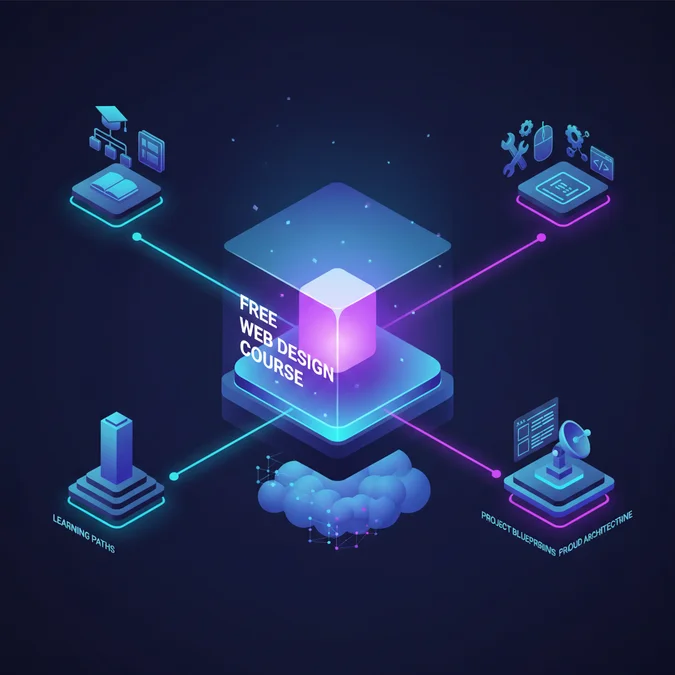

A free web design course offers structured learning paths to acquire essential front-end development and UI/UX skills without financial investment. Platforms like freeCodeCamp and The Odin Project enable aspiring designers to master HTML, CSS, and JavaScript, fostering practical project-building capabilities for a professional career.
In 2026, the landscape of online education provides unprecedented access to high-quality, zero-cost resources. This guide cuts through the noise, presenting a curated roadmap for mastering web design fundamentals, leveraging powerful free tools, and building a compelling portfolio entirely through self-paced, free learning. We will equip you with the knowledge to make informed choices, tackle hands-on projects, and confidently step into the web development industry.
Why Choose a Free Web Design Course in 2026?
The decision to pursue a free web design course in 2026 is driven by several compelling factors, reflecting shifts in both educational accessibility and industry demand. Traditional education often presents significant financial barriers, but the digital age has democratized learning, making high-caliber web design instruction available to everyone.
In 2026, a free web design course represents not just cost savings, but a strategic pathway to rapid skill acquisition and career pivoting. It prioritizes practical application over theoretical overhead, aligning perfectly with the industry’s demand for demonstrable skills.
Accessibility is paramount. Learners globally can access expert-led content, regardless of geographical or economic constraints. This inclusivity fosters a diverse talent pool, essential for innovative web development. Furthermore, these courses are typically self-paced, offering the flexibility required by individuals balancing education with work or other commitments. The curriculum is frequently updated, ensuring that the skills learned are current with 2026 industry standards, including modern frameworks, design trends, and accessibility best practices.
Finally, the emphasis on practical, project-based learning within many free courses directly addresses the industry’s need for job-ready professionals. By building real projects, learners develop a portfolio that speaks volumes, often more effectively than a certificate from an expensive program.
Top Free Web Design Course Online Options: Reviews & Comparisons
Selecting the right web design course online free can be daunting given the sheer volume of available resources. We have meticulously reviewed leading platforms that offer genuinely free, high-quality instruction, focusing on their curriculum, pedagogical approach, and suitability for different learning styles. The following options stand out in 2026 for their comprehensive content and community support.
When evaluating a web design course online free, prioritize structured learning paths, active community support, and a curriculum that emphasizes hands-on project work. These elements are crucial for retaining knowledge and building a robust portfolio.
| Course/Platform | Key Focus Areas | Pros | Cons | Ideal Learner |
|---|---|---|---|---|
| freeCodeCamp | HTML, CSS, JavaScript, Accessibility, Responsive Design, Front End Libraries | Project-based learning, vast curriculum, active community, certifications. | Can feel overwhelming initially, less direct instructor interaction. | Self-starters, those needing structured projects, community learners. |
| The Odin Project | HTML, CSS, JavaScript, Ruby on Rails, Node.js, Databases | Comprehensive, full-stack focus, strong emphasis on practical application, highly active Discord. | Very challenging, requires significant self-discipline and problem-solving. | Dedicated learners seeking full-stack proficiency, strong problem-solvers. |
| Coursera (Audit Mode) | UI/UX Design, Web Development Fundamentals, specific software (e.g., Figma) | University-level content, structured modules, reputable instructors. | No graded assignments or certificates in audit mode, limited peer feedback. | Learners seeking theoretical depth, supplementing practical skills. |
| edX (Audit Track) | Introduction to Web Development, specific programming languages, data science | Academic rigor, diverse course offerings from top institutions. | Similar to Coursera, audit track limits full participation and certification. | Individuals preferring academic structure, foundational knowledge. |
Each of these platforms offers distinct advantages. freeCodeCamp excels in providing a clear, project-driven path to front-end development. The Odin Project is unparalleled for those committed to a rigorous, full-stack learning journey. Coursera and edX, through their audit modes, offer access to university-grade theoretical knowledge, which can be invaluable for understanding underlying principles.
Mastering Core Web Design Principles & Essential Skills
Regardless of the specific free web design course you choose, a solid foundation in core web design principles and essential technical skills is non-negotiable. These fundamentals are transferable across frameworks, tools, and evolving technologies, ensuring your knowledge remains relevant in 2026 and beyond. Focusing on these areas will elevate your design capabilities from basic coding to thoughtful, user-centric experiences.
Key Web Design Principles:
- User Experience (UX) Design: Understanding user behavior, needs, and motivations to create intuitive and efficient interfaces. This includes user research, wireframing, and usability testing.
- User Interface (UI) Design: The aesthetic and interactive elements of a product. Focus on visual hierarchy, typography, color theory, iconography, and layout to ensure visual appeal and ease of use.
- Accessibility (A11y): Designing and developing websites that are usable by everyone, including individuals with disabilities. Adhering to WCAG standards is crucial.
- Responsive Design: Ensuring websites adapt seamlessly to various screen sizes and devices, from desktops to mobile phones, using flexible grids, images, and media queries.
- Information Architecture: Structuring and organizing content in a logical and intuitive manner, making it easy for users to find what they need.
Essential Technical Skills:
- HTML5: The foundational language for structuring web content. Mastery includes semantic HTML, forms, and multimedia embedding.
- CSS3: Styling web pages. This involves selectors, specificity, the box model, Flexbox, Grid, transitions, and animations for engaging visual presentation.
- JavaScript (ES6+): Adding interactivity and dynamic behavior to websites. Core concepts include DOM manipulation, events, asynchronous programming, and basic client-side logic.
- Version Control (Git/GitHub): Managing project history, collaborating with others, and deploying code efficiently. Essential for any serious developer.
- Command Line Basics: Navigating directories, running scripts, and managing development environments.
- Testing & Debugging: Using browser developer tools to inspect elements, debug JavaScript, and optimize performance.
By prioritizing these principles and skills, you build a robust and adaptable foundation, enabling you to confidently tackle diverse web design challenges and integrate new technologies as they emerge.
Hands-On Projects: Building with Free Tools and AI
Theoretical knowledge gained from a free web design course is best solidified through practical application. Building projects is non-negotiable for skill development and portfolio creation. Critically, you can create impressive, production-ready projects using only free tools and leveraging AI for enhanced efficiency. Here’s a blueprint for a simple, responsive portfolio website project.
Project Blueprint: Responsive Portfolio Website
Goal: Create a personal portfolio website that showcases your skills and projects, fully responsive across devices.
- Setup Your Development Environment:
Install VS Code, a free, powerful code editor. Set up Git for version control. Create a new project folder.
mkdir my-portfolio
cd my-portfolio
git init - Design & Wireframe with Figma (Free Tier):
Utilize Figma’s free tier to design your website’s layout. Create wireframes for desktop, tablet, and mobile views. Focus on visual hierarchy, color palette, and typography. AI tools like Midjourney or DALL-E can assist in generating initial mood boards or component ideas, informing your Figma designs.
- Develop HTML Structure:
Create an
index.htmlfile. Structure your content semantically using HTML5 elements:<header>,<nav>,<main>,<section>,<article>,<aside>,<footer>. Include sections for ‘About Me’, ‘Projects’, and ‘Contact’.<!DOCTYPE html>
<html lang="en">
<head>
<meta charset="UTF-8">
<meta name="viewport" content="width=device-width, initial-scale=1.0">
<title>My Portfolio</title>
<link rel="stylesheet" href="style.css">
</head>
<body>
<header>...</header>
<main>...</main>
<footer>...</footer>
</body>
</html> - Style with CSS3:
Create a
style.cssfile. Implement your Figma designs using CSS. Focus heavily on responsive design using media queries, Flexbox, and CSS Grid. Pay attention to typography, spacing, and color. AI assistants like ChatGPT can help generate initial CSS snippets or offer suggestions for specific styling challenges./* Basic responsive styling */
body {
font-family: Arial, sans-serif;
margin: 0;
line-height: 1.6;
}
@media (max-width: 768px) {
nav ul {
flex-direction: column;
}
} - Add Basic JavaScript Interactivity:
Create a
script.jsfile. Add simple functionalities like a mobile navigation toggle, a smooth scroll effect, or form validation. Keep it minimal to start, focusing on fundamental DOM manipulation.document.addEventListener('DOMContentLoaded', () => {
const navToggle = document.querySelector('.nav-toggle');
const navMenu = document.querySelector('nav ul');if (navToggle) {
navToggle.addEventListener(‘click’, () => {
navMenu.classList.toggle(‘active’);
});
}
}); - Host Your Project for Free:
Push your code to a public GitHub repository. Use free hosting services like Netlify or Vercel to deploy your website directly from your GitHub repo. This makes your portfolio accessible online.
This project not only reinforces your HTML, CSS, and JavaScript skills but also provides a tangible asset for your portfolio. Repeat this process with different project types, incorporating new techniques and tools as you learn.
From Free Learning to Professional Career: Portfolio & Next Steps
Completing a free web design course is merely the first step; translating that knowledge into a professional career requires strategic planning and execution. The key differentiator for employers is a compelling portfolio that demonstrates practical skills and problem-solving abilities. Your journey from free learner to paid professional is entirely achievable with the right approach.
Building Your Professional Portfolio:
- Curate Your Best Work: Select 3-5 of your strongest, most diverse projects. Focus on quality over quantity. Each project should solve a real-world problem or demonstrate a specific skill.
- Document Your Process: For each project, explain your design decisions, the challenges you faced, how you overcame them, and the tools you used. Show wireframes, mockups, and code snippets.
- Host Projects Live: Use free hosting services (Netlify, Vercel) to make your projects accessible online. A live demo is far more impactful than screenshots.
- Create a Dedicated Portfolio Website: Your portfolio itself should be a showcase of your design and development skills. Keep it clean, responsive, and easy to navigate.
- Include Case Studies: If possible, frame projects as case studies, detailing the problem, your solution, and the outcomes.
Networking and Job Search Strategies:
- Leverage Online Communities: Engage with forums, Discord servers, and social media groups related to web design. Share your work, ask questions, and offer help.
- Attend Virtual Meetups & Webinars: Many industry events are free and offer excellent networking opportunities.
- Tailor Your Resume/CV: Highlight the skills learned, tools mastered, and projects completed. Focus on quantifiable achievements.
- Practice Interview Skills: Be prepared to discuss your projects in detail, explain your code, and articulate your design philosophy. Behavioral questions are also common.
- Consider Freelancing: Platforms like Upwork or Fiverr can be a great way to gain initial client experience and build your portfolio further, even with smaller, free web design course based projects.
Remember, the web design industry values demonstrable talent. Your journey through free courses, coupled with a well-crafted portfolio and strategic networking, positions you strongly for entry-level and even mid-level roles in 2026.
How to Choose the Best Free Web Design Course for Your Goals
With numerous options available, selecting the ideal free web design course requires careful consideration of your individual learning style, career aspirations, and current skill level. A strategic choice ensures maximum engagement and effective skill acquisition, preventing wasted effort on unsuitable programs.
The best free web design course online free is one that aligns directly with your learning style, career objectives, and commitment level. Evaluate curriculum depth, community support, and project-based learning opportunities before committing.
Key Criteria for Selection:
- Define Your Learning Objective: Are you aiming for front-end development, UI/UX specialization, full-stack proficiency, or just foundational knowledge? Your goal dictates the course content you need.
- Assess Your Learning Style: Do you thrive with project-based challenges (e.g., The Odin Project), video lectures (e.g., Coursera audit), interactive coding environments (e.g., freeCodeCamp), or detailed documentation?
- Check Curriculum Depth and Scope: Review the course outline. Does it cover HTML, CSS, JavaScript, responsive design, accessibility, and modern tools like Figma? Ensure it aligns with current 2026 industry standards.
- Evaluate Project-Based Learning: Look for courses that emphasize hands-on projects. Practical application is crucial for solidifying knowledge and building a portfolio.
- Consider Community Support: An active community (forums, Discord, GitHub) can be invaluable for troubleshooting, motivation, and networking.
- Review Instructor Credibility (if applicable): For video-based courses, check instructor reviews and their professional background.
- Time Commitment: Be realistic about the time you can dedicate. Some free courses are intensive and require many hours per week.
- Post-Course Opportunities: Does the course offer guidance on portfolio building or career paths? While free, some platforms provide more holistic support.
By thoughtfully applying these criteria, you can identify the web design course online free that best suits your needs, setting you on a clear path to mastering web design skills and achieving your professional goals.
Frequently Asked Questions
What is the best free web design course for beginners in 2026?
For beginners in 2026, platforms like freeCodeCamp, The Odin Project, and Coursera’s audit options offer structured learning paths. These courses cover HTML, CSS, and JavaScript fundamentals, providing a solid foundation. Look for programs with hands-on projects and community support to maximize your learning experience.
Can I get a job after completing a free web design course online?
Yes, it’s possible to secure a job after completing a free web design course online, provided you build a strong portfolio showcasing practical skills. Employers prioritize demonstrable abilities over formal certifications. Focus on creating diverse projects and understanding core design principles to stand out in the job market.
What essential software and tools are needed for a free web design course?
Essential free tools for web design include a code editor like VS Code, a web browser for testing, and design software such as Figma (free tier) or GIMP for graphics. Version control with Git and GitHub is also crucial. These tools enable you to write code, design interfaces, and manage your projects effectively.
How long does it typically take to learn web design using free resources?
The time it takes to learn web design using free resources varies greatly, typically ranging from 3 to 12 months for foundational skills. Consistent practice, dedication to projects, and active engagement with learning materials are key. Advanced skills and specialization will naturally require more extended study and application.
Embarking on a journey with a free web design course in 2026 offers an unparalleled opportunity to acquire critical skills, build a powerful portfolio, and launch a fulfilling career without financial burden. By leveraging platforms like freeCodeCamp, The Odin Project, and the audit tracks of Coursera and edX, you gain access to comprehensive curricula, practical projects, and invaluable community support.
The path to becoming a proficient web designer is iterative. Continuously learn, build, and refine your skills. Remember that your dedication, the quality of your projects, and your ability to articulate your design process will ultimately define your success. Start your free web design journey today, and transform your aspirations into tangible achievements.
NR Studio builds custom web apps, mobile apps, SaaS platforms, and internal tools for growing businesses. If you’re working through a technical decision, feel free to reach out — no commitment required.