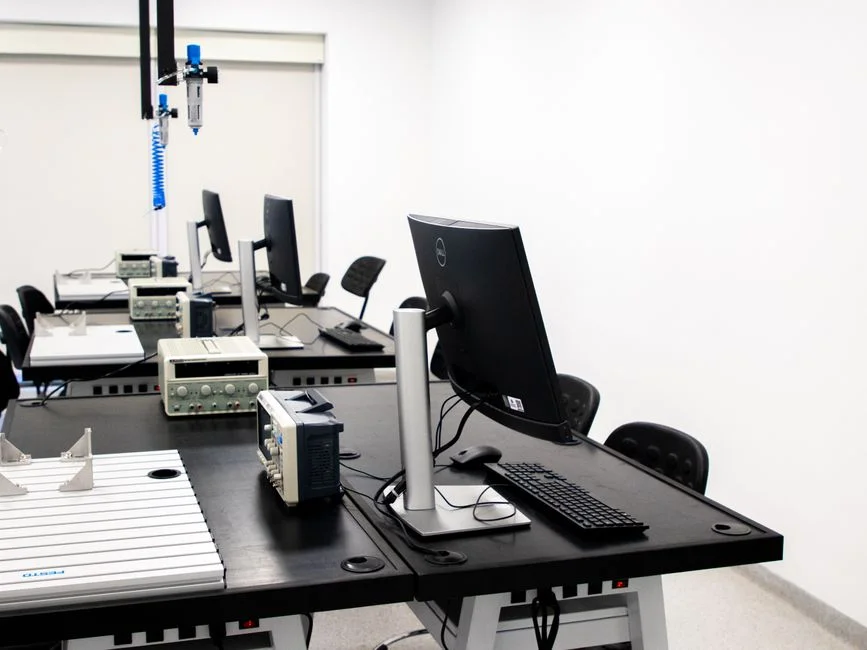

A software development laboratory is a dedicated, controlled environment designed to facilitate the entire software lifecycle, from conceptualization and development to testing, deployment, and operational monitoring. It provides a structured sandbox for engineers to innovate, experiment, and validate solutions with minimal impact on production systems, ensuring reliability and accelerating delivery.
In the current landscape of rapid technological evolution, the concept of a development laboratory has evolved beyond simple local setups. Modern software delivery demands environments that mirror production as closely as possible, offering high availability, scalability, and robust security. Cloud-native architectures, containerization, and Infrastructure as Code (IaC) have become foundational, driving the need for sophisticated, automated lab environments that support continuous integration and continuous delivery (CI/CD) pipelines. This shift reflects a broader industry adoption of practices that prioritize speed, quality, and operational stability across the development lifecycle.
Defining the Modern Software Development Laboratory
A modern software development laboratory is far more than just a collection of developer workstations. It is a strategically designed, isolated ecosystem where software engineers can construct, test, and refine applications in conditions that closely replicate production, without the inherent risks of direct interaction with live systems. The primary purpose is to provide a safe, reproducible, and scalable space for innovation and validation. This distinction from a mere ‘dev environment’ lies in its comprehensive scope, encompassing not just code compilation and execution, but also integration testing, performance benchmarking, security vulnerability assessments, and even disaster recovery simulations.
Key characteristics define the efficacy of such a laboratory. Firstly, **isolation** is paramount. Each project or feature branch should ideally operate within its own segregated environment to prevent cross-contamination and ensure that tests are run against a clean slate. Secondly, **reproducibility** guarantees that a given set of inputs will consistently yield the same outputs, which is critical for debugging and validating fixes. This relies heavily on version control for all configurations and dependencies. Thirdly, **scalability** ensures that the lab can dynamically adjust its resources to accommodate varying workloads, from individual developer sandboxes to large-scale integration test suites. Fourthly, **automation** is the backbone, minimizing manual intervention in setup, deployment, and teardown processes. Finally, **security** is integrated from the ground up, protecting intellectual property and preventing unauthorized access.
The evolution from physical laboratories, with their dedicated hardware and manual provisioning, to virtualized and now cloud-native laboratories has been transformative. Early virtualization offered some flexibility, but it was the advent of cloud computing, containers, and orchestration platforms like Kubernetes that truly democratized the creation and management of complex development environments. These technologies enable rapid provisioning of resources, fine-grained control over network topology, and programmatic management of infrastructure. The infrastructure aspect is central: whether leveraging virtual machines, container runtimes, Kubernetes clusters, or serverless functions, the lab’s underlying architecture dictates its capabilities and limitations. A well-designed lab mitigates risks associated with deploying untested code, fosters a culture of experimentation, and ultimately accelerates the delivery of high-quality software.
For instance, consider a scenario where a team is developing a new microservice. In a robust software development laboratory, an engineer can provision a dedicated environment that includes a replica of the production database schema, mock external services, and simulate varying network conditions. This environment, defined by Infrastructure as Code, can be spun up, used for testing, and torn down, all within minutes. This ephemeral nature not only saves costs by only utilizing resources when needed but also ensures that each test run starts from a known, consistent state. Such an approach significantly reduces the ‘it works on my machine’ syndrome and enhances confidence in the software’s behavior across different stages of the CI/CD pipeline. The integration of bespoke application development practices further benefits from these isolated environments, allowing for tailored testing strategies.
Moreover, the lab acts as a critical feedback loop for the development process. Automated tests executed within the lab provide immediate feedback on code changes, identifying regressions or new issues early. This early detection mechanism is vital for reducing the cost of fixing defects, as issues found in development are significantly cheaper to resolve than those discovered in production. By fostering an environment where engineers can safely break things and learn from failures, the software development laboratory becomes a catalyst for continuous improvement and engineering excellence. It transforms the development process from a sequential, often bottlenecked, activity into a parallel, agile, and highly responsive workflow, directly impacting the speed and reliability of software releases.
Architectural Principles for Cloud-Native Development Laboratories
Building a cloud-native software development laboratory requires adherence to several core architectural principles that maximize efficiency, consistency, and resilience. These principles are not merely guidelines; they are fundamental design tenets that enable the rapid provisioning, management, and scaling of development environments. The most prominent among these is **Infrastructure as Code (IaC)**, which advocates for defining and managing infrastructure using configuration files rather than manual processes. Tools like Terraform, AWS CloudFormation, and Pulumi allow teams to declare their desired infrastructure state, which is then provisioned and maintained programmatically. This ensures that every environment, from a developer’s sandbox to a staging replica, is identical in its configuration, eliminating configuration drift and improving reproducibility.
Another critical principle is **immutability**. In an immutable infrastructure paradigm, once a server or container is deployed, it is never modified in place. Instead, any changes or updates necessitate the creation of a new, updated instance, which then replaces the old one. This approach simplifies deployments, reduces the risk of snowflake servers, and makes rollbacks straightforward. For a development laboratory, immutable environments mean that developers are always working against a known, consistent base image or container, reducing environmental discrepancies that can lead to ‘works on my machine’ issues. This also aligns well with containerization technologies like Docker, where container images are built once and run anywhere.
**Ephemeral environments** are a direct consequence and a powerful application of IaC and immutability. An ephemeral environment is a temporary, single-use deployment of an application and its dependencies, typically created for a specific task like testing a feature branch, running a pull request check, or demonstrating a new capability. Once the task is complete, the environment is automatically torn down. This approach offers significant cost savings by only consuming resources when actively needed. It also ensures that each test run starts with a clean slate, free from residual state or side effects from previous operations. Self-service provisioning is often coupled with ephemeral environments, allowing developers to spin up their own isolated labs on demand, without waiting for operations teams.
**Modularity and reusability** are also vital. A well-architected lab breaks down infrastructure components into small, independent, and reusable modules. For example, a database module might define a PostgreSQL instance with specific configurations, which can then be instantiated multiple times across different lab environments. This not only accelerates environment creation but also promotes consistency and reduces maintenance overhead. When a change is needed, it can be applied to the module and propagated across all environments that use it. This modularity extends to application components, allowing developers to swap out different versions of services for integration testing.
The shift towards these cloud-native principles significantly enhances the development workflow. For example, when building a scalable notification system in Laravel, an architect can define the entire infrastructure, including queues, databases, and microservices, using Terraform. Each pull request can trigger an automated pipeline that provisions a temporary, isolated environment, deploys the notification system, runs comprehensive tests, and then destroys the environment. This ensures that every code change is validated against a production-like setup before merging, drastically reducing the chances of introducing bugs into the main branch.
Furthermore, these principles foster a culture of **DevOps** by blurring the lines between development and operations. Developers gain more control and responsibility over the environments where their code runs, while operations teams can focus on defining and maintaining the IaC templates and automation pipelines. This collaborative approach leads to faster feedback loops, improved quality, and a more efficient overall software delivery process. The careful application of these architectural principles transforms a simple development setup into a powerful, agile, and highly reliable software development laboratory.
Core Components of a Resilient Software Development Laboratory
A resilient software development laboratory is constructed from a carefully selected set of core components, each playing a crucial role in providing a robust, scalable, and secure environment. Understanding these components and their interplay is fundamental for any cloud architect designing such a system. The primary categories include compute, networking, storage, databases, and continuous integration/continuous deployment (CI/CD) tooling.
For **compute resources**, the choices typically revolve around Virtual Machines (VMs), containers, and serverless functions. VMs (e.g., AWS EC2, Google Compute Engine) offer traditional server-like environments, providing full control over the operating system. They are suitable for legacy applications or scenarios requiring specific OS configurations. Containers, primarily Docker, coupled with orchestration platforms like Kubernetes (AWS EKS, Google GKE, Azure AKS), represent a more modern, lightweight, and portable approach. Containers encapsulate an application and its dependencies, ensuring consistent execution across different environments. Kubernetes, in particular, enables automated deployment, scaling, and management of containerized applications, making it ideal for managing complex microservice architectures within a lab. Serverless functions (e.g., AWS Lambda, Google Cloud Functions) abstract away server management entirely, allowing developers to focus solely on code, which is highly efficient for event-driven architectures and individual microservices.
**Networking** components are critical for isolating lab environments, controlling traffic flow, and ensuring secure access. Virtual Private Clouds (VPCs) in AWS, Virtual Networks in Azure, or VPC Networks in Google Cloud provide logically isolated sections of the cloud where resources can be provisioned. Within a VPC, subnets segment the network, while security groups and network access control lists (NACLs) act as virtual firewalls, controlling inbound and outbound traffic at the instance and subnet levels, respectively. Private endpoints and VPNs are essential for securely connecting the lab to on-premises resources or corporate networks, ensuring that sensitive data or internal services are not exposed to the public internet. This granular control over networking is vital for maintaining the integrity and security of development and testing activities.
**Storage solutions** within a development lab must cater to various needs, from persistent data storage to temporary file systems. Object storage services (AWS S3, Google Cloud Storage) are ideal for storing large amounts of unstructured data, such as application logs, backup images, or build artifacts. Block storage (AWS EBS, Google Persistent Disk) provides high-performance, low-latency storage for VMs, suitable for operating systems and database volumes. Managed file storage services (AWS EFS, Google Cloud Filestore) offer shared file systems for applications that require concurrent access to files. The choice depends on the specific data access patterns and performance requirements of the applications being developed and tested.
**Managed database services** are almost universally preferred over self-managed databases in a cloud-native lab. Services like AWS RDS (for PostgreSQL, MySQL, SQL Server), Google Cloud SQL, and Azure SQL Database simplify database administration, including backups, patching, and scaling. These services allow developers to quickly provision production-like database instances with minimal operational overhead, enabling realistic data interaction patterns during testing. For NoSQL requirements, managed services like AWS DynamoDB, Google Cloud Datastore, or Azure Cosmos DB offer similar benefits for non-relational data.
Finally, **CI/CD tooling** orchestrates the automation within the lab. Services like AWS CodePipeline, GitLab CI/CD, GitHub Actions, or Jenkins automate the build, test, and deployment processes. These tools integrate with version control systems, triggering pipelines upon code commits. Within the lab, they provision ephemeral environments, run automated tests (unit, integration, end-to-end), perform static code analysis, and deploy applications to staging environments. The output of these pipelines, including test results and deployment statuses, provides crucial feedback to developers. This comprehensive set of components, when properly configured and integrated, forms the backbone of a highly effective and resilient software development laboratory, empowering teams to deliver high-quality software with speed and confidence.
Implementing Infrastructure as Code for Lab Provisioning
Implementing Infrastructure as Code (IaC) is not just a best practice, but a foundational requirement for building and managing a modern software development laboratory. IaC transforms infrastructure from a manual, error-prone process into an automated, version-controlled, and reproducible asset. The core idea is to define your infrastructure, including servers, networks, databases, and configurations, using human-readable configuration files. These files are then used by tools to automatically provision and manage resources, ensuring consistency across all environments.
The primary benefits of IaC in a lab setting are immense. Firstly, **reproducibility**: By defining infrastructure in code, you can guarantee that every time an environment is provisioned, it will be identical. This eliminates configuration drift and the dreaded ‘it works on my machine’ problem. Secondly, **speed and efficiency**: Automated provisioning significantly reduces the time it takes to set up new environments or tear down old ones, enabling rapid iteration and testing. Thirdly, **version control**: Infrastructure definitions can be stored in a version control system (like Git), allowing teams to track changes, revert to previous states, and collaborate effectively. This also provides an audit trail for all infrastructure modifications. Fourthly, **cost optimization**: With IaC, ephemeral environments can be easily spun up for testing and then decommissioned, ensuring resources are only consumed when needed. Finally, **risk reduction**: Automated deployments reduce human error and provide a predictable process, leading to more stable and reliable environments.
Several powerful tools facilitate IaC implementation. **Terraform** from HashiCorp is cloud-agnostic, supporting a wide range of cloud providers (AWS, Azure, Google Cloud) and on-premises solutions. It uses a declarative configuration language (HCL) to define infrastructure resources. A typical Terraform workflow involves writing configuration files, planning the changes, and then applying them. **AWS CloudFormation** is Amazon’s native IaC service, offering deep integration with AWS services. It uses JSON or YAML templates to define resources. Similarly, **Azure Resource Manager (ARM) Templates** and **Google Cloud Deployment Manager** serve the same purpose within their respective ecosystems.
Consider a practical example using Terraform to provision a development environment. A `main.tf` file might define an AWS VPC, subnets, security groups, an EC2 instance for the application server, and an RDS PostgreSQL database. Variables can be used to parameterize environment-specific settings, such as instance types or database sizes. This allows the same Terraform configuration to be used for different development labs, perhaps with varying resource allocations. The code snippet below illustrates a simplified Terraform configuration for an EC2 instance:
# main.tf for a development lab EC2 instance on AWS

resource "aws_vpc" "dev_vpc" {
  cidr_block = "10.0.0.0/16"
  tags = {
    Name = "dev-vpc"
  }
}

resource "aws_subnet" "dev_subnet" {
  vpc_id     = aws_vpc.dev_vpc.id
  cidr_block = "10.0.1.0/24"
  availability_zone = "us-east-1a"
  tags = {
    Name = "dev-subnet"
  }
}

resource "aws_security_group" "dev_sg" {
  vpc_id = aws_vpc.dev_vpc.id
  name   = "dev-sg"
  description = "Allow SSH and HTTP for dev"

  ingress {
    from_port   = 22
    to_port     = 22
    protocol    = "tcp"
    cidr_blocks = ["0.0.0.0/0"] # Restrict this in production!
  }

  ingress {
    from_port   = 80
    to_port     = 80
    protocol    = "tcp"
    cidr_blocks = ["0.0.0.0/0"]
  }

  egress {
    from_port   = 0
    to_port     = 0
    protocol    = "-1"
    cidr_blocks = ["0.0.0.0/0"]
  }
}

resource "aws_instance" "dev_app_server" {
  ami           = "ami-0abcdef1234567890" # Replace with a valid AMI ID
  instance_type = "t3.micro"
  subnet_id     = aws_subnet.dev_subnet.id
  security_groups = [aws_security_group.dev_sg.name]
  key_name      = "dev-key-pair" # Ensure this key pair exists

  tags = {
    Name        = "DevAppServer"
    Environment = "Development"
  }

  user_data = <<-EOF
    #!/bin/bash
    sudo yum update -y
    sudo yum install -y httpd
    sudo systemctl start httpd
    sudo systemctl enable httpd
    echo "<h1>Hello from DevAppServer!</h1>" | sudo tee /var/www/html/index.html
  EOF
}
This snippet demonstrates how a simple EC2 instance, along with its network configuration, can be defined declaratively. The `user_data` script even automates initial software installation, making the instance ready for application deployment immediately after provisioning. Integrating IaC with CI/CD pipelines ensures that every code change can trigger an environment spin-up, deployment, testing, and teardown, creating a highly efficient and reliable development workflow. This systematic approach is critical for managing the complexity of modern distributed systems and ensuring that development efforts are consistently validated against a controlled environment.
Orchestration and Automation in Lab Environments
Orchestration and automation are the twin pillars supporting the agility and efficiency of a modern software development laboratory. Without them, the benefits of cloud-native infrastructure and IaC would be severely limited by manual bottlenecks and human error. Orchestration refers to the automated configuration, coordination, and management of complex computer systems, applications, and services. Automation, in this context, is the execution of tasks or sequences of tasks without manual intervention. Together, they streamline every aspect of the lab lifecycle, from environment provisioning to testing and deployment.
At the heart of orchestration in cloud-native labs are platforms like **Kubernetes**. Kubernetes excels at managing containerized workloads, automating tasks such as deployment, scaling, self-healing, and load balancing. In a development laboratory, Kubernetes allows teams to define their application’s desired state (e.g., number of replicas, resource limits, network policies) and then continuously works to maintain that state. This is invaluable for microservice architectures, where numerous services need to be deployed and interconnected. For instance, a development team can deploy a full replica of their production microservices architecture into a Kubernetes cluster within the lab, enabling realistic integration testing. Kubernetes also supports namespaces, providing logical isolation for different projects or teams within the same cluster, further enhancing the multi-tenant capabilities of a shared lab environment.
Beyond container orchestration, broader automation encompasses the entire CI/CD pipeline. **CI/CD tools** such as GitLab CI/CD, GitHub Actions, Jenkins, or AWS CodePipeline automate the process of building, testing, and deploying software. A typical automated workflow in a development lab might look like this:
- A developer pushes code to a version control repository (e.g., Git).
- The CI/CD pipeline is triggered, initiating a build process (e.g., compiling code, building Docker images).
- Automated tests (unit, integration, end-to-end) are executed within an ephemeral lab environment provisioned by IaC.
- Static analysis, security scans, and code quality checks are performed.
- If all tests pass, the application is deployed to a staging environment within the lab for further manual testing or user acceptance testing (UAT).
- Upon approval, the application can be deployed to production.
This automated flow significantly reduces the time from code commit to deployment, enabling rapid feedback to developers and ensuring that only thoroughly tested code reaches production. The Laravel Pulse monitoring system, for example, could be deployed and tested within such an automated pipeline, ensuring its performance and functionality are validated before release.
Another critical aspect of automation in the lab is **configuration management**. Tools like Ansible, Chef, or Puppet automate the configuration of operating systems and applications. While containerization and immutable infrastructure reduce the need for traditional configuration management on individual servers, these tools are still valuable for configuring base images, managing shared services, or setting up complex networking rules within the lab. They ensure that all components are configured consistently, further enhancing reproducibility.
Monitoring and logging solutions are also integral to automation. Automated alerts triggered by predefined thresholds (e.g., high CPU usage, error rates) can notify developers of issues in their lab environments, allowing for proactive resolution. Centralized logging systems (e.g., ELK Stack, Splunk, Datadog) aggregate logs from all lab components, providing a unified view for troubleshooting and performance analysis. This combination of orchestration and automation creates a highly dynamic, self-managing, and efficient software development laboratory, empowering teams to deliver high-quality software at an accelerated pace while maintaining operational stability.
Security Best Practices for Development Laboratories
Securing a software development laboratory is as critical as securing production environments, as vulnerabilities introduced or exposed in development can propagate throughout the software lifecycle. A lax security posture in the lab can lead to intellectual property theft, data breaches, or the introduction of malicious code into production systems. Therefore, a comprehensive security strategy must be integrated into the design and operation of the development laboratory from its inception.
One of the foremost best practices is **network segmentation and isolation**. The development laboratory should be logically isolated from production environments and other sensitive networks using VPCs, subnets, and robust firewall rules. Security groups and Network Access Control Lists (NACLs) should be configured to restrict traffic to only what is absolutely necessary. For example, direct inbound SSH access to development servers from the public internet should be avoided; instead, access should be channeled through a bastion host or VPN, with strict IP whitelisting. This minimizes the attack surface and prevents unauthorized access to development resources.
**Principle of Least Privilege (PoLP)** must be rigorously applied to all users and services within the lab. Developers should only have the minimum necessary permissions to perform their tasks. This means limiting IAM (Identity and Access Management) roles and policies to specific resources and actions. For automated processes, dedicated service accounts with tightly scoped permissions should be used. For instance, a CI/CD pipeline deploying to a development environment should only have permissions to deploy within that specific environment, not to production or other sensitive areas. Regular audits of IAM policies are essential to ensure compliance and identify any overly permissive access.
**Data security** is another paramount concern. While development environments should ideally use anonymized or synthetic data, if real production data must be used, it should be heavily sanitized and encrypted both in transit and at rest. Access to sensitive data, even in development, should be strictly controlled and monitored. Data loss prevention (DLP) mechanisms can help identify and prevent the exfiltration of sensitive information. Furthermore, regular backups of critical development data, such as database schemas and configuration files, should be implemented to ensure recoverability in case of data corruption or accidental deletion.
**Vulnerability management and patching** are ongoing processes. All operating systems, libraries, and application dependencies used in the lab must be regularly updated to patch known vulnerabilities. Automated vulnerability scanning tools should be integrated into the CI/CD pipeline to scan container images and application code for security flaws before deployment. This proactive approach helps identify and remediate vulnerabilities early in the development cycle, reducing the risk of them reaching production. Supply chain security, including vetting third-party components, is also crucial.
Finally, **security auditing and logging** provide visibility into activities within the lab. Centralized logging of all security-relevant events, such as access attempts, configuration changes, and deployment activities, is essential. These logs should be regularly reviewed and monitored for suspicious patterns. Integration with Security Information and Event Management (SIEM) systems can provide real-time alerting on potential security incidents. Regular security training for developers on secure coding practices and common vulnerabilities (e.g., OWASP Top 10) further strengthens the overall security posture of the software development laboratory. By adopting these best practices, organizations can ensure that their development efforts are not only efficient but also secure against evolving threats.
Monitoring and Observability in Lab Environments
Effective monitoring and observability are as crucial in a software development laboratory as they are in production, albeit with slightly different focuses. In the lab, the goal is not just to detect outages, but to provide deep insights into application behavior, resource utilization, and performance characteristics during development and testing. This proactive approach helps identify performance bottlenecks, resource leaks, and unexpected behaviors early, preventing them from impacting production. Observability, a superset of monitoring, focuses on understanding the internal state of a system by examining its external outputs, specifically metrics, logs, and traces.
The foundation of monitoring in a development lab involves collecting comprehensive **metrics**. These include infrastructure metrics (CPU utilization, memory usage, disk I/O, network throughput) for VMs, containers, and databases, as well as application-level metrics (request rates, error rates, latency, queue lengths). Cloud providers offer native monitoring services like AWS CloudWatch, Google Cloud Monitoring, and Azure Monitor, which can collect and visualize these metrics. For containerized environments, tools like Prometheus and Grafana are commonly used to scrape metrics from Kubernetes clusters and visualize them through dashboards. The key is to establish baselines for expected performance during development and to set up alerts for deviations that might indicate a problem.
**Logging** is the second pillar of observability. Every component in the lab, from web servers and application containers to databases and CI/CD pipelines, should emit logs. These logs provide a detailed narrative of events, errors, and application flow. Centralized logging solutions are indispensable for aggregating, storing, and analyzing these logs. Tools like the ELK Stack (Elasticsearch, Logstash, Kibana), Splunk, or cloud-native services like AWS CloudWatch Logs and Google Cloud Logging allow developers to search, filter, and correlate logs across multiple services. This is particularly vital for debugging distributed microservice architectures, where an issue might span several interconnected components. Structured logging, where logs are emitted in a consistent JSON format, further enhances their parseability and analytical value.
**Distributed tracing** provides a holistic view of requests as they flow through complex, distributed systems. In a microservice-based lab, a single user request might traverse multiple services, databases, and message queues. Tracing tools (e.g., OpenTelemetry, Jaeger, Zipkin) instrument the code to generate unique trace IDs for each request, allowing developers to visualize the entire path of a request, identify latency hotspots, and pinpoint which service is causing a delay or error. This is invaluable for performance tuning and troubleshooting in environments that closely mirror production complexity.
Integrating these observability tools into the CI/CD pipeline is a powerful practice. During automated integration and performance tests, metrics can be captured and compared against predefined thresholds. Log analysis can automatically detect specific error patterns, and traces can highlight performance regressions. For example, if a new feature branch introduces a significant increase in database query latency, the monitoring system can flag this during automated tests, preventing the change from being merged. This proactive feedback loop is crucial for maintaining the performance and stability of the application throughout its development cycle.
Furthermore, the lab environment itself benefits from monitoring. Tracking the utilization of cloud resources within the lab helps optimize costs and ensure that resources are available when needed. For instance, if a specific type of VM is consistently underutilized, the IaC configuration can be adjusted to use a smaller instance type. Conversely, if a test environment frequently runs out of memory, it signals a need to allocate more resources or optimize the application. By continuously monitoring and observing the development laboratory, teams can ensure it remains an efficient, reliable, and high-performing platform for software innovation.
Testing Strategies within the Development Laboratory
The software development laboratory is the primary arena for validating software quality through comprehensive testing. A well-defined testing strategy within this environment is crucial for identifying defects early, ensuring functional correctness, and verifying performance and security. The lab provides the necessary isolation and reproducibility to execute various types of tests reliably, from granular unit tests to broad end-to-end scenarios.
The testing pyramid, a widely accepted model, suggests a hierarchy of test types: a large base of fast, inexpensive unit tests, a smaller layer of integration tests, and an even smaller apex of slow, expensive end-to-end tests. In the development laboratory, all these layers are critical. **Unit tests** focus on individual components or functions in isolation. They are typically run by developers on their local machines or as part of the initial CI pipeline stage. The lab ensures that the environment for running these tests, including dependencies, is consistent.
**Integration tests** verify the interaction between different components or services. In a microservice architecture, this means ensuring that Service A correctly communicates with Service B, or that the application layer correctly interacts with the database. The lab environment is ideal for integration tests because it can provision multiple services and their dependencies, mimicking the real-world deployment. These tests often involve spinning up a dedicated, ephemeral environment for the specific services under test, complete with mock external dependencies or actual test databases. For instance, testing a new feature in a Laravel application might involve deploying the Laravel service and its associated MySQL database into a temporary lab instance to verify API interactions and data persistence.
**End-to-end (E2E) tests** simulate real user interactions across the entire application stack, from the user interface to the backend services and databases. These are the most complex and slowest tests, but they provide the highest confidence in the overall system’s functionality. E2E tests often require a fully provisioned, production-like environment within the lab. Tools like Selenium, Cypress, or Playwright automate browser interactions for web applications. The lab ensures that all necessary services, external integrations, and data are available in a consistent state for these tests to run reliably. This is where the value of IaC and automated provisioning truly shines, allowing for the creation of identical E2E test environments on demand.
Beyond functional testing, the lab also supports crucial non-functional testing. **Performance testing**, including load and stress testing, evaluates how the application behaves under various traffic loads. Tools like JMeter or k6 can simulate thousands of concurrent users hitting the application endpoints in the lab, identifying bottlenecks and scalability limits before deployment. This helps in understanding the application’s breaking points and capacity planning. **Security testing**, as mentioned previously, involves vulnerability scanning, penetration testing, and compliance checks within the isolated lab environment to identify and remediate security flaws. Furthermore, **chaos engineering** experiments can be conducted in a controlled lab setting to deliberately introduce failures (e.g., network latency, service outages) to test the system’s resilience and fault tolerance.
The integration of these testing strategies into the automated CI/CD pipeline is paramount. Every code change should trigger a suite of relevant tests in an isolated lab environment. If any tests fail, the pipeline should halt, providing immediate feedback to the developer. This shift-left approach to testing, where quality is built in from the earliest stages of development, is a hallmark of an effective software development laboratory. It transforms testing from a late-stage bottleneck into a continuous, integral part of the development process, leading to higher quality software and faster delivery cycles.
Managing Data and State in Development Laboratories
Effectively managing data and state within a software development laboratory presents unique challenges. The goal is to provide realistic data for testing without compromising sensitive information, ensuring reproducibility across test runs, and minimizing resource consumption. This involves careful consideration of data generation, obfuscation, synchronization, and database management strategies.
One of the primary concerns is the use of production data. Directly using production data in development or testing environments carries significant risks, including privacy violations, legal liabilities, and exposure of sensitive information. Therefore, a critical best practice is to avoid using live production data whenever possible. Instead, strategies like **data anonymization, pseudonymization, or synthetic data generation** should be employed. Anonymization removes personally identifiable information (PII) from datasets, while pseudonymization replaces PII with artificial identifiers. Synthetic data generation creates entirely new datasets that mimic the statistical properties of real data but contain no actual sensitive information. Tools and services exist to facilitate these processes, ensuring that test data is realistic enough for validation but safe for use in non-production environments.
Ensuring **reproducibility of state** is fundamental for reliable testing. When a test is run multiple times, it should ideally produce the same outcome, assuming the code and environment are unchanged. This often means starting each test run with a clean, known database state. Strategies for achieving this include:
- Database seeding: Populating the database with a predefined set of test data at the beginning of each test suite or before each individual test. Frameworks like Laravel offer robust database seeding capabilities.
- Database snapshots/cloning: For larger datasets, taking snapshots of a baseline database state and restoring them before each test run can be more efficient than seeding. Cloud-managed database services often provide snapshot features.
- Ephemeral databases: Using in-memory databases (like SQLite for certain tests) or containerized database instances that are spun up and torn down with each test run ensures a fresh start every time.
For persistent data that needs to be shared or maintained across longer-lived lab environments, **version control for schemas and migrations** is essential. Database schema changes should be managed through migrations, allowing teams to track changes, apply them consistently across environments, and revert if necessary. This aligns with the IaC principle, extending code-based management to database structures. Tools like Laravel Migrations or Alembic for Python are excellent examples of this approach.
Managing **external service dependencies** also falls under state management. In a complex application, many services might depend on external APIs, third-party services, or other microservices. In a development lab, it is often impractical or undesirable to connect to actual external services for every test run. Instead, **mocking, stubbing, or service virtualization** techniques are used. Mock servers can simulate the behavior of external APIs, returning predefined responses for specific requests. This allows developers to test their service in isolation, control external responses, and avoid rate limits or costs associated with real external services. For example, when developing an e-commerce platform, the payment gateway integration can be mocked to simulate successful and failed transactions without processing real payments.
Finally, **data synchronization** between different lab environments or between development and staging can be a challenge. While full synchronization with production is generally avoided for security and privacy reasons, some level of data consistency might be required. This can be achieved through automated scripts that periodically refresh anonymized data from production or by establishing data pipelines that transform and load data into development databases. The overarching principle is to treat all data, even in development, with the same level of care as production data, ensuring its integrity, security, and relevance for accurate testing and development.
Scaling and Cost Optimization for Cloud-Based Laboratories
Scaling and cost optimization are critical considerations for cloud-based software development laboratories. While the cloud offers immense flexibility and on-demand resources, inefficient management can lead to escalating costs and underutilized infrastructure. A well-architected lab balances the need for developer agility and robust testing capabilities with judicious resource allocation and cost control mechanisms.
**Elasticity and Auto-Scaling** are fundamental for efficient scaling. Instead of provisioning static, oversized environments, cloud-native labs should leverage auto-scaling capabilities. For compute resources like Kubernetes clusters, tools such as Cluster Autoscaler (for Kubernetes) can automatically adjust the number of nodes based on workload demand, spinning up new nodes when CPU or memory thresholds are breached and scaling down during periods of low activity. Similarly, horizontal pod autoscalers (HPAs) can scale individual application replicas within a cluster based on metrics. For stateless applications, serverless functions (e.g., AWS Lambda) offer inherent auto-scaling, only consuming resources when invoked, making them extremely cost-efficient for event-driven workflows common in development and testing.
**Ephemeral environments** are a cornerstone of cost optimization. As discussed previously, the ability to provision an environment for a specific task (e.g., a pull request review, a feature branch test) and then automatically tear it down immediately after use drastically reduces resource consumption. Instead of maintaining dozens of persistent staging environments, teams can spin up temporary environments on demand. This principle extends to databases, where containerized or in-memory databases can be used for short-lived tests, avoiding the cost of always-on managed database instances. Implementing automated cleanup routines for unused or stale resources is paramount; forgotten resources are a common source of cloud cost overruns.
**Right-sizing resources** is another key strategy. This involves continuously monitoring resource utilization (CPU, memory, disk I/O) within the lab and adjusting instance types or container resource limits to match actual needs. Often, developers might over-provision resources out of caution, leading to unnecessary expenses. Tools for cloud cost management and optimization can analyze usage patterns and recommend optimal resource configurations. For example, if a development VM is consistently using only 10% of its allocated CPU, it can be downsized to a smaller, less expensive instance type without impacting performance.
**Strategic use of managed services** can also contribute to cost savings and operational efficiency. While self-managing services might seem cheaper upfront, the operational overhead, including patching, backups, and scaling, often outweighs the cost savings. Managed database services, message queues, and CI/CD pipelines offload these responsibilities to the cloud provider, allowing development teams to focus on core product development. Although managed services have a direct cost, they often lead to a lower total cost of ownership (TCO) in the long run by reducing engineering effort.
Finally, **cost visibility and governance** are essential. Implementing tagging strategies for all cloud resources (e.g., `project:my-app`, `environment:dev`, `owner:john-doe`) allows for accurate cost allocation and reporting. This enables teams to understand where their cloud spend is going and identify areas for optimization. Setting up budget alerts and implementing policy-driven governance (e.g., restricting the creation of overly expensive instance types in development environments) helps prevent uncontrolled spending. By proactively managing resource allocation, embracing ephemeral infrastructure, and maintaining clear cost visibility, cloud architects can ensure that the software development laboratory remains a powerful and cost-effective engine for innovation.
Disaster Recovery and High Availability for Lab Infrastructure
While a development laboratory is not a production environment, its reliability and availability are crucial for maintaining developer productivity and meeting delivery timelines. A loss of the lab environment, even temporarily, can halt development, delay releases, and incur significant costs. Therefore, implementing robust disaster recovery (DR) and high availability (HA) strategies for the lab’s core infrastructure is a vital, though often overlooked, aspect of cloud architecture.
Disaster recovery for a development laboratory focuses on the ability to rapidly restore critical services and data after a significant failure (e.g., regional outage, accidental deletion of resources). Key elements include:
- **Infrastructure as Code (IaC) for everything:** Since the entire lab infrastructure is defined in code, disaster recovery becomes a matter of re-deploying the infrastructure from version-controlled templates to a new region or availability zone. This is significantly faster and more reliable than manual reconstruction.
- **Regular backups of critical data:** While most lab data is ephemeral or can be regenerated, certain data, such as database schemas, test data sets, critical configuration files, or build artifacts, must be backed up. Cloud-native backup solutions (e.g., AWS Backup, Google Cloud Backup and DR) can automate snapshots of databases, block storage, and object storage. These backups should be stored redundantly, ideally in a separate region.
- **Recovery Time Objective (RTO) and Recovery Point Objective (RPO):** Defining clear RTO (maximum acceptable downtime) and RPO (maximum acceptable data loss) for the lab helps in selecting appropriate DR strategies. For a development lab, RTO and RPO might be more flexible than for production, but they still need to be established to guide recovery efforts.
- **Automated recovery procedures:** DR plans should not just be documented; they should be regularly tested through automated drills. This ensures that the IaC templates are functional and that the recovery process is well-understood and efficient.
High availability, on the other hand, aims to prevent downtime by eliminating single points of failure within the lab’s operational components. This ensures that the lab remains accessible and functional even if individual components fail. Key HA strategies include:
- **Multi-Availability Zone (AZ) deployments:** Deploying critical lab services, such as Kubernetes control planes, shared CI/CD runners, or managed databases, across multiple availability zones within a single cloud region. If one AZ experiences an outage, services can automatically failover to resources in another AZ.
- **Load balancing:** Distributing incoming traffic across multiple instances of an application or service. This not only improves performance but also ensures that if one instance fails, traffic is routed to healthy instances.
- **Redundant services:** Running multiple instances of critical services (e.g., CI/CD agents, artifact repositories) in an active-active or active-passive configuration.
- **Automated self-healing:** Leveraging orchestration platforms like Kubernetes to automatically detect and replace unhealthy containers or nodes. If a container fails, Kubernetes can automatically restart it or schedule it on a healthy node.
For example, a shared Kubernetes cluster used for integration testing across multiple teams would be considered critical lab infrastructure. To ensure its HA, the control plane nodes would be distributed across multiple AZs, and the worker nodes would be managed by an auto-scaling group that spans multiple AZs. Persistent volumes for critical data would use highly available storage solutions. The CI/CD system itself, which orchestrates the lab, would also be designed for HA, with redundant build agents and a highly available control plane. By thoughtfully applying these DR and HA principles, cloud architects can build a software development laboratory that is not only powerful and efficient but also resilient against unforeseen failures, safeguarding developer productivity and accelerating software delivery.
Future Trends in Software Development Laboratory Evolution
The landscape of software development is in constant flux, and the evolution of the software development laboratory mirrors these changes. Several emerging trends are shaping how these environments will be designed, managed, and utilized in the coming years, pushing towards even greater automation, intelligence, and integration.
One significant trend is the increasing adoption of **developer experience (DX) platforms**. These platforms aim to abstract away infrastructure complexities, providing developers with self-service portals and pre-configured environments that are instantly ready for coding. Instead of manually configuring cloud resources or wrestling with IaC, developers interact with a higher-level interface that provisions their desired lab environment with a single click. This reduces cognitive load, accelerates onboarding for new engineers, and ensures consistency across development teams. These platforms often leverage internal developer portals, offering a curated set of tools and services tailored to the organization’s needs.
**AI and Machine Learning (ML) integration** are poised to revolutionize lab operations. AI can be used for intelligent resource optimization, dynamically adjusting lab resources based on predicted demand or identifying cost-saving opportunities. ML algorithms can analyze historical test data to predict potential failure points, prioritize test cases, or even generate synthetic test data more effectively. AI-powered code analysis tools are becoming more sophisticated, identifying bugs, security vulnerabilities, and performance issues earlier in the development cycle, further enhancing the lab’s validation capabilities. Imagine a lab environment that automatically adjusts its compute capacity for performance tests based on the expected load for a new feature, or one that suggests optimal database indexes based on observed query patterns during development.
The concept of **GitOps for environment management** is gaining traction. GitOps extends the principles of IaC and CI/CD to operational tasks, using Git as the single source of truth for declarative infrastructure and application configurations. In a GitOps-driven lab, any change to the environment, whether it’s provisioning a new service or updating a configuration, is initiated by a Git commit. Automated tools then detect these changes and apply them to the environment. This provides a clear audit trail, simplifies rollbacks, and enhances the security and reliability of lab provisioning and management, aligning perfectly with the need for reproducible environments.
**Edge computing and specialized hardware labs** will become more prevalent as applications extend beyond traditional cloud data centers. For development teams working on IoT, AI/ML inference at the edge, or real-time embedded systems, the traditional cloud-based lab might not suffice. Specialized labs that include hardware emulators, physical devices, or edge compute clusters will be necessary to simulate real-world conditions accurately. This introduces new challenges in provisioning, managing, and integrating these diverse environments into a cohesive development workflow.
Finally, the emphasis on **sustainability and green computing** will influence lab design. Architects will increasingly consider the energy consumption of their development environments, opting for more efficient cloud services, optimizing resource utilization, and automatically shutting down unused resources. This aligns with broader corporate responsibility goals and pushes for more mindful infrastructure consumption. These trends collectively point towards development laboratories that are more intelligent, autonomous, and seamlessly integrated into the entire software delivery pipeline, further accelerating innovation and enhancing software quality.
Building a Software Development Laboratory with NR Studio
Establishing a robust and efficient software development laboratory is a complex undertaking, requiring deep expertise in cloud architecture, DevOps practices, and security. For growing businesses, startups, and enterprises seeking to modernize their development workflows, partnering with a specialized firm like NR Studio can accelerate this process and ensure a high-quality, scalable outcome. NR Studio brings extensive experience in designing, implementing, and maintaining custom software solutions, making us uniquely positioned to build and optimize your development laboratory infrastructure.
Our approach begins with a comprehensive assessment of your current development practices, existing infrastructure, and long-term strategic goals. We understand that a one-size-fits-all solution is ineffective. Whether you require a lab for custom web development, mobile app development, or complex SaaS development, our team tailors the architecture to your specific needs. This involves identifying the optimal cloud provider (AWS, Google Cloud, Azure), selecting appropriate compute and storage solutions, and designing a secure network topology that aligns with your operational requirements.
A core strength of NR Studio is our proficiency in Infrastructure as Code (IaC) and automation. We leverage tools like Terraform, CloudFormation, and advanced CI/CD pipelines to ensure that your development laboratory is provisioned, managed, and scaled programmatically. This guarantees reproducibility, minimizes manual errors, and drastically reduces the time it takes to spin up or tear down environments. Our expertise extends to containerization with Docker and orchestration with Kubernetes, enabling us to build highly flexible and scalable lab environments that can host microservice architectures with ease. This means your developers can focus on writing code, not on infrastructure management.
Security is paramount in every solution we deliver. We embed security best practices into the very fabric of your development laboratory, implementing strict network segmentation, least privilege access controls, and automated vulnerability scanning. Our architects design environments that protect your intellectual property and sensitive data, ensuring that your development activities do not introduce unnecessary risks to your production systems. Furthermore, we integrate comprehensive monitoring and observability solutions, providing deep insights into your lab’s performance, resource utilization, and application behavior, enabling proactive issue resolution and continuous optimization.
Beyond initial setup, NR Studio offers ongoing support and maintenance for your development laboratory. This includes continuous optimization for cost and performance, regular security audits, and adapting the lab infrastructure to evolving technological trends and business needs. Our goal is to create a resilient, high-performing development environment that empowers your engineering teams to innovate faster, deliver higher quality software, and maintain a competitive edge. By partnering with us, you gain access to a team of senior software engineers and cloud architects dedicated to building the foundational infrastructure for your future success in software development.
The modern software development laboratory is an indispensable asset for any organization committed to delivering high-quality software with speed and confidence. Far from being a mere collection of developer tools, it is a sophisticated, cloud-native ecosystem built upon principles of Infrastructure as Code, automation, and robust security. By providing isolated, reproducible, and scalable environments, these laboratories empower engineers to innovate, test rigorously, and validate solutions without impacting production. The strategic implementation of core components, comprehensive testing strategies, and meticulous data management ensures that development efforts are efficient and reliable.
As technology continues to advance, the evolution of these labs will further integrate intelligence, automation, and specialized environments. For businesses navigating this complex landscape, a well-architected software development laboratory is not just a technical necessity but a strategic advantage, fostering agility, reducing risks, and ultimately accelerating the journey from concept to market.
Explore our complete Laravel, Basics directory for more guides.
NR Studio builds custom web apps, mobile apps, SaaS platforms, and internal tools for growing businesses. If you’re working through a technical decision, feel free to reach out — no commitment required.