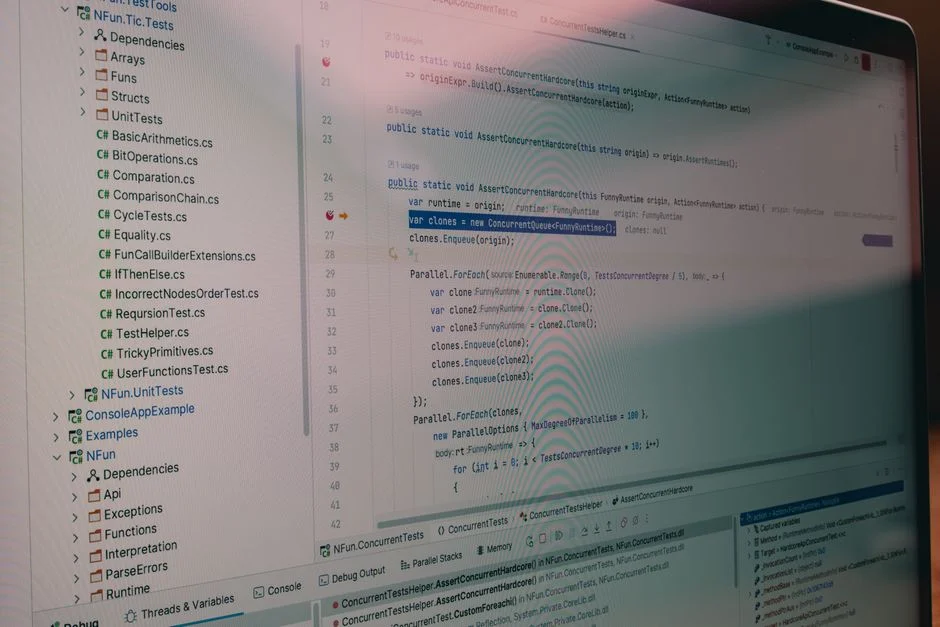

In any software development lifecycle, the term ‘artifact’ refers to the tangible byproducts generated throughout the process. From the initial lines of source code to the final deployable container image, these artifacts represent the concrete output of engineering effort. While developers and project managers view them as milestones and deliverables, a security engineer sees something different: a sprawling landscape of potential vulnerabilities, attack surfaces, and compliance liabilities.
Every artifact, whether it’s a simple configuration file, a compiled binary, or a detailed test report, carries inherent risk. It can contain hardcoded secrets, rely on libraries with known exploits, expose internal system architecture, or fail to meet regulatory data handling requirements. The management, storage, and transmission of these artifacts are not merely logistical concerns; they are critical security functions. Mismanaging them is equivalent to leaving the blueprints and keys to your production environment out in the open.
This analysis moves beyond simple definitions to dissect software artifacts from a security-first perspective. We will examine the lifecycle of various artifact types, identify the specific threats they introduce at each stage, and outline the necessary controls to mitigate those risks. For any organization building software, understanding artifacts through this lens is fundamental to building a resilient and defensible security posture.
Deconstructing the Term: A Taxonomy of Software Artifacts
From a security standpoint, not all artifacts are created equal. Their format, content, and purpose dictate the types of threats they present. To manage risk effectively, we must first categorize these outputs. A useful taxonomy breaks them down into several key families, each with a unique risk profile.
1. Source Code & Configuration Artifacts
These are the human-readable instructions and parameters that define the application’s behavior. They are the most foundational artifacts and often the most sensitive.
- Source Code: The raw `.php`, `.ts`, `.js`, or `.java` files written by developers. The primary risks include insecure coding patterns that lead to vulnerabilities like SQL Injection or Cross-Site Scripting (XSS), and the accidental inclusion of hardcoded credentials (API keys, database passwords).
- Configuration Files: Files like `docker-compose.yml`, Kubernetes manifests, `.env` files, or Terraform `.tf` state files. These artifacts are exceptionally high-risk as they explicitly define infrastructure, network rules, and often contain direct references to secrets or sensitive environment variables. A leaked Terraform state file can expose your entire cloud infrastructure.
- Build Scripts: Jenkinsfiles, GitHub Actions workflows (`.github/workflows/`), or GitLab CI (`.gitlab-ci.yml`) files. These scripts orchestrate the build and deployment process. A vulnerability here could allow an attacker to poison the build process, inject malicious code into a final artifact, or exfiltrate secrets used during CI/CD runs.
2. Compiled & Packaged Artifacts
These are the machine-readable outputs of the build process, ready for execution or distribution. Their opaque nature makes them a prime vector for hiding malicious code or outdated dependencies.
- Compiled Binaries: Executables (`.exe`), shared libraries (`.dll`, `.so`), or Java Archives (`.jar`, `.war`). The main security concern is the ‘supply chain’—specifically, the third-party libraries and dependencies compiled into them. A single vulnerable library, like the infamous Log4j, can compromise the entire application.
- Container Images: Docker or OCI images. These are layered file systems bundling the application code, its runtime, libraries, and operating system dependencies. Images can contain OS-level vulnerabilities (e.g., an outdated version of `openssl`), vulnerable application dependencies, hardcoded secrets in a layer, or be misconfigured to run with excessive privileges (e.g., as the root user).
3. Documentation & Reporting Artifacts
Often overlooked, these artifacts can provide attackers with a roadmap of your systems or expose sensitive operational data.
- Architectural Diagrams: Visual representations of system design. While essential for development, in the wrong hands they reveal network topology, database locations, and internal service endpoints, providing a clear map for lateral movement within your network.
- Test Reports & Logs: Outputs from unit tests, integration tests, and QA processes. These can inadvertently contain sensitive data used for testing, full stack traces that expose software versions and file paths, or internal IP addresses. Build logs from a CI/D pipeline are a common source of information leakage.
- Security Scan Results: Reports from SAST (Static Application Security Testing), DAST (Dynamic Application Security Testing), and SCA (Software Composition Analysis) tools. While created to improve security, these artifacts are a prioritized list of all known weaknesses in your application. Their exposure is a catastrophic failure, handing an attacker a checklist of exploitable vulnerabilities.
Each category requires a distinct set of security controls, from static code analysis for source code to binary scanning for compiled packages and strict access control for documentation. Treating them all as generic ‘files’ is a recipe for a security incident.
The Artifact Lifecycle: Mapping Threats from Commit to Deployment
An artifact is not a static entity; it moves through a lifecycle, and at each stage, its risk profile changes. Securing artifacts requires implementing controls throughout this entire journey, not just at the final destination. A failure at any point can compromise the integrity of the entire software supply chain.
Stage 1: Creation (The Developer’s Workstation)
The lifecycle begins on a developer’s machine. This is the ‘wild west’ of environments—often poorly controlled and a prime target for attackers.
- Threats: Malware on the developer’s machine could inject malicious code at commit time. Developers might accidentally commit hardcoded secrets (`.env` files, API keys) into version control. The use of unvetted open-source libraries introduces immediate dependency risks.
- Controls: Pre-commit hooks are essential. These are client-side scripts that run before a commit is finalized. They can be configured to scan for secrets using tools like `truffleHog` or `gitleaks`, and to check for basic code quality or formatting issues. Furthermore, standardized and secured base development environments (e.g., using containerized dev environments) can reduce the risk from compromised workstations.
Stage 2: Continuous Integration (CI) Pipeline
Once code is pushed to a repository like Git, the CI pipeline takes over. This automated system compiles, tests, and packages the code, generating a host of new artifacts.
- Threats: The CI environment itself can be compromised, leading to ‘build poisoning’ where malicious code is added to the final artifact. The build process might pull in a compromised dependency from a public registry. Build logs can leak sensitive information. Secrets used by the CI job (like cloud provider credentials or repository tokens) can be exposed through poorly written scripts.
- Controls:
- Dependency Scanning (SCA): Integrate tools like OWASP Dependency-Check, Snyk, or Dependabot directly into the pipeline to scan for known vulnerabilities in third-party libraries. The build should fail if high-severity vulnerabilities are found.
- Static Analysis (SAST): Use tools like SonarQube or CodeQL to analyze the source code for security vulnerabilities (e.g., SQL injection) before it’s even compiled.
- Secrets Management: CI jobs must retrieve secrets at runtime from a secure vault (e.g., HashiCorp Vault, AWS Secrets Manager) rather than storing them as environment variables in the CI system’s UI.
- Ephemeral Build Agents: Use fresh, ephemeral environments (like Docker containers) for each build to prevent cross-build contamination.
Stage 3: Artifact Repository
After a successful build, the resulting artifacts (e.g., a Docker image, a JAR file) are pushed to a central repository like JFrog Artifactory, Sonatype Nexus, or a cloud-native equivalent like Amazon ECR.
- Threats: An attacker with access could replace a legitimate artifact with a malicious version. Artifacts with known vulnerabilities could be stored indefinitely and later deployed by an unsuspecting developer. Unauthenticated access could allow anyone to download proprietary software.
- Controls:
- Strict Access Control (RBAC): Implement Role-Based Access Control. Developers may have permission to push to a ‘dev’ repository, but only the automated CI/CD system should have write access to the ‘release’ repository.
- Vulnerability Scanning: The repository itself should continuously scan stored artifacts. For example, Amazon ECR can be configured to scan Docker images on push and rescan them as new vulnerabilities are discovered in its database.
- Immutability: Configure repositories to make artifact versions immutable. Once `my-app:1.2.0` is published, it cannot be overwritten. This prevents tampering.
- Artifact Signing: Use tools like Sigstore’s Cosign to cryptographically sign artifacts. This allows the deployment environment to verify that an artifact is authentic and has not been altered since it was built by the trusted CI pipeline.
Stage 4: Deployment (Continuous Deployment/Delivery)
The final stage is deploying the artifact into a runtime environment (e.g., a Kubernetes cluster, a serverless function).
- Threats: Deploying an artifact with a critical, unpatched vulnerability. The deployment process itself could be compromised, allowing an attacker to alter the runtime configuration.
- Controls: The deployment system must verify the artifact’s integrity before deploying. For Kubernetes, this can be done with an admission controller that checks the artifact’s signature and its vulnerability scan results. If the signature is invalid or if it has critical vulnerabilities, the admission controller rejects the deployment. This is the final and most critical gate in the secure artifact lifecycle.
Source Code Artifacts: The Dangers of Hardcoded Secrets
Source code is the genesis artifact, and its security posture dictates the baseline for the entire application. While many focus on complex exploits, one of the most common and damaging vulnerabilities is startlingly simple: hardcoded secrets. These are credentials, API keys, encryption keys, and other sensitive data embedded directly within the code. When committed to a version control system like Git, they become a permanent part of the project’s history, creating a ticking time bomb for security.
Even if the secret is removed in a later commit, the original commit remains in the repository’s history, accessible to anyone who can clone the repository. Public GitHub repositories are scanned continuously by malicious bots searching for patterns that match API keys for services like AWS, Stripe, and Google Cloud. A leaked AWS key can lead to a complete infrastructure compromise and astronomical bills within minutes. This isn’t a theoretical risk; it’s a daily occurrence that causes significant financial and reputational damage. Many of the most severe startup software development mistakes stem from this exact issue.
Anatomy of a Hardcoded Secret Vulnerability
Consider a simple Node.js application that needs to connect to a database. A developer in a hurry might write code like this:
// an insecure-db-connector.js file
const mysql = require('mysql2');

// DO NOT DO THIS. This is a hardcoded secret.
const connection = mysql.createConnection({
  host: 'prod-db.example.com',
  user: 'admin_user',
  password: 'SuperSecretPassword123!', // The hardcoded password
  database: 'production_db'
});

connection.connect(err => {
  if (err) {
    console.error('Error connecting to the database:', err.stack);
    return;
  }
  console.log('Successfully connected to the database.');
});

module.exports = connection;
The `password: ‘SuperSecretPassword123!’` line is the vulnerability. Once this file is committed to Git, that password is now exposed to anyone with read access to the repository, including its entire history. The problem is compounded because developers often reuse passwords across different environments, meaning this ‘dev’ password might also be the production password.
Mitigation: Environment Variables and Secrets Management
The correct approach is to externalize configuration and treat secrets as data that is injected into the application at runtime, not as part of the code itself. The standard practice is to use environment variables.
The corrected code would look like this:
// a secure-db-connector.js file
const mysql = require('mysql2');

// Secrets are loaded from environment variables, not hardcoded.
const connection = mysql.createConnection({
  host: process.env.DB_HOST,
  user: process.env.DB_USER,
  password: process.env.DB_PASSWORD, // Loaded securely
  database: process.env.DB_NAME
});

connection.connect(err => {
  if (err) {
    console.error('Error connecting to the database:', err.stack);
    return;
  }
  console.log('Successfully connected to the database.');
});

module.exports = connection;
In this secure version, the code is clean of any credentials. The actual values are provided to the application process by the hosting environment. For local development, this is typically done using a `.env` file (which must be listed in `.gitignore` to prevent it from ever being committed). In production, these variables are injected securely by the orchestration platform (e.g., Kubernetes Secrets, AWS Parameter Store, or a dedicated secrets manager like HashiCorp Vault).
Automating Detection
Relying on developers to never make a mistake is not a strategy. Detection must be automated.
- Pre-Commit Hooks: As mentioned, tools like `gitleaks` can be installed as a pre-commit hook. It scans staged files for anything that looks like a secret before the commit is even created. If a secret is found, the commit is aborted.
- CI/CD Pipeline Scanning: The same tools should be run in the CI pipeline as a second line of defense. This catches any secrets that might have bypassed a developer’s local hooks.
- Repository Scanning: For existing codebases, tools can be run to scan the entire Git history of every repository in an organization to find secrets that were committed in the past. If found, the secrets must be immediately revoked and rotated, and the Git history may need to be rewritten to purge the sensitive data—a complex and disruptive process. Preventing the commit in the first place is vastly preferable.
Compiled Artifacts & The Software Supply Chain Threat
If source code is the blueprint, compiled artifacts like Docker images, JAR files, and Go binaries are the sealed, finished products. Their opaque, machine-readable nature presents a different but equally severe set of security challenges. You are no longer just responsible for the code you write, but for the hundreds or even thousands of open-source dependencies you bundle along with it. This is the core of the software supply chain security problem.
A modern application is an assembly of components. Your proprietary code might only be 10-20% of the final artifact; the rest is third-party libraries, frameworks, and a base operating system. A single vulnerability in any one of those dependencies is now a vulnerability in your application. The 2021 Log4Shell vulnerability (CVE-2021-44228) was a brutal wakeup call for the industry. A flaw in a ubiquitous Java logging library allowed remote code execution on millions of servers, demonstrating that even a seemingly innocuous dependency can become a critical threat.
The Docker Image: A Layered Security Challenge
Docker images are a perfect example of a complex compiled artifact. Each line in a `Dockerfile` creates a new layer, and each layer can introduce vulnerabilities.
Consider this simplistic `Dockerfile`:
# A seemingly innocent but vulnerable Dockerfile
FROM ubuntu:18.04

WORKDIR /app

# Copy application dependencies manifest
COPY package*.json ./

# Install dependencies, including potentially vulnerable ones
RUN npm install

# Copy application source code
COPY . .

EXPOSE 3000
CMD [ "node", "server.js" ]
This file introduces multiple potential security issues:
- Vulnerable Base Image: `ubuntu:18.04` is an old version of Ubuntu. It contains hundreds of known OS-level vulnerabilities (CVEs) in packages like `curl`, `openssl`, and `apt`.
- Bloated Attack Surface: The `ubuntu` image is a full OS, containing many tools and libraries your Node.js application doesn’t need (e.g., text editors, shell utilities). Each unnecessary tool is an additional attack surface.
- Vulnerable Application Dependencies: The `RUN npm install` command will install versions of packages specified in `package-lock.json`. If those versions have known security flaws, they are now baked into your image.
- Running as Root: By default, processes inside a Docker container run as the `root` user. If an attacker achieves remote code execution in the application, they will have root privileges inside the container, making escape and further exploitation much easier.
Mitigation through Software Composition Analysis (SCA) and Best Practices
Securing compiled artifacts is a multi-step process focused on visibility and reduction of the attack surface.
A more secure `Dockerfile` would look like this:
# A more secure, multi-stage Dockerfile

# --- Build Stage ---
# Use a specific, versioned image for building
FROM node:18-alpine AS builder

WORKDIR /app

COPY package*.json ./
# Use 'ci' for reproducible builds from lockfile
RUN npm ci

COPY . .

# --- Production Stage ---
# Use a minimal, non-root base image
FROM node:18-alpine

WORKDIR /app

# Copy only the necessary build artifacts from the builder stage
COPY --from=builder /app/node_modules ./node_modules
COPY --from=builder /app/package.json ./package.json
COPY --from=builder /app/server.js ./server.js

# Create a non-root user to run the application
RUN addgroup -S appgroup && adduser -S appuser -G appgroup
USER appuser

EXPOSE 3000
# Use the non-root user to run the application
CMD [ "node", "server.js" ]
This improved version incorporates several key security principles:
- Use Minimal Base Images: It uses `node:18-alpine` which is significantly smaller and has a much-reduced attack surface compared to a full Ubuntu image.
- Multi-Stage Builds: It separates the build environment from the final production environment. Build tools and development dependencies are discarded, and only the necessary application code and `node_modules` are copied to the final, lean image.
- Run as Non-Root: It creates a dedicated, unprivileged user (`appuser`) to run the application, adhering to the principle of least privilege.
Beyond the Dockerfile, the critical control is integrating SCA tools like Trivy, Grype, or Snyk into your CI/CD pipeline. These tools scan the final image’s layers, identifying both OS-level and application-level dependency vulnerabilities. Builds can be configured to fail automatically if vulnerabilities above a certain severity threshold (e.g., ‘CRITICAL’ or ‘HIGH’) are detected, preventing a vulnerable artifact from ever reaching the repository.
Configuration Artifacts: Misconfiguration and Information Leakage
While source code vulnerabilities often get the spotlight, insecure configuration artifacts are an equally, if not more, potent threat. These files—Kubernetes YAML manifests, Terraform state files, `web.config` files, or simple `.ini` files—act as the control plane for your application and infrastructure. A single misconfiguration can neutralize dozens of other security controls, exposing sensitive data, creating unintended network paths, or granting excessive permissions.
The OWASP Top 10, a standard awareness document for web application security, lists ‘Security Misconfiguration’ as one of the most prevalent risks. This category is broad and covers everything from leaving a cloud storage bucket publicly accessible to using default administrative passwords or enabling verbose error messages that leak internal system details. These issues don’t stem from flawed code logic but from mistakes in the declarative artifacts that define the environment.
Terraform State: The Accidental Infrastructure Blueprint
Infrastructure as Code (IaC) tools like Terraform have revolutionized cloud management, but they introduce a new, highly sensitive artifact: the state file (`terraform.tfstate`). This JSON file maintains a mapping between your Terraform configuration and the real-world resources it manages. It contains a complete, detailed snapshot of your infrastructure, including resource IDs and, in some cases, sensitive data like initial database passwords.
If an attacker gains access to your Terraform state file, they have a comprehensive blueprint of your cloud environment. They can identify high-value targets like databases and key vaults, understand your network topology, and find IAM roles or users. If this state file is stored insecurely—for example, in a public S3 bucket or committed to a public Git repository—the consequences are catastrophic. This is why securing the state backend is a non-negotiable requirement for using Terraform in production.
Secure handling of Terraform state involves:
- Using a Remote Backend: Never store state on a local developer machine. Use a remote backend like Amazon S3, Azure Blob Storage, or HashiCorp Terraform Cloud.
- Enabling Encryption at Rest: The remote backend (e.g., the S3 bucket) must be configured to encrypt the state file using a service like AWS KMS.
- Enforcing Strict Access Control: Only authorized principals (CI/CD service roles, specific admin users) should have read/write access to the state file.
- Enabling State Locking: Use a locking mechanism (like DynamoDB for an S3 backend) to prevent concurrent, conflicting state modifications that could corrupt the infrastructure.
Kubernetes Manifests: The Risk of Excessive Privilege
Kubernetes relies on YAML or JSON manifest files to define every aspect of a workload: deployments, services, roles, and network policies. A common misconfiguration is to grant a container more privileges than it needs.
Consider this partial Kubernetes Deployment manifest:
apiVersion: apps/v1
kind: Deployment
metadata:
  name: my-insecure-app
spec:
  template:
    spec:
      containers:
      - name: main-app
        image: my-app:latest
        securityContext:
          privileged: true # DANGEROUS: Grants full host access
          runAsUser: 0     # DANGEROUS: Runs as root inside the container
The settings `privileged: true` and `runAsUser: 0` (root) are extremely dangerous. The `privileged` flag effectively disables all container isolation, giving the process inside the container full access to the host kernel and devices. If this application is compromised, the attacker has not just compromised a container; they have compromised the underlying Kubernetes node and can potentially attack the entire cluster. Similarly, running as root inside the container violates the principle of least privilege.
A secure configuration artifact would enforce a stricter security context:
apiVersion: apps/v1
kind: Deployment
metadata:
  name: my-secure-app
spec:
  template:
    spec:
      containers:
      - name: main-app
        image: my-app:1.2.3
        securityContext:
          privileged: false
          runAsUser: 1001 # Run as a specific non-root user
          allowPrivilegeEscalation: false
          readOnlyRootFilesystem: true
          capabilities:
            drop:
              - ALL # Drop all Linux capabilities
This manifest applies several crucial controls: it explicitly forbids privileged mode, prevents privilege escalation, runs as a non-root user, and mounts the container’s filesystem as read-only to prevent tampering. These changes dramatically reduce the blast radius if the application itself is compromised. Automating checks for these misconfigurations using tools like `Checkov` or `Kyverno` within the CI/CD pipeline is essential for maintaining a secure posture at scale.
The Role of Artifact Repositories in a Secure Supply Chain
An artifact repository, also known as a binary repository manager, is the cornerstone of a secure and efficient software supply chain. Tools like JFrog Artifactory, Sonatype Nexus, and cloud-specific services like Amazon ECR (Elastic Container Registry) or Google Artifact Registry serve as the centralized, single source of truth for every artifact generated by your build pipelines. From a security perspective, their role extends far beyond simple storage; they are critical control points for enforcement, auditing, and vulnerability management.
Without a central repository, development teams often fall into insecure patterns. They might store artifacts on shared network drives with poor access controls, pull dependencies directly from public, untrusted sources during a build, or even store release candidates on developer laptops. This decentralized approach creates chaos, making it impossible to track what versions are deployed where, to scan for vulnerabilities consistently, or to ensure the integrity of the build output. A proper artifact repository solves these problems by providing structure and enforcing security gates.
Core Security Functions of an Artifact Repository
A modern artifact repository is an active security tool, not just a passive storage bucket. Its key security functions include:
- Proxying and Caching Public Repositories: Instead of allowing CI/CD pipelines to pull dependencies directly from public registries like npmjs, Maven Central, or Docker Hub, they should be configured to pull through the artifact repository. The repository acts as a proxy, caching the dependencies locally. This provides resilience against public registry outages and, more importantly, a single point for security scanning and policy enforcement. You can block the download of dependencies with known licenses or critical vulnerabilities.
- Vulnerability Scanning: Repositories integrate with security vulnerability databases to scan every artifact they store. When a new Docker image is pushed to Amazon ECR, it can be automatically scanned for OS and application-level vulnerabilities. The repository can provide a detailed report and, critically, can be configured to block deployments of artifacts that contain high-severity issues. This scanning is continuous; if a new vulnerability is discovered tomorrow that affects an image stored today, the repository will flag it.
- Access Control and Auditing: Repositories implement granular Role-Based Access Control (RBAC). This allows you to define who can read from and write to specific repositories. For example, developers can push to a `dev-snapshots` repository, but only the trusted CI/CD service account can push to the `release-candidates` repository. Every action—every download, every upload, every deletion—is logged, providing a complete audit trail for compliance and incident investigation.
- Artifact Signing and Verification: To ensure an artifact has not been tampered with since its creation, it must be cryptographically signed. The CI pipeline signs the artifact (e.g., a Docker image) using a private key after all tests and scans have passed. The signature is then pushed to the repository alongside the artifact. Later, a deployment tool or a Kubernetes admission controller can verify this signature using a public key before allowing the artifact to be deployed. This guarantees authenticity and integrity. Services like Sigstore are becoming a standard for implementing this.
Example Workflow: A Secure Docker Image Promotion
Let’s trace a Docker image through a secure repository workflow:
- Build & Push to Dev: The CI pipeline builds a Docker image tagged `my-app:feature-branch-abc`. It gets pushed to a repository named `docker-dev`.
- Initial Scan: The repository automatically scans `my-app:feature-branch-abc`. The scan finds a medium-severity vulnerability. The team is notified, but the process is not blocked as per policy for dev builds.
- Merge & Push to Staging: The feature branch is merged to `main`. The CI pipeline builds a new image, `my-app:1.2.0-rc1`, and pushes it to the `docker-staging` repository.
- Staging Scan & Policy Enforcement: The repository scans the staging candidate. This time, the policy is stricter. If any ‘HIGH’ or ‘CRITICAL’ vulnerabilities are found, the artifact is flagged, and downstream processes (like deployment to the staging environment) are automatically halted.
- Promotion to Release: Once all tests pass and vulnerabilities are remediated, a final process ‘promotes’ the artifact. This doesn’t involve rebuilding. Instead, the repository efficiently copies or retags the approved `my-app:1.2.0-rc1` from `docker-staging` to the `docker-release` repository as `my-app:1.2.0`. This release repository has the strictest permissions; only the automated promotion process can write to it.
- Signing: As part of the promotion, the artifact is signed. The signature confirms it has passed all quality and security gates.
This structured promotion model ensures that only vetted, scanned, and signed artifacts ever make it to a production-ready state. The repository acts as the automated gatekeeper, enforcing security policy at scale.
Artifacts as Evidence: Meeting Compliance and Audit Requirements
In regulated industries like healthcare (HIPAA), finance (PCI DSS), or for companies handling European customer data (GDPR), software development is not just about producing functional code. It’s about producing auditable evidence that the entire process is secure and compliant. In this context, software artifacts transform from mere technical outputs into crucial pieces of evidence for auditors. A well-managed artifact ecosystem provides a verifiable, immutable record that proves security controls are not just claimed, but are actively functioning.
Auditors are tasked with verifying claims. When a company states, ‘We scan all our dependencies for vulnerabilities,’ an auditor will ask for proof. A verbal confirmation is insufficient. The proof lies in the artifacts: the build logs showing the SCA scan step, the scan report itself stored in a repository, and the policy configuration in the CI/CD system that fails a build based on those results. The entire chain of artifacts tells a story that can be independently verified.
How Artifacts Satisfy Specific Audit Controls
Let’s break down how a mature artifact management strategy directly addresses common audit requirements, such as those found in a SOC 2 audit.
| SOC 2 Trust Service Criteria (Example) | Required Evidence | How Artifacts Provide It |
|---|---|---|
| CC7.1: To meet its objectives, the entity uses detection and monitoring procedures to identify… (b) vulnerabilities. | Proof of regular vulnerability scanning of systems and applications. |
|
| CC7.2: The entity implements controls to prevent or detect and act upon the introduction of unauthorized or malicious software. | Proof of change control, code review, and integrity verification. |
|
| CC6.2: Prior to issuing credentials, entity registers and authorizes new internal and external users… | Evidence of access control and separation of duties. |
|
The Chain of Custody for a Deployable Artifact
For an auditor, the ideal scenario is a clear, unbroken ‘chain of custody’ for every artifact that reaches production. This chain is built from other artifacts:
- The Commit: A Git commit hash (`sha: 2fd4e1c`) links the change to a specific developer and a pull request.
- The Build Log: The CI/CD build log artifact shows that code from commit `2fd4e1c` was checked out. It details every step: dependency installation, SAST scanning, unit tests, and compilation.
- The Test Report: A JUnit XML artifact proves that all tests passed.
- The SCA Report: A JSON report artifact from Snyk shows that zero critical vulnerabilities were found in the dependencies.
- The Compiled Artifact: The resulting Docker image, `my-app:1.2.0`, is created. Its own digest (`sha256:d3b1f…`) provides a unique identifier.
- The Signature: A signature artifact is created, attesting that image `sha256:d3b1f…` was produced by this specific, successful build pipeline.
- The Deployment Manifest: The Kubernetes manifest artifact specifies the deployment of image `my-app:1.2.0` with digest `sha256:d3b1f…`.
When an incident occurs or an audit is performed, an engineer can trace back from the running container in production through this chain of artifactual evidence to the exact line of code that was changed, who reviewed it, and all the quality and security checks it passed. This level of traceability is impossible without disciplined artifact management and is the gold standard for secure, compliant software delivery.
The Financial Cost of Mismanaging Software Artifacts
Discussing the cost associated with software artifacts goes far beyond the licensing fees for repositories or scanners. The true financial impact stems from the risks of mismanagement. A single security breach originating from a compromised artifact can lead to direct financial loss, regulatory fines, reputational damage, and significant engineering effort diverted to incident response and remediation. Therefore, investing in secure artifact management is not a cost center; it is a fundamental form of risk mitigation with a clear return on investment.
When businesses evaluate development costs, they often focus on developer salaries and infrastructure. However, the downstream costs of insecure practices are frequently ignored until it’s too late. When you’re negotiating a software development contract, clauses related to security practices, liability, and compliance are not just legal boilerplate; they are critical financial instruments that depend on provably secure artifact management.
Direct and Indirect Costs of a Breach
Let’s quantify the potential impact of an artifact-related security incident:
- Cloud Service Overages: A leaked AWS key, often found in a committed source code artifact, can be used by attackers for cryptomining. This can result in bills ranging from $50,000 to over $500,000 in a single weekend before the breach is detected.
- Regulatory Fines: If a vulnerability in an artifact leads to a data breach involving personal data, fines under regulations like GDPR can be severe. Fines can reach up to €20 million or 4% of the company’s annual global turnover, whichever is higher. For a company with $50 million in revenue, that’s a potential $2 million fine.
- Incident Response and Remediation: A major security incident requires an ‘all hands on deck’ response. This involves pulling senior engineers off product development for days or weeks. The cost of this diverted effort can be substantial. For a team of 5 senior engineers ($150/hr effective rate) working for two weeks (80 hours), the direct labor cost for remediation is $60,000, not including the opportunity cost of delayed features.
- Reputation and Customer Churn: The loss of customer trust following a public breach is difficult to quantify but has a long-term financial impact. It directly affects customer acquisition and retention, which is a primary concern for any business trying to generate high-quality leads for their services.
Investment Costs in Secure Artifact Management
The proactive investment required to prevent these outcomes is significantly lower than the reactive cost of a breach. Here is a breakdown of typical costs for a small-to-medium-sized engineering team (10-50 developers).
Artifact Repository & Security Tooling Costs
| Tool / Service Category | Example Products | Typical Cost Model | Estimated Annual Cost Range |
|---|---|---|---|
| Artifact Repository | JFrog Artifactory (Self-Hosted Pro), Sonatype Nexus Repository Pro, GitHub Packages (with GHES) | Per user or per server instance. Cloud versions often charge for storage and data transfer. | $10,000 – $40,000 |
| Software Composition Analysis (SCA) | Snyk, Mend (formerly WhiteSource), Dependabot (Advanced Security) | Per developer seat or per project. | $5,000 – $30,000 (Often bundled with SAST) |
| Static App Security Testing (SAST) | SonarQube (Data Center), Veracode, Checkmarx | Based on lines of code or per developer seat. | $15,000 – $75,000+ |
| Secrets Management | HashiCorp Vault Enterprise, AWS Secrets Manager, Azure Key Vault | Per cluster/instance for self-hosted. Per secret and per API call for cloud services. | $5,000 – $25,000 (Cloud services can be cheaper initially) |
| Cloud-Native Registries | Amazon ECR, Google Artifact Registry, Azure Container Registry | Primarily pay-per-use for storage (GB/month) and data transfer. Scanning may be extra. | $1,000 – $10,000 (Highly dependent on usage) |
For a mid-sized team, a comprehensive suite of tools for secure artifact management could reasonably cost between $35,000 and $150,000 per year. While this seems substantial, it is an order of magnitude less than the cost of a single major security incident. It is an insurance policy against catastrophic failure.
The Cost of Inaction
The most expensive option is to do nothing. Relying on manual processes and developer diligence alone is a strategy guaranteed to fail at scale. Without automated scanning, a vulnerable dependency will inevitably be deployed. Without a proper secrets management solution, a key will eventually be committed to Git. The cost of these tools should be factored into the software development budget from day one as a non-negotiable component of building professional, secure software.
Frequently Asked Questions
What is an example of an artifact in software?
A common example is a Docker image. It’s a packaged, runnable artifact containing your application code, a runtime like Node.js, and all necessary system libraries. Other examples include source code files (`.java`, `.py`), compiled Java `.jar` files, project documentation, or a `terraform.tfstate` file that describes your cloud infrastructure.
What is the purpose of artifacts?
The primary purpose of artifacts is to be the tangible outputs of the software development process. A source code artifact defines behavior, a compiled artifact is used for execution, a test report artifact validates quality, and a deployment artifact is used to run the application in an environment. From a security perspective, their purpose is also to serve as evidence for audit and compliance.
What is the difference between an artifact and an executable?
An executable (like a `.exe` or binary file) is a specific type of artifact. The term ‘artifact’ is much broader and includes all outputs of the development process, not just the runnable ones. Source code, configuration files, documentation, and build logs are all artifacts, but they are not executables.
Why is it called an artifact?
The term is borrowed from archaeology, where an artifact is an object made or modified by a human. In software, it similarly refers to anything made by a developer or an automated process during development. It signifies any tangible output, contrasting with the abstract processes or ideas that create them.
Viewing software artifacts through the lens of a security engineer reveals them to be far more than simple byproducts of development. They are the very fabric of your software supply chain, and each one—from source code to configuration files to container images—represents a potential point of failure. A disciplined, security-first approach to artifact management is not optional; it is a core requirement for building and operating secure systems in a modern threat landscape.
The principles are clear: minimize attack surfaces, externalize secrets, scan everything automatically, enforce policies in your CI/CD pipeline, and maintain an auditable chain of custody from commit to deployment. This requires a proactive investment in tooling and process, but the cost of this investment pales in comparison to the financial and reputational devastation of a single artifact-related breach. By treating artifacts as critical assets with a distinct security lifecycle, you move from a reactive, incident-driven posture to a proactive, resilient one.
[Explore our complete Software Development — Cost & Estimation directory for more guides.](/topics/topics-software-development-cost-estimation/)
NR Studio builds custom web apps, mobile apps, SaaS platforms, and internal tools for growing businesses. If you’re working through a technical decision, feel free to reach out — no commitment required.