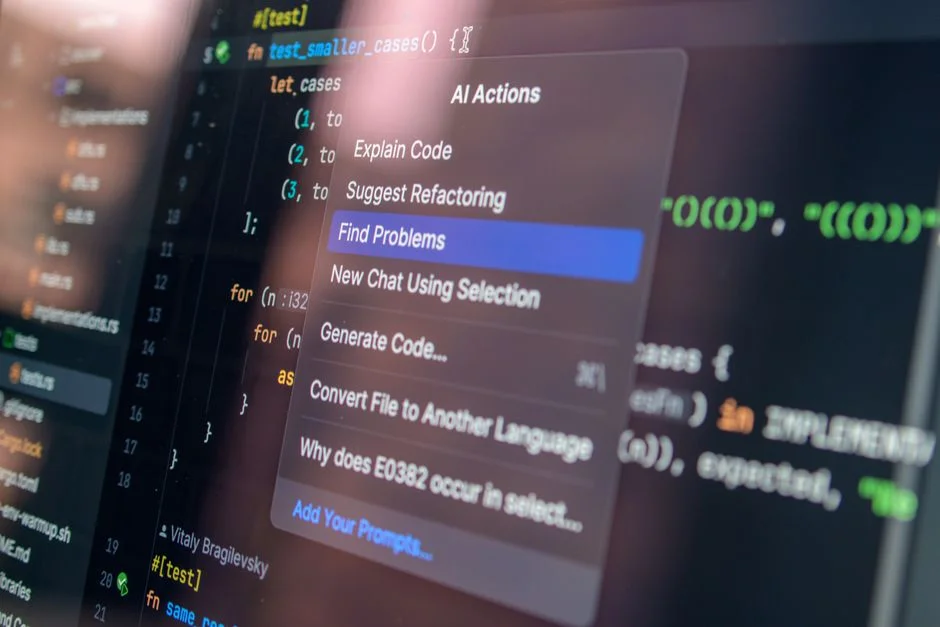

In the current engineering landscape, AI coding assistants have moved from experimental curiosities to core infrastructure components. Organizations are rapidly adopting tools like GitHub Copilot, Cursor, and Tabnine, not merely for convenience, but to counteract the compounding costs of technical debt and developer burnout. The sudden surge in adoption is driven by a measurable shift in how we perceive developer velocity; it is no longer about lines of code produced, but about the reduction of cognitive load during the implementation of complex architectural patterns.
However, for a CTO or technical founder, the discussion around AI adoption is often obscured by simple subscription fees. To truly understand the cost of AI coding assistants for development teams, one must look beyond the monthly per-seat licensing cost. We must evaluate the Total Cost of Ownership (TCO), which includes integration overhead, security compliance, training, and the nuanced impact on code quality. This article provides a rigorous financial and operational framework for evaluating these tools within your organization, ensuring that your investment translates into sustainable growth rather than hidden operational friction.
Deconstructing the TCO of AI Coding Assistants
When calculating the financial impact of AI coding assistants, many leadership teams fall into the trap of linear budgeting. They assume that if a tool costs $19 per user per month, the total cost for a 20-person team is simply $380 multiplied by twelve months. This is a fundamental miscalculation. The actual TCO incorporates several layers of expenditure, some of which are capital-intensive and others that are operational. First, consider the onboarding and training overhead. Even the most intuitive AI assistant requires a period of adjustment where developers learn to prompt effectively, verify AI-generated suggestions, and integrate these tools into their local development environments. For a senior team, this might consume 10 to 20 hours per developer in the first month alone.
Furthermore, there is the hidden cost of security audits and compliance. If your organization handles sensitive healthcare data or financial records, you cannot simply deploy an AI tool without rigorous vetting. You must assess where the code context is being sent, how it is being processed, and whether it is being used to train third-party models. This often requires dedicated engineering time to review terms of service and potentially build proxy layers to sanitize data before it leaves your internal network. When you factor in the hourly rate of a senior engineer—typically ranging from $120 to $200 per hour—the cost of a ‘simple’ $19 tool can quickly balloon into a thousands-of-dollars project just for initial implementation and risk mitigation.
Finally, we must account for code review and maintenance latency. AI assistants can generate code at an unprecedented speed, but they do not necessarily write code that adheres to your specific architectural standards. If your team is not already proficient in maintaining clean and consistent CSS architectures, the AI might introduce bloated or redundant patterns. This necessitates a more rigorous review process, potentially slowing down your pull request (PR) cycle. If your team spends 15% more time reviewing AI-generated code, that is a direct cost against the productivity gains you expected to achieve.
Comparative Analysis of Pricing Models
Pricing models for AI coding tools are evolving from simple SaaS subscriptions to complex, tiered enterprise agreements. Understanding these models is critical for budgeting. Most providers offer three distinct tiers: Individual, Business, and Enterprise. The Individual tier is rarely suitable for professional teams due to lack of administrative controls and security guarantees. The Business tier typically includes single sign-on (SSO) and basic policy management. The Enterprise tier, however, is where the true cost resides, often requiring custom negotiations based on the number of seats and the necessity for self-hosted instances.
| Pricing Model | Primary Cost Driver | Best For |
|---|---|---|
| Per-Seat Subscription | Number of active developers | Small to mid-sized teams |
| Enterprise Licensing | Volume and security compliance requirements | Large organizations with strict data policies |
| Usage-Based/Tokenized | API calls and compute time | Teams building custom internal AI tooling |
For a team of 10 developers, a standard Business subscription might cost approximately $2,280 annually. However, if that same team requires an Enterprise contract to ensure that their proprietary code is not used for model training, the costs can escalate significantly due to legal review fees and the need for private cloud deployments. When planning your budget, we recommend allocating a 30% buffer for hidden operational costs, such as the time spent optimizing your database schema for AI-assisted migrations or re-training team members on new workflow standards. If you are struggling with legacy systems, our team provides expert guidance on navigating these transitions, ensuring that your high-growth e-commerce platforms remain stable during the adoption of new automation tools.
The ROI of Developer Velocity vs. Code Quality
The primary value proposition of AI coding assistants is an increase in developer velocity, but this is often measured incorrectly. Many managers track ‘lines of code’ or ‘number of commits,’ which are vanity metrics. True velocity is measured by the time taken to move a feature from concept to production-ready deployment. AI assistants excel at boilerplate code generation, which can save hours on repetitive tasks like building CRUD interfaces or writing unit tests. However, the risk of ‘hallucinated’ code—code that looks correct but contains subtle logical errors or security vulnerabilities—must be factored in.
If an AI assistant saves a developer 5 hours a week, and your average developer cost is $100 per hour, you are theoretically saving $500 per developer per week. For a team of 10, that is $5,000 per week. However, if the output requires an extra 2 hours of manual debugging due to suboptimal AI suggestions, the net gain is reduced. The goal is to reach a state where the AI acts as a junior pair programmer, not a replacement for senior-level architectural decision-making. When you are architecting for scale in complex systems, the AI’s ability to suggest efficient algorithms or refactor legacy code is where the real ROI is found, not in the simple generation of boilerplate HTML.
Hidden Operational Expenses: Integration and Maintenance
Integration is rarely a one-time event. As your tech stack evolves—perhaps moving from a monolith to microservices—your AI tools must be reconfigured to understand the new context. Many teams underestimate the cost of maintaining the ‘AI-ready’ state of their codebase. For example, AI models perform significantly better when provided with comprehensive documentation and type definitions. This means your team must spend more time on code documentation, which is a positive side effect, but nonetheless an investment of time that must be accounted for in the budget.
Furthermore, consider the cost of tool switching. If your team is currently using a legacy workflow and you introduce an AI assistant that requires a specific IDE, you may face friction. The cost of retraining and the potential for a temporary dip in productivity are real. We have observed that teams often require a 4-to-8-week transition period before they reach the same level of output they had before the tool integration. This ‘valley of productivity’ is a significant cost factor that is often overlooked in business cases for AI adoption. When you are looking at the total cost of ownership for automated systems, these transition periods must be treated as a capital expense.
Security and Compliance: The Premium on Privacy
For many startups and established enterprises, the cost of an AI assistant is not just the subscription fee; it is the cost of ensuring that your intellectual property remains private. If your business relies on proprietary algorithms or handles highly regulated data, you cannot afford to use a public-facing AI model that might ingest your code into its training set. This leads to the necessity of ‘Enterprise’ or ‘Private’ tiers, which come with a substantial price premium. These tiers often require annual contracts rather than monthly flexibility, which increases your financial commitment.
You must also account for the cost of internal security reviews. Before deploying an AI assistant, your security team will likely need to perform a data protection impact assessment. This involves reviewing the vendor’s SOC2 compliance, their data retention policies, and their ability to provide an audit trail of what was shared with the model. If you are in a highly regulated industry, this process alone can cost upwards of $10,000 in professional services and internal engineering hours. This is a fixed cost that you must amortize over the life of the tool subscription, which further clarifies why simple per-seat pricing is a deceptive metric.
Scaling AI Adoption Across Large Teams
As you scale from a team of 5 to a team of 50, the complexity of managing AI assistant licenses grows exponentially. You need centralized billing, usage monitoring, and potentially custom policy enforcement. Many teams find that they need a dedicated ‘AI Ops’ role or a portion of a DevOps engineer’s time to manage these tools effectively. This is a hidden headcount cost. If you need to dedicate 10% of an engineer’s time to managing your AI tooling infrastructure, that is a cost that must be added to your TCO.
Moreover, standardization becomes a challenge. You want your entire team using the same version of the assistant, with the same configurations, to ensure that the code style remains consistent across the organization. This requires the development of internal documentation, training sessions, and automated checks in your CI/CD pipeline. These activities are not free; they represent a deliberate choice to invest in operational excellence. When you are scaling your development team, these investments are what prevent the ‘AI-assisted’ code from becoming a source of technical debt rather than a boost to productivity.
Technical Debt and the Risk of Automated Bloat
A significant risk that is rarely discussed in marketing materials is the potential for AI assistants to accelerate the accumulation of technical debt. Because it is so easy to generate code, developers may be tempted to add features or abstractions that are not strictly necessary, leading to ‘code bloat.’ Over time, this bloat makes the codebase harder to maintain, slower to test, and more difficult to refactor. If your team does not have strong code review practices, the AI assistant can effectively become a factory for technical debt.
To mitigate this, you must invest in automated linting, testing, and continuous integration processes that are even more rigorous than before. The cost of these guardrails is an essential part of the AI TCO. You are not just paying for the AI; you are paying for the infrastructure required to keep the AI’s output in check. This is why we advocate for a holistic view of software development, where tools like AI assistants are seen as part of a larger ecosystem that requires constant monitoring and maintenance.
The Strategic Value of Custom AI Solutions
Sometimes, off-the-shelf AI assistants are not enough. For companies with very specific domain requirements or highly proprietary tech stacks, the cost of building a custom AI assistant—using technologies like LangChain or fine-tuned LLMs—might actually be lower in the long run than paying for high-priced enterprise licenses for a tool that doesn’t fully understand your context. This is a complex decision that requires a thorough analysis of your internal engineering capabilities versus the cost of external vendor lock-in.
Building your own assistant involves significant upfront R&D costs, including data cleaning, model training, and infrastructure setup. However, once built, the marginal cost per user can be significantly lower than a $30-per-user-per-month subscription. If you have a team of 100+ developers, the ROI of building custom tooling can be incredibly high. We have worked with clients to evaluate these trade-offs, helping them decide whether to buy or build based on their specific long-term product roadmap and technical constraints.
Monitoring and Observability for AI Workflows
Once you have deployed AI assistants, you need to monitor their impact. Are they actually increasing productivity? Are they introducing bugs? You should be tracking metrics like ‘time to first commit,’ ‘PR review time,’ and ‘bug rate post-deployment.’ These metrics will give you a clear picture of whether your investment is paying off. If you notice an increase in bug rates, you may need to adjust your training programs or tighten your code review requirements.
Observability in the context of AI means understanding the relationship between the suggestions provided and the code that eventually makes it into production. This is still an emerging field, but the teams that are most successful with AI are those that are data-driven. They treat their AI tooling as a product that needs to be constantly evaluated and improved. This requires a commitment to data collection and analysis, which is another cost factor that should be included in your TCO calculations.
WordPress Specific Considerations and Integration
For organizations heavily invested in the WordPress ecosystem, integrating AI assistants involves unique considerations. WordPress development often involves a mix of PHP, JavaScript, and complex database interactions. AI models are generally excellent at standard PHP, but they can struggle with specific WordPress hooks, filters, and the nuances of the Gutenberg block editor or custom theme development. You need an AI assistant that has been specifically tuned for the WordPress codebase, or you must provide it with sufficient context via RAG (Retrieval-Augmented Generation) patterns.
If you are managing high-traffic WordPress sites, you also need to ensure that your AI-assisted code adheres to performance standards. Poorly optimized queries or inefficient loops generated by an AI can have a direct impact on site speed and server costs. Therefore, your investment in AI must be paired with an investment in performance testing tools and a deep understanding of the WordPress lifecycle. For more guidance on managing complex WordPress environments, you can Explore our complete WordPress — Development directory for more guides.
Factors That Affect Development Cost
- Per-seat subscription fees
- Internal training and onboarding hours
- Security and compliance audit costs
- Infrastructure and proxy setup for data privacy
- Ongoing code review and maintenance overhead
Total costs vary significantly based on the necessity for enterprise-grade security and the size of the engineering team.
The decision to invest in AI coding assistants is ultimately a strategic one. While the subscription costs may seem straightforward, the TCO is multifaceted and requires careful planning. By accounting for integration, training, security, and the ongoing need for code quality guardrails, you can ensure that your investment in AI drives genuine velocity and business value. The most successful teams are those that approach these tools with a critical eye, treating them as part of a broader engineering strategy rather than a quick fix.
If your organization is looking to modernize its development processes, optimize its tech stack, or navigate the complexities of AI integration, our team is here to assist. We specialize in helping companies scale their engineering operations through custom development and strategic consulting. Contact us today to discuss your migration needs and how we can help you build a more efficient, AI-augmented engineering culture.
Get a Project Estimate
Every project has a different scope. Share your requirements and we’ll give you a realistic breakdown within 48 hours.