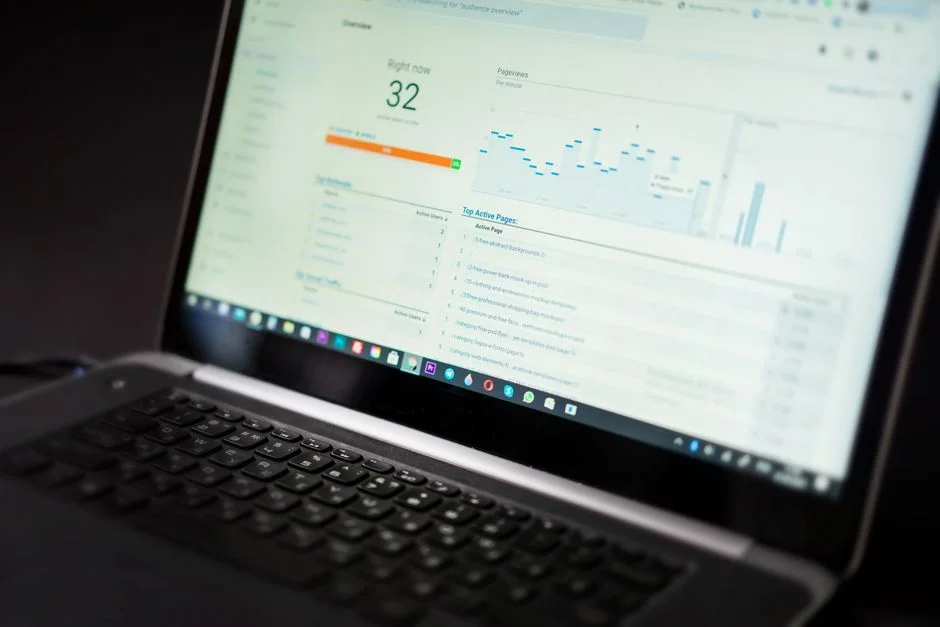

Why do companies continue to expose their most sensitive operational data through poorly architected business dashboards, ignoring the inherent risks of data exfiltration and unauthorized access? Most organizations treat dashboards as mere visualization tools, focusing on aesthetic design and real-time data ingestion while completely neglecting the security posture of the underlying data pipelines. When you aggregate mission-critical KPIs—such as customer acquisition costs, churn rates, or lifetime value—into a single interface, you are essentially creating a high-value target for malicious actors.
This article moves beyond the standard marketing advice regarding which metrics to track. Instead, we analyze business dashboards through the lens of a security engineer. We evaluate which metrics are worth the risk of exposure, how to architect secure data aggregation, and why the most common dashboarding practices are often the most dangerous from a compliance and threat-modeling perspective. If your dashboard allows for lateral movement or data leakage, the metrics themselves become secondary to the catastrophic failure of your infrastructure.
The Architectural Vulnerabilities of Modern Business Dashboards
When we discuss business dashboards, the conversation usually centers on front-end frameworks like React or Next.js and the ease of pulling data from REST APIs. However, from a security standpoint, the architectural decisions made during the ingestion phase are where most vulnerabilities are introduced. Many dashboards rely on direct database connections or wide-open API endpoints that lack granular access control. When an application queries a primary production database to feed a dashboard, it risks exposing PII (Personally Identifiable Information) or sensitive financial records if the query logic is not strictly scoped.
Consider the risk of SQL injection or insecure direct object references (IDOR) within your dashboard’s data-fetching layer. If a dashboard is built using standard server-side rendering without strict validation of the incoming request parameters, an attacker could manipulate the query to extract data they are not authorized to see. Furthermore, the reliance on third-party libraries for data visualization often introduces supply chain risks. Each NPM package utilized for a chart or a data table is a potential vector for malicious code execution. To mitigate this, we must enforce a strict separation between the operational database and the analytical dashboard database.
The architecture should follow a read-only replica pattern where the dashboard fetches data from a hardened, materialized view rather than the live transactional database. This ensures that even if the dashboard interface is compromised, the attacker does not have write access or the ability to stress the primary database with resource-intensive queries. Additionally, all API communications should be secured using mutual TLS (mTLS) to ensure that only authorized services can communicate with the dashboard backend. By treating the dashboard as an untrusted client, we force a more robust security posture.
Metrics as Data Assets: The Risk of Over-Exposure
Not every metric is created equal, and from a data protection standpoint, some metrics are classified as sensitive intelligence that should never be rendered on a public-facing or easily accessible dashboard. Metrics such as ‘Exact Customer Lifetime Value’ or ‘Real-time Inventory Valuation’ may seem harmless in a boardroom setting, but they represent significant information assets that, if intercepted, could provide competitors or attackers with a roadmap of your company’s financial health and operational vulnerabilities. When we talk about metrics worth tracking, we must first ask: what is the risk if this specific data point is leaked?
We categorize metrics into three tiers: Public, Internal, and Highly Restricted. Public metrics might include high-level growth trends. Internal metrics include departmental KPIs. Highly Restricted metrics, which involve granular customer data or proprietary pricing models, should be subject to strict logging and monitoring. If your dashboard displays highly restricted metrics, you must implement row-level security (RLS) to ensure that users only see the data they are explicitly authorized to access. This is a common failure point; many dashboards implement a global filter that is easily bypassed by modifying the client-side state.
To secure these metrics, we recommend implementing an audit logging mechanism that records every query request to the dashboard. If an unauthorized user attempts to access a restricted metric, the system should trigger an immediate alert in your SIEM (Security Information and Event Management) system. By treating dashboard metrics as protected data assets, you can apply the same rigorous security controls you would apply to your production database, including encryption at rest and in transit using AES-256 and TLS 1.3 standards respectively.
The Danger of Client-Side Data Processing
A common mistake in dashboard development is performing heavy data processing or filtering on the client side. By sending a raw, unfiltered JSON blob to the browser, you are relying on the client’s local environment to enforce security rules. This is a critical error. An attacker can easily inspect the network traffic, intercept the full payload, and extract data that was supposed to be hidden by the UI. This is a violation of the principle of least privilege, as the client is receiving more data than it requires to display the requested visualization.
Instead, all data processing, aggregation, and filtering must occur on the server side, ideally within a secured API layer. The dashboard should only receive the final, sanitized data points necessary for the specific chart or table being rendered. For example, if a user is viewing a monthly sales trend, the API should return an array of 30 integers, not the underlying database records of every transaction that occurred during that month. This approach significantly reduces the attack surface and minimizes the potential impact of a client-side compromise.
Furthermore, developers should utilize server-side pagination and limiting to prevent data scraping. If a dashboard allows a user to export data, that action must be gated by a strict authentication check and a rate-limiting policy. We often see dashboards that allow users to download massive CSV files without any rate limiting, which is a perfect recipe for data theft. By moving all logic to the server, you maintain control over the data flow and can implement robust validation and sanitization checks at the perimeter.
Authentication and Authorization: Beyond Simple Login
Most business dashboards suffer from weak authentication implementations. Relying on simple username and password combinations is insufficient for dashboards that contain proprietary data. You should enforce Multi-Factor Authentication (MFA) for every user, regardless of their role. Furthermore, role-based access control (RBAC) is often implemented poorly, with ‘admin’ roles having global access to all dashboards. We advocate for Attribute-Based Access Control (ABAC), which allows for more granular permissions based on user attributes, environment, and time of day.
When integrating dashboards with SSO (Single Sign-On) providers like Okta or Azure AD, ensure that you are correctly handling session tokens and that you have implemented an automated session invalidation policy. If a user logs out or if their session expires, the dashboard should immediately clear any locally cached data. Many dashboards keep data in local storage or session storage, which can be persisted long after the user has left the workstation, leaving the data vulnerable to physical access or cross-site scripting (XSS) attacks.
Additionally, consider the risk of session hijacking. By using secure, HTTP-only cookies for session management and implementing strict Content Security Policy (CSP) headers, you can significantly reduce the risk of XSS attacks stealing session tokens. Your CSP should be configured to only allow scripts from trusted domains and should block inline scripts, which are a common vector for malicious activity. This layered approach ensures that even if one security control fails, others are in place to prevent unauthorized access to your business metrics.
Encryption and Secure Data Pipelines
Data in transit and at rest is a primary concern for any business dashboard. If your dashboard fetches data from a cloud-based warehouse, that connection must be encrypted using TLS 1.3. Any data that is stored locally by the dashboard—such as cached results or user preferences—must be encrypted using AES-256. This is a non-negotiable requirement for compliance with regulations like GDPR, HIPAA, and SOC2. Many developers neglect this, assuming that because the dashboard is ‘internal,’ it does not require the same level of encryption as a public-facing application.
Your data pipeline should also be designed with integrity in mind. Use digital signatures or HMAC (Hash-based Message Authentication Code) to verify that the data has not been tampered with during transit from the database to the dashboard. This prevents man-in-the-middle attacks where an attacker could inject fraudulent data into your dashboard, potentially leading to incorrect business decisions. For example, if someone alters a sales metric during transit, the business might incorrectly allocate resources based on false information.
Furthermore, ensure that your database connections are configured to use SSL/TLS by default. Many ORMs and database drivers default to non-encrypted connections if not explicitly configured otherwise. Check your connection strings and verify that the ‘sslmode’ or equivalent parameter is set to ‘verify-full’ or ‘require’. This prevents the dashboard from accidentally connecting to a database over an unencrypted channel, which would expose your data to sniffing and interception. Continuous monitoring of these connections via your security tooling is essential for maintaining a hardened environment.
The Role of AI in Dashboard Security
AI integration in business dashboards is typically marketed as a way to provide predictive analytics and automated insights. However, from a security perspective, AI models used in dashboards present unique risks. ‘Prompt injection’ or ‘model poisoning’ are real threats. If your dashboard uses an AI to generate insights from your data, an attacker could potentially manipulate the input data to influence the AI’s output, leading to skewed or misleading metrics. This is a sophisticated form of data manipulation that is difficult to detect without specialized monitoring.
To secure AI-integrated dashboards, you must implement strict input validation for any data fed into the AI model. Additionally, treat the AI’s output as untrusted and subject it to human validation before it is presented as a ‘source of truth’ for business decisions. We recommend using a sandbox environment to test AI-generated insights before they are pushed to the live dashboard. This prevents the model from inadvertently revealing sensitive information or hallucinations that could misguide management.
Finally, monitor the resource usage of your AI models. A surge in API calls to your AI provider could indicate a credential leak or an attempt to brute-force the model. Implement rate limiting on your AI integration points and ensure that all logs are sent to a centralized location for analysis. By applying the same security rigor to your AI as you do to your database, you can leverage these technologies without exposing your business to unnecessary risk. Always ensure that the AI model does not have access to data that the user themselves cannot access, maintaining the principle of least privilege throughout the pipeline.
Compliance and Data Governance
Data governance is the foundation of secure dashboarding. You must have a clear understanding of what data is being tracked, who has access to it, and how long it is being stored. This is particularly important for compliance with regulations like GDPR or CCPA. If your dashboard displays customer data, you must ensure that you are in compliance with ‘right to be forgotten’ requests. If a customer exercises their right to have their data deleted, that deletion must propagate to all dashboards and analytical reports.
Maintain an inventory of all metrics being tracked. Each metric should have an owner, a purpose, and a data retention policy. If a metric is no longer needed, it should be removed from the dashboard. ‘Data hoarding’ is a security risk; the more data you store, the more you have to protect. By minimizing the data exposed on your dashboards, you reduce the potential impact of a breach. Regularly audit your dashboard permissions and usage logs to identify inactive users or unauthorized access attempts.
Furthermore, conduct regular security assessments of your dashboarding infrastructure. This includes vulnerability scanning of the underlying APIs, penetration testing of the front-end interface, and code reviews of any custom logic. Document these activities to satisfy compliance requirements and to identify potential gaps in your security posture. A robust data governance framework is not just about compliance; it is about ensuring that your business intelligence is reliable, accurate, and, most importantly, secure.
Monitoring and Incident Response
Even the most secure dashboard can be compromised. Therefore, you must have a comprehensive monitoring and incident response plan in place. Your dashboard should be integrated into your existing observability stack, with alerts configured for suspicious activity. For example, if a user attempts to access a dashboard from an unusual location or at an unusual time, an alert should be generated. If a sudden spike in data exports is detected, the system should automatically throttle the user or lock the account.
Incident response plans should specifically address dashboard-related breaches. What happens if a dashboard is defaced? What happens if sensitive data is leaked? Ensure that you have a clear process for containment, eradication, and recovery. This includes having immutable backups of your dashboard configuration and the underlying data pipelines. If a breach occurs, you should be able to restore the system to a known-secure state within minutes.
Finally, perform regular drills to test your incident response plan. Simulate a breach and see how your team reacts. This will help you identify weaknesses in your processes and improve your overall security posture. Security is not a one-time event; it is a continuous process of monitoring, testing, and improvement. By being proactive and prepared, you can minimize the impact of any security incident and ensure the continuity of your business operations.
Best Practices for Secure Dashboard Development
To summarize, secure dashboard development begins with a security-first mindset. Never treat the dashboard as an isolated component; it is an extension of your production environment and must be treated as such. Follow these best practices to ensure your dashboards remain secure:
- Implement strict RBAC/ABAC: Ensure that users only see the data they are authorized to see, using server-side filtering.
- Secure the Data Pipeline: Use TLS 1.3 for all data in transit and encrypt data at rest using AES-256.
- Avoid Client-Side Processing: Move all logic to the server to prevent data leakage.
- Enforce MFA and SSO: Eliminate the risk of weak credentials by enforcing modern authentication standards.
- Regularly Audit and Scan: Perform penetration testing and vulnerability scanning on all dashboard components.
- Monitor and Alert: Integrate your dashboard with your SIEM to detect and respond to suspicious activity in real-time.
- Minimize Data Exposure: Only display the metrics that are absolutely necessary for the business.
By following these guidelines, you can build dashboards that not only provide valuable insights but also protect your company’s most sensitive data. Security and usability are not mutually exclusive; with the right architecture, you can achieve both.
Factors That Affect Development Cost
- Complexity of data integration
- Number of secure API endpoints required
- Level of granular access control needed
- Regulatory compliance requirements (e.g., HIPAA, GDPR)
The effort required to secure a dashboard scales directly with the sensitivity of the data and the complexity of the underlying infrastructure.
Frequently Asked Questions
What are the top 3 business metrics you track?
The top three metrics depend on your industry, but generally, companies should focus on Customer Acquisition Cost (CAC), Customer Lifetime Value (CLV), and Monthly Recurring Revenue (MRR). From a security perspective, these metrics must be protected as they represent core business health and competitive intelligence.
What are the 5 key business metrics?
The five key metrics often include revenue growth, churn rate, net promoter score, gross margin, and burn rate. Each of these requires careful access management to prevent unauthorized internal or external exposure.
What are good KPIs to track?
Good KPIs are actionable, measurable, and aligned with your business objectives. Focus on metrics that directly impact your bottom line and ensure that your dashboarding tool restricts access to these metrics based on the user’s specific role.
What are the 4 performance metrics?
The four performance metrics often cited are financial, customer, internal process, and learning/growth. Tracking these requires a balanced approach where data is both accessible to stakeholders and secured against potential exfiltration.
Securing business dashboards is an ongoing responsibility that requires constant vigilance and a deep understanding of your data landscape. By prioritizing architectural integrity, enforcing strict access controls, and treating every metric as a potential security risk, you can transform your dashboards from vulnerabilities into robust business intelligence assets. The goal is to provide the insights your team needs while ensuring that your organization remains protected against evolving threats.
If you are concerned about the security of your existing dashboard infrastructure or are planning to build a new analytical platform, we are here to help. Our team specializes in secure software architecture and can provide the technical guidance needed to harden your data pipelines. Contact us today to schedule a free 30-minute discovery call with our tech lead to discuss your specific security requirements.
NR Tech Studio builds custom web apps, mobile apps, SaaS platforms, and internal tools for growing businesses. If you’re working through a technical decision, feel free to reach out — no commitment required.