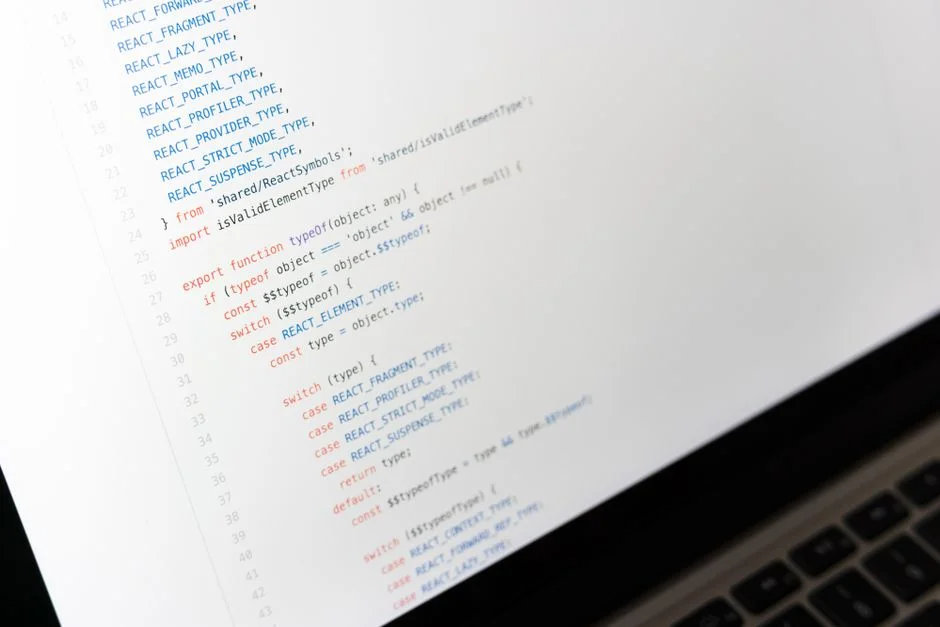

react-grid-layout is a popular React component library designed for building resizable and draggable grid layouts, commonly used in dashboards and configurable user interfaces. It provides a declarative way to manage grid items, their positions, and dimensions. From a security perspective, its dynamic nature introduces significant attack vectors, primarily through client-side manipulation and inadequate server-side validation, necessitating stringent security controls.
The inherent flexibility of dynamic grid systems, while powerful for user experience, presents a substantial architecture challenge for security engineers. Allowing users to define and manipulate layout structures means opening up potential avenues for malicious input, unauthorized data access, and UI defacement. Our focus must be on mitigating these risks from the outset, treating every user-driven interaction as a potential threat vector that requires robust validation and authorization.
This article will dissect the security implications of integrating react-grid-layout into your applications, offering practical guidance on how to harden your implementations against common vulnerabilities. We will explore strategies for comprehensive input validation, secure state management, stringent authorization checks, and the critical role of server-side validation to ensure data integrity and prevent UI-based attacks.
Core Functionality and Inherent Security Risks of React-Grid-Layout
react-grid-layout provides a foundational component for creating responsive, interactive grid-based interfaces where users can rearrange and resize elements. It manages the layout state internally, allowing developers to bind this state to their application’s data. At its core, the library simplifies the complex task of handling drag-and-drop interactions, collision detection, and responsive adjustments across various screen sizes. Developers define grid items, their initial positions, and properties, and react-grid-layout takes care of the visual arrangement and user interactions.
However, the very features that make react-grid-layout so powerful also introduce significant security considerations. The ability for users to dynamically alter the UI structure means that any data associated with these layout changes, or even the layout configuration itself, becomes a potential attack surface. Malicious users could attempt to inject harmful scripts, manipulate layout parameters to obscure critical information, or even attempt to exfiltrate sensitive data by altering component rendering logic. The primary risks stem from:
- Client-side Tampering: Without proper server-side validation, a malicious user can manipulate the grid layout data sent from the client, bypassing any client-side security measures.
- Injection Vulnerabilities: If grid item content or properties are sourced from untrusted input and not properly sanitized, XSS (Cross-Site Scripting) attacks become a significant threat.
- Denial of Service (DoS): Crafting excessively complex or overlapping layouts could potentially degrade client-side performance, leading to a localized DoS for other users if these layouts are shared.
- Authorization Bypass: Inadequate checks on who can modify which parts of a layout could lead to unauthorized users altering critical dashboard components or accessing restricted data.
Understanding these inherent risks is the first step in building a secure application using react-grid-layout. It is not enough to assume client-side controls are sufficient; every piece of data flowing into and out of the grid layout must be treated with suspicion and validated at multiple layers. The declarative nature of React components, while simplifying development, also means that the component’s state, including its layout, is often directly tied to the underlying data model. Any compromise of this data model, whether through direct manipulation or injection, can have cascading effects on the application’s security posture.
Consider a scenario where a dashboard widget displays sensitive customer information. If a malicious actor can manipulate the layout configuration to inject a rogue script into this widget’s properties, they could potentially execute arbitrary code in the user’s browser, leading to session hijacking, data exfiltration, or defacement. This highlights the absolute necessity of treating all layout-related data as untrusted input, regardless of its origin. The dynamic nature of react-grid-layout demands a proactive security stance, where potential vulnerabilities are identified and mitigated before they can be exploited in a production environment.
Robust Input Validation and Sanitization for Grid Configurations
The cornerstone of securing any application that processes user-generated content, including dynamic layouts, is rigorous input validation and sanitization. For react-grid-layout, this applies not only to the content displayed within grid items but also to the layout configuration itself: positions, sizes, and any custom properties associated with grid elements. Failing to validate these inputs opens doors to a variety of attacks, most notably Cross-Site Scripting (XSS).
Every piece of data that describes a grid item, such as its x, y, w, h, i (ID), and any custom data attributes, must be validated against expected types, ranges, and formats. For instance, x, y, w, and h should always be non-negative integers within reasonable bounds. The i property, often a string, should be checked for forbidden characters or patterns that could indicate injection attempts. Custom properties, if allowed, are particularly dangerous as they can be arbitrary strings or objects. If these custom properties are later rendered directly into the DOM without proper escaping, they become prime targets for XSS payloads.
Client-Side Validation (First Line of Defense): While not sufficient on its own, client-side validation provides an immediate feedback loop for users and can deter unsophisticated attacks. When a user interacts with the grid, the layout data changes. Before sending this data to the server, implement checks:
interface LayoutItem {  i: string;  x: number;  y: number;  w: number;  h: number;  minW?: number;  maxW?: number;  minH?: number;  maxH?: number;  static?: boolean;}

const isValidLayoutItem = (item: LayoutItem): boolean => {
  // Validate basic types and ranges
  if (typeof item.i !== 'string' || item.i.trim() === '') return false;
  if (typeof item.x !== 'number' || item.x < 0) return false;
  if (typeof item.y !== 'number' || item.y < 0) return false;
  if (typeof item.w !== 'number' || item.w < 1) return false; // Width must be at least 1
  if (typeof item.h !== 'number' || item.h < 1) return false; // Height must be at least 1

  // Optional: Validate min/max dimensions if present
  if (item.minW !== undefined && (typeof item.minW !== 'number' || item.minW < 0)) return false;
  if (item.maxW !== undefined && (typeof item.maxW !== 'number' || item.maxW < 1)) return false;
  if (item.minH !== undefined && (typeof item.minH !== 'number' || item.minH < 0)) return false;
  if (item.maxH !== undefined && (typeof item.maxH !== 'number' || item.maxH < 1)) return false;

  // Validate 'static' property
  if (item.static !== undefined && typeof item.static !== 'boolean') return false;

  // Further checks for 'i' property to prevent injection
  // Example: Restrict 'i' to alphanumeric and hyphens
  if (!/^[a-zA-Z0-9-]+$/.test(item.i)) return false;

  // Add checks for any custom properties if they exist
  // For instance, if a 'content' property exists, it must be sanitized
  // if ('content' in item && typeof item.content === 'string') {
  //   // Example: Check for HTML tags or malicious scripts
  //   if (/ {
  return layout.every(isValidLayoutItem);
};
Server-Side Validation (Mandatory & Definitive): All client-submitted layout data MUST be re-validated on the server. This is the only reliable defense against malicious actors who can bypass client-side JavaScript. Use a robust schema validation library (e.g., Joi, Yup, Zod for Node.js, or Laravel’s built-in validation for PHP) to enforce strict data types, lengths, and patterns. For any content that will be rendered as HTML within grid items, employ a dedicated HTML sanitization library (e.g., DOMPurify) to strip out dangerous tags and attributes before storing or serving the data. Never render user-supplied HTML directly without sanitization.
Consider how the layout data is stored. If stored as JSON, ensure the JSON parser is secure and handles malformed data gracefully without leading to crashes or information leaks. If storing in a database, parameterized queries are essential to prevent SQL injection, especially if any layout properties are directly incorporated into database queries.
The principle here is defense in depth: layered validation ensures that even if one defense mechanism fails, others are in place to catch the malicious input. Ignoring server-side validation is a critical security vulnerability that can lead to severe consequences, including data breaches and full system compromise, regardless of how secure the client-side implementation appears.
Secure State Management and Data Integrity for Dynamic Grids
Managing the state of a react-grid-layout securely is paramount to maintaining data integrity and preventing unauthorized manipulation. The layout’s state, encompassing the positions, sizes, and existence of grid items, is often dynamic and user-driven. This state typically resides in the React component tree on the client-side but must be persisted and synchronized with a reliable backend. The challenge lies in ensuring that this state cannot be illicitly altered, either in transit or at rest.
When users modify the grid, the client-side React state updates. This updated state is then typically dispatched to a backend API for persistence. A critical security boundary exists at this interaction point. The backend must not blindly accept any layout state sent from the client. Instead, it must validate the incoming state against the user’s permissions and the application’s business rules. For example, if a user is only allowed to move their personal widgets, the backend must verify that the submitted layout changes only affect widgets owned by that user and do not introduce new, unauthorized widgets or modify static ones.
Consider using a centralized state management solution (e.g., Redux, Zustand, React Context API) to manage the grid layout. This provides a single source of truth for the layout data, making it easier to audit changes and enforce immutability. When changes occur, dispatch actions that carry minimal, validated payloads, rather than sending the entire layout object indiscriminately. This reduces the attack surface by limiting what an attacker can modify.
// Client-side: Dispatching a layout change securely
const handleLayoutChange = (newLayout: LayoutItem[]) => {
  // Perform client-side validation before dispatching
  if (!validateLayout(newLayout)) {
    console.error('Client-side layout validation failed.');
    return; // Prevent sending invalid data
  }

  // Dispatch only the necessary changes or the validated new layout
  store.dispatch({ type: 'UPDATE_GRID_LAYOUT_REQUEST', payload: newLayout });

  // Ideally, debounce or throttle this to reduce API calls and potential DoS vectors
};

// Backend: API endpoint for updating layout
// This is an example for a Node.js Express backend, but principles apply universally
app.post('/api/user/:userId/layout', async (req, res) => {
  const { userId } = req.params;
  const newLayout = req.body.layout; // This is the payload from the client

  // 1. Authentication & Authorization check (who is making this request? Are they allowed to modify this userId's layout?)
  if (!req.user || req.user.id !== userId) {
    return res.status(403).send('Unauthorized');
  }

  // 2. Server-side validation of the newLayout structure and content
  const { error } = layoutSchema.validate(newLayout); // Use a Joi/Yup schema
  if (error) {
    return res.status(400).json({ message: 'Invalid layout data', details: error.details });
  }

  // 3. Business logic validation: Does this layout adhere to application rules?
  //    - Are all widget IDs valid and associated with the user?
  //    - Are any 'static' widgets being moved? (If not allowed)
  //    - Are there any excessive overlaps or impossible dimensions?
  const currentLayout = await db.getLayoutForUser(userId);
  if (!isBusinessLogicValid(currentLayout, newLayout, userId)) {
    return res.status(400).send('Layout violates business rules');
  }

  // 4. Persistence
  try {
    await db.updateLayoutForUser(userId, newLayout);
    res.status(200).send('Layout updated successfully');
  } catch (dbError) {
    console.error('Database update failed:', dbError);
    res.status(500).send('Internal server error');
  }
});
For data at rest, encrypt sensitive layout configurations if they contain or reference confidential information. Even if the layout itself isn’t sensitive, its structure might reveal information about a user’s access or internal system architecture. Database-level encryption or application-level encryption should be considered based on the sensitivity requirements. Regular backups with integrity checks are also essential to recover from potential data corruption or malicious deletion attempts. A robust strategy for React component lifecycle management, particularly around data fetching and updates, can further strengthen this state management by ensuring data is always fresh and correctly synchronized.
Implementing Granular Authorization and Access Control for Grid Operations
Effective authorization and access control are critical for any application featuring user-configurable interfaces, especially when using a component like react-grid-layout. It is not enough to simply authenticate users; we must also determine what specific actions they are permitted to perform on the grid and its individual items. Without granular authorization, an authenticated user might still be able to modify layouts they shouldn’t, delete critical widgets, or even introduce malicious content where they lack permission.
The authorization model should extend beyond a simple ‘can view/can edit’ dichotomy. For react-grid-layout, consider a more fine-grained approach:
- Layout-level permissions: Can the user save a new layout? Can they load existing layouts? Can they delete a layout?
- Widget-level permissions: Can the user move a specific widget? Can they resize it? Can they remove it? Can they add new widgets of a certain type?
- Property-level permissions: Can the user modify specific properties of a widget (e.g., its title, data source, or static status)?
This level of detail is crucial for complex dashboards where some widgets might be static (e.g., administrative alerts), some personal (e.g., user’s task list), and some shared (e.g., team performance metrics). A user might be allowed to move their personal widgets but forbidden from altering static or shared components.
Implementing this typically involves a Role-Based Access Control (RBAC) or Attribute-Based Access Control (ABAC) system on the backend. When a client requests to save a new layout, the backend must check:
- User Identity: Who is making the request? (Authenticated user).
- Target Resource: Which layout or widgets are being affected?
- Requested Action: What action is being performed (move, resize, add, delete)?
- Permissions Check: Does the authenticated user have the necessary permissions for the requested action on the target resource?
Any layout update request that fails these checks must be rejected with an appropriate HTTP status code (e.g., 403 Forbidden). The client-side application should also reflect these permissions by disabling or hiding unauthorized actions, but this client-side enforcement is purely for user experience and must never be relied upon for security.
// Backend Authorization Example (Conceptual, using a policy-based approach)
// Assuming 'req.user' contains user roles and 'layout' is the incoming grid configuration

const authorizeLayoutUpdate = async (user: User, oldLayout: LayoutItem[], newLayout: LayoutItem[]): Promise<boolean> => {
  // Admins can do anything
  if (user.roles.includes('admin')) {
    return true;
  }

  // Check for unauthorized additions/removals of static widgets
  const staticWidgetIds = oldLayout.filter(item => item.static).map(item => item.i);
  const newWidgetIds = newLayout.map(item => item.i);

  // Ensure no static widgets are removed or new static widgets are introduced by non-admins
  const removedStatic = staticWidgetIds.filter(id => !newWidgetIds.includes(id));
  if (removedStatic.length > 0) {
    console.warn(`User ${user.id} attempted to remove static widgets: ${removedStatic.join(', ')}`);
    return false; // Cannot remove static widgets
  }

  // Check if any new widgets are added that are not allowed for this user
  const addedWidgets = newWidgetIds.filter(id => !oldLayout.some(item => item.i === id));
  for (const addedId of addedWidgets) {
    // Assuming a function exists to check if a user can add a specific widget type
    if (!await userCanAddWidget(user, addedId)) {
      console.warn(`User ${user.id} attempted to add unauthorized widget: ${addedId}`);
      return false;
    }
  }

  // Check if any existing widgets are moved/resized that are not owned by the user
  for (const newItem of newLayout) {
    const oldItem = oldLayout.find(item => item.i === newItem.i);
    if (oldItem && oldItem.static && (oldItem.x !== newItem.x || oldItem.y !== newItem.y || oldItem.w !== newItem.w || oldItem.h !== newItem.h)) {
      console.warn(`User ${user.id} attempted to modify static widget ${newItem.i}`);
      return false; // Cannot modify static widget properties
    }
    // Add more granular checks based on widget ownership or type
  }

  return true; // If all checks pass
};
Integration with existing authentication systems is key. After a user logs in, their identity and associated roles or permissions should be securely stored (e.g., in a JWT or session). Each API request related to layout modifications must carry this identity, allowing the backend to perform the necessary authorization checks. This approach ensures that even if a client-side vulnerability were to be exploited, the backend would still prevent unauthorized changes, safeguarding the integrity of the application’s UI and data.
Client-Side Security Hardening and Protecting Against DOM Manipulation
While server-side security is paramount, client-side hardening provides an essential layer of defense, improving user experience by preventing obvious attacks and reducing the load on the backend. For react-grid-layout, client-side security primarily involves protecting against DOM manipulation, ensuring that rendered content is safe, and preventing data exfiltration through browser-based attacks. However, it is crucial to reiterate that client-side security measures are never a substitute for robust server-side validation and authorization; they are merely a supplementary layer.
One primary concern is Cross-Site Scripting (XSS). If grid item content is dynamically loaded or user-generated, it must be properly escaped before rendering. React automatically escapes string content, which mitigates basic XSS, but developers often bypass this with dangerouslySetInnerHTML. Using dangerouslySetInnerHTML with untrusted input is an extremely high-risk operation and should be avoided at all costs. If dynamic HTML is absolutely necessary, it must first be sanitized by a robust library like DOMPurify on the server-side, or, as a last resort, on the client-side *before* being passed to dangerouslySetInnerHTML. Even then, the risk remains higher.
// Example of rendering content in a grid item with dangerousSetInnerHTML (AVOID if possible with untrusted input)
function GridItemComponent({ content }) {
  // This is highly dangerous if 'content' comes from an untrusted source.
  // A malicious user could inject <script> tags here.
  return <div dangerouslySetInnerHTML={{ __html: content }} />;
}

// Safer alternative: If content must be HTML, sanitize it server-side or with a robust library.
// Example using DOMPurify (client-side, still less secure than server-side sanitization)
import DOMPurify from 'dompurify';

function SafeGridItemComponent({ content }) {
  const cleanContent = DOMPurify.sanitize(content);
  return <div dangerouslySetInnerHTML={{ __html: cleanContent }} />;
}
Another aspect is protecting against direct DOM manipulation by malicious browser extensions or user scripts. While this is largely outside the control of the application itself, ensuring Content Security Policy (CSP) headers are correctly configured can significantly reduce the impact of such attacks. A strict CSP can prevent the execution of inline scripts, limit script sources, and restrict object types, thereby mitigating XSS and clickjacking attempts. A well-designed CSP should be deployed via HTTP headers, not meta tags, to prevent bypasses.
Furthermore, ensure that sensitive data is not inadvertently exposed in the client-side state or through network requests. Architecting high-performance web applications often involves client-side rendering, which means more data potentially resides in the browser. Minimize the data sent to the client, especially personal identifiable information (PII) or confidential business data, only sending what is strictly necessary for the current view. If sensitive data must be displayed, ensure it is protected by authentication and authorization checks at every API endpoint.
Finally, be mindful of third-party libraries and dependencies. Each dependency introduces potential vulnerabilities. Regularly audit your dependencies using tools like npm audit or Snyk to identify and remediate known vulnerabilities. For react-grid-layout itself, ensure you are running a recent, patched version to benefit from any security fixes. Client-side security is about reducing the surface area for attack and making it harder for an adversary to succeed, recognizing that a determined attacker can always bypass client-side controls.
The Critical Role of Server-Side Validation and Persistence
While client-side validation and security measures are valuable for user experience and initial deterrence, the backend remains the ultimate and indispensable gatekeeper for data integrity and application security. For react-grid-layout, this means every single layout change, widget addition, or property modification initiated from the client must undergo rigorous server-side scrutiny before being persisted or reflected in other users’ interfaces. Ignoring this principle is a direct violation of the OWASP Top 10, specifically A03:2021, Injection and A01:2021, Broken Access Control.
The server-side validation process should involve several layers:
- Schema Validation: Verify that the incoming layout data adheres to a predefined schema. This ensures correct data types (e.g., numbers for positions and dimensions, strings for IDs), acceptable ranges (e.g., width/height not negative or excessively large), and expected formats. Any deviation should result in an immediate rejection with a 400 Bad Request status.
- Content Sanitization: If any part of the layout data (e.g., a widget title or content property) is intended to be rendered as HTML, it must be thoroughly sanitized on the server using a dedicated library (e.g., DOMPurify for Node.js, HTMLPurifier for PHP). This removes malicious scripts, unwanted attributes, and other XSS vectors before the data ever reaches the database.
- Business Logic Validation: This is where application-specific rules are enforced. Examples include:
- Ensuring a user does not add more widgets than their subscription plan allows.
- Preventing a user from moving or deleting ‘static’ or ‘system-defined’ widgets.
- Verifying that widget IDs correspond to legitimate, authorized widget types.
- Checking for logical overlaps or impossible configurations that could degrade performance or break the UI for other users.
- Confirming that a user is only modifying layouts or widgets they own or have explicit permission to alter.
- Authorization Checks: As discussed previously, the server must confirm that the authenticated user has the necessary permissions to perform the requested action on the specific layout or widget. This is a non-negotiable step to prevent broken access control.
After successful validation, the data can be safely persisted to the database. When saving layout data, use parameterized queries or an Object-Relational Mapper (ORM) to prevent SQL injection. If the layout data is stored as a JSON blob, ensure the database column is appropriate (e.g., JSONB in PostgreSQL, JSON in MySQL) and that the application handles potential data corruption gracefully during retrieval.
// Example Backend Validation in Laravel (Conceptual)
// For a Laravel application, this would typically be in a Form Request or Controller method.

use Illuminate\Http\Request;
use Illuminate\Support\Facades\Validator;
use App\Models\UserLayout;
use App\Models\Widget;

class LayoutController extends Controller
{
    public function update(Request $request, string $userId)
    {
        // 1. Authentication and Authorization (Laravel's Auth middleware and Policies)
        if (!auth()->user()->can('update', UserLayout::class, $userId)) {
            abort(403, 'Unauthorized to update this layout.');
        }

        // 2. Schema Validation
        $validator = Validator::make($request->all(), [
            'layout' => ['required', 'array'],
            'layout.*.i' => ['required', 'string', 'max:255', 'regex:/^[a-zA-Z0-9-]+$/'], // Widget ID validation
            'layout.*.x' => ['required', 'integer', 'min:0'],
            'layout.*.y' => ['required', 'integer', 'min:0'],
            'layout.*.w' => ['required', 'integer', 'min:1'],
            'layout.*.h' => ['required', 'integer', 'min:1'],
            'layout.*.static' => ['sometimes', 'boolean'],
            // Add validation for any custom properties, e.g., 'layout.*.content'
            'layout.*.content' => ['sometimes', 'string', 'max:2000'], // Requires sanitization
        ]);

        if ($validator->fails()) {
            return response()->json(['message' => 'Invalid layout data', 'errors' => $validator->errors()], 400);
        }

        $newLayout = $request->input('layout');
        $currentUserLayout = UserLayout::where('user_id', $userId)->first();

        // 3. Business Logic and Content Sanitization
        $sanitizedLayout = [];
        foreach ($newLayout as $item) {
            // Check if widget 'i' is allowed for this user/context
            if (!Widget::isAllowedForUser(auth()->user(), $item['i'])) {
                return response()->json(['message' => 'Unauthorized widget type detected'], 400);
            }

            // Prevent modification of static widgets by non-admins
            if (isset($item['static']) && $item['static'] && !auth()->user()->isAdmin()) {
                // Revert to old static position or reject
                $oldStaticItem = collect($currentUserLayout->layout_data)->firstWhere('i', $item['i']);
                if ($oldStaticItem) {
                    $item['x'] = $oldStaticItem['x'];
                    $item['y'] = $oldStaticItem['y'];
                    $item['w'] = $oldStaticItem['w'];
                    $item['h'] = $oldStaticItem['h'];
                }
            }

            // Sanitize HTML content if present
            if (isset($item['content'])) {
                $item['content'] = app('purifier')->clean($item['content']); // Using HTMLPurifier library
            }
            $sanitizedLayout[] = $item;
        }

        // 4. Persistence
        try {
            if ($currentUserLayout) {
                $currentUserLayout->layout_data = json_encode($sanitizedLayout);
                $currentUserLayout->save();
            } else {
                UserLayout::create([
                    'user_id' => $userId,
                    'layout_data' => json_encode($sanitizedLayout)
                ]);
            }
            return response()->json(['message' => 'Layout updated successfully'], 200);
        } catch (\Exception $e) {
            Log::error('Layout update failed: ' . $e->getMessage());
            return response()->json(['message' => 'Internal server error'], 500);
        }
    }
}
The backend is the last line of defense. A compromise here can lead to widespread data corruption, unauthorized access, and severe security breaches. Therefore, all backend code related to handling react-grid-layout data must be developed with a security-first mindset, undergoing thorough code reviews and security testing.
Performance vs. Security Trade-offs in Dynamic Grid Implementations
When implementing dynamic grid layouts with react-grid-layout, a common challenge is balancing the desire for high performance and responsiveness with the absolute necessity of robust security. Security measures, by their nature, often introduce overhead. Each validation step, each authorization check, and each sanitization process consumes CPU cycles and potentially adds latency. A security engineer’s role is to identify these trade-offs and advocate for solutions that prioritize security without rendering the application unusable.
For instance, comprehensive server-side validation, while critical, can be CPU-intensive, especially with complex layout schemas or extensive HTML content sanitization. If every single drag-and-drop event triggers an immediate backend API call with full validation, the user experience could suffer due to perceived lag. This is where strategic optimizations become necessary:
- Debouncing and Throttling: On the client-side, debounce or throttle layout update requests to the server. Instead of sending an update for every pixel moved, send updates only after a user has stopped interacting with the grid for a short period (e.g., 500ms) or at a maximum rate (e.g., once every second). This drastically reduces the number of validation cycles on the backend without compromising security, as the final state is still validated.
- Partial Updates: If possible, design your API to accept partial layout updates rather than always sending the entire grid configuration. For example, if only one widget was moved, send only the new coordinates for that specific widget, alongside its ID. This reduces payload size and the amount of data the backend needs to process, but requires more complex backend logic to merge partial updates securely. The backend must still validate that the partial update is legitimate and doesn’t conflict with existing rules.
- Asynchronous Processing for Non-Critical Checks: Some security checks, such as auditing or logging, might not need to be part of the critical request-response cycle. These can be offloaded to asynchronous processes to keep API response times low. However, critical authorization and input validation must always be synchronous and blocking.
- Caching and Memoization: For read-heavy operations, such as fetching initial layout configurations, implement caching strategies. Ensure that cached data respects user-specific permissions and is invalidated promptly upon any layout modification. On the client-side, memoizing React components that render grid items can prevent unnecessary re-renders, improving performance without sacrificing security.
The trade-off is often about finding the sweet spot where the application remains performant enough for a positive user experience, while still maintaining an uncompromised security posture. Neglecting security for the sake of performance is a false economy; a fast but vulnerable application is an unacceptable risk. Conversely, an overly burdensome security implementation that cripples performance might lead users to seek less secure workarounds or abandon the application entirely.
Consider the impact of network latency and bandwidth. If your users are geographically dispersed or on unreliable networks, frequent, heavy API calls for layout updates will amplify performance issues. This might push you towards more client-side state management for responsiveness, but this must always be coupled with the understanding that the server remains the ultimate authority. The goal is to design an architecture, perhaps following patterns seen in robust systems like Kuester Management, that can handle both the dynamic nature of user interactions and the stringent demands of security without compromise.
Ultimately, a pragmatic approach involves profiling your application to identify performance bottlenecks introduced by security measures and then selectively optimizing those areas, always ensuring that the core security principles of validation, authorization, and sanitization are never bypassed or weakened. This iterative process of measurement, optimization, and security review is key to achieving both a secure and performant dynamic grid.
Logging, Monitoring, and Incident Response for Grid-Based Interfaces
Even with the most stringent security controls in place, no system is entirely impervious to attack. Therefore, comprehensive logging, continuous monitoring, and a well-defined incident response plan are essential components of securing applications utilizing react-grid-layout. These practices allow for the early detection of suspicious activities, provide critical forensic data for investigations, and enable a rapid and effective response to security incidents.
Logging Strategy: Implement detailed logging for all security-relevant events related to grid layout modifications. This includes:
- Authentication and Authorization Events: Successful and failed login attempts, permission changes, and any attempts to access unauthorized layout functionality.
- Layout Modification Attempts: Log every attempt to create, update, or delete a layout, including the user ID, timestamp, IP address, and the specific changes requested. If validation fails, log the reason for failure.
- Input Validation Failures: Record any instances where client-submitted layout data fails server-side validation, including the exact payload that triggered the failure. This is crucial for identifying potential injection attempts.
- Error and Exception Logging: Capture all application errors and exceptions, especially those related to data processing, database interactions, or API failures, as these can sometimes indicate an attempted exploit.
Ensure that logs are immutable, centralized, and protected from unauthorized access or tampering. Use a security information and event management (SIEM) system to aggregate and analyze logs from various sources. Avoid logging sensitive data like passwords or PII directly in plain text. An example of a useful log entry for a failed layout update might include:
{
  "timestamp": "2023-10-27T10:30:00Z",
  "level": "WARNING",
  "event_type": "LAYOUT_UPDATE_FAILED",
  "user_id": "user_123",
  "ip_address": "192.168.1.100",
  "reason": "Invalid layout item property: 'w' must be >= 1, received -5",
  "endpoint": "/api/user/user_123/layout",
  "payload_snippet": "[{ \"i\": \"widget-1\", \"x\": 0, \"y\": 0, \"w\": -5, \"h\": 2 }]"
}
Continuous Monitoring: Beyond logging, active monitoring is necessary. Set up alerts for:
- High Frequency of Failed Logins: Indicates brute-force attacks.
- Unusual Layout Modification Patterns: A single user attempting to modify many different layouts in a short period, or attempting to modify layouts outside of their typical working hours.
- Repeated Input Validation Failures: Suggests an attacker is actively probing for injection vulnerabilities.
- Spikes in Error Rates: Could indicate a DoS attack or a successful exploit.
- Changes to Critical System Configuration: If layout configurations are tied to system settings, monitor for unauthorized changes.
Use application performance monitoring (APM) tools to track key metrics and detect anomalies that might correlate with security incidents. Implement real-time threat detection systems that can analyze log data and network traffic for known attack signatures or behavioral deviations.
Incident Response Plan: A clear, documented incident response plan is crucial. This plan should outline:
- Identification: How security incidents are detected and confirmed.
- Containment: Steps to limit the damage (e.g., disable affected user accounts, isolate compromised systems).
- Eradication: Measures to remove the root cause of the incident (e.g., patch vulnerabilities, remove malicious code).
- Recovery: Restoring affected systems and data from secure backups.
- Post-Incident Analysis: Learning from the incident to prevent future occurrences, including updating security policies and controls.
Regularly test the incident response plan through tabletop exercises and simulated attacks. Ensure all relevant personnel are trained and aware of their roles and responsibilities. A well-executed incident response plan can significantly reduce the financial and reputational damage caused by a security breach.
Security Audits and Code Reviews for React-Grid-Layout Integrations
Proactive security measures, such as regular security audits and thorough code reviews, are indispensable for identifying and mitigating vulnerabilities in applications that integrate react-grid-layout. These practices move beyond reactive defense mechanisms (like logging and monitoring) to systematically uncover weaknesses before they can be exploited. A security engineer’s perspective mandates that every line of code touching user-configurable components be scrutinized for potential flaws.
Security Audits: A security audit involves a systematic examination of the application’s architecture, code, and deployment environment to identify security weaknesses. For react-grid-layout, this would include:
- Configuration Review: Verifying that all default security settings are hardened, and unnecessary features are disabled.
- Access Control Review: Testing the authorization mechanisms to ensure that users cannot bypass permissions to modify layouts or widgets they are not authorized for. This often involves attempting to craft requests with manipulated user roles or widget IDs.
- Input Validation Testing: Employing fuzzing techniques and penetration testing to send malformed, oversized, or malicious payloads to all API endpoints that accept layout data. This aims to trigger injection vulnerabilities (XSS, SQL injection) or DoS conditions.
- Dependency Audit: Checking all third-party libraries, including
react-grid-layoutitself, for known vulnerabilities using tools like OWASP Dependency-Check or Snyk. Ensuring dependencies are up-to-date and patched. - Data Storage Security: Reviewing how layout data is stored (encryption, access controls on the database) and how it is transmitted (HTTPS, proper certificate validation).
These audits should be conducted regularly, especially after significant feature additions or architectural changes. External security experts can provide an unbiased and specialized perspective, often identifying blind spots that internal teams might miss.
Code Reviews: Integrating security into the development lifecycle through mandatory code reviews is a highly effective practice. Every pull request or code change affecting react-grid-layout implementation should be reviewed by a security-aware developer or a dedicated security engineer. Key areas of focus during code review include:
- Input Validation Logic: Confirming that all user-supplied layout properties (
x, y, w, h, i, custom data) are validated on both client and server, and that the validation rules are sufficiently strict. Look for any instances where client-side validation is solely relied upon. - Output Encoding/Sanitization: Verifying that any user-generated content rendered within grid items is properly escaped or sanitized to prevent XSS. Specifically, check for the misuse of
dangerouslySetInnerHTMLor similar constructs. - Authorization Checks: Ensuring that every backend API endpoint that modifies layout state performs robust authorization checks based on the authenticated user’s permissions. Look for any missing or insufficient checks.
- Error Handling: Reviewing error handling mechanisms to ensure that sensitive information is not leaked in error messages and that errors are handled gracefully without exposing internal system details.
- Use of Cryptographic Primitives: If layout data is encrypted, ensure that strong, industry-standard cryptographic algorithms are used correctly, and keys are managed securely.
// Example Code Review Checklist Snippet for react-grid-layout:
//
// [ ] 1. Server-side validation present for ALL layout properties (x, y, w, h, i, etc.)
// [ ] 2. Validation includes type, range, and format checks.
// [ ] 3. All user-supplied content within widgets is HTML-sanitized on the server.
// [ ] 4. 'dangerouslySetInnerHTML' is NOT used with untrusted input.
// [ ] 5. All layout modification API endpoints have explicit authorization checks.
// [ ] 6. Authorization logic correctly verifies user permissions against target widgets/layouts.
// [ ] 7. No sensitive data is logged in plain text.
// [ ] 8. Error messages do not leak internal system details.
// [ ] 9. Dependencies are up-to-date and free of known vulnerabilities.
// [ ] 10. Rate limiting is applied to layout update endpoints to prevent DoS.
By embedding security into the development process through rigorous audits and code reviews, organizations can proactively address vulnerabilities, reduce their attack surface, and build more resilient applications using react-grid-layout. This systematic approach fosters a culture of security awareness among the development team and ensures that security is not an afterthought but an integral part of the software’s quality.
The Cost Implications of Insecure React-Grid-Layout Implementations
While the immediate development costs of integrating react-grid-layout might seem straightforward, the long-term cost implications of an insecure implementation can be catastrophic. From a security engineer’s perspective, neglecting security measures is not a cost-saving strategy; it is a guaranteed pathway to significantly higher expenses in the future. These costs extend far beyond direct financial losses, impacting reputation, customer trust, and operational continuity.
The cost factors associated with insecure react-grid-layout implementations primarily stem from potential security incidents:
- Data Breach Costs: If an insecure grid allows for data exfiltration via XSS or broken access control, the organization faces immense costs. These include forensic investigations, legal fees, regulatory fines (e.g., GDPR, CCPA), credit monitoring for affected customers, and public relations efforts to manage reputational damage. The average cost of a data breach continues to rise annually, often reaching millions of dollars.
- Downtime and Business Interruption: A successful attack, such as a Denial of Service (DoS) through malformed layout data or a system compromise, can lead to significant application downtime. This directly translates to lost revenue, decreased productivity, and potential contract penalties for service level agreement (SLA) breaches.
- Remediation and Rework: Discovering vulnerabilities after deployment necessitates urgent remediation. This involves diverting engineering resources from new feature development to patching security holes, often under immense pressure. The cost of fixing a bug in production is exponentially higher than catching it during development or code review.
- Loss of Customer Trust and Reputation Damage: Security incidents erode customer trust, leading to churn and making it harder to acquire new business. The long-term damage to brand reputation can be immeasurable and take years to rebuild.
- Legal and Compliance Penalties: Failure to comply with industry-specific regulations (e.g., HIPAA in healthcare, PCI DSS in finance) due to security lapses can result in severe financial penalties and legal action. An insecure
react-grid-layoutimplementation that handles sensitive data could directly contribute to such non-compliance. - Increased Insurance Premiums: After a security incident, cybersecurity insurance premiums are likely to increase significantly, adding to operational overhead.
Conversely, investing in security from the outset, though it might appear to add to initial development time, is a preventative measure that saves substantial costs down the line. This includes:
- Upfront Security Engineering: Allocating resources for security architecture design, threat modeling, and implementing robust validation, authorization, and sanitization from the start.
- Regular Security Audits and Penetration Testing: Proactively identifying vulnerabilities before they are exploited.
- Developer Training: Educating developers on secure coding practices, especially when working with dynamic UI components like
react-grid-layout.
| Cost Category | Impact of Insecure Implementation | Mitigation Investment |
|---|---|---|
| Data Breaches | Millions in fines, legal fees, and reputational damage. | Robust validation, authorization, encryption, security audits. |
| Downtime & Business Interruption | Lost revenue, reduced productivity, SLA penalties. | DoS prevention, resilient architecture, rapid incident response. |
| Remediation & Rework | High cost of emergency patching, diverted engineering resources. | Proactive code reviews, secure development lifecycle. |
| Reputation & Trust | Customer churn, difficulty acquiring new business. | Transparent security practices, strong incident response. |
| Compliance Penalties | Significant regulatory fines, legal action. | Adherence to industry standards, regular compliance audits. |
The typical range of costs for addressing security vulnerabilities is highly variable, depending on the severity of the flaw, the sensitivity of the data involved, and the speed of detection and remediation. However, it is consistently true that the cost of preventing a security incident is orders of magnitude lower than the cost of responding to one. Investing in secure development practices for react-grid-layout is not an optional add-on; it is a fundamental requirement for the long-term viability and trustworthiness of any application.
Future-Proofing Security for Dynamic Grid Applications
The landscape of web security is constantly evolving, with new vulnerabilities and attack vectors emerging regularly. Therefore, future-proofing the security of dynamic grid applications built with react-grid-layout requires a commitment to continuous adaptation and improvement. It’s not a one-time task but an ongoing process that integrates security into every phase of the software development lifecycle. From a security engineer’s perspective, this means anticipating future threats and designing systems that are resilient to change.
One key aspect of future-proofing is adopting a robust React component lifecycle management strategy that includes security considerations. As components evolve, their security implications can change. Regular reviews of component interactions, data flows, and state management within the grid are necessary to ensure that new features don’t inadvertently introduce new vulnerabilities. For instance, adding a new type of widget that fetches data from an external API introduces a new potential attack surface that needs to be secured through origin validation, API key management, and data encryption.
Consider the broader architectural context. Are you deploying your application in a cloud environment? If so, leverage cloud-native security services (e.g., AWS WAF, Azure Firewall, Google Cloud Armor) to provide an additional layer of protection at the network edge. These services can filter malicious traffic, protect against common web exploits, and help mitigate DDoS attacks before they even reach your application servers. For applications built on frameworks like Next.js, securing the server-side rendering (SSR) and API routes is paramount, as demonstrated in our guide on architecting high-performance web applications.
- Automated Security Testing: Integrate security testing into your CI/CD pipeline. This includes static application security testing (SAST) to analyze source code for vulnerabilities, dynamic application security testing (DAST) to test the running application for weaknesses, and dependency vulnerability scanning to catch issues in third-party libraries.
- Regular Penetration Testing: Conduct periodic penetration tests by ethical hackers to simulate real-world attacks. These tests can uncover complex vulnerabilities that automated tools might miss, particularly those related to business logic flaws or chained exploits.
- Threat Modeling: Before implementing new features or making significant architectural changes to your grid application, perform threat modeling. This involves systematically identifying potential threats, vulnerabilities, and countermeasures. It helps anticipate how an attacker might exploit new functionality and design security controls proactively.
- Security Patch Management: Establish a rigorous process for applying security patches to all components of your technology stack, including the operating system, web server, database, framework, and all npm/composer packages. This includes promptly updating
react-grid-layoutitself when new versions with security fixes are released. - Security Awareness Training: Continuously educate your development, QA, and operations teams on the latest security threats and best practices. A security-conscious team is your strongest defense against evolving threats.
The goal is to build a security culture where every team member understands their role in protecting the application. By embracing a proactive, multi-layered approach to security, you can significantly enhance the resilience of your react-grid-layout implementations against current and future threats, ensuring the long-term integrity and trustworthiness of your dynamic grid applications.
Securing dynamic grid layouts built with react-grid-layout is a multifaceted challenge that demands a security-first mindset from initial design through ongoing maintenance. The inherent flexibility of these components, while powerful for user experience, introduces significant attack surfaces that require diligent attention to input validation, authorization, state management, and robust server-side controls. Neglecting these areas can lead to severe consequences, ranging from data breaches and reputational damage to costly remediation efforts.
By prioritizing comprehensive server-side validation, implementing granular access controls, hardening client-side defenses, and establishing proactive security practices like audits and continuous monitoring, organizations can build resilient and trustworthy applications. The investment in security is not merely a technical requirement; it’s a strategic business imperative that safeguards sensitive data, maintains customer trust, and ensures operational continuity in an increasingly hostile digital landscape.
If your business is navigating the complexities of dynamic UI development and needs to ensure the highest levels of security and performance, contact NR Studio. We specialize in custom software solutions, including secure web and SaaS development, helping growing businesses build robust applications that meet stringent security standards.
Explore our complete Laravel, Basics directory for more guides.
NR Studio builds custom web apps, mobile apps, SaaS platforms, and internal tools for growing businesses. If you’re working through a technical decision, feel free to reach out — no commitment required.