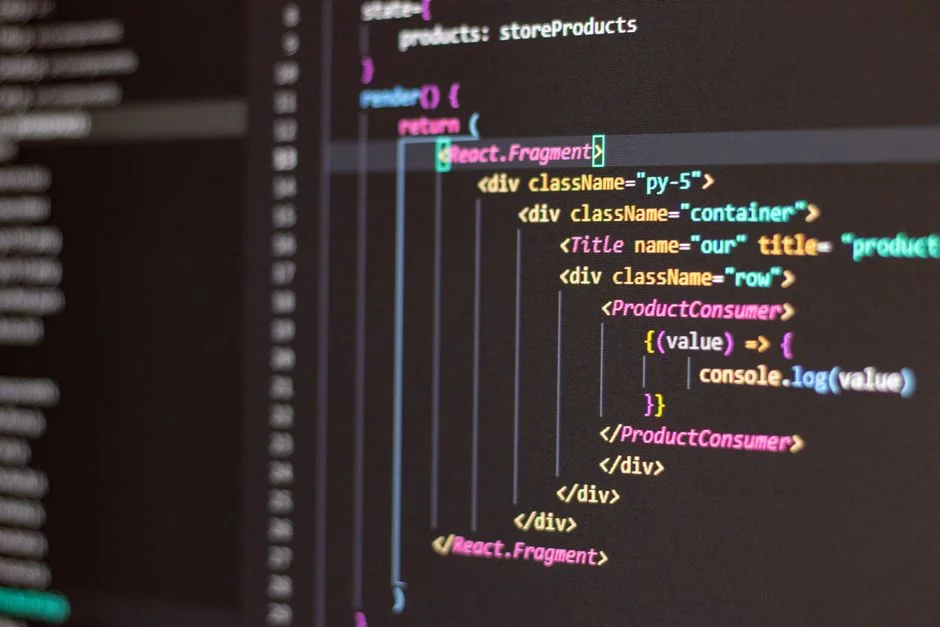

Semantic UI React is a declarative UI component library that integrates the Semantic UI framework with React, offering a rich set of pre-built, responsive, and themable components. From a cloud architect’s perspective, selecting such a library significantly influences application performance, maintainability, and deployment strategies, particularly in large-scale, distributed systems.
The choice of a frontend UI library, while seemingly confined to the presentation layer, casts a long shadow across the entire application’s infrastructure. A poorly integrated or inefficient library can introduce significant scaling bottlenecks, complicate CI/CD pipelines, inflate cloud resource consumption, and jeopardize the stability of critical user-facing services. This requires a systemic evaluation of Semantic UI React’s capabilities against the stringent demands of enterprise-grade deployments.
This article delves into the architectural considerations for integrating Semantic UI React, focusing on its impact on infrastructure, deployment strategies, and operational resilience. We will explore how to leverage its strengths while mitigating its potential drawbacks to ensure your applications remain performant, scalable, and cost-efficient in dynamic cloud environments.
Semantic UI React: Foundational Concepts and Architectural Implications
Semantic UI React provides a React-specific implementation of Semantic UI, translating its extensive collection of CSS and JavaScript components into a declarative, component-based API. This abstraction allows developers to build user interfaces using familiar React patterns, abstracting away direct DOM manipulation and CSS class management. From an architectural standpoint, this means a consistent component model, reduced boilerplate, and faster development cycles, but also introduces specific considerations for infrastructure planning.
The library’s core strength lies in its **component-driven architecture**. Each UI element, from buttons to complex forms, is encapsulated as a React component. This promotes reusability and consistency, which are critical for large development teams and complex applications. However, the comprehensive nature of the Semantic UI CSS framework, which underpins these React components, can lead to substantial bundle sizes. For a cloud architect, this immediately flags concerns about initial page load performance, especially for global applications served across diverse geographical regions. Strategies like intelligent code splitting and lazy loading become paramount to manage the delivery of these assets efficiently.
Theming and customization are central to Semantic UI React. It offers a structured way to override default styles using a `theme.config` file and Less variables. Architecturally, this impacts the build process significantly. Custom themes require Less compilation, which must be integrated into the frontend build pipeline. This adds complexity to CI/CD workflows, as changes to themes necessitate a rebuild and redeployment of frontend assets. Furthermore, managing multiple themes for different brands or user segments within a single application (e.g., a multi-tenant SaaS platform) requires a robust asset management strategy, potentially involving dynamic asset loading or multiple build artifacts that are served based on tenant configuration.
The choice of Semantic UI React also directly influences the **deployment artifacts** and **CDN strategies**. The compiled JavaScript bundles and CSS assets need to be efficiently packaged and deployed. Given the potential size, distributing these assets via a Content Delivery Network (CDN) is almost a mandatory requirement for optimal user experience and reduced origin server load. Architects must consider CDN caching policies, cache invalidation strategies, and the geographic distribution of CDN edge locations to minimize latency for end-users. The library’s reliance on CSS can also lead to conflicts if not managed carefully, especially in projects where multiple UI libraries or custom CSS frameworks coexist. This necessitates a careful review of CSS scoping mechanisms or adoption of methodologies like CSS-in-JS if hybrid approaches are pursued.
Ultimately, a cloud architect evaluates Semantic UI React not just on its developer experience, but on its tangible impact on **operational metrics**. How does it affect build times in CI/CD? What is the payload size over the network? How does it influence client-side rendering performance and Time To Interactive (TTI)? These questions guide the infrastructure design, ensuring that the benefits of rapid UI development do not come at the expense of application scalability or user experience. The component choice must align with the broader infrastructure goals of resilience, performance, and cost-efficiency.
Evaluating Semantic UI React for Enterprise-Grade Deployments
When considering any UI library for enterprise-grade applications, the evaluation extends far beyond aesthetic appeal or developer convenience. A cloud architect must weigh the library’s attributes against criteria such as long-term maintainability, security, performance under load, and integration complexity. Semantic UI React, with its comprehensive component set and opinionated design, presents a unique profile that requires careful scrutiny.
On the positive side, Semantic UI React offers a **rich, consistent UI component library**. This consistency is invaluable for large applications where maintaining a unified user experience across numerous features and teams is paramount. The declarative nature simplifies UI development, reducing the cognitive load on developers and accelerating feature delivery. The active community support and extensive documentation also contribute to its appeal, providing resources for troubleshooting and best practices. These factors can lead to faster time-to-market for new features, a significant advantage in competitive business environments. However, this richness also implies a larger footprint, which, as discussed, needs careful management.
Conversely, potential drawbacks include the **bundle size**. While modern bundling tools and techniques can mitigate this, the baseline size of Semantic UI’s CSS and JavaScript can be substantial. This can negatively impact initial page load times, particularly for users on slower networks or mobile devices. Another concern is the potential for **CSS conflicts**. Semantic UI uses a global CSS approach, which can collide with other CSS frameworks or custom styles, especially in migration scenarios or when integrating third-party widgets. This necessitates strategies like CSS module usage or careful scoping to prevent unintended style overrides, adding layers of complexity to frontend asset management.
For architects, **long-term support and community health** are critical decision criteria. A UI library that becomes unmaintained can quickly become a technical debt nightmare, forcing costly migrations. Semantic UI React benefits from a reasonably active community, but it is important to monitor its evolution and ensure it aligns with the project’s longevity requirements. Integration with the existing tech stack, especially in a micro-frontend context or with server-side rendering (SSR), also requires careful planning. Ensuring compatibility with newer React versions, build tools like Webpack or Vite, and state management libraries is essential for a stable and evolvable architecture.
Comparing Semantic UI React with alternatives like Ant Design or Material UI from a systemic perspective highlights key differences. While all offer rich component sets, their underlying styling approaches and build system integrations vary. Ant Design and Material UI often leverage CSS-in-JS solutions or more modular CSS, potentially offering finer-grained control over styling and reducing global CSS conflicts. However, Semantic UI’s more traditional CSS approach can be simpler for teams already familiar with standard CSS methodologies. The choice often comes down to team expertise, existing architectural patterns, and the specific performance and styling requirements of the application. For instance, if fine-grained styling control and minimal bundle size are absolute priorities, a more modular library might be preferred, even if it means sacrificing some of Semantic UI’s out-of-the-box consistency.
Integrating Semantic UI React into a Micro-Frontend Architecture
Micro-frontend architectures aim to decompose large, monolithic frontend applications into smaller, independently deployable units. While this approach offers significant benefits in terms of team autonomy, scalability, and technology flexibility, integrating a comprehensive UI library like Semantic UI React introduces unique challenges. The primary goal is to maintain UI consistency and share common components without duplicating code or creating versioning headaches across multiple micro-frontends.
One of the main **challenges of shared UI libraries in micro-frontends** is managing consistency. If each micro-frontend bundles its own version of Semantic UI React, it can lead to bloated overall application size and potential runtime conflicts if different versions are loaded. Furthermore, maintaining a cohesive look and feel across different teams and deployment cycles becomes difficult. A user navigating between micro-frontends should perceive a single, unified application, not a patchwork of disparate UIs.
Several **strategies for managing Semantic UI React in micro-frontends** exist, each with its own trade-offs:
- Shared Library Approach: A central host application or shell can load Semantic UI React once and expose it to all micro-frontends. This reduces bundle size and ensures version consistency. However, it tightly couples the micro-frontends to the host’s Semantic UI React version, making independent upgrades challenging.
- Independent Bundles: Each micro-frontend bundles its own Semantic UI React. This offers maximum autonomy but significantly increases the total application size and risks version inconsistencies if not strictly governed. This strategy is generally discouraged for large, shared libraries.
- Module Federation (Webpack 5+): This advanced technique allows micro-frontends to dynamically share dependencies at runtime. A ‘host’ application can expose Semantic UI React, and ‘remote’ micro-frontends can consume it. If a remote micro-frontend tries to load Semantic UI React, and it’s already available from the host (or another remote), it will use the existing instance. This optimizes for bundle size and allows for more flexible version management, though it adds complexity to the build configuration.
The impact on **deployment pipelines** is profound. In a shared library approach, the host application’s deployment dictates the Semantic UI React version for all consumers. In a module federation setup, careful version management (e.g., using semantic versioning for shared modules) is required to prevent breaking changes. CI/CD pipelines must be robust enough to handle these interdependencies, potentially involving canary deployments or feature flags to roll out changes safely. For instance, a change to a foundational Semantic UI React component might require coordinated deployments across multiple micro-frontends, which contradicts the independent deployment ideal of micro-frontends.
From a **runtime performance** perspective, avoiding duplicate library loading is paramount. Module Federation is particularly effective here, as it ensures that Semantic UI React is loaded only once across the application. Client-side caching strategies also play a crucial role. Long-lived cache headers for immutable assets (like versioned Semantic UI React bundles) can significantly improve performance for returning users. Service Workers can be employed to pre-cache critical assets, enabling offline capabilities and instant loads. An architect needs to design the asset serving infrastructure to leverage HTTP/2 for multiplexing and efficient delivery of these numerous small assets.
Consider an example architecture for a micro-frontend setup using Semantic UI React:
# Example Webpack 5 Module Federation Configuration for a Host Application
# host-app/webpack.config.js
const { ModuleFederationPlugin } = require('webpack').container;

module.exports = {
  // ... other webpack config
  plugins: [
    new ModuleFederationPlugin({
      name: 'host_app',
      remotes: {
        // Define remotes that this host consumes
      },
      exposes: {
        './SemanticUIReact': 'semantic-ui-react', // Expose the library
        './SemanticUICSS': 'semantic-ui-css', // Expose the CSS
      },
      shared: {
        react: { singleton: true, requiredVersion: '^18.0.0' },
        'react-dom': { singleton: true, requiredVersion: '^18.0.0' },
        'semantic-ui-react': { singleton: true, requiredVersion: '^2.0.0' },
        'semantic-ui-css': { singleton: true },
      },
    }),
  ],
};

# Example Webpack 5 Module Federation Configuration for a Remote Micro-frontend
# remote-app/webpack.config.js
const { ModuleFederationPlugin } = require('webpack').container;

module.exports = {
  // ... other webpack config
  plugins: [
    new ModuleFederationPlugin({
      name: 'remote_app',
      filename: 'remoteEntry.js',
      remotes: {
        host_app: 'host_app@http://localhost:3000/remoteEntry.js', // Consume from host
      },
      exposes: {
        './Widget': './src/components/Widget', // Expose micro-frontend components
      },
      shared: {
        react: { singleton: true, requiredVersion: '^18.0.0' },
        'react-dom': { singleton: true, requiredVersion: '^18.0.0' },
        'semantic-ui-react': { singleton: true, requiredVersion: '^2.0.0' },
        'semantic-ui-css': { singleton: true },
      },
    }),
  ],
};
In this setup, both the host and remote applications declare semantic-ui-react and semantic-ui-css as shared dependencies with singleton: true. This ensures that only one instance of the library is loaded and shared across the entire application, significantly optimizing bundle size and ensuring UI consistency. The requiredVersion constraint helps manage compatibility. This approach requires meticulous planning and testing but delivers a highly optimized and scalable micro-frontend architecture.
Optimizing Performance: Bundle Splitting and Lazy Loading with Semantic UI React
Performance optimization is a cornerstone of cloud architecture, directly impacting user experience, conversion rates, and infrastructure costs. For applications utilizing comprehensive UI libraries like Semantic UI React, managing the delivered JavaScript and CSS payload is critical. Techniques such as bundle splitting and lazy loading are indispensable for reducing initial page load times and ensuring a snappy user interface.
The fundamental principle behind **bundle splitting** is to break down the large JavaScript bundle into smaller, more manageable chunks. This allows the browser to download only the code necessary for the current view, deferring the loading of other parts until they are actually needed. For Semantic UI React, which includes a wide array of components and their associated CSS, this means segmenting the library itself, or segmenting application code that uses specific components. Webpack, a common module bundler in React projects, provides robust capabilities for dynamic imports and code splitting.
A typical Webpack configuration for dynamic imports would involve using import() syntax, which tells Webpack to create a separate bundle for the imported module. For example, if a specific Semantic UI React component, such as a <Modal>, is only used on a particular page, it can be dynamically imported:
// Before: Static import, Modal code always in main bundle
import { Modal, Button } from 'semantic-ui-react';

// After: Dynamic import, Modal code split into its own chunk
import React, { useState, Suspense, lazy } from 'react';
import { Button, Loader } from 'semantic-ui-react';

const LazyModal = lazy(() => import('semantic-ui-react').then(module => ({ default: module.Modal })));

function MyComponent() {
  const [open, setOpen] = useState(false);

  return (
    <div>
      <Button onClick={() => setOpen(true)}>Open Modal</Button>
      <Suspense fallback={<Loader active inline='centered' />}>
        {open && <LazyModal open={open} onClose={() => setOpen(false)}>
          <Modal.Header>Modal Title</Modal.Header>
          <Modal.Content>Modal Content</Modal.Content>
        </LazyModal>}
      </Suspense>
    </div>
  );
}
In this example, the Modal component from Semantic UI React is loaded only when MyComponent attempts to render it, which happens after the user clicks the button. This significantly reduces the initial JavaScript payload. The <Suspense> component from React handles the loading state, displaying a fallback (like a spinner) until the component’s code is downloaded.
**Lazy loading components** using React.lazy() and Suspense is the primary mechanism for implementing bundle splitting at the component level. This technique is particularly effective for routes, large components, or components that are not critical for the initial view. For applications with many pages or complex dashboards, each route can be lazy-loaded, ensuring that users only download the code for the specific page they are visiting.
Beyond JavaScript, the CSS footprint of Semantic UI is also a major consideration. While it’s harder to dynamically load individual CSS rules for components, architects can employ strategies like **critical CSS extraction**. This involves identifying and inlining the minimal CSS required for the above-the-fold content into the HTML, allowing the rest of the stylesheet to load asynchronously. Tools like PurgeCSS can also help by removing unused CSS from the Semantic UI stylesheet, although this requires careful configuration to avoid removing styles that are dynamically applied or only used in specific states.
From an infrastructure perspective, these optimizations directly impact **CDN efficiency**. Smaller, more numerous bundles allow for finer-grained caching and faster invalidation. When a small part of the application changes, only the affected chunk needs to be re-uploaded to the CDN, rather than the entire monolithic bundle. This reduces deployment times and ensures users receive the latest updates more quickly. Implementing HTTP/2 Push (though less common now) or Preload/Prefetch hints can further enhance the delivery of these optimized assets, guiding the browser to fetch resources proactively that are likely to be needed soon.
Finally, monitoring these performance metrics is crucial. Tools like Lighthouse, WebPageTest, and real user monitoring (RUM) solutions should be integrated into the CI/CD pipeline to track metrics such as First Contentful Paint (FCP), Largest Contentful Paint (LCP), and Time to Interactive (TTI). These metrics provide tangible evidence of the effectiveness of optimization efforts and guide further architectural decisions. The goal is to deliver a fast, responsive user experience that maximizes engagement and minimizes infrastructure costs associated with excessive data transfer.
State Management Strategies for Semantic UI React Applications
Effective state management is a critical architectural concern for any complex React application, especially when integrating a comprehensive UI library like Semantic UI React. The choice of state management strategy impacts data flow, component reusability, testing complexity, and ultimately, the scalability and maintainability of the application. For a cloud architect, understanding how state is managed is crucial for identifying potential performance bottlenecks and designing resilient data pipelines.
Semantic UI React components are typically **uncontrolled** by default, meaning they manage their own internal state. For simple components like a basic `<Input>` or `<Checkbox>`, this can simplify development. However, for more complex interactions or when component states need to be synchronized across different parts of the application, a **controlled component** pattern is often preferred. In a controlled component, React state manages the value of the UI element, providing a single source of truth and enabling predictable data flow.
For applications with moderate complexity, React’s built-in **Context API and `useReducer` hook** can be sufficient. The Context API allows data to be passed through the component tree without having to pass props down manually at every level. Combined with `useReducer`, it provides a lightweight alternative to external state management libraries for managing complex state logic. This approach is particularly suitable for application-wide themes, user authentication status, or global UI settings that might influence multiple Semantic UI React components.
// Example of using Context API for theme management in Semantic UI React
import React, { createContext, useContext, useState } from 'react';
import { Button, Segment } from 'semantic-ui-react';

const ThemeContext = createContext(null);

function ThemeProvider({ children }) {
  const [theme, setTheme] = useState('light');
  const toggleTheme = () => setTheme(prev => (prev === 'light' ? 'dark' : 'light'));

  return (
    <ThemeContext.Provider value={{ theme, toggleTheme }}>
      {children}
    </ThemeContext.Provider>
  );
}

function ThemedButton() {
  const { theme, toggleTheme } = useContext(ThemeContext);
  return (
    <Button onClick={toggleTheme} inverted={theme === 'dark'}>
      Toggle {theme === 'light' ? 'Dark' : 'Light'} Theme
    </Button>
  );
}

function App() {
  return (
    <ThemeProvider>
      <Segment style={{ minHeight: '100vh', background: useContext(ThemeContext).theme === 'dark' ? '#333' : '#f0f0f0' }}>
        <ThemedButton />
      </Segment>
    </ThemeProvider>
  );
}
For larger, more complex enterprise applications, external state management libraries like **Redux, Zustand, or Jotai** are often employed. These libraries provide centralized stores, predictable state updates, and powerful debugging tools. When integrating Semantic UI React with these libraries, the key is to connect the relevant components to the global state. For example, a `<Form>` component’s input values or validation states might be managed by Redux, with actions dispatched on user input and selectors retrieving the current state.
From an infrastructure perspective, the choice of state management can influence **data persistence and synchronization**. If application state needs to be persisted across sessions or synchronized across multiple instances (e.g., in a horizontally scaled backend), the state management layer needs to interact efficiently with backend services. This often involves REST APIs, GraphQL, or real-time communication protocols like WebSockets. For instance, a complex dashboard built with Semantic UI React might fetch its data from a backend service, store it in a Redux store, and then update the UI components as the data changes. The architect must ensure that the data fetching and update mechanisms are optimized to minimize latency and reduce unnecessary network requests.
Furthermore, the chosen state management approach impacts **server-side rendering (SSR)**. Libraries like Redux are well-suited for SSR, allowing the initial state to be pre-hydrated on the server and sent along with the HTML, improving initial load times and SEO. This requires careful consideration of data fetching on the server and how the client-side application rehydrates that state. The performance implications of SSR, including increased server load and potential for hydration mismatches, must be weighed against the benefits.
Finally, robust **error handling and logging** for state management are crucial. In a distributed system, state inconsistencies or errors in data flow can lead to critical application failures. Implementing centralized error logging for state mutations and ensuring proper fallbacks or retry mechanisms for data fetching operations are essential for maintaining application resilience. The choice of state management pattern is not merely a frontend concern; it dictates how data flows through the entire application ecosystem, from the UI to the backend services.
Accessibility and Internationalization (A11y/i18n) with Semantic UI React
Building inclusive applications is a non-negotiable requirement for modern enterprise software. Accessibility (A11y) ensures that applications are usable by people with disabilities, while internationalization (i18n) enables applications to adapt to different languages and cultural conventions. For a cloud architect, integrating these concerns early into the design and development process, especially when using a UI library like Semantic UI React, is crucial for market reach and compliance.
Semantic UI React components generally adhere to WAI-ARIA standards, providing semantic HTML and appropriate ARIA attributes out-of-the-box. This is a significant advantage, as it reduces the manual effort required to make components accessible. For example, interactive components like buttons, forms, and navigation elements typically include correct roles, states, and properties that screen readers can interpret. However, adherence is not absolute, and developers must remain vigilant. Customizations or complex compositions of Semantic UI React components can inadvertently break accessibility. Architects should mandate **regular accessibility audits** using tools like Axe-core or Lighthouse during CI/CD to catch regressions early.
Key accessibility considerations include:
- Keyboard Navigation: Ensuring all interactive elements are reachable and operable via keyboard. Semantic UI React components often handle this well, but custom components built on top must also maintain this behavior.
- Screen Reader Compatibility: Proper use of `aria-label`, `aria-describedby`, and other ARIA attributes to provide context for visually impaired users.
- Color Contrast: Adhering to WCAG guidelines for color contrast ratios, especially when custom themes are applied.
- Focus Management: Maintaining logical focus order and ensuring focus is appropriately managed for dynamic content, such as modals or dropdowns.
From an infrastructure perspective, an architect should consider how accessibility testing tools are integrated into the deployment pipeline. Automated accessibility checks can be part of the build process, flagging issues before they reach production. For manual testing, providing clear guidelines and training to QA teams is essential.
For **internationalization (i18n)**, Semantic UI React offers capabilities to adapt its components to different locales. This typically involves translating text labels, messages, and potentially adapting date/time formats, number formats, and right-to-left (RTL) language support. Semantic UI React does not come with a built-in i18n solution but is designed to integrate seamlessly with popular React i18n libraries like `react-i18next` or `react-intl`.
// Example: Integrating react-i18next with Semantic UI React
import React from 'react';
import { useTranslation, initReactI18next } from 'react-i18next';
import i18n from 'i18next';
import { Button, Header } from 'semantic-ui-react';

// Configure i18next
i18n
  .use(initReactI18next) // passes i18n down to react-i18next
  .init({
    resources: {
      en: {
        translation: {
          "welcome": "Welcome to our application",
          "change_lang": "Change Language",
          "hello_world": "Hello, World!"
        }
      },
      es: {
        translation: {
          "welcome": "Bienvenido a nuestra aplicación",
          "change_lang": "Cambiar Idioma",
          "hello_world": "¡Hola Mundo!"
        }
      }
    },
    lng: "en", // default language
    fallbackLng: "en",

    interpolation: {
      escapeValue: false // react already safes from xss
    }
  });

function MyLocalizedComponent() {
  const { t, i18n } = useTranslation();

  const changeLanguage = (lng) => {
    i18n.changeLanguage(lng);
  };

  return (
    <div>
      <Header as='h2'>{t('welcome')}</Header>
      <Button onClick={() => changeLanguage('es')}>{t('change_lang')} (ES)</Button>
      <Button onClick={() => changeLanguage('en')}>{t('change_lang')} (EN)</Button>
      <p>{t('hello_world')}</p>
    </div>
  );
}
For global deployments, the infrastructure must support the efficient delivery and management of translation files. This often involves:
- Translation Management Systems (TMS): Integrating with a TMS to manage translation workflows, ensuring consistent and high-quality translations.
- Dynamic Loading of Locales: Instead of bundling all language files, only load the required locale’s translations on demand. This reduces initial payload size and improves performance. This mechanism often leverages the same bundle splitting and lazy loading techniques used for components.
- Content Delivery Networks (CDNs): Caching translation files on CDNs to reduce latency for users worldwide.
- Language Detection: Implementing server-side or client-side logic to detect the user’s preferred language (e.g., from browser headers, user settings) and serve the appropriate locale.
- RTL Support: For languages like Arabic or Hebrew, the entire UI layout needs to be mirrored. Semantic UI React itself has some support for RTL, but custom CSS and overall page structure must also be designed with this in mind. This may involve specific CSS builds or runtime toggles.
Architects must ensure that the chosen i18n strategy integrates seamlessly with the CI/CD pipeline, allowing for automated translation updates and deployment. This includes processes for extracting text for translation, updating translation files, and rebuilding/redeploying frontend assets. Overlooking A11y and i18n can lead to significant rework, legal complications, and alienation of a substantial user base, making them critical architectural considerations.
Security Considerations for Semantic UI React Applications
While UI libraries primarily focus on presentation, they are not immune to security vulnerabilities. From a cloud architect’s perspective, securing the frontend application, including its UI components, is an integral part of an end-to-end security posture. Semantic UI React, like any third-party library, introduces potential attack vectors that must be understood and mitigated to protect user data and application integrity.
The most common frontend security risks associated with UI libraries include **Cross-Site Scripting (XSS)**, **Cross-Site Request Forgery (CSRF)**, and **dependency vulnerabilities**. Semantic UI React, being a React library, benefits from React’s inherent protection against XSS by automatically escaping string values embedded in JSX. However, developers can still introduce XSS vulnerabilities through improper use of `dangerouslySetInnerHTML` or by injecting unsanitized data into component props that are then rendered as raw HTML.
// Potential XSS vulnerability: Avoid directly rendering unsanitized HTML
function UnsafeComponent({ htmlContent }) {
  // DANGER: This can introduce XSS if htmlContent is not sanitized
  return <div dangerouslySetInnerHTML={{ __html: htmlContent }} />;
}

// Safer approach: Sanitize HTML on the server or use a library like DOMPurify on the client
import DOMPurify from 'dompurify';

function SafeComponent({ htmlContent }) {
  const sanitizedHtml = DOMPurify.sanitize(htmlContent);
  return <div dangerouslySetInnerHTML={{ __html: sanitizedHtml }} />;
}
Architects must enforce strict coding standards and integrate **static analysis tools** into the CI/CD pipeline to detect such patterns. Linters configured with security rules (e.g., ESLint plugins) can flag `dangerouslySetInnerHTML` usage, prompting developers to ensure proper sanitization. Furthermore, all data fetched from backend services and displayed in Semantic UI React components must be properly validated and sanitized, ideally at the API layer, to prevent malicious payloads from reaching the client.
Another critical area is **dependency management**. Semantic UI React itself depends on other packages, and these transitive dependencies can contain vulnerabilities. Regular **dependency scanning** using tools like Snyk, Dependabot, or OWASP Dependency-Check is essential. These tools can identify known vulnerabilities in `npm` packages and recommend updates. The CI/CD pipeline should fail builds if critical vulnerabilities are detected, forcing timely remediation. This process must be continuous, as new vulnerabilities are discovered regularly. For a cloud architect, this means integrating these security checks into the automated build and deployment processes, ensuring that no vulnerable code ever makes it to production.
CSRF attacks, while primarily mitigated at the backend (e.g., using CSRF tokens), can still be influenced by frontend practices. Semantic UI React’s form components, for example, do not inherently provide CSRF protection; it is the responsibility of the application to include CSRF tokens in form submissions or API requests. The architect must ensure that all state-changing operations initiated from the frontend, especially those involving user input via Semantic UI React forms, are protected by appropriate server-side mechanisms. This also applies to internal links within the application; ensure they are properly secured, as detailed in guides like Opencode GitHub: Mitigating Security Risks in Public Code Repositories.
Authentication and authorization are also key. While Semantic UI React provides components for login forms, the actual authentication logic and session management occur at the backend. However, architects must ensure that sensitive information, such as authentication tokens, is handled securely on the client-side. This includes storing tokens in `HttpOnly` cookies (for session tokens) or in memory (for short-lived access tokens) rather than `localStorage` to mitigate XSS risks. Furthermore, all communication between the Semantic UI React frontend and backend APIs must be encrypted using HTTPS, and secure headers (e.g., Content Security Policy, X-XSS-Protection) should be enforced at the web server or CDN level to prevent various client-side attacks.
Finally, the architect should consider the security implications of **third-party scripts** and integrations. If any external scripts are loaded into the Semantic UI React application, they could potentially compromise the entire frontend. Strict Content Security Policies (CSPs) should be implemented to restrict which domains can execute scripts, load styles, or make network requests. This minimizes the attack surface and prevents malicious scripts from being injected or exfiltrating data. The overall security posture for a Semantic UI React application is a layered defense, combining secure coding practices, automated scanning, robust backend protections, and vigilant dependency management.
Containerization and Orchestration for Semantic UI React Deployments
For cloud architects, deploying modern web applications efficiently and reliably often involves containerization and orchestration. Packaging Semantic UI React applications within containers (e.g., Docker) and managing them with orchestrators (e.g., Kubernetes) offers significant benefits in terms of portability, scalability, and operational consistency. This approach standardizes the deployment environment, making it easier to manage applications across different stages, from development to production.
The first step is **containerizing the Semantic UI React application**. This typically involves creating a Docker image that contains the compiled React application (HTML, CSS, JavaScript bundles) and a lightweight web server (like Nginx or Caddy) to serve these static assets. The Dockerfile defines the build process, which includes installing dependencies, building the React application, and then copying the output to a production-ready Nginx image. This ensures that the application runs in a consistent environment, eliminating “it works on my machine” issues.
# Dockerfile for a Semantic UI React application

# Stage 1: Build the React application
FROM node:18-alpine as build-stage
WORKDIR /app
COPY package*.json ./
RUN npm install # Installs react, semantic-ui-react, etc.
COPY . .
RUN npm run build # Builds the production-ready React app

# Stage 2: Serve the application with Nginx
FROM nginx:stable-alpine as production-stage
COPY --from=build-stage /app/build /usr/share/nginx/html
# Copy custom Nginx configuration if needed, e.g., for routing or caching headers
# COPY nginx.conf /etc/nginx/conf.d/default.conf
EXPOSE 80
CMD ["nginx", "-g", "daemon off;"]
This multi-stage Dockerfile optimizes image size by only including the necessary build artifacts in the final production image. The resulting Docker image is immutable and self-contained, simplifying deployment.
**Orchestration with Kubernetes** is the next logical step for managing containerized Semantic UI React applications at scale. Kubernetes provides capabilities for:
- Automated Deployment and Rollbacks: Deploying new versions of the application, performing rolling updates, and automatically rolling back to previous versions if issues arise.
- Horizontal Scaling: Automatically scaling the number of frontend pods based on CPU utilization, network traffic, or custom metrics, ensuring the application can handle varying loads.
- Load Balancing: Distributing incoming traffic across multiple instances of the frontend application, enhancing availability and performance.
- Self-Healing: Automatically restarting failed containers or rescheduling them to healthy nodes, improving application resilience.
- Configuration Management: Managing environment variables, API endpoints, and other configurations using ConfigMaps and Secrets, separating configuration from the application image.
For a Semantic UI React application, a Kubernetes deployment would typically involve a `Deployment` object to manage the application pods, a `Service` to expose the application within the cluster, and an `Ingress` resource to expose it to external traffic, often integrating with a cloud provider’s load balancer. The `Ingress` can also handle SSL termination and routing rules for different micro-frontends.
From an infrastructure perspective, architects need to consider **resource allocation** (CPU, memory) for frontend pods, **network policies** to control traffic flow, and **monitoring and logging** solutions (e.g., Prometheus for metrics, Fluentd for logs) integrated with Kubernetes. The efficient serving of static assets is paramount, so configuring Nginx within the container for optimal caching (e.g., `expires` headers, `Cache-Control`) and ensuring that static assets are served from a CDN via the Ingress controller or directly from cloud storage (like AWS S3 or GCP Cloud Storage) is crucial. This offloads static asset serving from the Kubernetes cluster, reducing its operational burden and improving performance.
Furthermore, managing **environment variables** for API endpoints or feature flags in a Kubernetes context is streamlined using ConfigMaps. Sensitive information, such as API keys for analytics or external services, should be stored in Kubernetes Secrets. The CI/CD pipeline would build the Docker image, push it to a container registry (e.g., Docker Hub, ECR, GCR), and then update the Kubernetes deployment manifest to trigger a rolling update. This ensures a consistent, automated, and scalable deployment process for Semantic UI React applications in the cloud.
Monitoring and Observability for Semantic UI React Frontends
In modern cloud environments, monitoring and observability are critical for maintaining the health, performance, and reliability of applications. For Semantic UI React frontends, this involves collecting metrics, logs, and traces to gain deep insights into user experience, identify performance bottlenecks, and diagnose issues quickly. A cloud architect must design an observability stack that provides comprehensive visibility from the browser to the backend services.
**Real User Monitoring (RUM)** is foundational for understanding how actual users experience the application. RUM tools (e.g., Datadog RUM, New Relic Browser, Sentry) collect metrics such as page load times, Time to Interactive (TTI), First Contentful Paint (FCP), and Largest Contentful Paint (LCP) directly from users’ browsers. They can also capture JavaScript errors, network request timings, and user interaction data. For Semantic UI React applications, RUM helps identify if specific components or interactions are causing performance degradation, allowing architects to prioritize optimization efforts. For example, if a complex Semantic UI React form consistently shows high TTI, it might indicate a need for component-level lazy loading or state management optimization.
Beyond RUM, **synthetic monitoring** plays a crucial role. Synthetic tests (e.g., Lighthouse CI, Playwright scripts running in a scheduled job) simulate user journeys and component interactions from various geographical locations and device types. These tests provide consistent, reproducible performance data, highlighting issues before they impact real users. Integrating synthetic checks into the CI/CD pipeline ensures that performance regressions are caught during development or deployment. For instance, a Lighthouse audit can flag large JavaScript bundles or inefficient rendering patterns introduced by new Semantic UI React components or customizations.
Collecting **client-side logs** is equally important. While React applications generally don’t produce server-side logs, client-side errors and warnings can provide invaluable debugging information. Libraries like Sentry or custom logging solutions can capture JavaScript errors, component lifecycle warnings, and network request failures. These logs, when correlated with user sessions and backend logs, provide a full picture of an issue. For example, a Semantic UI React dropdown failing to load data might generate a client-side error, which can then be traced back to a specific API endpoint failure or data parsing issue.
The architect’s role involves designing a **centralized logging infrastructure** (e.g., ELK Stack, Splunk, cloud-native logging services like AWS CloudWatch Logs or GCP Cloud Logging) to aggregate these client-side logs with server-side logs. This correlation allows for end-to-end tracing of user requests, from the browser through the API Gateway, microservices, and databases. Implementing distributed tracing (e.g., OpenTelemetry) can provide even deeper insights into the performance of individual requests across the entire distributed system, helping to pinpoint latency within specific backend services that feed data to Semantic UI React components. This is especially relevant for understanding performance bottlenecks when interacting with various JavaScript databases, as discussed in JavaScript Database: Architecting Data Persistence in Modern Applications.
For the infrastructure serving the Semantic UI React application (e.g., Nginx containers, Kubernetes pods, CDNs), standard **infrastructure monitoring** applies. Metrics such as CPU utilization, memory consumption, network I/O, and error rates for the web server serving the static assets must be collected. Tools like Prometheus and Grafana are commonly used for this, providing dashboards and alerts for critical thresholds. For example, a sudden spike in Nginx error rates might indicate issues with static asset serving or CDN configuration, directly impacting the Semantic UI React application’s availability.
Finally, defining clear **Service Level Objectives (SLOs)** and **Service Level Indicators (SLIs)** for the frontend application is crucial. These might include targets for page load time, error rates, and availability. The monitoring and observability stack should be configured to track these SLIs and trigger alerts when SLOs are at risk. This proactive approach ensures that potential problems with the Semantic UI React application are detected and addressed before they significantly impact user satisfaction or business operations.
CI/CD Pipeline for Semantic UI React Deployments
A robust Continuous Integration/Continuous Delivery (CI/CD) pipeline is the backbone of modern software development, enabling rapid, reliable, and automated deployments. For Semantic UI React applications, a well-architected CI/CD pipeline ensures code quality, consistency, and efficient delivery to production environments. From a cloud architect’s perspective, the pipeline must integrate seamlessly with cloud infrastructure and security practices.
The CI/CD process for a Semantic UI React application typically involves several key stages:
- Code Commit: Developers commit code to a version control system (e.g., Git in GitHub, GitLab, Bitbucket).
- Build: The CI server (e.g., Jenkins, GitHub Actions, GitLab CI, AWS CodeBuild) pulls the code, installs dependencies (`npm install`), and builds the production-ready React application (`npm run build`). This stage also includes compiling Semantic UI’s Less files if custom theming is used.
- Test: Automated tests are executed, including unit tests (e.g., Jest, React Testing Library), integration tests, and end-to-end (E2E) tests (e.g., Cypress, Playwright). This is also where static analysis tools (linters, security scanners) and accessibility audits (Lighthouse CI) are run.
- Containerization: If using Docker, the application is containerized into a Docker image (as described in the previous section).
- Image Push: The Docker image is pushed to a container registry (e.g., Amazon ECR, Google Container Registry, Docker Hub).
- Deployment: The orchestration system (e.g., Kubernetes, AWS ECS, AWS Amplify) pulls the new image and deploys the application, typically via a rolling update strategy.
- Post-Deployment Verification: Automated smoke tests or health checks are performed to ensure the newly deployed application is functioning correctly.
For Semantic UI React applications, specific considerations within the CI/CD pipeline include:
- **Bundle Size Monitoring:** Integrating tools that track changes in bundle size after each build. A significant increase could indicate an issue (e.g., accidental inclusion of large libraries) and should trigger an alert.
- **Performance Budgeting:** Enforcing performance budgets (e.g., max JavaScript bundle size, max FCP) within the CI/CD pipeline using tools like Lighthouse CI. Builds that exceed these budgets should fail, preventing performance regressions from reaching production.
- **Dependency Security Scanning:** As highlighted in the security section, continuous scanning of `npm` dependencies for known vulnerabilities. This can be integrated as a pre-build or post-install step.
- **Cache Management:** The CI/CD pipeline should be designed to invalidate CDN caches for updated static assets upon successful deployment. This ensures users always receive the latest version of the Semantic UI React application.
- **Environment-Specific Builds:** The pipeline should support building and deploying to different environments (development, staging, production) with appropriate configurations (e.g., different API endpoints, feature flags).
An example of a GitHub Actions workflow for a Semantic UI React application might look like this:
# .github/workflows/ci-cd.yml
name: React CI/CD

on:
  push:
    branches:
      - main
  pull_request:
    branches:
      - main

jobs:
  build-and-test:
    runs-on: ubuntu-latest
    steps:
      - name: Checkout code
        uses: actions/checkout@v3

      - name: Setup Node.js
        uses: actions/setup-node@v3
        with:
          node-version: '18'

      - name: Install dependencies
        run: npm ci

      - name: Run unit tests
        run: npm test -- --coverage

      - name: Build React app
        run: npm run build

      - name: Upload build artifact
        uses: actions/upload-artifact@v3
        with:
          name: react-app
          path: build

  deploy:
    needs: build-and-test
    if: github.ref == 'refs/heads/main'
    runs-on: ubuntu-latest
    steps:
      - name: Download build artifact
        uses: actions/download-artifact@v3
        with:
          name: react-app
          path: build

      - name: Login to Docker Hub
        uses: docker/login-action@v2
        with:
          username: ${{ secrets.DOCKER_USERNAME }}
          password: ${{ secrets.DOCKER_PASSWORD }}

      - name: Build and push Docker image
        uses: docker/build-push-action@v4
        with:
          context: .
          push: true
          tags: myusername/semantic-ui-react-app:latest

      - name: Deploy to Kubernetes (example)
        uses: actions-hub/kubectl@master
        env:
          KUBE_CONFIG_DATA: ${{ secrets.KUBE_CONFIG_DATA }}
        with:
          args: set image deployment/semantic-ui-react-deployment semantic-ui-react-container=myusername/semantic-ui-react-app:latest
This example demonstrates a basic pipeline that builds, tests, and then deploys a Dockerized Semantic UI React application to Kubernetes. The `needs` keyword ensures sequential execution, and `if` conditions control deployment to production only from the `main` branch. Secrets are used for sensitive credentials. A well-designed CI/CD pipeline not only automates deployments but also acts as a quality gate, ensuring that only high-quality, secure, and performant Semantic UI React applications reach end-users.
High Availability and Disaster Recovery Strategies
For any mission-critical application, ensuring high availability (HA) and implementing robust disaster recovery (DR) strategies are paramount. While Semantic UI React primarily operates on the client-side, its serving infrastructure and the underlying cloud services must be designed for resilience. A cloud architect must consider how to keep the frontend accessible and functional even in the face of outages, regional failures, or catastrophic events.
**High Availability** for a Semantic UI React application focuses on eliminating single points of failure in its delivery path. Key strategies include:
- Multi-Region Deployment: Deploying the static assets (HTML, CSS, JavaScript bundles) of the Semantic UI React application to multiple geographical regions within a cloud provider (e.g., AWS S3 buckets replicated across regions, GCP Cloud Storage multi-region buckets). This ensures that if one region experiences an outage, users can be routed to another healthy region.
- Global Load Balancing and DNS: Utilizing global load balancers (e.g., AWS Route 53 with latency-based routing, GCP Global External HTTP(S) Load Balancing) to intelligently route user traffic to the nearest or healthiest deployment region. This involves configuring DNS records with health checks that automatically failover to alternate regions.
- Content Delivery Networks (CDNs): Leveraging CDNs with a wide global presence is critical. CDNs cache static assets at edge locations, making the Semantic UI React application available closer to users and providing a layer of resilience. If an origin server or region goes down, the CDN can continue serving cached content for a period. Advanced CDN features, like origin failover, can automatically switch to a healthy origin in another region.
- Redundant Infrastructure: If the Semantic UI React application is served from Kubernetes, ensure the cluster itself is highly available (e.g., multi-master setup, nodes spread across availability zones). The underlying cloud resources (VMs, databases) must also be redundant.
- Automated Scaling: Implementing auto-scaling for the web servers or Kubernetes pods serving the frontend application ensures that capacity can dynamically adjust to traffic spikes, preventing overload and maintaining availability.
**Disaster Recovery** goes a step further, planning for catastrophic failures that might affect an entire region or even multiple regions. For a Semantic UI React application, this typically involves:
- Backup and Restore: While frontend applications are often stateless, configuration files (e.g., Nginx configs, deployment manifests) and build artifacts (Docker images) should be regularly backed up. In the event of a disaster, these can be restored to a new environment.
- Recovery Time Objective (RTO) and Recovery Point Objective (RPO): Defining clear RTOs (maximum tolerable downtime) and RPOs (maximum tolerable data loss) for the frontend service. For static assets, RPO is often near zero if using multi-region storage and immutable deployments. RTO depends on the automation level of the recovery process.
- Automated Recovery Playbooks: Developing and regularly testing automated playbooks or scripts that can provision a new environment, deploy the Semantic UI React application, and configure DNS failover in a disaster scenario. This reduces manual effort and speeds up recovery.
- Geographic Diversity: Deploying critical components of the application (including the frontend serving infrastructure) across geographically distant regions to protect against region-wide outages.
- Immutable Infrastructure: Adopting immutable infrastructure principles where new versions of the Semantic UI React application are deployed by replacing old instances rather than updating them in place. This reduces configuration drift and simplifies recovery.
Architects must regularly test HA and DR strategies through **game days** or **chaos engineering** exercises. Simulating failures (e.g., bringing down a region, introducing network latency) helps identify weaknesses in the HA/DR plan and validates the effectiveness of the recovery mechanisms. The ability to quickly restore or failover a Semantic UI React application is crucial for maintaining business continuity and user trust, especially in a competitive digital landscape. By designing for failure from the outset, architects can build a resilient frontend infrastructure that can withstand even the most challenging operational scenarios.
Cost Optimization in Cloud Deployments of Semantic UI React
Cloud computing offers immense flexibility and scalability, but without careful planning, costs can spiral out of control. For Semantic UI React applications deployed in the cloud, architects must adopt a proactive approach to cost optimization, balancing performance, reliability, and expenditure. This involves scrutinizing resource consumption, leveraging cost-effective services, and implementing efficient operational practices.
The primary cost drivers for a Semantic UI React frontend in the cloud typically include:
- Compute Resources: The virtual machines or container instances (e.g., Kubernetes nodes) required to serve the static assets and potentially perform server-side rendering (SSR).
- Data Transfer (Egress): Bandwidth costs associated with serving JavaScript, CSS, and HTML bundles to end-users, especially across regions or from origin to CDN.
- Storage: Costs for storing static assets (e.g., S3, Cloud Storage) and container images (e.g., ECR, GCR).
- CDN Services: Fees for content delivery, including data transfer out of the CDN and request processing.
- Monitoring and Logging: Costs associated with ingesting, storing, and analyzing logs and metrics.
- Managed Services: Costs for load balancers, DNS, and other managed services used to support the frontend.
**Compute Cost Optimization:** If the application is primarily client-side rendered, the compute footprint for serving static assets is minimal. Using lightweight web servers in containers (Nginx, Caddy) and leveraging serverless functions (e.g., AWS Lambda@Edge, Cloudflare Workers) to serve dynamic content or perform edge logic can significantly reduce VM costs. For SSR, optimizing the server-side rendering process to be as efficient as possible, using efficient runtimes (e.g., Node.js with performance tuning), and auto-scaling compute resources based on demand are crucial. Utilizing spot instances or reserved instances for predictable workloads can also yield substantial savings.
**Data Transfer Cost Optimization:** This is often a hidden cost. Semantic UI React’s potentially large bundle size directly impacts egress costs. Strategies include:
- **Aggressive Caching:** Configuring long `Cache-Control` headers for immutable static assets at the origin and CDN level. This reduces repeated downloads and egress from the origin.
- **Compression:** Enabling Gzip or Brotli compression for all static assets. This dramatically reduces the amount of data transferred over the network.
- **Efficient CDNs:** Choosing a CDN provider with competitive pricing for egress bandwidth. Many cloud providers offer integrated CDN services (e.g., CloudFront, Cloud CDN) that can be cost-effective for their respective ecosystems.
- **Bundle Splitting:** As discussed, smaller, targeted bundles mean users only download what they need, reducing overall data transfer.
**Storage Cost Optimization:** Storing static assets in object storage (S3, Cloud Storage) is generally very cost-effective. Ensure proper lifecycle policies are in place to move older or unused build artifacts to colder storage tiers or delete them entirely. For container images, regularly prune old images from the registry to avoid accumulating unnecessary storage costs.
**CDN Cost Optimization:** While CDNs incur costs, they often reduce overall infrastructure costs by offloading traffic from origin servers and improving performance, which can lead to better user engagement. Negotiate egress rates if you have high traffic volumes. Implement efficient cache invalidation to avoid unnecessary origin fetches.
**Monitoring and Logging Cost Optimization:** These services can become expensive if not managed. Implement intelligent sampling for RUM data, filter out unnecessary logs, and configure retention policies to delete old data. Leverage cloud-native logging solutions that integrate well with the cloud provider’s billing model.
For a typical Semantic UI React application deployed on AWS, monthly costs might range from **$50 to $500 for small-to-medium scale** (e.g., a few thousand daily active users) to **$1,000 to $10,000+ for large-scale enterprise deployments** (hundreds of thousands to millions of daily active users). These figures are highly dependent on traffic volume, regional distribution, and the specific services consumed. For instance, serving a static Semantic UI React site from S3 and CloudFront might cost as little as $10-50 per month for moderate traffic, while a Kubernetes-based SSR application with extensive logging and monitoring could easily exceed $500-1000 per month even at moderate scale. The key is continuous monitoring of cloud bills and identifying areas for optimization through rightsizing, leveraging reserved instances, and optimizing data transfer.
| Cost Factor | Optimization Strategy | Typical Impact on Bill |
|---|---|---|
| Compute (VMs/Containers) | Serverless functions, auto-scaling, spot/reserved instances, efficient runtime | 20% – 70% reduction |
| Data Transfer (Egress) | CDN, compression (Gzip/Brotli), aggressive caching, bundle splitting | 30% – 80% reduction |
| Storage (Static Assets) | Object storage, lifecycle policies, prune old images | 10% – 50% reduction |
| CDN Usage | Smart caching, origin failover, negotiate rates for high volume | Variable, but often net positive by reducing origin load |
| Monitoring/Logging | Log filtering, data retention policies, sampling RUM data | 15% – 40% reduction |
| Managed Services | Rightsizing load balancers, DNS optimization | 5% – 20% reduction |
By systematically applying these cost optimization strategies, architects can ensure that Semantic UI React applications deliver excellent user experience without incurring excessive cloud expenses, aligning technical decisions with business financial goals.
Server-Side Rendering (SSR) and Static Site Generation (SSG) with Semantic UI React
While Semantic UI React is primarily a client-side rendering (CSR) library, modern web architectures often demand improved initial load performance and better SEO capabilities than CSR alone can provide. This leads to the consideration of Server-Side Rendering (SSR) and Static Site Generation (SSG). From a cloud architect’s perspective, implementing SSR or SSG with Semantic UI React involves significant infrastructure implications, affecting deployment, caching, and operational complexity.
**Server-Side Rendering (SSR)** involves rendering the React application on the server and sending the fully formed HTML to the client. The client-side JavaScript then
Integrating Semantic UI React with Backend API Architectures
A frontend application built with Semantic UI React is rarely standalone; it relies heavily on backend APIs to fetch and persist data. The architecture of these backend APIs significantly influences the performance, scalability, and security of the entire application. From a cloud architect’s viewpoint, ensuring seamless and efficient integration between the Semantic UI React frontend and various backend API architectures is critical for a cohesive system.
The most common backend API architectures include **REST (Representational State Transfer)**, **GraphQL**, and increasingly, **event-driven microservices** with real-time communication. Each has distinct implications for how the Semantic UI React application interacts with the data layer.
For **RESTful APIs**, the Semantic UI React application typically makes HTTP requests (GET, POST, PUT, DELETE) to specific endpoints. Data fetching often involves libraries like `axios` or the native `fetch` API. The architect must ensure that the REST API endpoints are designed with the frontend’s data requirements in mind, avoiding over-fetching or under-fetching of data. This might involve pagination, filtering, and eager loading on the backend. Furthermore, the API Gateway (e.g., AWS API Gateway, Nginx) plays a crucial role in securing, rate-limiting, and routing these requests to the appropriate backend services. For example, a Semantic UI React dashboard might make multiple GET requests to different REST endpoints to populate various data widgets. Optimizing these requests (e.g., using `Promise.all` for parallel fetching) and caching responses aggressively on the client-side (e.g., using `react-query` or `swr`) are key performance strategies.
**GraphQL APIs** offer a more flexible approach, allowing the Semantic UI React frontend to request exactly the data it needs in a single query. This reduces over-fetching and the number of round trips, which can significantly improve performance, especially for complex UIs with many data dependencies. Libraries like `Apollo Client` or `Relay` are commonly used in React applications to interact with GraphQL endpoints. The architect’s considerations for GraphQL include:
- Schema Design: Ensuring a well-designed GraphQL schema that aligns with frontend data needs and is evolvable.
- Performance of Resolvers: Optimizing backend GraphQL resolvers to fetch data efficiently from databases or other microservices.
- Caching: Leveraging client-side GraphQL caching (e.g., Apollo Client’s normalized cache) to minimize network requests.
- Rate Limiting and Security: Implementing robust rate limiting and authorization at the GraphQL server level.
For example, a Semantic UI React component displaying user profile information and their recent activities could fetch all necessary data in a single GraphQL query, rather than multiple REST calls, simplifying data management on the client.
**Event-driven architectures** and real-time communication (e.g., WebSockets, Server-Sent Events) are increasingly important for highly interactive Semantic UI React applications that require immediate updates. For instance, a chat application or a live dashboard built with Semantic UI React would benefit from WebSockets. The architect must provision and scale WebSocket servers (e.g., AWS API Gateway with WebSocket APIs, managed Kafka/RabbitMQ) and ensure secure, reliable communication channels. The Semantic UI React application would subscribe to relevant events and update its state and UI components reactively. This requires careful consideration of message formats, error handling for disconnected clients, and ensuring message ordering and delivery guarantees.
Regardless of the API architecture, **security** remains paramount. All API communications must be encrypted (HTTPS), and robust authentication and authorization mechanisms (e.g., OAuth 2.0, JWTs) must be in place. The Semantic UI React application should securely store and transmit access tokens, ideally using `HttpOnly` cookies or in-memory storage, avoiding `localStorage` for sensitive tokens to mitigate XSS risks. Furthermore, API versioning and graceful degradation are crucial for long-term maintainability. As backend APIs evolve, the Semantic UI React frontend must be able to adapt without breaking, perhaps by consuming older API versions or implementing feature flags for new API capabilities.
Finally, API contracts (e.g., OpenAPI/Swagger for REST, GraphQL Schema Definition Language) are essential for aligning frontend and backend development. These contracts serve as a single source of truth for API specifications, enabling independent development and reducing integration issues. The architect ensures these contracts are well-defined, versioned, and communicated effectively across teams, facilitating the smooth operation of the entire distributed system.
Migrating from Legacy UI Frameworks to Semantic UI React
In the lifecycle of enterprise applications, migrating from legacy UI frameworks to modern alternatives like Semantic UI React is a common, yet complex, undertaking. This process is not merely a code rewrite; it’s an architectural evolution that impacts development velocity, application performance, and long-term maintainability. From a cloud architect’s perspective, a migration requires careful planning to minimize disruption, manage risks, and ensure a smooth transition to the new technology stack.
Common legacy UI frameworks include jQuery UI, Bootstrap (older versions), or custom component libraries built on older JavaScript paradigms. The primary motivations for migrating to Semantic UI React often stem from:
- Improved Developer Experience: React’s component-based approach and declarative nature simplify UI development compared to imperative JavaScript.
- Enhanced Performance: React’s virtual DOM and efficient rendering can lead to better user experience, especially for complex, interactive UIs.
- Better Maintainability: A structured component library reduces technical debt and makes it easier for new developers to onboard.
- Modern Ecosystem: Access to the vast React ecosystem, including state management, testing tools, and build tooling.
The architectural challenge lies in executing the migration with minimal downtime and without introducing new vulnerabilities or performance regressions. A complete
Advanced Theming and Customization for Enterprise Branding
For enterprise applications, maintaining a consistent brand identity and user experience across all digital touchpoints is paramount. Semantic UI React offers robust theming and customization capabilities, but leveraging these effectively in a large-scale deployment requires an advanced architectural approach. A cloud architect must ensure that branding guidelines are translated into a scalable and maintainable theming system that integrates seamlessly with the CI/CD pipeline and deployment strategy.
Semantic UI’s theming system is built on Less, allowing developers to override default variables and create custom themes. This involves defining a `theme.config` file that points to custom Less files, which in turn override specific variables or components. For a single application, this might be straightforward. However, for a multi-tenant SaaS platform or an enterprise with multiple sub-brands, the challenge escalates. Each tenant or brand might require a distinct theme, impacting color palettes, typography, spacing, and even the visual appearance of individual components.
Architectural strategies for advanced theming include:
- Multi-Theme Build Artifacts: For applications with a fixed, small number of themes, a common approach is to pre-compile separate CSS bundles for each theme during the build process. The Semantic UI React application then loads the appropriate theme’s CSS dynamically at runtime based on user preferences or tenant configuration. This ensures optimal performance as only the required CSS is loaded.
- Runtime Theming with CSS Variables: A more flexible approach, especially for a large or dynamic number of themes, involves using CSS variables (custom properties). Instead of recompiling Less for each theme, a base Semantic UI React CSS is loaded, and then a small CSS file or inline style block containing theme-specific CSS variables is injected. This allows for dynamic theme switching without full page reloads or complex asset management. The Semantic UI core would need to be adapted or complemented with a CSS-in-JS solution that leverages CSS variables for this to be fully effective.
- Centralized Theme Management Service: For very complex scenarios, a dedicated theme management service could be implemented. This service would store theme configurations (e.g., JSON objects defining colors, fonts) and provide them to the Semantic UI React frontend. The frontend would then use these configurations to dynamically apply styles, perhaps through a CSS-in-JS solution or by dynamically injecting `