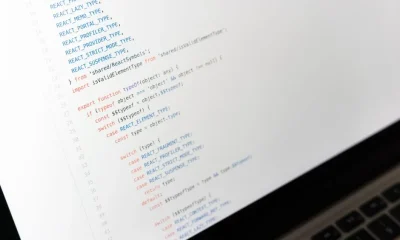

A React code editor is a UI component or set of components that allows users to write, edit, and interact with code directly within a web application, leveraging React’s declarative nature for dynamic rendering and state management. These editors are critical for online IDEs, educational platforms, and configuration tools. Recent advancements in browser APIs, WebAssembly, and performant JavaScript frameworks like React have significantly enhanced the capabilities and performance of these in-browser editors, moving them closer to native IDE experiences.
Building or integrating a robust React code editor involves navigating complex challenges related to text rendering, state synchronization, performance optimization, and extensibility. This article will dissect the underlying architectural principles and technical trade-offs involved, providing a comprehensive guide for engineers tasked with implementing such a critical component.
Core Abstractions of a React Code Editor
At its foundation, a React code editor is an intricate system built upon several core abstractions designed to manage text, render it efficiently, and respond to user interactions. The primary challenge is handling large text documents and numerous user operations without degrading performance. Key abstractions include text buffer management, viewport rendering, and a robust event handling mechanism.
Text Buffer Management: The text buffer is the editor’s most critical data structure. A simple string is inefficient for frequent modifications, especially in large files. Advanced editors often employ data structures like Rope data structures or Conflict-free Replicated Data Types (CRDTs). Ropes are binary trees where leaves store substrings, enabling efficient insertions, deletions, and concatenations (O(log N) operations). CRDTs are essential for collaborative editing, ensuring eventual consistency across multiple clients without centralized coordination. The choice impacts memory footprint and the complexity of operations like undo/redo.
- Rope Data Structure: Offers logarithmic time complexity for most text operations, making it suitable for single-user editors with large files. Its immutable nature aligns well with functional programming paradigms often seen in React.
- CRDTs: Indispensable for real-time collaborative editing. They allow concurrent, independent updates from multiple users and provide mechanisms to merge changes deterministically, avoiding conflicts. Implementing CRDTs significantly increases architectural complexity but enables powerful multi-user features.
- Gap Buffers: A simpler alternative, efficient for localized edits but less performant for edits far from the cursor or for very large files. Generally not suitable for high-performance React editors.
Viewport Rendering and Virtualization: Rendering an entire document, especially one with thousands of lines, is computationally expensive and can lead to slow frame rates. Modern React code editors employ virtualization, rendering only the lines currently visible in the viewport, plus a small buffer of lines above and below. This technique dramatically reduces DOM manipulation and improves perceived performance.
- Line-by-Line Virtualization: The most common approach, where only visible text lines are rendered as DOM elements. As the user scrolls, new lines are added to the DOM and old ones are removed or recycled.
- Column Virtualization: For very wide lines, horizontal virtualization can also be applied, though it’s less common due to the complexity of character width calculations.
- Monospaced Fonts: A critical prerequisite for accurate column rendering and cursor positioning, as each character occupies the same width.
Event Handling: A code editor must capture and interpret a wide array of user inputs, from simple key presses to complex drag-and-drop operations and multi-cursor selections. This requires a sophisticated event listener system that can differentiate between various input types, manage modifier keys, and prevent default browser behaviors. The event loop must be carefully optimized to avoid blocking the main thread, especially for operations that trigger complex text modifications or syntax re-parsing.
Architectural Implications
These core abstractions dictate how the editor interacts with the DOM and manages its internal state. For instance, an immutable Rope data structure simplifies undo/redo by allowing previous versions of the Rope to be stored, but requires careful garbage collection. Virtualization necessitates precise measurement of line heights and character widths, often requiring custom font loading strategies to ensure consistent metrics. The interplay between these components forms the backbone of any performant React code editor.
State Management Strategies for Editor Components
Effective state management is paramount for a React code editor, given the high frequency of updates and the complex interdependencies between various UI components (e.g., text area, line numbers, minimap, scrollbars). The choice of state management strategy directly impacts performance, maintainability, and the ease of implementing advanced features like collaborative editing or undo/redo functionality.
Global State vs. Local Component State: While React’s local component state (useState, useReducer) is suitable for isolated UI elements, a code editor’s core text buffer and cursor position are inherently global to the editor instance. Sharing this state across multiple components (e.g., the main editor pane, a minimap, a status bar) necessitates a centralized approach. Using a global state management library helps avoid prop drilling and ensures a single source of truth.
- Redux/Zustand/Jotai: Libraries like Redux, Zustand, or Jotai provide predictable state containers. Redux, with its strict unidirectional data flow and immutable state updates, is well-suited for the complex state transitions of an editor. Zustand and Jotai offer simpler, more lightweight alternatives that can still manage global state effectively, often with less boilerplate.
- React Context API: For simpler editors or smaller projects, the React Context API can serve as a lightweight global state solution. However, frequent updates to context values can lead to excessive re-renders across the component tree, potentially impacting performance if not carefully optimized with memoization (
React.memo,useMemo,useCallback).
Handling Undo/Redo History: This is a critical feature for any editor, requiring a robust mechanism to track and revert changes. The Command Pattern is a common architectural choice here. Each user action that modifies the text (e.g., typing a character, pasting text, deleting a selection) is encapsulated as a ‘command’ object. These commands are then pushed onto an undo stack and, when undone, moved to a redo stack.
interface Command { execute(): void; undo(): void; // Metadata for merging or display}class InsertTextCommand implements Command { constructor(private editorState: EditorState, private text: string, private position: number) {} execute() { this.editorState.insert(this.text, this.position); } undo() { this.editorState.delete(this.position, this.text.length); }}// Example usage:const undoStack: Command[] = [];const redoStack: Command[] = [];const insertCmd = new InsertTextCommand(editorState, 'hello', 0);insertCmd.execute();undoStack.push(insertCmd);// To undo:const lastCmd = undoStack.pop();if (lastCmd) { lastCmd.undo(); redoStack.push(lastCmd);}This approach requires that each command stores enough information to reverse its operation. For performance, storing full editor state snapshots for every command is usually prohibitive; instead, commands should represent diffs or operations. Immutable state libraries can simplify this by making it easier to store references to previous state objects.
Optimizing Re-renders for Large Documents: React’s reconciliation process can become a bottleneck with large DOM trees. Strategies to mitigate this include:
- Memoization: Using
React.memofor functional components andshouldComponentUpdatefor class components to prevent unnecessary re-renders if props or state haven’t changed. - Selectors: When using state management libraries like Redux, employing selectors to extract only the necessary slices of state ensures components only re-render when their specific data changes.
- Batching Updates: Grouping multiple state updates into a single re-render cycle to reduce overhead. React often does this automatically, but explicit batching might be needed in certain scenarios.
- Virtualization: As discussed, rendering only the visible portion of the document significantly reduces the DOM size, drastically cutting down on reconciliation work.
Concurrency and Collaborative Editing Implications: For collaborative editors, state management extends beyond a single client. CRDTs or operational transformation (OT) algorithms are integrated into the state layer to merge concurrent changes from multiple users. This often involves a server-side component to broadcast changes and a client-side component to apply and reconcile them, ensuring all clients eventually converge to the same document state.
Implementing Efficient Syntax Highlighting
Syntax highlighting is a fundamental feature of any code editor, enhancing readability and developer productivity by visually distinguishing different language elements. The challenge lies in performing this analysis efficiently, especially for large files and rapidly changing text, without introducing noticeable lag. The process generally involves lexing and parsing the code to identify tokens and their semantic meaning.
Lexing and Parsing: The Role of Abstract Syntax Trees (ASTs):
- Lexing (Tokenization): The first step is to break the raw text into a sequence of tokens. A lexer (or tokenizer) identifies keywords, operators, identifiers, strings, numbers, and comments. For example, in
const x = 10;, the lexer would produce tokens likeKEYWORD("const"),IDENTIFIER("x"),OPERATOR("="),NUMBER("10"),PUNCTUATION(";"). - Parsing: The parser takes these tokens and constructs an Abstract Syntax Tree (AST). An AST represents the grammatical structure of the code, providing a hierarchical view of the program. For syntax highlighting, the AST allows for more intelligent highlighting based on context; for example, distinguishing a variable declaration from a variable usage.
While regex-based highlighting (e.g., using Prism.js or highlight.js) is simpler to implement and suitable for static code blocks, it struggles with context-sensitive highlighting (e.g., highlighting a variable only if it’s declared) and can be less performant for very large files. Full AST parsing offers superior accuracy but is computationally more intensive.
Using Libraries vs. Custom Solutions:
- Prism.js/highlight.js: These are popular, lightweight libraries that use regular expressions to highlight code. They are excellent for displaying static code snippets but are not designed for interactive, real-time editing due to their re-computation overhead for every change.
- Monaco Editor/CodeMirror: These full-fledged editor frameworks incorporate their own highly optimized lexers and parsers, often leveraging Web Workers to offload computation from the main thread. Monaco Editor, for instance, uses a language service architecture similar to VS Code, allowing for semantic highlighting and advanced features like autocompletion and diagnostics.
- Custom Solutions: For highly specialized needs, a custom lexer/parser might be built using tools like Chevrotain (for JavaScript) or ANTLR. This offers maximum control but demands significant development effort.
Performance Considerations for Large Files:
- Incremental Parsing: Instead of re-parsing the entire document on every keystroke, an incremental parser only re-analyzes the changed portion of the code and its affected scope. This is crucial for maintaining responsiveness.
- Web Workers: Offloading the computationally intensive lexing and parsing to a Web Worker prevents the main UI thread from being blocked, ensuring a smooth user experience. The worker can compute the highlighting information and send it back to the main thread for rendering.
- Throttling and Debouncing: Limiting the frequency of parsing operations by applying throttling (executing at most once per a given time interval) or debouncing (executing only after a certain period of inactivity) on user input events.
Semantic Highlighting vs. Lexical Highlighting:
- Lexical Highlighting: Based purely on the tokens identified by the lexer (keywords, strings, comments). It’s fast but lacks deep context.
- Semantic Highlighting: Requires a full AST and symbol table to understand the meaning of identifiers. For example, it can highlight a class name differently from a function name, or an unused variable. This provides a richer visual experience but demands more computational resources. Modern IDEs use semantic highlighting extensively.
The choice between these approaches represents a classic engineering trade-off between implementation complexity, performance, and the richness of the user experience. For a high-performance React code editor, integrating a robust, incrementally parsing lexer/parser, ideally running in a Web Worker, is essential.
Editor Extensibility and Plugin Architecture
A truly powerful code editor is not just a text rendering engine; it’s an extensible platform that developers can customize and enhance. Designing a robust plugin architecture is crucial for supporting custom themes, keybindings, language-specific features, and integrations with other tools. This architecture dictates how developers can hook into the editor’s lifecycle and modify its behavior without altering its core codebase.
Designing APIs for Customization:
- Theme API: Allows users to define custom color schemes for syntax highlighting, editor background, selection, and other UI elements. This typically involves a JSON or JavaScript object defining color values mapped to specific token types or UI components.
- Keybinding API: Enables users to remap keyboard shortcuts for editor commands. This requires a flexible input dispatcher that can intercept key events and map them to registered commands, often with support for complex key sequences (e.g.,
Ctrl+K Ctrl+D). - Language Service API: This is the most complex aspect of extensibility. It allows developers to provide language-specific features such as autocompletion, diagnostics (linting/error checking), hover information, go-to-definition, and refactoring. This API typically defines interfaces for language servers (often running in Web Workers or even separate processes) that communicate with the editor via a protocol like the Language Server Protocol (LSP).
The Concept of Editor Extensions: Inspired by popular IDEs like VS Code, a React code editor can adopt a similar extension model. Extensions are typically self-contained modules that register themselves with the editor’s API. This modularity promotes a vibrant ecosystem and allows the core editor to remain lean.
- Extension Manifest: Each extension would have a manifest file (e.g.,
package.json) detailing its capabilities, required permissions, activation events, and contributions (e.g., new commands, UI elements, language configurations). - Extension Host: To isolate extensions and prevent a misbehaving extension from crashing the entire editor, extensions might run in a separate JavaScript context, potentially even in a Web Worker or an iframe. This sandboxing improves stability and security.
- Contribution Points: The editor defines specific ‘contribution points’ where extensions can plug in. Examples include commands, keybindings, menu items, themes, and language features.
Integrating External Language Services: For advanced features, integrating external language services is common. These services provide deep language understanding and are often written in languages like TypeScript, Java, or Go. In a web-based React editor, these services can be:
- WebAssembly (Wasm): Compiling language parsers or linters to WebAssembly allows them to run directly in the browser with near-native performance. This is particularly useful for computationally intensive tasks.
- Web Workers: Running JavaScript-based language services (e.g., TypeScript’s language service) in Web Workers keeps the main thread free.
- WebSocket/HTTP: For truly heavy-duty language services (e.g., Java, C#), the editor can communicate with a backend server via WebSockets or HTTP, where the actual language server processes the requests and sends back results. This is common for cloud-based IDEs.
// Example: Registering a simple autocompletion provider via an extension APIinterface EditorAPI { registerCompletionProvider(languageId: string, provider: CompletionProvider): Disposable;}interface CompletionProvider { provideCompletionItems(document: TextDocument, position: Position): CompletionItem[];}// An extension would implement this:class MyTypeScriptExtension { activate(api: EditorAPI) { api.registerCompletionProvider('typescript', { provideCompletionItems: (document, position) => { // Logic to suggest completions based on document content and cursor position return [{ label: 'console.log', kind: CompletionItemKind.Function }]; } }); }}The complexity of a plugin architecture varies significantly. A simple editor might only expose theme and keybinding APIs, while a full-fledged IDE-like experience requires a sophisticated language service integration. The design must balance flexibility with maintainability and performance, ensuring that extensions do not negatively impact the core editor’s responsiveness.
Performance Optimization Techniques
Performance is a non-negotiable requirement for any interactive code editor. A sluggish editor that lags on keystrokes or scrolls poorly is unusable. Optimizing a React code editor involves a multi-faceted approach, targeting JavaScript execution, DOM manipulation, and resource loading. The goal is to maintain a consistent 60 frames per second (FPS) for a smooth user experience.
Minimizing DOM Operations: The browser’s DOM is notoriously slow for frequent updates. Reducing the number of DOM manipulations is key.
- Virtualization: As discussed, only rendering visible lines and recycling DOM nodes dramatically cuts down on initial render time and subsequent updates during scrolling. This is perhaps the single most impactful optimization.
- Batching DOM Updates: Instead of updating the DOM for every single character typed, changes can be batched and applied during the next animation frame (using
requestAnimationFrame). This ensures updates are synchronized with the browser’s rendering cycle. - CSS Transforms for Scrolling: Using
transform: translate3d()for scrolling instead of manipulatingtopormargin-topproperties allows the browser to offload scrolling to the GPU, leading to smoother animations.
JavaScript Execution Optimization: Heavy JavaScript computations can block the main thread, causing UI freezes. Strategies include:
- Web Workers: Offloading CPU-intensive tasks like syntax parsing, linting, or autocompletion suggestions to Web Workers. This ensures the main thread remains free to handle UI rendering and user input. Communication between the main thread and workers should be optimized to pass minimal data.
- Debouncing and Throttling: Applying these techniques to expensive operations triggered by user input (e.g., parsing, linting, saving). Debouncing ensures a function is only called after a certain period of inactivity, while throttling limits its execution frequency.
- Efficient Data Structures: Using data structures optimized for text operations (like Ropes) minimizes the cost of modifying the editor’s internal state.
- Memoization (
React.memo,useMemo,useCallback): Prevents unnecessary re-renders of React components by caching component output and re-rendering only when relevant props or state change. This is crucial for deeply nested component trees in an editor.
Memory Management: Large files and extensive undo/redo history can consume significant memory. Careful memory management prevents browser crashes and performance degradation.
- Garbage Collection Awareness: Avoiding circular references and large, long-lived objects that prevent garbage collection.
- Immutable Data Structures: While seemingly counterintuitive, immutable data structures can sometimes be more memory efficient by allowing structural sharing. Instead of copying an entire object, only the changed parts are new, and references to unchanged parts are reused.
- Optimized Undo/Redo: Storing diffs or commands instead of full state snapshots for undo/redo history. Limiting the depth of the undo stack.
Initial Load Time and Code Splitting: For web-based editors, initial load time is critical. Large editor bundles can delay time-to-interactive.
- Code Splitting: Dynamically importing less frequently used editor features (e.g., specific language modes, advanced plugins) only when they are needed.
- Tree Shaking: Ensuring that only the necessary code from libraries is included in the final bundle.
Benchmarking and Profiling: Continuous profiling with browser developer tools (e.g., Chrome’s Performance tab) is essential to identify performance bottlenecks. Tools like React DevTools can help pinpoint unnecessary re-renders. Establishing performance benchmarks and monitoring them during development ensures that new features do not introduce regressions.
The combination of these techniques creates a responsive and fluid editing experience, crucial for user adoption and productivity.
Integrating External Libraries and Tools
Modern software development rarely involves building every component from scratch. Integrating well-established external libraries and tools can significantly accelerate development, improve robustness, and provide advanced features in a React code editor. This section explores common types of integrations and the architectural considerations involved.
Monaco Editor or CodeMirror: For many projects, building a code editor from the ground up is an immense undertaking. Libraries like Monaco Editor (the core of VS Code) and CodeMirror are powerful, battle-tested solutions that provide a rich set of features out-of-the-box. Integrating these involves wrapping them in a React component and managing their lifecycle.
- Monaco Editor: Offers a highly performant and feature-rich experience, supporting multiple languages, diff views, and a sophisticated extension model. Its large bundle size and opinionated architecture can be a drawback for lightweight applications. Integration often involves dynamically loading its assets and carefully managing its instance within a React component.
- CodeMirror: A more modular and lightweight option, providing a flexible API for customization. It’s often preferred for applications where bundle size and granular control are critical. CodeMirror 6, rewritten with a functional architecture, integrates seamlessly with React’s component model.
import React, { useRef, useEffect } from 'react';import { EditorView, basicSetup } from 'codemirror';import { javascript } from '@codemirror/lang-javascript';interface CodeMirrorEditorProps { initialDoc: string; onChange: (doc: string) => void;}const CodeMirrorEditor: React.FC<CodeMirrorEditorProps> = ({ initialDoc, onChange }) => { const editorRef = useRef<HTMLDivElement>(null); const viewRef = useRef<EditorView | null>(null); useEffect(() => { if (!editorRef.current) return; const startState = EditorState.create({ doc: initialDoc, extensions: [ basicSetup, javascript(), EditorView.updateListener.of((update) => { if (update.docChanged) { onChange(update.state.doc.toString()); } }) ] }); viewRef.current = new EditorView({ state: startState, parent: editorRef.current }); return () => { viewRef.current?.destroy(); }; }, [initialDoc, onChange]); return <div ref={editorRef} style={{ height: '300px', border: '1px solid #ccc' }} />;};This example shows a basic wrapper for CodeMirror 6, managing its lifecycle and exposing an onChange prop for React integration.
Linting and Formatting Tools: Integrating tools like ESLint, Prettier, or custom linters provides immediate feedback to users, improving code quality. This often involves:
- WebAssembly or Web Workers: Running the linting/formatting logic in a separate thread or compiled to Wasm to avoid UI blocking.
- Language Server Protocol (LSP): If the linter/formatter supports LSP, it can be integrated as a language service, providing a standardized way for the editor to communicate with it.
- Diffing and Patching: For auto-formatting, the editor needs to compute the diff between the original and formatted code and apply the changes as a patch, ensuring undo/redo history is preserved.
Version Control Integration: For online IDEs, integrating with Git or other version control systems is essential. This could involve:
- Git Web APIs: Interacting with GitHub, GitLab, or Bitbucket APIs to fetch repositories, commit changes, and manage branches.
isomorphic-git: A pure JavaScript implementation of Git that can run in the browser, allowing for client-side Git operations without a backend server. This enables features like client-side diffing and staging.
Dependency Management and Module Resolution: For environments where users write full applications, providing a way to manage dependencies (like npm packages) and resolve modules is crucial. This might involve:
- CDN-based Module Loading: Dynamically loading modules from CDNs (e.g., unpkg, jsDelivr) when referenced in user code.
- Bundling in Web Worker: Running a lightweight bundler (e.g., Rollup, Parcel) in a Web Worker to compile user code with its dependencies.
The decision to integrate a full editor framework versus building components depends on the project’s scope, performance requirements, and the desired level of customization. For most complex interactive development environments, leveraging existing robust solutions like Monaco or CodeMirror is a pragmatic choice.
Managing Asynchronous Operations and Concurrency
A modern React code editor is inherently asynchronous, dealing with user input, network requests (for collaborative editing or language services), file system operations, and heavy computations. Effectively managing these asynchronous operations and concurrency is vital to prevent UI freezes and ensure a responsive user experience. Mismanaged concurrency can lead to race conditions, inconsistent states, and a poor user experience.
Asynchronous Nature of Editor Tasks: Many editor features cannot be performed synchronously on the main thread:
- Language Server Communication: Autocompletion, diagnostics, hover information, and go-to-definition queries are often sent to a language server (local Web Worker or remote server) and involve I/O.
- File Operations: Reading or writing files (in a browser, typically via the File System Access API or IndexedDB) are asynchronous.
- Heavy Computations: Full document parsing, complex linting rules, or code formatting can take hundreds of milliseconds, requiring offloading.
- Collaborative Editing: Synchronizing changes with a remote server and other clients involves network latency.
Utilizing Web Workers for Offloading: The primary mechanism for concurrency in the browser is Web Workers. They allow JavaScript to run in a background thread, separate from the main UI thread. This is ideal for:
- Syntax Highlighting and Parsing: As discussed, processing large files for highlighting or AST generation.
- Linting and Type Checking: Running ESLint, TypeScript compiler, or other static analysis tools.
- Search and Replace (large files): Performing text searches across an entire document.
- Bundling/Transpilation: For in-browser playgrounds, compiling user code.
// main.tsconst worker = new Worker('worker.ts');worker.postMessage({ type: 'parse', code: 'console.log("hello");' });worker.onmessage = (event) => { if (event.data.type === 'parsed') { console.log('Parsed AST:', event.data.ast); }}; // worker.ts (separate file)self.onmessage = (event) => { if (event.data.type === 'parse') { // Perform heavy parsing here const ast = parseCode(event.data.code); self.postMessage({ type: 'parsed', ast }); }};Promises and Async/Await: Modern JavaScript features like Promises and async/await are fundamental for managing asynchronous control flow. They allow for writing asynchronous code that looks and feels synchronous, improving readability and reducing callback hell. All interactions with Web Workers or network requests should return Promises.
Cancellation Tokens and AbortController: When an asynchronous operation is initiated (e.g., autocompletion request), but the user types another character before the first request completes, the first request becomes stale. Allowing stale results to update the UI can lead to inconsistencies. AbortController provides a standard way to cancel ongoing asynchronous operations, preventing race conditions and ensuring only the latest, relevant results are processed.
let currentAbortController: AbortController | null = null;async function fetchCompletions(query: string) { if (currentAbortController) { currentAbortController.abort(); // Cancel previous request } currentAbortController = new AbortController(); const signal = currentAbortController.signal; try { const response = await fetch(`/api/completions?q=${query}`, { signal }); const data = await response.json(); // Update editor with data currentAbortController = null; // Request completed } catch (error) { if (error.name === 'AbortError') { console.log('Fetch aborted'); } else { console.error('Error fetching completions:', error); } currentAbortController = null; }}Debouncing and Throttling for UI Responsiveness: As mentioned in performance, these techniques are crucial for managing the frequency of asynchronous calls triggered by rapid user input (e.g., many keystrokes triggering multiple linting requests). Debouncing ensures that the expensive operation only runs after a pause in user activity, while throttling limits how often it can run.
WebAssembly (Wasm) for CPU-Bound Tasks: For tasks that are inherently CPU-bound and difficult to optimize in JavaScript, compiling them to WebAssembly can provide significant performance gains. Wasm modules can be loaded and executed in both the main thread and Web Workers, offering a powerful option for performance-critical components like custom parsers or cryptographic operations.
By strategically employing these techniques, a React code editor can handle complex asynchronous workloads efficiently, maintaining a fluid and responsive user experience even under heavy load.
Accessibility and Internationalization (i18n)
Building a robust React code editor for a diverse user base means prioritizing accessibility (A11y) and internationalization (i18n). Neglecting these aspects can severely limit usability for users with disabilities or those who operate in non-English languages or different cultural contexts. Adhering to standards ensures a broader reach and a more inclusive product.
Accessibility (A11y) Considerations:
- ARIA Attributes: Using WAI-ARIA (Web Accessibility Initiative, Accessible Rich Internet Applications) attributes is critical for conveying semantic meaning to assistive technologies like screen readers. For an editor, this includes roles like
role="textbox",aria-multiline="true",aria-labelfor describing UI elements, andaria-describedbyfor linking error messages or contextual help. - Keyboard Navigation: A code editor must be fully navigable and operable via keyboard alone. This means ensuring proper tab order, focus management, and support for standard keyboard shortcuts (e.g., arrow keys for navigation, Tab for indentation, Esc for dismissing popups). Custom keybindings should be configurable and ideally follow common conventions.
- Screen Reader Support: The editor’s content must be consumable by screen readers. This involves ensuring that the textual content is exposed correctly (often through a hidden, synchronized
textareaor by carefully managing the virtual DOM structure). Changes to the code, cursor position, and error messages should be announced appropriately. - Color Contrast: Syntax highlighting schemes and UI elements must adhere to WCAG (Web Content Accessibility Guidelines) color contrast ratios to be legible for users with low vision or color blindness. Providing customizable themes is often a good approach.
- Focus Management: Clearly indicating the active element with a visible focus indicator. When modals or pop-ups appear, focus should be trapped within them and returned to the correct element upon dismissal.
Internationalization (i18n) Considerations:
- Language Support: The editor’s UI strings (e.g., menu items, tooltips, error messages) must be translatable into multiple languages. This typically involves using an i18n library (e.g.,
react-i18next,formatjs) to manage translation keys and provide localized text. - Bidirectional Text (Bidi) Support: For languages written right-to-left (RTL) like Arabic or Hebrew, the editor must correctly render text direction, cursor movement, and line wrapping. This involves careful use of CSS properties like
direction: rtl;and ensuring that text manipulation logic accounts for bidi properties. - Locale-Aware Formatting: Number formatting, date/time formatting, and collation (sorting strings) should respect the user’s locale. For example, decimal separators or thousands separators vary by region.
- Input Methods and Character Sets: The editor must correctly handle various input methods (IMEs) for complex languages (e.g., Chinese, Japanese, Korean) and support a wide range of Unicode characters (UTF-8) for code and comments. This includes ensuring that character width calculations are correct for non-monospaced or double-width characters, which can be a significant challenge for rendering engines.
- Font Selection: Providing fonts that support a broad range of character sets and scripts is crucial. Monospaced fonts with extensive Unicode coverage are ideal for code editors.
Achieving high levels of accessibility and internationalization requires a thoughtful design process from the outset, rather than attempting to bolt them on as an afterthought. Regular testing with assistive technologies and native speakers of target languages is essential to ensure a truly inclusive editor experience.
Testing Strategies for Editor Stability and Correctness
Given the complexity and interactive nature of a React code editor, a robust testing strategy is indispensable to ensure stability, correctness, and a consistent user experience. Without comprehensive testing, regressions can easily creep in, leading to frustrating bugs related to text manipulation, rendering, or integration. A multi-layered testing approach is typically required.
Unit Testing:
- Core Data Structures: Unit tests should rigorously verify the behavior of underlying data structures like the Rope buffer or CRDT implementation. This includes testing insertions, deletions, concatenations, splitting, and cursor position calculations for various edge cases (empty strings, large strings, boundaries).
- Utility Functions: Isolated functions for syntax parsing, tokenization, diffing algorithms, and selection logic should have dedicated unit tests.
- React Components: Individual, isolated React components (e.g., a line number component, a single-line renderer) should be tested to ensure they render correctly given specific props and state. Libraries like Jest and React Testing Library are suitable for this.
// Example: Unit test for a Rope data structure (simplified)import { Rope } from './Rope';describe('Rope Data Structure', () => { it('should insert text correctly', () => { let rope = new Rope('hello'); rope = rope.insert(5, ' world'); expect(rope.toString()).toBe('hello world'); }); it('should delete text correctly', () => { let rope = new Rope('hello world'); rope = rope.delete(5, 6); // delete ' world' expect(rope.toString()).toBe('hello'); }); it('should handle large insertions efficiently', () => { let rope = new Rope('a'); for (let i = 0; i < 10000; i++) { rope = rope.insert(rope.length, 'b'); } expect(rope.length).toBe(10001); });});Integration Testing:
- Component Interactions: Testing how different editor components interact. For example, verifying that typing in the text area correctly updates the line numbers, minimap, and scrollbars.
- Plugin Integration: Ensuring that extensions correctly register their features and that the editor’s API handles their contributions as expected.
- Language Services: Testing that autocompletion suggestions appear correctly, diagnostics are displayed, and hover information is accurate when interacting with a simulated language server.
- Undo/Redo Stack: Performing a sequence of edits and then verifying that undoing/redoing them restores the correct state. This is a critical integration test.
End-to-End (E2E) Testing:
- User Flows: Simulating real user interactions in a browser environment. This involves opening a file, typing code, selecting text, copying/pasting, saving, and verifying the expected outcome. Tools like Playwright or Cypress are excellent for E2E testing.
- Performance Benchmarks: E2E tests can also include performance assertions, such as ensuring that typing a certain number of characters or scrolling through a large file completes within an acceptable time frame (e.g., frame rate does not drop below 50 FPS).
- Cross-Browser Compatibility: Running E2E tests across different browsers to ensure consistent behavior.
Snapshot Testing (for UI components): While not a replacement for full UI testing, snapshot testing (e.g., with Jest) can be useful for ensuring that React components’ rendered output does not change unexpectedly. This is particularly valuable for complex rendering logic, like how a line of code with syntax highlighting is rendered.
Fuzz Testing: For core text manipulation logic, fuzz testing can be highly effective. This involves feeding the editor random inputs (e.g., long strings, invalid Unicode characters, rapid key sequences) to uncover unexpected crashes or inconsistencies. This is especially relevant for CRDT implementations where data corruption can be subtle.
Regression Testing: After fixing a bug, a new test case should be added to prevent the bug from reappearing in future releases. This builds a robust safety net over time.
A well-structured testing pyramid, starting with a large base of fast unit tests and progressively fewer, slower integration and E2E tests, provides a good balance between test coverage and feedback speed. Continuous Integration (CI) pipelines should automatically run these tests on every code change.
Collaborative Editing Architectures
Enabling real-time collaborative editing in a React code editor introduces significant architectural complexity, demanding solutions that handle concurrent modifications from multiple users while maintaining consistency and responsiveness. The primary challenge is merging conflicting changes deterministically and efficiently. Two prominent architectural patterns dominate this space: Operational Transformation (OT) and Conflict-free Replicated Data Types (CRDTs).
Operational Transformation (OT):
- Concept: OT is an algorithm that transforms operations (e.g., insert, delete) generated by one client to be applicable to the document state on another client, even if that state has diverged due to concurrent edits. The goal is to ensure that all clients converge to the same final document state.
- Mechanism: When a client makes an edit, it generates an operation and sends it to a central server. The server applies its own transformation logic to ensure the operation is valid against its current document state, then transforms it to be compatible with other clients’ states before broadcasting it. Each client then transforms the incoming operation against its local, unacknowledged changes before applying it.
- Advantages: Well-established, provides strong consistency (all clients see the exact same document at all times, given enough time for operations to propagate).
- Disadvantages: Highly complex to implement correctly, especially for complex operations. Requires a centralized server to coordinate operations, which can be a single point of failure or bottleneck. Debugging can be challenging due to the intricate transformation logic.
Conflict-free Replicated Data Types (CRDTs):
- Concept: CRDTs are data structures that can be replicated across multiple machines, allowing them to be updated concurrently and independently without coordination, yet still guarantee eventual consistency. When changes are merged, the CRDT’s properties ensure that all replicas converge to the same state without requiring complex transformation logic.
- Mechanism: Each client directly applies its changes to its local CRDT. The CRDT encodes operations in a way that makes them commutative, associative, and idempotent. When operations are exchanged between clients (peer-to-peer or via a server), they can be applied in any order, and the CRDT’s mathematical properties ensure consistency.
- Advantages: Simpler to implement than OT (once the CRDT is chosen), supports offline editing, and can be decentralized (peer-to-peer). No central server is strictly required for consistency, only for messaging.
- Disadvantages: Can sometimes result in less intuitive merges than OT (e.g., character order might differ if not carefully designed). Can have a higher memory footprint as they might store more metadata.
Architectural Components for Collaborative Editing:
- WebSocket Server: A persistent, bidirectional communication channel (WebSockets) is essential for real-time exchange of operations between clients and the server. This server acts as a message broker.
- Client-Side Editor Integration: The React editor must be integrated with the chosen OT or CRDT library. This involves capturing local edits, generating operations, sending them to the server, and applying incoming remote operations.
- Presence Management: Showing other users’ cursors and selections requires constantly broadcasting cursor positions and selection ranges. This is typically handled via the same WebSocket connection.
- Authentication and Authorization: Securing collaborative sessions to ensure only authorized users can join and edit.
Challenges and Trade-offs:
- Latency: Network latency is a fundamental challenge. OT and CRDTs aim to mask this by allowing local edits to be immediately reflected, then reconciling with remote changes.
- Offline Support: CRDTs inherently support offline work better, as clients can continue editing and sync changes later. OT typically requires a connection to the central server.
- Complexity: Both approaches are complex, but CRDTs shift the complexity from transformation logic to data structure design.
For a React code editor, the choice between OT and CRDT depends on the specific requirements for consistency, ease of implementation, and decentralization. Projects like Google Docs use OT, while newer collaborative frameworks often leverage CRDTs for their robustness and simplified merging semantics.
Integrating with Backend Services and APIs
While a React code editor primarily operates client-side, its utility is significantly enhanced by seamless integration with backend services and APIs. This integration enables features like persistent storage, dynamic language services, user authentication, and data analysis. Designing these integrations requires careful consideration of data flow, security, and performance.
Persistent Storage and File Management:
- REST APIs for File Operations: The most common approach for saving, loading, and managing user files. Endpoints for
GET /files/{id},POST /files,PUT /files/{id}, andDELETE /files/{id}are standard. The editor sends the file content (e.g., as JSON or plain text) to the backend. - GraphQL: Offers a more flexible alternative, allowing the client to request exactly the data it needs, reducing over-fetching or under-fetching. A GraphQL schema would define types for files, projects, and their associated content.
- Cloud Storage Integration: For large-scale applications, integrating with cloud storage solutions like AWS S3, Google Cloud Storage, or Azure Blob Storage through signed URLs can offload file serving and storage responsibilities from the primary backend. The backend would generate temporary, secure URLs for the client to directly upload/download files.
Dynamic Language Services:
- Language Server Protocol (LSP) over WebSockets: For powerful language features (autocompletion, diagnostics, refactoring) that are too resource-intensive to run in the browser, a backend language server is essential. The editor communicates with this server via WebSockets, sending code changes and requesting language-specific information. The server runs the actual language parser/analyzer (e.g., a TypeScript language server, a Python linter) and sends back results.
- Custom API Endpoints: For simpler scenarios, specific API endpoints can be exposed, e.g.,
POST /api/lintwhich takes code as input and returns linting errors, orPOST /api/formatfor code formatting.
Authentication and Authorization:
- JWT (JSON Web Tokens): A common mechanism for securing API requests. After user authentication (e.g., via OAuth2 or traditional username/password), the backend issues a JWT. The React editor then includes this token in the
Authorizationheader of subsequent API requests. - Session Management: For traditional web applications, session cookies can be used, with the backend managing session state.
- Permissions: Backend services must enforce granular permissions, ensuring users can only access and modify files they own or have been granted access to, especially in collaborative environments.
Real-time Communication for Collaboration:
- WebSockets: As discussed for collaborative editing, WebSockets provide the persistent, low-latency connection required to exchange operations (OT or CRDT) between clients via a central server. The server acts as a message broker, ensuring operations are correctly routed and persisted.
- Serverless Functions: For event-driven architectures, serverless functions (e.g., AWS Lambda, Google Cloud Functions) can handle specific API requests (e.g., saving a file, running a quick lint check) without managing a full server.
Monitoring and Logging:
- API Logging: Backend APIs should meticulously log requests, errors, and performance metrics. This is crucial for debugging issues in production and understanding usage patterns.
- Error Reporting: Client-side errors (e.g., JavaScript exceptions in the editor) should be reported to a backend error tracking service (e.g., Sentry) to proactively identify and fix bugs.
Integrating a React code editor with backend services transforms it from a static component into a dynamic, functional application capable of persisting data, offering intelligent language features, and supporting collaborative workflows. Careful API design and robust security measures are paramount for a reliable and scalable solution.
Security Considerations in a Web-Based Editor
A web-based React code editor, particularly one that allows users to execute or store arbitrary code, presents significant security challenges. Architects must implement robust security measures to protect both the user and the underlying infrastructure. A multi-layered approach, encompassing client-side validation, server-side sanitization, and execution sandboxing, is essential.
Client-Side Security:
- Input Validation and Sanitization: While the editor’s primary function is to accept user input, any data sent to the backend or displayed to other users must be validated. On the client, this can include preventing overly large files from being submitted or stripping out potentially malicious HTML if the editor supports rich text.
- Content Security Policy (CSP): A strong CSP header can mitigate cross-site scripting (XSS) attacks by restricting the sources from which the browser can load resources (scripts, styles, images). For an editor, this is critical to prevent malicious injected scripts from running.
- Cross-Site Request Forgery (CSRF) Protection: Ensure all state-changing requests from the client include CSRF tokens, preventing attackers from forging requests on behalf of authenticated users.
- XSS Prevention in Displayed Code: If the editor ever renders user-provided code in a non-editor context (e.g., as part of a preview), it must be meticulously sanitized to prevent XSS. Libraries like
DOMPurifycan help, but it’s often safer to render code in an iframe with a strict sandbox attribute.
Server-Side Security:
- Input Validation and Sanitization (Backend): This is the last line of defense. All user-submitted code and metadata must be thoroughly validated and sanitized on the server before storage or processing. This prevents database injection, command injection, and other server-side vulnerabilities.
- Authentication and Authorization: As discussed, robust authentication (e.g., JWT, OAuth) and fine-grained authorization checks are critical. The backend must verify that a user is authenticated and has the necessary permissions to perform an action (e.g., save a file, access a project).
- Rate Limiting: Protecting against brute-force attacks and denial-of-service (DoS) attempts by limiting the number of requests a user or IP address can make within a certain timeframe.
- Secure Storage: Storing user code and sensitive data securely, often encrypted at rest, and ensuring proper access controls on the storage layer.
Code Execution Sandboxing:
- Server-Side Execution: If the editor allows users to execute code, this must happen in a highly isolated, sandboxed environment on the server. Options include:
- Containers (e.g., Docker): Running user code within ephemeral Docker containers, each with strict resource limits and network isolation. This is a common approach for online judge systems or playgrounds.
- Virtual Machines (VMs): Even stronger isolation than containers, but with higher overhead.
- WebAssembly (Wasm) Runtimes: For specific languages, running Wasm in a server-side runtime like Wasmer or Wasmtime can provide a secure, efficient sandbox.
- Client-Side Execution: Executing user-provided JavaScript directly in the browser is extremely risky due to the browser’s shared execution environment. If unavoidable, it should be done within a heavily sandboxed
iframewith strictsandboxattributes, preventing access to parent window, network, or storage. However, even this carries risks and should be approached with extreme caution.
<!-- Example of a heavily sandboxed iframe for client-side code execution --><iframe sandbox="allow-scripts" srcdoc="<html><body><script>/* user code here */</script></body></html>" style="display: none;"></iframe>The sandbox="allow-scripts" attribute is the minimum required to run JavaScript, but it still prevents many dangerous operations. For truly untrusted code, server-side execution in a dedicated sandbox is the only secure approach.
Regular security audits, penetration testing, and staying updated with the latest security best practices are crucial for maintaining the integrity and safety of a web-based code editor.
Real-time Diagnostics and Linting Feedback
Providing immediate feedback to users about syntax errors, style violations, and potential bugs is a hallmark of a modern development environment. Integrating real-time diagnostics and linting into a React code editor significantly improves developer productivity by catching issues early in the coding process. This involves a continuous analysis loop and efficient presentation of feedback.
The Diagnostics Pipeline:
- Event Triggering: Diagnostics are typically re-calculated on specific events: a delay after a keystroke (debounced), on save, or on explicit user command. Debouncing is crucial to avoid overwhelming the system with analysis requests.
- Code Analysis: The editor sends the current document content to a language service. This service can be:
- Client-side Web Worker: For languages like JavaScript/TypeScript, the language service can run in a Web Worker (e.g., using Babel’s parser, ESLint’s core, or TypeScript’s language service API). This keeps analysis local and fast.
- Backend Language Server: For more complex languages or heavy analysis, the code is sent to a backend server running a full language server (e.g., via LSP), which performs the analysis and returns results.
- WebAssembly: Compiling linters or parsers to WebAssembly allows them to run client-side with high performance.
- Results Processing: The language service returns a list of diagnostics, each containing a message, severity (error, warning, info), and a precise range (line, column) in the document.
Presenting Feedback in the Editor:
- Squiggles/Underlines: The most common visual cue. The editor renders wavy or colored underlines beneath the problematic code segments based on the diagnostic ranges and severity.
- Gutter Icons: Icons (e.g., a red ‘X’ for errors, a yellow ‘!’ for warnings) displayed in the editor’s left gutter next to the affected line. Clicking these often reveals more details.
- Hover Information: When the user hovers over a squiggle or gutter icon, a tooltip appears, displaying the full diagnostic message.
- Problems Panel/Output Window: A dedicated UI panel, often at the bottom of the editor, lists all diagnostics for the current file or project, allowing users to navigate directly to the issue.
// Example: Applying diagnostics to the editor (conceptual)function applyDiagnostics(editorInstance: EditorAPI, diagnostics: Diagnostic[]) { editorInstance.clearDecorations('diagnostics'); // Clear old diagnostics diagnostics.forEach(diag => { const { message, severity, range } = diag; const decoration = editorInstance.createDecoration({ range: range, className: `diagnostic-${severity}`, // CSS class for squiggles hoverMessage: message, gutterIcon: severity === 'error' ? 'error-icon' : 'warning-icon' }); editorInstance.addDecoration(decoration); }); editorInstance.updateProblemsPanel(diagnostics); // Update separate panel}Performance and Responsiveness:
- Debouncing: Essential for preventing excessive diagnostic re-runs on every keystroke. A typical debounce delay is 300-500ms.
- Incremental Analysis: If the language service supports it, only re-analyzing the changed portion of the code rather than the entire document.
- Caching: Caching analysis results for unchanged parts of the document can speed up subsequent runs.
- Prioritization: Prioritizing error diagnostics over warnings, and focusing on the currently visible viewport for immediate feedback, deferring full document analysis.
Integration with Formatting: Linting often goes hand-in-hand with code formatting. Many linters can also automatically fix issues. The editor can integrate with formatters (like Prettier) to provide an ‘Format Document’ command or format on save. This typically involves sending the code to a formatter, receiving the formatted output, and then applying a diff to the editor’s document.
By thoughtfully integrating real-time diagnostics, a React code editor transforms into an intelligent assistant, guiding developers towards higher quality code and a more efficient workflow.
The Evolution of In-Browser Editor Performance
The journey of in-browser code editors from basic text areas to sophisticated IDE-like environments is a testament to continuous innovation in web technology. This evolution has been driven largely by improvements in browser performance, the advent of new web APIs, and more efficient JavaScript frameworks. Understanding this trajectory highlights the architectural decisions that enable today’s high-performance React code editors.
Early Editors and the Limitations of the DOM:
<textarea>Tag: The most basic form of a web editor. While simple, it offers limited styling, no syntax highlighting, and poor performance for large files. Customizing cursor behavior or selections is nearly impossible.- ContentEditable: A step up, allowing rich text editing directly in the browser. However,
contenteditableelements are notoriously inconsistent across browsers, difficult to control programmatically, and introduce significant security risks due to arbitrary HTML injection. They were rarely suitable for structured code editing. - Early JavaScript Libraries: Libraries like CodeMirror (versions 1-3) pushed the boundaries by rendering text using nested DOM elements and applying CSS for highlighting. While revolutionary for their time, they still contended with heavy DOM manipulation, leading to performance bottlenecks for large documents or complex highlighting.
The Rise of Virtualization and Canvas/WebGL Rendering:
- Virtual DOM and React: The introduction of React and its virtual DOM concept provided a more efficient way to manage UI updates. Instead of directly manipulating the browser DOM, React computes minimal diffs and applies them efficiently. This was a significant enabler for more complex editor UIs.
- Viewport Virtualization: As discussed, rendering only visible lines (and a small buffer) became a standard technique. This drastically reduced the number of DOM nodes, alleviating the performance burden.
- Canvas/WebGL Rendering: For ultimate performance and control, some editors (e.g., certain versions of CodeMirror, or highly specialized editors) moved away from HTML DOM for text rendering entirely. Instead, they render text directly onto an HTML
<canvas>element or even use WebGL. This bypasses browser layout engines, offering pixel-perfect control and extremely high frame rates, but significantly increases implementation complexity (e.g., custom text layout, font rendering, accessibility considerations).
Web Workers and WebAssembly:
- Web Workers: The ability to run JavaScript in background threads revolutionized how computationally intensive tasks (parsing, linting, semantic analysis) could be handled without blocking the main UI thread. This allowed editors to provide rich IDE features without sacrificing responsiveness.
- WebAssembly (Wasm): A game-changer for performance-critical components. Wasm allows code written in languages like C++, Rust, or Go to be compiled into a binary format that runs in the browser at near-native speeds. This is leveraged for language parsers, heavy algorithms, and even running parts of operating systems in the browser. Wasm modules can run in Web Workers, combining the benefits of multi-threading with native performance.
Modern Editor Architectures (Monaco, CodeMirror 6):
- Monaco Editor: Built upon the same core as VS Code, it leverages all these advancements. It uses a highly optimized rendering engine (mix of DOM and potentially canvas for certain elements), Web Workers for language services, and a modular architecture.
- CodeMirror 6: Rewritten from scratch with a functional, immutable data structure-centric design, CodeMirror 6 is highly performant. It focuses on efficiency, modularity, and a strong extension API, making it a powerful choice for React integration.
The evolution demonstrates a clear trend towards offloading work from the main thread, optimizing DOM interactions, and leveraging low-level browser capabilities for performance. React’s declarative UI model has been instrumental in building the complex user interfaces on top of these high-performance foundations.
Customizing the Editor’s Appearance and Behavior
A key aspect of a truly versatile React code editor is its ability to be customized, both in appearance (theming) and behavior (keybindings, specific language features). Providing robust customization options allows the editor to adapt to diverse user preferences and integrate seamlessly into various application contexts. This requires a well-designed configuration API and a clear separation of concerns.
Theming and Styling:
- CSS Variables: Modern theming often relies on CSS variables (custom properties). The editor components can define semantic CSS variables (e.g.,
--editor-background-color,--syntax-keyword-color), and users or the application can override these variables at a higher level in the CSS cascade. This allows for dynamic theme switching without re-rendering the entire editor. - Theme Objects: For more complex themes, an editor might expose a JavaScript theme object API. This object would define color codes, font styles, and other visual properties mapped to specific editor elements or syntax token types. The editor’s rendering engine would then interpret this object to apply styles.
- Scoped CSS/CSS-in-JS: Using scoped CSS modules or CSS-in-JS libraries (e.g., Styled Components, Emotion) helps prevent style conflicts between the editor and the host application, ensuring the editor’s appearance remains consistent regardless of the surrounding environment.
Keybinding Customization:
- Command Palette: A common mechanism for exposing editor commands and allowing users to search and execute them. This UI component typically integrates with the keybinding system.
- Configurable Keymap: The editor should provide a way for users to remap default keybindings or define new ones. This usually involves a JSON-based configuration file where users specify a key combination and the command it should trigger.
- Keybinding Conflict Resolution: A robust system must handle conflicts (multiple commands mapped to the same keybinding) and provide a clear mechanism for users to resolve them, often with a priority system or a visual conflict resolver.
- Context-Aware Keybindings: Keybindings can be context-aware, meaning they only activate when a certain condition is met (e.g., ‘only when a selection is active’, ‘only in JavaScript files’).
// Example: Keybinding configuration JSON[ { "key": "ctrl+s", "command": "editor.saveFile", "when": "editorTextFocus" }, { "key": "ctrl+alt+f", "command": "editor.formatDocument", "when": "editorTextFocus && !editorReadonly" }, { "key": "escape", "command": "editor.closeSuggestion", "when": "suggestWidgetVisible" }]Language-Specific Configurations:
- Tab Size and Indentation: Users often prefer different tab sizes or whether to use spaces or tabs for indentation. These settings should be configurable per language or globally.
- Auto-Completion Behavior: Fine-tuning when auto-completion suggestions appear, how they are filtered, and whether they are automatically accepted.
- Linting Rules: Allowing users to enable/disable specific linting rules or adjust their severity. This often involves integrating with the configuration files of external linters (e.g.,
.eslintrc.js).
Font Customization: Allowing users to select their preferred monospaced font and font size is a critical usability feature. The editor needs to correctly measure character widths for accurate cursor positioning and rendering, which can be challenging with custom fonts.
API for Programmatic Control: Beyond user-facing customization, a React code editor should expose a programmatic API for the host application to interact with it. This includes methods to:
- Get/set document content.
- Get/set cursor position and selections.
- Apply edits programmatically.
- Trigger commands.
- Register event listeners.
By offering a rich set of customization options and a clear API, a React code editor becomes a flexible and powerful tool that can be tailored to various use cases and user preferences, significantly enhancing its value within an application.
Leveraging Web Components for Isolation and Reusability
While React is an excellent framework for building complex UI components, integrating a React code editor into a broader application, especially one not built with React, can sometimes pose challenges related to framework interoperability, styling conflicts, and maintaining a clear component boundary. Leveraging Web Components offers a powerful solution for encapsulating the editor, providing strong isolation and enhancing reusability across different technology stacks.
What are Web Components?
Web Components are a set of web platform APIs that allow you to create new custom, reusable, encapsulated HTML tags. They consist of four main specifications:
- Custom Elements: Define new HTML elements with custom behavior.
- Shadow DOM: Provides encapsulated styling and DOM, preventing conflicts with the main document.
- HTML Templates: Define reusable HTML structures.
- ES Modules: The standard way to import and export JavaScript modules, used for distributing Web Components.
Benefits for a React Code Editor:
- Framework Agnosticism: A Web Component wrapper around a React editor can be used in any web application, regardless of whether it uses Angular, Vue, plain JavaScript, or even another React application that wants to isolate the editor. This dramatically increases the editor’s reusability.
- Style Encapsulation (Shadow DOM): This is arguably the biggest advantage. The editor’s internal CSS, including its syntax highlighting themes, is entirely isolated within its Shadow DOM. This prevents styles from leaking out and affecting the host application, and equally important, prevents the host application’s styles from accidentally breaking the editor’s layout or appearance.
- DOM Isolation: The internal DOM structure of the editor is also encapsulated, preventing accidental manipulation by external scripts or CSS selectors.
- Clear API Boundary: Web Components provide a clear interface through attributes, properties, and events. The React editor’s complex internal state and methods are exposed only through this well-defined Web Component API, simplifying integration for consumers.
Architectural Approach: Wrapping React in a Web Component:
- Build the React Editor: Develop the full React code editor as usual, ensuring it’s a self-contained React application or component tree.
- Wrap with a Custom Element: Use a library like
react-web-component,@stencil/core, or manually create a Custom Element that mounts the React editor into its Shadow DOM. - Define Properties and Events: Map the React editor’s props to the Web Component’s attributes/properties (e.g.,
value,language,readOnly) and its callbacks to custom DOM events (e.g.,onchange,oncursorchange).
// Conceptual example: Web Component wrapper for a React editorimport React from 'react';import ReactDOM from 'react-dom/client';import { MyReactCodeEditor } from './MyReactCodeEditor'; // Your existing React editorclass CodeEditorElement extends HTMLElement { private reactRoot: ReactDOM.Root | null = null; static observedAttributes = ['value', 'language', 'readonly']; constructor() { super(); this.attachShadow({ mode: 'open' }); // Create Shadow DOM } connectedCallback() { const mountPoint = document.createElement('div'); this.shadowRoot?.appendChild(mountPoint); this.reactRoot = ReactDOM.createRoot(mountPoint); this.renderReactEditor(); } disconnectedCallback() { this.reactRoot?.unmount(); } attributeChangedCallback(name: string, oldValue: string, newValue: string) { if (oldValue !== newValue) { this.renderReactEditor(); } } renderReactEditor() { if (this.reactRoot) { this.reactRoot.render( <MyReactCodeEditor value={this.getAttribute('value') || ''} language={this.getAttribute('language') || 'plaintext'} readOnly={this.hasAttribute('readonly')} onChange={this.handleReactChange} /> ); } } handleReactChange = (newValue: string) => { this.dispatchEvent(new CustomEvent('change', { detail: newValue })); }; // Public method to programmatically set value setValue(newValue: string) { this.setAttribute('value', newValue); }}customElements.define('code-editor', CodeEditorElement);Considerations:
- Event Handling: Custom events are used to communicate changes from the encapsulated React editor back to the host application.
- Performance: The overhead of wrapping is minimal. The React editor itself still handles its rendering efficiently within the Shadow DOM.
- CSS Loading: Ensure that the editor’s CSS is loaded within the Shadow DOM context. This can be done by importing CSS directly into the Web Component’s JavaScript or by using
<style>tags within the Shadow DOM.
By encapsulating a React code editor within a Web Component, developers gain a powerful, self-contained, and reusable UI element that can be effortlessly integrated into any web environment, fostering modularity and reducing integration headaches.
Architectural Patterns for Extension Management
A truly powerful React code editor extends beyond its core functionality, allowing users and developers to customize and enhance its capabilities through extensions. Managing these extensions, from their loading and activation to their lifecycle and isolation, requires a well-defined architectural pattern. This pattern dictates how the core editor interacts with external code and ensures stability and performance.
The Extension Host Model:
Inspired by VS Code, the extension host model is a robust pattern where extensions run in a separate, isolated environment (the ‘extension host’) distinct from the main editor UI process (the ‘renderer process’).
- Renderer Process (Main Thread): Responsible for rendering the editor UI, handling user input, and managing the core text buffer. It exposes a well-defined API (e.g.,
editor.registerCommand(),editor.onDidSaveTextDocument()) that extensions can interact with. - Extension Host Process (Web Worker or separate iframe): This is where extension code is loaded and executed. It communicates with the renderer process via a message passing interface (e.g.,
postMessagefor Web Workers). This isolation prevents a buggy or malicious extension from crashing the entire editor or gaining unauthorized access to the main application’s state.
Benefits of Isolation:
- Stability: An error in an extension only affects the extension host, not the main editor UI.
- Security: Extensions can be sandboxed with limited access to browser APIs or the host application’s data.
- Performance: Heavy computations performed by extensions (e.g., complex language analysis) can run in a Web Worker, preventing UI freezes.
- Modularity: Extensions are self-contained units, simplifying development and deployment.
Extension Lifecycle Management:
- Activation Events: Extensions are not loaded immediately. They define ‘activation events’ (e.g.,
onLanguage:javascript,onCommand:editor.saveFile,onStartupFinished) that trigger their loading and activation. This lazy loading optimizes initial startup time. - Deactivation/Disposal: When an extension is no longer needed (e.g., file type changes, editor closes), it should be gracefully deactivated, and any resources (event listeners, timers) it holds should be disposed of. The editor API should provide a mechanism for extensions to register disposables.
API Design for Extensions:
The editor’s API for extensions needs to be carefully designed to balance power with safety. It typically includes:
- Commands API: Registering and executing named commands.
- Document API: Accessing and modifying the text content of editor documents.
- Window API: Displaying messages, input boxes, or notifications.
- Language Features API: Registering providers for autocompletion, hover information, diagnostics, go-to-definition, and refactoring.
- Workspace API: Accessing project files and folders (if applicable).
// Conceptual Extension API for a React Code Editorinterface ExtensionContext { subscriptions: Disposable[]; // Array to hold disposables}interface EditorAPI { registerCommand(commandId: string, handler: (...args: any[]) => any): Disposable; onDidSaveTextDocument(listener: (document: TextDocument) => any): Disposable; languages: { registerCompletionProvider(selector: LanguageSelector, provider: CompletionProvider): Disposable; }; // ... more APIs}// Example extension activation functionexport function activate(context: ExtensionContext, editor: EditorAPI) { const disposable = editor.registerCommand('myExtension.sayHello', () => { console.log('Hello from my extension!'); }); context.subscriptions.push(disposable); // Ensure disposable is cleaned up on deactivation context.subscriptions.push(editor.languages.registerCompletionProvider('javascript', { provideCompletionItems: (doc, pos) => { // ... provide JS completions } }));}Dependency Management for Extensions:
Extensions often have their own dependencies. The extension management system needs a way to load these dependencies without conflicting with the editor’s core dependencies. This often involves bundling each extension independently or using module federation techniques.
By adopting a robust extension management architecture, a React code editor can foster a rich ecosystem of community-contributed features, making it adaptable and powerful while maintaining its core stability and performance.
Embeddable Editor Design and API
Many interactive React code editors are not standalone applications but are instead designed to be embedded within larger web platforms, such as documentation sites, educational platforms, or custom content management systems. Designing an editor for embeddability requires a focus on a clean, minimal API, robust configuration options, and careful handling of the host environment. This section focuses on the architectural considerations for creating an easily embeddable React code editor.
Minimal and Declarative API:
- Props-based Configuration: The editor should primarily be controlled via React props, following React’s declarative paradigm. This includes props for initial content (
value), language mode (language), read-only state (readOnly), theme (theme), and other configurable options. - Event Callbacks: Output should be communicated via standard React event callbacks (e.g.,
onChange(newValue),onCursorChange(position),onSave()). This aligns with typical React component usage. - Imperative API for Advanced Actions: For actions that don’t fit naturally into props/callbacks (e.g., programmatically triggering a format, focusing the editor, getting current selection), a ref-based imperative API can be exposed.
// Example: Embeddable React editor component interfaceinterface CodeEditorProps { value: string; language: string; readOnly?: boolean; theme?: 'light' | 'dark' | CustomTheme; options?: EditorOptions; // Detailed configuration onChange: (newValue: string) => void; onSave?: (currentValue: string) => void; // ... other events}const CodeEditor: React.FC<CodeEditorProps> = React.forwardRef((props, ref) => { // ... internal editor logic ... useImperativeHandle(ref, () => ({ focus: () => { /* focus internal editor */ }, format: () => { /* trigger format */ }, getSelection: () => { /* return selection */ } })); return <div>...</div>;});// Usage:<CodeEditor value={code} language="javascript" onChange={setCode} readOnly={false}/>Styling and Theming for Embedding:
- Default Theme: Provide a sensible default theme that looks good out-of-the-box.
- Theme Overrides: Allow the host application to easily override colors and fonts, either through CSS variables, a theme prop, or a custom stylesheet.
- Minimal Global Styles: Ensure the editor introduces as few global CSS rules as possible to avoid conflicting with the host application. Using scoped CSS or CSS-in-JS helps here.
- Resizing: The editor should gracefully handle resizing of its container, updating its internal layout and rendering accordingly. This often involves using
ResizeObserveror listening to window resize events.
Bundle Size and Performance:
- Code Splitting: For embeddable components, bundle size is paramount. Ensure the editor is heavily code-split, so only the necessary parts are loaded initially. Language modes, less common features, and large dependencies should be dynamically imported.
- Tree Shaking: Optimize the build process to remove unused code from dependencies.
- Lazy Loading: If the editor is not immediately visible, it should be lazy-loaded to reduce the initial page load time of the host application.
Isolation from Host Environment:
- Web Components (as discussed): Wrapping the React editor in a Web Component provides the strongest isolation for styles and DOM, making it truly plug-and-play in any environment.
- Careful Global Variable Usage: Avoid relying on global JavaScript variables or polluting the global namespace.
Error Handling and Debugging:
- Graceful Degradation: If a required dependency fails to load or an error occurs, the editor should ideally degrade gracefully (e.g., fall back to a plain textarea) rather than crashing the entire host application.
- Clear Error Messages: Provide informative error messages through the API or console to aid integration debugging.
Documentation: Comprehensive and clear documentation of the editor’s API, configuration options, and integration examples is crucial for an embeddable component. This includes code snippets for different frameworks if a Web Component wrapper is provided.
By adhering to these principles, a React code editor can be transformed into a highly flexible and easily consumable component, seamlessly enhancing any web application it is integrated into.
Master Hub Page: Laravel: Basics
This article has delved into the intricate architectural and performance considerations involved in building and integrating a React code editor. For further exploration into foundational concepts, advanced techniques, and best practices within the Laravel ecosystem, our Master Hub Page provides a curated collection of resources. Understanding these broader backend principles can significantly enhance the design and integration of sophisticated frontend components like code editors within full-stack applications.
We continuously publish in-depth guides and technical analyses to support developers and CTOs in navigating complex software engineering challenges. From robust auditing with activity logs to optimizing image loading in Next.js applications, our content aims to provide practical, authoritative insights for building scalable and maintainable systems.
Explore our complete Laravel, Basics directory for more guides.
Frequently Asked Questions
What is a React code editor?
A React code editor is a user interface component or a set of components built using the React framework that allows users to write, edit, and interact with code directly within a web application. It leverages React’s declarative nature for efficient rendering and state management, providing features like syntax highlighting, autocompletion, and real-time diagnostics.
Why use React for a code editor?
React’s component-based architecture and efficient virtual DOM make it well-suited for building complex and dynamic UIs like code editors. Its declarative approach simplifies state management and rendering updates, while its ecosystem provides tools and patterns for performance optimization, extensibility, and integration with other web technologies.
What are the main challenges in building a React code editor?
Key challenges include efficient text buffer management for large files, optimizing rendering performance through virtualization, handling complex state (e.g., undo/redo history), implementing robust syntax highlighting and language services, ensuring security for code execution, and managing asynchronous operations without blocking the UI thread.
How does syntax highlighting work in a React code editor?
Syntax highlighting typically involves lexing (tokenizing) the code and then parsing it to build an Abstract Syntax Tree (AST). This analysis identifies different language elements (keywords, strings, comments) which are then assigned specific CSS classes for visual styling. For performance, this process often runs incrementally or in Web Workers, and rendering uses techniques like virtualization to minimize DOM updates.
What is the difference between Monaco Editor and CodeMirror?
Monaco Editor is the core of Visual Studio Code, offering a highly performant, feature-rich experience with a sophisticated language service architecture. It tends to have a larger bundle size and a more opinionated structure. CodeMirror is a more modular and lightweight alternative, providing greater flexibility and a functional architecture, often preferred when fine-grained control and smaller bundle size are critical.
Building or integrating a React code editor is a significant engineering undertaking, demanding meticulous attention to text buffer management, rendering performance, state synchronization, and extensibility. The architectural decisions made at each layer, from the choice of data structures to the implementation of asynchronous operations and security measures, directly impact the editor’s responsiveness, reliability, and maintainability. Leveraging established libraries like Monaco Editor or CodeMirror, coupled with a deep understanding of browser capabilities like Web Workers and WebAssembly, is often the most pragmatic path to delivering a high-quality editor experience.
Ultimately, a successful React code editor is one that provides a fluid, intuitive, and feature-rich environment for users while remaining stable, performant, and extensible for developers. The continuous evolution of web technologies offers ever more powerful tools to meet these demanding requirements, enabling increasingly sophisticated interactive development experiences directly within the browser.
NR Studio builds custom web apps, mobile apps, SaaS platforms, and internal tools for growing businesses. If you’re working through a technical decision, feel free to reach out — no commitment required.