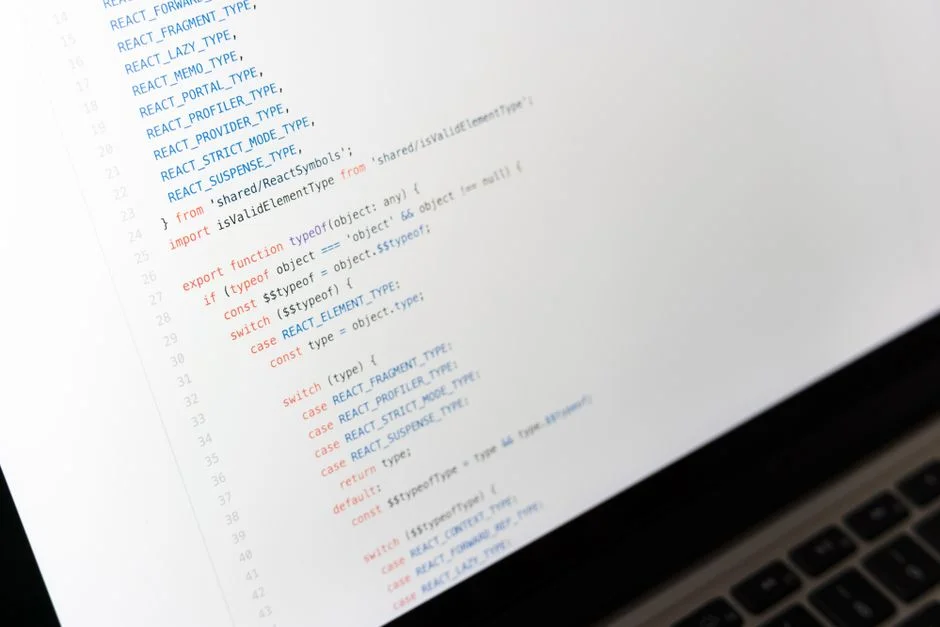

The refetch mechanism in React Query is a fundamental operation that explicitly triggers a fresh data fetch for a given query, bypassing the cache if necessary. This process is crucial for ensuring that the user interface always displays the most up-to-date server-side data, moving beyond stale cached states to reflect real-time changes or user interactions. Understanding its nuances is paramount for building robust and responsive data-driven applications.
A common misconception is that React Query automatically handles all data freshness requirements without explicit intervention. While React Query offers powerful automatic stale-while-revalidate behaviors, such as refetching on window focus or network reconnection, many real-world scenarios demand direct control over when and how data is refreshed. This manual control, primarily through the refetch function and related utilities, is essential for reacting to user actions, mutation side effects, or external system events that necessitate immediate UI synchronization with the backend.
This article will dissect the various facets of React Query’s refetching capabilities, from the basic invocation of refetch to its strategic application in complex data flows. We will explore the different methods available, delve into the performance implications of aggressive refetching, and provide architectural guidance for integrating refetch logic seamlessly into high-performance applications. Our focus will remain on practical, engineering-centric approaches to ensure data consistency and optimal user experience.
Understanding the Core `refetch` Mechanism in React Query
At its core, refetch in React Query is a function that instructs a specific query instance or a group of queries to re-execute their query function. This action prompts React Query to make a new request to the data source, typically an API endpoint, irrespective of the current stale time or cache state. The primary purpose is to ensure data displayed to the user is current, especially after an operation that might have altered server-side data, such as a create, update, or delete action.
When query.refetch() is invoked, React Query marks the query as stale, if it isn’t already, and then transitions its state to fetching. The query function provided to useQuery is then re-executed. Upon successful completion, the new data replaces the old data in the cache, and any components subscribed to this query are re-rendered with the updated information. If the new data is referentially identical to the old data, React Query performs an optimization to prevent unnecessary re-renders, which is a critical detail for performance.
Consider a scenario where a user submits a form to add a new item to a list. After the successful submission (mutation), the displayed list needs to reflect this new item immediately. Simply invalidating the cache might not be enough if the user is on a different screen or if there are multiple queries dependent on that data. Explicitly calling refetch on the list query ensures that the updated list is fetched and displayed, providing a consistent user experience. This contrasts with automatic background refetches, which are often deferred until a component mounts or the window regains focus.
The useQuery hook returns a refetch function specific to that query instance. This granular control is invaluable for localized data updates. For example, if a component displays a single user’s profile and there’s an action to update that user’s email, calling refetch on the specific user profile query will only update that data, leaving other cached data untouched. This targeted approach minimizes unnecessary network requests and preserves application responsiveness.
It’s important to differentiate between `refetch` and `invalidateQueries`. While both aim to refresh data, `invalidateQueries` marks queries as stale, prompting a refetch only when those queries are observed by an active component or explicitly refetched. `refetch`, on the other hand, immediately triggers the data fetch regardless of staleness. Choosing between these depends on the required immediacy and scope of the data refresh. For instance, `invalidateQueries` is often preferred for broad cache updates, while `refetch` is used for direct, immediate updates to specific data points.
The internal mechanics of refetch involve checking the query’s current status and then orchestrating the network request. If the query is already fetching, subsequent calls to refetch might be debounced or ignored depending on the specific configuration and the internal state management of React Query. This mechanism prevents request storms and ensures efficient data synchronization without overwhelming the backend or the client. Developers must understand these distinctions to implement effective data management strategies within their React applications.
Different Refetching Methods and Their Strategic Applications
React Query provides several distinct methods for triggering a refetch, each suited for different scenarios and offering varying levels of control and scope. Understanding these methods and their strategic applications is key to building efficient and predictable data fetching layers. The primary methods include instance-level refetch, global queryClient.refetchQueries, and mutation-driven invalidation leading to refetches.
The most common method is the instance-level refetch function returned by the useQuery hook. When you declare a query with const { data, refetch } = useQuery(...), the refetch function is bound to that specific query key. This is ideal for scenarios where a user action directly impacts the data displayed by that particular query. For example, a ‘Refresh’ button on a data table would typically call the refetch function associated with the table’s data query. This method offers precise control over individual data streams.
import { useQuery } from '@tanstack/react-query'; import React from 'react'; function MyDataComponent() { const { data, isLoading, isError, refetch } = useQuery({ queryKey: ['todos'], queryFn: async () => { const response = await fetch('/api/todos'); if (!response.ok) { throw new Error('Network response was not ok'); } return response.json(); }, staleTime: 5 * 60 * 1000, // Data considered fresh for 5 minutes }); const handleRefreshClick = () => { // Explicitly trigger a refetch for this specific 'todos' query instance refetch(); }; if (isLoading) return <div>Loading...</div>; if (isError) return <div>Error fetching todos.</div>; return ( <div> <h3>My Todos</h3> <ul> {data.map((todo: any) => ( <li key={todo.id}>{todo.title}</li> ))} </ul> <button onClick={handleRefreshClick}>Refresh Todos</button> </div> ); } Next, the queryClient.refetchQueries method provides a way to refetch multiple queries across the application. This is accessed via the useQueryClient hook. It accepts a queryKey or a QueryFilters object, allowing you to target queries by their key prefixes, status, or other properties. This is particularly useful when an action has a broader impact, such as logging out a user, which might necessitate refetching all user-specific data. It’s a powerful tool for global state synchronization without iterating over individual query instances.
import { useQueryClient, useMutation } from '@tanstack/react-query'; import React from 'react'; function GlobalActions() { const queryClient = useQueryClient(); const { mutate } = useMutation({ mutationFn: async (payload: any) => { const response = await fetch('/api/settings', { method: 'POST', body: JSON.stringify(payload) }); if (!response.ok) throw new Error('Failed to update settings'); return response.json(); }, onSuccess: () => { // After a successful settings update, refetch all queries that start with 'settings' // This ensures all components displaying settings data are updated. queryClient.refetchQueries({ queryKey: ['settings'] }); // Optionally, refetch all active queries to ensure global consistency // queryClient.refetchQueries({ type: 'active' }); }, }); const handleUpdateSettings = () => { mutate({ theme: 'dark' }); }; return ( <button onClick={handleUpdateSettings}>Update Settings</button> ); } Finally, refetching is often a downstream effect of mutation-driven cache invalidation. While useMutation itself doesn’t have a refetch method, its onSuccess or onSettled callbacks are prime locations to call queryClient.invalidateQueries. Invalidating a query marks it as stale, and if an active component is observing it, React Query will automatically refetch it based on its `staleTime` and `gcTime` configurations. This is the recommended pattern for ensuring data consistency after server-side data modifications. For instance, after creating a new blog post, you’d invalidate the `[‘posts’]` query, causing the list of posts to be refetched.
Choosing the correct refetching method depends on the desired scope and immediacy. Instance-level refetch is for immediate, localized updates. queryClient.refetchQueries is for immediate, broader updates based on query keys or status. Mutation-driven invalidation is for reacting to server changes, relying on React Query’s background refetching mechanisms for active queries. Combining these strategies allows for a highly optimized and consistent data layer.
Automatic vs. Manual Refetching: Balancing Freshness and Performance
React Query provides a sophisticated mechanism for keeping data fresh, blending automatic background refetches with options for manual, explicit triggers. Understanding this balance is critical for optimizing application performance and ensuring a consistent user experience. The core principle revolves around the ‘stale-while-revalidate’ caching strategy.
Automatic Refetching Triggers: React Query intelligently performs background refetches in several scenarios without explicit developer intervention. These include:
- Window Focus Refetching: By default, when the browser window or tab regains focus, all currently mounted and active queries are refetched if they are stale. This ensures that if a user switches away from your application for a period, they return to fresh data. This behavior can be configured globally or per query using the
refetchOnWindowFocusoption. - Network Reconnect Refetching: Similarly, if the network connection is lost and then re-established, React Query will attempt to refetch all stale and active queries. This is crucial for mobile applications or environments with unstable connectivity, ensuring data recovery once connectivity is restored. This is controlled by
refetchOnReconnect. - Query Mount Refetching: When a new instance of a query mounts, if its data is stale, React Query will perform a background refetch. This means that navigating to a page with a stale query will automatically trigger an update. This behavior is managed by
refetchOnMount. - Interval Refetching: For certain types of data that require periodic updates (e.g., real-time dashboards), React Query allows you to configure a
refetchInterval. This option specifies a duration after which the query will automatically refetch itself, regardless of its stale status, even if the window is not focused. This is powerful for ‘live’ data but must be used judiciously to avoid excessive network requests.
While these automatic mechanisms are incredibly useful, they may not cover every use case. This is where Manual Refetching becomes indispensable. Manual refetching, as discussed in the previous section, involves explicit calls to refetch() or queryClient.refetchQueries(). Key scenarios for manual refetching include:
- Post-Mutation Updates: After a user performs an action that changes data on the server (e.g., creating a new record, updating a profile), you often need to show the updated data immediately. While
invalidateQueriesfollowed by automatic refetching works, a directrefetch()might be used if the update is critical and needs to bypass any potential stale time. - User-Initiated Refreshes: Providing a ‘Refresh’ button gives users control over data freshness. This directly maps to calling
refetch()on the relevant query. - Dependent Data Updates: Sometimes, an action on one piece of data implicitly invalidates or requires an update for another, seemingly unrelated, piece of data. Manual
queryClient.refetchQueriescan orchestrate these broader updates.
The strategic challenge lies in balancing these two approaches. Over-reliance on manual refetching can lead to unnecessary network requests, increased server load, and poorer performance. Conversely, relying solely on automatic refetching might mean users occasionally see slightly outdated information until an automatic trigger occurs. A well-designed application combines both: leveraging automatic refetches for passive data synchronization and employing manual refetches for immediate, user-driven, or critical updates. Careful configuration of staleTime and cacheTime (now gcTime) further refines this balance, dictating how long data is considered fresh and how long it persists in the cache before garbage collection.
Optimistic Updates and Refetching: Enhancing User Experience
Optimistic updates are a powerful technique in modern web development that significantly enhances user experience by making UI changes immediately after a user action, *before* the server has confirmed the operation. This creates an illusion of speed and responsiveness, as users don’t wait for network roundtrips. In the context of React Query, optimistic updates are often paired with refetching or invalidation to ensure eventual data consistency.
The typical flow for an optimistic update combined with refetching involves several steps:
- User Action: A user performs an action, such as clicking a ‘Like’ button or submitting a form to add a new item.
- Optimistic UI Update: Before sending the request to the server, the UI is immediately updated to reflect the expected outcome. For instance, the ‘Like’ count increments, or the new item appears in a list.
- Server Request: The actual mutation request is sent to the backend.
- Error Handling / Rollback: If the server request fails, the optimistic UI update is rolled back, reverting the UI to its state before the optimistic change. This is crucial for data integrity.
- Refetching/Invalidation on Success: If the server request succeeds, the optimistic update is confirmed. At this point, it’s critical to ensure that the React Query cache reflects the true server state. This is typically achieved by invalidating the relevant queries, which then triggers a background refetch for any active components observing that data. While a direct
refetch()could be used, invalidation is often preferred as it leverages React Query’s natural background refetching and ensures multiple dependent queries are handled.
React Query’s useMutation hook provides specific callbacks, notably onMutate, onError, and onSuccess, which are perfectly designed for implementing optimistic updates. The onMutate callback is executed before the mutation function itself and is the ideal place to perform the optimistic UI update and optionally return a snapshot of the previous data for easy rollback.
import { useQueryClient, useMutation, useQuery } from '@tanstack/react-query'; import React from 'react'; interface Todo { id: number; title: string; completed: boolean; } function TodoList() { const queryClient = useQueryClient(); const { data: todos } = useQuery<Todo[]>({ queryKey: ['todos'], queryFn: fetchTodos }); const updateTodoMutation = useMutation({ mutationFn: async (updatedTodo: Todo) => { const response = await fetch(`/api/todos/${updatedTodo.id}`, { method: 'PUT', headers: { 'Content-Type': 'application/json' }, body: JSON.stringify(updatedTodo), }); if (!response.ok) throw new Error('Failed to update todo'); return response.json(); }, // onMutate is called before the mutation function onMutate: async (newTodo: Todo) => { // 1. Cancel any outgoing refetches (so they don't overwrite our optimistic update) await queryClient.cancelQueries({ queryKey: ['todos'] }); // 2. Snapshot the previous value const previousTodos = queryClient.getQueryData<Todo[]>(['todos']); // 3. Optimistically update to the new value queryClient.setQueryData<Todo[]>(['todos'], old => old ? old.map(todo => (todo.id === newTodo.id ? newTodo : todo)) : [] ); // 4. Return a context object with the snapshotted value return { previousTodos }; }, // onError is called if the mutation fails onError: (err, newTodo, context) => { // If the mutation fails, use the context for rollback queryClient.setQueryData(['todos'], context?.previousTodos); // Optionally, show an error message to the user }, // onSettled is called regardless of success or failure onSettled: () => { // Invalidate and refetch the 'todos' query to ensure consistency with the server // This will trigger a background refetch if the 'todos' query is active queryClient.invalidateQueries({ queryKey: ['todos'] }); }, }); const handleToggleComplete = (todo: Todo) => { updateTodoMutation.mutate({ ...todo, completed: !todo.completed }); }; if (!todos) return <div>Loading...</div>; return ( <ul> {todos.map(todo => ( <li key={todo.id}> <input type="checkbox" checked={todo.completed} onChange={() => handleToggleComplete(todo)} /> {todo.title} </li> ))} </ul> ); } async function fetchTodos(): Promise<Todo[]> { // Simulate API call return new Promise(resolve => setTimeout(() => resolve([ { id: 1, title: 'Learn React Query', completed: false }, { id: 2, title: 'Build Optimistic UI', completed: true }, ]), 500) ); } In this example, the onMutate callback immediately updates the local cache. If the mutation succeeds, onSettled invalidates and refetches the 'todos' query. This refetch then fetches the *actual* server state, reconciling any potential discrepancies between the optimistic update and the final server response. This ensures that even if the server processed the data slightly differently, the UI eventually reflects the canonical source of truth. The interplay of optimistic updates and subsequent refetching is a cornerstone of building highly interactive and performant web applications with React Query.
Performance Considerations and Strategies for Efficient Refetching
While refetching is essential for data freshness, indiscriminate or inefficient refetching can severely degrade application performance, increase server load, and consume unnecessary bandwidth. A senior engineer must approach refetching with a strategic mindset, balancing data immediacy with resource optimization. Several key performance considerations and strategies are critical for efficient refetching in React Query.
Firstly, the frequency of refetches is paramount. Every refetch translates to a network request, and a high volume of requests can lead to slower application response times, especially on high-latency networks. Over-refetching can also strain backend services, potentially leading to rate limiting or degraded server performance. Developers must critically evaluate whether immediate data freshness is always required. For static or infrequently changing data, longer staleTime values and less aggressive refetching configurations (e.g., disabling refetchOnWindowFocus for specific queries) can significantly reduce network overhead.
Consider implementing debouncing or throttling for user-triggered refetches that might occur rapidly. For instance, a search input that triggers a refetch on every keystroke should be debounced to only fire the query after a brief pause in typing. While React Query’s internal mechanisms handle some level of debouncing for concurrent identical queries, explicit debouncing at the UI level for distinct user actions is still often necessary.
Conditional Refetching is another powerful strategy. Instead of always refetching, you might only do so if certain conditions are met. For example, if a user filters a list, you might only refetch if the filter criteria have actually changed, not just if the filter input was interacted with. React Query’s queryFn can receive the query context, including the current data, allowing for logic to decide whether a fetch is truly needed. This can be complex to manage within the query function itself; often, the decision to call refetch is made externally based on application state.
Selective Invalidation and Refetching is crucial. Instead of invalidating or refetching all queries, target only those that are genuinely affected by a change. Using precise queryKey matching with queryClient.invalidateQueries or queryClient.refetchQueries ensures that only the necessary data segments are updated. For example, if a user updates their profile picture, only invalidate the ['user', userId, 'profilePicture'] query, not the entire ['user', userId] query or all ['user'] queries, unless the change has broader implications.
Background Refetching vs. Foreground Refetching: React Query makes a clear distinction. Background refetches (triggered by staleTime expiration, window focus, reconnect) typically don’t block the UI and display stale data while fetching fresh. Foreground refetches (e.g., explicit refetch() with throwOnError: true or refetching status leading to loading spinners) can impact UX. Choose wisely based on the criticality of data freshness versus UI responsiveness. For non-critical data, allow background refetches to update silently.
Finally, leveraging server-side caching and ETag headers on your API can significantly reduce the actual data transferred during a refetch. If the server indicates that the data hasn’t changed since the last fetch (via a 304 Not Modified response), React Query can use the cached data without re-downloading the entire payload. This optimization primarily happens at the HTTP layer but greatly benefits the perceived performance of refetches. Ensuring your backend API adheres to HTTP caching best practices works in tandem with React Query’s client-side caching to create a highly efficient data pipeline. This requires careful coordination between frontend and backend teams, particularly concerning cache control headers and conditional requests. Implementing a robust github status check for your CI/CD pipelines can help ensure these HTTP caching headers are correctly deployed and maintained across environments, preventing silent performance regressions.
Error Handling and Retry Mechanisms with React Query Refetch
Robust error handling and intelligent retry mechanisms are fundamental to building resilient applications, especially when dealing with asynchronous data fetching. React Query provides comprehensive features in this area, which directly impact how refetch operations behave in the face of transient network issues or API errors. Understanding these interactions is crucial for maintaining a stable and user-friendly application.
When a refetch operation encounters an error, React Query does not simply fail and leave the query in an error state indefinitely. Instead, it employs a sophisticated retry mechanism by default. By default, queries will retry three times with an exponential backoff delay before finally reporting an error. This default behavior significantly improves the application’s resilience to temporary network glitches or brief server unavailability.
You can configure the retry behavior both globally and on a per-query basis. Key options for fine-tuning retries include:
retry: number | boolean | (failureCount: number, error: TError) => boolean: Defines how many times a failed query should retry. Setting it tofalsedisables retries,trueretries indefinitely, and a number specifies the maximum attempts. A function allows for conditional retries based on the error or failure count.retryDelay: number | (retryAttempt: number) => number: Specifies the delay before the next retry attempt. By default, it’s an exponential backoff. You can provide a fixed number (milliseconds) or a function to implement custom delay logic.onError: (error: TError) => void: A callback function that executes when a query ultimately fails after all retry attempts. This is the place to display an error message to the user, log the error, or trigger other error recovery logic.
When refetch() is called, it inherits these retry settings. If the explicit refetch fails, React Query will attempt to retry according to the configured parameters. This means that a user-initiated ‘Refresh’ action might not immediately show an error if the first attempt fails; it will try again silently in the background a few times before giving up.
import { useQuery } from '@tanstack/react-query'; import React from 'react'; function DataWithRetries() { const { data, isLoading, isError, error, refetch } = useQuery({ queryKey: ['criticalData'], queryFn: async () => { const response = await fetch('/api/critical-data'); if (!response.ok) { // Simulate a specific error that should not retry, e.g., 401 Unauthorized if (response.status === 401) { throw new Error('Unauthorized access'); } throw new Error('Failed to fetch critical data'); } return response.json(); }, retry: (failureCount, err) => { // Only retry if it's not an 'Unauthorized' error return !(err instanceof Error && err.message === 'Unauthorized access') && failureCount < 5; }, retryDelay: attemptIndex => Math.min(1000 * 2 ** attemptIndex, 30 * 1000), // Max 30s delay onError: (err) => { console.error('Query ultimately failed:', err.message); // Display a persistent error notification to the user // redirect to login page if unauthorized }, }); const handleManualRefetch = () => { refetch(); }; if (isLoading) return <div>Loading...</div>; if (isError) return <div>Error: {error?.message}</div>; return ( <div> <h3>Critical Data</h3> <pre>{JSON.stringify(data, null, 2)}</pre> <button onClick={handleManualRefetch}>Refetch Data</button> </div> ); } This granular control over retry behavior allows developers to differentiate between recoverable and non-recoverable errors. For instance, a 404 Not Found might not warrant retries, while a 500 Internal Server Error or a network timeout often does. Proper configuration of retry and retryDelay prevents endless loops of failed requests and ensures that users receive timely feedback when an error is truly unrecoverable. The onError callback is the final point of failure handling, where the application can decide on appropriate actions, such as logging out the user, displaying an error boundary, or redirecting to an error page. This comprehensive error management makes React Query a powerful tool for robust data fetching.
Refetching in Complex Scenarios: Global, Dependent, and Mutation-Driven
The utility of refetch extends far beyond simple, isolated data updates. In complex applications, data dependencies, global state changes, and the side effects of mutations often necessitate coordinated refetching strategies. Mastering these advanced scenarios is key to maintaining data consistency across a large codebase.
Global Refetching with queryClient.refetchQueries: As briefly touched upon, the queryClient.refetchQueries method is invaluable for triggering refetches across multiple queries. This is particularly useful when an action has a broad impact on the application’s data state. For example, if a user changes their active workspace, virtually all data displayed might need to be refreshed. Instead of individually calling refetch on dozens of queries, you can use filters with refetchQueries:
import { useQueryClient } from '@tanstack/react-query'; // ... inside a component or a utility function const queryClient = useQueryClient(); // Refetch all queries: queryClient.refetchQueries(); // Refetch all 'todos' queries: queryClient.refetchQueries({ queryKey: ['todos'] }); // Refetch all active queries that start with 'projects': queryClient.refetchQueries({ queryKey: ['projects'], type: 'active' }); // Refetch all inactive queries that start with 'users': queryClient.refetchQueries({ queryKey: ['users'], type: 'inactive' }); This global approach must be used with caution. Refetching too broadly can lead to a ‘thundering herd’ problem, where numerous network requests are fired simultaneously, potentially overwhelming the backend and degrading frontend performance. Strategic use of query key prefixes and type filters (active, inactive, all, none) is essential to narrow the scope.
Dependent Queries and Chained Refetches: Often, one query’s data depends on the successful completion and data of another query. React Query handles this elegantly by allowing queries to be enabled or disabled based on conditions. While refetch on the parent query will naturally trigger the child query to refetch if its enabled state becomes true, explicit chained refetches can also be orchestrated. For instance, fetching user details might be dependent on having an authenticated user ID. If the authentication status changes, the user details query needs to refetch. This is typically managed by invalidating the dependent query after the parent changes, rather than direct chaining of refetch calls, allowing React Query to manage the execution order efficiently.
import { useQuery, useQueryClient } from '@tanstack/react-query'; import React from 'react'; function UserProfile({ userId }: { userId: string | undefined }) { // This query is enabled only if userId is available const { data: userDetails, refetch: refetchUserDetails } = useQuery({ queryKey: ['user', userId], queryFn: async () => { if (!userId) throw new Error('User ID is required'); const res = await fetch(`/api/users/${userId}`); if (!res.ok) throw new Error('Failed to fetch user details'); return res.json(); }, enabled: !!userId, // Query only runs when userId is truthy }); // ... other dependent queries return <div>{userDetails ? userDetails.name : 'No user selected'}</div>; } function AppContainer() { const queryClient = useQueryClient(); const [currentUserId, setCurrentUserId] = React.useState<string | undefined>('123'); const handleLogout = () => { setCurrentUserId(undefined); // Invalidate all queries related to the previous user queryClient.invalidateQueries({ queryKey: ['user', '123'] }); // Or, if broader, invalidate all user-related data queryClient.invalidateQueries({ queryKey: ['user'] }); }; return ( <div> <UserProfile userId={currentUserId} /> <button onClick={handleLogout}>Logout</button> </div> ); } Mutation-Driven Refetches: The most common complex scenario involves mutations. After a successful mutation (e.g., creating a new entity, updating an existing one), related queries need to be refreshed. As covered in the optimistic updates section, the onSuccess or onSettled callbacks of useMutation are the canonical places to trigger invalidation, which then leads to refetching. This pattern ensures that the UI reflects the server’s new state after an operation. It’s not a direct refetch call on the mutation, but rather the mutation’s side effect is to trigger refetches on other queries. This separation of concerns is critical: mutations modify data, queries read data, and invalidation bridges the gap to ensure consistency.
For instance, when developing an ERP system, a user might update an inventory record. This single update could affect a dashboard summary, a detailed product view, and a supplier order list. Instead of manually calling `refetch` on each of these components, a well-placed `queryClient.invalidateQueries({ queryKey: [‘inventory’, ‘dashboard’, ‘supplierOrders’] })` after the inventory mutation ensures all relevant data points are refreshed efficiently. This systematic approach to refetching in complex scenarios significantly reduces boilerplate and enhances the maintainability of data-intensive applications.
Architectural Implications: Integrating Refetch Strategies into Application Design
Integrating effective refetching strategies is not merely a tactical implementation detail; it carries significant architectural implications for an application’s data flow, performance, and maintainability. A well-designed refetching strategy contributes to a predictable state, reduces technical debt, and provides a superior user experience. Conversely, haphazard refetching can lead to race conditions, stale data, and performance bottlenecks. As a senior engineer, considering these architectural aspects is paramount.
Centralized vs. Decentralized Refetch Logic: One architectural decision involves whether refetch logic should be centralized or decentralized. In smaller applications, direct refetch() calls within components might suffice. However, in larger, more complex systems, centralizing invalidation and refetch logic, often within custom hooks, data service layers, or mutation callbacks, offers significant advantages. Centralization ensures consistency: a single source of truth dictates when certain data types are considered stale and need refreshing. This prevents disparate parts of the application from making conflicting decisions about data freshness.
// utils/useInvalidateData.ts import { useQueryClient } from '@tanstack/react-query'; export const useInvalidateData = () => { const queryClient = useQueryClient(); const invalidateAndRefetchUsers = () => { queryClient.invalidateQueries({ queryKey: ['users'] }); }; const invalidateAndRefetchProjects = (projectId?: string) => { queryClient.invalidateQueries({ queryKey: projectId ? ['projects', projectId] : ['projects'] }); }; // ... more invalidation helpers return { invalidateAndRefetchUsers, invalidateAndRefetchProjects }; }; // components/UserManagement.tsx import { useMutation } from '@tanstack/react-query'; import { useInvalidateData } from '../utils/useInvalidateData'; function UserManagement() { const { invalidateAndRefetchUsers } = useInvalidateData(); const deleteUserMutation = useMutation({ mutationFn: async (userId: string) => { const res = await fetch(`/api/users/${userId}`, { method: 'DELETE' }); if (!res.ok) throw new Error('Failed to delete user'); return res.json(); }, onSuccess: () => { invalidateAndRefetchUsers(); // Centralized invalidation logic // Optional: queryClient.refetchQueries({ queryKey: ['someDashboardMetric'] }); }, }); // ... } Query Key Design: The structure of your query keys has a direct impact on the effectiveness of your refetching strategy. Well-structured, hierarchical query keys enable precise targeting for invalidation and refetching. For example, ['users', userId] allows you to invalidate a specific user, while ['users'] invalidates all users. A robust query key strategy is foundational for efficient cache management and targeted data updates, minimizing unnecessary network traffic.
Impact on Data Consistency and User Experience: Refetching is the primary mechanism for achieving eventual consistency between client-side cache and server-side data. Architects must decide on the acceptable level of staleness for different data types. For critical, real-time data (e.g., financial transactions), more aggressive refetching (or even WebSockets for push updates) might be necessary. For less critical data (e.g., static content), longer stale times are acceptable. This decision directly influences the user experience; users expect immediate feedback and current information for interactive elements, while background updates are fine for passive displays. The current Next.js version often influences these decisions, as SSR/SSG patterns require careful consideration of when client-side refetches take over data freshness.
Observability and Monitoring: From an architectural standpoint, it’s crucial to have visibility into refetching behavior. Monitoring tools that track API request volumes, response times, and error rates can highlight inefficient refetching patterns. If an application is making an excessive number of requests for the same data, it indicates a potential misconfiguration of staleTime, cacheTime, or an overly aggressive refetching strategy. Implementing application performance monitoring (APM) and logging refetch events can provide valuable insights into these behaviors, allowing for proactive optimization.
Decoupling Data Fetching from UI Components: While useQuery is often used directly in components, abstracting data fetching logic into custom hooks or dedicated data modules can improve maintainability. These abstractions can encapsulate complex refetching logic, error handling, and data transformations, presenting a cleaner interface to UI components. This separation makes the application more modular, easier to test, and more adaptable to changes in API contracts or data requirements. Ultimately, a thoughtful architectural approach to React Query’s refetching capabilities leads to more resilient, performant, and maintainable applications.
Testing Refetching Logic: Ensuring Data Consistency in Production
Thorough testing of refetching logic is paramount to ensure that an application consistently displays accurate and up-to-date data, especially in production environments where data integrity is critical. Misconfigured or untested refetching can lead to subtle bugs, such as stale data being displayed after a mutation, or excessive network requests that degrade performance. This section outlines strategies for effectively testing React Query’s refetching mechanisms.
Unit Testing Custom Hooks and Mutation Callbacks: The primary areas where refetching logic resides are often within custom hooks that encapsulate data fetching and mutation, and in the onSuccess/onSettled callbacks of useMutation. Unit tests for these components should verify that:
queryClient.invalidateQueriesorqueryClient.refetchQueriesis called with the correct query keys after a successful mutation.- Error handling logic correctly prevents refetches or triggers appropriate fallbacks upon mutation failure.
- Optimistic updates are correctly rolled back on error.
Tools like @testing-library/react-query and Jest mocks can be used to simulate API responses and assert that the queryClient methods are invoked as expected. Mocking the queryClient allows for precise control over its behavior and assertions on its method calls.
import { renderHook, waitFor } from '@testing-library/react'; import { QueryClient, QueryClientProvider } from '@tanstack/react-query'; import { useMutation } from '@tanstack/react-query'; import React from 'react'; // Mock API call function mockUpdateItem(id: string, name: string) { return new Promise(resolve => setTimeout(() => resolve({ id, name }), 100)); } // Custom hook with mutation and invalidation function useUpdateItem() { const queryClient = new QueryClient(); return useMutation({ mutationFn: ({ id, name }: { id: string; name: string }) => mockUpdateItem(id, name), onSuccess: () => { queryClient.invalidateQueries({ queryKey: ['items'] }); }, }); } describe('useUpdateItem', () => { let queryClient: QueryClient; beforeEach(() => { queryClient = new QueryClient({ defaultOptions: { queries: { retry: false, // Disable retries for tests cacheTime: Infinity, }, }, }); }); afterEach(() => { queryClient.clear(); }); it('should invalidate
Advanced Patterns and Custom Hooks for Refetching Control
While React Query provides robust built-in mechanisms for refetching, complex application requirements often necessitate advanced patterns and custom hooks to encapsulate and streamline refetching logic. These patterns enhance code reusability, improve readability, and provide a more predictable data flow across large applications.
Encapsulating Invalidation/Refetch Logic in Custom Hooks: Instead of scattering queryClient.invalidateQueries calls throughout various mutation onSuccess callbacks, you can create custom hooks that abstract this logic. This is particularly useful when multiple mutations or components affect the same set of queries.
// hooks/useDataSync.ts import { useQueryClient } from '@tanstack/react-query'; export function useDataSync() { const queryClient = useQueryClient(); const syncAllTodos = () => { console.log('Invalidating and refetching all todos...'); queryClient.invalidateQueries({ queryKey: ['todos'] }); }; const syncUserSpecificData = (userId: string) => { console.log(`Invalidating and refetching user data for ${userId}...`); queryClient.invalidateQueries({ queryKey: ['user', userId] }); queryClient.invalidateQueries({ queryKey: ['user-posts', userId] }); }; const syncProjectData = (projectId: string) => { queryClient.invalidateQueries({ queryKey: ['projects', projectId] }); queryClient.invalidateQueries({ queryKey: ['project-tasks', projectId] }); }; return { syncAllTodos, syncUserSpecificData, syncProjectData, }; } // components/CreateTodoForm.tsx import { useMutation } from '@tanstack/react-query'; import { useDataSync } from '../hooks/useDataSync'; function CreateTodoForm() { const { syncAllTodos } = useDataSync(); const createTodoMutation = useMutation({ mutationFn: async (newTodo: { title: string }) => { const res = await fetch('/api/todos', { method: 'POST', body: JSON.stringify(newTodo) }); if (!res.ok) throw new Error('Failed to create todo'); return res.json(); }, onSuccess: () => { syncAllTodos(); // Use the centralized sync logic }, }); // ... }
This approach makes the intent clear and ensures that all relevant queries are consistently updated. It also simplifies future modifications, as you only need to update the custom hook if the invalidation strategy for a particular data type changes.
Conditional Refetching within `useQuery` with `enabled` and `refetch` parameters: While enabled is primarily for dependent queries, it can also be used for advanced conditional refetching. Combining it with manual refetch calls allows for sophisticated control. For example, a query might only be enabled when a specific filter is applied, and then a manual refetch is triggered when that filter value changes.
Polling with Dynamic Intervals: For data that requires periodic updates, refetchInterval is useful. However, sometimes the polling interval needs to be dynamic. For instance, a background job status might need to be checked every 5 seconds initially, but only every 30 seconds once it's nearing completion. This can be achieved by updating the refetchInterval dynamically based on the fetched data:
import { useQuery } from '@tanstack/react-query'; import React from 'react'; interface JobStatus { id: string; status: 'pending' | 'processing' | 'completed' | 'failed'; progress: number; } function JobStatusMonitor({ jobId }: { jobId: string }) { const { data: job, refetch } = useQuery<JobStatus>({ queryKey: ['jobStatus', jobId], queryFn: async () => { const res = await fetch(`/api/jobs/${jobId}`); if (!res.ok) throw new Error('Failed to fetch job status'); return res.json(); }, // Dynamic refetch interval refetchInterval: (data) => { // If job is completed or failed, stop refetching (return false) if (data?.status === 'completed' || data?.status === 'failed') { return false; } // Otherwise, refetch every 5 seconds return 5000; }, refetchIntervalInBackground: true, // Keep refetching even if window is not focused }); if (!job) return <div>Loading job status...</div>; return ( <div> <h3>Job {job.id} Status</h3> <p>Status: <strong>{job.status}</strong></p> <p>Progress: {job.progress}%</p> {job.status !== 'completed' && job.status !== 'failed' && ( <button onClick={() => refetch()}>Manual Refresh</button> )} </div> ); }
This pattern provides fine-grained control over polling behavior, optimizing network usage while ensuring timely updates for critical information. Such advanced patterns, facilitated by React Query's flexible API, empower developers to build highly responsive and efficient data layers that adapt to diverse application requirements.
Refetching with Server-Side Rendering (SSR) and Static Site Generation (SSG) in Next.js
When working with Next.js, integrating React Query's refetching mechanisms with Server-Side Rendering (SSR) or Static Site Generation (SSG) introduces specific considerations. The goal is to leverage the benefits of pre-rendering (faster initial load, SEO) while maintaining dynamic data freshness on the client-side. The interplay between server-fetched initial data and client-side refetches is a critical aspect of this architecture.
Initial Data Hydration: In Next.js, data for React Query can be pre-fetched on the server using getServerSideProps (for SSR) or getStaticProps (for SSG). This initial data is then hydrated into the React Query cache on the client. The key is to pass the pre-fetched data to the QueryClient instance that is used to render the React application on the client-side. This ensures that the client-side React Query instance starts with the same data that was rendered on the server, preventing hydration mismatches and providing a seamless transition.
// pages/posts/[id].tsx import { dehydrate, QueryClient, useQuery } from '@tanstack/react-query'; import { GetServerSideProps } from 'next'; async function fetchPostById(id: string) { const res = await fetch(`https://jsonplaceholder.typicode.com/posts/${id}`); if (!res.ok) throw new Error('Failed to fetch post'); return res.json(); } export default function Post({ postId }: { postId: string }) { const { data: post, isLoading, isError, refetch } = useQuery({ queryKey: ['post', postId], queryFn: () => fetchPostById(postId), }); if (isLoading) return <div>Loading...</div>; if (isError) return <div>Error loading post.</div>; return ( <div> <h1>{post?.title}</h1> <p>{post?.body}</p> <button onClick={() => refetch()}>Refetch Post</button> </div> ); } export const getServerSideProps: GetServerSideProps = async (context) => { const queryClient = new QueryClient(); const postId = context.params?.id as string; await queryClient.prefetchQuery({ queryKey: ['post', postId], queryFn: () => fetchPostById(postId), }); return { props: { dehydratedState: dehydrate(queryClient), postId, }, }; };
Client-Side Refetching After Hydration: Once the initial data is hydrated, React Query on the client-side takes over. All standard refetching mechanisms, such as refetchOnWindowFocus, refetchOnMount, refetchInterval, and manual refetch() calls, function as usual. The staleTime configured for the queries determines when the hydrated data is considered stale. If the user interacts with the page or if an automatic refetch trigger occurs after hydration, React Query will make a new request to the server, ensuring data freshness.
A critical point is that data fetched during SSR/SSG is typically considered 'stale' immediately upon hydration on the client, or after a very short staleTime, to ensure that the user sees the most up-to-date data as soon as possible. This means that if refetchOnMount is true (which it is by default), a background refetch will occur shortly after the component mounts on the client, even if data was just fetched on the server. This can be optimized by setting a longer staleTime for server-prefetched queries if the data is not expected to change rapidly, or by disabling refetchOnMount if immediate consistency is not strictly necessary on the first client-side render.
When using SSG with revalidate (Incremental Static Regeneration), the server might regenerate the page in the background. However, client-side React Query refetches are still essential for dynamic updates within the user session. The server-generated page provides a fast baseline, and client-side refetches handle real-time interactions and data changes. For applications using the current Next.js version, understanding this dual approach to data fetching and freshness is key to building performant and scalable web experiences.
Monitoring and Observability of Refetch Operations
For any production-grade application, understanding the behavior of its data layer is crucial. Monitoring and observability of React Query's refetch operations provide invaluable insights into application performance, data consistency issues, and potential backend load. Without proper visibility, inefficient refetching patterns can silently degrade user experience and strain server resources.
React Query Devtools: The most immediate and powerful tool for observing refetch operations during development is the React Query Devtools. It provides a real-time view of all active and inactive queries, their statuses (fetching, stale, error), and the data they hold. You can explicitly trigger refetches, invalidate queries, and observe the network requests fired. This is indispensable for debugging complex refetch scenarios and understanding how different actions impact the cache.
Application Performance Monitoring (APM) Integration: In production, integrating React Query with APM tools (e.g., New Relic, Datadog, Sentry) allows for a broader view of refetch behavior. You can instrument your `queryFn` calls to report timing and success/failure rates to your APM. This helps identify:
- High Refetch Volume: If a particular query is refetching excessively, it might indicate a misconfigured
staleTime, an aggressive refetchInterval, or an unintended cascade of invalidations.
- Slow Refetch Times: High latency for specific refetches can point to slow backend endpoints, database bottlenecks, or inefficient data serialization.
- Refetch Error Rates: An elevated error rate for certain refetches indicates instability in the API or network, which should be investigated.
By tagging these metrics with query keys, you can gain granular insights into which data streams are performing well and which require optimization. For example, monitoring `Laravel Livewire Docs` could involve tracking how frequently its related data queries are refetched and their latency.
Custom Logging and Analytics: For even more specific insights, you can implement custom logging within your queryFn or onSettled callbacks. Logging when a refetch occurs, its duration, and its outcome can be sent to a centralized logging system (e.g., ELK stack, Splunk). This allows for custom dashboards and alerts based on refetching metrics. For instance, you might want to alert if a critical dashboard's data hasn't been successfully refetched within a certain timeframe.
import { QueryClient, useQuery } from '@tanstack/react-query'; import React from 'react'; // Custom logger utility function const logRefetchEvent = (queryKey: string[], status: 'success' | 'error', duration: number) => { console.log(`Refetch for query ${queryKey.join('/')} finished with status: ${status} in ${duration}ms`); // In a real app, send this to your analytics/logging service // analytics.track('query_refetch', { queryKey, status, duration }); }; function InstrumentedQuery() { const startTimeRef = React.useRef(0); const { data, isLoading, isError, refetch } = useQuery({ queryKey: ['instrumentedData'], queryFn: async () => { startTimeRef.current = Date.now(); const res = await fetch('/api/some-data'); if (!res.ok) throw new Error('Failed to fetch instrumented data'); return res.json(); }, onSettled: (data, error) => { const duration = Date.now() - startTimeRef.current; if (error) { logRefetchEvent(['instrumentedData'], 'error', duration); } else { logRefetchEvent(['instrumentedData'], 'success', duration); } }, }); // ... }
QueryClient Callbacks: React Query's QueryClient can be configured with global callbacks like onQueryError or onQuerySuccess. These are excellent points to hook into for generic logging or metrics collection for *all* queries, including those triggered by refetches. This centralized approach simplifies instrumentation and ensures consistent reporting across the application. By actively monitoring refetch operations, development teams can proactively identify and resolve data consistency issues, optimize network usage, and ensure the application remains performant and reliable under various loads. This proactive stance is a hallmark of resilient development workflows, echoing the importance of tools like github status in maintaining operational excellence.
Optimizing Backend Endpoints for Efficient React Query Refetches
The efficiency of React Query's refetch mechanisms is not solely determined by client-side logic; it heavily depends on how backend endpoints are designed and optimized. A well-architected API can significantly reduce the overhead of refetches, minimize data transfer, and improve overall application responsiveness. This symbiotic relationship between frontend and backend is crucial for high-performance data-driven applications.
Leveraging HTTP Caching Headers: The most impactful optimization for refetches involves HTTP caching. Backend services should implement appropriate caching headers like Cache-Control, ETag, and Last-Modified. When React Query performs a refetch, it typically includes conditional headers (e.g., If-None-Match with the ETag, or If-Modified-Since with the Last-Modified date). If the data on the server hasn't changed, the server can respond with a 304 Not Modified status. This tells the client to use its cached version, avoiding the re-download of the entire response body. This dramatically reduces network traffic and speeds up perceived refetches.
// Example in a Laravel controller for conditional GET (simplified) use Illuminate\Http\Request; use Illuminate\Support\Facades\Cache; class ProductController extends Controller { public function show(Request $request, $id) { $product = Cache::remember("product_.$id", 60*60, function () use ($id) { return Product::findOrFail($id); }); $eTag = md5(json_encode($product)); // Check If-None-Match header if ($request->hasHeader('If-None-Match') && $request->header('If-None-Match') === $eTag) { return response('', 304); // Not Modified } return response()->json($product)->withHeaders([ 'Cache-Control' => 'public, max-age=3600', // Cache for 1 hour 'ETag' => $eTag, ]); } }
This server-side implementation of conditional GET requests is a cornerstone of efficient refetching. Without it, every refetch, even for unchanged data, results in a full data payload transfer.
Granular API Endpoints: Design your API endpoints to be as granular as necessary. Instead of a single large endpoint that returns all data for a complex view, consider breaking it down into smaller, focused endpoints. This allows React Query to refetch only the specific data segments that have changed or need updating, rather than re-fetching an entire, potentially heavy, data structure. For example, instead of `GET /user/profile` returning everything, `GET /user/profile/details`, `GET /user/profile/settings`, and `GET /user/profile/preferences` enable more targeted refetches.
Optimized Database Queries: Ensure that the database queries backing your API endpoints are highly optimized. Slow database queries will directly translate to slow refetch times, regardless of client-side optimizations. This includes proper indexing, efficient joins, and avoiding N+1 query problems. For Laravel applications, tools like Laravel Debugbar and careful use of Eloquent's eager loading (with()) are essential for this optimization. This directly impacts the latency of any `refetch` operation.
WebSockets or Server-Sent Events (SSE) for Critical Data: For truly real-time data that demands immediate updates without explicit client-side refetches, consider augmenting your REST API with WebSockets or SSE. Instead of polling or forcing frequent refetches for data that changes constantly, the server can push updates to the client. React Query can then subscribe to these real-time streams and update its cache using queryClient.setQueryData, effectively bypassing the need for a network-intensive refetch. This hybrid approach is ideal for dashboards, chat applications, or collaborative tools where eventual consistency from refetches might be too slow.
Batching and Deduplication: While React Query handles client-side request deduplication, ensuring your backend can efficiently handle batched requests (if your frontend strategy includes this) or process single requests quickly is vital. If multiple refetches are triggered for similar data in a short window, the backend should be robust enough to handle the concurrent load without degradation. This careful backend optimization complements client-side refetching strategies, culminating in a highly responsive and scalable application architecture.
Refetching and Authentication/Authorization Changes
Authentication and authorization state changes are critical events in any application, often necessitating a complete refresh of user-specific data. React Query's refetching capabilities play a pivotal role in ensuring that the UI accurately reflects the user's new permissions or identity. Handling these scenarios correctly prevents unauthorized access to data or the display of stale, privileged information.
Login and Logout Flows:
- On Login: When a user successfully logs in, their identity changes. All previous queries, especially those tied to a generic 'guest' state or a previous user, become irrelevant or potentially unauthorized. The recommended approach is to reset the entire React Query cache using
queryClient.clear() and then refetch all active queries. This ensures that the application starts with a clean slate, fetching data specific to the newly authenticated user.
- On Logout: Similarly, upon logout, all user-specific data must be purged from the cache to prevent sensitive information from lingering. Again,
queryClient.clear() is the most robust solution. After clearing, any queries for authenticated routes will naturally fail or become disabled, prompting appropriate UI responses (e.g., redirection to a login page).
import { useQueryClient } from '@tanstack/react-query'; function AuthButtons() { const queryClient = useQueryClient(); const handleLogin = async () => { // Simulate login API call await new Promise(resolve => setTimeout(resolve, 500)); // After successful login, clear the cache and refetch relevant data queryClient.clear(); // Clears ALL queries and mutations // Optionally, you might only invalidate/refetch specific queries if you know exactly what changed // queryClient.invalidateQueries({ queryKey: ['user'] }); // queryClient.refetchQueries({ queryKey: ['user-dashboard'] }); }; const handleLogout = async () => { // Simulate logout API call await new Promise(resolve => setTimeout(resolve, 500)); // After successful logout, clear the cache queryClient.clear(); // Redirect to login page or update UI to reflect unauthenticated state }; return ( <div> <button onClick={handleLogin}>Login</button> <button onClick={handleLogout}>Logout</button> </div> ); }
Authorization Changes (Permissions): If a user's roles or permissions change *during* an active session (e.g., an admin grants new privileges), the application might need to refetch data that is now accessible or inaccessible. This is typically handled by invalidating queries related to the user's permissions or the data segments affected by the permission change. For example, if a user gains access to an 'admin panel', you would invalidate the ['adminPanelData'] query, prompting it to refetch if an active component is observing it.
Handling 401 Unauthorized Responses: React Query's error handling for refetches is crucial here. If a refetch operation receives a 401 Unauthorized response from the API, it indicates that the user's session has expired or their token is invalid. Instead of retrying indefinitely, the onError callback of the query or a global queryClient error handler should catch this specific status code. Upon detecting 401, the application should:
- Log out the user gracefully.
- Clear the React Query cache (
queryClient.clear()).
- Redirect the user to the login page.
- Invalidate all active queries, ensuring no stale, unauthorized data remains.
This proactive handling of authentication errors during refetches is vital for security and a smooth user experience. It prevents users from interacting with data they no longer have access to and ensures a clean transition when their session state changes. A robust github status check for your authentication service can also help preemptively identify and address issues that might lead to frequent 401 errors, ensuring a more stable user experience.
The Role of `staleTime` and `gcTime` in Refetch Strategy
While refetch explicitly triggers a data fetch, its overall behavior and the efficiency of the data layer are deeply intertwined with React Query's caching mechanisms, specifically staleTime and gcTime (garbage collection time, formerly cacheTime). These two options dictate how data is managed in the cache and when it's considered eligible for refetching or removal. A nuanced understanding of their roles is crucial for an effective refetch strategy.
staleTime: Defining Data Freshness
The staleTime option determines how long data in the cache is considered 'fresh'. As long as data is fresh:
- React Query will *not* refetch it automatically on mount, window focus, or network reconnect.
- Components subscribed to the query will immediately receive the cached data without displaying a loading state, providing an instant UI.
Once staleTime expires, the data becomes 'stale'. Stale data is still available in the cache and will be displayed instantly, but React Query will initiate a background refetch if any of the automatic refetch triggers occur (mount, focus, reconnect). This is the 'stale-while-revalidate' pattern in action.
When you explicitly call refetch(), it bypasses the staleTime. Even if the data is currently fresh, a refetch() call will force a new fetch. This is why refetch() is typically used for immediate, user-driven updates or after mutations, where the user expects to see the very latest data regardless of its staleTime.
Impact of staleTime on refetch: A longer staleTime means fewer automatic background refetches, reducing network traffic. However, it also means that if data changes on the server *between* an explicit refetch() call and the next automatic trigger, the user might temporarily see slightly outdated data until the staleTime expires or another explicit refetch() occurs. Conversely, a very short staleTime (or 0, the default) means data is almost always stale, leading to frequent background refetches, which can be good for highly dynamic data but requires careful performance monitoring.
gcTime (Garbage Collection Time): Managing Cache Lifespan
The gcTime option (defaults to 5 minutes) determines how long inactive query data remains in the cache before it is garbage collected. Data becomes inactive when no components are actively subscribed to it. Unlike staleTime, which only affects when background refetches occur, gcTime affects the actual presence of data in memory.
- If a query's data becomes inactive and its
gcTime expires, the data is removed from the cache.
- If a component later mounts and requests this query, it will be treated as a brand new query, initiating a full network fetch and displaying a loading state, even if the data was recently fetched but then became inactive.
Impact of gcTime on refetch: If you call queryClient.refetchQueries() for a query whose data has been garbage collected (i.e., its gcTime expired while it was inactive), React Query will perform a full fetch, not a background refetch. This means the user will see a loading state. Setting a longer gcTime can keep frequently accessed, but sometimes inactive, data in the cache, allowing subsequent refetch() calls or re-mounts to still leverage the existing data while a background refetch occurs. However, excessively long gcTime can lead to higher memory consumption. The choice between staleTime and gcTime, and their interaction with refetch, is a critical design decision that balances data freshness, network efficiency, and memory usage.
Refetching and Pagination/Infinite Queries
Refetching data in the context of pagination and infinite scrolling introduces specific complexities in React Query. When dealing with lists of data that are fetched in chunks, a simple refetch() might not always yield the desired behavior. Understanding how to manage data freshness for these patterns is crucial for a smooth user experience.
Pagination:
For traditional pagination, where each page is a distinct query (e.g., ['todos', { page: 1 }], ['todos', { page: 2 }]), refetching is relatively straightforward. If a user performs an action that might affect the data on the *current* page (e.g., deleting an item from page 2), you would simply invalidate and refetch the query for that specific page:
import { useQueryClient, useQuery, useMutation } from '@tanstack/react-query'; import React, { useState } from 'react'; function PaginatedTodos() { const queryClient = useQueryClient(); const [page, setPage] = useState(1); const { data: todos, isLoading, isError, refetch } = useQuery({ queryKey: ['todos', { page }], queryFn: async () => { const res = await fetch(`/api/todos?page=${page}`); if (!res.ok) throw new Error('Failed to fetch todos'); return res.json(); }, }); const deleteTodoMutation = useMutation({ mutationFn: async (todoId: string) => { const res = await fetch(`/api/todos/${todoId}`, { method: 'DELETE' }); if (!res.ok) throw new Error('Failed to delete todo'); return res.json(); }, onSuccess: () => { // Invalidate and refetch ONLY the current page queryClient.invalidateQueries({ queryKey: ['todos', { page }] }); // If a deletion could affect the total count or items on other pages, // you might invalidate the entire 'todos' prefix: // queryClient.invalidateQueries({ queryKey: ['todos'] }); }, }); if (isLoading) return <div>Loading...</div>; if (isError) return <div>Error fetching todos.</div>; return ( <div> <h3>Page {page} Todos</h3> <ul> {todos?.map((todo: any) => ( <li key={todo.id}> {todo.title} <button onClick={() => deleteTodoMutation.mutate(todo.id)}>Delete</button> </li> ))} </ul> <button onClick={() => setPage(old => Math.max(old - 1, 1))}>Previous</button> <button onClick={() => setPage(old => old + 1)}>Next</button> </div> ); }
If an action (like adding a new item) could affect the total number of pages or items on *any* page, it's often more appropriate to invalidate the broader query key (e.g., queryClient.invalidateQueries({ queryKey: ['todos'] })). This will mark all paginated 'todos' queries as stale, prompting them to refetch if active.
Infinite Queries (`useInfiniteQuery`):
Infinite queries, managed by useInfiniteQuery, fetch data in
Mastering React Query's refetch mechanism is fundamental for building dynamic, responsive, and data-consistent web applications. From understanding the core concept and its distinction from other caching strategies to implementing advanced patterns for optimistic updates, error handling, and complex data flows, a deep dive into refetching reveals its critical role in modern frontend architecture. Strategic application of automatic and manual refetching, combined with careful consideration of performance implications and robust testing, ensures a superior user experience and a maintainable codebase.
The journey from basic data fetching to sophisticated data synchronization involves not only client-side React Query expertise but also a thoughtful approach to backend API design and infrastructure. By optimizing backend endpoints, leveraging HTTP caching, and integrating comprehensive monitoring, developers can create a cohesive data pipeline that maximizes efficiency and minimizes latency. Ultimately, a well-implemented refetch strategy is a cornerstone of resilient, high-performance applications that confidently deliver fresh and accurate data to users.
Explore our complete Laravel, Basics directory for more guides.
NR Studio builds custom web apps, mobile apps, SaaS platforms, and internal tools for growing businesses. If you're working through a technical decision, feel free to reach out — no commitment required.
References & Further Reading