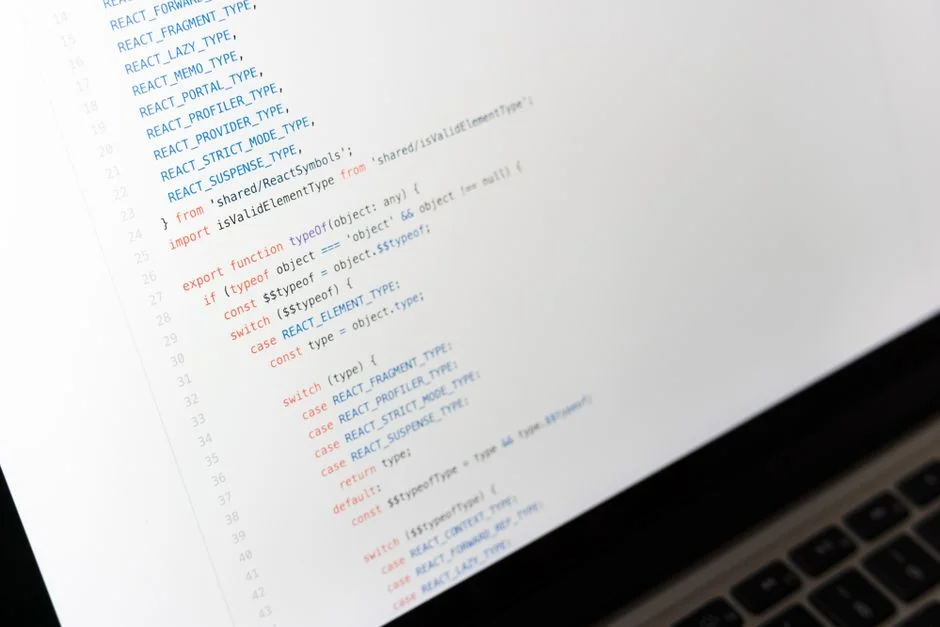

While many development teams view dependency upgrades, particularly for foundational libraries like TanStack Query (formerly React Query), as a reactive chore, often triggered by critical bugs or security vulnerabilities, this perspective is fundamentally flawed. A truly robust software architecture mandates a proactive, systematic approach to dependency management. Delaying upgrades, though seemingly efficient in the short term, inevitably accumulates significant technical debt, increases project risk, and compromises long-term maintainability and performance. This article details how to manage the tanstack/react-query latest version, not just as a version number, but as a critical component of your application’s health.
Understanding the current stable release and its evolutionary path is paramount for any technical leader or senior engineer. Ignoring the continuous advancements in core libraries means missing out on crucial performance optimizations, critical bug fixes, and innovative features that can profoundly impact user experience and developer velocity. We will explore the mechanisms for identifying the latest versions, the strategic considerations for upgrading, and the architectural benefits derived from a disciplined approach to keeping your frontend data layer current.
Identifying the Current Latest Version and Its Significance
As of my last update, the latest stable major version of @tanstack/react-query is typically found by checking the official npm registry or the project’s GitHub releases page. For most production deployments, adhering to the latest stable release within a major version is advisable, while planning for major version upgrades requires a more strategic approach. The actual latest version number is a dynamic target, continuously updated through semantic versioning (Major.Minor.Patch) to reflect new features, bug fixes, and critical patches.
To definitively determine the absolute latest version, developers should consult the authoritative sources:
- npm Registry: The most direct method for published packages. Running
npm view @tanstack/react-query versionor visiting the package page on npmjs.com provides the currentlatesttag. - GitHub Releases: The official TanStack Query GitHub repository details all releases, including release notes, which are crucial for understanding changes between versions.
The significance of knowing the latest version extends beyond mere curiosity; it directly impacts system stability, security posture, and access to performance enhancements. Each new release often contains optimizations that reduce bundle size, improve query execution efficiency, or enhance caching mechanisms. From an architectural standpoint, ignoring these updates means operating on potentially less secure or less performant code. For instance, a patch release might fix a critical memory leak, while a minor release could introduce a new hook that simplifies complex data fetching patterns, thereby reducing boilerplate and improving code readability. A senior engineer understands that these seemingly small updates collectively contribute to the long-term health and scalability of an application.
Consider the implications of semantic versioning in this context:
- Patch Releases (
X.Y.Z+1): These are critical for bug fixes and security patches. They are generally backward-compatible and should be adopted swiftly. Neglecting patch updates exposes applications to known vulnerabilities and unexpected runtime issues. - Minor Releases (
X.Y+1.Z): Introduce new features or improvements in a backward-compatible manner. These often contain significant performance gains or developer experience enhancements. Integrating these allows the application to benefit from the library’s ongoing evolution without major refactoring. - Major Releases (
X+1.Y.Z): Signify breaking changes that may require modifications to application code. While more involved, major upgrades are where significant architectural shifts, performance overhauls, or fundamental API improvements typically occur. Proactive planning for these ensures the application can eventually leverage the full potential of the updated library.
From a backend perspective, the stability and predictability of the frontend’s data fetching layer are paramount. A frontend reliant on an outdated react-query version might exhibit subtle, hard-to-diagnose issues that ultimately impact the backend by sending malformed requests, making excessive calls, or failing to handle responses optimally. Therefore, maintaining awareness of the latest stable version and understanding its changes is not just a frontend concern; it is a full-stack architectural responsibility that contributes to the overall robustness of the system.
The Architectural Imperative of Dependency Upgrades
Many organizations treat dependency upgrades as a necessary evil, often deferring them until a critical bug or security vulnerability forces their hand. This reactive posture, while seemingly conserving resources in the short term, is a significant architectural anti-pattern. Proactive, incremental dependency upgrades, especially for a foundational data-fetching library like TanStack Query, are not just about accessing new features, but about maintaining the structural integrity, security, and performance of the entire application ecosystem. The true cost of delayed upgrades is measured in technical debt, increased security exposure, and a gradual erosion of system performance.
From a senior backend engineer’s perspective, the frontend’s data layer, managed by TanStack Query, directly influences backend load, API design, and database performance. An outdated TanStack Query version might:
- Generate inefficient API calls: Older versions might lack advanced caching strategies, leading to redundant requests to the backend, increasing server load and database queries.
- Fail to utilize modern API patterns: Newer TanStack Query features often align with emerging API best practices, such as optimized mutation patterns or better support for real-time data. An older version forces the frontend to work around these, potentially leading to more complex and less performant backend interactions.
- Introduce security vulnerabilities: While
react-queryitself is client-side, its interaction with backend APIs means that vulnerabilities in its data handling or serialization could indirectly expose backend endpoints or data. Keeping it updated ensures known client-side security flaws are patched. - Increase debugging complexity: When issues arise, debugging across an application with disparate dependency versions becomes significantly more challenging. Is the bug in the custom code, the backend, or an outdated library? Up-to-date dependencies reduce the surface area for such ambiguities.
The accumulation of technical debt is perhaps the most insidious consequence of neglecting upgrades. Each skipped minor or major version introduces a divergence from the library’s evolving API and internal mechanics. What might be a straightforward upgrade from v4 to v5 becomes a monumental task if the application is still on v2, requiring multiple intermediate upgrades, navigating cumulative breaking changes, and potentially rewriting significant portions of the data fetching logic. This translates into increased development time, higher risk of regressions, and ultimately, a more brittle system.
Furthermore, performance improvements are a continuous stream in active libraries. Newer versions of TanStack Query often include:
- Optimized internal algorithms: For cache invalidation, garbage collection, or query deduplication, leading to faster UI responses and reduced client-side resource consumption.
- Reduced bundle size: Smaller library footprints contribute to faster initial page loads and improved Lighthouse scores.
- Enhanced concurrency control: Better management of concurrent requests, reducing race conditions and improving data consistency in complex UIs.
These improvements directly impact the user experience and, indirectly, the perception of backend responsiveness. A frontend that efficiently manages its data fetching and caching needs fewer backend calls and displays data faster, making the entire application feel more performant. Therefore, integrating dependency upgrades into the regular development cycle, perhaps as part of quarterly maintenance sprints or dedicated “tech debt” weeks, is not optional; it is a strategic necessity for any engineering organization committed to delivering high-quality, sustainable software.
Strategic Planning for TanStack Query Major Version Upgrades
Major version upgrades for libraries like TanStack Query are significant events, often introducing breaking changes that necessitate careful planning and execution. Approaching these upgrades reactively, or without a clear strategy, can lead to costly downtime, unexpected bugs, and a considerable drain on engineering resources. Instead, a strategic, phased approach, informed by the library’s release notes and an understanding of your application’s specific usage patterns, is essential. This strategy is not merely a frontend concern; it impacts the entire development lifecycle, from testing to deployment, and can reveal underlying architectural weaknesses.
Pre-Upgrade Assessment and Impact Analysis
Before initiating any major upgrade, a thorough assessment is critical. This involves:
- Reviewing Release Notes: TanStack Query’s release notes are exceptionally detailed. They meticulously outline breaking changes, deprecations, and new features. This is the primary source for understanding the scope of work. Pay close attention to changes in API signatures, default behaviors, and internal implementations that might affect custom integrations.
- Identifying Usage Patterns: Conduct a static code analysis or a manual audit of how
react-queryis used throughout your application. Map out all instances ofuseQuery,useMutation,queryClientconfigurations, custom hooks, and any direct interactions with the internal cache. This helps pinpoint areas most likely to be affected by API changes. - Evaluating Dependencies: Check if any other libraries or internal components rely on specific versions or internal behaviors of
react-query. This is particularly relevant in monorepos or large applications with shared UI components. - Performance Baseline: Establish a performance baseline (e.g., bundle size, initial load time, query execution metrics) before the upgrade. This allows for objective measurement of any performance regressions or improvements post-upgrade.
Developing a Phased Upgrade Plan
A monolithic, “big bang” upgrade is inherently risky. A phased approach mitigates risk and allows for continuous integration and testing:
- Start with a Dedicated Branch: All upgrade work should occur on an isolated feature branch to avoid disrupting ongoing development.
- Isolate Core Changes: Focus first on updating the library and addressing immediate compilation errors or runtime exceptions caused by breaking API changes. Use automated refactoring tools where possible.
- Incremental Refactoring: Instead of rewriting everything at once, refactor components or modules incrementally. Prioritize high-traffic areas or components with critical data interactions. This allows for focused testing and easier rollback if issues arise.
- Automated Testing Suite: A comprehensive suite of unit, integration, and end-to-end tests is indispensable. The upgrade process will stress this suite, potentially revealing gaps. Tests should cover all data fetching, caching, mutation, and invalidation scenarios. Consider adding new tests specifically for changed behaviors or newly introduced features.
- Feature Flag Deployment: For extremely large or critical applications, consider using feature flags to gradually roll out the upgraded version to a subset of users. This allows for real-world testing under controlled conditions and provides an immediate rollback mechanism.
- Monitoring and Observability: Post-deployment, rigorously monitor application performance, error rates, and key business metrics. Set up specific alerts for any deviations. This continuous feedback loop is vital for quickly identifying and addressing unforeseen issues.
Leveraging Tooling and Best Practices
Modern development practices offer tools to streamline this process:
- Version Control: Utilize Git’s branching capabilities for isolated development and easy rollbacks.
- CI/CD Pipelines: Integrate the upgrade branch into your CI/CD pipeline to ensure continuous testing and early detection of integration issues.
- Static Analysis Tools: Linters and static code analyzers can help identify deprecated API usages or potential breaking changes before runtime.
- Documentation: Update internal documentation, including architecture decision records (ADRs), to reflect changes introduced by the new library version. This ensures future developers understand the rationale behind the upgrade and any new patterns adopted.
By treating major upgrades as a structured engineering project rather than a maintenance task, organizations can navigate the complexities of evolving dependencies, ensuring their applications remain robust, performant, and maintainable.
Migrating Between Major Versions: A Practical Guide
Migrating between major versions of @tanstack/react-query, such as from v4 to v5, involves navigating a set of breaking changes designed to improve the library’s architecture, performance, and developer experience. While the core concepts remain consistent, specific API changes require careful refactoring. This guide outlines a practical, step-by-step approach to ensure a smooth transition, minimizing disruptions and leveraging the benefits of the newer version.
Step 1: Environment Preparation and Dependency Update
- Update Node.js and npm/Yarn: Ensure your development environment meets the minimum Node.js version requirements for the new TanStack Query version. Update your package manager to its latest stable release.
- Install the New Version: In your dedicated upgrade branch, update your
package.jsonor run the appropriate command:npm install @tanstack/react-query@latest @tanstack/react-query-devtools@latestThis will pull in the new major version.
- Run Initial Build: Attempt a build. This will immediately highlight syntax errors due to removed or changed APIs, providing a roadmap for the initial refactoring phase.
Step 2: Addressing Core Breaking Changes (v4 to v5 example)
While specific changes vary by version, common themes include:
- Removal of Default Exports: Many utilities and hooks moved from default exports to named exports. For instance,
import QueryClient from 'react-query'might becomeimport { QueryClient } from '@tanstack/react-query'. A global search and replace often handles this efficiently. - QueryClient Configuration Changes: The
QueryClientconstructor options or methods might have changed. For example,defaultOptionsmight be structured differently or new options introduced. Review yourQueryClientinstantiation thoroughly. - DevTools Integration: The React Query Devtools might require an updated import path or component name. Ensure you’re importing
ReactQueryDevtoolsfrom@tanstack/react-query-devtools. - Mutation Cache and Query Cache API Changes: If you’re directly interacting with
queryClient.getQueryCache()orqueryClient.getMutationCache(), their APIs or the objects they return might have been altered. Use the official migration guide to adapt these interactions. - Type System Enhancements: TypeScript users will likely encounter new type errors. These are often beneficial, guiding you towards more precise type definitions and safer code. Pay attention to changes in generic parameters for hooks like
useQueryanduseMutation.
Step 3: Refactoring Hooks and Utilities
Focus on your custom hooks and components that utilize TanStack Query:
useQueryanduseMutation: Review the options objects passed to these hooks. New options might be available, while some deprecated ones might have been removed. Ensure yourqueryFnandmutationFnsignatures align with any new expectations.- Query Keys: While query keys are generally stable, ensure any complex or nested key structures are still valid and correctly serialized.
- Callbacks and Side Effects: Check
onSuccess,onError,onSettledcallbacks. Their argument signatures might have changed, or new context arguments might be available. - Infinite Query Logic: If using
useInfiniteQuery, pay close attention togetNextPageParamandgetPreviousPageParam, as their behavior or expected return values could be subtly different.
Step 4: Comprehensive Testing and Validation
After refactoring, a rigorous testing phase is non-negotiable:
- Unit Tests: Run all existing unit tests. Update any tests that directly mock or interact with
react-query‘s internal mechanisms or expected return types. - Integration Tests: Focus on tests that cover data fetching flows, cache invalidation, and mutation side effects. These are crucial for verifying that the application’s data integrity is maintained.
- End-to-End Tests: Execute your E2E test suite to simulate real user interactions. This catches UI-level regressions that might stem from data layer changes.
- Manual QA: Thoroughly test all features that rely on data fetching, paying special attention to complex forms, pagination, filtering, and real-time updates.
- Performance Testing: Re-run your performance benchmarks to ensure the upgrade has not introduced any regressions. Ideally, it should show improvements.
Step 5: Documentation and Knowledge Transfer
Document all significant changes made during the migration. Update any internal design documents or architectural diagrams. Conduct knowledge transfer sessions with the team to ensure everyone is aware of the new patterns, APIs, and best practices enabled by the upgraded version. This proactive documentation prevents future technical debt and ensures consistency across the codebase.
By following this structured migration path, teams can confidently upgrade to the latest major versions of TanStack Query, unlocking new features and maintaining a high-performing, robust data layer for their applications.
Impact on Backend and API Design from Frontend Query Management
The choice and version of a frontend data-fetching library like TanStack Query profoundly influence backend and API design, often in ways not immediately apparent to teams operating in silos. As a senior backend engineer, understanding the capabilities and limitations of the frontend’s query management system is crucial for designing efficient, scalable, and resilient APIs. An outdated or poorly utilized TanStack Query version on the frontend can inadvertently lead to significant backend performance bottlenecks, excessive resource consumption, and an increased operational overhead for the API layer and the underlying database.
Optimizing API Interactions Through Modern Querying
Modern versions of TanStack Query offer sophisticated features that, when properly leveraged, can dramatically reduce the load on your backend:
- Aggressive Caching and Deduplication: TanStack Query’s robust caching mechanisms minimize redundant requests for the same data. If the frontend is using an older version with less optimized caching, or if developers aren’t utilizing cache invalidation strategies effectively, the backend will receive more identical requests than necessary. This necessitates a backend API that can handle high volumes of repetitive queries, which is often inefficient.
- Batching and Debouncing: While not a core feature of TanStack Query itself, the library integrates well with patterns like batching multiple small requests into a single larger one, or debouncing rapid-fire queries. If the frontend isn’t set up to do this, the backend might be hammered by numerous small, inefficient requests. Newer versions of TanStack Query provide better hooks and context for implementing these patterns effectively.
- Optimistic Updates: When the frontend performs an optimistic update, it assumes a mutation will succeed and updates the UI immediately. This reduces perceived latency. The backend’s API needs to be designed to handle potential rollbacks gracefully (e.g., through idempotency or transaction IDs), but the primary benefit is a smoother user experience that reduces the user’s wait time for a backend response, indirectly lessening perceived backend latency.
Designing Backend APIs for TanStack Query
A well-designed backend API anticipates the needs of a modern frontend data layer. This includes:
- Clear Resource Endpoints: RESTful or GraphQL endpoints that align with the data entities managed by TanStack Query. Consistent naming conventions for resources and their identifiers simplify query key management on the frontend.
- Efficient Filtering, Sorting, and Pagination: APIs should offer robust query parameters for filtering, sorting, and pagination rather than dumping large datasets for frontend processing. TanStack Query’s
useInfiniteQuery, for example, thrives on cursor-based pagination, which requires specific backend support. An older frontend might struggle with complex pagination, leading to less efficient data retrieval. - Idempotent Mutations: All write operations (POST, PUT, DELETE) should ideally be idempotent. This is critical for reliable optimistic updates and retry mechanisms inherent in TanStack Query’s mutation handling. If a network request fails, TanStack Query might retry, and an idempotent backend ensures that multiple executions of the same request have the same effect as a single execution.
- Real-time Data Integration: For applications requiring real-time updates, the backend needs to provide mechanisms like WebSockets or server-sent events (SSE). TanStack Query can be integrated with these to update its cache, ensuring the UI always displays the most current data without manual polling. Older TanStack Query versions might require more manual integration points, increasing frontend complexity and potential for errors.
- Error Handling and Status Codes: Consistent and informative HTTP status codes and error payloads from the backend are vital for TanStack Query’s error handling. The library provides powerful mechanisms for retries and displaying error states, but only if the backend communicates errors clearly.
The Risk of Outdated Frontend Querying
If the frontend is operating on a significantly older version of TanStack Query, or if its developers are unaware of its full capabilities, several issues can arise on the backend:
- Over-fetching/Under-fetching: The frontend might fetch too much data (e.g., entire user objects when only a name is needed) or too little (requiring multiple round trips for related data). This leads to inefficient database queries and network bandwidth usage.
- Cache Misses and Invalidation Issues: If the frontend’s caching is inefficient, the backend will continuously serve the same data. If cache invalidation is mismanaged, the backend might serve stale data, leading to data consistency issues.
- Increased Server Load: More requests, larger payloads, and less efficient data access patterns directly translate to higher CPU, memory, and database load on the backend, potentially leading to scaling challenges and increased infrastructure costs.
Therefore, a collaborative approach where backend and frontend teams understand each other’s tooling and capabilities is essential. Proactive upgrades and consistent utilization of TanStack Query’s advanced features on the frontend directly contribute to a more efficient, stable, and scalable backend API architecture.
Performance Benchmarking and Optimization with Latest TanStack Query
Performance is a non-negotiable aspect of any production-grade application, and the data fetching layer, often managed by TanStack Query, plays a pivotal role. Upgrading to the latest versions is not merely about feature parity; it’s about leveraging continuous optimizations that can lead to significant improvements in perceived performance, resource utilization, and overall user experience. As a senior engineer, understanding how to benchmark and optimize TanStack Query’s performance is crucial for maintaining a responsive and efficient application.
Key Performance Metrics for Data Fetching
When evaluating the performance of your data layer with TanStack Query, consider these metrics:
- Time to Interactive (TTI): How quickly the UI becomes interactive after initial load. Efficient data fetching and caching directly contribute to a faster TTI.
- First Contentful Paint (FCP) and Largest Contentful Paint (LCP): Measures of perceived load speed. Optimized queries and reduced network Waterfall contribute to better FCP/LCP.
- Network Latency and Throughput: The time taken for API calls and the amount of data transferred. TanStack Query’s deduplication and caching reduce network traffic.
- Client-side CPU and Memory Usage: How much processing power and memory the frontend consumes. Inefficient data processing or excessive cache size can degrade performance.
- API Request Count: The number of distinct API calls made over a period. Ideally, this should be minimized through caching and deduplication.
- Cache Hit Ratio: The percentage of data requests that are served from the cache versus requiring a fresh API call. A higher ratio indicates more efficient caching.
Leveraging Latest Features for Optimization
Newer versions of TanStack Query often introduce features and refinements specifically aimed at performance:
- Enhanced Cache Garbage Collection: Improved algorithms for automatically cleaning up stale or unused cache entries, reducing memory footprint.
- Optimized Query Observers: More efficient internal mechanisms for notifying components when query data changes, leading to fewer re-renders and better UI responsiveness.
- Stricter Type Guarantees (TypeScript): While not directly a runtime performance feature, better type safety reduces runtime errors, which indirectly improves stability and perceived performance.
- Batching and Coalescing (Internal): Newer versions might internally batch or coalesce certain operations, leading to fewer expensive updates or re-renders.
Benchmarking Methodology
To objectively measure the impact of TanStack Query upgrades and optimizations, adopt a structured benchmarking approach:
- Isolate Components: Create isolated test environments or stories (e.g., using Storybook) for components heavily reliant on TanStack Query. This allows for focused performance analysis.
- Simulate Network Conditions: Use browser developer tools or dedicated network throttling proxies to simulate various network conditions (e.g., 3G, slow Wi-Fi) to understand real-world performance.
- Profile CPU and Memory: Use browser profilers (e.g., Chrome DevTools Performance tab) to identify CPU bottlenecks and memory leaks related to query execution, cache management, and component re-renders.
- Monitor API Calls: Track the number and duration of API calls using network tabs or custom logging. Verify that caching and deduplication are working as expected.
- A/B Testing: For significant changes, consider A/B testing the upgraded version against the older one with a small subset of users to gather real-world performance data and user feedback before a full rollout.
Optimization Strategies
Beyond simply upgrading, active optimization strategies include:
- Proper Query Key Management: Consistent and granular query keys are fundamental for effective caching and invalidation. Poorly designed keys lead to unnecessary re-fetches.
staleTimeandcacheTimeConfiguration: Fine-tune these options based on data volatility. LongerstaleTimereduces network requests for frequently accessed, less volatile data. PropercacheTimeprevents unnecessary garbage collection of data that might be re-accessed soon.- Selective Query Invalidation: Instead of invalidating entire query groups, invalidate specific queries or use mutation callbacks to intelligently update the cache after a successful write operation.
selectOption for Data Transformation: Use theselectoption inuseQueryto transform or filter data immediately after fetching, ensuring components only re-render when the *relevant* data changes, not the entire payload. This is crucial for optimizing rendering performance.- Prefetching and Preloading: Strategically prefetch data that users are likely to need next (e.g., on hover, on page load for common routes) to make transitions feel instant. This complements Next.js Dynamic Routing by ensuring data is ready before the route change.
By combining regular upgrades with diligent benchmarking and targeted optimization, engineers can ensure that TanStack Query contributes positively to the overall performance profile of the application, delivering a fast and fluid user experience.
Security Implications of Outdated Frontend Data Layers
While @tanstack/react-query operates primarily on the client-side, its role as the primary interface for fetching, caching, and mutating data means that an outdated or improperly configured version can introduce significant security vulnerabilities into the broader application ecosystem. As a senior backend engineer, understanding these client-side security implications is vital, as frontend vulnerabilities often create pathways for attackers to compromise backend systems, manipulate data, or expose sensitive information. Security is a continuous chain, and a weak link on the frontend can jeopardize the entire system.
Common Vulnerability Vectors in Data Layers
Outdated frontend data layers can expose applications to:
- Cross-Site Scripting (XSS) via Stored Data: If an older version of TanStack Query (or its dependencies) handles data insecurely, and an API returns user-generated content that is not properly sanitized, an attacker could inject malicious scripts into the cache. When this data is rendered, it could lead to XSS attacks. While TanStack Query itself focuses on data management, its interaction with the DOM via React means that improper data handling can exacerbate XSS risks.
- Exposure to Malicious Cache Invalidation: An attacker might attempt to manipulate cache invalidation mechanisms if they find a vulnerability in how query keys or invalidation triggers are handled. This could lead to a denial-of-service by forcing constant re-fetches, or by serving stale, potentially sensitive, data.
- API Misuse and Rate Limiting Bypass: Older versions might not integrate seamlessly with modern authentication tokens (e.g., rotating refresh tokens) or might not facilitate robust retry logic that respects backend rate limits. A compromised client with an outdated library could be easier to manipulate into making excessive or unauthorized requests, stressing the backend.
- Dependency Chain Vulnerabilities: Like any complex library, TanStack Query relies on a chain of dependencies. Older versions might depend on older, vulnerable versions of underlying packages. Keeping TanStack Query updated ensures that you’re benefiting from its developers’ efforts to keep their dependency tree secure. This is a critical aspect of overall Next.js npm dependency management.
- Information Leakage: In some scenarios, an outdated or misconfigured cache could inadvertently store sensitive data in browser storage (e.g., localStorage, sessionStorage) without proper encryption or expiration, making it vulnerable to client-side attacks.
Mitigating Security Risks Through Proactive Upgrades
Regularly updating @tanstack/react-query is a crucial step in maintaining a strong security posture:
- Patching Known Vulnerabilities: New versions often include fixes for vulnerabilities discovered in the library itself or its transitive dependencies. Delaying updates means operating with known exploits.
- Adopting Secure Defaults: Newer versions might introduce more secure default behaviors or provide clearer guidance on secure configurations, such as better handling of sensitive data in query keys or mutations.
- Improved Error Handling: Robust error handling in newer versions can prevent certain types of information disclosure. For example, if an older version’s error message reveals too much about backend internals, a newer version might sanitize or abstract this information.
- Enhanced Type Safety (TypeScript): For TypeScript users, improved type definitions in newer versions can help prevent common coding errors that might inadvertently lead to security flaws (e.g., incorrect data parsing, mishandling of optional fields).
Architectural Considerations for Security
From a backend perspective, designing APIs with the expectation of a potentially vulnerable client is a robust strategy:
- Input Validation: Always validate and sanitize all input received from the frontend, regardless of the frontend library used. Never trust client-side data.
- Authentication and Authorization: Implement strict authentication and authorization checks at the API gateway and service level. TanStack Query manages tokens, but the backend must enforce their validity and permissions.
- Rate Limiting and Throttling: Protect your APIs from abuse by implementing comprehensive rate limiting and throttling. This mitigates the impact of a compromised or misbehaving client.
- Security Headers: Ensure your backend serves appropriate HTTP security headers (e.g., Content Security Policy, X-XSS-Protection) to further protect the client-side application.
- Regular Security Audits: Conduct periodic security audits and penetration tests that span both frontend and backend components, identifying potential weaknesses across the full stack.
By treating frontend data layer security as an integral part of the overall system security, and by committing to regular updates and secure configurations, engineering teams can significantly reduce their attack surface and protect both client and server-side assets.
Integrating Latest TanStack Query with Laravel Backends: Synergies and Best Practices
While @tanstack/react-query is a frontend library, its interaction with a Laravel-powered backend is where significant architectural synergies, or conversely, friction, can arise. A senior engineer understands that the efficiency and stability of the frontend’s data layer directly impact the performance and maintainability of the backend. Leveraging the latest TanStack Query version effectively means designing Laravel APIs that complement its strengths, leading to a more performant and robust full-stack application. This integration requires thoughtful API design, consistent error handling, and a clear understanding of data flow.
Laravel API Design for Optimal TanStack Query Consumption
To maximize the benefits of the latest TanStack Query, Laravel APIs should be designed with the following principles:
- RESTful Endpoints with Clear Semantics: Laravel’s resource controllers naturally lend themselves to creating RESTful APIs. Consistent use of HTTP verbs (GET, POST, PUT, DELETE) and clear resource paths (e.g.,
/api/users,/api/posts/{id}) simplifies query key management and mutation actions in TanStack Query. - Standardized Response Formats: Laravel APIs should return consistent JSON response structures for both success and error states. This allows TanStack Query’s error handling and data parsing to be uniform across the application. For example, always return data under a
datakey and metadata under ametakey. - Efficient Data Retrieval (Filtering, Pagination, Sorting): Laravel’s Eloquent ORM and query builder make it easy to implement robust filtering, pagination, and sorting directly in the API. TanStack Query’s
useQueryanduseInfiniteQuerycan then consume these parameters efficiently, reducing over-fetching and improving network performance. For example, passingpage,per_page,sort_by, andfilterparameters to a Laravel API allows the frontend to fetch precisely what it needs. - Idempotent Mutations: Design Laravel API endpoints for mutations (POST, PUT, DELETE) to be idempotent where possible. This ensures that if TanStack Query retries a failed mutation, the backend can safely process it without unintended side effects. Laravel’s request validation and database transactions are excellent tools for achieving this.
- Optimized Database Queries: Ensure your Laravel controllers and Eloquent models utilize eager loading (
with()) to prevent N+1 query problems. A frontend using TanStack Query, even if highly optimized, will still experience slow data fetching if the underlying Laravel API makes inefficient database calls.
Synergies with Laravel’s Ecosystem
The latest TanStack Query can synergize with various aspects of the Laravel ecosystem:
- Laravel Sanctum/Passport for Authentication: TanStack Query can manage and send authentication tokens (e.g., Bearer tokens) to Laravel APIs secured by Sanctum or Passport. Its interceptor patterns allow for refreshing tokens seamlessly without affecting the component logic.
- Laravel Queues and Broadcasting for Real-time: For real-time updates, Laravel’s broadcasting capabilities (e.g., with WebSockets via Laravel Echo) can push events to the frontend. TanStack Query can then listen to these events and intelligently invalidate or update its cache, ensuring the UI reflects the latest backend state without explicit polling.
- Laravel Validation: Frontend forms often use TanStack Query for mutations. Laravel’s robust server-side validation is critical for data integrity. The API should return clear validation error messages that TanStack Query’s
onErrorcallbacks can interpret and display to the user.
Common Pitfalls and Best Practices
- Ignoring Backend Load: Even with TanStack Query’s caching, a poorly optimized Laravel API will still be a bottleneck. Profile your API endpoints (e.g., using Laravel Telescope or New Relic) to identify slow queries or bottlenecks.
- Inconsistent Error Handling: Ensure Laravel APIs return consistent JSON error structures (e.g.,
{ "message": "Validation Failed", "errors": { "field": ["error message"] } }). This makes it easier for TanStack Query to display user-friendly error messages. - Over-reliance on Frontend Caching: While TanStack Query excels at client-side caching, it does not replace server-side caching (e.g., Redis, Memcached) for frequently accessed data or computationally expensive operations in Laravel. A layered caching strategy is always superior.
- Security: Always enforce authorization and authentication at the Laravel API level. Never trust client-side data or permissions. TanStack Query helps manage data flow, but Laravel must be the ultimate arbiter of access.
By understanding and aligning the capabilities of the latest TanStack Query with Laravel’s robust backend features, engineering teams can build highly performant, scalable, and maintainable full-stack applications where frontend and backend work in seamless concert.
Advanced Configuration and Customization in Latest TanStack Query
The power of @tanstack/react-query, especially in its latest iterations, lies not just in its default behaviors but in its extensive configurability. For a senior engineer, mastering these advanced configurations and customization options is key to tailoring the library to specific application requirements, optimizing performance, and handling complex data scenarios. This goes beyond basic useQuery calls to deeply influence how data is fetched, cached, and updated across the entire application.
Global QueryClient Configuration
The QueryClient instance is the heart of TanStack Query, and its global configuration sets the default behavior for all queries and mutations. This is where you establish foundational rules for your data layer.
import { QueryClient, QueryClientProvider } from '@tanstack/react-query'; // v5+ import path

const queryClient = new QueryClient({
  defaultOptions: {
    queries: {
      staleTime: 1000 * 60 * 5, // Data is considered fresh for 5 minutes
      cacheTime: 1000 * 60 * 60 * 24, // Data stays in cache for 24 hours after last observer
      refetchOnWindowFocus: false, // Prevent refetching on window focus for specific queries
      retry: 3, // Retry failed queries 3 times
      onError: (error) => {
        // Global error handling, e.g., logging or showing a toast
        console.error('Global Query Error:', error);
      },
    },
    mutations: {
      onError: (error, variables, context) => {
        // Global mutation error handling
        console.error('Global Mutation Error:', error, variables, context);
      },
      onSettled: (data, error, variables, context) => {
        // Global mutation settled logic
        console.log('Global Mutation Settled:', data, error);
      },
    },
  },
});

function App() {
  return (

      {/* Your application components */}

  );
}
This global setup allows for consistent behavior without repeating configurations in every useQuery or useMutation call. It’s an architectural decision that enforces standards across the application.
Custom Query and Mutation Functions
While useQuery and useMutation are flexible, encapsulating your data fetching logic into reusable custom functions or hooks is a powerful pattern. This promotes code reuse, simplifies component logic, and centralizes complex data transformations or error handling.
// api.ts
import axios from 'axios';

export const fetchUser = async (userId: string) => {
  const { data } = await axios.get(`/api/users/${userId}`);
  return data;
};

export const updateUser = async (user: { id: string; name: string }) => {
  const { data } = await axios.put(`/api/users/${user.id}`, user);
  return data;
};

// hooks.ts
import { useQuery, useMutation } from '@tanstack/react-query';
import { fetchUser, updateUser } from './api';

export const useUser = (userId: string) => {
  return useQuery({
    queryKey: ['user', userId], // Unique query key for caching
    queryFn: () => fetchUser(userId),
    enabled: !!userId, // Only fetch if userId exists
    select: (data) => ({ ...data, fullName: `${data.firstName} ${data.lastName}` }), // Transform data
  });
};

export const useUpdateUserMutation = () => {
  const queryClient = useQueryClient(); // Get the query client instance
  return useMutation({
    mutationFn: updateUser,
    onSuccess: (data, variables, context) => {
      // Invalidate relevant queries after successful mutation
      queryClient.invalidateQueries({ queryKey: ['user', data.id] });
      queryClient.invalidateQueries({ queryKey: ['users'] }); // Invalidate list of users
      // Optionally, update the cache directly (optimistic update)
      queryClient.setQueryData(['user', data.id], data);
    },
    onError: (error, variables, context) => {
      console.error('Update failed:', error);
      // Revert optimistic update if applicable
    },
  });
};
This approach centralizes data logic, making it easier to manage, test, and update. When the underlying API changes, only the api.ts file and potentially the custom hooks need modification, not every component using the data.
Query Invalidation and Cache Updates
Effective cache management is where TanStack Query truly shines. Beyond simple invalidateQueries, advanced patterns include:
- Partial Query Key Invalidation:
queryClient.invalidateQueries({ queryKey: ['todos'] })invalidates all queries starting with'todos', whilequeryClient.invalidateQueries({ queryKey: ['todos', { status: 'done' }] })invalidates only specific ones. setQueryDatafor Optimistic Updates: Directly updating the cache with anticipated data after a mutation. This requires careful error handling to revert changes if the mutation fails.onSettledandonSuccessCallbacks: These mutation callbacks are ideal for triggering cache invalidation or updates based on the outcome of a server interaction.- Predicate Functions: For complex invalidation scenarios, you can pass a predicate function to
invalidateQueriesorremoveQueriesto target specific queries based on their data or state.
Integration with Server-Side Rendering (SSR) and Static Site Generation (SSG)
For Next.js applications, the latest TanStack Query versions provide robust support for SSR and SSG. The dehydrate and hydrate functions are crucial for passing pre-fetched data from the server to the client, preventing a data-fetching waterfall on the initial page load. This is especially important for performance-sensitive applications, complementing strategies like downscaling images for faster page loads.
// In a Next.js getServerSideProps or getStaticProps function
import { dehydrate, QueryClient } from '@tanstack/react-query';
import { fetchPosts } from '../api';

export async function getServerSideProps() {
  const queryClient = new QueryClient();
  await queryClient.prefetchQuery({ queryKey: ['posts'], queryFn: fetchPosts });

  return {
    props: {
      dehydratedState: dehydrate(queryClient),
    },
  };
}
This ensures that the initial HTML render contains data, leading to a faster perceived load time and better SEO. Understanding these advanced configurations and patterns allows engineers to fully harness the capabilities of TanStack Query, building highly optimized and responsive data-driven applications.
Challenges and Troubleshooting in TanStack Query Upgrades
While upgrading to the latest @tanstack/react-query version offers significant benefits, the process is not without its challenges. Even with meticulous planning, issues can arise, ranging from subtle runtime bugs to outright application crashes. A senior engineer must be adept at diagnosing and troubleshooting these problems efficiently, understanding that many stem from breaking changes, deprecated APIs, or unexpected interactions within the application’s unique architecture. Proactive logging, systematic debugging, and a deep understanding of the library’s internals are paramount.
Common Challenges Encountered During Upgrades
- Breaking API Changes: This is the most frequent challenge. Functions might be renamed, arguments might change order or type, or entire modules might be reorganized. For example, a common breaking change from v3 to v4 was the change in the
QueryClientProviderimport path, and from v4 to v5, some default exports became named exports. - Type Mismatch Errors (TypeScript): TypeScript users will often encounter a cascade of type errors. These are invaluable signals indicating where API changes have occurred and how your code needs to adapt. Ignoring these errors or using overly broad types (e.g.,
any) will mask underlying issues. - Unexpected Cache Behavior: Changes in default
staleTime,cacheTime, or internal cache invalidation logic can lead to data appearing stale when it should be fresh, or vice-versa. This can be particularly tricky to debug as the UI might not reflect the actual server state. - Performance Regressions: While new versions often bring performance improvements, a misconfigured cache or an unexpected interaction with existing code can sometimes lead to slower data fetching, increased re-renders, or higher memory consumption.
- DevTools Incompatibility: The React Query Devtools might not be immediately compatible with a new major version, making debugging more challenging until the Devtools themselves are updated.
- Third-Party Library Conflicts: Other libraries in your ecosystem (e.g., UI component libraries, custom data layers) might have implicit dependencies or assumptions about the
react-queryversion, leading to conflicts.
Systematic Troubleshooting Strategies
When faced with upgrade issues, a structured approach is most effective:
- Consult the Official Migration Guide: This is the single most important resource. TanStack Query’s maintainers provide detailed migration guides for major versions, outlining every breaking change and its recommended solution.
- Isolate the Problem: If the entire application breaks, revert to a working state and introduce the upgrade incrementally. Start with the core
QueryClientsetup, then gradually update components and hooks. This helps pinpoint the exact change causing the issue. - Leverage React Query Devtools (if compatible): The Devtools are an indispensable tool for inspecting the cache, observing query states, and understanding data flow. They can quickly reveal if a query is not fetching, is stale, or has unexpected data.
- Examine Network Requests: Use your browser’s network tab to verify that API calls are being made as expected. Look for duplicate requests, unexpected parameters, or incorrect headers.
- Check Console Logs and Error Stacks: Pay close attention to any warnings or errors in the browser console or server logs. The stack trace can often point to the problematic code location.
- Simplify and Replicate: Create a minimal reproducible example (MRE) of the issue. This helps isolate the problem from the complexities of your full application and makes it easier to seek help from the community or the library’s issue tracker.
- Review
package.jsonand Lock Files: Ensure that only the intended version of@tanstack/react-queryis installed and that no conflicting versions are present due to transitive dependencies. Clear yournode_modulesand reinstall dependencies if necessary. - Use Version Control Effectively: Make small, atomic commits during the upgrade process. This allows for easy rollbacks and identification of the exact change that introduced a bug.
- Search Community Forums and GitHub Issues: Chances are, someone else has encountered a similar issue. The TanStack Query GitHub repository and community forums are excellent resources for finding solutions or reporting new bugs.
By adopting these troubleshooting practices, engineering teams can navigate the complexities of TanStack Query upgrades with greater confidence, ensuring a smooth transition to the latest, most performant, and secure versions of the library.
Maintaining Dependency Hygiene: Beyond TanStack Query
Focusing solely on the @tanstack/react-query latest version, while crucial, only addresses one part of a larger architectural imperative: comprehensive dependency hygiene. As a senior backend engineer, the health of the entire application ecosystem, from frontend libraries to backend frameworks and infrastructure tooling, is a continuous responsibility. Neglecting dependency management across the stack leads to systemic technical debt, security vulnerabilities, and a brittle development environment. A disciplined approach ensures that all components are compatible, secure, and performant, minimizing future operational costs and risks.
The Broader Scope of Dependency Management
Dependency hygiene extends to:
- Frontend Frameworks and Libraries: React, Next.js, UI component libraries, state management solutions. Each has its own release cycle and potential breaking changes. Maintaining these alongside TanStack Query ensures a cohesive frontend stack.
- Backend Frameworks: Laravel, Node.js, Express, etc. Regular updates to these frameworks bring performance improvements, security patches, and new features that can enhance API capabilities and overall system efficiency.
- Database Drivers and ORMs: Ensuring that database connectors (e.g., MySQL drivers, PostgreSQL clients) and ORMs (e.g., Prisma, Eloquent) are up-to-date helps maintain compatibility with database servers, leverage new features, and patch security vulnerabilities.
- Build Tools and Transpilers: Webpack, Babel, TypeScript compilers, Vite. Keeping these updated ensures optimal build times, smaller bundle sizes, and access to the latest language features. This directly impacts developer experience and deployment efficiency.
- Infrastructure and DevOps Tools: Docker, Kubernetes, CI/CD runners, monitoring agents. These tools also require regular updates for security, performance, and compatibility with new operating systems or cloud provider services.
Architectural Impact of Poor Dependency Hygiene
A lax approach to dependency management creates several architectural pathologies:
- Dependency Hell: Conflicting version requirements between different packages, leading to complex resolution issues or forcing the use of outdated, vulnerable versions.
- Security Debt: Accumulation of known vulnerabilities from unpatched dependencies, making the entire application a target for exploits.
- Performance Degradation: Missing out on performance optimizations in newer library versions, leading to slower applications, higher resource consumption, and increased infrastructure costs.
- Developer Velocity Reduction: Engineers spend more time troubleshooting compatibility issues, working around deprecated APIs, or dealing with unexpected bugs from outdated packages, rather than building new features.
- Increased Cost of Future Upgrades: The longer updates are deferred, the more breaking changes accumulate, making a future, forced upgrade a monumental and costly effort.
- Reduced Team Morale: Working with outdated tools and a fragile codebase can lead to frustration and burnout among engineering teams.
Strategies for Proactive Dependency Management
Implementing a robust dependency hygiene strategy requires a combination of process, automation, and cultural commitment:
- Automated Dependency Updates: Tools like Dependabot (for GitHub) or Renovate (for various Git providers) can automatically create pull requests for dependency updates. Configure these tools to group updates (e.g., patch, minor, major) to manage risk.
- Regular Review and Audits: Periodically review your
package.json,composer.json, and other dependency manifests. Identify unused dependencies, evaluate potential alternatives, and ensure all packages are from trusted sources. - Dedicated Upgrade Sprints: Allocate specific time (e.g., quarterly) for dedicated upgrade sprints. Treat these as engineering projects, not just maintenance tasks, with proper planning, testing, and documentation.
- Semantic Versioning Enforcement: Educate the team on semantic versioning and adhere to it strictly. Understand when a major, minor, or patch update is being released and its implications.
- Comprehensive Testing: A robust automated test suite (unit, integration, E2E) is the first line of defense against regressions introduced by dependency updates. Without it, upgrades are inherently risky.
- Continuous Integration/Continuous Deployment (CI/CD): Integrate dependency updates into your CI/CD pipeline. Automated builds and tests should run against new dependency versions to catch issues early.
- Architectural Decision Records (ADRs): Document significant dependency choices and upgrade decisions using ADRs. This provides context and rationale for future teams.
By treating dependency hygiene as a core architectural principle, rather than an afterthought, organizations can build more resilient, secure, and performant systems that adapt gracefully to the evolving software landscape. It’s an investment that pays dividends in long-term stability and developer productivity.
Explore our complete Laravel, Basics directory for more guides.
Managing the tanstack/react-query latest version is far more than a simple version bump; it is an integral component of a sound software engineering strategy. Proactive upgrades, informed by a deep understanding of semantic versioning and the library’s evolving capabilities, are essential for maintaining application performance, security, and long-term maintainability. Neglecting this crucial aspect of dependency hygiene inevitably leads to technical debt, increased operational risk, and a slower, less robust user experience. By embracing a disciplined approach to updates and leveraging the advanced features of modern TanStack Query, engineering teams can build highly responsive and resilient data-driven applications.
At NR Studio, we specialize in building and maintaining high-performance custom software. If your application’s data layer is struggling with performance, burdened by technical debt from outdated dependencies, or if you need a strategic partner to navigate complex upgrades, our team of senior engineers can help. We offer comprehensive code and architecture audits to identify bottlenecks and formulate clear, actionable roadmaps for optimizing your systems and ensuring they remain at the forefront of technological efficiency.
NR Studio builds custom web apps, mobile apps, SaaS platforms, and internal tools for growing businesses. If you’re working through a technical decision, feel free to reach out — no commitment required.