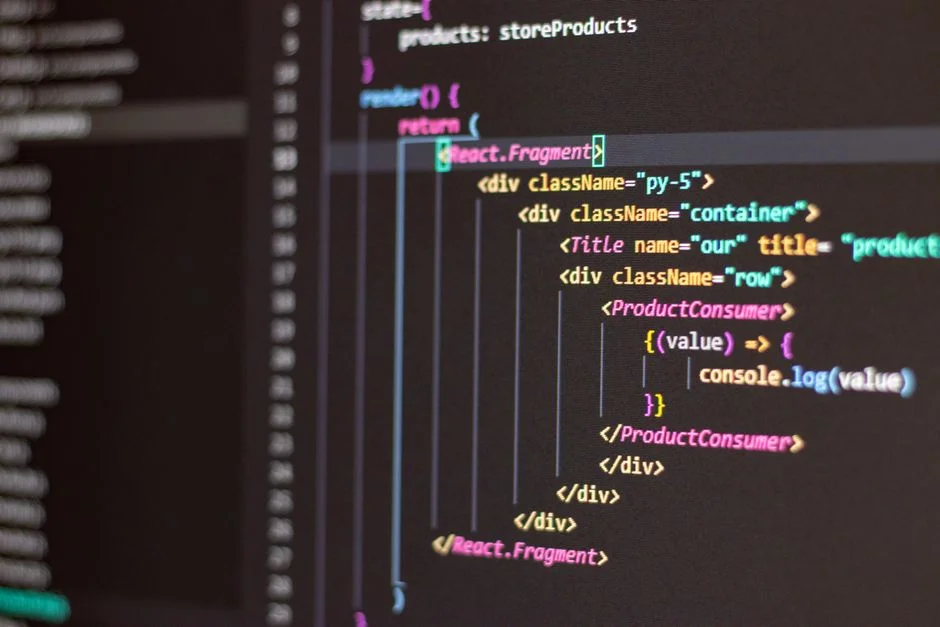

A React sandbox is an isolated, controlled development environment designed to build, test, and showcase React components or applications independently of a larger project. It provides a contained space for experimentation, debugging, and collaboration, ensuring changes do not inadvertently affect other parts of a system. For CTOs, leveraging React sandboxes strategically enhances development velocity, reduces technical debt, and improves overall software quality.
In complex, distributed systems, the absence of robust isolation mechanisms can lead to cascading failures, prolonged debugging cycles, and significant developer friction. Modern React applications, often characterized by intricate component hierarchies and diverse state management patterns, demand environments where engineers can iterate rapidly without fear of destabilizing the main codebase. This necessitates a strategic approach to development tooling, where the sandbox is not merely a convenience but a critical architectural component supporting agile development and continuous delivery.
Our focus here extends beyond the functional definition of a React sandbox to its broader business implications. We will examine how these environments contribute to a more efficient development lifecycle, foster better collaboration across engineering teams, and ultimately impact the total cost of ownership (TCO) for frontend initiatives. Understanding the strategic value of sandboxes is key to building resilient, high-performing software systems that meet evolving business demands.
The Foundational Role of Sandboxes in Modern Frontend Architecture
A React sandbox is an isolated development environment where individual React components or small application features can be developed, tested, and demonstrated independently. This isolation is paramount in modern frontend architectures, particularly those adopting component-driven development or micro-frontend patterns. Sandboxes provide a clean slate, free from the complexities and dependencies of a full application, allowing developers to focus solely on the component at hand.
From an architectural standpoint, sandboxes serve as critical enablers for modularity and reusability. When a component is developed within a sandbox, its dependencies are explicitly managed and often minimized. This forces developers to consider the component’s boundaries and contracts more rigorously, leading to better-encapsulated and more portable code. For instance, developing a reusable UI component like a custom button or a data table in isolation ensures it functions correctly across various contexts without unintended side effects from global styles or application-level state.
Consider a large-scale enterprise application where multiple teams contribute to a shared component library. A dedicated sandbox environment for this library becomes indispensable. Each component can be thoroughly vetted, tested with different props, and documented in isolation. This practice significantly reduces the risk of introducing regressions when integrating components into diverse applications. Furthermore, it streamlines the process of versioning and distributing the component library, as each component’s behavior is predictable and well-defined outside the monolithic application context.
This approach also directly addresses the common problem of ‘works on my machine’ scenarios. By providing a standardized, reproducible environment, sandboxes ensure that a component behaves consistently regardless of the developer’s local setup. This is particularly valuable in geographically distributed teams or when onboarding new engineers. They can quickly clone a repository, launch a sandbox, and immediately begin contributing to specific components without spending days configuring a complex local development environment for the entire application. The inherent reproducibility of a well-defined sandbox environment is a cornerstone for maintaining high team velocity and code quality across the entire development lifecycle.
Moreover, sandboxes facilitate earlier detection of issues. When a component is developed and tested in isolation, any bugs or performance bottlenecks are more easily attributable to the component itself, rather than being obscured by interactions with other parts of a larger application. This shifts the debugging effort left in the development cycle, reducing the cost and complexity of fixing defects. For a CTO, this translates directly into reduced technical debt accumulation and a more predictable release schedule. The strategic use of sandboxes aligns perfectly with principles of continuous integration and continuous delivery (CI/CD), allowing for more frequent and confident deployments of individual components or features.
Key Benefits for Development Velocity and Team Collaboration
The strategic adoption of React sandboxes delivers tangible benefits in terms of development velocity and team collaboration, directly impacting project timelines and resource utilization. By providing an isolated environment, sandboxes enable parallel development efforts. Multiple developers or teams can simultaneously work on different components or features without interfering with each other’s progress or the stability of the main application branch. This significantly accelerates the overall development cycle, allowing for faster iteration and earlier delivery of value to stakeholders.
For instance, imagine a scenario where a new dashboard feature requires several complex data visualization components. With a sandbox strategy, the frontend team can develop these components concurrently. One engineer might focus on the chart component, another on the data table, and a third on the filtering mechanism, all within their respective sandboxes. Each component can be independently built, styled, and tested against various data sets. This parallelization dramatically reduces bottlenecks that would otherwise arise from a shared, monolithic development environment where merge conflicts and integration issues are more frequent and harder to resolve.
Sandboxes also streamline the code review process. Instead of reviewing an entire feature branch that might include numerous changes across the application, reviewers can focus on specific components within their sandbox context. This allows for more targeted, efficient, and higher-quality feedback. A reviewer can easily spin up the sandbox, interact with the component under various conditions, and assess its functionality, accessibility, and adherence to design specifications without needing to set up the entire application locally. This focused review process reduces the time spent on reviews and improves the overall quality of merged code.
Furthermore, sandboxes are invaluable for onboarding new team members. Instead of requiring new hires to spend days or weeks setting up a complex local development environment for the entire application, they can be directed to component-specific sandboxes. This allows them to quickly understand the codebase’s structure, contribute to smaller, well-defined tasks, and gain confidence without the cognitive overhead of the full system. This acceleration of ramp-up time directly translates into increased team productivity and faster return on investment for new hires.
From a collaboration perspective, sandboxes serve as a universal language. Designers, product managers, and even non-technical stakeholders can interact with components in isolation, providing feedback directly on the component’s behavior and appearance. This eliminates ambiguity, reduces miscommunications, and ensures that the final product aligns closely with design intentions and business requirements. Tools like Storybook, which often serve as component sandboxes, can be published as living style guides, becoming a single source of truth for UI components across an organization. This fosters a shared understanding and promotes consistency across all user-facing applications, reinforcing brand identity and user experience.
Finally, sandboxes reduce context switching, a notorious productivity killer for engineers. By isolating a component, developers can remain focused on its specific logic, styling, and interactions without being distracted by the broader application’s state or routing. This deep work contributes to higher quality code, fewer errors, and a more engaged and productive engineering team, ultimately driving down the total cost of ownership for software development.
Types of React Sandboxes: From Local to Cloud-Native Environments
The landscape of React sandboxes encompasses a spectrum of tools and methodologies, each offering distinct advantages depending on project scale, team structure, and specific development needs. Understanding these types is crucial for a CTO to make informed decisions about tooling investments and architectural strategy. We can broadly categorize them into local development environments, component explorers, and cloud-native integrated development environments (IDEs).
Local Development Environments with Hot Module Replacement (HMR)
At the most fundamental level, any local development setup with tools like Webpack Dev Server or Vite, configured for Hot Module Replacement (HMR), acts as a basic sandbox. When developing a new component, engineers often create a temporary entry point or a dedicated test page that imports and renders only that component. HMR ensures that changes to the component’s code are reflected almost instantly in the browser without a full page reload, providing immediate feedback. While effective for initial development, this approach lacks formal documentation, versioning, and easy shareability across teams.
Component Explorers and UI Libraries (e.g., Storybook, Styleguidist)
For projects requiring robust component documentation, visual regression testing, and shared UI libraries, dedicated component explorers are indispensable. Storybook is a prominent example, providing an isolated UI development environment where components can be showcased in various states and contexts. Each ‘story’ in Storybook is essentially a sandbox for a specific component variation. This allows developers, designers, and product managers to interact with components independently of the main application. Storybook supports a rich ecosystem of add-ons for accessibility testing, design token integration, and visual testing. It serves not just as a development sandbox but also as a living style guide, ensuring UI consistency and facilitating cross-functional collaboration. Similarly, React Styleguidist offers a component development environment with a focus on generating a style guide from your components, complete with live editable examples.
Online IDEs and Collaborative Playgrounds (e.g., CodeSandbox, StackBlitz)
Cloud-native sandboxes like CodeSandbox and StackBlitz represent a significant leap in accessibility and collaboration. These platforms provide full-fledged online IDEs capable of running entire React applications or individual components directly in the browser. They abstract away local setup complexities, allowing developers to immediately start coding by simply opening a URL. Key features include:
- Instant Setup: No local dependencies or build tools to install.
- Real-time Collaboration: Multiple users can code simultaneously, similar to Google Docs.
- Shareability: Projects are easily shareable via a URL, simplifying feedback cycles.
- Integrated Development Experience: Often include built-in linters, formatters, and terminal access.
- Environment Provisioning: Support for various React templates (CRA, Next.js, Vite) and even backend integrations.
These platforms are particularly powerful for prototyping, bug reproduction, quick demos, and technical interviews. They democratize access to development environments, making it easier for distributed teams to work together efficiently.
Containerized Development Environments (e.g., Docker, Gitpod, GitHub Codespaces)
For more complex scenarios, especially those involving specific backend services or intricate build processes, containerized sandboxes offer unparalleled control and reproducibility. Using Docker, developers can define an environment in a Dockerfile that precisely mirrors production, ensuring consistency from development to deployment. Tools like Gitpod and GitHub Codespaces build upon this by providing cloud-based, ephemeral development environments that launch a full IDE (often VS Code) within a container. These environments are pre-configured with all necessary dependencies, tools, and even specific data sets, allowing developers to jump into a project with zero local setup. This eliminates environmental discrepancies, reduces onboarding time for large projects, and ensures that every developer is working in an identical, production-like sandbox. The strategic advantage here is the guarantee of environmental parity, which significantly mitigates integration risks and reduces debugging efforts related to environment-specific issues.
Architecting for Testability: Sandboxes as the Foundation for Robust QA
A well-implemented React sandbox strategy is not merely a development convenience; it is a fundamental pillar for architecting highly testable applications and establishing robust quality assurance (QA) processes. By isolating components, sandboxes inherently simplify the testing surface, making it easier to write comprehensive and reliable tests. This directly contributes to higher software quality, fewer production defects, and ultimately, a more stable and trustworthy application for end-users.
When components are developed in isolation within a sandbox, they are naturally conducive to unit and integration testing. Developers can write tests that focus exclusively on the component’s logic, state management, and interaction with its immediate props, without the noise and complexity of the entire application’s ecosystem. This leads to more granular tests that are faster to execute and easier to debug when failures occur. For example, a React component displaying user profiles can be tested in a sandbox with various mock user data, ensuring it handles different states (loading, error, empty, full) correctly, irrespective of how the data is fetched in the main application. This level of isolation supports test-driven development (TDD) methodologies, where tests are written before or alongside the component code itself.
Beyond unit and integration tests, sandboxes significantly enhance the efficacy of visual regression testing. Tools like Storybook, when integrated with visual testing frameworks (e.g., Chromatic, Percy), allow teams to automatically detect unintended UI changes. Each ‘story’ in Storybook represents a specific visual state of a component. During a build, snapshots of these stories are taken and compared against a baseline. Any pixel-level differences trigger a warning, enabling designers and developers to review and approve changes before they are deployed. This is critical for maintaining design consistency across large applications and preventing subtle UI bugs that often escape manual review.
Furthermore, sandboxes facilitate the creation of comprehensive accessibility tests. By rendering components in isolation, automated accessibility checkers (e.g., Axe) can be run against each component story, identifying issues like insufficient color contrast, missing ARIA attributes, or incorrect keyboard navigation. This proactive approach to accessibility testing, integrated into the sandbox environment, ensures that components are built to be inclusive from the ground up, reducing the cost and effort of remediation later in the development cycle. For a CTO, ensuring accessibility is not just a compliance issue; it expands market reach and improves user experience for a broader audience.
The role of sandboxes extends to performance testing as well. While full application performance testing requires a complete environment, individual component performance can often be profiled within a sandbox. Developers can measure rendering times, re-render frequencies, and memory usage of specific components under different data loads or interaction patterns. This allows for optimization efforts to be targeted precisely where they are most needed, preventing performance bottlenecks from propagating into the main application. For example, a complex data grid component can be tested in a sandbox with thousands of rows to identify potential virtualization or rendering bottlenecks before it impacts the production application.
By embedding testing directly into the sandbox workflow, organizations can achieve a higher degree of confidence in their component library and application features. This architectural decision shifts quality assurance left, making it an integral part of the development process rather than a separate, post-development phase. The result is a more resilient codebase, faster releases, and a reduced likelihood of costly production incidents, directly contributing to a lower total cost of ownership and enhanced business reputation.
Strategic Integration into CI/CD Pipelines for Enhanced Reliability
Integrating React sandboxes strategically into Continuous Integration and Continuous Delivery (CI/CD) pipelines is a critical step for modern software organizations aiming for enhanced reliability, faster deployments, and reduced operational risk. Sandboxes, particularly component explorers like Storybook, can serve as invaluable checkpoints within the automated build and release process, providing early feedback and ensuring component integrity before broader integration.
The first point of integration often occurs during the build phase. After a developer commits code for a new or modified React component, the CI pipeline can automatically trigger the build of its corresponding sandbox environment. For Storybook, this means generating the static Storybook site. This build process ensures that the component, in isolation, compiles correctly and that its dependencies are resolved. Any build failures within the sandbox immediately signal an issue with the component itself, allowing for rapid remediation before the component is even considered for integration into the main application.
Following a successful sandbox build, automated tests configured within the sandbox environment can be executed. This includes unit tests, integration tests, and crucially, visual regression tests. For instance, a CI job can deploy the built Storybook to a temporary environment and then run visual regression tests against it. Tools like Chromatic or Percy can capture screenshots of all component stories and compare them against a baseline. If any visual discrepancies are detected, the CI pipeline can fail, alerting the team to unintended UI changes. This proactive visual QA is paramount for maintaining design system integrity and preventing UI regressions from reaching production, which often incur significant remediation costs and user dissatisfaction.
Beyond automated testing, sandboxes facilitate automated documentation and review processes. A successfully built and tested sandbox can be automatically deployed to a preview environment, making it accessible via a unique URL. This allows designers, product managers, and other stakeholders to review the component in its isolated context, even before it’s integrated into a full feature branch. This early, asynchronous feedback loop is crucial for catching design inconsistencies or functional misunderstandings at a stage where they are cheapest to fix. The URL to the sandbox can be automatically posted in pull requests or project management tools, streamlining communication and accelerating approvals.
For complex applications, especially those employing micro-frontends, sandboxes can also be used to validate the component’s contract and API. Automated checks can verify that the component’s props match a predefined schema (e.g., using TypeScript interfaces or PropTypes) and that its emitted events conform to expected patterns. This ensures that when the component is eventually consumed by other parts of the application or by other teams, it adheres to the agreed-upon interface, preventing integration headaches. This level of contract testing within a sandbox environment is essential for maintaining stability in a distributed system architecture, reducing the likelihood of runtime errors that are often difficult to trace.
Finally, the output of a well-maintained sandbox, such as a Storybook site, can be versioned and published as a living component library. This published library becomes a crucial artifact in the CI/CD pipeline, serving as a single source of truth for all UI components. Teams consuming these components can always refer to the latest, tested version of the sandbox to understand component behavior and integrate it confidently. This systematic approach, deeply embedded in CI/CD, elevates the role of sandboxes from mere development tools to strategic assets that bolster application reliability, accelerate delivery, and significantly reduce the overall cost of quality for frontend development.
Managing Technical Debt and Scaling with Sandbox Strategies
For a CTO, managing technical debt and ensuring scalability are paramount concerns that directly impact long-term business viability. React sandbox strategies offer a powerful mechanism to address both. Uncontrolled technical debt, particularly in the frontend, can cripple development velocity, increase maintenance costs, and lead to a brittle application architecture. Sandboxes, by promoting modularity and isolation, provide a structured approach to mitigate these risks.
Firstly, sandboxes inherently encourage a component-driven development paradigm, which is a strong antidote to technical debt. When developers are forced to build and test components in isolation, they are more likely to write self-contained, well-defined, and reusable code. This reduces the creation of tightly coupled, monolithic code blocks that are difficult to modify or refactor. Each isolated component, being smaller and more focused, has a lower cognitive load, making it easier to understand and maintain over time. This translates to less accumulated technical debt in the long run, as the codebase remains more manageable and adaptable to change.
Furthermore, sandboxes facilitate proactive refactoring and modernization. If a particular component accumulates technical debt or requires a significant architectural overhaul (e.g., migrating from class components to functional components with Hooks, or adopting a new state management pattern), it can be refactored within its sandbox without destabilizing the entire application. The sandbox provides a safe environment to implement the changes, run comprehensive tests, and ensure backward compatibility before integrating the modernized component back into the main codebase. This iterative refactoring, enabled by isolation, prevents technical debt from becoming an insurmountable burden.
Regarding scalability, sandboxes play a crucial role in enabling large, distributed teams to work efficiently on a single product. As an organization grows, the number of developers contributing to the frontend can increase significantly. Without proper isolation, this growth often leads to increased merge conflicts, integration issues, and a slowdown in overall development velocity. Sandboxes, by allowing parallel development of independent components, scale with the team. Each team or individual can own and maintain their set of components within their respective sandboxes, minimizing cross-team dependencies and communication overhead.
This modular approach also supports scaling the application itself. In a micro-frontend architecture, where different parts of a user interface are developed and deployed independently, sandboxes are indispensable. Each micro-frontend can be developed and tested in its own sandbox, ensuring its autonomy and preventing tight coupling between different parts of the application. This allows for independent deployments, technology stack choices per micro-frontend, and fault isolation, all of which are critical for building highly scalable and resilient web applications. The component sandbox becomes the development environment for a micro-frontend, reinforcing its independent lifecycle.
Moreover, sandboxes aid in the adoption of new technologies or frameworks incrementally. If a team wishes to experiment with a new React feature, a different styling solution, or an entirely new library, they can do so within a sandbox without impacting the existing production application. This low-risk experimentation fosters innovation and allows the organization to gradually adopt beneficial technologies, ensuring that the frontend architecture remains modern and performant. This strategic flexibility is invaluable for maintaining a competitive edge and avoiding vendor lock-in. By providing a controlled environment for innovation, sandboxes ensure that technological advancements can be integrated thoughtfully and incrementally, rather than through disruptive, costly rewrites. This approach to managing both technical debt and scalability positions the engineering organization for sustained growth and agility.
Evaluating and Selecting the Right Sandbox Solution for Your Enterprise
Choosing the appropriate React sandbox solution for an enterprise is a strategic decision that requires careful evaluation of several factors beyond mere technical features. The selection should align with the organization’s current development practices, long-term architectural goals, team size, and budget constraints. A CTO must assess the total cost of ownership, including licensing, maintenance, training, and integration efforts.
Key Evaluation Criteria:
- Ease of Setup and Onboarding: How quickly can new developers or teams get started? Solutions requiring minimal local setup (like cloud IDEs) might be preferable for large, distributed teams or rapid prototyping.
- Collaboration Features: Does the sandbox support real-time collaboration, sharing, and feedback loops? This is critical for cross-functional teams involving designers, product managers, and multiple developers.
- Integration with Existing Toolchain: How well does the sandbox integrate with your current CI/CD pipeline, version control (Git), project management tools, and design systems? Seamless integration reduces friction and maximizes efficiency.
- Scalability and Performance: Can the solution handle a growing number of components and developers? Does it offer fast build times and responsive UIs? For complex component libraries, performance is key.
- Customization and Extensibility: Can the sandbox be customized to fit specific project requirements, such as custom webpack configurations, specific testing frameworks, or unique styling solutions? Extensibility ensures the tool can evolve with your needs.
- Documentation and Support: Is the solution well-documented? Is there an active community or vendor support available? This is crucial for troubleshooting and long-term maintenance.
- Security Considerations: For cloud-based sandboxes, what are the security protocols for code storage, execution, and data handling? This is especially important for proprietary code.
- Cost Implications: Evaluate both direct costs (licensing, subscriptions) and indirect costs (training, integration, maintenance).
Common Scenarios and Recommended Solutions:
For small teams or individual developers focused on rapid prototyping and sharing, online IDEs like CodeSandbox or StackBlitz offer unparalleled ease of use and instant setup. They are excellent for quickly demonstrating ideas or reproducing bugs.
For established enterprises building and maintaining large, shared UI component libraries, Storybook is often the gold standard. Its robust feature set, extensive add-on ecosystem, and strong community support make it ideal for creating living style guides, conducting visual regression testing, and fostering design system adoption across multiple projects. Integrating Storybook with internal documentation platforms or design tools further enhances its value.
When environmental parity and complex backend integrations are critical, especially in micro-frontend architectures or projects with specific runtime requirements, containerized development environments like Gitpod or GitHub Codespaces (built on Docker) are the superior choice. They ensure that every developer works in an identical, production-like environment, minimizing ‘it works on my machine’ issues and streamlining the path to production.
A pragmatic strategy often involves a hybrid approach. For example, using Storybook for primary component development and documentation, while leveraging CodeSandbox for quick bug reproductions or sharing specific component behaviors with external stakeholders. The decision should not be a one-size-fits-all, but rather a dynamic choice that adapts to the evolving needs of the engineering organization. Regular re-evaluation of the chosen tools against emerging technologies and project requirements is essential to ensure continued strategic alignment and optimal development efficiency.
Advanced Usage Patterns: Beyond Basic Component Isolation
While the primary function of a React sandbox is component isolation, its utility extends significantly into advanced usage patterns that can unlock further efficiencies and strategic advantages for engineering organizations. Moving beyond simply rendering a single component, advanced sandbox configurations can simulate complex application states, integrate with mock APIs, and even host entire micro-frontends.
Simulating Complex Application State and Context:
Many React components rely on global state management (e.g., Redux, Zustand, React Context) or routing information to function correctly. Advanced sandboxes can be configured to provide these contexts. For instance, in Storybook, you can use decorators or global arguments to wrap components with mock Redux stores, router contexts, or theme providers. This allows developers to test components under realistic application conditions without needing the full application to be running. This is particularly useful for components that display user-specific data, handle authentication states, or adapt based on routing parameters. By simulating these contexts, the sandbox becomes a more faithful representation of the component’s behavior in a production environment, leading to more robust testing and reduced integration surprises.
Integrating with Mock APIs and Data Services:
Frontend components often interact with backend APIs to fetch or mutate data. Advanced sandbox setups can integrate with mock API services (e.g., Mock Service Worker, JSON Server, or even simple local JSON files) to simulate these backend interactions. This decouples frontend development from backend availability, allowing frontend teams to proceed with development and testing even if the backend API is still under construction or prone to instability. Developers can define various API responses (success, error, loading states) within the sandbox, ensuring the component gracefully handles all possible data scenarios. This significantly reduces dependencies and accelerates development cycles, especially in teams where frontend and backend development might be proceeding at different paces.
Hosting and Developing Micro-Frontends:
In micro-frontend architectures, sandboxes can evolve from component-level isolation to hosting entire micro-frontends. Each micro-frontend, essentially a self-contained application, can be developed and served within its own sandbox environment. This allows independent teams to work on their respective micro-frontends, deploy them independently, and test them in isolation before they are composed into the main shell application. Tools like Webpack Module Federation, combined with a robust sandbox strategy, enable this by allowing micro-frontends to expose their components or even entire applications to a host container. The sandbox for a micro-frontend would include its specific build tooling, dependencies, and routing, providing a complete isolated development experience.
Performance Profiling and Optimization:
Beyond functional testing, advanced sandbox usage includes performance profiling. Modern React development tools often provide profiling capabilities (e.g., React DevTools Profiler). By running a component in isolation within a sandbox, developers can gain precise insights into its rendering performance, re-render cycles, and memory footprint without the noise of a full application. This allows for targeted optimizations, such as memoization with React.memo or useCallback, or virtualizing large lists, ensuring that performance bottlenecks are addressed at the component level before they impact the overall application. This proactive optimization strategy, enabled by isolated sandbox environments, is critical for maintaining a fast and responsive user experience in large-scale applications.
These advanced usage patterns transform React sandboxes from simple development aids into powerful strategic tools that enhance development efficiency, improve software quality, and facilitate complex architectural paradigms like micro-frontends. For CTOs, investing in and leveraging these advanced capabilities means building more resilient, performant, and maintainable frontend systems.
Measuring Impact: Metrics for Sandbox Effectiveness
For any strategic investment in development tooling, a CTO must be able to quantify its impact. Measuring the effectiveness of a React sandbox strategy involves tracking key metrics that correlate with improved development velocity, reduced technical debt, and enhanced software quality. These metrics provide objective data to justify the investment and identify areas for further optimization.
1. Development Cycle Time Reduction:
- Time to First Commit (for new hires): A well-defined sandbox environment should significantly reduce the time it takes for a new developer to make their first meaningful code contribution. Track the average time from onboarding to first pull request merge for new frontend engineers. A decrease indicates effective sandbox setup and documentation.
- Feature Delivery Lead Time: Measure the average time from feature inception (e.g., story creation) to production deployment. Sandboxes, by enabling parallel development and faster feedback, should contribute to a reduction in this metric.
- Code Review Cycle Time: Track the average time a pull request spends in review. Easier component isolation and dedicated sandbox preview links should expedite the review process, leading to quicker merges.
2. Quality and Reliability Improvements:
- Defect Escape Rate: This metric tracks the number of bugs found in production that originated from the frontend. A robust sandbox strategy with integrated testing (unit, integration, visual regression, accessibility) should lead to a measurable decrease in production defects.
- Mean Time To Resolution (MTTR) for Frontend Bugs: When bugs do occur, sandboxes facilitate faster reproduction and debugging. Tracking MTTR for frontend-specific issues can show an improvement due to the ease of isolating and fixing problems in a controlled environment.
- Test Coverage and Effectiveness: Monitor the percentage of code covered by automated tests within sandbox environments. More importantly, track the effectiveness of these tests in catching regressions before deployment. An increase in effective test coverage directly correlates with higher quality.
- Visual Regression Count: If using visual regression testing with tools like Storybook, track the number of visual regressions caught and prevented from reaching production. This quantifies the value of maintaining design consistency.
3. Technical Debt and Maintainability:
- Component Reusability Rate: Track how often components developed in sandboxes are reused across different parts of the application or in new projects. A higher reuse rate indicates better modularity and reduced redundant code, thus mitigating technical debt.
- Refactoring Effort Reduction: Measure the time and resources spent on refactoring existing components. If sandboxes facilitate isolated refactoring, the effort for these tasks should become more predictable and less disruptive.
- Build and Test Stability: Monitor the frequency of broken builds or flaky tests related to frontend components. Stable sandbox environments and tests contribute to a more reliable CI/CD pipeline, reducing developer frustration and wasted effort.
By regularly monitoring these metrics, CTOs can gain a clear understanding of the ROI of their React sandbox strategy. This data-driven approach allows for continuous improvement, ensuring that tooling investments are yielding the desired strategic outcomes of increased velocity, higher quality, and reduced TCO for frontend development.
Common Pitfalls and How to Avoid Them in Sandbox Implementation
While the benefits of React sandboxes are substantial, their implementation is not without potential pitfalls. A CTO must be aware of these challenges to proactively mitigate them, ensuring the sandbox strategy delivers its intended value without becoming another source of technical debt or developer frustration.
1. Outdated Sandbox Environments:
Pitfall: Sandboxes, particularly those for component libraries (e.g., Storybook), can quickly become outdated if not regularly maintained. This can lead to components being developed in an environment that doesn’t reflect the main application’s dependencies, build tools, or React version, causing integration issues. If a sandbox environment is not kept in sync with the main application, it loses its primary value as a reliable isolated testing ground.
Avoidance: Implement automated processes to keep sandbox dependencies and configurations in sync with the main application. Integrate sandbox builds into the CI/CD pipeline, failing builds if dependencies are out of date or if the sandbox itself fails to build. Regularly review and update the sandbox’s core dependencies. Consider using tools that automatically detect dependency drift.
2. Lack of Documentation and Examples:
Pitfall: A powerful sandbox is useless if developers don’t know how to use it or if components lack proper documentation within the sandbox. This leads to underutilization, developers creating their own ad-hoc testing environments, and duplicated effort.
Avoidance: Mandate comprehensive documentation for each component within its sandbox. For Storybook, this means writing clear stories, adding detailed MDX documentation, and providing interactive controls for props. Establish coding standards that require component authors to provide realistic usage examples and edge cases within their sandbox stories. Treat the sandbox as the primary source of truth for component documentation.
3. Over-reliance on Manual Testing within Sandboxes:
Pitfall: While sandboxes facilitate manual exploration, an over-reliance on manual testing can lead to missed regressions and slow QA cycles. Developers might manually check a component in a sandbox but neglect to write automated tests.
Avoidance: Integrate automated testing (unit, integration, visual regression, accessibility) directly into the sandbox workflow and CI/CD pipeline. Use the sandbox as a platform for automated checks, not just manual validation. Ensure every component developed in a sandbox has a robust suite of automated tests that run on every commit. This ensures that the sandbox serves as a robust testing harness, not just a visual playground.
4. Scope Creep and Bloated Sandboxes:
Pitfall: Sandboxes, especially component explorers, can become bloated if they start including too many complex application-level concerns (e.g., full application routing, deep data fetching logic). This defeats the purpose of isolation and can make the sandbox slow, difficult to maintain, and less useful for focused component development.
Avoidance: Maintain strict boundaries for what belongs in a component sandbox. Keep components as dumb as possible, relying on props for data and callbacks for events. Use mock data and simplified contexts to simulate application-level concerns rather than replicating the entire application. If a component genuinely requires complex application context, consider if it’s a candidate for a micro-frontend or if the component itself needs to be broken down further.
5. Security Concerns with Cloud-Based Sandboxes:
Pitfall: For cloud-based sandboxes (e.g., CodeSandbox for proprietary code), there can be security concerns regarding intellectual property, data handling, and access control. Using public sandboxes for sensitive code can expose vulnerabilities.
Avoidance: Establish clear policies for what kind of code can be developed in public vs. private cloud sandboxes. For sensitive projects, opt for self-hosted solutions or enterprise-grade cloud sandbox platforms with robust security features, access controls, and compliance certifications. Ensure code review processes are in place even for sandbox-developed features. For mission-critical internal applications, containerized solutions like Gitpod within a private cloud or on-premise infrastructure might be preferable to maintain full control over the environment and data.
By addressing these common pitfalls proactively, CTOs can ensure their React sandbox strategy remains a valuable asset, driving efficiency and quality rather than introducing new complexities.
The Cost of Inaction: Why Neglecting Sandboxes is a Costly Oversight
While implementing a robust React sandbox strategy requires upfront investment, the cost of *inaction* far outweighs these initial expenditures. For a CTO, understanding these hidden costs is crucial for making a compelling business case for adopting and maintaining a comprehensive sandbox approach. Neglecting sandboxes is not a cost-saving measure; it is a costly oversight that manifests in reduced velocity, increased technical debt, and ultimately, higher total cost of ownership (TCO).
1. Reduced Developer Velocity and Productivity:
Without isolated sandbox environments, developers often spend significant time setting up complex local environments, resolving dependency conflicts, or waiting for full application builds. This context switching and environmental friction severely hampers productivity. Each hour spent on environment setup or debugging ‘works on my machine’ issues is an hour not spent on delivering new features or fixing critical bugs. Over a team of 10-20 engineers, this lost productivity can amount to thousands of wasted hours annually, directly impacting project timelines and time-to-market.
2. Increased Technical Debt Accumulation:
When components are developed directly within the monolithic application context, without isolation, there’s a higher propensity for tight coupling, side effects, and inconsistent styling. This leads to a rapid accumulation of technical debt, making the codebase increasingly difficult to maintain, refactor, or scale. Each new feature becomes harder to implement, and every bug fix introduces the risk of breaking existing functionality. The cost of technical debt is not just in future refactoring; it’s in the constant slowdown of new development and the increased risk of production incidents.
3. Higher Defect Rates and Operational Costs:
The absence of dedicated sandbox testing environments means that many component-level issues are not caught until later stages of development or, worse, in production. Bugs found in production are exponentially more expensive to fix than those caught during development. They incur costs related to customer dissatisfaction, reputational damage, emergency hotfixes, and increased operational overhead for support and incident response. Sandboxes, by enabling early and isolated testing, dramatically reduce the defect escape rate, leading to a more stable application and lower operational costs.
4. Slower Onboarding and Knowledge Transfer:
New hires without access to streamlined sandbox environments face a steep learning curve. They must grapple with complex local setups and the entire application’s codebase before they can contribute meaningfully. This prolongs onboarding times, delays their productivity, and increases the initial investment in each new engineer. Similarly, knowledge transfer between team members becomes more challenging without clear, isolated examples of component behavior. This lack of efficient knowledge sharing can create single points of failure and hinder team resilience.
5. Inefficient Collaboration and Feedback Loops:
Without easily shareable sandbox previews, collaboration between developers, designers, and product managers becomes cumbersome. Feedback often relies on screenshots, lengthy explanations, or local demos, which are inefficient and prone to misinterpretation. This leads to longer feedback cycles, more iterations, and a higher chance of delivering features that don’t fully meet requirements. Sandboxes streamline this process, making communication clearer and more efficient, thereby reducing the overall cost of rework.
The strategic choice to implement React sandboxes is not merely about adopting a new tool; it’s about investing in a foundational capability that significantly reduces long-term TCO. By proactively addressing the challenges of modern frontend development through isolation and structured testing, organizations can avoid these costly pitfalls and position themselves for sustainable growth and innovation. The initial investment in establishing a robust sandbox ecosystem is a fraction of the expense incurred by neglecting these critical development practices.
Cost Implications: Quantifying the ROI of React Sandbox Implementation
Quantifying the return on investment (ROI) for a React sandbox implementation is essential for a CTO to justify budget allocation and resource commitment. While direct costs exist, the most significant ROI comes from the mitigation of indirect costs associated with inefficient development, poor quality, and delayed time-to-market. This section will break down the cost factors and provide a framework for assessing ROI, emphasizing the long-term value.
Direct Costs of Sandbox Implementation:
Direct costs typically include:
- Tool Licensing/Subscription: For enterprise-grade component explorers (e.g., Storybook Cloud, Chromatic for visual regression) or cloud-native IDEs (e.g., Gitpod, GitHub Codespaces), there are often monthly or annual subscription fees. These can range from $20 to $100 per developer per month for advanced features, or $500 to $5,000 per month for team/organization plans with higher usage limits and support.
- Infrastructure for Self-Hosted Solutions: If opting for self-hosted Storybook deployments or custom containerized environments, costs include server provisioning (e.g., AWS EC2, GCP Compute Engine), storage, and networking. This can range from $100 to $500 per month for a small team, scaling up to thousands of dollars per month for large enterprises with complex needs.
- Development Effort for Setup and Customization: Initial setup, integration with CI/CD, and customization (e.g., custom webpack configurations, Storybook add-ons) require engineering time. This can be estimated at 20 to 80 hours for initial setup, with ongoing maintenance requiring 5-10 hours per month. At an average loaded engineer cost of $100-150 per hour, this translates to an initial investment of $2,000 to $12,000, plus $500 to $1,500 per month for maintenance across a team.
- Training and Documentation: Time spent training developers on new tools and creating internal documentation. This is typically a one-time cost of $500 to $2,000 depending on team size and complexity.
Indirect Costs (Savings from Sandbox Implementation):
The primary ROI stems from mitigating the indirect costs outlined in the ‘Cost of Inaction’ section. Quantifying these savings requires tracking metrics such as:
- Reduced Developer Onboarding Time: If onboarding a new frontend developer previously took 2 weeks to become productive and now takes 1 week due to streamlined sandbox environments, that’s a saving of $4,000 to $6,000 per new hire (based on a 40-hour week at $100-150/hour).
- Increased Feature Velocity: A 10-20% increase in feature delivery speed due to parallel development and reduced friction can translate to shipping features weeks or months earlier. If an average feature generates $10,000 to $50,000 in monthly revenue, early delivery provides significant gains.
- Lower Defect Remediation Costs: Reducing the number of critical bugs reaching production by even 1-2 per month can save substantial costs. A production bug fix can cost anywhere from $500 to $5,000 (developer time, QA, deployment, incident response). Preventing 10 bugs a year could save $5,000 to $50,000 annually.
- Reduced Technical Debt: While harder to quantify directly, a decrease in technical debt means less time spent on maintenance and refactoring of legacy code. If a team spends 20% less time on such tasks, that’s a 20% gain in capacity for new feature development. For a team of 10 engineers, this could be $200,000 to $300,000 annually in reallocated productivity.
- Improved Code Review Efficiency: If code reviews are 25% faster due to clear sandbox previews, this saves developer time. For a team averaging 20 hours of review per week, that’s 5 hours saved, or $500 to $750 weekly.
ROI Calculation Framework:
To calculate ROI, compare the total direct costs against the quantifiable indirect cost savings over a period (e.g., 1-3 years). A simplified formula:
ROI = (Total Savings - Total Costs) / Total Costs * 100%For example, if direct costs for a year are $30,000, but savings from increased velocity, reduced bugs, and faster onboarding amount to $150,000, the ROI is: (150,000 – 30,000) / 30,000 * 100% = 400%. This demonstrates a clear and compelling business case.
| Cost Category | Typical Annual Range (Small-Medium Enterprise) | Impact on TCO |
|---|---|---|
| Tool Licenses/Subscriptions | $2,400 – $60,000+ | Direct operational expense |
| Infrastructure (self-hosted) | $1,200 – $12,000+ | Direct operational expense |
| Setup & Customization (initial) | $2,000 – $12,000 (one-time) | Initial capital investment, amortized |
| Ongoing Maintenance (engineer time) | $6,000 – $18,000 | Operational expense, reduces technical debt |
| Developer Onboarding Time Savings | $20,000 – $100,000+ | Significant reduction in human capital cost |
| Feature Delivery Acceleration | $50,000 – $500,000+ (revenue impact) | Direct revenue increase, competitive advantage |
| Defect Remediation Savings | $5,000 – $50,000+ | Reduces operational costs, improves reputation |
| Technical Debt Mitigation | $100,000 – $300,000+ (reallocated capacity) | Increases future development capacity |
| Code Review Efficiency Gains | $25,000 – $35,000+ | Increases developer productivity |
Note: These figures are illustrative and depend heavily on team size, project complexity, and average engineer compensation. They serve as a framework for internal financial modeling.
By framing the discussion around these quantifiable benefits, a CTO can clearly articulate the strategic necessity of a React sandbox strategy, not as an optional expense, but as a critical investment that yields significant financial returns and strengthens the overall engineering capability of the organization.
Future-Proofing Your Frontend: Adaptability through Sandbox Architectures
In the dynamic landscape of web development, where frameworks, libraries, and best practices evolve at a rapid pace, future-proofing your frontend architecture is a strategic imperative for any CTO. React sandbox architectures play a pivotal role in achieving this adaptability, enabling organizations to embrace change incrementally, experiment with new technologies, and maintain a competitive edge without costly, disruptive overhauls.
Enabling Incremental Adoption of New Technologies:
One of the most significant advantages of a well-defined sandbox architecture is its ability to facilitate the incremental adoption of new technologies. Imagine a scenario where a new version of React introduces significant changes (e.g., concurrent features, server components), or the team decides to migrate from a legacy state management library to a more modern solution. Instead of a ‘big bang’ migration that risks destabilizing the entire application, new components can be developed and integrated within a sandbox using the new technology stack. This allows teams to:
- Experiment Safely: Developers can prototype and test new approaches in isolation, understanding their implications without affecting the production codebase.
- Gradual Migration: Existing components can be refactored or rewritten one by one within their sandboxes, tested thoroughly, and then gradually integrated into the main application. This reduces risk and allows for a phased rollout.
- Skill Development: Engineers can upskill on new technologies in a controlled environment, applying new knowledge to specific components before applying it broadly.
This incremental approach, underpinned by sandboxes, mitigates the risks associated with technological shifts and allows the organization to stay current without incurring massive technical debt or project delays.
Supporting Polyglot Frontend Development:
As applications grow, it’s not uncommon for different parts of the frontend to leverage slightly different technology stacks. This ‘polyglot’ approach is particularly prevalent in micro-frontend architectures, where different teams might choose the most appropriate framework or library for their specific domain. Sandboxes are essential for managing this complexity. Each micro-frontend or even a complex component can have its own sandbox environment, configured with its specific build tools, dependencies, and framework versions. This ensures that a component written in, for example, Vue.js can coexist and be developed alongside a React component, both residing in their respective isolated sandbox environments before composition into a larger application. This flexibility is critical for large enterprises acquiring other companies or integrating diverse systems, allowing for seamless technical integration without forcing a monolithic technology stack.
Decoupling UI from Business Logic:
Sandbox-driven development inherently promotes a stronger separation of concerns. By developing UI components in isolation, there’s a natural tendency to make them ‘dumb’ or ‘presentational,’ focusing solely on rendering and user interaction, while abstracting away complex business logic. This decoupling means that changes to the underlying business logic or data models have minimal impact on the UI components themselves, as long as the component’s contract (props) remains stable. This architectural pattern makes the frontend more resilient to changes in the backend or business requirements, enhancing its long-term maintainability and adaptability.
Furthermore, sandboxes contribute to a culture of modularity and reusability. When components are built with the intention of being used in various contexts, they are designed to be more generic and less coupled to specific application logic. This reusability extends beyond the current project, allowing components to be shared across different applications within the organization, significantly reducing development effort for future projects. This strategic foresight, enabled by sandbox architectures, ensures that frontend investments yield dividends far into the future, making the engineering organization more agile and responsive to market demands.
By actively leveraging React sandbox architectures, CTOs can build frontend systems that are not only performant and scalable today but also inherently adaptable to the technological shifts of tomorrow. This proactive approach to architectural design is a cornerstone of sustainable software development and a competitive advantage in a rapidly evolving digital landscape.
Security Best Practices for React Sandbox Environments
While the isolation provided by React sandboxes offers many benefits, it’s crucial for CTOs to implement robust security best practices, particularly when dealing with proprietary code, sensitive data, or public-facing sandbox deployments. A compromised sandbox, even if isolated, can still expose intellectual property, sensitive configurations, or create an entry point for broader system vulnerabilities. Security in sandbox environments requires a multi-faceted approach.
1. Code and Data Segregation:
The fundamental principle is to never expose sensitive information within a public or easily accessible sandbox. This means:
- No Production API Keys or Credentials: Absolutely no live API keys, database credentials, or sensitive environment variables should ever be hardcoded or exposed in sandbox code. Use mock data or mocked API endpoints instead.
- Sanitized Data: If using real data for component testing, ensure it is thoroughly anonymized, obfuscated, or replaced with synthetic data. Never use actual customer data in a sandbox environment, especially if it could be accessed externally.
- Proprietary Algorithms: For components implementing sensitive business logic or proprietary algorithms, consider if they truly need to be developed in a public cloud sandbox. For such cases, self-hosted or private containerized sandboxes offer greater control.
2. Access Control and Authentication:
For internal sandbox deployments (e.g., Storybook sites hosted on an internal network, or private cloud IDEs), implement strict access control.
- Authentication: Ensure that only authorized personnel can access the sandbox environments. Integrate with your organization’s single sign-on (SSO) or identity provider.
- Role-Based Access Control (RBAC): Define different roles with varying levels of access. For example, developers might have full access to their sandboxes, while designers or product managers might only have view access to published component libraries.
- Network Restrictions: For self-hosted sandboxes, restrict network access to internal IPs or VPN-connected users only.
3. Dependency Auditing and Vulnerability Scanning:
React projects, even in sandboxes, rely on numerous third-party npm packages. Each dependency introduces a potential security vulnerability.
- Regular Audits: Integrate automated dependency vulnerability scanning tools (e.g.,
npm audit, Snyk, Dependabot) into your CI/CD pipeline for sandbox builds. Address identified vulnerabilities promptly. - Dependency Pinning: Pin exact dependency versions in
package.jsonandpackage-lock.jsonto ensure reproducible builds and prevent unexpected updates that could introduce vulnerabilities.
4. Environment Hardening for Containerized Sandboxes:
If using Docker or cloud-native containerized sandboxes (Gitpod, Codespaces), apply container hardening best practices:
- Minimal Base Images: Use minimal base images (e.g., Alpine-based images) to reduce the attack surface.
- Least Privilege: Run containers with the least necessary privileges. Avoid running as root.
- Regular Image Updates: Keep container images updated to patch known vulnerabilities.
- Scan Container Images: Use container image scanning tools to identify vulnerabilities in your custom images.
5. Secure Configuration Management:
If sandbox environments require specific configurations, ensure they are managed securely.
- Environment Variables: For non-sensitive configurations, use environment variables, but ensure they are managed through secure channels (e.g., Kubernetes Secrets, AWS Secrets Manager) if sensitive.
- Dotenv Files: For local development, use
.envfiles and ensure they are properly.gitignored to prevent accidental commit of local secrets.
By diligently applying these security best practices, CTOs can harness the power of React sandboxes to accelerate development and improve quality, all while maintaining a strong security posture and protecting organizational assets.
Integrating Sandboxes with Design Systems: A Unified UI Strategy
A robust React sandbox strategy finds its most powerful synergy when integrated with a comprehensive design system. For a CTO, this integration represents a unified UI strategy that not only accelerates frontend development but also ensures unparalleled consistency, reduces design debt, and fosters seamless collaboration between design and engineering teams. A design system, at its core, is a single source of truth for all UI components, patterns, and guidelines, and the sandbox is its living, breathing implementation.
The Sandbox as the Design System’s “Living Documentation”:
The most common and effective integration involves using component explorers like Storybook as the primary platform for a design system’s living documentation. Instead of static documentation or isolated design files, the sandbox provides interactive, executable examples of every component. Designers can see components in action, review their various states, and understand their props and API. Developers can use the sandbox as a reference to correctly implement and consume components. This ensures that the documentation is always up-to-date and reflects the actual code, eliminating discrepancies that often arise between design specifications and implemented UI.
Ensuring Visual and Functional Consistency:
By developing components within a sandbox that adheres to the design system’s specifications, teams can guarantee visual and functional consistency across all applications. The sandbox environment allows for meticulous review of:
- Styling: Ensuring components match design tokens (colors, typography, spacing) and visual layouts.
- Behavior: Verifying interactions, animations, and state transitions align with design intent.
- Responsiveness: Testing how components adapt across different screen sizes and devices directly within the sandbox.
This proactive approach, enforced within the sandbox, significantly reduces the need for costly rework during integration or post-deployment, leading to a more cohesive user experience and a stronger brand identity.
Streamlining Design-to-Development Handoff:
The traditional design-to-development handoff often involves static mockups, lengthy specification documents, and numerous back-and-forth discussions. Integrating sandboxes with a design system drastically streamlines this process. Designers can directly reference component stories in the sandbox, providing feedback or requesting new component variations within a shared context. Developers receive clear, executable examples of what needs to be built, along with the component’s API, reducing ambiguity and accelerating implementation. Tools like Storybook Connect or integrations with design tools (e.g., Figma plugins) further bridge this gap, allowing designers to inspect code, props, and even generate basic stories from their design assets.
Facilitating Design Token Management:
Design tokens (colors, fonts, spacing values) are the atomic units of a design system. Sandboxes provide an excellent environment for testing and showcasing these tokens in action. Components within the sandbox can be configured to dynamically apply different design token sets, allowing designers and developers to visualize how changes to a token affect the entire component library. This centralized management and visualization within the sandbox ensure that design changes propagate consistently and predictably across all components, preventing visual drift and maintaining a unified aesthetic.
Empowering Non-Technical Stakeholders:
A well-curated sandbox, especially when serving as a design system portal, empowers non-technical stakeholders (product managers, marketing teams) to understand and interact with the UI components. They can explore the library, provide early feedback on new components, and even use it to build prototypes or internal tools by simply assembling existing components. This democratizes access to the UI inventory, fostering a more collaborative and informed product development process. The strategic integration of React sandboxes with a design system is not just about efficient coding; it’s about building a robust, consistent, and adaptable user interface ecosystem that serves the entire organization’s strategic goals.
Leveraging Sandboxes for Advanced System Programming and Reliability
Beyond component development, React sandboxes can be leveraged for advanced system programming concerns, particularly in the context of building highly reliable and resilient cloud-native systems. For a CTO, this involves extending the concept of isolation and controlled environments to tackle complex challenges like error boundary testing, performance degradation simulation, and asynchronous task management within the frontend application. This strategic application of sandboxes moves beyond simple UI development to bolster overall system stability.
Testing Error Boundaries and Fallback UIs:
React’s Error Boundaries are crucial for preventing an entire application from crashing due to an error in a single component. Sandboxes provide the perfect environment to thoroughly test these error boundaries. Developers can intentionally introduce errors (e.g., throwing exceptions, simulating failed data fetches) within a component’s sandbox story and verify that the nearest error boundary correctly catches the error, renders the appropriate fallback UI, and logs the error without affecting other components. This ensures that the application remains partially functional and user-friendly even when unexpected issues arise. Robust error boundary testing in isolation is a cornerstone of building fault-tolerant user interfaces.
Simulating Performance Degradation and Network Latency:
Frontend applications often operate in unpredictable network conditions. Sandboxes can be configured to simulate various network latencies, bandwidth limitations, and CPU throttling. This allows developers to observe how components behave under adverse conditions, identify performance bottlenecks, and optimize for responsiveness. For example, a data-heavy component can be tested with simulated 3G network speeds to ensure its loading states are appropriate, and that user interaction remains fluid. This proactive testing in a controlled sandbox environment is vital for delivering a consistent user experience across diverse user contexts and geographies, directly impacting user satisfaction and retention.
Asynchronous Task Management and State Consistency:
Modern React applications heavily rely on asynchronous operations for data fetching, user interactions, and background processes. Managing the state transitions and potential race conditions associated with these tasks is complex. Sandboxes provide a controlled environment to test these asynchronous flows. Developers can simulate various sequences of events, including delayed responses, reordered requests, and concurrent updates, to ensure that the component’s state remains consistent and that no unexpected side effects occur. This is particularly important for components that manage complex forms, real-time updates, or long-running operations. For backend asynchronous processing, a similar rigor is applied, often with tools like Laravel Supervisor: Architecting Reliable Asynchronous Task Processing, ensuring robust handling of background jobs.
Integration with Advanced System Programming Concepts:
As frontend systems become more sophisticated, they often incorporate concepts from traditional system programming, such as resource management, inter-process communication (or inter-component communication), and fault recovery. Sandboxes can serve as miniature testbeds for these advanced patterns. For instance, testing a component’s resource cleanup logic (e.g., unsubscribing from event listeners, canceling network requests on unmount) is critical for preventing memory leaks and ensuring efficient resource utilization. By isolating these behaviors in a sandbox, developers can precisely verify their correctness. This type of detailed testing, often associated with Advanced System Programming: Engineering Resilient Cloud-Native Systems, ensures that individual frontend components contribute to the overall resilience and efficiency of the larger system.
By extending the use of React sandboxes beyond simple rendering, CTOs can empower their teams to build frontend applications that are not only visually appealing but also inherently robust, performant, and resilient to the complexities of real-world operating environments. This strategic application of sandbox environments elevates frontend development to a critical component of overall system reliability and operational excellence.
The strategic adoption of React sandboxes is no longer an optional luxury but a fundamental requirement for any organization committed to building high-quality, scalable, and maintainable frontend applications. By providing isolated, reproducible, and collaborative development environments, sandboxes directly address critical challenges faced by modern engineering teams, from accelerating development velocity and reducing technical debt to ensuring robust quality assurance and fostering efficient cross-functional collaboration.
For CTOs, the decision to invest in a comprehensive React sandbox strategy translates into tangible benefits: reduced total cost of ownership, faster time-to-market for new features, and a more resilient, adaptable software architecture. The ability to future-proof frontend systems against evolving technologies and scale development efforts efficiently positions businesses for sustained growth and innovation. Embracing these environments is a strategic imperative that underpins the success of complex digital products and services.
Explore our complete Laravel, Basics directory for more guides.
NR Studio builds custom web apps, mobile apps, SaaS platforms, and internal tools for growing businesses. If you’re working through a technical decision, feel free to reach out — no commitment required.