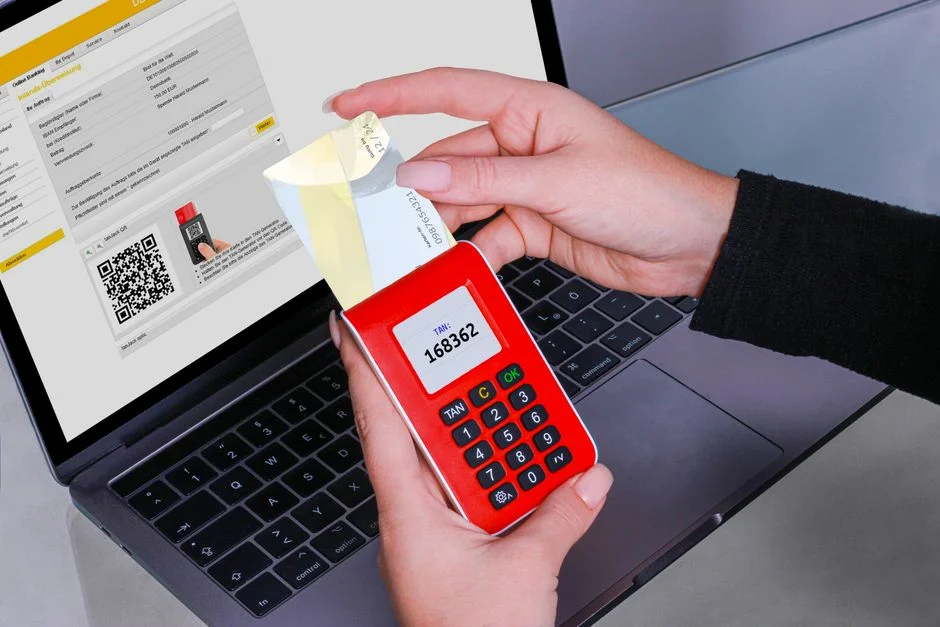

Two Factor Authentication (2FA) significantly enhances security by requiring users to provide two different authentication factors to verify their identity. For Laravel applications, enabling 2FA typically involves integrating a package that manages the generation and verification of Time-based One-time Passwords (TOTP) or other mechanisms, alongside robust user interface and backend logic to protect against unauthorized access. This multi-layered approach is critical for safeguarding sensitive user data and maintaining application integrity.
As a security engineer, the implementation of 2FA is not merely a feature addition, but a fundamental security control against credential stuffing, phishing, and various account takeover attacks. Its absence represents a critical vulnerability, exposing both user data and the application’s reputation to severe risk. A well-executed 2FA strategy must consider not only the technical integration but also the user experience and potential failure modes to ensure consistent protection.
Understanding Two Factor Authentication Fundamentals
Two Factor Authentication, or 2FA, is a security mechanism that requires two distinct forms of identification before granting access to an account. These factors are generally categorized into three types: something the user knows (like a password), something the user has (like a smartphone with an authenticator app or a security key), and something the user is (like a fingerprint or facial recognition). By combining at least two of these independent categories, 2FA drastically reduces the likelihood of unauthorized access, even if one factor, such as a password, is compromised.
The most common implementation of 2FA in web applications today involves Time-based One-time Passwords (TOTP), often facilitated by authenticator applications like Google Authenticator or Authy. These applications generate a new, short-lived numerical code every 30 to 60 seconds, which the user must enter in addition to their traditional password. The underlying algorithm, HMAC-based One-time Password (HOTP) or TOTP, relies on a shared secret key exchanged during the 2FA setup process and a synchronized clock (for TOTP) to ensure both the server and the client can independently generate and verify the same code. This cryptographic process ensures that the one-time code cannot be easily guessed or reused.
Implementing 2FA in a Laravel application means integrating a robust library that handles the shared secret generation, QR code rendering for easy setup, and the verification of these time-sensitive codes. From a security perspective, it is imperative that the shared secret is stored securely, ideally encrypted at rest, and never exposed. Furthermore, the 2FA enrollment process itself must be secure, preventing man-in-the-middle attacks or social engineering tactics that could trick a user into revealing their secret. The choice of 2FA method also impacts security; while SMS-based 2FA is convenient, it is increasingly vulnerable to SIM-swapping attacks, making authenticator apps or hardware security keys generally more secure options for critical applications.
Another crucial aspect is providing users with recovery codes. These are one-time use codes generated during the 2FA setup that allow users to regain access to their account if they lose their primary 2FA device. These codes must be stored securely by the user, and the application must ensure they are truly one-time use and invalidated after consumption. Without a reliable recovery mechanism, users locked out of their accounts due to lost devices can lead to significant support overhead and user frustration, potentially driving them to disable 2FA, thus reintroducing a critical security vulnerability. Therefore, the implementation must be comprehensive, covering not just the primary authentication flow but also edge cases and recovery scenarios.
Choosing a Laravel 2FA Package: Security and Maintainability
When enabling 2FA in a Laravel application, the first critical decision involves selecting an appropriate package. While it’s possible to implement 2FA from scratch, leveraging well-vetted, community-maintained packages significantly reduces development time and, more importantly, the risk of introducing security vulnerabilities. The Laravel ecosystem offers several options, with Laraguard and Laravel Jetstream’s built-in 2FA being prominent choices.
Laravel Jetstream, often used with Livewire or Inertia.js, provides a scaffolded application starter kit that includes 2FA out-of-the-box. This is an excellent choice for new projects or those willing to adopt Jetstream’s broader architectural conventions. Jetstream’s 2FA implementation relies on the PragmaRX Google2FA package, which is a robust, battle-tested library for TOTP generation and verification. The primary advantage of Jetstream is its seamless integration and adherence to Laravel’s conventions, meaning less custom code and a lower surface area for potential errors. However, integrating Jetstream into an existing, non-Jetstream Laravel application can be complex, often requiring significant refactoring.
For existing applications or those not using Jetstream, a standalone package like Laraguard offers a more modular approach. Laraguard builds upon PragmaRX Google2FA but provides a more opinionated, Laravel-specific wrapper that handles user associations, QR code generation, and recovery codes with minimal configuration. Its design prioritizes ease of integration into existing user models and authentication flows. When evaluating any package, consider the following security-centric criteria:
- Active Maintenance: Is the package actively maintained, with recent commits and responses to security issues? Stale packages are a significant risk.
- Dependency Footprint: Does it introduce unnecessary dependencies that could expand your attack surface?
- Code Audits: Has the package undergone security audits, or is it widely used and vetted by the community?
- Configuration Flexibility: Can it be configured to meet your specific security policies (e.g., strong secret key generation, encryption of secrets)?
- Recovery Mechanisms: Does it provide secure and configurable recovery code generation and management?
Regardless of the package chosen, it is crucial to understand its underlying mechanisms. Never treat a third-party package as a black box. Review its source code, especially security-sensitive components, to ensure it aligns with your application’s security requirements and industry best practices. Any package that stores 2FA secrets unencrypted or handles them insecurely should be immediately discarded. The goal is to minimize custom security logic, which is prone to errors, by leveraging well-tested solutions, but always with a critical security eye.
Implementing 2FA with Laravel Jetstream (Livewire Stack)
Laravel Jetstream offers a streamlined path to implementing 2FA, particularly if you are starting a new project or can integrate its full feature set. This guide focuses on the Livewire stack, given its reactive nature and ease of development for dynamic interfaces. Jetstream’s 2FA functionality is built-in, meaning much of the heavy lifting is already done, but understanding its components is vital for secure configuration and customization.
Initial Setup and Dependencies
Assuming you have a fresh Laravel project with Jetstream (Livewire stack) already installed, 2FA is typically enabled by default. If not, you can publish Jetstream’s feature configurations:
php artisan jetstream:install livewire --teams --pest # or --inertia, --phpunit
php artisan migrate
npm install && npm run dev
This command installs Jetstream with its default features, including 2FA. The core 2FA logic resides within the App\Models\User model, which uses the HasTwoFactorAuthentication trait. This trait provides methods for managing 2FA secrets, recovery codes, and status.
User Interface and Flow
Jetstream automatically provides the necessary views for managing 2FA in the user’s profile settings. These include sections for:
- Enabling 2FA: Displays a QR code and setup key for users to scan with their authenticator app.
- Confirming 2FA: Requires the user to enter a TOTP code to finalize activation.
- Showing Recovery Codes: Allows users to view and generate new recovery codes.
- Disabling 2FA: Provides a secure way for users to turn off 2FA, typically requiring password confirmation.
The Livewire components responsible for these interactions are typically found in resources/views/profile/two-factor-authentication-form.blade.php and the corresponding Livewire class. Reviewing these files is crucial to ensure no sensitive information is inadvertently exposed and that all user interactions are secure. For instance, recovery codes should only be displayed once upon generation and the user should be strongly advised to store them securely offline.
Backend Logic and Security Considerations
Jetstream’s 2FA implementation uses the PragmaRX\Google2FA\Google2FA class for cryptographic operations. When a user enables 2FA:
- A new secret key is generated using
$this->guard->generateSecretKey(). - This secret is stored, encrypted, in the
two_factor_secretcolumn of theuserstable. Laravel’s default encryption mechanism protects this sensitive data at rest. - Recovery codes are generated and also stored, encrypted and hashed, in the
two_factor_recovery_codescolumn. - A QR code URI is generated using the secret, which the user scans.
During login, if 2FA is enabled for a user, Jetstream intercepts the authentication flow and redirects the user to a 2FA challenge screen. The entered TOTP code is then verified against the stored secret using $this->guard->verifyKey(). It is paramount that the entire process, especially the secret generation and storage, is protected against tampering. Ensure your application’s APP_KEY is robust and kept secret, as it’s used for encrypting the 2FA secret. Additionally, implement rate limiting on 2FA code verification attempts to prevent brute-force attacks on TOTP codes. Jetstream includes some of these protections by default, but custom implementations might require additional middleware or throttle configurations.
Implementing 2FA with Laraguard for Existing Laravel Applications
For existing Laravel applications that do not use Jetstream, or for those desiring a more modular 2FA solution, Laraguard provides a robust and relatively straightforward integration path. Laraguard abstracts away much of the complexity of the underlying PragmaRX Google2FA package, offering a clean API for common 2FA operations.
Installation and Configuration
Begin by installing Laraguard via Composer:
composer require darkghosthunter/laraguard
Next, publish the configuration and migration files:
php artisan vendor:publish --provider="DarkGhostHunter\Laraguard\LaraguardServiceProvider"
php artisan migrate
The migration will add necessary columns (two_factor_secret, two_factor_recovery_codes, two_factor_confirmed_at) to your users table. The configuration file (config/laraguard.php) allows for extensive customization, including the secret key length, issuer name, and recovery code settings. As a security engineer, reviewing this file thoroughly is crucial to ensure it meets your organization’s security policies. For instance, ensuring a sufficiently long secret key and appropriate hashing for recovery codes.
Enabling 2FA for a User
To enable 2FA for a user, you first need to generate a secret key and associate it with their account. Laraguard provides traits for your User model:
// app/Models/User.php

use DarkGhostHunter\Laraguard\Contracts\TwoFactorAuthenticatable;
use DarkGhostHunter\Laraguard\TwoFactorAuthentication;
use Illuminate\Foundation\Auth\User as Authenticatable;

class User extends Authenticatable implements TwoFactorAuthenticatable
{
    use TwoFactorAuthentication;

    // ...
}
Then, in a controller method (e.g., for a user’s profile settings page), you can generate the secret and QR code:
// app/Http/Controllers/TwoFactorAuthController.php

use Illuminate\Http\Request;
use Illuminate\Support\Facades\Auth;
use DarkGhostHunter\Laraguard\Contracts\TwoFactorAuthenticatable;

class TwoFactorAuthController extends Controller
{
    public function showSetupForm()
    {
        $user = Auth::user();

        if (! $user instanceof TwoFactorAuthenticatable || $user->hasTwoFactorEnabled()) {
            return redirect()->route('profile.show'); // Already enabled or not 2FA capable
        }

        // Generate a new temporary secret for setup
        $user->setTwoFactorSecret(null); // Clear any old pending secret
        $secret = $user->createTwoFactorAuth()->getSecret();
        $qrCodeSvg = $user->twoFactorQrCodeSvg();
        $recoveryCodes = $user->setRecoveryCodes(); // Generate initial recovery codes

        return view('auth.two-factor-setup', compact('qrCodeSvg', 'secret', 'recoveryCodes'));
    }

    public function confirmSetup(Request $request)
    {
        $user = Auth::user();

        if (! $user instanceof TwoFactorAuthenticatable || $user->hasTwoFactorEnabled()) {
            return redirect()->route('profile.show');
        }

        $request->validate([
            'code' => ['required', 'string', 'digits:6'],
        ]);

        // Verify the code and confirm 2FA
        if ($user->confirmTwoFactorAuth($request->input('code'))) {
            $user->save(); // Persist the confirmed secret and recovery codes
            return redirect()->route('profile.show')->with('status', '2FA enabled successfully!');
        }

        return back()->withErrors(['code' => 'Invalid 2FA code.']);
    }

    // ... methods for disabling, regenerating codes
}
The twoFactorQrCodeSvg() method provides an SVG string that you can embed directly into your Blade templates. Always display recovery codes prominently and instruct users to store them securely. From a security standpoint, the setTwoFactorSecret(null) call is critical to ensure that any previous unconfirmed secret is cleared before a new one is generated, preventing potential secret reuse attacks. The confirmTwoFactorAuth() method securely verifies the entered code against the stored secret and marks 2FA as confirmed, persisting the secret and recovery codes.
Protecting Routes and Authentication Flow
After a user enables 2FA, you need to modify your login flow to challenge them for a TOTP code. Laraguard provides middleware for this purpose:
// app/Http/Kernel.php

protected $middlewareGroups = [
    'web' => [
        // ... other middleware
        \DarkGhostHunter\Laraguard\Http\Middleware\TwoFactorAuthenticatable::class,
    ],

    'api' => [
        // ... other middleware
        \DarkGhostHunter\Laraguard\Http\Middleware\TwoFactorAuthenticatable::class,
    ],
];
This middleware will automatically redirect authenticated users with 2FA enabled to a challenge route if they haven’t provided a valid TOTP code during the current session. You’ll need to create this challenge route and a corresponding view/controller to handle the TOTP input and verification. This ensures that all protected routes are inaccessible until the second factor is successfully provided, enforcing a strong security boundary around user sessions.
Designing Secure User Experience for 2FA
A critical aspect of 2FA implementation that often gets overlooked by developers is the user experience (UX). A poorly designed 2FA flow can lead to user frustration, increased support tickets, and ultimately, users disabling 2FA, thereby negating its security benefits. As a security engineer, advocating for a secure yet intuitive UX is paramount.
Onboarding and Setup
The 2FA setup process should be clear, concise, and guide the user through each step. This includes:
- Clear Explanation: Inform users why 2FA is important and what benefits it provides. Avoid technical jargon.
- Step-by-Step Instructions: Provide explicit instructions on downloading an authenticator app, scanning the QR code, and entering the verification code.
- Visual Cues: Use clear labels, progress indicators, and visual feedback for successful setup.
- Recovery Code Prominence: Make the generation and secure storage of recovery codes a mandatory and highly visible step. Warn users about the consequences of losing both their device and recovery codes. Consider requiring them to confirm they’ve saved the codes before proceeding.
Example HTML for displaying a QR code and secret:
<div class="p-6 sm:px-20 bg-white border-b border-gray-200">
    <h2 class="text-2xl font-semibold mb-4">Enable Two Factor Authentication</h2>
    <p class="mb-4">To enable 2FA, scan the QR code below with your authenticator app (e.g., Google Authenticator, Authy).</p>

    <div class="mt-4 flex flex-col items-center justify-center">
        <div class="w-48 h-48 bg-gray-100 p-2 border border-gray-300 rounded">
            {!! $qrCodeSvg !!}
        </div>
        <p class="mt-4 text-sm text-gray-600">Or manually enter this key: <strong>{{ $secret }}</strong></p>
    </div>

    <form action="{{ route('two-factor.confirm') }}" method="POST" class="mt-6">
        @csrf
        <div>
            <label for="code" class="block font-medium text-sm text-gray-700">Verification Code</label>
            <input id="code" type="text" name="code" inputmode="numeric" autocomplete="one-time-code" class="mt-1 block w-full border-gray-300 rounded-md shadow-sm" required autofocus>
            @error('code') <span class="text-red-500 text-sm">{{ $message }}</span> @enderror
        </div>
        <div class="flex items-center justify-end mt-4">
            <button type="submit" class="ml-4 inline-flex items-center px-4 py-2 bg-gray-800 border border-transparent rounded-md font-semibold text-xs text-white uppercase tracking-widest hover:bg-gray-700 active:bg-gray-900 focus:outline-none focus:border-gray-900 focus:ring ring-gray-300 disabled:opacity-25 transition ease-in-out duration-150">
                Confirm & Enable
            </button>
        </div>
    </form>
</div>
Login Flow with 2FA
When a user with 2FA enabled attempts to log in, they should be redirected to a dedicated 2FA challenge screen after successfully entering their password. This screen should:
- Be Minimalist: Focus solely on the code input.
- Provide Options: Offer the ability to use a recovery code if the authenticator app is unavailable.
- Include Help: Link to a support page or FAQ for users experiencing issues.
- Rate Limiting: Implement strict rate limiting on the 2FA code verification endpoint to prevent brute-force attacks.
Disabling and Recovery
Disabling 2FA should require re-authentication (e.g., password confirmation) to prevent an attacker with a compromised session from easily turning it off. Recovery mechanisms, such as using recovery codes or a secure account recovery process, must be clearly documented and easy to follow. The process for generating new recovery codes should also be present in the user’s settings, again with strong warnings about their secure storage. The objective is to make 2FA a seamless part of the user’s security posture, not an impediment. A well-designed UX reinforces security rather than creating friction.
Securing 2FA Secrets and Recovery Codes
The core of any 2FA implementation lies in the security of its shared secrets and recovery codes. As a security engineer, this is where the most stringent controls must be applied. Compromise of these elements renders 2FA ineffective and poses a direct threat to user accounts.
Encryption of Shared Secrets
The two_factor_secret stored in your database must never be stored in plain text. Laravel’s built-in encryption facilities, leveraging your APP_KEY, are suitable for this purpose. Both Jetstream and Laraguard handle this by default. The HasTwoFactorAuthentication trait in Jetstream and the TwoFactorAuthentication trait in Laraguard automatically encrypt the secret before storing it and decrypt it when needed. This means that if your database is breached, the attacker will not immediately gain access to the 2FA secrets without also compromising your application’s APP_KEY. Therefore, the APP_KEY itself becomes a critical asset that must be protected with the highest level of security, ideally stored in a secure environment variable or a secret management service.
// Example of how Laravel's Crypt facade works (underlying mechanism for 2FA secrets)

use Illuminate\Support\Facades\Crypt;

$secret = 'ABCDEFGHIJKLMNOPQRSTUVWXYZ123456';

// Encrypt the secret before storing
$encryptedSecret = Crypt::encryptString($secret);

// When needed, decrypt the secret
$decryptedSecret = Crypt::decryptString($encryptedSecret);

// Ensure APP_KEY is robust and protected in your .env file or secret management system
// APP_KEY=base64:YOUR_VERY_LONG_AND_SECURE_KEY_HERE
Handling Recovery Codes
Recovery codes present a unique security challenge. Unlike the shared secret, which is used for cryptographic verification, recovery codes are essentially single-use bypass keys. If an attacker gains access to a user’s recovery codes, they can bypass 2FA entirely. Thus, recovery codes must be:
- Hashed and Encrypted: Store recovery codes as a hashed and encrypted collection. Laravel Jetstream and Laraguard typically handle this by serializing an array of codes, encrypting the serialized string, and then hashing each individual code before storage. This prevents an attacker from using a single compromised recovery code to gain access multiple times.
- One-Time Use: Each recovery code must be invalidated immediately after its first use. The system must track which codes have been used and reject any attempt to reuse them.
- Securely Displayed: When generated, recovery codes should only be displayed to the user once, with strong recommendations to store them offline (e.g., printed or written down) and not digitally where they could be compromised.
- Regeneration: Provide users with the ability to regenerate recovery codes, which should invalidate all previously issued codes. This is crucial if a user suspects their codes have been compromised.
Secure Storage Environment
Beyond encryption, the physical and logical security of your application and database servers is paramount. This includes:
- Access Control: Implement strict role-based access control (RBAC) for database access. Only authorized personnel should have access to the database where 2FA secrets are stored.
- Network Security: Ensure your database is not publicly accessible and is protected by firewalls, VPNs, and other network security measures.
- Server Hardening: Follow best practices for server hardening, including regular patching, disabling unnecessary services, and using secure configurations.
- Logging and Monitoring: Implement comprehensive logging for all 2FA-related actions (setup, login, recovery code usage, disabling). Monitor these logs for suspicious activity, such as repeated failed 2FA attempts or unusual recovery code usage patterns.
By treating 2FA secrets and recovery codes as highly sensitive data and applying multi-layered security controls, you can significantly mitigate the risk of account compromise, even in the event of a partial system breach. This proactive stance is essential for any security-conscious application.
Advanced 2FA Security Considerations and Best Practices
Beyond basic implementation, a security-first approach to 2FA demands attention to advanced considerations and adherence to rigorous best practices. These measures help to harden the system against sophisticated attacks and ensure long-term integrity.
Rate Limiting and Brute-Force Protection
One of the most critical security controls for any authentication mechanism, including 2FA, is rate limiting. Attackers will often attempt to brute-force 2FA codes, especially if the secret key is weak or predictable (though TOTP codes are typically random). Implement strict rate limiting on the 2FA verification endpoint. For example, allow only 3-5 attempts within a short timeframe (e.g., 5 minutes) before temporarily locking the account or requiring a longer cooldown period. Laravel’s built-in throttling middleware can be adapted for this:
// In your routes/web.php or a dedicated 2FA route file

use Illuminate\Support\Facades\Route;
use App\Http\Controllers\TwoFactorAuthController;

Route::post('/two-factor-challenge', [TwoFactorAuthController::class, 'verify2fa'])
    ->middleware(['throttle:5,5']); // 5 attempts, 5 minutes
Consider also implementing IP-based rate limiting and potentially blocking IPs that exceed extreme thresholds, especially when combined with other suspicious activities.
Device Trust and Remember Me Functionality
While 2FA enhances security, constantly prompting users for a code can be inconvenient. Many systems offer a ‘Remember this device’ or ‘Trust this device’ option. When implementing this, ensure:
- A secure, long-lived, cryptographically strong cookie is used to identify the trusted device.
- The trusted device status is tied to the specific user agent and IP address, and invalidated if these change significantly.
- The trusted device status has an expiration, requiring re-authentication after a set period (e.g., 30-90 days).
- Users can view and revoke trusted devices from their security settings, providing transparency and control.
This functionality must be implemented with extreme care, as a compromised trusted device cookie could bypass 2FA.
Monitoring and Alerting
Comprehensive logging and real-time alerting are indispensable for a secure 2FA implementation. Log all 2FA-related events, including:
- 2FA enrollment (activation/deactivation)
- Successful and failed 2FA login attempts
- Recovery code generation and usage
- Changes to 2FA settings (e.g., regeneration of secrets)
Integrate these logs with a Security Information and Event Management (SIEM) system or a centralized logging solution. Configure alerts for suspicious patterns, such as:
- Multiple failed 2FA attempts from different IPs.
- Simultaneous login attempts from geographically disparate locations.
- Unusual activity immediately following 2FA deactivation.
Proactive monitoring allows your security team to detect and respond to potential account compromises rapidly, which is a key component of a strong security posture. This aligns with the principles of building secure and resilient systems, where observability plays a crucial role in incident response.
Regular Security Audits and Penetration Testing
Even with the most meticulous implementation, vulnerabilities can emerge. Regular security audits, code reviews, and penetration testing specifically targeting your 2FA implementation are essential. Engage third-party security experts to attempt to bypass your 2FA controls. This external validation provides an objective assessment of your system’s resilience and helps identify weaknesses that internal teams might overlook. Treat identified vulnerabilities with the highest priority, ensuring prompt remediation and verification.
Cost Implications of 2FA Implementation and Maintenance
While enabling Two Factor Authentication is a critical security enhancement, it’s essential for stakeholders to understand the associated costs, which primarily stem from development effort, third-party services, and ongoing maintenance. While providing exact dollar amounts is challenging due to varying project scopes and hourly rates, we can outline typical cost factors and ranges to inform budgeting.
Development and Integration Costs
The most significant cost factor is the developer time required for implementation. This includes:
- Initial Setup: Installing and configuring the chosen 2FA package (e.g., Jetstream or Laraguard). This involves modifying user models, publishing migrations, and initial setup of routes and controllers.
- User Interface Development: Crafting the UI for 2FA enrollment, confirmation, challenge, and recovery code management. This often requires front-end development for QR code display, input fields, and user instructions.
- Backend Logic Customization: Adapting the authentication flow, implementing rate limiting, and ensuring secure storage of secrets and recovery codes. This might involve writing custom middleware or modifying existing authentication guards.
- Testing: Thorough testing of the entire 2FA flow, including edge cases like lost devices, invalid codes, and recovery scenarios.
- Documentation: Creating internal and external documentation for users and support staff.
For a typical Laravel application, integrating 2FA using a well-documented package like Laraguard might range from 40 to 120 hours of developer time, depending on the complexity of the existing application, the desired UX polish, and the extent of custom security hardening. If using Jetstream from the outset, this cost is largely absorbed into the initial project setup, but customization still incurs time.
Third-Party Service Costs
While core TOTP functionality is often free (e.g., using authenticator apps), some 2FA methods or advanced features incur external costs:
- SMS-based 2FA: If SMS is chosen as a 2FA option (though less secure), you will incur costs per SMS message from providers like Twilio, Nexmo, or AWS SNS. These costs are typically a few cents per message, which can scale significantly with user base and usage.
- Hardware Security Keys (e.g., YubiKey): While the keys themselves are purchased by users, integrating support for WebAuthn (FIDO2) can add development complexity and potentially require licensing for specific SDKs or services, although open-source libraries exist.
- Advanced Identity Providers: Integrating with enterprise identity providers that offer advanced 2FA options (e.g., Duo Security, Okta) can involve monthly per-user fees or API call charges.
For most applications relying on TOTP authenticator apps, these third-party service costs are minimal or non-existent, making it a cost-effective and secure choice.
Ongoing Maintenance and Support
The costs don’t end with implementation. Ongoing expenses include:
- Package Updates: Keeping 2FA packages updated to receive security patches and new features.
- Monitoring: Maintaining logging infrastructure and monitoring systems to detect 2FA-related security events.
- User Support: Handling support tickets related to 2FA issues, such as lost devices, forgotten recovery codes, or troubleshooting authenticator app problems. This can be a significant operational cost if the UX is poor or recovery mechanisms are unclear.
- Security Audits: Periodic security audits and penetration testing to ensure the 2FA implementation remains robust against evolving threats.
These ongoing costs are typically absorbed into general software maintenance and operational budgets. A well-designed 2FA system with clear user instructions can significantly reduce support overhead. The typical range for developer hourly rates for custom software development can vary widely, from $75 to $250+ per hour depending on location, experience, and specialization. Therefore, a 40-hour implementation could range from $3,000 to $10,000, not including ongoing maintenance.
| Cost Category | Factors Influencing Cost | Typical Range (Developer Hours/Service Fees) |
|---|---|---|
| Development & Integration | Application complexity, UX requirements, custom logic | 40-120 hours (Laravel developer) |
| Third-Party Services | Choice of 2FA method (SMS, hardware keys, enterprise IDP) | $0 (TOTP apps) to $0.01-$0.10/SMS, or per-user/API fees |
| Ongoing Maintenance | Package updates, monitoring, user support, security audits | Part of general operational budget (e.g., 5-10 hours/month dedicated support) |
Organizations must weigh these costs against the potentially far greater financial and reputational costs of a security breach resulting from inadequate authentication. Investing in a robust 2FA implementation is a proactive measure that typically yields a strong return on investment by mitigating significant risks.
Integrating 2FA with API Authentication (Sanctum)
While traditional web applications often handle 2FA through session-based authentication, modern Laravel applications frequently expose APIs, often secured with Laravel Sanctum. Integrating 2FA into an API authentication flow requires a different approach to ensure statelessness and secure token management. This is crucial for building scalable full-stack applications where APIs serve various clients.
The Challenge with API-First 2FA
The primary challenge with API-first 2FA is that API tokens (like Sanctum’s personal access tokens) are typically long-lived and, once issued, represent an authenticated session. If a user enables 2FA, the token itself doesn’t inherently carry the ‘2FA-challenged’ state. We need a mechanism to enforce the second factor before issuing such a token or allowing access to sensitive API endpoints.
Proposed API 2FA Flow
A secure API 2FA flow typically involves a multi-step login process:
- Initial Credential Submission: The client sends username and password to a dedicated
/api/loginendpoint. - Password Verification: The server verifies the password. If successful and 2FA is enabled for the user, it returns a response indicating that a 2FA challenge is required (e.g., HTTP 412 Precondition Failed or a custom JSON response like
{'two_factor_required': true, 'user_id': user_id}). It should not issue any API token at this stage. - 2FA Code Submission: The client then sends the 2FA code (and possibly the
user_idfrom the previous step) to a/api/2fa-challengeendpoint. - 2FA Code Verification: The server verifies the 2FA code against the user’s stored secret.
- Token Issuance: If the 2FA code is valid, the server issues an API token (e.g., a Sanctum personal access token) to the client. This token now signifies a fully authenticated and 2FA-verified session.
// app/Http/Controllers/Api/AuthController.php

use Illuminate\Http\Request;
use Illuminate\Support\Facades\Auth;
use Illuminate\Support\Facades\Hash;
use DarkGhostHunter\Laraguard\Contracts\TwoFactorAuthenticatable;

class AuthController extends Controller
{
    public function login(Request $request)
    {
        $request->validate([
            'email' => 'required|email',
            'password' => 'required',
        ]);

        $user = \App\Models\User::where('email', $request->email)->first();

        if (! $user || ! Hash::check($request->password, $user->password)) {
            return response()->json(['message' => 'Invalid credentials'], 401);
        }

        if ($user instanceof TwoFactorAuthenticatable && $user->hasTwoFactorEnabled()) {
            // Store user ID in session or cache temporarily to link to 2FA challenge
            // For stateless API, consider temporary token or unique ID in response
            return response()->json(['message' => 'Two factor authentication required', 'two_factor_required' => true, 'user_id' => $user->id], 412);
        }

        // If no 2FA, issue token directly
        $token = $user->createToken('auth_token')->plainTextToken;
        return response()->json(['access_token' => $token, 'token_type' => 'Bearer']);
    }

    public function twoFactorChallenge(Request $request)
    {
        $request->validate([
            'user_id' => 'required|exists:users,id',
            'code' => 'required|string|digits:6',
        ]);

        $user = \App\Models\User::find($request->user_id);

        if (! $user instanceof TwoFactorAuthenticatable || ! $user->hasTwoFactorEnabled()) {
            return response()->json(['message' => '2FA not enabled for this user'], 400);
        }

        // Use Laraguard's verify method or Jetstream's equivalent
        if ($user->verifyTwoFactorAuth($request->code)) {
            $token = $user->createToken('auth_token')->plainTextToken;
            return response()->json(['access_token' => $token, 'token_type' => 'Bearer']);
        }

        return response()->json(['message' => 'Invalid 2FA code'], 403);
    }

    public function logout(Request $request)
    {
        $request->user()->currentAccessToken()->delete();
        return response()->json(['message' => 'Logged out successfully']);
    }
}
Security Best Practices for API Tokens
- Short-lived Tokens: Consider issuing shorter-lived API tokens and implementing refresh token mechanisms to reduce the window of opportunity for a compromised token.
- Token Revocation: Ensure robust token revocation capabilities, allowing users to revoke individual tokens or all tokens associated with their account. This is handled by Sanctum’s
currentAccessToken()->delete()andtokens()->delete(). - Scope Tokens: Utilize Sanctum’s token abilities/scopes to limit what an API token can do, following the principle of least privilege.
- HTTPS Everywhere: All API communication, especially authentication and 2FA challenge endpoints, must occur over HTTPS to prevent eavesdropping and man-in-the-middle attacks.
By carefully designing the API authentication flow to incorporate 2FA, you ensure that even API-driven applications benefit from enhanced security, protecting data accessed through programmatic interfaces as rigorously as data accessed via web browsers.
Monitoring and Auditing 2FA Events
Implementing 2FA is only half the battle; continuously monitoring and auditing its usage and associated events is crucial for maintaining a strong security posture. As a security engineer, establishing robust logging and alerting mechanisms is non-negotiable for detecting anomalies and responding to potential threats effectively.
Comprehensive Event Logging
Every significant 2FA-related action within your Laravel application should be logged. This includes:
- 2FA Enrollment: When a user activates 2FA, including the timestamp, user ID, and method used (e.g., authenticator app).
- 2FA Deactivation: When a user disables 2FA, including timestamp, user ID, and the IP address from which the action originated. This is a particularly sensitive event that warrants immediate scrutiny.
- Successful 2FA Verification: Each time a user successfully provides a 2FA code during login.
- Failed 2FA Verification Attempts: Crucial for detecting brute-force attacks. Log the timestamp, user ID (if known), IP address, and the number of failed attempts.
- Recovery Code Generation: When new recovery codes are generated.
- Recovery Code Usage: When a recovery code is successfully used to bypass 2FA. This should trigger a high-priority alert.
- Trusted Device Management: When a device is marked as trusted or revoked.
Laravel’s logging system, configured in config/logging.php, can be leveraged to send these events to various destinations, such as file logs, a daily rotating log, or external services like AWS CloudWatch, Logstash, or DataDog. For sensitive security events, consider a dedicated log channel that writes to an immutable, append-only log store.
// Example of logging a 2FA event

use Illuminate\Support\Facades\Log;

// When 2FA is enabled
Log::channel('security')->info('2FA enabled for user {user_id}. IP: {ip_address}', [
    'user_id' => $user->id,
    'ip_address' => request()->ip(),
]);

// When a failed 2FA attempt occurs
Log::channel('security')->warning('Failed 2FA attempt for user {user_id}. Code: {code}. IP: {ip_address}', [
    'user_id' => $user->id,
    'code' => $request->code,
    'ip_address' => request()->ip(),
]);
Real-time Alerting and Anomaly Detection
Logging is passive; alerting is active. Configure real-time alerts for critical 2FA events that could indicate a compromise or an ongoing attack. Examples include:
- Excessive Failed 2FA Attempts: A sudden spike in failed 2FA attempts for a single user or across multiple users could indicate a brute-force attack.
- 2FA Deactivation: Immediate alerts for any 2FA deactivation, especially if it occurs from an unusual IP address or after suspicious login activity.
- Recovery Code Usage: Alerts for any use of recovery codes. This should prompt verification with the user via an alternative channel (e.g., registered email or phone number).
- Simultaneous Logins: If a user logs in from two geographically distant locations within a short timeframe, it could indicate a session hijack or credential sharing.
- Changes to Account Details: Any changes to a user’s email, password, or primary 2FA method should be flagged and potentially require re-authentication.
These alerts should be directed to your security operations center (SOC) or designated security personnel via email, Slack, PagerDuty, or similar notification services. The goal is to minimize Mean Time To Detect (MTTD) and Mean Time To Respond (MTTR) to security incidents.
Regular Audits and Reviews
Periodically review 2FA logs and configurations. Look for trends, patterns, and potential misconfigurations. Conduct internal audits of the 2FA implementation, including code reviews and testing, to ensure it continues to meet evolving security standards. This continuous vigilance is a cornerstone of maintaining a robust and resilient authentication system against an ever-changing threat landscape. Remember, security is not a one-time setup; it is an ongoing process of monitoring, adaptation, and improvement.
Handling 2FA Account Recovery and Support
Despite the best intentions and security measures, users inevitably encounter situations where they lose access to their 2FA device, making account recovery a critical, albeit sensitive, aspect of 2FA implementation. As a security engineer, designing a secure and user-friendly account recovery process is paramount to prevent lockouts and minimize security risks.
Recovery Codes: The Primary Fallback
The most common and recommended recovery mechanism involves recovery codes. These are typically a list of single-use codes generated during 2FA setup. Users are instructed to print or store them in a safe, offline location. Key considerations for recovery codes:
- Generate Sufficient Quantity: Provide enough codes (e.g., 10-20) to last a user for a reasonable period.
- One-Time Use Enforcement: Each code must be invalidated immediately after use.
- Regeneration Feature: Allow users to generate a new set of recovery codes, which should instantly invalidate all previous codes. This is crucial if a user suspects their codes have been compromised.
- Prominent Display: During setup, make the display and storage of these codes unavoidable. Consider requiring a user acknowledgment that they have saved them.
Example of displaying recovery codes in a Blade template:
<div class="p-6 sm:px-20 bg-white border-b border-gray-200">
    <h2 class="text-2xl font-semibold mb-4">Your 2FA Recovery Codes</h2>
    <p class="mb-4 text-red-700"><strong>CRITICAL: These codes are for one-time use if you lose your authenticator device. Store them in a secure, offline location.</strong></p>

    <div class="grid grid-cols-2 gap-2 mt-4 max-w-md bg-gray-100 p-4 border border-gray-300 rounded">
        @foreach ($recoveryCodes as $code)
            <code class="font-mono text-gray-800">{{ $code }}</code>
        @endforeach
    </div>

    <div class="mt-6 flex flex-col sm:flex-row sm:justify-between">
        <form action="{{ route('two-factor.regenerate-recovery-codes') }}" method="POST">
            @csrf
            <button type="submit" class="inline-flex items-center px-4 py-2 bg-yellow-500 border border-transparent rounded-md font-semibold text-xs text-white uppercase tracking-widest hover:bg-yellow-400 active:bg-yellow-600 focus:outline-none focus:border-yellow-600 focus:ring ring-yellow-300 disabled:opacity-25 transition ease-in-out duration-150">
                Regenerate Recovery Codes
            </button>
        </form>

        <button onclick="window.print()" class="mt-4 sm:mt-0 inline-flex items-center px-4 py-2 bg-blue-500 border border-transparent rounded-md font-semibold text-xs text-white uppercase tracking-widest hover:bg-blue-400 active:bg-blue-600 focus:outline-none focus:border-blue-600 focus:ring ring-blue-300 disabled:opacity-25 transition ease-in-out duration-150">
            Print Codes
        </button>
    </div>
</div>
Manual Account Recovery Process (When All Else Fails)
When users have lost both their 2FA device and all recovery codes, a more involved manual recovery process is necessary. This process must be highly secure and typically involves human intervention to prevent social engineering attacks. Key steps and considerations:
- Identity Verification: Require multiple forms of identity verification. This could include government-issued ID, answering security questions (if securely stored and not easily guessable), or verifying recent account activity.
- Delayed Access: Implement a waiting period (e.g., 24-48 hours) after successful verification before granting access. This ‘cooling-off’ period provides an opportunity for the legitimate user to detect and report a fraudulent recovery attempt.
- Alternative Contact: Use a pre-registered alternative email address or phone number (not the primary one that might be compromised) to communicate recovery status and confirmation.
- Support Team Training: Your support staff must be rigorously trained on the recovery protocol, understanding the importance of strict adherence to prevent attackers from exploiting human weaknesses.
- Audit Trail: Maintain a detailed audit trail of all recovery attempts, including verification steps, communication, and outcomes.
The goal of manual recovery is to be as secure as possible, even if it introduces some friction. The trade-off is between user convenience and preventing unauthorized account takeover. Clear documentation for users on how to initiate recovery, what information they’ll need, and the expected timeline will manage expectations and reduce support burden. A well-thought-out recovery process is a testament to a secure system’s resilience, acknowledging that failures occur and providing a safe path forward.
Automating 2FA Deployment and Testing with CI/CD
For robust and secure applications, 2FA implementation should be an integral part of your continuous integration and continuous deployment (CI/CD) pipeline. Automating deployment and testing ensures consistency, reduces human error, and verifies the security posture of your 2FA features across all environments. This aligns with modern DevOps practices for orchestrating automated tasks in cloud environments.
Automated Testing of 2FA Features
Your test suite should include comprehensive tests for all 2FA functionalities. This involves writing both unit and feature tests:
- Unit Tests: Verify the correctness of 2FA secret generation, QR code URI creation, and TOTP code verification logic. Ensure that the underlying cryptographic functions work as expected.
- Feature Tests: Simulate user interactions to enable, disable, and use 2FA. This includes:
- Successful 2FA enrollment with QR code scanning and code verification.
- Successful login with 2FA enabled.
- Failed login attempts with incorrect 2FA codes.
- Usage and invalidation of recovery codes.
- Disabling 2FA with proper re-authentication.
- Testing rate limiting on 2FA challenge endpoints.
Example of a basic feature test for 2FA enabling (using Laravel’s built-in testing utilities):
// tests/Feature/TwoFactorAuthenticationTest.php

use App\Models\User;
use Illuminate\Foundation\Testing\RefreshDatabase;
use PragmaRX\Google2FA\Google2FA;
use Tests\TestCase;

class TwoFactorAuthenticationTest extends TestCase
{
    use RefreshDatabase;

    protected function setUp(): void
    {
        parent::setUp();
        // Ensure a user exists for testing
        $this->user = User::factory()->create();
    }

    public function test_user_can_enable_two_factor_authentication()
    {
        $this->actingAs($this->user);

        $this->post('/user/two-factor-authentication');

        $this->assertNotNull($this->user->fresh()->two_factor_secret);

        $google2fa = app(Google2FA::class);
        $validCode = $google2fa->getOneTimePassword($this->user->fresh()->two_factor_secret);

        $this->post('/user/confirm-two-factor-authentication', [
            'code' => $validCode,
        ]);

        $this->assertTrue($this->user->fresh()->two_factor_confirmed_at !== null);
    }

    public function test_user_cannot_login_without_two_factor_code_if_enabled()
    {
        $this->actingAs($this->user);
        $this->post('/user/two-factor-authentication'); // Enable 2FA
        $this->post('/user/confirm-two-factor-authentication', [
            'code' => app(Google2FA::class)->getOneTimePassword($this->user->fresh()->two_factor_secret),
        ]);
        Auth::logout(); // Log out to test re-login

        $response = $this->post('/login', [
            'email' => $this->user->email,
            'password' => 'password',
        ]);

        $response->assertRedirect('/two-factor-challenge'); // Expect redirect to 2FA challenge
    }

    // ... more tests for recovery codes, disabling, invalid codes, etc.
}
Integrate these tests into your CI pipeline so that any code changes that break 2FA functionality or introduce regressions are caught early, before deployment to production.
Automated Deployment and Environment Configuration
CI/CD pipelines should also manage the deployment of 2FA-related code and configuration securely. This includes:
- Environment Variables: Ensure that sensitive environment variables, especially
APP_KEY, are securely managed and injected into the deployment environment (e.g., via Kubernetes secrets, AWS Secrets Manager, or GitHub/GitLab CI/CD secrets). Never commit these to version control. - Database Migrations: Automate running database migrations that add 2FA-related columns to your
userstable. - Dependency Management: Ensure that the correct versions of 2FA packages are installed during deployment.
- Rollback Strategy: Have a clear rollback strategy in case a 2FA-related deployment introduces critical issues.
By treating 2FA as a first-class citizen in your CI/CD pipeline, you build confidence in its reliability and security. This automation is crucial for maintaining a high-security standard, especially in environments where deployments are frequent. It helps enforce that security is not an afterthought but an intrinsic part of the development and operational workflow, reducing the attack surface and increasing the overall resilience of the application.
Common 2FA Pitfalls and Mitigation Strategies
Even with careful implementation, several common pitfalls can compromise the effectiveness of 2FA. As a security engineer, it’s crucial to be aware of these and implement robust mitigation strategies.
1. Weak Secret Key Management
Pitfall: Storing 2FA secrets unencrypted or using weak encryption methods. If an attacker gains database access, unencrypted secrets allow them to bypass 2FA easily.
Mitigation: Always encrypt 2FA secrets at rest using a strong, application-specific encryption key (Laravel’s APP_KEY). Ensure the APP_KEY itself is securely stored and managed (e.g., in environment variables or a secret management service) and never hardcoded or committed to version control. Regularly rotate the APP_KEY if feasible.
2. Vulnerable Recovery Processes
Pitfall: An insecure account recovery process (e.g., relying solely on email for recovery, easily guessable security questions, or quick recovery without sufficient identity verification) can be exploited via social engineering or email compromise.
Mitigation: Implement multi-factor recovery. Require strong identity verification for manual recovery (e.g., government ID, multiple verification questions). Introduce a delay in recovery access. Ensure recovery codes are stored securely by the user and invalidated after single use. Provide a mechanism for users to revoke old recovery codes.
3. SMS-Based 2FA Vulnerabilities
Pitfall: Relying solely on SMS for 2FA, which is susceptible to SIM-swapping attacks, where attackers trick carriers into transferring a user’s phone number to a device they control.
Mitigation: Strongly recommend or enforce authenticator app-based (TOTP) 2FA as the primary method. If SMS is offered, clearly communicate its risks to users and provide alternative, more secure options. Implement additional checks for SMS-based 2FA, such as detecting unusual IP changes or device changes before sending SMS codes.
4. Lack of Rate Limiting
Pitfall: Absence of rate limiting on 2FA verification endpoints, allowing attackers to brute-force TOTP codes (which are 6-8 digits, making them susceptible to rapid guessing if not rate-limited).
Mitigation: Implement strict rate limiting on all 2FA challenge endpoints. Allow only a few (e.g., 3-5) failed attempts within a short window before temporarily locking the account or imposing a significant cooldown. Laravel’s built-in throttling middleware is an excellent tool for this.
5. Session Hijacking and Lack of Session Invalidation
Pitfall: If a user’s session is hijacked after they’ve passed 2FA, the attacker gains full access. Additionally, not invalidating sessions after critical security events (e.g., password change, 2FA deactivation) leaves a window of vulnerability.
Mitigation: Implement session fixation protection. Regularly regenerate session IDs. Ensure that critical security actions (password changes, 2FA changes) invalidate all other active sessions and require re-authentication. Provide users with a ‘log out of all devices’ feature. Monitor for unusual session activity (e.g., simultaneous logins from different locations).
6. Poor User Experience
Pitfall: A cumbersome or confusing 2FA setup and usage flow can lead to user frustration, increased support requests, and users disabling 2FA, ultimately reducing overall security.
Mitigation: Design an intuitive and clear UX for 2FA. Provide step-by-step instructions, clear explanations of benefits, and easy access to support and recovery options. Make recovery codes prominent during setup. Balance security with usability to encourage adoption and retention of 2FA. By proactively addressing these common pitfalls, developers can significantly enhance the resilience and security of their 2FA implementations, protecting both users and the application.
The Evolution of Authentication: Beyond Traditional 2FA
While traditional 2FA, particularly TOTP, offers a significant security upgrade over single-factor authentication, the landscape of authentication is continuously evolving. As a security engineer, it’s vital to stay abreast of emerging standards and technologies that promise even greater security and improved user experience. These advancements often aim to reduce reliance on shared secrets and introduce phishing-resistant mechanisms.
WebAuthn (FIDO2) and Passwordless Authentication
WebAuthn, part of the FIDO2 project, represents a significant leap forward. It enables passwordless or strong second-factor authentication using cryptographic keys stored on hardware security devices (e.g., YubiKeys, built-in biometrics like Touch ID/Face ID, or Windows Hello). Unlike TOTP, WebAuthn is inherently phishing-resistant because the authentication process is tied to the origin (website domain) and involves cryptographic challenges that cannot be easily intercepted or replayed by attackers. The user’s private key never leaves their device.
Integrating WebAuthn into a Laravel application typically involves a server-side library that communicates with the WebAuthn API in the browser. While more complex to implement initially than TOTP, its security benefits are substantial. It eliminates the need for users to manually enter codes and significantly reduces the attack surface associated with secret key management on the server side (as only public keys are stored).
Biometric Authentication
Biometric factors (something the user is) like fingerprints, facial recognition, and iris scans are increasingly common, especially on mobile devices. When integrated correctly, biometrics offer a convenient and strong second factor. However, it’s crucial to understand that the biometric data itself is usually processed and verified locally on the device. The server typically receives a cryptographic assertion (often via WebAuthn) that the user has successfully authenticated biometrically, rather than the raw biometric data. This distinction is critical for user privacy and security.
Risk-Based Authentication (RBA)
Risk-based authentication is an adaptive approach that analyzes various contextual factors (e.g., device, location, IP address, time of day, historical behavior) during a login attempt. If the risk score is low, the user might be granted access with just a password. If the risk is moderate, a 2FA challenge might be issued. If the risk is high, access might be denied or require an even stronger form of verification (e.g., manual review). RBA dynamically adjusts the authentication requirements based on the perceived threat, enhancing both security and user convenience.
Implementing RBA requires sophisticated analytics and machine learning capabilities to assess risk accurately. While more complex than static 2FA, it represents the future of adaptive security, providing layered protection that responds to real-time threats. Laravel applications can integrate with external RBA services or build internal logic to analyze these factors, potentially leveraging tools like Supabase for real-time data analysis.
Continuous Authentication
Taking RBA a step further, continuous authentication constantly monitors user behavior *after* login. It uses factors like typing patterns, mouse movements, device posture, and application usage to continuously verify the user’s identity. If significant deviations are detected, it can trigger re-authentication or restrict access to sensitive functions. This proactive approach aims to detect and mitigate session hijacking or unauthorized access even within an active session.
While these advanced methods offer compelling advantages, they also introduce increased complexity in terms of implementation, data privacy, and user management. For most applications, robust TOTP-based 2FA remains an excellent and achievable baseline. However, understanding these evolving authentication paradigms is essential for future-proofing your application’s security architecture and adapting to new threats and user expectations.
Factors That Affect Development Cost
- Development and Integration Effort
- User Interface and Experience Design
- Backend Logic Customization
- Testing and Quality Assurance
- Third-Party 2FA Service Fees (e.g., SMS, advanced identity providers)
- Ongoing Maintenance and Updates
- User Support and Account Recovery Management
- Security Audits and Penetration Testing
The total cost for enabling 2FA can range significantly based on application complexity, required customization, and chosen third-party services, primarily driven by developer hours and ongoing operational expenses.
Frequently Asked Questions
What is Two Factor Authentication (2FA)?
Two Factor Authentication (2FA) is a security method requiring users to provide two different forms of identification to verify their identity. This typically combines something they know (like a password) with something they have (like a phone with an authenticator app) or something they are (like a fingerprint), significantly increasing security against unauthorized access.
Why is 2FA important for my Laravel application?
2FA is critical for a Laravel application because it adds a crucial layer of defense against common attacks such as credential stuffing, phishing, and password reuse. Even if a user’s password is stolen, an attacker cannot gain access without the second factor, thereby protecting sensitive user data and maintaining the application’s integrity and reputation.
What are 2FA recovery codes and how should they be stored?
Recovery codes are single-use backup codes provided during 2FA setup, allowing users to regain access if they lose their primary 2FA device. They should be stored in a secure, offline location, such as printed out and kept in a safe, or written down and stored securely. Never store them digitally on the same device where they might be compromised.
Is SMS-based 2FA secure?
SMS-based 2FA is generally considered less secure than authenticator app (TOTP) or hardware key methods due to vulnerabilities like SIM-swapping attacks. While better than no 2FA, security engineers typically recommend TOTP apps or WebAuthn for higher assurance, as these methods are more resistant to phishing and interception.
Can I implement 2FA in Laravel without using Jetstream?
Yes, you can implement 2FA in Laravel without using Jetstream. Packages like Laraguard provide a modular approach that can be integrated into existing Laravel applications. These packages leverage underlying libraries like PragmaRX Google2FA to handle the core TOTP logic, allowing for flexible integration into your custom authentication flows.
Enabling Two Factor Authentication in a Laravel application is no longer an optional feature, but a fundamental security requirement for protecting user data and maintaining trust. Whether opting for the comprehensive scaffolding of Laravel Jetstream or the modular flexibility of Laraguard, a secure implementation demands meticulous attention to detail, from encrypting shared secrets and managing recovery codes to designing an intuitive user experience and establishing robust monitoring.
As security engineers, our responsibility extends beyond mere functionality to encompass the entire lifecycle of authentication, including secure recovery processes, integration with API-driven architectures, and continuous vigilance through automated testing and auditing. By adhering to these principles, you can significantly elevate your application’s security posture, mitigating the ever-present risks of credential compromise and account takeover.
NR Studio builds custom web apps, mobile apps, SaaS platforms, and internal tools for growing businesses. If you’re working through a technical decision, feel free to reach out — no commitment required.