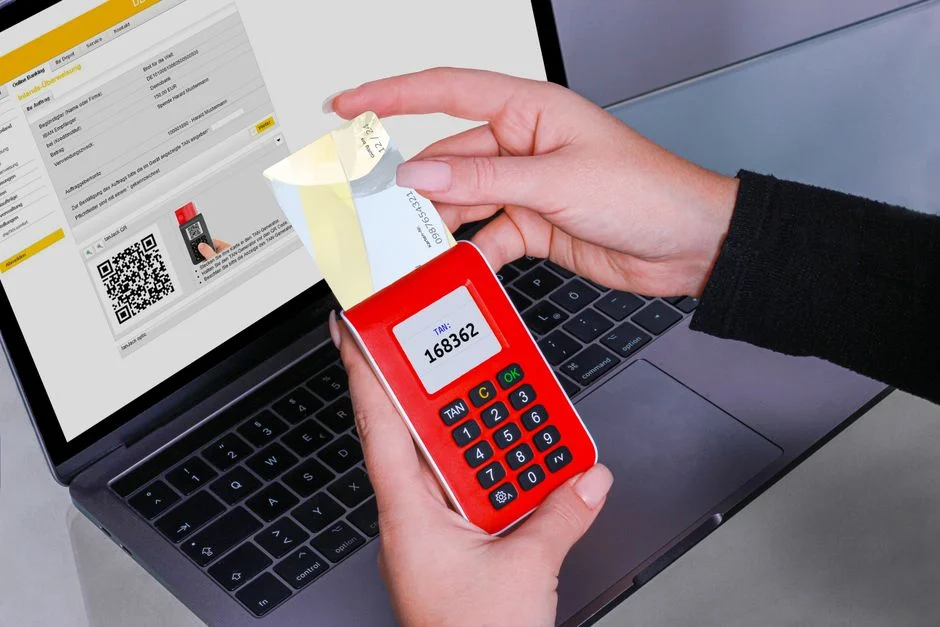

Two-Factor Authentication (2FA) is a security mechanism requiring users to provide two distinct forms of identification before granting access to an account or system, significantly enhancing protection beyond a single password. It adds a crucial layer of defense by verifying identity through a combination of ‘something you know,’ ‘something you have,’ and/or ‘something you are.’ This multi-layered approach is fundamental to safeguarding sensitive data against credential theft and unauthorized access.
A recent industry report highlighted that organizations implementing 2FA experienced a drastic reduction in account compromise rates, with phishing resistance notably improving when hardware security keys were adopted. Despite the clear security advantages, its adoption remains inconsistent across various sectors, often due to perceived complexity or user friction. As security engineers, our role is to demystify 2FA, articulate its critical necessity, and guide its robust implementation.
Two Factor Authentication: Core Concepts and Definitional Clarity
Two Factor Authentication (2FA) is a security process that mandates two different authentication factors to verify a user’s identity, thereby granting access to a digital system or application. Its fundamental purpose is to establish a stronger assurance of identity than a single password can provide. This multi-factor approach significantly mitigates the risk of unauthorized access, even if one factor, such as a password, becomes compromised through phishing, brute-force attacks, or data breaches.
The core principle behind 2FA relies on combining distinct categories of authentication factors. These categories, often referred to as ‘something you know,’ ‘something you have,’ and ‘something you are,’ provide orthogonal verification. A successful 2FA implementation requires a user to present evidence from at least two of these categories. For instance, knowing a password (something you know) and possessing a physical token or smartphone (something you have) that generates a one-time code.
The critical advantage of 2FA lies in its resilience against credential compromise. If an attacker obtains a user’s password, they still cannot gain access without also possessing the second factor. This creates a significant hurdle for attackers, transforming a simple password breach into a far more complex and time-consuming exploitation attempt. From a security engineering standpoint, 2FA moves the security perimeter beyond mere password strength, embedding a more robust identity verification lifecycle into application workflows.
Historically, single-factor authentication, predominantly password-based, has proven insufficient against evolving cyber threats. The proliferation of credential stuffing, phishing campaigns, and malware designed to capture login details necessitated a more resilient authentication paradigm. 2FA emerged as a pragmatic and highly effective solution to address these vulnerabilities, becoming a foundational element of modern cybersecurity best practices. It’s not merely an additive security feature; it’s a fundamental shift in how we establish trust in digital interactions.
Understanding 2FA also requires acknowledging its variations. While the term ‘two-factor’ implies exactly two factors, the broader concept is Multi-Factor Authentication (MFA), which can involve three or more factors. 2FA is a specific instance of MFA. For most applications, two factors strike an effective balance between enhanced security and user experience. The choice of which factors to combine is crucial and depends heavily on the threat model, regulatory requirements, and the sensitivity of the data being protected. A robust 2FA system considers not only the strength of each individual factor but also the independence of these factors, ensuring that compromising one does not automatically compromise the other.
The Three Pillars of Authentication Factors: Knowledge, Possession, and Inherence
Effective Two-Factor Authentication hinges on the strategic combination of distinct authentication factors. These factors are traditionally categorized into three fundamental pillars: knowledge, possession, and inherence. Each pillar represents a unique method of verifying identity, and their combined use forms the bedrock of strong 2FA. As security engineers, we must understand the strengths, weaknesses, and appropriate applications of each.
Something You Know: Knowledge Factors
Knowledge factors are credentials that only the legitimate user is supposed to know. The most common example is a password or a PIN. Other examples include security questions, passphrases, or even a specific pattern drawn on a screen. While ubiquitous, knowledge factors are inherently susceptible to various attacks:
- Phishing: Attackers can trick users into revealing their credentials through deceptive websites or communications.
- Brute-Force Attacks: Automated attempts to guess passwords, especially weak or commonly used ones.
- Credential Stuffing: Using leaked username/password pairs from one breach to gain access to other accounts.
- Shoulder Surfing: Visually observing a user entering their credentials.
Despite these vulnerabilities, knowledge factors remain a primary component of most authentication systems due to their familiarity and ease of use. Their security is directly proportional to their complexity, uniqueness, and the user’s vigilance against social engineering. For 2FA, a knowledge factor is almost always combined with another, stronger factor to compensate for its inherent weaknesses.
Something You Have: Possession Factors
Possession factors rely on an item that only the legitimate user physically possesses. This category offers a significant security uplift because an attacker typically needs physical access to the device. Common examples include:
- Authenticator Applications (TOTP/HOTP): Apps like Google Authenticator or Authy generate time-based or HMAC-based One-Time Passwords (OTPs) on a user’s smartphone. These codes are valid for a short period (e.g., 30-60 seconds) and do not rely on network connectivity for code generation, making them resistant to network interception.
- SMS/Email OTPs: Codes sent to a registered phone number or email address. While convenient, these are less secure due to risks like SIM swapping, phone number porting, and email account compromise.
- Hardware Security Keys (FIDO U2F/WebAuthn): Physical devices (e.g., YubiKey) that generate cryptographic assertions in response to an authentication challenge. These are considered among the strongest 2FA methods as they are highly resistant to phishing, man-in-the-middle attacks, and malware. They cryptographically verify the origin of the login request.
- Smart Cards: Physical cards with embedded chips requiring a PIN, often used in enterprise environments.
The primary vulnerability for possession factors is the loss or theft of the device itself. However, even if a device is stolen, many possession factors require an additional PIN or biometric unlock, adding another layer of protection.
Something You Are: Inherence Factors
Inherence factors are based on unique biological characteristics of the user, making them extremely difficult to replicate or steal. These are often referred to as biometrics. Examples include:
- Fingerprint Scans: Widely used on smartphones and laptops.
- Facial Recognition: Technologies like Apple’s Face ID.
- Retinal or Iris Scans: High-security applications.
- Voice Recognition: Less common for primary authentication due to environmental variables and spoofing potential.
Inherence factors offer high convenience and a strong sense of security to the user. However, they are not without their challenges:
- Irrevocability: Unlike a password, a compromised biometric cannot be changed. If a fingerprint database is breached, the user’s biometric data is permanently exposed.
- Spoofing: Advanced techniques can sometimes bypass biometric sensors (e.g., high-quality facial masks, lifted fingerprints).
- Privacy Concerns: Storing and processing biometric data raises significant privacy implications.
When designing a 2FA system, the goal is to combine two or more factors from *different* categories. For example, a password (knowledge) combined with a hardware key (possession) provides robust security. A password (knowledge) combined with a fingerprint scan (inherence) is also highly effective. Combining two factors from the same category, such as two passwords, does not constitute true 2FA because they share the same attack surface.
Mitigating Critical Vulnerabilities: Why 2FA is Imperative for Robust Security
From a security engineer’s perspective, Two-Factor Authentication is not merely a ‘good-to-have’ feature; it is an imperative defense mechanism for mitigating a broad spectrum of critical vulnerabilities. Its primary role is to create a significant barrier against unauthorized access, even when primary credentials like passwords have been compromised. This directly addresses several high-impact risks, many of which are consistently highlighted in the OWASP Top 10, specifically ‘Broken Authentication’ (A07:2021).
The most immediate and significant vulnerability 2FA mitigates is the risk associated with compromised passwords. Passwords can be stolen through various means: phishing attacks, keyloggers, malware, dictionary attacks, brute-force attempts, and credential stuffing. In a single-factor authentication system, a stolen password immediately grants an attacker full access. With 2FA, even if an attacker possesses the correct password, they are still blocked without the second factor. This drastically reduces the success rate of attacks targeting user credentials, which remain one of the most common initial vectors for breaches.
Consider the persistent threat of phishing. Sophisticated phishing campaigns are designed to trick users into divulging their login credentials on fake websites. While user education is crucial, it is not foolproof. 2FA, particularly methods like hardware security keys (FIDO U2F/WebAuthn), offers strong phishing resistance. These keys cryptographically bind the authentication request to the legitimate domain. If a user attempts to log in on a phishing site, the hardware key will refuse to authenticate because the domain does not match, effectively nullifying the phishing attempt. Even OTPs from authenticator apps provide some resistance, as the attacker would need the OTP in real-time, making automated credential stuffing less effective.
Credential stuffing attacks, where attackers use databases of leaked username/password pairs from one breach to try and log into accounts on other services, are also severely hampered by 2FA. If a user reuses passwords across multiple sites, a breach on one site could lead to a cascade of compromises. 2FA ensures that even if a reused password works, the attacker still cannot bypass the second authentication step, protecting the other accounts.
Beyond direct credential theft, 2FA also plays a vital role in protecting against session hijacking and certain forms of man-in-the-middle (MITM) attacks. While 2FA primarily secures the initial login, robust implementations often tie the second factor to session validity or require re-authentication for sensitive operations. This means an attacker who manages to hijack a session might still be challenged by 2FA if they attempt to perform high-privilege actions, adding an extra layer of defense.
Furthermore, 2FA contributes significantly to preventing unauthorized access to sensitive data and systems. Many compliance frameworks, such as PCI DSS, HIPAA, and GDPR, either mandate or strongly recommend 2FA for access to environments containing sensitive information. By enforcing 2FA, organizations reduce their attack surface and demonstrate a proactive stance on data protection, which is critical for regulatory compliance and maintaining trust. An attacker gaining access to an internal system without 2FA can quickly escalate privileges and exfiltrate data. With 2FA, even if an internal credential is stolen, the attacker faces another hurdle, buying critical time for detection and response.
Finally, 2FA enhances an organization’s overall security posture and incident response capabilities. By making unauthorized access significantly harder, 2FA reduces the frequency of security incidents related to credential compromise. When an incident does occur, the presence of 2FA often means that the breach was more sophisticated than a simple password theft, allowing security teams to focus on advanced persistent threats rather than common attack vectors. It forces attackers to invest more resources and time, increasing the likelihood of detection before significant damage occurs. Implementing 2FA is a foundational step in building a resilient security architecture, moving beyond reactive measures to proactive defense against the most prevalent cyber threats.
Common 2FA Implementation Methods and Their Security Postures
The landscape of Two-Factor Authentication methods is diverse, each offering a distinct balance of security, usability, and deployment complexity. As security engineers, evaluating these methods requires a nuanced understanding of their underlying mechanisms, their resistance to various attack vectors, and their operational overhead. The choice of 2FA method must align with the application’s threat model, regulatory obligations, and user base characteristics.
SMS-Based One-Time Passwords (OTPs)
Mechanism: After entering a password, the user receives a numeric code via SMS to their registered mobile number. This code is then entered into the application to complete authentication.
- Security Posture: Low to Moderate. While better than no 2FA, SMS OTPs are susceptible to several attack vectors:
- SIM Swapping: Attackers trick mobile carriers into transferring a user’s phone number to a SIM card they control.
- Phone Number Porting: Similar to SIM swapping, but involves transferring the number to a different carrier.
- SS7 Attacks: Exploiting vulnerabilities in the Signaling System 7 protocol to intercept SMS messages.
- Phishing: Attackers can create fake login pages that also request the SMS code, capturing it in real-time.
- Usability: High. Nearly universal mobile phone ownership and familiarity with SMS make this a convenient option for most users.
- Deployment: Relatively Easy. Integration with SMS gateways is straightforward.
Email-Based One-Time Passwords (OTPs)
Mechanism: Similar to SMS, but the OTP is sent to the user’s registered email address.
- Security Posture: Low. This method is generally considered less secure than SMS OTPs because email accounts are frequently compromised. If an attacker gains access to the email account, they effectively bypass both the password and the second factor.
- Usability: High. Most users have easy access to email.
- Deployment: Easy. Standard email sending functionalities are readily available.
Authenticator Applications (Time-Based One-Time Passwords, TOTP)
Mechanism: Apps like Google Authenticator, Authy, or Microsoft Authenticator generate a new, time-sensitive OTP every 30-60 seconds. These apps use a shared secret key (established during enrollment, often via a QR code) and the current time to generate the code, making them independent of network connectivity for code generation.
- Security Posture: Moderate to High. Significantly more secure than SMS/email OTPs because:
- They are not susceptible to SIM swapping or SS7 attacks.
- The shared secret key is stored locally on the device and is not transmitted during authentication.
- Codes are short-lived, reducing the window for replay attacks.
However, they are still vulnerable to sophisticated phishing attacks (where the OTP is captured in real-time) and malware on the user’s device that could steal the shared secret or OTPs.
- Usability: Moderate. Requires users to install an app and scan a QR code during setup. Can be slightly less convenient than SMS as it requires opening a separate app.
- Deployment: Moderate. Requires server-side implementation of TOTP algorithm and QR code generation for enrollment.
Hardware Security Keys (FIDO U2F/WebAuthn)
Mechanism: Physical devices (e.g., YubiKey, Google Titan Key) that plug into a USB port or connect via NFC/Bluetooth. These keys use cryptographic challenge-response protocols (FIDO U2F or the more advanced WebAuthn standard) to verify identity. During authentication, the website sends a challenge to the key, which cryptographically signs it using a unique private key stored securely on the hardware. The key also verifies the origin (domain) of the request.
- Security Posture: Very High. Considered the strongest form of 2FA due to:
- Phishing Resistance: The key cryptographically verifies the origin of the login request. It will only authenticate if the domain matches the one it was registered with, making it highly resistant to phishing sites.
- Man-in-the-Middle (MITM) Resistance: The cryptographic challenge-response mechanism prevents MITM attackers from relaying credentials.
- Malware Resistance: The private keys are stored securely in tamper-resistant hardware and cannot be easily extracted by malware.
- No Shared Secrets: Unlike TOTP, there’s no shared secret that could be potentially compromised from the server side.
- Usability: Moderate. Requires users to purchase and carry a physical device. While simple to use once set up (just tap or plug in), initial enrollment and device management can be a barrier.
- Deployment: Moderate to Complex. Requires server-side implementation of FIDO/WebAuthn protocols.
Biometric Authentication (as a Second Factor)
Mechanism: Using unique biological characteristics (fingerprint, facial scan, iris scan) to verify identity. Often integrated into devices (e.g., Touch ID, Face ID on smartphones) as part of a multi-factor sequence (e.g., unlock phone with fingerprint, then use a password for an app).
- Security Posture: Moderate to High. Offers strong security for device-bound authentication but has unique challenges:
- Spoofing: While difficult, advanced techniques can sometimes bypass biometric sensors.
- Irrevocability: Biometrics cannot be reset if compromised.
- Liveness Detection: Crucial for preventing spoofing attempts (e.g., using a photo instead of a live face).
- Usability: Very High. Extremely convenient and intuitive for users.
- Deployment: Varies. Often relies on device-native biometric capabilities, making direct web application integration complex without WebAuthn or similar APIs.
When selecting 2FA methods, security engineers must weigh the risk profile of the application against the user experience and implementation overhead. For highly sensitive applications, hardware keys are the gold standard. For broader adoption with a good security baseline, authenticator apps are an excellent choice. SMS/email OTPs, while convenient, should be used with caution and perhaps only for lower-risk scenarios or as a temporary fallback, acknowledging their inherent weaknesses.
Architectural Considerations for Integrating 2FA into Applications
Integrating Two-Factor Authentication into an application’s architecture is a critical engineering task that goes beyond merely adding a new input field. It requires careful consideration of the entire authentication flow, session management, user provisioning, and error handling to ensure both security and a smooth user experience. A poorly integrated 2FA system can introduce new vulnerabilities or create significant operational friction.
Authentication Flow Modifications
The traditional single-factor authentication flow must be extended to accommodate the second factor. This typically involves:
- Primary Credential Submission: The user first submits their primary credentials (e.g., username and password).
- Primary Credential Verification: The server verifies these credentials. If valid, it does not immediately grant access but rather initiates the 2FA challenge.
- 2FA Challenge Initiation: The server sends a request to the user’s registered second factor (e.g., sends an SMS, prompts for a TOTP code, or initiates a FIDO WebAuthn challenge).
- Second Factor Submission: The user provides the second factor (e.g., enters the OTP, taps a hardware key).
- Second Factor Verification: The server verifies the second factor. Only upon successful verification of both factors is an authenticated session established.
This flow necessitates state management during the authentication process. The server must track that the first factor has been successfully verified and is awaiting the second factor. This state should be ephemeral and tightly controlled, typically tied to a temporary, non-authenticated session ID.
Session Management and State
Proper session management is paramount. After the first factor is verified, a temporary, unprivileged session should be created. This session indicates that the user has partially authenticated and is awaiting the second factor. Crucially, this session must not grant access to any protected resources. If the user abandons the 2FA process, this temporary session must be invalidated promptly to prevent potential session fixation attacks or other bypass attempts. Once both factors are verified, a new, fully authenticated session is established, and the temporary session is discarded.
For applications built with frameworks like Laravel, this often involves leveraging existing authentication guards and potentially extending them. Laravel Fortify, for instance, provides a robust scaffolding for 2FA, abstracting much of the session and state management complexity by providing dedicated routes and views for 2FA challenges. Understanding how Laravel MVC patterns apply here is crucial for architecting scalable and maintainable authentication flows.
User Provisioning and Enrollment
The 2FA enrollment process must be secure and user-friendly. During enrollment, a user associates their second factor with their account. For TOTP, this involves generating a shared secret key on the server, displaying it to the user (often as a QR code), and the user scanning it with their authenticator app. For hardware keys, it involves registering the key with the server via the WebAuthn API. Key considerations:
- Secure Key Exchange: The shared secret for TOTP must be transmitted securely (e.g., over HTTPS) and never stored in plain text.
- Backup Codes: Provide users with a set of one-time backup codes in case they lose their second factor device. These codes must be generated securely, stored encrypted, and invalidated upon use. Users should be instructed to store them offline in a secure location.
- Device Management: Allow users to manage their registered 2FA devices (add new ones, revoke lost ones). This functionality must also be protected by strong authentication.
API Design for 2FA
When developing REST APIs, the 2FA flow needs careful design. Instead of redirecting to separate pages, API endpoints should return specific HTTP status codes or JSON responses indicating the need for a second factor. For example, an initial login request might return a 401 Unauthorized with a custom header or body indicating "x-2fa-required": true and a temporary session token. The client then uses this token to submit the second factor to a dedicated 2FA verification endpoint. This stateless approach for the API calls themselves, while maintaining server-side state for the authentication process, is vital for robust API security.
Error Handling and Rate Limiting
Robust error handling is essential to prevent information leakage and brute-force attempts on the second factor. Generic error messages (e.g., “Invalid 2FA code”) should be used. Aggressive rate limiting must be applied to 2FA code submission attempts to prevent attackers from trying to guess codes. Exceeding a certain number of failed attempts should temporarily lock the account or require a full re-authentication.
Finally, the architectural design must account for recovery mechanisms. What happens if a user loses their 2FA device and backup codes? A secure account recovery process, often involving identity verification steps (e.g., email verification, security questions, or even manual review), must be in place. This recovery process itself must be designed with extreme caution to avoid becoming a weak link in the security chain.
Compliance and Regulatory Mandates Driving 2FA Adoption
In an increasingly regulated digital landscape, Two-Factor Authentication has transitioned from a recommended security practice to a mandatory requirement across numerous industries and jurisdictions. As security engineers, understanding these compliance mandates is crucial not only for legal adherence but also for demonstrating due diligence in protecting sensitive data. Regulatory bodies and industry standards recognize 2FA as a fundamental control for mitigating data breaches and ensuring data privacy.
General Data Protection Regulation (GDPR)
While GDPR (General Data Protection Regulation) does not explicitly mandate 2FA, its overarching principles of ‘data protection by design and by default’ (Article 25) and requirements for appropriate technical and organizational measures (Article 32) strongly imply its necessity. For any system processing personal data, especially sensitive categories of data, failing to implement 2FA for access controls would likely be considered a lack of ‘appropriate security.’ A data breach resulting from single-factor authentication compromise could expose an organization to significant fines and reputational damage under GDPR.
Health Insurance Portability and Accountability Act (HIPAA)
HIPAA (Health Insurance Portability and Accountability Act) governs the protection of Protected Health Information (PHI) in the United States. Similar to GDPR, HIPAA does not explicitly name 2FA but mandates ‘access control’ and ‘authentication’ mechanisms for electronic PHI (ePHI). The Security Rule (45 CFR Part 164, Subpart C) requires organizations to implement technical policies and procedures for electronic information systems that maintain ePHI to prevent unauthorized access. Implementing 2FA for all access points to ePHI systems is a widely accepted and often expected measure to meet these requirements, providing a robust defense against unauthorized access to patient data.
Payment Card Industry Data Security Standard (PCI DSS)
PCI DSS (Payment Card Industry Data Security Standard) is a global standard for organizations that handle branded credit cards from the major card schemes. Unlike GDPR and HIPAA, PCI DSS explicitly mandates multi-factor authentication (MFA) for all non-console access to the Cardholder Data Environment (CDE) and for all remote network access by personnel. This includes administrative access to systems within the CDE and even customer-facing applications that allow cardholders to manage their accounts. The latest version, PCI DSS v4.0, further strengthens these requirements, making MFA an even more central component of compliance.
Service Organization Control 2 (SOC 2)
SOC 2 (Service Organization Control 2) reports are auditing standards that assess how a service organization handles customer data based on five Trust Service Criteria: security, availability, processing integrity, confidentiality, and privacy. While not a strict regulation, achieving SOC 2 compliance often requires robust security controls, including MFA. For organizations providing SaaS or cloud services, implementing 2FA for administrative access to their systems and for customer logins is a critical component of satisfying the security criteria and demonstrating a commitment to data protection to their clients.
Other Regulations and Standards
- NIST Cybersecurity Framework: Recommends multi-factor authentication as a key control for identity management.
- ISO 27001: An international standard for information security management systems (ISMS). While not prescriptive on specific technologies, it requires organizations to implement controls to manage information security risks, and 2FA is a common and effective control for access management.
- Financial Industry Regulations: Many financial regulatory bodies globally, such as the SEC (Securities and Exchange Commission) and FINRA (Financial Industry Regulatory Authority) in the US, and similar bodies internationally, mandate or strongly recommend MFA for access to financial systems and customer accounts due to the high-value nature of the data.
The consistent theme across these regulations and standards is the recognition that single-factor authentication is insufficient to protect sensitive data against modern cyber threats. By adopting 2FA, organizations not only comply with legal and industry mandates but also significantly enhance their defensive posture, reduce their risk exposure, and build greater trust with their users and stakeholders. For security engineers, integrating 2FA is not just about writing code; it’s about navigating a complex web of legal, ethical, and practical considerations to build truly resilient systems.
Vulnerabilities and Advanced Attack Vectors Against 2FA Implementations
While Two-Factor Authentication significantly elevates security, it is not an infallible shield. As security engineers, we must operate under the assumption that even the most robust controls can be circumvented by sufficiently motivated and skilled attackers. Understanding the vulnerabilities and advanced attack vectors against 2FA is crucial for designing resilient systems and implementing appropriate countermeasures. The effectiveness of 2FA is highly dependent on its specific implementation and the chosen factors.
SIM Swapping and Phone Number Porting
Target: SMS-based 2FA and, less commonly, voice call OTPs.
Mechanism: Attackers socially engineer mobile carrier employees to transfer a victim’s phone number to a SIM card or device they control. Once the number is ported, the attacker receives all SMS messages and calls intended for the victim, including 2FA codes. This allows them to bypass SMS-based 2FA with relative ease.
Mitigation: Avoid SMS-based 2FA for critical applications. Encourage users to enable PIN protection on their mobile accounts with their carriers. Implement out-of-band verification for phone number changes, requiring multiple forms of identification.
Phishing and Adversary-in-the-Middle (AiTM) Attacks
Target: All forms of 2FA, but less effective against hardware security keys.
Mechanism: In traditional phishing, attackers create fake login pages that mimic legitimate services. When a user enters their credentials and 2FA code, the attacker captures them in real-time and relays them to the legitimate service to establish a session. More advanced AiTM attacks use sophisticated proxy tools (e.g., EvilGinx, Modlishka) that sit between the user and the legitimate site, intercepting and relaying all traffic, including 2FA challenges, in real-time. This can bypass even TOTP authentication.
Mitigation: Hardware security keys (FIDO U2F/WebAuthn) are highly resistant to phishing and AiTM because they cryptographically bind the authentication to the legitimate domain. For other 2FA types, user education on recognizing phishing attempts is crucial, but not sufficient. Implementing strict Content Security Policies (CSP) and HSTS can help prevent some forms of domain spoofing.
MFA Fatigue Attacks (Push Notification Spam)
Target: Push-based 2FA (e.g., ‘Approve Login’ notifications).
Mechanism: Attackers continuously send push notification requests to a user’s device, hoping the user will eventually approve one by mistake or out of annoyance. This is often combined with credential stuffing: if an attacker has a valid password, they can repeatedly attempt login, triggering push notifications. The user, tired of the constant alerts, might inadvertently approve a malicious login.
Mitigation: Implement rate limiting on push notification requests. Provide clear context in the push notification (e.g., location, time of login attempt). Educate users about these attacks and the importance of only approving legitimate requests. Some systems require a numeric code entry on the app instead of a simple ‘approve/deny’ button to make accidental approvals harder.
Social Engineering and Help Desk Bypass
Target: Account recovery processes.
Mechanism: Attackers socially engineer customer support or help desk personnel to reset a user’s 2FA or grant access by pretending to be the legitimate user. They might provide fabricated identity documents or leverage publicly available personal information.
Mitigation: Implement rigorous identity verification procedures for account recovery, requiring multiple forms of authentication and potentially manual review. Train help desk staff on social engineering tactics. Ensure that account recovery processes are auditable and require supervisory approval for sensitive operations.
Device Compromise and Malware
Target: Authenticator apps, software tokens, and even hardware keys if the host machine is compromised.
Mechanism: Malware on a user’s device (smartphone or computer) can potentially steal TOTP secrets from authenticator apps, intercept SMS messages, or even interact with hardware keys if the operating system is sufficiently compromised. Keyloggers can capture passwords before 2FA is initiated.
Mitigation: Encourage strong device security (antivirus, OS updates, app sandboxing). For critical accounts, consider dedicated, secure devices for 2FA. Hardware keys offer better protection here as their private keys are isolated and not accessible to the operating system.
Replay Attacks (Poor Implementation)
Target: Any 2FA method if not implemented with proper nonce/timestamp validation.
Mechanism: If a 2FA code or response is not tied to a unique, one-time challenge or timestamp, an attacker could intercept a valid authentication response and ‘replay’ it later to gain access. This is less common with modern TOTP/HOTP and FIDO, which inherently include time or challenge components.
Mitigation: Always use nonces or timestamps in authentication challenges. Ensure that OTPs are single-use and have a very short validity window. Implement strong server-side validation to prevent replay attempts.
The continuous evolution of attack techniques necessitates a proactive and adaptive approach to 2FA. No single solution is a panacea; layered security, continuous monitoring, and user education remain paramount. When integrating 2FA, it’s essential to consider not just the primary function but also the potential for circumvention and to design for resilience against these sophisticated attack vectors.
Designing for User Experience and Security Trade-offs in 2FA
Implementing Two-Factor Authentication involves a delicate balancing act between maximizing security and minimizing user friction. As security engineers, our goal is to achieve the highest possible security posture without creating an experience so cumbersome that users seek workarounds or abandon the system entirely. Every design decision in 2FA carries inherent trade-offs that must be carefully evaluated.
The Security-Usability Continuum
The ideal 2FA solution sits at an optimal point on the security-usability continuum. Highly secure methods, like hardware security keys, offer unparalleled protection against sophisticated attacks but may introduce a higher initial barrier to entry for users (e.g., purchasing a device, carrying it). Conversely, highly convenient methods, like SMS OTPs, are easy to adopt but come with well-documented security vulnerabilities. The choice of method, therefore, must be context-driven, considering the sensitivity of the data, the user’s technical proficiency, and the organization’s risk tolerance.
Streamlining the Enrollment Process
A complex enrollment process is a significant deterrent to 2FA adoption. Design considerations include:
- Clear Instructions: Provide step-by-step, unambiguous instructions for setting up 2FA, ideally with visual aids or short explanatory videos.
- Intuitive Interfaces: The UI for scanning QR codes (for TOTP) or registering hardware keys (for WebAuthn) should be straightforward and self-explanatory.
- Progressive Disclosure: Don’t overwhelm users with all options at once. Guide them through the most recommended method first, with alternatives available.
- Onboarding Prompts: Integrate 2FA setup into the initial user onboarding or prompt users to enable it upon accessing sensitive areas, providing clear justifications for its importance.
Forcing 2FA on users without clear communication can lead to frustration and resistance. Articulating the ‘why’ behind 2FA, focusing on user protection, can significantly improve adoption rates.
Managing Recovery and Fallback Mechanisms
Loss of a 2FA device is a common scenario, and a robust recovery mechanism is critical. However, recovery processes are often the weakest link in the security chain if not designed carefully. Key considerations:
- Backup Codes: Provide users with a set of single-use backup codes during initial setup. These codes should be clearly presented, with strong recommendations for offline storage. The system must securely generate, store (encrypted), and manage the lifecycle of these codes (e.g., invalidate used codes, allow regeneration).
- Multiple 2FA Options: Allow users to register multiple 2FA methods (e.g., an authenticator app and a hardware key) for redundancy. If one method is unavailable, they can use another.
- Trusted Devices: Offer an option to ‘remember this device’ for a certain period, reducing the frequency of 2FA prompts on frequently used, trusted machines. This should be implemented with caution, ensuring session tokens are robust and tied to device fingerprints.
- Account Recovery Flow: For complete loss of all 2FA methods, a secure, multi-step account recovery process is essential. This often involves a combination of identity verification questions, email verification to a secondary address, and potentially manual review by support staff. This process must be rigorous enough to prevent social engineering but still user-friendly enough to prevent permanent account lockout.
Frequency of 2FA Challenges
Constantly prompting for 2FA can lead to ‘MFA fatigue’ and user annoyance. Strategies to optimize challenge frequency include:
- Risk-Based Authentication: Employ adaptive authentication strategies. If a user logs in from a familiar device and IP address, the 2FA prompt might be less frequent. If a login attempt comes from a new location, an unknown device, or exhibits suspicious behavior, a 2FA challenge should always be enforced.
- Session Duration: Allow users to remain authenticated for a reasonable period (e.g., 24 hours to 7 days) on trusted devices, requiring 2FA only for initial login or highly sensitive actions.
- Granular Control: For enterprise applications, allow administrators to configure 2FA policies based on user roles or resource sensitivity.
Clear Communication and User Education
Effective communication is paramount. Users need to understand:
- Why 2FA is important: Emphasize personal data protection and account security.
- How to set it up: Provide simple, actionable steps.
- What to do if they lose a device: Clearly outline recovery options.
- How to recognize and avoid phishing: Educate them on the importance of checking URLs and being wary of unsolicited requests for codes.
By thoughtfully designing the 2FA experience, security engineers can drive higher adoption rates, reduce support overhead, and ultimately achieve a more secure system without alienating the user base. The trade-off is constant, requiring continuous iteration and monitoring of both security metrics and user feedback.
Implementing 2FA in a Laravel Application: A Practical Overview
Integrating Two-Factor Authentication into a Laravel application can be significantly streamlined thanks to the framework’s robust ecosystem and dedicated packages. For security engineers, leveraging these tools ensures a solid foundation, while understanding the underlying principles allows for customization and hardened implementations. Laravel Fortify and Laravel Breeze provide excellent starting points for 2FA.
Laravel Fortify: The Backend Powerhouse
Laravel Fortify is a backend authentication scaffolding that provides the routes and controller logic for various authentication features, including 2FA. It’s designed to be headless, meaning it doesn’t provide any UI, allowing developers full control over the frontend experience. This separation of concerns is ideal for security, as it forces explicit UI integration and reduces potential for accidental exposure.
Key aspects of Fortify’s 2FA implementation:
- Shared Secret Generation: Fortify handles the generation of a unique shared secret key for each user. This key is typically stored encrypted in the database.
- QR Code Generation: While Fortify itself is headless, it provides the necessary data to generate a QR code (e.g., using a library like
bacon/bacon-qr-code) that users can scan with their authenticator apps. - TOTP Verification: It includes logic to verify Time-Based One-Time Passwords (TOTP) submitted by the user against the stored shared secret and the current time.
- Recovery Codes: Fortify generates and manages a set of one-time recovery codes, which are crucial for users who lose access to their primary 2FA device. These codes are hashed before storage.
- Middleware Protection: Fortify provides middleware (e.g.,
two-factor) that can be applied to routes requiring 2FA. This middleware ensures that users who have enabled 2FA are redirected to a 2FA challenge screen after successful password verification.
For a robust implementation, the database schema needs to be extended to store the 2FA secret, recovery codes, and a flag indicating if 2FA is enabled for a user. Fortify provides migration and model traits for this.
<?php namespace AppModels;use IlluminateDatabaseEloquentFactoriesHasFactory;use IlluminateFoundationAuthUser as Authenticatable;use IlluminateNotificationsNotifiable;use LaravelFortifyTwoFactorAuthenticatable;class User extends Authenticatable{ use HasFactory, Notifiable, TwoFactorAuthenticatable; // ... other model properties and methods /** * The attributes that should be hidden for serialization. * * @var array<int, string> */ protected $hidden = [ 'password', 'remember_token', 'two_factor_secret', 'two_factor_recovery_codes', ]; /** * The attributes that should be cast. * * @var array<string, string> */ protected $casts = [ 'email_verified_at' => 'datetime', 'two_factor_confirmed_at' => 'datetime', ];}This example shows the TwoFactorAuthenticatable trait being used, which automatically adds the necessary columns and methods to the User model.
Laravel Breeze: The Frontend Integration
Laravel Breeze is a simple, minimal starting point for building Laravel applications with authentication. It uses Blade templates and Tailwind CSS for the frontend. When installed with Fortify, Breeze automatically generates the necessary UI components for 2FA enrollment, challenge, and recovery code management. This significantly accelerates development while adhering to modern web standards.
A typical 2FA flow with Breeze/Fortify involves:
- User logs in with username/password.
- If 2FA is enabled for the user, Fortify’s middleware redirects to a 2FA challenge view.
- User enters TOTP code or recovery code.
- Fortify verifies the code, and if successful, the user is fully authenticated.
Customizing the 2FA views or the underlying logic is straightforward within the Fortify architecture. For example, if you wanted to implement a more advanced 2FA method like FIDO WebAuthn, you would extend Fortify’s capabilities by adding custom actions and views, integrating a WebAuthn library, and managing the associated cryptographic keys.
Considerations for Custom Implementations
While Fortify provides a strong foundation, specific use cases might require custom 2FA implementations:
- Hardware Security Keys (WebAuthn): Integrating FIDO-compliant hardware keys requires a separate library (e.g.,
web-auth/web-auth) and careful handling of WebAuthn API calls, including challenge generation, credential registration, and assertion verification. This offers the highest level of phishing resistance. - Adaptive Authentication: Implementing risk-based 2FA, where the challenge is only presented under suspicious circumstances, requires integrating with external risk assessment engines or building custom logic based on IP address, device fingerprinting, and behavioral analytics.
- Multi-Channel 2FA: If offering multiple 2FA options (e.g., TOTP and SMS), the application logic must manage user preferences and fallback mechanisms securely.
When architecting complex authentication systems, especially those requiring bespoke 2FA solutions, understanding Laravel’s MVC patterns and service container is essential for building modular, testable, and secure components. Proper separation of concerns ensures that security logic is isolated and robust. Thorough testing, including penetration testing, is non-negotiable for any 2FA implementation to validate its resilience against known attack vectors.
Advanced 2FA Strategies: Adaptive Authentication and Risk-Based Access
While baseline Two-Factor Authentication provides a significant security uplift, modern threat landscapes demand more dynamic and intelligent security controls. Advanced 2FA strategies, particularly Adaptive Authentication and Risk-Based Access Control, move beyond static, ‘all-or-nothing’ challenges to provide context-aware security. As security engineers, adopting these strategies allows us to enhance protection without unduly burdening users, striking a more sophisticated balance between security and usability.
Understanding Adaptive Authentication
Adaptive Authentication, also known as Context-Aware Authentication, dynamically adjusts the authentication requirements based on various contextual factors associated with a login attempt. Instead of always requiring a second factor, it evaluates the risk level of each access request in real-time. If the risk is low, a simple password might suffice. If the risk is moderate or high, a 2FA challenge is triggered, potentially escalating to stronger factors for higher risk. This approach significantly reduces user friction for routine, low-risk activities while maintaining stringent security for suspicious access attempts.
Key Contextual Factors for Risk Assessment
Implementing adaptive authentication requires collecting and analyzing a range of data points during a login attempt:
- Geolocation: Is the login attempt coming from an unusual country or region for the user? Is it an impossible travel scenario (e.g., login from New York followed by a login from London five minutes later)?
- Device Fingerprinting: Is the user logging in from a recognized device (e.g., a specific laptop or smartphone) that has been used previously? Factors include browser type, operating system, IP address, hardware characteristics, and installed plugins.
- Network Characteristics: Is the user connecting from a known corporate network, a trusted home Wi-Fi, or an unfamiliar public Wi-Fi? Is the IP address associated with known malicious activity?
- Time of Day: Is the login occurring at an unusual hour for the user’s typical activity patterns?
- Behavioral Biometrics: Analyzing user behavior patterns, such as typing speed, mouse movements, and navigation patterns, can detect anomalies that suggest an impostor.
- Application Access Patterns: Is the user attempting to access a highly sensitive resource immediately after login, or performing an action that deviates from their typical usage?
By combining these factors, a risk score can be computed for each authentication attempt. The system then uses this score to decide whether to permit access, require 2FA, or deny access altogether.
Implementing Risk-Based Access Control
Risk-Based Access Control (RBAC) extends adaptive authentication by applying dynamic access policies based on the computed risk score. Instead of simply allowing or denying login, RBAC can:
- Step-Up Authentication: Require an additional, stronger 2FA factor (e.g., from SMS to TOTP or hardware key) if the risk score is elevated.
- Limited Access: Grant partial access to the application, restricting sensitive functionalities until a higher level of authentication is achieved.
- Session Monitoring: If a session is deemed moderately risky, trigger continuous monitoring for suspicious activities within that session.
- Account Lockout/Suspension: For very high-risk attempts, automatically lock the account and notify the user and security team.
The architecture for adaptive authentication typically involves a dedicated risk engine that integrates with the authentication service. This engine collects data from various sources (user agents, IP geolocators, historical data, threat intelligence feeds), computes a real-time risk score, and then informs the authentication flow whether to proceed, challenge, or deny.
<?php namespace AppServices;use IlluminateHttpRequest;use AppModelsUser;class AdaptiveAuthenticationService{ public function assessRisk(HttpRequest $request, User $user): float { $riskScore = 0.0; // 1. Geolocation Check $currentIp = $request->ip(); $lastLoginIp = $user->last_login_ip; if ($currentIp !== $lastLoginIp) { // Add logic for impossible travel or unusual country $riskScore += 0.3; // Example risk increment } // 2. Device Fingerprinting (simplified example) $userAgent = $request->header('User-Agent'); if ($userAgent !== $user->last_user_agent) { $riskScore += 0.2; } // 3. Time of Day Anomaly $loginHour = now()->hour; if (! $this->isTypicalLoginHour($user, $loginHour)) { $riskScore += 0.1; } // Add more complex checks: known malicious IPs, login frequency, etc. return $riskScore; } protected function isTypicalLoginHour(User $user, int $hour): bool { // Implement logic to check if $hour falls within user's typical login times // This would involve storing historical login hour data for the user. return true; // Placeholder } public function decideAuthenticationAction(float $riskScore): string { if ($riskScore > 0.6) { return 'DENY_ACCESS'; } elseif ($riskScore > 0.3) { return 'REQUIRE_STRONG_2FA'; // e.g., hardware key } elseif ($riskScore > 0.1) { return 'REQUIRE_STANDARD_2FA'; // e.g., authenticator app } else { return 'PERMIT_ACCESS'; } }}This simplified Laravel example illustrates how a service might assess risk. In a production environment, this would involve more sophisticated data collection, machine learning models, and potentially integration with third-party fraud detection services. The benefits are clear: enhanced security for high-risk situations, improved user experience for low-risk interactions, and a more intelligent defense against evolving cyber threats.
The Costs Associated with 2FA Implementation and Maintenance
Understanding the financial implications of implementing and maintaining Two-Factor Authentication is crucial for any organization, as it involves more than just software licenses. As a security engineer, accurately assessing these costs allows for proper budgeting, justification of security investments, and selection of the most cost-effective yet secure 2FA solutions. The costs are broadly categorized into initial setup, ongoing operational expenses, and potential hidden costs.
Initial Setup and Integration Costs
The upfront costs are primarily driven by the chosen 2FA method and the complexity of integration with existing systems.
- Development and Integration Labor: This is often the most significant cost. Whether using an in-house team or hiring external consultants, integrating 2FA requires developer time for:
- Modifying authentication flows and UI.
- Implementing server-side logic for secret generation, OTP verification, and recovery code management.
- Database schema changes.
- Testing and quality assurance.
- Customizing for specific business logic or regulatory requirements.
For a custom Laravel application, integrating a solution like Fortify might require 40-120 hours of development time, depending on the desired level of customization and existing codebase architecture. Complex integrations involving multiple systems or specialized hardware keys could easily extend to 200+ hours.
- Software Licenses or API Costs:
- SMS/Email Gateways: While cheap per message, high volume can accumulate costs. Providers charge per message (e.g., $0.005 – $0.05 per SMS) or per block of emails.
- Managed 2FA Services: Third-party providers (e.g., Duo Security, Okta, Auth0) offer managed 2FA solutions. These typically charge per user per month (e.g., $3 – $9 per user/month for basic plans, scaling up for advanced features).
- Authenticator App Libraries: Open-source libraries for TOTP are free, but their integration and maintenance require developer effort.
- Hardware Costs (if applicable):
- Hardware Security Keys: Devices like YubiKeys can range from $25 – $75 per unit. For a large user base, this can be a substantial upfront investment.
- Biometric Devices: If custom biometric hardware is needed (rare for web apps, more common for physical access), costs can be significant.
- Consulting and Training: If external security consultants are engaged for design, implementation review, or penetration testing, their rates can range from $150 – $400 per hour, or project-based fees from $5,000 – $50,000+ depending on scope.
Ongoing Operational and Maintenance Costs
Once 2FA is implemented, ongoing costs are incurred for support, infrastructure, and continuous improvement.
- User Support: Handling user issues like lost devices, forgotten recovery codes, and enrollment problems generates support tickets. A dedicated support team or increased workload for existing staff is required. This can be estimated as 0.5 – 2 full-time equivalent (FTE) for every 1,000-5,000 users, depending on user technical proficiency and the robustness of self-service recovery.
- Infrastructure and Hosting: Running 2FA services, especially if self-hosted, requires server resources, database storage, and network bandwidth. Cloud hosting costs (AWS, Azure, GCP) for these services can range from $50 – $500+ per month, depending on scale.
- Software Updates and Patches: Keeping 2FA libraries and services updated to address new vulnerabilities or features is an ongoing task for development teams. This is typically integrated into general software maintenance budgets.
- License Renewals: Annual or monthly fees for managed 2FA services, SMS gateways, or commercial libraries.
Hidden Costs and Considerations
- Reduced Productivity (initial): Users might experience a slight slowdown during initial 2FA setup and occasional challenges, impacting productivity.
- Compliance Audits: Demonstrating 2FA compliance for regulations like PCI DSS or SOC 2 often requires audits, which incur fees.
- Security Incidents: While 2FA reduces incidents, it doesn’t eliminate them. Responding to advanced 2FA bypass attempts still incurs costs.
- User Education: Developing and disseminating materials to educate users about 2FA, its benefits, and how to use it safely is an ongoing effort.
To provide a clear picture, here’s a simplified cost breakdown for different 2FA approaches:
| Cost Category | SMS/Email OTP (Self-Hosted) | TOTP Authenticator App (Self-Hosted) | Managed 2FA Service | Hardware Security Keys (Self-Hosted) |
|---|---|---|---|---|
| Development/Integration (Est. Hours) | 40-80 | 80-160 | 20-60 (API integration) | 160-300+ |
| SMS/Email Gateway (Monthly for 10k users) | $50-$500 | N/A | Included | N/A |
| Hardware Purchase (Upfront for 1k users) | N/A | N/A | N/A | $25,000-$75,000 |
| Managed Service Fee (Monthly for 10k users) | N/A | N/A | $30,000-$90,000 | N/A |
| Support Overhead (Ongoing) | Moderate | Moderate | Lower (vendor support) | Moderate to High |
| Infrastructure (Monthly) | Low | Low to Moderate | Included | Moderate |
Note: All figures are estimates and can vary widely based on project scope, team rates, and specific vendor pricing. These ranges do not represent NR Studio’s pricing, but rather general industry benchmarks.
The choice of 2FA method and implementation strategy profoundly impacts the total cost of ownership. While self-hosted solutions might seem cheaper upfront, managed services often provide better scalability, resilience, and reduced operational burden in the long run. The critical factor is to align the investment with the value of the assets being protected and the organization’s overall risk appetite.
The Role of 2FA in Data Compliance and Governance Strategies
In today’s regulatory environment, data compliance and robust governance strategies are non-negotiable. Two-Factor Authentication plays a pivotal, often mandatory, role in meeting these requirements, serving as a fundamental technical control for protecting sensitive information. As security engineers, we must integrate 2FA not just as a security feature, but as a cornerstone of an organization’s compliance framework.
Meeting Regulatory Requirements
Many data protection regulations and industry standards either explicitly mandate or implicitly require strong authentication mechanisms for accessing sensitive data. Examples include:
- GDPR (General Data Protection Regulation): Requires ‘appropriate technical and organisational measures’ (Article 32) to ensure a level of security appropriate to the risk. For personal data, especially special categories of data, 2FA is widely considered an appropriate and often necessary measure to prevent unauthorized access.
- HIPAA (Health Insurance Portability and Accountability Act): Mandates ‘access controls’ and ‘authentication’ for Protected Health Information (PHI). 2FA is a standard interpretation of these requirements to secure ePHI.
- PCI DSS (Payment Card Industry Data Security Standard): Explicitly requires Multi-Factor Authentication (MFA) for all non-console administrative access to the Cardholder Data Environment (CDE) and for remote access into the CDE. This is a clear and direct mandate for 2FA/MFA.
- NYDFS Cybersecurity Regulation (23 NYCRR 500): Mandates MFA for external access to internal networks for financial institutions operating in New York.
- SOC 2 (Service Organization Control 2): While an auditing standard, demonstrating robust security for client data invariably includes MFA as a key control to satisfy the Security Trust Service Principle.
Failing to implement 2FA where required can lead to severe penalties, including substantial fines, legal action, and significant reputational damage. Compliance is not merely a checkbox exercise; it’s about demonstrating a genuine commitment to data protection, and 2FA is a tangible manifestation of that commitment.
Enhancing Data Governance and Risk Management
Beyond specific regulations, 2FA is a critical component of a broader data governance strategy. It directly contributes to:
- Reduced Risk of Data Breaches: By significantly lowering the probability of unauthorized access due to compromised credentials, 2FA reduces the overall risk profile of an organization. This is a key metric for risk management frameworks.
- Improved Auditability: Robust 2FA implementations log authentication attempts, including the method used, timestamps, and outcomes. This provides an invaluable audit trail for compliance officers and forensic investigators, allowing them to track who accessed what, when, and how.
- Stronger Access Control: 2FA strengthens the principle of least privilege by ensuring that only verified individuals can access systems. This is especially important for privileged accounts (administrators, developers) that have access to critical systems and sensitive data.
- Incident Response Preparedness: In the event of a breach, the presence of 2FA can significantly limit the attacker’s lateral movement and data exfiltration capabilities, reducing the scope and impact of the incident. It buys critical time for detection and response.
Integrating 2FA into Policy and Procedures
For 2FA to be effective in a compliance context, it must be integrated into an organization’s formal security policies and procedures. This includes:
- Mandatory Enforcement: Clearly define which systems, data types, and user roles require 2FA. For highly sensitive data, it should be mandatory for all access.
- User Education and Awareness: Develop training programs to educate employees on the importance of 2FA, how to use it, and how to protect their second factors. This is often a compliance requirement itself.
- Account Recovery Policies: Establish clear, secure, and auditable procedures for account recovery when 2FA devices are lost or compromised. These procedures must balance usability with security, often requiring multiple identity verification steps.
- Regular Audits and Reviews: Periodically review 2FA configurations, user enrollment status, and access logs to ensure ongoing compliance and identify any weaknesses.
- Vendor Due Diligence: For third-party services that handle sensitive data, ensure they also enforce strong 2FA for their personnel and for access to your data. This is a critical aspect of supply chain security and compliance.
In essence, 2FA is more than a technical control; it’s a strategic component of an organization’s commitment to protecting data, upholding privacy, and maintaining trust with customers and regulators. As security engineers, advocating for and meticulously implementing 2FA is fundamental to building a compliant and resilient digital infrastructure.
Monitoring and Observability for 2FA Systems
Implementing Two-Factor Authentication is only the first step; ensuring its continuous effectiveness and detecting potential bypass attempts requires robust monitoring and observability. As security engineers, our responsibility extends to creating systems that not only enforce 2FA but also provide deep insights into its operation, user behavior, and potential anomalies. This proactive approach is vital for maintaining a strong security posture.
Key Metrics and Events to Monitor
Effective monitoring of 2FA systems involves tracking a range of events and metrics. These should be logged, ideally to a centralized Security Information and Event Management (SIEM) system, for analysis and alerting.
- Successful 2FA Logins: Track who logged in, when, from where (IP address), and which 2FA method was used. This establishes a baseline of normal activity.
- Failed 2FA Attempts: Monitor failed 2FA code submissions, including the user, timestamp, IP address, and the specific factor that failed. A sudden spike in failed attempts from a specific IP or for a particular user could indicate a brute-force or MFA fatigue attack.
- 2FA Enrollment/Disenrollment: Log when users enable or disable 2FA, and when they register or remove 2FA devices. Unauthorized changes to 2FA settings are a critical alert.
- Recovery Code Usage: Track when recovery codes are generated, accessed, and used. Excessive use or use from unusual locations warrants investigation.
- Account Lockouts: Monitor when accounts are locked due to too many failed 2FA attempts. This helps identify attack patterns and potential account compromise attempts.
- Session Hijacking Attempts: While 2FA primarily secures login, monitoring session tokens, IP changes during a session, and unusual activity within an authenticated session can indicate a hijacked session.
- System Health: Monitor the availability and performance of 2FA services (e.g., SMS gateway response times, authenticator app server health).
Anomaly Detection and Alerting
Raw logs are only useful if they can be analyzed for anomalies. This requires setting up intelligent alerting rules:
- Impossible Travel: Alert if a user successfully logs in from two geographically distant locations within an implausible time frame.
- Unusual Login Patterns: Alert on logins from new or suspicious IP addresses, devices, or during unusual hours for a specific user.
- Excessive Failed Attempts: Configure thresholds for failed 2FA attempts. For example, 5 failed TOTP attempts within 5 minutes, or 3 failed recovery code attempts, should trigger an alert and potentially a temporary account lockout.
- Repeated 2FA Push Denials: If using push-based 2FA, monitor for a high volume of denied pushes from a user, potentially indicating an MFA fatigue attack.
- Sudden 2FA Disable: An immediate alert should be triggered if 2FA is disabled for a privileged account, especially if it was not initiated through a verified, out-of-band process.
Audit Trails and Forensic Capabilities
Comprehensive logging provides an invaluable audit trail, which is essential for compliance and forensic investigations. Logs should be immutable, tamper-evident, and retained for a period consistent with regulatory requirements (e.g., 90 days to several years).
- Centralized Logging: Aggregate logs from all 2FA components into a central logging system (e.g., ELK stack, Splunk, Graylog).
- Contextual Information: Ensure logs include sufficient context: user ID, timestamp, source IP, user agent, authentication method, and event outcome.
- Role-Based Access to Logs: Restrict access to sensitive security logs to authorized personnel only.
Monitoring for 2FA Bypass Techniques
Observability extends to looking for signs of more sophisticated attacks:
- Phishing Kit Detection: While not directly 2FA monitoring, integrating threat intelligence feeds that identify known phishing domains can provide early warnings.
- SIM Swap Indicators: Monitor for rapid changes in phone numbers associated with an account, or requests to change phone numbers that bypass standard verification. This might involve integration with carrier APIs or specialized services.
- Device Compromise: While difficult to detect directly from 2FA logs, unusual behavior after a successful 2FA login (e.g., sudden access to sensitive data, privilege escalation attempts) could indicate a compromised device.
By establishing a robust monitoring and observability framework for 2FA, security engineers can move from a reactive stance to a proactive one, identifying and responding to threats before they escalate into full-blown security incidents. This continuous vigilance is a non-negotiable aspect of maintaining a truly secure system.
Integrating 2FA with Identity and Access Management (IAM) Systems
Integrating Two-Factor Authentication seamlessly with existing Identity and Access Management (IAM) systems is a critical architectural decision for enterprise environments. This integration ensures a centralized approach to identity, consistent security policies, and streamlined user provisioning. As security engineers, our goal is to leverage IAM to enforce 2FA across all connected applications and resources, thereby reducing the attack surface and simplifying management overhead.
Centralized Authentication and Authorization
Modern IAM systems (e.g., Okta, Auth0, Azure AD, Keycloak) serve as a single source of truth for user identities and their access rights. When 2FA is integrated with IAM, the IAM system becomes responsible for orchestrating the entire authentication flow, including the 2FA challenge. This means:
- Single Sign-On (SSO) with 2FA: Users authenticate once against the IAM system, providing both their primary credentials and their second factor. Once authenticated, they gain access to all connected applications (Service Providers) without re-authenticating. This enhances security by centralizing the 2FA enforcement point.
- Consistent Policy Enforcement: 2FA policies (e.g., mandatory 2FA for all users, specific 2FA methods for different roles) can be defined and enforced uniformly across all applications managed by the IAM system. This prevents individual applications from having disparate or weaker 2FA controls.
- Reduced Management Overhead: Managing 2FA enrollment, device revocation, and recovery for hundreds or thousands of users is complex. IAM systems provide centralized dashboards and APIs for these tasks, significantly reducing the administrative burden.
Common Integration Patterns
Integrating 2FA with IAM typically follows these patterns:
- SAML/OAuth/OpenID Connect with IAM as IdP: In this scenario, the IAM system acts as the Identity Provider (IdP). Applications (Service Providers, SPs) redirect users to the IdP for authentication. The IdP handles the password verification, the 2FA challenge, and then issues a secure token (SAML assertion, OAuth token, or OpenID Connect ID Token) back to the SP. The SP trusts this token and grants access. This is the most common and recommended approach for enterprise environments.
- IAM as 2FA Provider: Some IAM systems can also function purely as a 2FA provider for applications that handle their own primary authentication. In this model, after an application verifies a user’s password, it calls an API on the IAM system to initiate and verify the second factor. This is less common but useful for legacy applications that cannot easily adopt full SSO.
User Provisioning and Lifecycle Management
Effective IAM integration extends to the entire user lifecycle, including 2FA:
- Automated 2FA Enrollment: IAM systems can often prompt users to enroll in 2FA during their initial login or onboarding process, ensuring high adoption rates.
- Self-Service Management: Users can manage their 2FA devices (add, remove, regenerate recovery codes) through the IAM self-service portal, reducing support tickets.
- Automated De-provisioning: When a user leaves the organization, their account and associated 2FA credentials can be automatically disabled or revoked across all connected applications, preventing orphaned access.
Security Benefits of IAM Integration
The security benefits of integrating 2FA with IAM are substantial:
- Centralized Audit Trails: All authentication events, including 2FA challenges and outcomes, are logged within the IAM system, providing a single, comprehensive audit trail.
- Enhanced Compliance: Simplifies compliance with regulations that require strong authentication across an entire ecosystem of applications.
- Reduced Attack Surface: By centralizing authentication, organizations can focus their security efforts on hardening the IAM system itself, rather than securing 2FA independently in every application.
- Adaptive Authentication Capabilities: Many IAM platforms offer built-in adaptive authentication features, allowing dynamic risk assessment and conditional 2FA challenges based on user context.
When designing an enterprise security architecture, the synergy between 2FA and IAM is paramount. It enables scalable, manageable, and highly secure access control, essential for protecting an organization’s digital assets and sensitive data. The choice of IAM platform and the meticulous configuration of its 2FA features are critical engineering decisions that directly impact the overall security posture.
The Future of 2FA: Passwordless Authentication and WebAuthn
The evolution of Two-Factor Authentication is moving rapidly towards a more seamless and secure paradigm: passwordless authentication, underpinned by standards like WebAuthn. As security engineers, understanding these emerging technologies is crucial for future-proofing authentication strategies and moving beyond the inherent limitations of traditional passwords and even some current 2FA methods.
The Vision of Passwordless Authentication
Passwordless authentication aims to eliminate the need for users to remember and type passwords altogether. Instead, it relies on strong, cryptographic authentication factors, typically combining a possession factor (like a smartphone or hardware key) with an inherence factor (biometrics like fingerprint or facial recognition). The core idea is to replace ‘something you know’ (a password) with ‘something you have’ and ‘something you are,’ providing a significantly stronger and more user-friendly authentication experience.
The benefits of a truly passwordless future are substantial:
- Eliminates Password-Related Attacks: No passwords means no password database to breach, no brute-force attacks, no credential stuffing, and significantly reduced phishing risk (especially for hardware-backed solutions).
- Enhanced User Experience: Users no longer need to remember complex passwords, leading to faster and less frustrating logins.
- Stronger Security: Cryptographic authentication, particularly when hardware-backed, is inherently more secure than shared secrets like passwords or even TOTP codes.
WebAuthn: The Foundation for Passwordless and Strong 2FA
WebAuthn (Web Authentication) is a web standard published by the World Wide Web Consortium (W3C) and is a core component of the FIDO2 project. It enables web applications to integrate strong, unphishable authentication directly into browsers and operating systems. WebAuthn supports a wide range of authenticators, including:
- Platform Authenticators: Built-in biometrics (fingerprint readers, facial recognition) and secure modules (like Apple’s Secure Enclave or Android’s StrongBox) on devices.
- Roaming Authenticators: External hardware security keys (e.g., YubiKey, Google Titan Key) that connect via USB, NFC, or Bluetooth.
How WebAuthn Works:
- Registration: During enrollment, the user’s device (or hardware key) generates a unique cryptographic key pair (public/private). The public key is sent to the server and stored, while the private key remains securely on the device, never leaving it.
- Authentication: When the user attempts to log in, the server sends a unique cryptographic challenge. The device (or hardware key) uses its private key to sign this challenge. The signed challenge, along with the public key identifier, is sent back to the server.
- Verification: The server uses the stored public key to verify the signature. If valid, authentication is successful.
Crucially, WebAuthn authenticators are inherently resistant to phishing because the cryptographic signature is bound to the origin (domain) of the website. If an attacker tries to phish credentials on a fake domain, the authenticator will refuse to sign the challenge, as the domain does not match its registered origin. This makes WebAuthn a game-changer for phishing resistance.
WebAuthn can be used as a strong, phishing-resistant 2FA method (combining a password with a WebAuthn credential) or as a primary passwordless authentication method (where the WebAuthn credential replaces the password entirely, often combined with a user presence check like a tap or biometric scan).
Challenges and Adoption
Despite its advantages, widespread adoption of passwordless authentication via WebAuthn faces challenges:
- User Familiarity: Users are accustomed to passwords, and transitioning them to new authentication paradigms requires education.
- Device Dependency: Passwordless relies on specific device capabilities or hardware keys, which may not be universally available or owned.
- Recovery Mechanisms: Designing robust and secure account recovery for passwordless systems is complex, as there’s no password to reset.
However, major tech companies (Google, Microsoft, Apple) are heavily investing in WebAuthn and passwordless solutions, pushing for broader adoption. Many browsers and operating systems now natively support WebAuthn, making its integration increasingly feasible for web applications.
For security engineers, embracing WebAuthn means moving towards a significantly stronger and more user-centric authentication future. It offers the promise of dramatically reducing the attack surface associated with passwords, leading to more secure and resilient applications. While the transition may take time, understanding and preparing for WebAuthn is essential for building next-generation secure systems.
Security Implications of 2FA: Beyond Simple Access Control
The security implications of Two-Factor Authentication extend far beyond simply preventing unauthorized logins. From a security engineer’s perspective, 2FA fundamentally alters an application’s threat model, influencing data integrity, privacy, and the overall resilience of the system. Its impact ripples through various security domains, demanding a holistic view during design and implementation.
Data Integrity and Confidentiality
By making unauthorized access significantly harder, 2FA directly contributes to maintaining data integrity and confidentiality. If an attacker cannot gain access to an account, they cannot tamper with data, exfiltrate sensitive information, or inject malicious content. This is particularly crucial for applications handling:
- Sensitive Personal Data (PII): Healthcare records, financial information, identity documents.
- Proprietary Business Data: Trade secrets, financial forecasts, strategic plans.
- System Configuration: Preventing unauthorized changes to critical system settings.
A breach originating from compromised credentials without 2FA can have catastrophic consequences for data integrity, leading to data loss, corruption, or unauthorized modification. 2FA acts as a primary barrier against such scenarios.
Reduced Attack Surface and Threat Model Shift
Implementing 2FA dramatically reduces the attack surface associated with credential theft. Attackers are forced to employ more sophisticated and resource-intensive methods to bypass 2FA, shifting the threat model away from simple password guessing or credential stuffing. This means:
- Less Effective Brute-Force Attacks: 2FA renders brute-force attacks on passwords largely ineffective, as even a guessed password would still require a second, time-sensitive factor.
- Mitigated Phishing Impact: While sophisticated phishing can attempt to bypass 2FA, the overall success rate for simple phishing attacks (which only aim to steal passwords) decreases significantly. Phishing becomes harder and more targeted.
- Focus on Other Vectors: Security teams can then shift their focus and resources to defending against more advanced threats, such as zero-day exploits, supply chain attacks, or insider threats, rather than constantly battling basic credential theft.
Compliance and Regulatory Confidence
As discussed, 2FA is a cornerstone for meeting numerous regulatory mandates. Its presence signals a strong commitment to security and data protection, which builds confidence with auditors, regulators, and customers. This confidence translates into reduced legal and financial risks associated with non-compliance.
Accountability and Non-Repudiation
When combined with robust logging, 2FA enhances accountability. Knowing that a user had to provide two distinct factors significantly strengthens the assertion that ‘User X’ performed ‘Action Y’ at ‘Time Z.’ This aids in non-repudiation, making it harder for users to deny having performed an action, which is vital for forensic investigations and internal audits.
Supply Chain Security
The security of an application is often only as strong as its weakest link, which can include third-party vendors or internal tools. Enforcing 2FA for access to all systems, including developer tools, CI/CD pipelines, and vendor portals, is crucial for securing the entire supply chain. A compromised developer account, even with strong passwords, can lead to widespread system compromise if not protected by 2FA.
Limitations and Residual Risks
Despite its strengths, 2FA does not eliminate all risks. Residual risks include:
- Social Engineering: Attackers can still trick users into compromising their second factor (e.g., through SIM swapping or MFA fatigue attacks).
- Device Compromise: A fully compromised user device could potentially bypass 2FA, especially if the second factor is software-based on that same device.
- Implementation Weaknesses: Poorly implemented 2FA (e.g., weak recovery processes, predictable OTP generation) can create new vulnerabilities.
Therefore, 2FA must be part of a layered security strategy that includes continuous monitoring, threat intelligence, security awareness training, and robust incident response planning. Its security implications are profound, making it an indispensable control in any modern security architecture.
Building Resilience: Fallback and Recovery Strategies for 2FA
A robust Two-Factor Authentication system must anticipate failure scenarios. Users will inevitably lose or damage their 2FA devices, forget recovery codes, or face situations preventing them from completing the second factor. As security engineers, designing resilient fallback and recovery strategies is paramount to avoid permanent account lockouts, reduce support burden, and prevent these processes from becoming the weakest link in the security chain. A poorly designed recovery process can completely undermine the security benefits of 2FA.
Secure Recovery Codes
The most common and effective fallback mechanism is the provision of **one-time recovery codes**. These are unique, randomly generated alphanumeric strings provided to the user during 2FA enrollment. Key considerations:
- Generation: Generate a sufficient number of codes (e.g., 10-20) at enrollment. Each code should be single-use.
- Storage by User: Strongly advise users to store these codes offline in a secure location (e.g., printed out, in a password manager, or a physical safe). Emphasize that these are as sensitive as their password.
- Server-Side Storage: On the server, recovery codes should be hashed and salted before storage, never stored in plain text. Mark used codes as invalid immediately.
- Regeneration: Allow users to regenerate a new set of recovery codes, which should invalidate all previously generated codes. This process must itself be protected by strong authentication.
<?php namespace AppServices;use IlluminateSupportStr;class TwoFactorRecoveryService{ public function generateRecoveryCodes(int $count = 8): array { $codes = []; for ($i = 0; $i < $count; $i++) { $codes[] = Str::random(10).'-'.Str::random(10); // e.g., 'abcde12345-fghij67890' } return $codes; } public function hashRecoveryCodes(array $codes): array { return array_map(fn($code) => password_hash($code, PASSWORD_BCRYPT), $codes); } public function verifyRecoveryCode(string $providedCode, string $hashedCode): bool { return password_verify($providedCode, $hashedCode); }}This example shows basic generation and hashing. In practice, a user’s model would track which hashed codes are still valid.
Multiple 2FA Methods for Redundancy
Encouraging users to register multiple 2FA methods provides built-in redundancy. For instance, a user might register both a TOTP authenticator app and a hardware security key. If their phone is lost, they can still use the hardware key. This significantly reduces the reliance on a single point of failure and minimizes the need for more complex recovery processes.
Trusted Device Management
Allowing users to mark a device as ‘trusted’ for a period (e.g., 30 days) can reduce the frequency of 2FA prompts, enhancing user experience while maintaining security. However, this must be implemented carefully:
- Strong Device Fingerprinting: Use a combination of user agent, IP address, and other browser/device characteristics to uniquely identify the trusted device.
- Short Lifespan: Keep the trusted session token lifespan relatively short and require re-authentication for sensitive actions.
- Revocation: Provide users with a mechanism to view and revoke all trusted devices from their account settings.
Rigorous Account Recovery Workflows
For scenarios where all 2FA methods are lost and recovery codes are unavailable, a **manual account recovery workflow** becomes necessary. This process must be highly secure to prevent social engineering and fraud. It typically involves:
- Identity Verification: Requiring multiple forms of identity verification, which could include:
- Verification via a secondary, pre-registered email address or phone number (different from the primary 2FA method).
- Answering security questions (chosen carefully to be unguessable).
- Submitting government-issued ID for manual review (high friction, but very secure).
- Video calls with support agents.
- Cool-Down Periods: Implement a mandatory waiting period (e.g., 24-72 hours) after a recovery request is initiated before granting access. This provides time for the legitimate user to detect a fraudulent attempt and for the security team to review.
- Out-of-Band Notification: Notify the user via all known contact methods (primary email, secondary email, phone) that an account recovery attempt has been initiated.
- Audit Trails: Log every step of the recovery process for auditing and forensic purposes.
The design of these recovery processes is a critical security engineering task. They must be robust enough to withstand sophisticated social engineering attacks while remaining accessible for legitimate users in distress. Regular review and testing of these recovery workflows are essential to ensure their effectiveness and prevent them from becoming the Achilles’ heel of the 2FA system.
User Education and Awareness: The Human Factor in 2FA Security
Even the most technically robust Two-Factor Authentication implementation can be undermined by a lack of user education and awareness. The human element is often the weakest link in any security chain, and 2FA is no exception. As security engineers, our role extends beyond writing code to fostering a security-aware culture, ensuring users understand not just how to use 2FA, but why it’s critical and how to protect themselves against common bypass techniques.
Why User Education is Paramount
Users are the primary targets of social engineering attacks designed to bypass 2FA. Without proper education, they may inadvertently:
- Fall for Phishing Scams: Entering 2FA codes on fake websites.
- Approve Malicious Logins: Succumbing to MFA fatigue attacks by approving push notifications without verifying context.
- Compromise Recovery Codes: Storing recovery codes insecurely or sharing them.
- Ignore Security Warnings: Failing to recognize unusual login alerts.
- Be Vulnerable to SIM Swapping: Not understanding the risks associated with their phone number.
Effective education empowers users to become an active part of the defense, transforming them from potential vulnerabilities into informed guardians of their accounts.
Key Topics for 2FA User Training
User education programs for 2FA should cover several critical areas:
- What is 2FA and Why It Matters: Explain in simple terms how 2FA works and, crucially, *why* it’s essential for protecting their personal and organizational data. Use real-world examples of breaches prevented by 2FA.
- How to Enroll and Use Specific 2FA Methods: Provide clear, step-by-step instructions (with screenshots or videos) for setting up and using the chosen 2FA methods (e.g., scanning a QR code for an authenticator app, tapping a hardware key).
- Protecting the Second Factor:
- Authenticator Apps: Advise users to secure their phones with strong PINs/biometrics, and not to share their authenticator app.
- Hardware Keys: Instruct users to keep their keys physically secure and to report loss immediately.
- SMS/Email OTPs: Educate on the risks of SIM swapping and email account compromise, and how to protect their phone number and email.
- The Importance of Recovery Codes: Explain what recovery codes are, why they are generated, and the absolute necessity of storing them securely offline. Provide guidance on *how* to store them (e.g., secure password manager, physical safe).
- Recognizing and Avoiding Phishing: Train users to always verify URLs, look for secure connection indicators, and be suspicious of unsolicited login prompts or requests for 2FA codes. Emphasize that legitimate services will rarely ask for 2FA codes via email or SMS directly.
- Understanding MFA Fatigue Attacks: Specifically educate users about push notification spam and the importance of never approving a login they didn’t initiate. Advise them to deny suspicious requests and report them.
- What to Do in Case of Loss or Suspicion: Provide clear procedures for reporting a lost 2FA device, suspecting account compromise, or needing to use recovery codes.
Delivery Methods for Education
Effective education utilizes multiple channels and formats:
- Onboarding Modules: Integrate 2FA training into the initial onboarding process for new users/employees.
- Regular Refreshers: Conduct periodic security awareness training sessions, focusing on evolving threats against 2FA.
- Knowledge Base Articles: Provide easily accessible, searchable documentation on 2FA setup, troubleshooting, and best practices.
- In-App Prompts and Guides: Use contextual hints and guides within the application to reinforce 2FA security.
- Simulated Phishing Campaigns: Periodically run safe, internal phishing campaigns to test user awareness and provide targeted education.
By investing in comprehensive user education, organizations can significantly strengthen the ‘human firewall’ against 2FA bypass attempts. This proactive approach not only enhances security but also fosters a culture of shared responsibility for data protection, which is invaluable in the fight against cyber threats.
Auditing and Compliance Checks for 2FA Implementations
For security engineers, implementing Two-Factor Authentication is a continuous process that includes regular auditing and compliance checks. These activities are essential to ensure that 2FA remains effective, adheres to organizational policies and regulatory mandates, and can withstand scrutiny from internal and external auditors. Without consistent validation, even a well-designed 2FA system can degrade over time and become a potential vulnerability.
Regular Audits of 2FA Configurations
Periodic audits of 2FA configurations are crucial to verify that controls are correctly implemented and actively enforced. This involves reviewing:
- Policy Enforcement: Confirm that 2FA is mandated for all required user roles, systems, and sensitive data access points as per organizational policy and regulatory requirements.
- Method Strength: Validate that the chosen 2FA methods align with the risk profile of the data being protected. For example, ensure that SMS OTPs are not used for highly sensitive administrative access if stronger methods are available.
- Enrollment Status: Verify that all eligible users have successfully enrolled in 2FA. Identify and address any exceptions or users who have bypassed enrollment.
- Recovery Process Integrity: Test the account recovery process to ensure it is secure, prevents social engineering, and follows established protocols. This should ideally be done through simulated scenarios.
- Fallback Mechanism Review: Audit the use and management of backup codes, ensuring they are securely stored (hashed on the server) and properly invalidated after use.
Compliance Reporting and Documentation
Maintaining meticulous documentation of the 2FA implementation is a core compliance requirement. This includes:
- Architectural Diagrams: Document the 2FA integration points within the application and IAM systems.
- Policy Documents: Clearly define the organization’s 2FA policy, including scope, mandatory requirements, accepted methods, and user responsibilities.
- Implementation Details: Document the specific libraries, services, and configurations used for 2FA.
- Audit Logs: Ensure that all 2FA-related events (enrollment, successful logins, failed attempts, recovery code usage) are logged, retained, and accessible for audit purposes.
- Risk Assessments: Document the risk assessments that informed the choice of 2FA methods and policies, demonstrating due diligence.
This documentation serves as evidence for external auditors (e.g., for PCI DSS, SOC 2, HIPAA) and provides a reference for internal security teams.
Penetration Testing and Vulnerability Assessments
Beyond internal audits, external penetration testing and vulnerability assessments are indispensable for validating the security of 2FA implementations. Ethical hackers can attempt to:
- Bypass 2FA: Actively try to circumvent the 2FA mechanism using known attack vectors (e.g., phishing, session hijacking, exploiting recovery flaws).
- Test Social Engineering: Attempt to social engineer help desk personnel to reset 2FA or gain unauthorized access.
- Identify Configuration Flaws: Discover misconfigurations that could weaken 2FA effectiveness.
The findings from these tests provide actionable insights to strengthen the 2FA system and address any newly discovered vulnerabilities. Regular (e.g., annual) penetration tests specifically targeting authentication and 2FA are a security best practice.
Continuous Monitoring for Deviations
Auditing is not a one-time event; it’s an ongoing process supported by continuous monitoring. Automated systems should:
- Alert on Policy Violations: Automatically flag instances where 2FA is disabled for a critical account or if a user attempts to use an unapproved 2FA method.
- Detect Anomalous Behavior: Use behavioral analytics to identify unusual login patterns that might indicate a 2FA bypass attempt (e.g., impossible travel, logins from suspicious IPs after 2FA is supposedly active).
- Monitor for Changes: Track changes to 2FA configurations or policies within the system and flag unauthorized modifications.
By combining periodic audits, thorough documentation, external validation, and continuous monitoring, security engineers can establish a robust framework for ensuring the integrity and effectiveness of 2FA, thereby bolstering the overall security and compliance posture of the organization. This diligent approach is fundamental to safeguarding sensitive digital assets.
Factors That Affect Development Cost
- Development and integration labor hours
- Software licenses or API costs (SMS/Email gateways, managed 2FA services)
- Hardware costs (security keys, biometric devices)
- Consulting and training fees
- Ongoing user support overhead
- Infrastructure and hosting for 2FA services
- Software updates and patch management
- Compliance audit fees
The total cost of 2FA implementation and maintenance varies significantly based on project complexity, chosen methods, user scale, and whether self-hosted or managed services are utilized.
Two-Factor Authentication is a non-negotiable security control in the modern digital landscape, serving as a critical barrier against the pervasive threat of credential compromise. Its meaning extends beyond a simple definition to encompass a strategic framework for protecting sensitive data, ensuring regulatory compliance, and building resilient digital systems. As security engineers, our role is to meticulously select, implement, and maintain 2FA solutions that balance robust protection with a manageable user experience, constantly adapting to evolving threat vectors.
The journey to a truly secure system is continuous, demanding not only technical prowess but also a deep understanding of human factors and regulatory mandates. By embracing advanced strategies like adaptive authentication, prioritizing user education, and establishing rigorous auditing processes, we can elevate 2FA from a mere feature to a foundational pillar of an organization’s security posture. When considering your next critical project requiring stringent authentication, ensuring a well-architected 2FA implementation is paramount. Contact NR Studio to build your next project with security at its core.
[Explore our complete Laravel, Basics directory for more guides.](/topics/topics-laravel-basics/)
NR Studio builds custom web apps, mobile apps, SaaS platforms, and internal tools for growing businesses. If you’re working through a technical decision, feel free to reach out — no commitment required.