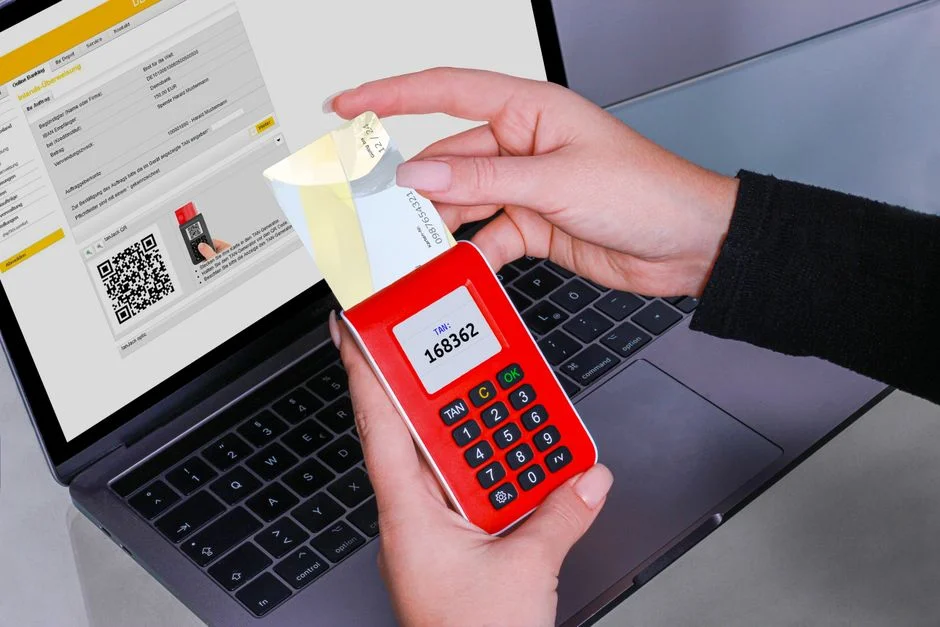

Two-factor authentication (2FA) is a security mechanism that requires users to provide two distinct forms of identification before granting access to an account or system. This method significantly enhances security by combining something the user knows (like a password) with something they have (like a phone or hardware token) or something they are (like a fingerprint), making it substantially harder for unauthorized entities to gain access, even if one factor is compromised.
From a security engineer’s perspective, 2FA moves beyond the inherent fragility of single-factor authentication, which often relies solely on passwords susceptible to brute-force attacks, credential stuffing, and phishing. Implementing 2FA establishes a critical layer of defense, forcing attackers to compromise multiple, independent authentication factors. This approach aligns with the principle of defense-in-depth, ensuring that the failure of one security control does not automatically lead to a system compromise, thereby protecting sensitive data and maintaining system integrity against a constantly evolving threat landscape.
This comprehensive guide will dissect the fundamental principles, various implementation mechanisms, and the critical importance of 2FA in mitigating prevalent cyber threats. We will explore the architectural considerations, potential vulnerabilities, and the engineering discipline required to deploy robust 2FA solutions, ultimately aiming to safeguard digital assets and user trust.
The Fundamental Principle of Two-Factor Authentication
Two-factor authentication (2FA) fundamentally operates on the premise of requiring verifiable proof from at least two independent categories of credentials. This model is often summarized as combining ‘something you know,’ ‘something you have,’ and ‘something you are.’ Unlike traditional single-factor authentication, which typically relies solely on a password (something you know), 2FA introduces an additional, distinct layer of verification, dramatically reducing the attack surface for credential-based breaches.
The ‘something you know’ factor usually involves a password, a PIN, or a security question. While these are common and intuitive, they are also highly vulnerable to various attacks, including phishing, keylogging, and dictionary attacks. The ‘something you have’ factor refers to a physical device or an application that generates unique, time-sensitive codes. This could be a smartphone running an authenticator app, a hardware security key, or even a SIM card receiving an SMS message. The ‘something you are’ factor, known as an inherence factor, involves biometric data such as fingerprints, facial recognition, or iris scans. These factors are inherently tied to the individual and are difficult to replicate or steal.
The security strength of 2FA stems from the independence of these factors. An attacker might successfully obtain a user’s password through a phishing scam, but without access to their physical device (the ‘something you have’), they cannot complete the authentication process. Conversely, if a physical device is stolen, the attacker still needs the knowledge factor (the password) to gain entry. This layered approach creates a significant hurdle for malicious actors, necessitating a compromise of two disparate security controls, which is far more complex and time-consuming than breaching a single one. From an architectural standpoint, this separation of concerns is paramount. Each factor should ideally be managed by a different system or mechanism to prevent a single point of failure from undermining the entire authentication scheme.
The engineering discipline in implementing 2FA demands careful consideration of user experience alongside security. Overly complex or inconvenient 2FA methods can lead to user frustration and potentially encourage workarounds, weakening the intended security posture. Therefore, the choice of 2FA factors often involves a trade-off analysis between maximal security, user convenience, and operational cost. For instance, while hardware security keys offer superior phishing resistance, their deployment might be more cumbersome for a broad user base compared to authenticator apps. Understanding these dynamics is crucial for designing a 2FA system that is both effective and adoptable.
Moreover, the principle extends to ensuring that the second factor itself is robust against compromise. For example, relying solely on SMS-based 2FA, while better than none, has known vulnerabilities such as SIM swapping attacks. A security engineer must evaluate the threat model specific to their application and user base to select the most appropriate and secure combination of factors. This proactive threat assessment dictates the choice of 2FA technologies and their integration points within the broader identity and access management (IAM) framework. Ultimately, 2FA is not just an add-on; it is an integral component of a resilient security architecture, designed to protect against the pervasive threat of credential compromise and unauthorized access.
Categories and Mechanisms of 2FA Factors
The effectiveness of two-factor authentication largely depends on the strength and independence of the chosen factors. These factors generally fall into three distinct categories: knowledge factors, possession factors, and inherence factors. Each category presents unique security properties, implementation challenges, and attack vectors that security engineers must understand and mitigate.
Knowledge Factors (Something You Know)
This category includes traditional credentials such as passwords, PINs, and answers to security questions. While essential for initial identity verification, knowledge factors are inherently vulnerable. Passwords can be guessed, cracked, or exposed through data breaches. Phishing attacks specifically target these factors by tricking users into revealing their credentials on fraudulent websites. From a security standpoint, the primary defense for knowledge factors involves strong password policies (complexity, length, rotation), password hashing with robust algorithms like Argon2 or bcrypt, and breach detection services that alert users if their credentials appear in known data dumps. However, even with these measures, a single compromised password can be a gateway without a second factor.
Possession Factors (Something You Have)
Possession factors rely on a physical item or a device that only the legitimate user possesses. This category significantly elevates security because an attacker, even with a stolen password, would also need to physically obtain the user’s device. Common mechanisms include:
- Software Tokens (Authenticator Apps): Applications like Google Authenticator or Authy generate Time-based One-Time Passwords (TOTP) or HMAC-based One-Time Passwords (HOTP). These codes are typically valid for a short period (e.g., 30-60 seconds) and are generated using a shared secret key provisioned during setup. While highly effective against phishing and credential stuffing, software tokens are vulnerable if the device itself is compromised or if the shared secret is exposed.
- Hardware Security Keys: Devices like YubiKey or Google Titan Key implement standards such as FIDO Universal 2nd Factor (U2F) or WebAuthn. These keys offer superior phishing resistance because they cryptographically verify the origin of the login request. They ensure that the user is authenticating to the legitimate service and not a phishing site. Hardware keys are considered among the strongest forms of 2FA, but require users to carry a physical device.
- SMS-based OTPs: One-Time Passwords delivered via SMS to a registered mobile number. While widely adopted due to convenience, SMS 2FA is susceptible to SIM swapping attacks, where attackers trick mobile carriers into porting a victim’s phone number to a device controlled by the attacker. This vulnerability makes SMS a less secure option compared to authenticator apps or hardware keys for critical systems.
- Push Notifications: Users receive a notification on their registered device, prompting them to approve or deny a login attempt. This method is convenient and generally more secure than SMS, as it relies on a direct, encrypted channel to the device app rather than the cellular network. However, it can be vulnerable to ‘MFA fatigue’ attacks, where attackers repeatedly send push notifications hoping the user eventually approves by mistake.
Inherence Factors (Something You Are)
Inherence factors involve unique biological characteristics of the user, commonly referred to as biometrics. These include fingerprints, facial recognition, iris scans, and voice recognition. Biometrics offer a high degree of convenience and are difficult to forget or lose. However, they are not without their security challenges:
- Irreversibility: Unlike passwords, biometric data cannot be changed if compromised. If a fingerprint database is breached, the user’s biometric identity is permanently exposed.
- Liveness Detection: Sophisticated systems require ‘liveness detection’ to prevent authentication with static images, recordings, or prosthetic body parts.
- Privacy Concerns: Storing and processing biometric data raises significant privacy implications and requires stringent data protection measures, often subject to regulations like GDPR or CCPA.
The choice of 2FA factor should always align with the sensitivity of the data being protected, the threat model of the application, and the usability requirements for the target audience. A layered approach, potentially combining different types of possession factors or integrating inherence with knowledge and possession, often provides the most robust defense. For instance, a system might require a password (knowledge), followed by a hardware security key (possession), or a fingerprint scan (inherence) for highly sensitive operations.
Common Implementations of 2FA in Practice
Implementing two-factor authentication requires careful consideration of the available technologies and their suitability for specific use cases. The choice influences both the security posture and the user experience. A security engineer must weigh the benefits against potential vulnerabilities and operational overhead for each implementation method.
SMS-based One-Time Passwords (OTPs)
SMS OTPs involve sending a unique, time-sensitive code to a user’s registered mobile number via text message. This method gained widespread adoption due to its ubiquity and ease of use, as nearly all mobile phones support SMS. However, from a security standpoint, SMS OTPs are considered the weakest form of 2FA due to well-documented vulnerabilities. The most prominent threat is SIM swapping, where attackers trick mobile carriers into transferring a user’s phone number to a SIM card they control. Once the number is swapped, the attacker receives the SMS OTPs, bypassing the second factor. Furthermore, SMS messages are not end-to-end encrypted, making them susceptible to interception by sophisticated adversaries or state-sponsored actors. While better than no 2FA, reliance on SMS for critical applications is generally discouraged.
Time-based One-Time Passwords (TOTP) with Authenticator Apps
TOTP, commonly implemented through authenticator applications like Google Authenticator, Authy, or Microsoft Authenticator, generates a new one-time code every 30 or 60 seconds. These apps work offline, using a shared secret key (provisioned via QR code during setup) and the current time to algorithmically produce the OTP. This method is significantly more secure than SMS OTPs because it eliminates the dependency on cellular networks and is resistant to SIM swapping. The shared secret is stored locally on the device, and the codes are never transmitted over an insecure channel. However, TOTP apps are still vulnerable if the device itself is compromised by malware, or if the shared secret is inadvertently exposed during the initial setup process. Proper device security and careful handling of the setup QR code are crucial.
Push Notifications for Authentication
Push-based authentication involves sending a notification to a registered mobile device, prompting the user to approve or deny a login attempt with a simple tap. This method offers an excellent balance of security and user convenience. The underlying communication channel is typically encrypted and secured by the app’s vendor, reducing the risk of interception compared to SMS. Push notifications are also largely resistant to phishing, as the user is not required to type in a code or password on a potentially malicious site. However, they are susceptible to ‘MFA fatigue’ or ‘MFA bombing’ attacks, where an attacker repeatedly sends push requests, hoping the user will eventually approve one by accident, especially if they are distracted or annoyed. Robust implementations include rate limiting for push requests and displaying contextual information (e.g., login location, device type) within the notification to help users identify legitimate requests.
Hardware Security Keys (FIDO U2F/WebAuthn)
Hardware security keys, such as those compliant with FIDO U2F (Universal 2nd Factor) or WebAuthn standards, represent the gold standard for phishing-resistant 2FA. These physical devices, typically resembling USB drives, perform cryptographic challenges and responses directly with the relying party (the website or service). Crucially, they verify the origin of the login request, ensuring that the user is authenticating to the legitimate domain and not a phishing site. This cryptographic binding makes them exceptionally resistant to even sophisticated phishing attacks. WebAuthn, a modern standard, extends this capability to include biometric authentication and offers more flexibility across different devices and platforms. While offering the highest level of security, hardware keys require a physical device and may present adoption challenges for a broad user base, though their use is highly recommended for administrators and high-value targets.
Biometric Authentication
Biometric authentication, leveraging ‘something you are’ factors like fingerprints or facial recognition, is increasingly integrated into 2FA flows, particularly on mobile devices. These methods provide high convenience and can be very secure when combined with robust liveness detection and secure enclave hardware that protects the biometric templates. For example, a user might enter a password, then use their fingerprint to complete the login. The primary security concerns revolve around the integrity of the biometric capture and comparison process, the storage of biometric templates (ideally in secure hardware enclaves), and the irreversible nature of biometrics if compromised. Ensuring that biometric data is never directly stored on servers but rather used for local device-side verification against a securely stored template is a critical engineering practice.
Each of these practical implementations has its place within a comprehensive security strategy. A robust system often employs a tiered approach, offering users a choice of 2FA methods, but guiding them towards stronger options for higher-risk activities or accounts. For instance, allowing SMS for general users but mandating hardware keys for administrative access.
The Threat Landscape: Why 2FA is Indispensable
In the contemporary digital threat landscape, relying solely on passwords for authentication is akin to leaving the front door unlocked in a high-crime area. The sophistication and prevalence of credential-based attacks necessitate a more robust defense mechanism. Two-factor authentication (2FA) has become indispensable not merely as a best practice, but as a fundamental requirement for mitigating the most common and damaging cyber threats.
Phishing and Spear Phishing
Phishing remains one of the most effective methods for attackers to steal credentials. Attackers craft deceptive emails or websites that mimic legitimate services, tricking users into entering their usernames and passwords. While user education helps, human error is inevitable. 2FA directly counters phishing by requiring a second factor that the attacker cannot easily obtain, even if they successfully phish the password. For instance, if a user falls for a phishing site and enters their password, the attacker still needs access to their authenticator app or hardware key to complete the login. Hardware security keys, in particular, offer strong phishing resistance by cryptographically binding the authentication request to the legitimate domain, preventing authentication on a fake site.
Credential Stuffing and Brute-Force Attacks
Credential stuffing involves using lists of compromised username/password pairs (often obtained from large-scale data breaches) to attempt logins across various other services. Attackers leverage the common user behavior of reusing passwords across multiple accounts. Brute-force attacks systematically try numerous password combinations until the correct one is found. Without 2FA, a successful credential stuffing or brute-force attack on one service can grant access to many others. 2FA acts as a critical barrier; even if an attacker successfully guesses or reuses a password, they are still blocked by the requirement for the second factor, rendering the stolen password useless.
Malware and Keyloggers
Malware, including keyloggers, can silently record keystrokes, capturing passwords as they are typed. While robust endpoint security is crucial, malware can sometimes evade detection. If a keylogger captures a user’s password, 2FA prevents unauthorized access by demanding a second factor. The second factor, especially if it’s a possession factor like an authenticator app or a hardware key, is generated or verified independently of the compromised machine, thus preserving the integrity of the authentication process. This highlights the importance of diversifying authentication factors to prevent a single point of compromise from granting full access.
Social Engineering
Beyond technical exploits, social engineering tactics manipulate individuals into divulging sensitive information or performing actions that compromise security. Attackers might impersonate IT support or senior management to trick users into revealing credentials or approving malicious 2FA requests. While 2FA can be circumvented through sophisticated social engineering (e.g., convincing a user to approve an MFA push notification), it significantly raises the bar. Security engineers must design 2FA systems that provide sufficient context during authentication requests (e.g., displaying the login location or IP address) to help users identify and reject fraudulent prompts. User training on recognizing social engineering tactics that target 2FA is also vital.
Insider Threats
While often focused on external attackers, 2FA also provides a layer of defense against insider threats. By requiring multiple factors, even an authorized employee with access to certain credentials might be prevented from accessing systems they are not explicitly authorized for, especially if the second factor is tightly controlled or monitored. This can help enforce the principle of least privilege and provide an audit trail for authentication attempts. The robust logging and monitoring of 2FA events are critical for detecting anomalous behavior, whether from external or internal sources.
In essence, 2FA is not a panacea, but it is a foundational security control that dramatically shifts the odds in favor of the defender. Its indispensable nature stems from its ability to mitigate the most prevalent and impactful forms of cyberattacks by introducing a necessary layer of friction for attackers, thereby protecting sensitive data, maintaining regulatory compliance, and preserving user trust in digital services. The OWASP Top 10 consistently highlights authentication weaknesses, and 2FA is a primary control against many of these categories.
Architectural Considerations for 2FA Integration
Integrating two-factor authentication into an existing or new application architecture is a complex undertaking that requires careful planning and adherence to security best practices. As a security engineer, the goal is to implement 2FA seamlessly and securely without introducing new vulnerabilities or significantly degrading the user experience. Architectural decisions must address factor selection, provisioning, recovery, and ongoing management.
Centralized Identity Provider vs. Application-Specific 2FA
A primary architectural decision is whether to integrate 2FA directly into each application or leverage a centralized Identity Provider (IdP) such as Okta, Auth0, or even a self-hosted solution like Keycloak. Using a centralized IdP offloads the complexity of managing authentication and 2FA to a specialized service. This approach offers several benefits:
- Reduced Development Overhead: Applications integrate with the IdP, which handles the intricacies of 2FA implementation, including various factor types and recovery flows.
- Consistent Security Policy: Security policies, including 2FA requirements, can be enforced uniformly across all integrated applications.
- Enhanced Auditability: Centralized logging and monitoring of authentication events simplify security analysis and compliance reporting.
- Scalability: IdPs are designed to handle large user bases and authentication loads.
However, relying on an external IdP introduces a dependency and potential vendor lock-in. For certain highly sensitive or niche applications, an application-specific 2FA implementation might be chosen for tighter control over the entire authentication stack, though this comes with increased development and maintenance burden. When integrating an IdP, secure communication protocols like OAuth2 and OpenID Connect (OIDC) are paramount, ensuring token integrity and confidential client handling.
Secure Provisioning and Enrollment
The enrollment process for 2FA is a critical phase where vulnerabilities can be introduced. The shared secret for TOTP apps or the registration of a hardware key must be performed over a secure, authenticated channel. For TOTP, displaying the QR code or secret key should only occur after the user has successfully authenticated with their primary factor. This process must be protected against man-in-the-middle attacks. For hardware keys, the WebAuthn API handles much of the cryptographic complexity, but the application must correctly implement the server-side verification of attestation statements.
Consider the process for building dynamic forms for 2FA enrollment. These forms must be robust against common web vulnerabilities such as Cross-Site Scripting (XSS) and Cross-Site Request Forgery (CSRF). Input validation and sanitization are non-negotiable. The backend endpoints for 2FA setup must be rate-limited and protected against enumeration attacks.
Account Recovery Mechanisms
A well-designed 2FA system must include secure account recovery options for users who lose their second factor (e.g., lost phone, damaged hardware key). Common recovery methods include:
- Recovery Codes: A set of one-time use codes provided to the user during initial 2FA setup, which they are instructed to store securely.
- Trusted Devices: Allowing users to register certain devices (e.g., a personal computer) as trusted, bypassing 2FA for a period or requiring a lower-friction second factor.
- Administrative Reset: A process where an administrator can disable 2FA after rigorous identity verification. This process must be highly secure, involving multiple verification steps, ideally out-of-band (e.g., video call, government ID verification), to prevent social engineering.
Each recovery method introduces a potential bypass point for 2FA. Security engineers must design these flows with extreme caution, ensuring that the recovery process itself is not weaker than the 2FA it is intended to restore. This often involves multi-step verification and strict logging of all recovery attempts.
Logging, Monitoring, and Alerting
Comprehensive logging of all authentication events, including 2FA challenges, successes, and failures, is essential for security monitoring and incident response. This data should be sent to a Security Information and Event Management (SIEM) system for analysis. Anomalous activities, such as multiple failed 2FA attempts from different geographical locations, or attempts to enroll new 2FA devices from unusual IP addresses, should trigger immediate alerts to security operations teams. The logs must include sufficient detail (e.g., timestamp, IP address, user agent, 2FA method used) to facilitate forensic investigations.
User Experience and Education
While security is paramount, a poor user experience can lead to circumvention or non-adoption. The 2FA flow should be intuitive and clearly guide the user. Providing clear instructions during setup, offering multiple 2FA options, and educating users on the benefits and proper handling of their second factors are crucial. For example, explaining why a hardware key is more secure than SMS can encourage adoption of stronger methods. The architectural design must balance these usability considerations with the security imperatives.
Analyzing Vulnerabilities and Mitigations in 2FA Systems
While two-factor authentication significantly bolsters security, no system is entirely impervious to attack. A diligent security engineer must thoroughly analyze potential vulnerabilities inherent in different 2FA implementations and proactively design mitigations. Understanding these weak points is crucial for building a truly resilient authentication framework.
Vulnerabilities in SMS-based 2FA
As previously mentioned, SMS-based OTPs are highly susceptible to SIM swapping attacks. This occurs when an attacker convinces a mobile carrier to transfer a victim’s phone number to a SIM card under their control. Once successful, the attacker receives all SMS messages, including OTPs, effectively bypassing 2FA. Mitigation strategies include:
- Educating Users: Informing users about SIM swapping risks and advising them to use stronger 2FA methods.
- Carrier-Level Protections: Encouraging users to enable PINs or passwords on their mobile accounts to prevent unauthorized SIM changes.
- Phasing Out SMS 2FA: For critical systems, moving away from SMS OTPs entirely in favor of authenticator apps or hardware keys.
- Out-of-Band Verification for Changes: Implementing additional verification steps (e.g., email to a non-SMS-linked address, or a call to a trusted landline) before allowing a phone number change.
MFA Fatigue/Bombing Attacks
Push-based 2FA, while convenient, can be exploited through MFA fatigue attacks. Attackers repeatedly send push notifications to a user’s device, hoping the user will eventually approve a request out of frustration, habit, or error. This is a form of social engineering that preys on human psychology. Mitigations include:
- Rate Limiting: Implementing strict rate limits on 2FA push requests from specific IP addresses or for individual users.
- Contextual Information: Displaying detailed information in the push notification, such as the IP address, device type, and geographical location of the login attempt, allowing users to make informed decisions.
- User Education: Training users to scrutinize all 2FA requests and to never approve requests they did not initiate.
- Interactive Challenges: Requiring the user to enter a short code displayed on the login screen into their authenticator app, rather than just tapping ‘approve.’
Device Compromise (Malware)
If the device hosting the authenticator app or used for biometric verification is compromised by malware, the second factor can be bypassed. A keylogger on a computer could capture a password, and malware on a phone could potentially extract shared secrets from authenticator apps or intercept push notifications. Mitigations include:
- Endpoint Security: Encouraging and, where possible, enforcing strong anti-malware and endpoint detection and response (EDR) solutions on user devices.
- Secure Enclaves: For biometric data, ensuring that biometric templates and verification processes occur within secure hardware enclaves that are isolated from the main operating system.
- Application Sandboxing: Ensuring authenticator apps operate within secure sandboxes to limit the impact of device-level compromises.
- Regular Security Audits: Conducting frequent security audits and penetration tests on the entire authentication system, including client-side components.
Shared Secret Management
For TOTP, the shared secret (seed) is critical. If this secret is exposed, an attacker can generate valid OTPs independently. This can happen if the QR code is intercepted during setup, or if the secret is stored insecurely on the server or client device. Mitigations:
- Secure Provisioning: Ensure the initial provisioning of the shared secret occurs over an encrypted, authenticated channel. The QR code should only be displayed temporarily.
- Server-Side Storage: Store shared secrets securely on the server, typically encrypted at rest and never in plaintext.
- Key Rotation: Allow users to re-provision their 2FA, effectively rotating the shared secret.
Phishing of 2FA Codes
While 2FA generally resists phishing of the primary password, some sophisticated phishing attacks attempt to capture the 2FA code itself in real-time. This is often done by hosting a proxy site that sits between the user and the legitimate service, capturing both password and OTP. Hardware security keys (U2F/WebAuthn) are specifically designed to counter this by cryptographically linking the authentication to the legitimate domain. For other methods:
- User Education: Emphasize checking URLs and being wary of suspicious login prompts.
- Contextual Information: Provide login context (IP, location, device) to help users identify fake prompts.
- FIDO/WebAuthn Adoption: Encourage and prioritize the adoption of phishing-resistant factors where feasible.
Ultimately, a robust 2FA system involves not just implementing the technology but also continuously monitoring for new attack vectors, educating users, and maintaining a proactive security posture. Regularly reviewing OWASP Top 10 vulnerabilities and understanding how they interact with authentication flows is a continuous responsibility for security engineers.
Compliance and Regulatory Requirements for 2FA
In an increasingly regulated digital landscape, the implementation of two-factor authentication is often not merely a security best practice but a mandatory requirement for compliance with various industry standards and governmental regulations. Failure to comply can result in significant fines, reputational damage, and legal repercussions. Security engineers must be intimately familiar with these mandates to ensure their 2FA deployments meet the necessary legal and ethical obligations.
General Data Protection Regulation (GDPR)
While GDPR does not explicitly mandate 2FA for all data processing, its core principles of ‘privacy by design’ and ‘security of processing’ strongly imply its necessity. Article 32, which focuses on the security of processing, requires organizations to implement ‘appropriate technical and organizational measures’ to ensure a level of security appropriate to the risk. For personal data, especially sensitive categories, single-factor authentication is rarely considered an ‘appropriate’ measure. Therefore, implementing 2FA is often a de facto requirement to demonstrate due diligence in protecting personal data and mitigating the risk of unauthorized access or data breaches, which could trigger costly GDPR violations.
Payment Card Industry Data Security Standard (PCI DSS)
PCI DSS is a global standard for organizations that handle branded credit cards from the major card schemes. Requirement 8.3.1 explicitly mandates multi-factor authentication (MFA) for all non-console access to the Cardholder Data Environment (CDE) for personnel with administrative access. Furthermore, Requirement 8.3.2 extends this to all remote network access originating from outside the entity’s network. This is a clear and direct mandate for 2FA/MFA for any system touching payment card data. The standard is quite specific about what constitutes MFA, requiring at least two different factor types (knowledge, possession, inherence). Organizations processing payments, such as those using custom web forms for transactions, must ensure their authentication mechanisms comply rigorously with these requirements.
Health Insurance Portability and Accountability Act (HIPAA)
HIPAA sets the standard for protecting sensitive patient health information (PHI). The HIPAA Security Rule requires covered entities and business associates to implement administrative, physical, and technical safeguards to protect electronic PHI (ePHI). While not explicitly naming 2FA, the technical safeguards section (45 CFR 164.312(a)(2)(i)) requires ‘access control’ and ‘unique user identification.’ The ‘implementation specification’ for access control (45 CFR 164.312(a)(2)(ii)(D)) states that entities must ‘Implement electronic mechanisms to authenticate electronic protected health information.’ In practice, to meet the ‘appropriate’ level of security for ePHI, especially for remote access or access to critical systems, 2FA is widely considered essential to prevent unauthorized access and maintain the confidentiality, integrity, and availability of patient data.
Service Organization Control 2 (SOC 2)
SOC 2 reports are audits of service organizations that assess their controls related to security, availability, processing integrity, confidentiality, and privacy. While not a prescriptive regulation, achieving a SOC 2 certification often necessitates robust authentication controls, including 2FA. The Trust Services Criteria (TSC), particularly the Security criterion, requires controls to protect against unauthorized access. Demonstrating strong authentication, including 2FA for administrative access and for accessing sensitive systems, is a common and expected control for a favorable SOC 2 report. For companies offering SaaS solutions, a SOC 2 report is critical for establishing trust with enterprise clients.
National Institute of Standards and Technology (NIST) Guidelines
NIST provides comprehensive guidelines for cybersecurity, particularly relevant for U.S. federal agencies and critical infrastructure. NIST Special Publication 800-63B, ‘Digital Identity Guidelines: Authentication and Lifecycle Management,’ provides detailed recommendations on authentication strength, including specific guidance on multi-factor authentication. It categorizes authentication assurance levels (AALs) and specifies which types of authenticators meet different AALs. For example, AAL2 and AAL3 explicitly require MFA, with increasing requirements for authenticator strength and cryptographic protections. Adhering to NIST guidelines is a strong indicator of a mature security program and often influences other regulatory frameworks.
For a security engineer, understanding these regulatory landscapes is not merely about ticking boxes; it’s about translating legal requirements into secure, implementable technical controls. This involves selecting appropriate 2FA methods, ensuring secure provisioning and recovery, maintaining comprehensive audit trails, and regularly reviewing the system against evolving compliance standards. The proactive integration of 2FA is a fundamental component of maintaining legal compliance and building a trustworthy digital infrastructure.
Implementing 2FA in Laravel Applications
For developers working within the Laravel ecosystem, integrating two-factor authentication has become a streamlined process, largely thanks to first-party packages and robust community support. Implementing 2FA is crucial for any Laravel application handling sensitive user data, aligning with modern security standards and protecting against common credential-based attacks. The primary official solution for 2FA in Laravel is provided by Laravel Fortify, often used in conjunction with Laravel Breeze or Jetstream.
Laravel Fortify and Sanctum Integration
Laravel Fortify is a backend authentication scaffolding that provides the routes and controller logic for various authentication features, including 2FA. It’s designed to be headless, meaning it provides the backend logic while allowing developers to create their own frontend. When combined with Laravel Jetstream, which offers pre-built UI scaffolding, 2FA becomes an out-of-the-box feature. Fortify’s 2FA implementation typically uses Time-based One-Time Passwords (TOTP), compatible with authenticator apps like Google Authenticator.
The process generally involves:
- Installation: Install Laravel Fortify and publish its assets.
- Configuration: Enable 2FA features in the
config/fortify.phpfile. - Database Migrations: Ensure your
userstable has the necessary columns (e.g.,two_factor_secret,two_factor_recovery_codes) which Fortify’s migrations will add. - Frontend Integration: If not using Jetstream, you’ll need to create the UI for enabling/disabling 2FA, displaying the QR code, verifying OTPs, and managing recovery codes. For instance, a Livewire form can be used to handle the user interaction for 2FA setup.
// Example of enabling 2FA in config/fortify.php (already done by default in Jetstream)@if (Laravel\Fortify\Features::enabled(Laravel\Fortify\Features::twoFactorAuthentication()))<div> <h3>Two Factor Authentication</h3> <p>Add additional security to your account using two factor authentication.</p> <!-- Enable/Disable 2FA logic --> @if (! auth()->user()->two_factor_secret) <form method="POST" action="{{ url('user/two-factor-authentication') }}"> @csrf <button type="submit">Enable 2FA</button> </form> @else <form method="POST" action="{{ url('user/two-factor-authentication') }}"> @csrf @method('DELETE') <button type="submit"">Disable 2FA</button> </form> @endif <!-- Show QR Code / Recovery Codes --> @if (auth()->user()->two_factor_secret) <div> <p>Scan the following QR code using your phone's authenticator application.</p> <div> {!! auth()->user()->twoFactorQrCodeSvg() !!} </div> <p>Store these recovery codes in a secure password manager.</p> <pre><code>@foreach (json_decode(decrypt(auth()->user()->two_factor_recovery_codes), true) as $code){{ $code }}</code></pre> </div> @endif</div>@endifFortify handles the generation of the secret key, the QR code, and the verification logic. When a user attempts to log in after enabling 2FA, Fortify redirects them to a secondary verification screen where they enter the OTP from their authenticator app. This integrates seamlessly with Laravel’s session management and guards.
Custom 2FA Implementations and Third-Party Packages
While Fortify covers TOTP, custom implementations might be necessary for other 2FA factors like SMS OTPs (though generally discouraged for critical applications due to SIM swapping risks) or hardware security keys (WebAuthn). For SMS OTPs, integration with a third-party SMS gateway like Twilio or Nexmo would be required. For WebAuthn, packages like web-auth/webauthn-lib can be integrated, providing server-side handling for FIDO U2F/WebAuthn challenges and responses.
When building custom 2FA, adherence to secure coding practices is paramount:
- Secure Secret Storage: Any shared secrets (for TOTP) or private keys must be stored encrypted at rest in the database and never exposed. Laravel’s encryption services should be utilized.
- Rate Limiting: All 2FA verification endpoints must be heavily rate-limited to prevent brute-force attacks on the OTPs.
- Session Management: Ensure that the 2FA status is securely tied to the user’s session and that sessions are properly invalidated upon logout or unusual activity.
- Recovery Code Handling: Recovery codes should be generated securely, displayed only once to the user, and stored hashed or encrypted in the database. Users must be strongly advised to store them securely.
- Logging and Monitoring: Implement comprehensive logging for all 2FA events (enrollment, successful verification, failed attempts, recovery code usage) to aid in security audits and incident response. This data can be crucial for identifying suspicious activity.
Integrating 2FA into Laravel applications is a critical step in building secure web applications. Leveraging official packages like Fortify provides a solid foundation, but understanding the underlying security principles and potential vulnerabilities is essential for a truly robust implementation. Engineers must consider the entire lifecycle, from enrollment and daily use to account recovery, to ensure comprehensive protection.
The Role of 2FA in a Zero Trust Architecture
In modern cybersecurity, the concept of a Zero Trust architecture has gained significant traction, moving away from the perimeter-centric security model to one that assumes no user, device, or network is inherently trustworthy, regardless of its location. Two-factor authentication (2FA) is not just a component of Zero Trust; it is a foundational pillar without which a true Zero Trust model cannot effectively operate. Its role is to continuously verify identity and context, ensuring that access is granted only to legitimate entities under appropriate conditions.
Verify Explicitly, Always Authenticate
The core tenet of Zero Trust is ‘never trust, always verify.’ This means every access request, whether from inside or outside the network, must be explicitly verified. 2FA directly supports this by requiring strong, multi-factor verification of user identity at every critical access point. Instead of trusting a user simply because they have a password and are on the internal network, Zero Trust demands that the user prove their identity through multiple, independent factors. This shifts the focus from ‘where’ a user is to ‘who’ a user is, and ‘how’ they are authenticating.
In a Zero Trust environment, 2FA is not a one-time login event. It can be dynamically invoked based on context. For example, if a user attempts to access sensitive data from an unusual location or device, or if their behavior deviates from established baselines, the system might re-challenge them for 2FA. This continuous authentication and authorization process is central to Zero Trust. Technologies like WebAuthn, with its strong cryptographic guarantees, are particularly well-suited for this model, providing high assurance of user identity and device integrity.
Least Privilege Access and Microsegmentation
Zero Trust enforces the principle of least privilege, meaning users are granted only the minimum access necessary to perform their tasks. 2FA complements this by ensuring that even if an attacker gains access to a low-privilege account, they cannot easily pivot to higher-privilege systems without overcoming additional 2FA challenges. For example, an administrative account might require a hardware security key, while a regular user account might only need an authenticator app. This tiered approach to 2FA aligns with microsegmentation, where access to specific resources is tightly controlled and protected.
Consider an infrastructure provisioned with Next.js Terraform. Each component, from the front-end to the backend APIs and databases, would ideally be protected by a Zero Trust philosophy. Access to Terraform state files, CI/CD pipelines, or production environments would necessitate strong 2FA, potentially even requiring multiple factors or biometrics, to prevent unauthorized infrastructure changes or data exfiltration.
Device Trust and Contextual Authentication
Zero Trust also emphasizes device trust. 2FA, particularly when combined with device posture checks, contributes to building a holistic trust score for each access request. For instance, a system might require 2FA, and additionally verify that the device is managed by the organization, has up-to-date security patches, and is free of malware. If the device’s posture changes (e.g., malware detected), the user might be required to re-authenticate with 2FA or be denied access entirely until the device is remediated. This contextual awareness, combined with strong identity verification via 2FA, allows for adaptive access policies.
Continuous Verification and Monitoring
In a Zero Trust model, verification is continuous, not just at the point of initial access. 2FA events, such as successful challenges, failures, and changes to 2FA methods, provide valuable data points for security monitoring and anomaly detection. This telemetry feeds into security information and event management (SIEM) systems and security orchestration, automation, and response (SOAR) platforms, enabling security teams to detect and respond to suspicious activities in real-time. Any deviation from expected 2FA behavior, such as repeated failed attempts or 2FA changes from unusual locations, would trigger alerts and potentially automated responses.
In summary, 2FA is not just an add-on to Zero Trust; it is an intrinsic part of its fabric. It enables the explicit verification of identity, supports the principle of least privilege, contributes to device trust, and provides crucial data for continuous monitoring. For security engineers designing systems for the modern threat landscape, integrating robust and adaptable 2FA is a non-negotiable step towards achieving a true Zero Trust posture.
Cost Implications of Implementing 2FA Solutions
The implementation of two-factor authentication, while a critical security measure, comes with varying cost implications that organizations must consider. These costs are not solely monetary; they encompass direct financial expenditures, operational overhead, and potential impacts on user experience. A comprehensive cost analysis is essential for selecting the most appropriate 2FA solution that balances security needs with budgetary and operational constraints.
Direct Financial Costs
Direct costs typically involve licensing fees, hardware purchases, and integration services.
- Software-as-a-Service (SaaS) Solutions: Many identity providers (IdPs) and dedicated 2FA services offer their solutions on a subscription basis. These often scale with the number of users or authentication transactions.
| Provider | Typical Pricing Model | Estimated Monthly Cost (per user) | Notes |
|---|---|---|---|
| Okta | Per user, tiered features | $2 – $15+ | Comprehensive IdP, includes MFA, SSO, Lifecycle Management. Higher tiers for advanced features. |
| Auth0 | Per user, tiered features | $1 – $10+ | Flexible platform, good for developers. Free tier for small user bases. |
| Duo Security (Cisco) | Per user, tiered features | $3 – $9 | Strong focus on MFA, device trust. Free for up to 10 users. |
| Google Cloud Identity (MFA) | Included with Cloud Identity, specific features may incur costs | $0 – $6 | Integrated with Google Workspace. Basic MFA often free, advanced features at cost. |
| Microsoft Azure AD Premium | Per user, included in P1/P2 licenses | $6 – $9 | Comprehensive IdP, Conditional Access, MFA, SSO. |
Note: These are estimated monthly costs per user and can vary significantly based on volume, specific feature sets, enterprise agreements, and geographical region. Many providers offer free tiers for small numbers of users or basic functionality.
- Hardware Tokens: If physical hardware security keys (e.g., YubiKeys) are chosen, there is an upfront purchase cost per device.
| Device Type | Estimated Unit Cost | Lifespan | Notes |
|---|---|---|---|
| YubiKey 5 Series | $45 – $70 | 5+ years | High security, FIDO2/U2F, multiple protocols. Good for high-value users. |
| Google Titan Security Key | $30 – $50 | 5+ years | FIDO U2F/FIDO2, Bluetooth/USB-C options. |
Note: Bulk purchasing often yields discounts. Replacement costs for lost or damaged keys must also be factored in.
- SMS Gateway Services: For SMS-based OTPs, providers charge per SMS segment sent. While individual SMS costs are low, they can accumulate rapidly for large user bases or frequent authentication attempts.
| Provider | Estimated Cost (per SMS segment) | Notes |
|---|---|---|
| Twilio | $0.0075 – $0.015 | Varies by country and volume. Additional costs for phone numbers. |
| Nexmo (Vonage) | $0.005 – $0.012 | Similar to Twilio, volume discounts available. |
| Amazon SNS | $0.0064 – $0.01 | Pay-as-you-go, scalable. |
Note: These are estimates for North America. International SMS rates can be significantly higher.
Operational and Integration Costs
Beyond direct vendor fees, significant costs arise from the integration, management, and support of 2FA solutions.
- Development and Integration: Integrating 2FA into existing applications, especially if custom solutions are built or if an IdP requires significant configuration, demands developer time. This includes backend logic, database schema changes, and frontend UI adjustments for enrollment and verification. For example, integrating a custom WebAuthn solution into a Laravel application might require several weeks of a senior developer’s time, costing between $5,000 and $15,000, depending on complexity and hourly rates (e.g., $50-$150/hour).
- User Support and Training: Users will inevitably require assistance with 2FA setup, recovery from lost devices, or troubleshooting. This necessitates dedicated support staff and comprehensive documentation. For a large organization, this can translate to thousands of dollars annually in support personnel wages and training materials. For example, a dedicated L1 support agent might cost $3,000-$5,000 per month, and even a fraction of their time spent on 2FA issues adds up.
- Administrative Overhead: Managing 2FA involves tasks like provisioning new users, resetting factors, handling recovery codes, and monitoring audit logs. This administrative burden scales with the number of users and the complexity of the chosen 2FA methods.
- Security Auditing and Compliance: Regular audits to ensure 2FA systems remain secure and compliant with regulations (e.g., PCI DSS, HIPAA) are ongoing costs. This could involve external penetration testing or internal security team efforts, potentially ranging from $10,000 to $50,000+ annually for mid-sized enterprises.
Indirect Costs and Trade-offs
- User Experience (UX) Impact: While robust 2FA enhances security, overly cumbersome methods can degrade the user experience, potentially leading to user frustration, increased support tickets, or even abandonment of a service. The cost of lost users or reduced engagement is difficult to quantify but can be substantial.
- Reduced Productivity: Complex or slow 2FA processes can slightly increase the time it takes for employees to access systems, leading to minor productivity losses across an organization.
The typical range for 2FA implementation costs can vary wildly. For a small startup with hundreds of users leveraging a basic SaaS IdP, annual costs might be in the low thousands (e.g., $1,000 – $5,000). For a large enterprise with tens of thousands of users, custom integrations, hardware tokens, and extensive support needs, the annual expenditure can easily run into hundreds of thousands or even millions of dollars. The critical factor is aligning the investment with the risk profile of the data and systems being protected. A tailored approach, starting with the most critical assets and gradually expanding, can help manage these costs effectively.
Future Trends in Multi-Factor Authentication
The landscape of multi-factor authentication is continuously evolving, driven by the need for stronger security, improved user experience, and adaptability to new threats. As security engineers, anticipating these trends is crucial for designing future-proof authentication systems and staying ahead of sophisticated attackers. The focus is shifting towards more seamless, context-aware, and phishing-resistant authentication methods.
Passwordless Authentication and WebAuthn
The most significant trend is the move towards passwordless authentication. Passwords, being knowledge factors, are inherently weak and prone to compromise. Passwordless approaches aim to eliminate or significantly reduce reliance on passwords by leveraging stronger possession or inherence factors. WebAuthn (Web Authentication API), a W3C standard, is at the forefront of this movement. It enables strong, phishing-resistant authentication using cryptographic keys stored in hardware security modules (like YubiKeys, or built into devices like fingerprint readers and facial recognition systems). WebAuthn allows users to authenticate to web services using biometrics or hardware tokens without ever typing a password.
The shift to WebAuthn provides:
- Enhanced Security: Cryptographic keys are resistant to phishing, as the authentication is tied to the origin (domain) of the website.
- Improved User Experience: A simple touch or glance replaces complex passwords.
- Decentralization: Authentication can occur directly between the user’s device and the service, reducing reliance on centralized password databases.
As operating systems and browsers increasingly support WebAuthn, its adoption is expected to accelerate, fundamentally changing how users log in.
Continuous and Adaptive Authentication
Traditional 2FA is often a one-time event at login. Future MFA systems are moving towards continuous and adaptive authentication, where user identity and context are constantly re-evaluated throughout a session. This involves analyzing various signals in real-time:
- Behavioral Biometrics: Analyzing unique user behaviors like typing patterns, mouse movements, or how they hold their phone.
- Device Posture: Continuously assessing the security state of the user’s device (e.g., presence of malware, OS updates, configuration).
- Location and IP Address: Monitoring changes in geographical location or IP during a session.
- Access Patterns: Detecting anomalous access to resources or unusual activity.
If any of these signals indicate a higher risk, the system can dynamically prompt for re-authentication with 2FA or even block access, adhering to the Zero Trust principle of ‘never trust, always verify.’ This dynamic approach provides a more granular and proactive security posture compared to static login-time checks.
FIDO Alliance and Passkeys
The FIDO Alliance continues to drive standards for strong, phishing-resistant authentication. Passkeys, built on WebAuthn and FIDO2 standards, represent a significant advancement. A passkey is a digital credential that replaces passwords and is stored securely on a user’s device (e.g., smartphone, computer). When logging in, the user’s device uses biometrics (fingerprint, face scan) or a PIN to unlock the passkey, which then cryptographically authenticates them to the website or app. Passkeys are designed to be:
- Phishing Resistant: Like WebAuthn, they are tied to the website’s domain.
- Convenient: No passwords to remember or type.
- Cross-Device: Passkeys can be synchronized across devices using cloud services (e.g., Apple iCloud Keychain, Google Password Manager), making them readily available.
Major tech companies are rapidly adopting passkeys, indicating a strong future for this technology as a robust, user-friendly, and secure alternative to traditional passwords and even some forms of 2FA.
Decentralized Identity and Blockchain
While still in earlier stages of adoption, decentralized identity (DID) using blockchain technology holds promise for future authentication systems. DIDs allow individuals to control their own digital identities, issuing verifiable credentials that can be presented to relying parties without needing a centralized authority. In this model, 2FA could involve presenting a verifiable credential from a trusted issuer, combined with a cryptographic proof of possession of a private key, further enhancing privacy and security by reducing reliance on single points of failure. This paradigm shift could lead to more robust and privacy-preserving authentication mechanisms.
As these trends mature, security engineers will need to adapt their architectural designs, embracing new APIs like WebAuthn, integrating with advanced behavioral analytics platforms, and potentially exploring decentralized identity solutions to build authentication systems that are not only secure but also resilient against future attack vectors.
Best Practices for Deploying and Managing 2FA
Deploying and managing two-factor authentication effectively requires more than just enabling a feature; it demands a comprehensive strategy rooted in security best practices. From initial rollout to ongoing maintenance, a security engineer must consider the entire lifecycle of 2FA to ensure maximum protection and minimal disruption.
Prioritize Stronger 2FA Methods
Not all 2FA methods offer the same level of security. Prioritize and encourage the use of stronger, phishing-resistant methods. Hardware security keys (FIDO U2F/WebAuthn) and authenticator apps (TOTP) are generally superior to SMS-based OTPs. For critical accounts, such as administrative access to production environments or sensitive data, hardware keys should be mandatory. For general user accounts, authenticator apps offer a good balance of security and convenience.
- Recommendation: Default to TOTP or WebAuthn for new enrollments. Provide clear guidance on why these are preferred over SMS.
- Mitigation: Implement a policy to phase out SMS 2FA for high-risk users or applications over time.
Secure Enrollment and Provisioning Processes
The initial setup of 2FA is a critical juncture where vulnerabilities can be introduced. Ensure that the enrollment process is secure and authenticated.
- Strong Initial Authentication: Require the user to be fully authenticated with their primary factor before initiating 2FA setup.
- Encrypted Channels: All communication during enrollment (e.g., QR code display, secret key transfer) must occur over TLS-secured channels.
- Prevent Shoulder Surfing: Advise users to perform setup in private and not to share QR codes or secret keys.
- Single Display of Recovery Codes: Generate recovery codes once during setup and instruct users to store them securely. Never display them again in plaintext. Store them hashed or encrypted in the database.
Robust Account Recovery Procedures
A secure 2FA system must have a well-defined, multi-step account recovery process that is itself resistant to social engineering and fraud.
- Multi-Factor Recovery: Avoid single points of failure in recovery. For instance, if a user loses their phone, don’t rely solely on email recovery if that email can also be compromised via the phone.
- Out-of-Band Verification: Utilize channels separate from the lost 2FA device for verification (e.g., a trusted email address, a pre-registered backup phone number, or administrative verification with ID checks).
- Time Delays: Implement a waiting period (e.g., 24-48 hours) for high-risk recovery requests to allow time for fraud detection or user intervention.
- Audit Trails: Log all recovery attempts, including successes and failures, with detailed contextual information.
Comprehensive Logging, Monitoring, and Alerting
Visibility into authentication events is crucial for detecting and responding to security incidents.
- Detailed Logging: Log all 2FA-related events: enrollment, successful verifications, failed attempts (with error types), 2FA resets, and recovery code usage. Include metadata like IP address, user agent, timestamp, and 2FA method.
- Centralized SIEM: Integrate 2FA logs with a Security Information and Event Management (SIEM) system for centralized analysis and correlation with other security events.
- Anomaly Detection: Implement rules to detect unusual 2FA activity, such as multiple failed attempts from different locations, 2FA changes for high-privilege accounts, or recovery code usage outside of expected patterns.
- Real-time Alerting: Configure alerts for critical 2FA events to notify security operations teams immediately.
User Education and Support
The human element is often the weakest link. Educate users on the importance, usage, and risks associated with 2FA.
- Clear Instructions: Provide simple, step-by-step guides for 2FA setup and troubleshooting.
- Risk Awareness: Inform users about common 2FA attacks (e.g., SIM swapping, MFA fatigue) and how to avoid them.
- Secure Storage of Recovery Codes: Emphasize the importance of storing recovery codes securely, ideally in a password manager or physical safe.
- Accessible Support: Ensure that support channels are available for users encountering 2FA issues, as frustration can lead to insecure workarounds.
Regular Audits and Review
The security landscape is dynamic. Regularly audit and review your 2FA implementation.
- Penetration Testing: Include 2FA flows in regular penetration tests to identify potential bypasses.
- Vulnerability Assessments: Conduct periodic vulnerability assessments of the authentication infrastructure.
- Policy Review: Regularly review 2FA policies to ensure they align with current threat models, regulatory requirements, and industry best practices.
- Technology Updates: Stay informed about new 2FA technologies and vulnerabilities, updating implementations as needed.
By adhering to these best practices, security engineers can build and maintain a robust 2FA system that significantly enhances an organization’s overall security posture, protects sensitive data, and fosters user trust.
Master Hub Page for Laravel Basics
For those looking to deepen their understanding of the Laravel ecosystem, including foundational concepts, best practices for development, and advanced security considerations, we offer a comprehensive resource. Our master hub page provides a structured directory of articles and guides tailored for developers and businesses building with Laravel.
Explore our complete Laravel, Basics directory for more guides.
Factors That Affect Development Cost
- Type of 2FA solution (SaaS vs. self-hosted)
- Number of users
- Specific 2FA factors chosen (SMS, app, hardware key)
- Integration complexity with existing systems
- Development and customization requirements
- Ongoing support and administrative overhead
- Compliance and auditing needs
The cost of implementing 2FA can range from a few thousand dollars annually for small businesses using basic SaaS solutions to hundreds of thousands or even millions for large enterprises with custom integrations and advanced security requirements.
Two-factor authentication is no longer an optional security enhancement; it is a fundamental requirement for protecting digital assets and user identities in an increasingly hostile cyber environment. From the foundational principles of combining independent authentication factors to the intricate architectural considerations and regulatory mandates, 2FA serves as a critical barrier against a multitude of prevalent cyber threats. Its indispensable role in a Zero Trust architecture underscores its importance as a continuous verification mechanism, moving beyond static, perimeter-based security models.
While implementing 2FA involves careful analysis of costs, potential vulnerabilities, and user experience trade-offs, the benefits of enhanced security, reduced risk of data breaches, and compliance with industry standards far outweigh the complexities. By prioritizing stronger authentication methods, securing provisioning and recovery processes, and maintaining rigorous logging and monitoring, security engineers can deploy robust 2FA solutions that safeguard sensitive information and build enduring trust. As the digital landscape evolves, staying informed about future trends like passwordless authentication and adaptive MFA will be key to maintaining a resilient security posture.
NR Studio builds custom web apps, mobile apps, SaaS platforms, and internal tools for growing businesses. If you’re working through a technical decision, feel free to reach out — no commitment required.